How Hyperleap Uses Riverside for Remote Video
How Riverside transformed our content workflow with studio-quality remote recordings — and why it replaced our previous video stack for podcasts and webinars.
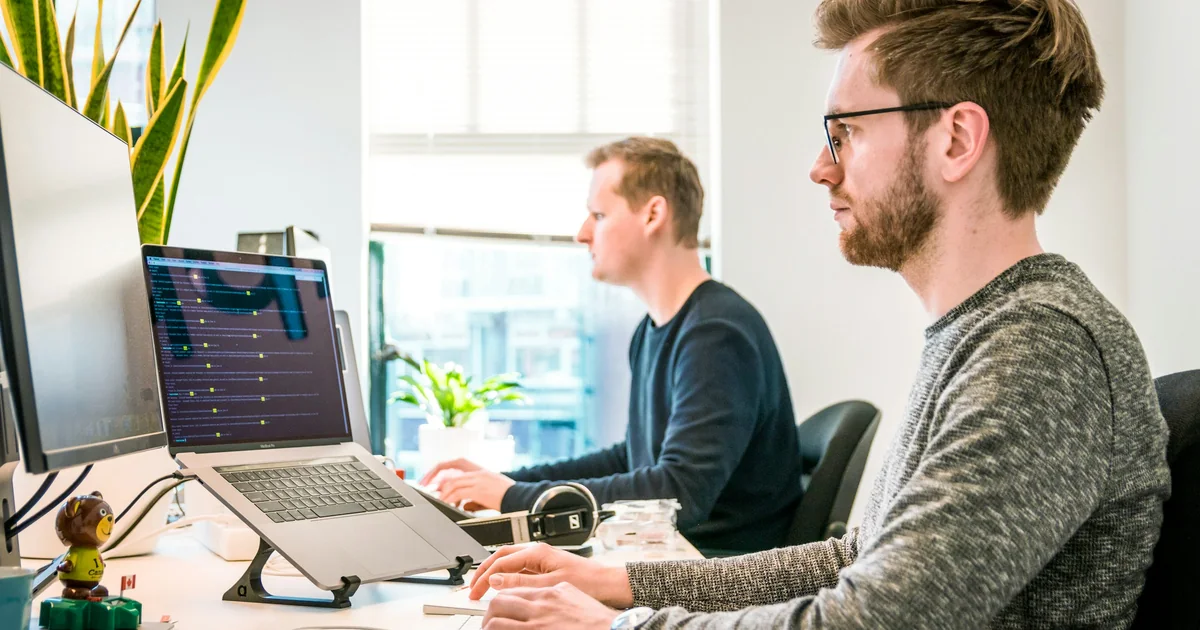
TL;DR: Riverside's local-recording approach lets Hyperleap AI produce 4K video content with distributed team members, saving 50% in post-production time. The platform records audio and video locally on each participant's device, eliminating internet-quality issues, and its AI editing tools accelerate content repurposing across channels.
How Hyperleap Uses Riverside for Professional Remote Video Content
Video content drives 80% more engagement than text alone (based on industry research), yet producing professional-quality video with a distributed team has traditionally required expensive equipment and complex coordination. At Hyperleap, we needed a solution that would let us create studio-quality content without the studio. (See the rest of our internal stack: Claude Code and Wispr Flow.)
4K
Local Recording Quality
Zero
Quality Loss from Internet
50%
Post-Production Time Saved
100%
Remote Recording Sessions
Why We Chose Riverside
The Problem with Traditional Video Calls
Before Riverside, we experimented with recording Zoom and Google Meet calls for content. The results were disappointing:
- Compression artifacts made footage look unprofessional
- Internet fluctuations created audio dropouts and video freezes
- No separate tracks meant editing was nearly impossible
- Screen recording workarounds added complexity without solving quality issues
We needed content for product demos, customer interviews, and educational videos. The quality gap between our written content and video content was becoming a liability.
What Made Riverside Different
Riverside's approach solved our core problem: it records locally on each participant's device, then uploads the high-quality files afterward. This means:
- Internet quality affects the live preview, not the final recording
- Each participant's audio and video are separate tracks
- 4K video and uncompressed audio are standard
- No expensive equipment required—just a decent webcam and microphone
Technical Insight
Local recording means your final footage quality is determined by your camera and microphone, not your internet connection. A participant on a spotty coffee shop WiFi will still deliver pristine audio and video.
Our Riverside Workflow
Content Types We Produce
Customer Interviews: We record conversations with customers about their experience with Hyperleap AI Agents. Riverside's separate tracks let us edit for clarity while maintaining natural conversation flow.
Product Demonstrations: Walking through features requires screen sharing with picture-in-picture. Riverside handles this seamlessly with separate screen and camera recordings.
Educational Content: Explaining AI concepts requires visuals and clear audio. The high-quality output makes our educational content feel polished and trustworthy.
Team Updates: Internal video updates for stakeholders benefit from the same quality, making asynchronous communication more effective.
Recording Setup
Our standard configuration:
- Video: 1080p minimum (4K when available)
- Audio: External microphone when possible, built-in as backup
- Lighting: Natural light or simple ring light
- Background: Clean, branded virtual backgrounds when needed
Pro Tip
Always do a 30-second test recording before important sessions. Riverside makes it easy to verify audio levels and video quality before committing to a full recording.
Post-Production Efficiency
The separate tracks Riverside provides transformed our editing workflow:
- Audio cleanup can be applied to individual speakers
- Video edits don't affect audio timing (and vice versa)
- B-roll insertion is straightforward with isolated footage
- AI transcription provides accurate captions and quotes
We estimate 50% time savings in post-production compared to our previous workflow.
Key Features We Rely On
Magic Editor
Riverside's AI-powered editor handles common tasks automatically:
- Removes filler words and awkward pauses
- Creates highlight clips from longer recordings
- Generates transcripts for repurposing content
- Suggests optimal clip lengths for different platforms
Producer Mode
When recording interviews, producer mode lets us monitor without appearing on camera. This is invaluable for:
- Ensuring technical quality during recording
- Feeding questions or prompts to the host
- Managing time without interrupting flow
Async Recording
Not every piece of content requires a live conversation. Riverside's async feature lets us:
- Send recording prompts to customers for testimonials
- Collect video responses on participants' schedules
- Maintain quality standards across self-recorded content
Results and Impact
Quality Improvement
The difference in output quality was immediately noticeable:
| Metric | Before Riverside | After Riverside |
|---|---|---|
| Video Resolution | 720p (compressed) | 4K (native) |
| Audio Quality | Variable, compressed | Uncompressed WAV |
| Editing Flexibility | Minimal | Full multi-track |
| Professional Appearance | Moderate | High |
Content Production Velocity
With streamlined recording and editing:
- Recording sessions require less preparation time
- Failed recordings due to technical issues dropped to near zero
- Turnaround time from recording to published content decreased significantly
Outcome
We now produce more video content in a month than we previously did in a quarter, with consistently higher quality.
Beyond Basic Recording
While the core value of Riverside is studio-quality remote recordings, we've found several advanced use cases that multiply its impact across the organization.
Multi-Episode Content Series
We use Riverside to produce recurring content series, including customer spotlight interviews and product update walkthroughs. Riverside's studio feature lets us maintain consistent branding, intro/outro templates, and recording settings across episodes. This eliminates setup time for recurring shows and ensures visual consistency that builds audience recognition over time. We batch-record multiple episodes in a single session, which is feasible because Riverside handles long recordings without degradation.
Customer Testimonial Library
Every customer success conversation is recorded in Riverside — recent examples include the Jungle Lodges deployment case study. Over time, this has created a searchable library of testimonial footage we can draw from for sales enablement, website content, and social proof. The separate tracks mean we can extract clean customer audio bites without the interviewer's voice, which is valuable for ad creative and landing page videos. We tag each recording by industry, use case, and product feature so the marketing team can find relevant clips without re-recording.
Onboarding Videos for Clients
When new clients deploy Hyperleap AI Agents, they receive personalized onboarding videos recorded through Riverside. The screen recording capability lets us walk through their specific dashboard configuration while maintaining face-to-face connection via picture-in-picture. These videos reduce onboarding support tickets and give clients a reference they can revisit. The async recording feature lets us produce these on our schedule without coordinating live calls.
Team Training Content
Internal training videos for new hires follow the same Riverside workflow. Engineering walkthroughs, product knowledge sessions, and process documentation are all recorded at full quality. Since Riverside produces separate tracks, we can update the screen recording portion of a training video without re-recording the audio narration—useful when interfaces change but explanations remain valid.
Integration with Our Content Workflow
Riverside doesn't operate in isolation. It connects with several other tools in our content production pipeline, and understanding these integrations is essential to appreciating the full productivity gain.
After recording in Riverside, we export separate audio and video tracks into DaVinci Resolve for detailed editing or Descript for transcript-based editing. Descript's text-based editing is particularly powerful when combined with Riverside's high-quality source files—we edit the transcript and the video follows. For quick social clips, Riverside's built-in Magic Editor handles the work without exporting to external software.
Finished videos are uploaded directly to YouTube with metadata and thumbnails prepared in batch. We extract 30-60 second highlight clips for LinkedIn, Twitter, and Instagram using Riverside's clip generator, which identifies high-engagement moments automatically. These clips drive traffic back to the full video or related blog posts.
For repurposing, Riverside's AI transcription feeds directly into our blog content pipeline. Interview transcripts become the foundation for written case studies, pull quotes for social media, and FAQ content for help documentation. A single 30-minute recording session can yield a full-length video, 4-6 social clips, a blog post draft, and multiple quote graphics—all from the same source material.
We track all content assets in Notion, where each Riverside recording links to its downstream deliverables. This gives the marketing team full visibility into what content has been produced, what's in editing, and what's scheduled for publication.
Comparing Alternatives We Evaluated
Before committing to Riverside, we tested several alternatives for remote video recording. Each had strengths, but none matched Riverside's combination of quality, flexibility, and workflow integration.
Zoom Recordings: The obvious starting point for most teams. Zoom records cloud-compressed video at 720p-1080p with a single mixed audio track. Internet fluctuations directly degrade the recording. For internal meetings this is adequate, but for published content the quality gap is immediately visible. No separate tracks make editing impractical.
SquadCast: The closest direct competitor to Riverside, SquadCast also records locally on each participant's device. We found SquadCast's interface less polished and its editing tools less capable than Riverside's Magic Editor. SquadCast works well for podcasts (audio-only), but Riverside's video capabilities, screen recording, and async features gave it a clear edge for our use cases.
Descript: Descript is primarily an editing tool that also offers recording. Its transcript-based editing is excellent, but the recording quality doesn't match Riverside's local recording approach. We use Descript downstream in our workflow for editing, but rely on Riverside as the capture tool. Trying to use Descript for both recording and editing created workflow friction—separating the tools proved more efficient.
StreamYard / Restream: These platforms focus on live streaming with recording as a secondary feature. Video quality is acceptable for live broadcasts but doesn't meet our standard for produced content. If live streaming were our primary need, these would be strong choices; for recorded content, Riverside is the better tool.
The deciding factors for Riverside were local recording quality, separate track output, the Magic Editor for quick turnaround, and async recording for collecting testimonials without scheduling coordination. For teams evaluating these options, the key question is whether your primary output is produced, edited content or live broadcasts. For produced content—which describes our use case—Riverside's local recording architecture delivers a quality advantage that compounds across every piece of content you create.
"Content quality is a compounding investment. Every piece of professional video we produce continues generating trust and engagement for months. Riverside's local recording architecture means we never compromise on quality, even with a fully remote team." — Gopi Krishna Lakkepuram, Founder & CEO of Hyperleap AI
Lessons Learned
-
Local recording is non-negotiable for professional content. The quality difference is immediately apparent.
-
Separate tracks save hours in editing. Never accept a single mixed track for content you plan to edit.
-
Test recordings prevent problems. A minute of testing saves hours of re-recording.
-
Async recording expands possibilities. Not all content requires synchronous coordination.
-
AI editing tools are genuine time-savers. Features like automatic filler word removal and transcription accelerate production significantly.
Who Should Consider Riverside
Riverside makes sense for teams that:
- Create video content with remote participants
- Need professional quality without professional studios
- Value editing flexibility with separate audio/video tracks
- Want AI-assisted editing to accelerate production
- Record interviews, podcasts, or educational content
Consideration
Riverside is optimized for recorded content. If your primary need is live streaming with high production value, you may want to evaluate tools built specifically for that use case.
Getting Started
If you're considering Riverside for your content production:
- Start with the free tier to test recording quality with your equipment
- Record a real session (not just a test) to evaluate the full workflow
- Try the Magic Editor on your first recording to assess AI editing value
- Compare the output to your current solution side-by-side
The quality difference typically speaks for itself.
Further Reading
Authoritative external sources used and recommended for further research on this topic:
- Anthropic research and product documentation
- Google Search Central documentation
- Gartner customer service research
See What We're Building
Riverside helps us create content for Hyperleap AI—the AI chatbot platform that automates customer conversations across your website, WhatsApp, and Instagram.
Explore AI AgentsFrequently Asked Questions
What is Riverside and how does it work?
Riverside is a remote recording platform that captures audio and video locally on each participant's device, then uploads the high-quality files afterward. This means your final recording quality is determined by your camera and microphone—not your internet connection. Each participant's audio and video are saved as separate tracks, giving full editing flexibility.
How does Riverside compare to recording Zoom or Google Meet calls?
Standard video call recordings are compressed by the platform and degraded by internet fluctuations, typically producing 720p video with compressed audio on a single mixed track. Riverside delivers 4K video and uncompressed audio with separate tracks per participant. The quality difference is immediately visible and makes professional editing possible.
Do you need professional equipment to use Riverside?
No. A decent webcam and microphone produce excellent results with Riverside since the local recording captures the full quality your hardware provides. A built-in laptop camera works for internal content, while an external USB microphone and 1080p webcam are sufficient for published content. Professional studio equipment is not required.
What types of content can you create with Riverside?
Riverside works well for customer interviews, product demonstrations, educational videos, podcasts, team updates, and testimonial recordings. Its async recording feature also allows collecting video responses from participants on their own schedule, which is valuable for customer testimonials and distributed team updates.
How much time does Riverside save in post-production?
Based on our experience, Riverside reduces post-production time by approximately 50% compared to editing single-track recordings from Zoom or Google Meet. Separate audio and video tracks allow independent editing, and AI-powered features like automatic filler word removal and transcription further accelerate the workflow.
Can Riverside recordings be repurposed into other content formats?
Yes, and this is one of the highest-value aspects of using Riverside. A single recording session can produce a full-length video, 4-6 social media clips, a blog post draft from the transcript, and quote graphics for social sharing. The AI transcription feature generates accurate text that serves as the foundation for written content, and the clip generator identifies high-engagement moments for short-form distribution on LinkedIn, Twitter, and Instagram.
How does Riverside handle multiple participants in different locations?
Riverside records locally on each participant's device simultaneously, regardless of their location or internet quality. Each participant's audio and video are captured as separate tracks that sync automatically after upload. This means a participant recording from a hotel WiFi produces the same quality as someone on a fiber connection. Producer mode allows a team member to monitor all feeds without appearing on camera.
Is Riverside suitable for building a long-term video content library?
Riverside is well-suited for building a content library because every recording is stored at full resolution with separate tracks. We maintain a tagged library of customer testimonials, product demos, and training videos that can be re-edited, re-clipped, or repurposed months after the original recording. The high source quality ensures that content remains usable even as platform requirements and aspect ratios evolve over time.
This is part of our "Tools We Use" series, where we share the software and workflows that power Hyperleap AI. These are genuine recommendations based on our experience—we have no affiliate relationship with the tools we discuss.
What is an AI chatbot in business terms?
A customer-facing chat agent that answers questions, qualifies inquiries, and captures leads 24/7. Modern AI chatbots are grounded in your business content (not the open internet) and run across your website and messaging channels with the same persona and knowledge.
How is Hyperleap different from a chat widget or a live chat tool?
Live chat tools route to humans; basic widgets follow scripted flows. Hyperleap is an AI agent grounded in your content — it understands intent, retrieves from your knowledge base, qualifies leads, and escalates only when needed. Same answers across website, WhatsApp, Instagram DM, and Facebook Messenger.
How long does it take to set up an AI chatbot with Hyperleap?
Most SMBs go live in 3–5 days for self-serve setup. With Managed Setup (from $299 one-time, available on every plan), Hyperleap builds the bot for you on your content and channels. A 7-day free trial is included on every plan.
Which channels does the chatbot run on?
Hyperleap deploys the same AI agent across four channels: your website widget, WhatsApp Business, Instagram DM, and Facebook Messenger. SMS, Slack, Telegram, MS Teams, and voice are on the roadmap and are not shipped yet.
Related Articles
How Hyperleap Uses WisprFlow for Voice Content
Typing is a bottleneck. Here's how WisprFlow's AI-powered dictation transformed how we write documentation, emails, and content at Hyperleap.

How Hyperleap Uses Claude Code for AI-Assisted Development
AI coding assistants promised to transform development. Here's how Claude Code actually delivers on that promise for our engineering and marketing teams.

How Jungle Lodges Captured 3,300+ Leads in 3 Months with AI
Real case study: Karnataka's premier eco-tourism enterprise deployed AI chatbots to capture 3,300+ leads in 90 days, with 35% arriving after business hours.
5 Ways Hotels Use AI to Increase Direct Bookings
Discover how hotels leverage AI chatbots to automate reservations, room service, and guest support to drive direct bookings.