No-fee checking
Domestic transfers and ATM reimbursements, included.
The AI agent for small businesses — it answers, qualifies, and books across your website, WhatsApp, Instagram, and Facebook, 24/7. Replies in seconds, asks the right qualifying questions, and emails your team a clean summary — so every lead lands warm, not lost.
 Website
 WhatsApp
 Instagram DM
 Messenger
Trusted by businesses worldwide — hospitality, real estate, healthcare, education, publishing, SaaS, and more.













More teams worldwide
Design
Choose colours, fonts, and a chat style that match your website. These examples show how the same AI agent can look.
See the full gallerySample designs · brands shown are illustrative
What do you charge. Are you open Saturday. How soon can you fit me in. They arrive mid-job, from the website, WhatsApp, Instagram, and Facebook at once — and each one takes the five minutes it took yesterday.
You didn't start a business to be its switchboard.
The person asking is usually asking two or three businesses at once. Whoever answers first is the one they keep talking to. Hyperleap answers every enquiry, asks the right questions, and sends you a lead that's ready to call.
You decide what it says. You get your day back.
Start for freeGive customers answers from your content. Keep the details your team needs to follow up.
What your customer sees
Northside Plumbing
Chat on their website
What your team gets
Waiting for the chat to finish.
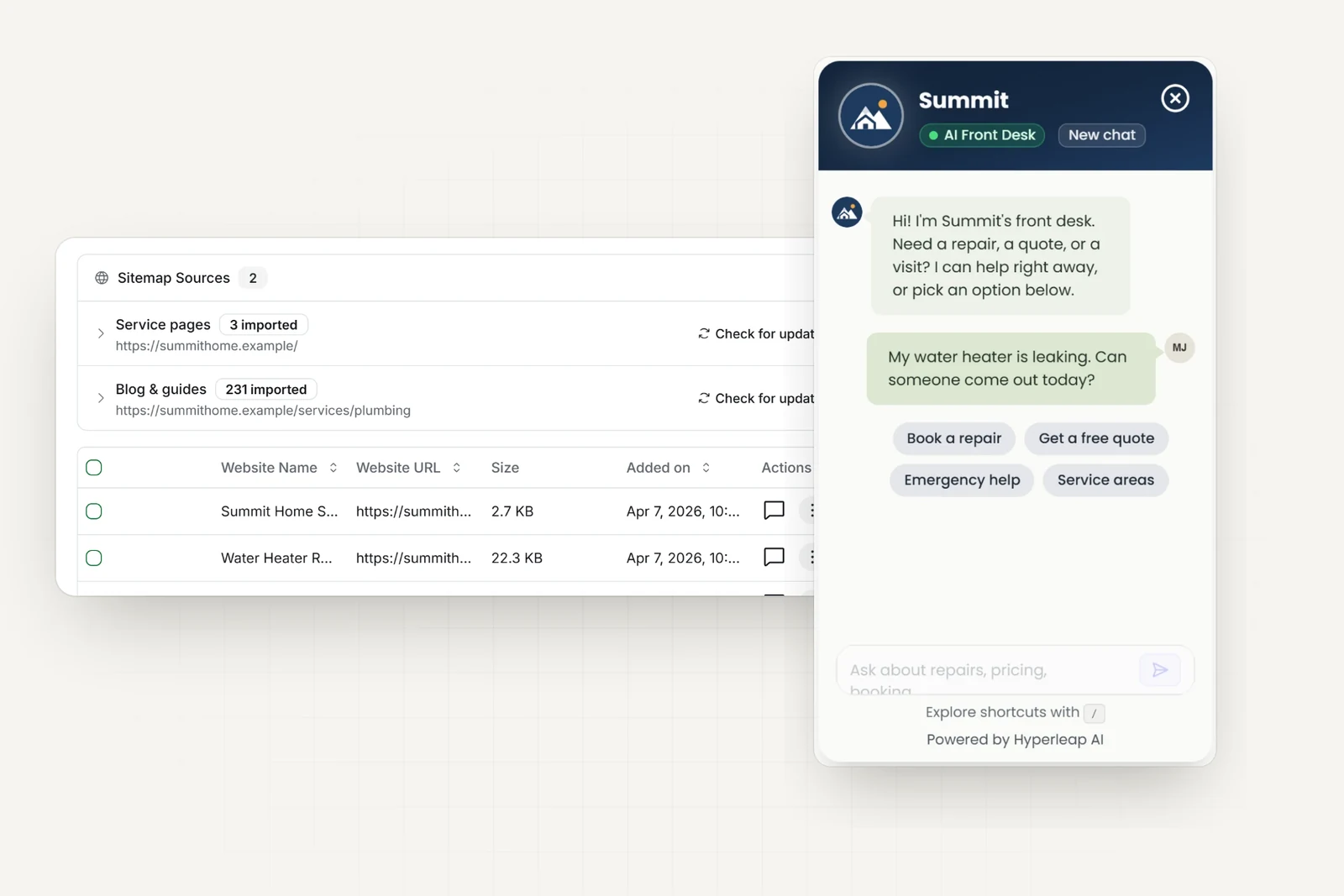
Add your website, PDFs, prices, and policies. Choose what it can answer and when it should send a customer to your team.
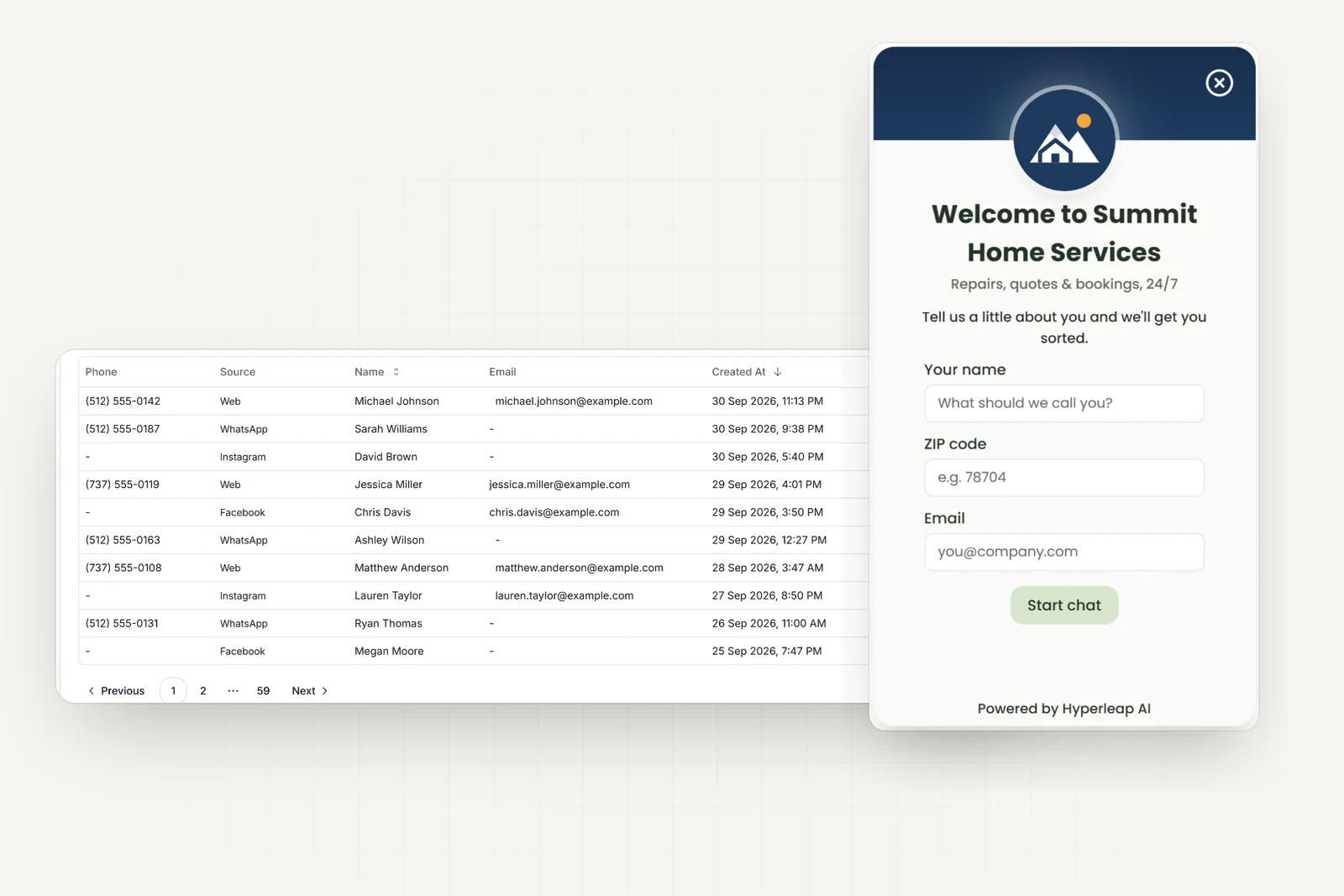
Choose which details visitors enter before chatting on your website. Messaging apps supply the phone or profile details they allow.
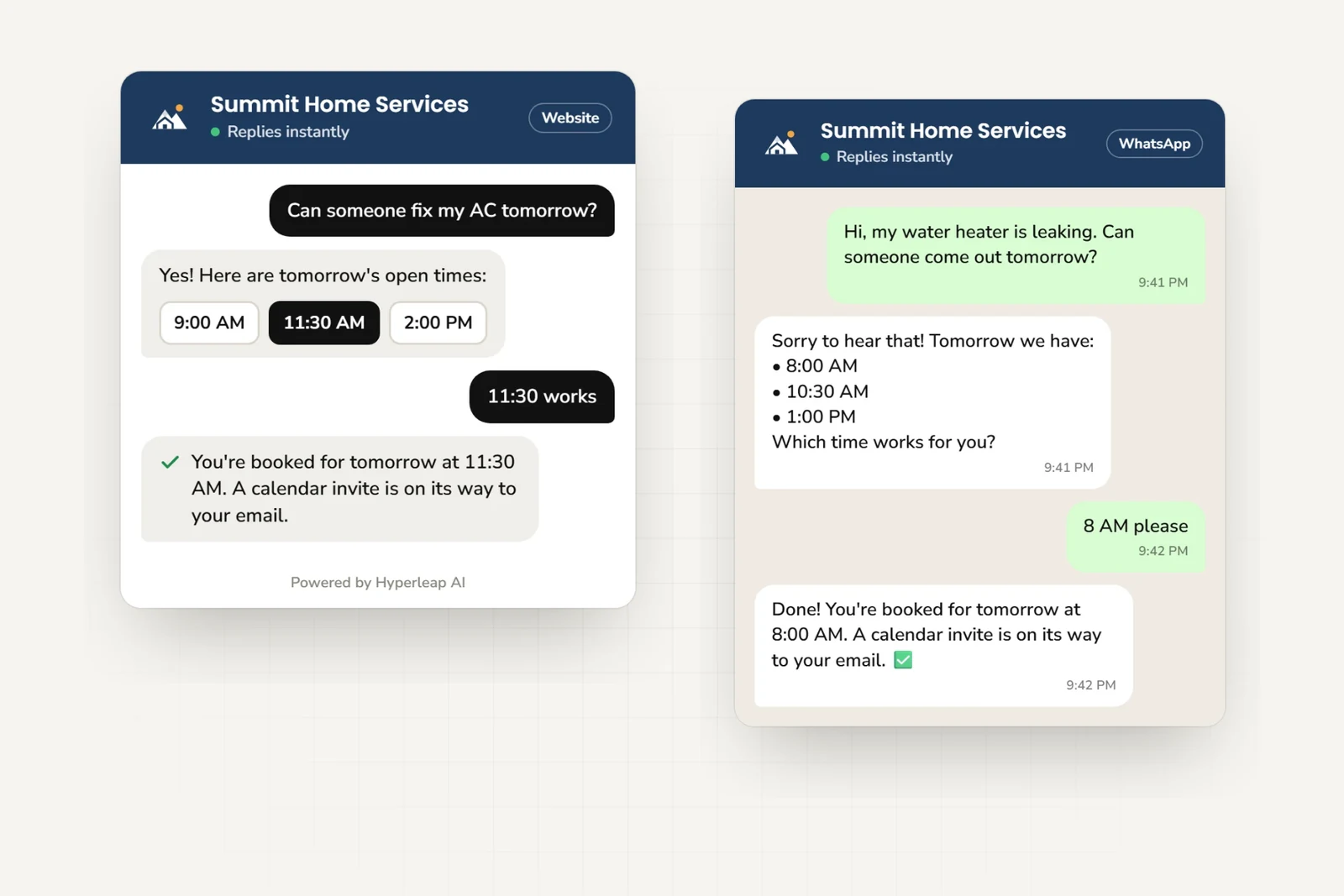
On Pro and Max, with Calendly or Cal.com, it offers real open times and books the appointment in the conversation. On Plus, or with any other booking tool, it shares your link.
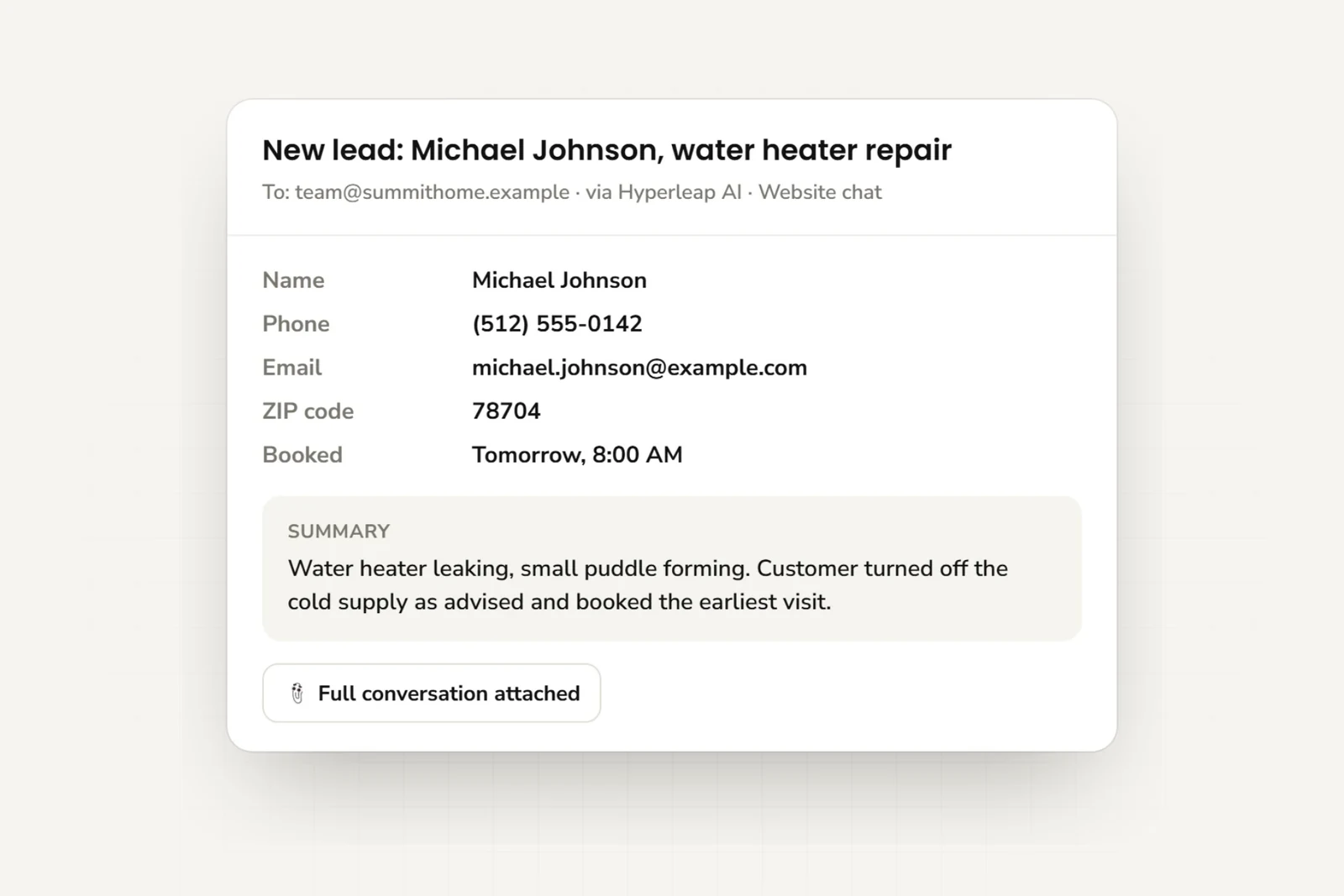
Your team gets the customer’s details and chat history by email, ready to follow up.
Signed webhooks (Pro and Max) and a full REST API. Pick the events you care about, point them at your endpoint, and check the delivery log afterwards. Every request carries an HMAC-SHA256 signature. Leads, conversations, and analytics are also available over MCP to the AI tools your team already uses.
| lead.captured | delivered | 200 | 13:42:04 |
| conversation.reply | delivered | 200 | 13:41:41 |
| conversation.message | delivered | 200 | 13:41:38 |
| conversation.started | delivered | 200 | 13:40:02 |
{
  "event": "lead.captured",
  "chatbotId": "cb_northside_ops",
  "lead": {
    "name": "Dana Whitfield",
    "email": "dana@northsidecafe.com",
    "phone": "+1415•••••42"
  },
  "conversationId": "cnv_8Kq2",
  "tags": ["emergency", "commercial"],
  "capturedAt": "13:42:04Z"
}
Follow up with the customer’s messages and contact details in one email.
Start for freeUse the same business information across all four channels. On Pro and Max, your team can take over any conversation.
Add a chat button or place the chat directly on your page.
Connect through Meta’s official WhatsApp Business API.
Answer direct messages without checking Instagram all day.
On Pro and Max, your team can reply in person, then let AI take over again.
Hyperleap AI is a Meta Technology Provider and Business Partner. WhatsApp, Instagram, and Messenger run on Meta's official Business APIs — no third-party relay, no workaround.
Not available yet: SMS, Slack, Telegram, Microsoft Teams, email, and voice.
Each template includes a greeting and instructions for common customer questions. Edit them to fit your business.
Paste your website, check the answers, and add it to your site. You can add documents and refine the instructions later.
Hyperleap reads your pages and uses your logo and colours to create your AI front desk.
Check its answers to common questions. Adjust the greeting and instructions if needed.
Add the supplied code to your site. You can add documents and change its instructions later.
One AI reply = one response — no model-credit math. 7-day free trial on every plan, card required.
1 chatbot · 3,000 replies/mo
2 chatbots · 12,000 replies/mo · white-label
5 chatbots · 30,000 replies/mo · white-label
Optional add-ons priced separately — including managed setup, $299 Free right now.
A basic website setup takes under five minutes. Paste your website address, check the answers, and add the supplied code to your site. You can add PDFs and change its instructions later.
You choose what it says when it cannot answer, such as asking the visitor to call or email your team. You also decide which topics it should avoid.
You control which team members can see customer details and conversations. You can delete records. Our Data Processing Agreement explains how we handle the data.
Customer details and chat history arrive by email. Your developer can build a custom CRM connection using our REST API and webhooks (webhooks on Pro and Max). Built-in connections to Zapier, HubSpot, Salesforce, and Zendesk are not available yet.
Yes — it answers in 100+ languages, and it replies in whichever one the customer writes in. There is nothing to configure and no separate agent to build per language.
Your website, WhatsApp, Instagram DM, and Facebook Messenger. SMS, Slack, Telegram, Microsoft Teams, email, and voice are on the roadmap.
Meta Business Agent lives inside Meta’s apps and answers there. Your front desk has to cover more than that: your own website (where Meta’s agent doesn’t go), lead capture, appointment booking through Calendly or Cal.com (on Pro and Max), a transcript and summary emailed to your team, and webhooks or API into your own systems — with everything owned by you, in your workspace, not inside a platform’s inbox. Many businesses will run both; Hyperleap is the one that works on the channels and systems you own.
Pick the plan that fits and keep going. The trial is 7 days, a card is required, and there is no free tier.
Still deciding? Conversational AI for customer service, for lead generation, or talk to us.
Paste your website address to build your AI front desk. Try it free for 7 days.
7 days · card required to start · cancel anytime
An AI front desk that answers customer questions, collects contact details, and books appointments on your website and messaging channels.
Solutions
AI agents by industry
Healthcare & wellness
Home & field services
Professional services
Beauty & fitness
Hospitality & events
Retail, auto & local

















 Website
 WhatsApp
 Instagram DM
 Messenger