Best Conversational AI for Customer Service in 2026
Conversational AI for customer service: how it differs from chatbots, 10 platforms compared on pricing and channels, and how to choose in 2026.

Conversational AI for customer service has moved from pilot project to operational necessity. The question is no longer whether to deploy it — it is which platform fits your team, your channels, and your budget. This guide breaks down what conversational AI actually is, how the leading platforms compare, and how to make a decision you will not regret six months in.
Last Updated
May 2026. Pricing and feature details change frequently. Always verify on each vendor's site before making a purchasing decision.
What Is Conversational AI for Customer Service?
Conversational AI for customer service refers to software that can hold natural, back-and-forth dialogue with customers — answering questions, resolving issues, and routing complex problems to human agents — without requiring rigid keyword matching or scripted decision trees.
The underlying engine is typically a large language model (LLM), often combined with retrieval-augmented generation (RAG): a technique where the AI retrieves relevant information from your knowledge base before generating a response. This grounds the AI in your actual documentation, reducing the risk of the AI inventing answers.
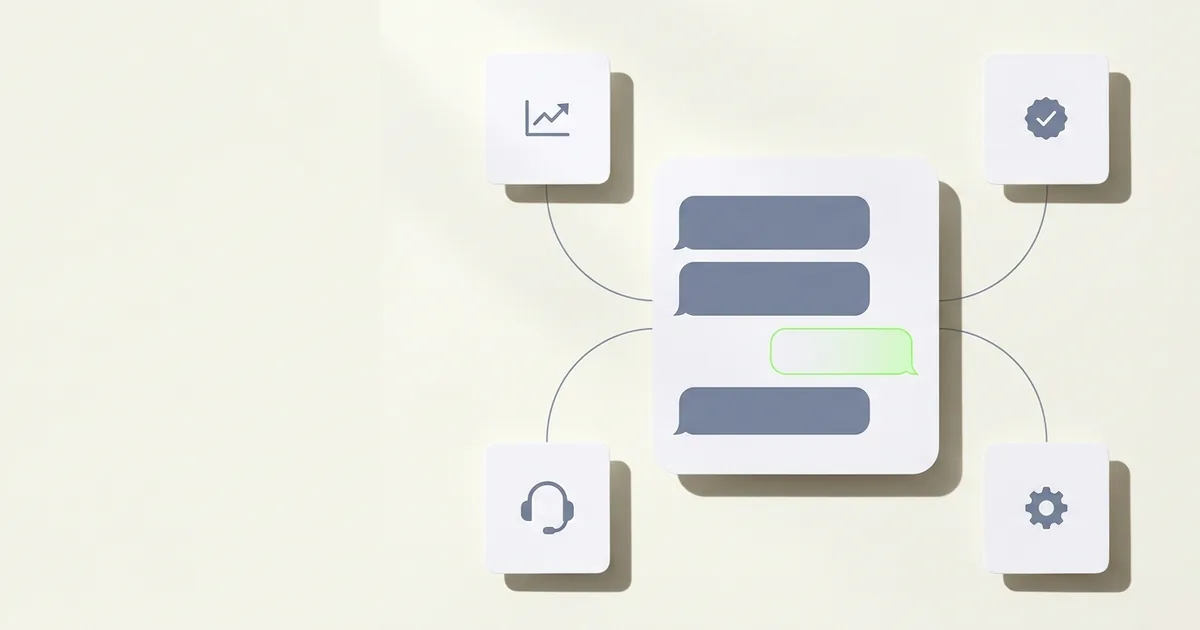
Modern conversational AI platforms for customer service typically include:
- An AI layer trained on your documentation, FAQs, and website content
- Multi-channel delivery (web chat, WhatsApp, social messaging, email)
- A handoff mechanism to route conversations to human agents when needed
- An analytics dashboard to track resolution rates, CSAT, and deflection
- An admin interface to update knowledge and review conversations
The result, when implemented well, is a customer-facing assistant that can handle a meaningful share of your inbound support volume at any hour, in any language, at a fraction of the cost of staffing an equivalent team.
How Conversational AI Differs from Traditional Chatbots
This distinction matters for your buying decision, because vendors use both terms — and they do not mean the same thing.
Traditional chatbots operate on decision trees. The bot presents a menu, the customer clicks an option, the bot branches. Add a question outside the script and it fails. They are deterministic, fast to audit, but brittle. Anyone who has shouted "AGENT" into a support bot three times knows the experience.
Conversational AI understands intent expressed in natural language. A customer can type "I ordered two units but only one arrived and I need the second one by Friday" and the AI can parse the situation, check the relevant policy, and compose a relevant response — without a pre-written branch for that exact scenario.
The practical differences:
| Dimension | Traditional Chatbot | Conversational AI |
|---|---|---|
| Input handling | Fixed menu / keywords | Natural language, any phrasing |
| Training | Decision tree configuration | Documents, FAQs, live conversation data |
| Scalability to new topics | Manual branch addition | Update the knowledge base |
| Multilingual | Usually single-language | Typically 50–100+ languages |
| Tone | Robotic, rigid | Adjustable, contextual |
| Failure mode | Dead ends, loops | Hallucination risk if poorly grounded |
| Setup time | Weeks to months | Days to weeks |
The risk with conversational AI is the opposite of the traditional chatbot risk. Where chatbots fail with rigidity, conversational AI can fail with overconfidence — generating plausible-sounding answers that contradict your actual policy. The mitigation is RAG grounding: the AI is instructed to respond only from your verified documents. Not all platforms implement this equally well, which is one of the most important variables to evaluate.
Where Conversational AI Works Best
Conversational AI is not a universal solution. It performs best in these scenarios:
High-volume, repetitive inquiry types. If your support team answers variations of the same 50 questions — order status, refund policy, product specs, account access — conversational AI handles these without fatigue, at scale.
After-hours coverage. Support demand does not align with business hours. Conversational AI covers the gap without hiring night shift staff or routing to a call centre.
Multi-channel customer presence. Customers increasingly expect support where they already are — WhatsApp, Instagram DM, your website. A platform that deploys the same AI across all channels means one knowledge base, consistent answers.
Multilingual support. Serving customers in 10 countries with a small team is operationally impossible without AI assistance. Most conversational AI platforms support 50+ languages out of the box.
Lead qualification and intake. Particularly for B2B or considered purchases — the AI gathers context (company size, use case, timeline) before routing to a human, so that human conversation is higher quality.
Post-purchase support. Returns, shipping queries, warranty claims, subscription changes — structured processes where the AI can resolve or triage without human judgment.
It works less well for:
- Emotionally charged situations requiring genuine empathy (a late delivery on a critical order, a billing dispute involving a large sum)
- Complex, multi-step resolutions requiring system access the AI does not have
- Highly regulated contexts where every statement needs legal review before publication
- Novel situations with no knowledge base coverage
The goal is not to replace human agents. It is to give your agents the headspace to handle the cases that actually need them.
Key Features to Evaluate
Before looking at specific platforms, know what you are evaluating. These are the variables that most reliably predict whether a deployment succeeds or stalls.
Knowledge grounding (RAG quality)
How does the platform train the AI on your content? Can you upload PDFs, point it at your website, sync your help centre? More importantly — does the AI answer from that content specifically, or does it rely on general LLM knowledge that may contradict your policies? Strict RAG grounding is the difference between a useful assistant and a liability.
Channel coverage
Where do your customers actually contact you? If 40% of your inbound is WhatsApp, a platform that only supports web chat is a poor fit. Evaluate which channels are native (built by the vendor) versus bolted on via third-party APIs, as native integrations tend to be more reliable and full-featured.
Handoff and escalation logic
When the AI cannot resolve, how does it hand off? Does it transfer the full conversation context so the agent is not starting from scratch? Can you define rules — topic type, sentiment, specific keywords — that trigger immediate human escalation? A bad handoff experience is worse than no AI at all.
Analytics and continuous improvement
Can you see which questions go unanswered? Which conversations the AI deflected successfully? What your AI CSAT scores are? Platforms that hide this data make it impossible to improve over time.
Pricing model alignment
This is underrated. Per-resolution pricing (you pay when the AI closes a ticket) sounds attractive but can become unpredictable at scale. Flat monthly pricing is easier to budget. Know your expected volume and model both pricing approaches before signing.
Time to live
How long between account creation and your first live AI? Vendors vary from a few days to months of implementation. Your urgency matters.
Compliance and data residency
For regulated industries (healthcare, finance, legal) — where is customer data stored? Is the platform GDPR-compliant? Does it offer data processing agreements? This is a procurement blocker if you skip it.
The 10 Best Conversational AI Platforms for Customer Service
1. Hyperleap AI
Hyperleap AI is an AI-first customer service platform built around the premise that your support AI should be grounded in what you actually say — not general LLM knowledge. You train the AI on your documentation, website, and FAQs, and it deploys across Website, WhatsApp, Instagram DM, and Facebook Messenger from a single knowledge base. Hyperleap is an official Meta Technology Provider and Business Partner, which matters for teams where WhatsApp is a primary channel.
Setup is fast — teams typically go live in 3–5 days. Pricing is flat monthly with no per-resolution charges, which makes budgeting predictable regardless of volume spikes.
Best for: SMBs and mid-market companies that want production-ready conversational AI grounded in their own content, across multiple channels, without enterprise pricing or per-resolution billing surprises.
Starting price: Plus at $40/mo, Pro at $100/mo, Max at $200/mo. 7-day free trial (credit card required). No free plan.
Strengths:
- RAG-grounded responses designed to stay within your documented knowledge — reduces hallucination risk
- All four channels (Website, WhatsApp, Instagram DM, Facebook Messenger) included in every plan — not sold as add-ons
- Flat pricing: volume spikes do not trigger unexpected charges
- Fast deployment — live in days, not weeks
Limitations:
- No native SMS, voice, Slack, or email channel currently (SMS and others on roadmap)
- Native CRM integrations (HubSpot, Salesforce) are in active development; current CRM connectivity is via REST API and webhooks
- No free plan — trial requires a credit card
Verdict: The strongest choice for teams that want multi-channel AI support grounded in their own docs, at a price point that makes sense before enterprise scale. The flat pricing model is a genuine advantage versus per-resolution alternatives.
See Hyperleap pricing | Try free for 7 days
2. Intercom (Fin)
Intercom is one of the most mature customer messaging platforms, and Fin — their AI agent — is a genuinely capable product. Fin operates on a per-resolution model: you pay when the AI fully resolves a conversation. The polish is evident: Fin handles complex multi-turn conversations well and integrates deeply with Intercom's existing ticketing, CRM, and conversation routing infrastructure.
The catch is cost. Per-resolution pricing can become significant for high-volume support operations, and Intercom's base platform pricing is premium before you add Fin usage. For well-funded teams already in the Intercom ecosystem, the investment is often justified.
Best for: Well-funded companies with mature support operations that want best-in-class AI resolution quality and can absorb per-resolution pricing at scale.
Starting price: Intercom's base plans start around $29/month per seat; Fin AI resolution pricing is separate and usage-based. Verify current rates on Intercom's site.
Strengths:
- Fin delivers high-quality, multi-turn resolution across complex queries
- Deep integration with Intercom's existing ticketing, help centre, and CRM features
- Strong analytics: resolution rates, deflection rates, handoff quality
Limitations:
- Per-resolution pricing creates variable cost that is difficult to predict at scale
- Total cost of ownership is high — base platform plus Fin usage plus seat fees
- Can be over-engineered for smaller teams without complex support workflows
Verdict: The reference product for conversational AI quality. Worth the cost if you have the volume and budget. For teams without both, the per-resolution model creates budget uncertainty.
3. Zendesk (with AI Add-on)
Zendesk is the dominant enterprise help desk platform, and its AI capabilities — Zendesk AI, built on its acquisition of Ultimate — add automation and intent detection on top of the existing ticketing stack. The result is AI layered onto a mature, deeply integrated support ecosystem: macros, SLA management, workforce tools, and decades of enterprise customer data.
The limitation is that the AI feels additive rather than foundational. Teams starting fresh from a conversational AI angle may find Zendesk's structure — built around tickets, not conversations — less natural than AI-native alternatives.
Best for: Existing Zendesk customers with high ticket volumes who want AI to accelerate resolution and automation without migrating their help desk.
Starting price: Zendesk Suite plans start around $55/agent/month (Suite Team), with AI add-ons priced separately. Verify on Zendesk's site.
Strengths:
- Unmatched depth of help desk functionality when you need ticketing, SLAs, and reporting
- AI add-on integrates directly with existing Zendesk workflows — no new system to adopt
- Strong enterprise compliance and security posture
Limitations:
- AI capabilities feel retrofitted rather than native — less coherent than AI-first platforms
- Per-agent pricing becomes expensive for larger teams
- Switching from Zendesk once embedded is a significant migration project
Verdict: The right choice if you are already in Zendesk and want to add AI without disruption. A less compelling starting point if you are building a support stack from scratch.
See top Zendesk chat alternatives
4. Ada
Ada is an enterprise AI automation platform with a sharp focus on support deflection at scale. Their approach is less about a chat widget and more about an autonomous AI agent that can resolve issues across your support surface — handling auth flows, policy queries, and process-driven resolutions without human involvement.
Ada is deliberately enterprise-first. The onboarding and implementation process assumes dedicated IT and CX resources, and pricing reflects the enterprise buyer. Teams without a mature support operation and dedicated AI budget may find Ada's model mismatched to their needs.
Best for: Enterprise CX teams managing tens of thousands of support interactions monthly, with dedicated resources to configure and optimize an AI automation platform.
Starting price: Ada does not publish pricing publicly — contact for a quote. Enterprise-level commitment expected.
Strengths:
- Purpose-built for high-volume enterprise deflection at scale
- Can handle complex, multi-step process automation — not just FAQ deflection
- Strong enterprise integrations and security controls
Limitations:
- Not designed for SMB or mid-market buyers — implementation complexity and cost reflects enterprise assumptions
- Pricing opacity makes early-stage evaluation difficult
- Overkill for teams that primarily need FAQ deflection and human handoff
Verdict: A serious enterprise choice for large CX operations. Not the right fit for teams under ~50,000 monthly interactions or without dedicated AI implementation resources.
5. Drift (now Salesloft)
Drift pioneered conversational marketing — the idea that a chat widget on your website could qualify leads and book demos, not just answer support questions. Following its acquisition by Salesloft, Drift is now positioned as part of a broader revenue team platform.
If your primary use case is sales-oriented: qualifying inbound traffic, routing to the right sales rep, booking meetings — Drift is still relevant. As a pure customer service conversational AI, it is a less natural fit.
Best for: B2B SaaS companies where the support team and the sales team overlap — particularly where the chat widget's primary job is pipeline, not ticket resolution.
Starting price: Salesloft does not publish Drift's standalone pricing post-acquisition. Request a demo for current pricing.
Strengths:
- Strong B2B lead qualification flows — designed around booking meetings and routing buyers
- Integration with Salesloft's broader sales execution platform
- Well-suited to product-led growth and inbound-led sales motions
Limitations:
- Customer service depth is secondary to sales tooling — not the right foundation if service resolution is the primary goal
- Pricing and packaging have shifted post-acquisition — evaluate current offer carefully
- Integration overhead for teams not already in the Salesloft ecosystem
Verdict: A specialist tool for revenue teams. If your chat widget is primarily a sales asset, worth evaluating. If it is primarily a support asset, look elsewhere.
6. Freshchat / Freshworks
Freshchat is Freshworks' messaging and conversational AI product, sitting within the Freshworks suite alongside Freshdesk (ticketing) and other business tools. The AI capabilities are genuine — intent detection, suggested replies, some degree of autonomous resolution — at a price point accessible to smaller teams.
The trade-off is depth. Freshchat's AI is functional without being exceptional. Teams that need it as a starting point or as part of a broader Freshworks deployment will find it sufficient. Teams optimizing specifically for AI resolution quality will find the alternatives more capable.
Best for: Budget-conscious support teams, particularly those already using Freshdesk or other Freshworks products, who want baseline conversational AI without a large investment.
Starting price: Freshchat plans start around $19/agent/month for the basic tier; AI features step up in higher tiers. Verify current pricing on Freshworks' site.
Strengths:
- Accessible pricing relative to enterprise alternatives
- Part of the Freshworks suite — natural fit for existing Freshworks customers
- Covers multiple channels including WhatsApp and web
Limitations:
- AI quality is functional rather than best-in-class — suited to straightforward FAQ deflection
- Per-agent pricing grows with team size
- Less suited to teams prioritizing AI-native resolution quality
Verdict: A solid choice for Freshworks customers or budget-constrained teams that need a workable conversational AI foundation. Upgrade path exists within the Freshworks ecosystem.
7. Tidio
Tidio is designed for small e-commerce businesses — specifically Shopify merchants — that want a simple AI-powered chat widget without the overhead of enterprise tooling. The product is approachable: easy to install, easy to configure, AI that handles common e-commerce questions out of the box (order status, returns, product questions).
The ceiling is low. Tidio works well within its intended use case and becomes limiting outside of it. Mid-market or multi-channel operations will outgrow it quickly.
Best for: Small e-commerce stores, particularly on Shopify, that need a fast, simple AI chat solution with straightforward setup.
Starting price: Tidio has a limited free tier; paid plans start around $29/month. Lyro AI (their conversational AI product) is priced separately per conversation. Verify current pricing on Tidio's site.
Strengths:
- Fast setup — live in hours, not days
- Native Shopify integration for e-commerce data access
- Approachable pricing and UX for non-technical owners
Limitations:
- Limited channel depth — primarily web chat with some email; multi-channel is not a strength
- AI resolution quality is basic relative to more sophisticated platforms
- Per-conversation pricing on Lyro can scale unpredictably with volume
Verdict: The right fit for a small Shopify store owner who wants to automate basic support quickly. Not designed for teams with multi-channel requirements or complex support needs.
8. HubSpot Service Hub
HubSpot Service Hub is the customer service arm of the HubSpot platform — the same CRM, shared data, familiar interface. Its AI features include a chatbot builder, help desk automation, and a customer agent called Breeze. The native integration with HubSpot CRM means support conversations are automatically connected to the full customer record.
The primary appeal is ecosystem. If your team already runs marketing and sales on HubSpot, adding service on the same platform eliminates data siloes. The AI capabilities are not the most advanced on this list, but they are improving with HubSpot's rapid AI investment.
Best for: HubSpot customers who want to extend their existing CRM investment into customer service without adopting a separate platform.
Starting price: Service Hub plans start around $15/seat/month at the Starter tier; AI features are more prominent in Professional and Enterprise tiers. Verify on HubSpot's site.
Strengths:
- Native CRM data means the AI has full customer context from the first message
- Single platform for marketing, sales, and service — significant operational benefit
- Strong reporting across the full customer lifecycle
Limitations:
- AI quality is secondary to ecosystem benefit — HubSpot is not the strongest standalone conversational AI
- Cost scales significantly with seat count and tier
- Teams without HubSpot already will not benefit from the core advantage
Verdict: A natural fit for HubSpot shops. A poor choice if you are not already committed to the HubSpot ecosystem — you would be paying for platform integration you do not need.
9. LivePerson
LivePerson is a veteran enterprise messaging and AI platform with a specific strength in regulated industries — banking, insurance, telecommunications, utilities. Their Conversational Cloud platform handles messaging at contact-centre scale and includes voice AI capabilities that most web-native alternatives lack.
LivePerson is built for organisations with hundreds of agents, complex compliance requirements, and existing contact-centre infrastructure. The implementation process and pricing model reflect this.
Best for: Large contact centres in regulated industries (financial services, telco, utilities) that need enterprise-grade AI across messaging and voice at scale.
Starting price: Enterprise contract only — no self-serve pricing. Request a demo.
Strengths:
- Enterprise-scale messaging infrastructure with a long track record
- Voice AI capabilities alongside messaging — relevant for contact-centre operators
- Strong compliance posture for regulated industries
Limitations:
- Not accessible or appropriate for SMB or mid-market buyers
- Implementation timeline and cost reflect enterprise procurement expectations
- Overkill for teams that primarily need web chat and messaging AI
Verdict: A credible enterprise alternative for large contact centres, particularly where voice is a primary channel. Not in scope for most of the market reading this guide.
10. Kustomer (Meta-owned)
Kustomer is a modern CRM and customer service platform acquired by Meta in 2022. It takes a customer-centric view — rather than organizing support around tickets, it organizes it around the customer timeline. AI capabilities are built into this CRM layer, giving agents (and the AI) full purchase history and interaction context.
The Meta ownership is relevant for teams heavily invested in WhatsApp and Instagram DM — there is logical alignment, though the product operates independently. Kustomer tends to attract D2C brands with high-volume, relationship-oriented support needs.
Best for: D2C brands with complex customer relationships, high support volume, and a need for unified CRM plus conversational AI on a single platform.
Starting price: Kustomer pricing is not fully self-serve — contact for current pricing. Mid-market commitment expected.
Strengths:
- Customer-timeline view gives agents and AI full context from the first message
- Strong fit for high-volume D2C support with repeat customers
- Meta ownership creates potential long-term advantages for WhatsApp and social channels
Limitations:
- Less suitable for B2B support contexts where ticket-centric workflows are standard
- Pricing and positioning skew toward mid-market and above
- CRM-plus-AI model means more implementation complexity than standalone chat tools
Verdict: A distinctive choice for D2C brands that want CRM and conversational AI in one platform. Worth evaluating alongside HubSpot Service Hub if the unified-customer-data model is your priority.
Platform Comparison Table
| Platform | Best For | Pricing Model | Starting Price | Channels | AI Grounding | Free Tier |
|---|---|---|---|---|---|---|
| Hyperleap AI | SMB/mid-market, multi-channel | Flat monthly | $40/mo | Web, WhatsApp, Instagram, Messenger | RAG (your docs) | No (7-day trial) |
| Intercom Fin | Well-funded teams, AI resolution quality | Per-resolution + seat | ~$29/seat + usage | Web, email, mobile | Deep AI | No |
| Zendesk + AI | Existing Zendesk customers | Per-agent + AI add-on | ~$55/agent + add-on | Web, email, social | Integrated | No |
| Ada | Enterprise CX teams | Custom enterprise | Contact for quote | Multiple | Enterprise AI | No |
| Drift / Salesloft | B2B sales-oriented chat | Custom | Contact for quote | Web | Sales-focused | No |
| Freshchat | Budget-conscious teams | Per-agent | ~$19/agent/mo | Web, WhatsApp | Basic AI | Limited |
| Tidio | Small e-commerce / Shopify | Per-conversation (AI) | From ~$29/mo | Web, email | Basic AI | Yes |
| HubSpot Service Hub | Existing HubSpot customers | Per-seat | ~$15/seat/mo | Web, email | HubSpot CRM-connected | No |
| LivePerson | Enterprise contact centres | Custom enterprise | Contact for quote | Web, messaging, voice | Enterprise AI | No |
| Kustomer | D2C brands, high volume | Custom | Contact for quote | Web, social, messaging | CRM-connected | No |
Pricing is approximate and subject to change. Verify all pricing on each vendor's site before purchasing.
Buyer's Guide: How to Choose the Right Platform
The most common buying mistake
Teams evaluate conversational AI platforms on feature lists and dismiss pricing model differences as a secondary concern. In practice, the pricing model — flat vs. per-resolution vs. per-agent — is what determines whether you are happy with the purchase 12 months in.
Step 1: Define your primary use case
Are you primarily deflecting support tickets, qualifying sales leads, or both? Platforms built for support resolution and platforms built for sales qualification have different architectures and different strengths. Drift is excellent at the latter; it is not where you go for support depth. Intercom's Fin excels at support resolution; its sales tooling is secondary.
Step 2: Map your channels to your customers
Where do your customers actually contact you today? Run through your last 1,000 support interactions and count by channel. If 30% are WhatsApp and your shortlisted platform does not have native WhatsApp, that is disqualifying — not a limitation to work around. Evaluate channel support as a hard requirement, not a nice-to-have.
For WhatsApp specifically, check whether the vendor is an official Meta Technology Provider or accesses the WhatsApp Business API via a third party. Native Meta partnerships tend to mean more reliable message delivery and access to newer WhatsApp features.
Understanding WhatsApp Business API for customer service
Step 3: Model your pricing scenario honestly
Take your last month's support volume. Apply each pricing model:
- Flat monthly: Your cost is fixed regardless of volume. Spikes do not surprise you.
- Per-resolution: Multiply resolved conversations by the resolution fee. Add the base platform cost.
- Per-agent: Multiply your agent headcount by the seat fee. Does the AI reduce agents over time, or add cost on top?
The right answer depends on your volume and growth trajectory. Flat pricing favours teams with high volume. Per-resolution favours teams with low volume and high value per resolution.
Step 4: Evaluate knowledge grounding quality
Ask every vendor this specific question: "When a customer asks something not covered in my documentation, what does the AI do?" A well-grounded system should acknowledge the gap and route to a human. A poorly grounded system fabricates a plausible answer. Fabricated answers in customer service create trust problems — especially for return policies, warranty terms, or anything consequential.
Ask for a demonstration using your own documents, not their demo content. The quality difference becomes immediately apparent.
Step 5: Check implementation timeline against your deadline
If you need to be live in two weeks, a platform with a six-week enterprise onboarding process is not on your shortlist regardless of quality. Conversely, if you are a regulated enterprise with complex procurement requirements, a self-serve tool without enterprise contracts may not meet your compliance bar.
Implementation Tips and Common Pitfalls
Start with your 20 most common questions, not your entire knowledge base. The instinct is to upload everything — every policy document, every help article, the full product manual. Resist it. A narrower, well-curated knowledge base produces more accurate responses than a broad, inconsistently formatted one. Expand coverage once the core is working well.
Define what the AI should NOT answer. Escalation logic is as important as resolution logic. For any topic that requires human judgment — billing disputes above a certain amount, complaints involving legal language, anything requiring account access the AI does not have — define a clear escalation path before you go live.
Write for the AI, not just for humans. Your knowledge base was written for humans who read sequentially. AI retrieves chunks. Short, specific articles with clear titles perform better than long, comprehensive guides where the relevant information is buried in paragraph six.
Run a shadow period before full deployment. Deploy the AI alongside your human agents in monitoring mode for one to two weeks before giving it full autonomy. Review every conversation where the AI would have responded. This surfaces gaps in your knowledge base and reveals edge cases your configuration did not anticipate.
Set realistic deflection expectations. Industry benchmarks vary widely, but deflection rates of 30–60% for well-configured systems are common for FAQ-heavy support operations. Higher is possible with more sophisticated implementations. Lower is common for support functions with high complexity or emotional stakes. Set expectations with your team based on your specific context, not vendor case study headlines.
Audit conversations monthly. Conversational AI performance degrades as your product, policies, and customers evolve. Build a recurring review process — ideally monthly — to identify new questions, outdated answers, and resolution patterns that need adjustment.
ROI: What Conversational AI Actually Delivers
The ROI calculation for conversational AI has four components. Be sceptical of any vendor that presents a single "3x ROI" figure without showing you the components.
1. Support cost reduction
The clearest ROI lever. Every interaction the AI resolves fully is one an agent does not handle. If your fully-loaded cost per resolved agent interaction is $8 and your AI resolves 500 interactions per month that would have gone to agents, that is $4,000/month in recoverable capacity — which you can redeploy to higher-value work or use to avoid adding headcount.
Calculate this from your own numbers, not industry averages. Your cost per interaction and your deflection rate will be specific to your support mix.
2. Coverage expansion
If your support team operates 9–5 and your customers contact you 24/7, the AI closes a gap that is currently either frustrating customers or costing you weekend staffing. This is a quality improvement that is harder to quantify but often matters as much as cost reduction.
3. Response time improvement
AI responds in seconds. Human agents, depending on queue depth, may take hours. For support requests where speed matters to the customer (delivery status, access issues, time-sensitive queries), faster resolution translates directly to customer satisfaction and retention — both of which have quantifiable downstream value.
4. Agent quality improvement
When agents are not answering the same FAQ for the 20th time that day, they handle complex cases better. This is a real productivity and quality effect, though it requires active management to realize.
On ROI claims
We have deliberately not cited specific ROI percentages in this guide. Vendor-published ROI figures are typically derived from their best-performing customers under optimised conditions. Your actual results will depend on your support volume, query complexity, knowledge base quality, and channel mix. Model your own numbers before committing to a platform.
Final Recommendation by Buyer Profile
You are an SMB or mid-market team with multi-channel support needs and a limited budget for AI experiments: Start with Hyperleap AI. Flat pricing, fast deployment, and RAG-grounded responses across Website, WhatsApp, Instagram DM, and Facebook Messenger make it the most accessible serious platform on this list.
You are a well-funded startup or scale-up willing to pay for best-in-class AI resolution quality: Evaluate Intercom Fin. The per-resolution pricing is a real variable-cost risk, but the product quality is the reference standard.
You already run Zendesk at scale: Add Zendesk AI. Migrating to an AI-native platform is a large project; the incremental benefit of switching platforms rarely outweighs the migration cost unless your Zendesk costs are genuinely painful.
You are a large enterprise with regulated compliance requirements: Shortlist Ada and LivePerson. Both are built for your context. Expect enterprise sales timelines and contracts.
You are a small Shopify store: Tidio is purpose-built for you. Evaluate it alongside Hyperleap AI if multi-channel (WhatsApp, Instagram) is a priority.
You already run HubSpot across sales and marketing: HubSpot Service Hub. The CRM integration benefit is worth more than the AI capability gap relative to AI-native alternatives.
Frequently Asked Questions
What is conversational AI for customer service?
Conversational AI for customer service is software that uses large language models and natural language processing to hold real back-and-forth dialogue with customers — answering questions, resolving issues, and routing to human agents — without requiring rigid scripted menus. Unlike traditional chatbots, it understands intent expressed in natural language, handles variations in phrasing, and can operate across multiple channels.
How does conversational AI differ from a chatbot?
Traditional chatbots operate on decision trees: they present menus, match keywords, and branch based on pre-configured logic. They fail outside their script. Conversational AI understands natural language — a customer can phrase a question in any way and the AI interprets the intent. The failure mode is also different: chatbots fail with rigidity (dead ends), while conversational AI can fail with overconfidence if not properly grounded in your documentation.
What is the best conversational AI for customer service?
There is no single best platform — the right choice depends on your company size, budget, channel mix, and primary use case. Intercom Fin is widely regarded as the highest-quality AI resolver for well-funded teams. Hyperleap AI is the strongest flat-pricing multi-channel option for SMBs and mid-market teams. Ada and LivePerson serve large enterprise contact centres. Tidio is purpose-built for small e-commerce stores.
How much does conversational AI cost?
Pricing varies significantly by model. Flat monthly platforms like Hyperleap AI start at $40/month. Per-agent platforms like Freshchat start around $19/agent/month and scale with team size. Per-resolution platforms like Intercom Fin charge per resolved conversation on top of a base fee. Enterprise platforms (Ada, LivePerson) require custom quotes. Always model your expected volume against each pricing model before choosing.
Can conversational AI replace human agents?
No — and any vendor claiming otherwise is overselling. Conversational AI handles high-volume, repetitive queries well. It struggles with emotionally charged situations, complex multi-step resolutions, novel situations outside the knowledge base, and anything requiring genuine human judgment. The realistic outcome of a well-implemented deployment is that AI handles 30–60% of inbound volume, freeing human agents to focus on complex cases. The goal is augmentation, not replacement.
Does conversational AI work for small businesses?
Yes, if you choose a platform built for your scale. Enterprise platforms (Ada, LivePerson) have implementation complexity and pricing that does not suit small businesses. Platforms like Hyperleap AI and Tidio are specifically built for small to mid-sized teams — fast setup, approachable pricing, and straightforward knowledge base management without needing a dedicated AI team.
What are the limitations of conversational AI?
The primary limitations are: hallucination risk (the AI generating plausible but incorrect answers — mitigated by RAG grounding), gaps in knowledge coverage (the AI can only respond well from content it has been given), inability to handle emotional complexity, and reliance on accurate, up-to-date knowledge bases. Without ongoing maintenance — reviewing conversations, updating knowledge, tuning escalation rules — performance degrades over time.
How long does it take to implement conversational AI?
Significantly less time than most teams expect, on modern platforms. Self-serve platforms like Hyperleap AI and Tidio can be live in three to five days with a prepared knowledge base. Mid-market platforms typically require one to three weeks. Enterprise platforms with custom integrations, compliance review, and IT procurement can take two to six months. Define your go-live deadline before shortlisting — implementation timeline is a hard filter.
Related Articles
Best AI Chatbots in 2026
Compare the best AI chatbots for business in 2026 — features, channels, pricing, and which platform fits your support, sales, and lead-capture needs.
Best Conversational AI Platforms in 2026
Compare the best conversational AI platforms in 2026 by NLU approach, document grounding, channel coverage, handoff design, and pricing model.
Hyperleap AI vs JivoChat (2026): Pricing & Comparison
JivoChat puts human agents on chat, calls, and messengers from $28/agent. Hyperleap is an AI front desk that answers first. Pricing and fit compared.
Best HubSpot Chatbot Alternatives in 2026
Looking for a HubSpot chatbot alternative? Compare top platforms on AI depth, multichannel reach, and pricing — without being locked into the HubSpot ecosystem.