Best MCP Servers for Sales and CRM Teams (2026)
A field guide to the best Model Context Protocol servers for sales and revenue teams in 2026 — Hyperleap, HubSpot, Linear, Slack, and the stack that ties them together.

Best MCP Servers for Sales and CRM Teams (2026)
TL;DR: The best single MCP server for sales and CRM teams is the Hyperleap AI MCP — 9 read-only tools covering your entire lead pipeline, shipped and documented today. For most AI-native revenue teams, the right answer is not one server but a small stack: Hyperleap (chatbot leads + pipeline context) + HubSpot (contact/deal data, verify current MCP status) + Filesystem (proposals, contracts, case studies) as the core three, expanded with Linear (ticket-to-deal handoffs) and Slack (channel context) as your team grows. The table below maps every server covered in this guide so you can build your stack without guessing.
TL;DR Comparison Table
| MCP Server | Category | Read-only / Read-write | Best For | Pricing |
|---|---|---|---|---|
| Hyperleap AI | Sales CRM / Chatbot leads | Read-only (9 tools) | Lead intelligence, pipeline context, conversation search | From $40/mo |
| HubSpot | Full CRM | Read-write (verify status) | Contact, deal, and company data in Claude | Free CRM tier; paid from $20/seat/mo |
| Salesforce | Enterprise CRM | Not announced as of May 2026 | Enterprise deal data — verify with vendor | Enterprise pricing |
| Linear | Project / issue tracker | Read-write (community + first-party) | Ticket-to-deal handoffs, eng escalations | Free tier; paid from $8/seat/mo |
| Slack | Team messaging | Read-only (community) | Channel search, sales conversation history | Free tier; paid from $7.25/seat/mo |
| GitHub | Code / issue tracker | Read-write (official Anthropic) | Prospect handoff tickets, eng escalations | Free for public; $4/seat/mo+ |
| Notion | Knowledge base / notes | Read-write (community + first-party, verify) | Sales playbooks, meeting notes, deal research | Free tier; paid from $10/seat/mo |
| Filesystem | Local file system | Read-write (official Anthropic) | Proposals, contracts, past case studies | Free (bundled with Claude Desktop) |
| Postgres | Data warehouse / database | Read-write (official Anthropic) | Historical deal data, custom reporting queries | Depends on your database host |
What Makes a Good Sales or CRM MCP Server
Not all MCP servers are created equal. Before you add a server to your stack, run it through these six criteria.
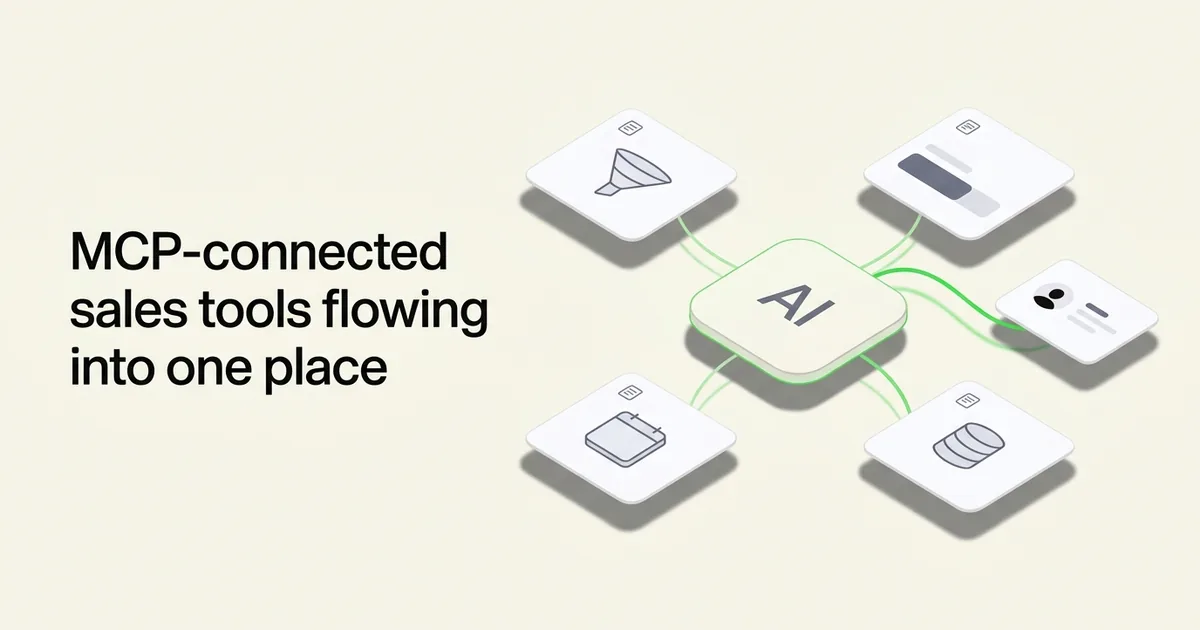
1. Tool Count and Breadth
A server with two tools ("get contact by ID" and "list contacts") will answer narrow questions but fail the moment you try to reason across your pipeline. Look for servers with enough tool breadth to answer compound questions — "who are the leads from last week that haven't had a follow-up conversation?" requires list tools, filter tools, and detail tools working together.
2. Read-Only vs Read-Write (the Safety Story)
Read-only servers let Claude query your data without risk of writing anything back. That matters when you are running Claude in an exploratory mode — asking broad questions, testing prompts, letting junior team members use AI tooling. Read-write servers unlock richer workflows (create a deal, update a contact status, post a Slack message) but demand tighter access controls and more deliberate prompting. Start read-only, expand to read-write when you have governance in place.
3. Auth Model
API key authentication is the simplest — generate a key, paste it into your MCP config, done. OAuth flows add friction but scope permissions more narrowly. Personal access tokens (GitHub, Linear) sit in between. Understand what credentials you are embedding in your Claude Desktop or Cursor config before you start — and prefer scoped, read-only tokens where possible.
4. Documentation Quality
A server with 12 tools and no documentation is nearly useless in practice. You cannot prompt Claude well without knowing what parameters each tool accepts, what data it returns, and what its limits are. Before committing to a server, check whether the tool descriptions are clear enough to let Claude use them autonomously without hand-holding.
5. Composability with Other MCPs
The real value of MCP in a sales workflow is cross-server reasoning. Can Claude correlate a Hyperleap lead with a HubSpot contact? Can it search a Slack channel and then look up the relevant deal in Linear? Composability depends on whether identifiers align (email is the most reliable join key across CRM systems) and whether the server's data model is consistent enough for Claude to reason across it. Prefer servers that return standard fields (email, name, company domain, timestamps) rather than opaque IDs.
6. Active Maintenance
MCP is a young standard. A community server built six months ago may not support the latest protocol version or handle auth edge cases properly. Before adding a community server to a production workflow, check the GitHub repository — look at last commit date, open issues count, and whether the maintainer is responding to bug reports.
The Best Sales and CRM MCP Servers in 2026
1. Hyperleap AI MCP — Best for Chatbot Lead Intelligence
Hyperleap AI ships a native, production-ready MCP server that gives your AI assistant direct read access to every lead, conversation, and pipeline signal captured by your chatbot — across Website, WhatsApp, Instagram DM, and Facebook Messenger channels.
MCP Status: Shipped and documented. Production-ready as of 2026.
What You Can Query
The Hyperleap MCP server exposes nine read-only tools:
| Tool | What It Returns |
|---|---|
list_leads | All leads in your CRM with filters (date range, status, channel) |
get_lead_details | Full profile for a single lead — name, contact, channel, source |
get_lead_conversations | All conversation threads for a specific lead |
get_conversation | Full transcript of a single conversation |
get_lead_activities | Activity log for a lead (messages sent, status changes, notes added) |
get_lead_notes | Team notes attached to a lead record |
get_pipeline_stages | Your configured pipeline stages and lead counts per stage |
get_crm_dashboard | Aggregate CRM metrics — total leads, conversations, active pipeline |
extract_lead_insights | AI-powered summary of patterns across a set of lead conversations |
This tool set lets you ask Claude questions that would previously require a BI tool or a manual export: "Which leads from WhatsApp this week haven't progressed past the first conversation?" or "Summarize the top objections mentioned in last month's conversations."
Strengths
- Read-only by design. All nine tools are read-only. There is no tool that can modify, delete, or create data. This makes the Hyperleap MCP safe to use in exploratory workflows without governance overhead.
- Cross-channel coverage. Leads captured on Website, WhatsApp, Instagram DM, and Facebook Messenger all surface through the same tools. You get a unified view across channels without tool-switching.
extract_lead_insightsis a force multiplier. Rather than querying leads individually, this tool lets Claude surface patterns across hundreds of conversations — common objections, peak activity windows, channels with the highest conversion signals.- Compatible with Claude Desktop, Cursor, Raycast, and Continue.dev. The server follows the standard MCP protocol, so it works in any MCP-compatible client.
- Composes well with HubSpot and Linear MCPs. Email address is the common join key. You can ask Claude to cross-reference a Hyperleap lead with a HubSpot contact or a Linear ticket using email as the bridge.
Tradeoffs
- Read-only only. You cannot update a lead's status, add a note, or trigger a workflow from Claude. All writes must happen in the Hyperleap Studio UI. This is a deliberate safety decision, not a gap — but if your workflow requires write-back, you will need the REST API or webhooks in addition to the MCP.
- Scoped to Hyperleap data. The server only knows what your Hyperleap chatbots have captured. It does not pull from external CRM systems. Pair it with a HubSpot or Salesforce MCP for full-funnel coverage.
Pricing Snapshot
- Plus: $40/month — 3,000 AI responses, 1 chatbot, 4 channels
- Pro: $100/month — 12,000 AI responses, 2 chatbots, 8 channels, white-label branding
- Max: $200/month — 30,000 AI responses, 5 chatbots, 20 channels
All plans include a 7-day free trial. No free plan. Credit card required for trial.
Best for: Revenue teams using Hyperleap Agents to capture inbound leads — wanting to query pipeline context, search conversation history, and surface lead insights without leaving Claude Desktop or Cursor. See the full tool reference and MCP setup guide.
2. HubSpot MCP — Best for Full-Funnel CRM Context
HubSpot is the CRM of record for hundreds of thousands of SMBs and mid-market companies. Its Breeze Copilot initiative signals a strong commitment to agentic AI surfaces, and HubSpot has been vocal about building toward a more open, AI-connected platform.
MCP Status: Not confirmed shipped as a standalone server as of May 2026. HubSpot's Breeze Copilot provides AI within the HubSpot interface, but a first-party MCP server enabling external clients (Claude Desktop, Cursor) to query HubSpot directly is not confirmed. Community implementations exist — verify current status at github.com/modelcontextprotocol/servers and HubSpot's developer documentation before building a workflow around any specific implementation.
What You Can Query (When a Working Server Is Confirmed)
A fully-functional HubSpot MCP server would expose the data that makes HubSpot valuable: contacts, companies, deals, pipelines, email sequences, and activity timelines. The most useful queries for a sales team would be:
- "Which deals in the pipeline have had no activity in the last 14 days?"
- "Show me all contacts associated with Acme Corp and their last interaction dates."
- "Which email sequences have the highest reply rates this quarter?"
Strengths
- CRM gravity. HubSpot is where your contacts, companies, deals, tasks, and email history already live. An MCP server here unlocks the richest dataset in your sales stack.
- Breadth of objects. HubSpot's data model covers contacts, companies, deals, tickets, products, and custom objects — a well-built MCP server can expose all of them.
- Strong developer ecosystem. HubSpot has a mature public API and an active developer community, which increases the likelihood of high-quality community MCP implementations being maintained.
Tradeoffs
- First-party server status is unconfirmed. You may be relying on a community implementation with variable maintenance quality. Check commit history and issue responsiveness before depending on any specific server in production.
- OAuth complexity. HubSpot's API uses OAuth 2.0, which adds setup friction compared to a simple API key flow. Expect to spend time configuring the auth flow.
- Rate limits. HubSpot's API enforces per-day and per-second rate limits that vary by plan. High-frequency Claude queries against a large contact database could hit these limits during heavy usage.
Pricing Snapshot
HubSpot's CRM core is free. Paid Sales Hub plans start at $20/seat/month (Starter) and scale to $100/seat/month (Professional) and custom enterprise pricing. API access is available across paid tiers; rate limits increase with higher plans.
Best for: Teams where HubSpot is the CRM of record and who want Claude to reason over contact timelines, deal stages, and pipeline gaps — once a reliable MCP server is confirmed available.
3. Salesforce MCP — Best for Enterprise Deal Data (When Available)
Salesforce powers the revenue operations of most enterprise sales organizations. Its Agentforce platform is Salesforce's strategic answer to AI-native workflows — but Agentforce is Salesforce's own agent layer, not an open MCP server that external AI clients can consume.
MCP Status: Not announced as of May 2026. Salesforce has not confirmed a first-party MCP server enabling Claude Desktop, Cursor, or other external clients to query Salesforce data via the Model Context Protocol. Community implementations may exist — verify with Salesforce directly and at github.com/modelcontextprotocol/servers before building any workflow dependency.
What You Would Query (If a Server Shipped)
Salesforce's data model is the richest in enterprise sales: Accounts, Contacts, Opportunities, Cases, Campaigns, Activities, Custom Objects, and Flows. A working MCP server against Salesforce would enable queries like "Which open opportunities over $100K have had no activity in 30 days?" — exactly the kind of pipeline hygiene question that currently requires a Salesforce admin to build a report.
Strengths
- The data is already there. Enterprise teams have years of deal history, contact data, and activity logs in Salesforce. If an MCP server ships, the data richness would be unmatched.
- Custom object support. Salesforce's schema is highly customized per organization. A well-built server with dynamic schema discovery would be extremely powerful.
Tradeoffs
- No confirmed MCP server as of May 2026. Do not architect a workflow around Salesforce MCP without vendor confirmation.
- Complexity and enterprise access controls. Even if a server ships, Salesforce's permission model (profiles, permission sets, field-level security) means setup will be complex in any enterprise deployment.
- Agentforce is a separate surface. Salesforce's AI investment is in Agentforce — its own agent runtime — not in open MCP compatibility with third-party clients. These may diverge strategically.
Pricing Snapshot
Salesforce pricing is enterprise and negotiated. Salesforce Enterprise Edition starts at $165/user/month; Unlimited at $330/user/month. API access requires Enterprise tier or above in most configurations.
Best for: Enterprise revenue teams where Salesforce is the system of record — if and when a reliable MCP server is confirmed shipped. Until then, access Salesforce data via its REST API or webhook integrations with tools that do have MCP servers.
4. Linear MCP — Best for Sales-as-Pipeline-of-Tickets
Linear has become the project management tool of choice for product-led and engineering-driven B2B companies. Many sales orgs use Linear Issues to track prospect handoffs to engineering, bug reports surfaced during sales calls, and feature requests that unlock deals. A Linear MCP server turns Claude into a bridge between your sales pipeline and your engineering backlog.
MCP Status: Linear has a well-documented public API and an active developer ecosystem. Community MCP server implementations exist. Verify maintenance status and current compatibility at github.com/modelcontextprotocol/servers. First-party status from Linear is not confirmed as of May 2026 — check Linear's developer documentation for current information.
What You Can Query
A working Linear MCP server exposes issues, projects, cycles, labels, and team members. For a sales team, the most relevant queries are:
- "Which issues are tagged with customer name Acme Corp and what is their current status?"
- "Show me all open bugs that were filed by the sales team as deal-blockers this month."
- "What's the status of the feature request that was blocking the Contoso deal?"
Strengths
- Closes the sales-to-engineering gap. Deals that hinge on product gaps or bug fixes can be tracked in real time without switching context between tools.
- Clean data model. Linear's issue structure (title, description, assignee, status, priority, labels, project) is well-suited to structured querying. Claude can reason over it reliably.
- Personal access tokens. Linear's API uses straightforward personal access tokens — simpler auth than OAuth flows.
- Active API ecosystem. Linear's developer community is large and active, which improves the quality of community MCP implementations.
Tradeoffs
- Not a CRM. Linear tracks work, not relationships. You cannot query contact timelines or deal stages in Linear — it is a complement to CRM tools, not a replacement.
- Community server quality varies. Until a first-party server ships, maintenance burden sits with community contributors. Check commit recency before depending on any implementation.
Pricing Snapshot
Linear offers a free tier for small teams. The Standard plan is $8/seat/month; Plus is $14/seat/month. API access is available across all tiers.
Best for: B2B SaaS sales teams where Linear is used to track prospect-reported bugs, feature requests, and engineering escalations — and who want Claude to bridge deal context with engineering backlog status.
5. Slack MCP — Best for Sales Channel Context
Slack is where your sales team lives between CRM updates. Prospect calls get debriefed in #deal-name channels. Competitive intelligence surfaces in #sales-intel. Deal blockers get escalated in #revenue-ops. A Slack MCP server lets Claude search that institutional knowledge — without you having to remember which channel held the critical conversation from three weeks ago.
MCP Status: Community MCP server implementations for Slack exist. A first-party Slack MCP server is not confirmed as of May 2026. Verify current availability at github.com/modelcontextprotocol/servers and Slack's developer documentation. Community implementations typically use Slack's Bot or User token scopes — review permission scopes carefully before connecting.
What You Can Query
A working Slack MCP server enables message search, channel listing, and thread retrieval. For sales teams, the highest-value queries are:
- "What did we discuss in #acme-corp last month?"
- "Find all messages in #sales-team where someone mentioned pricing objections."
- "Show me the thread where we debated the Contoso contract terms."
Strengths
- Captures the conversation that never made it to the CRM. Sales reps update Slack faster than they update Salesforce or HubSpot. The signal is there — an MCP server makes it queryable.
- Broad organizational memory. Cross-functional context (what the CS team said about an account, what the CEO mentioned on the investor call) lives in Slack and is normally locked away.
- Search scope control. A well-built server lets you scope queries to specific channels — so Claude only searches channels relevant to your sales workflow.
Tradeoffs
- Privacy and access scope. Slack workspaces contain sensitive information. Connecting an MCP server requires careful thought about which channels you authorize and which credentials you embed. Use the narrowest permission scopes possible.
- Message volume. Large workspaces with years of history can produce noisy results if search queries are too broad. Prompt design matters more here than with structured CRM data.
- Community maintenance risk. First-party status is unconfirmed. Check that the community implementation you use is actively maintained and passes a security review before connecting it to your workspace.
Pricing Snapshot
Slack's free tier limits message history to 90 days. Pro is $7.25/user/month (unlimited history). Business+ is $12.50/user/month. Enterprise Grid is custom pricing. API access is available across paid tiers; full message history search requires Pro or above.
Best for: Sales teams who use Slack heavily for deal collaboration and want Claude to search institutional knowledge captured in channels — without manually searching through months of messages.
6. GitHub MCP — Best for Engineering-Handoff Workflows
Anthropic ships an official, first-party GitHub MCP server as part of the modelcontextprotocol/servers repository. For sales organizations that use GitHub Issues to track prospect-reported bugs, feature requests from deals, or engineering escalations, this is the most reliable community option available.
MCP Status: Shipped. Official Anthropic-maintained server available at github.com/modelcontextprotocol/servers.
What You Can Query
The GitHub MCP server covers repositories, issues, pull requests, comments, and file contents. Sales teams care primarily about issues:
- "Which open issues are labeled 'deal-blocker' and what is their current status?"
- "Show me the issue filed for Acme Corp's API rate limiting complaint and any linked PRs."
- "List all issues assigned to the platform team that were created from sales escalations this quarter."
Strengths
- Official Anthropic maintenance. This is not a community gamble — the server is maintained by the same team that built the MCP specification. Protocol compatibility and bug fix response time are both strong.
- Read-write capability. You can query issues and also create new issues, add comments, and update labels — useful for creating engineering handoff tickets directly from a Claude session reviewing a sales conversation.
- Personal access tokens. GitHub's token-based auth is simple to configure and supports fine-grained, repository-scoped permissions.
Tradeoffs
- Only useful if you use GitHub for sales-adjacent issue tracking. If your engineering team uses Jira, GitLab, or Linear, the GitHub MCP server is not relevant to your sales workflow.
- No CRM data. GitHub knows nothing about your deals, contacts, or revenue — it is a pure issue and code tracking tool. Pair it with a CRM MCP for the full picture.
- Rate limits. GitHub's API enforces rate limits (5,000 requests/hour for authenticated users). High-frequency queries in a heavy Claude session could approach these limits.
Pricing Snapshot
GitHub is free for public repositories. GitHub Team is $4/seat/month; Enterprise is $21/seat/month. API access is available on all plans; rate limits increase with GitHub Enterprise.
Best for: B2B SaaS and technical product companies where the sales team files GitHub Issues for prospect-reported bugs and feature requests — and wants Claude to query engineering ticket status without leaving the AI session.
7. Notion MCP — Best for Sales Playbook and Meeting Notes Search
Notion has become the default knowledge base for fast-growing sales teams — competitive battlecards, call scripts, pricing FAQs, ICP definitions, and meeting notes all live there. A Notion MCP server turns Claude into a retrieval layer over that institutional knowledge.
MCP Status: Notion has a public API and has signaled openness to agentic integrations. Community MCP server implementations exist. First-party status is not confirmed as of May 2026 — verify at github.com/modelcontextprotocol/servers and Notion's developer documentation. Maintenance quality of community servers varies; check commit activity before depending on any specific implementation.
What You Can Query
A working Notion MCP server exposes databases, pages, and block content. For sales teams, the highest-value queries are:
- "Find the competitive battlecard for [competitor name]."
- "What does our pricing FAQ say about annual discount limits?"
- "Show me the notes from last quarter's enterprise sales review."
Strengths
- Sales playbooks become conversational. Rather than digging through nested Notion pages, a sales rep can ask Claude for the relevant battlecard or script in plain language during a call prep session.
- Meeting notes become searchable history. If your team logs discovery calls and QBR notes in Notion, an MCP server makes that history queryable without remembering where any specific page lives.
- Flexible data model. Notion databases with properties (deal stage, company name, owner, date) give Claude structured data to filter and reason over — not just free text.
Tradeoffs
- Notion's API returns block-structured JSON, which requires a well-built server to parse into readable text. Poorly built servers return raw block arrays that Claude has to interpret — query quality varies significantly between implementations.
- First-party status unconfirmed. Community implementations vary in maintenance quality and protocol compatibility.
- Permission scoping. Notion workspaces often contain HR, finance, and executive content alongside sales content. Grant the MCP server access only to the specific pages and databases relevant to the sales team.
Pricing Snapshot
Notion's free plan is available for individuals. Plus is $10/seat/month; Business is $15/seat/month; Enterprise is custom. API access is available across paid plans.
Best for: Sales teams that maintain their playbooks, battlecards, and meeting notes in Notion — and want to make that knowledge base conversationally accessible via Claude without manual page navigation.
8. Filesystem MCP — Best for Proposals, Contracts, and Case Studies
Anthropic ships an official Filesystem MCP server as part of the modelcontextprotocol/servers repository. For sales teams, the most immediate application is pointing it at a folder of past proposals, signed contracts, case study drafts, or competitive intelligence documents — and asking Claude to reason over them.
MCP Status: Shipped. Official Anthropic-maintained server, included with Claude Desktop by default.
What You Can Query
The Filesystem MCP server lets Claude read and write files within a configured directory scope. For sales teams:
- "Find the proposal we sent to Acme Corp last March and summarize the pricing section."
- "Which of these case study drafts reference healthcare clients?"
- "What objections did we address in the last five proposals we won?"
Strengths
- Zero setup for Claude Desktop users. The Filesystem MCP server is available out of the box — you just configure which directories Claude can access.
- Works with any file format Claude can read — PDFs, Word documents, markdown, text files, and more.
- No external API dependency. Data never leaves your machine during a Claude Desktop session. For sensitive proposal and contract data, this is a meaningful security advantage.
- Composes beautifully with CRM MCPs. Pull lead context from Hyperleap or HubSpot, then reference past proposals from the Filesystem — all in one Claude session.
Tradeoffs
- Not a search index. Claude reads files from disk sequentially within the context window. Very large document folders will exceed context limits — you need to scope the directory to what's relevant.
- Local only. Files must be on the machine running Claude Desktop. Shared team document repositories in Google Drive or SharePoint require a different approach (a Drive MCP server or export to local files first).
- Read-write scope requires caution. The default server supports writes. Be deliberate about which directories you expose — avoid pointing it at directories where accidental writes could cause problems.
Pricing Snapshot
Free — included with Claude Desktop and the official MCP server repository. No additional cost beyond your Claude plan.
Best for: Individual sales reps and founders who maintain a local folder of proposals, case studies, and competitive documents — and want Claude to reason over them alongside live CRM data from other MCP servers in the stack.
9. Postgres MCP — Best for Data Warehouse Queries
Anthropic ships an official Postgres MCP server as part of the modelcontextprotocol/servers repository. For sales operations teams that maintain a data warehouse or analytics database, this server lets Claude write and execute SQL queries directly — turning historical deal data into conversational analysis.
MCP Status: Shipped. Official Anthropic-maintained server.
What You Can Query
The Postgres MCP server gives Claude access to your database schema and the ability to run SELECT queries (configure it read-only for safety). For sales teams:
- "Which sales rep has the highest close rate on deals sourced from the website chatbot in Q1?"
- "Show me the average deal cycle length by industry segment for the last 12 months."
- "Which lead source had the lowest cost per closed deal last year?"
Strengths
- Answers questions your BI tools require an analyst to build. A VP of Sales can ask revenue questions in plain language and get SQL-grounded answers without opening Looker or writing a report request.
- Works with any Postgres-compatible database. Supabase, Amazon RDS, Google Cloud SQL, Neon — anything that speaks the Postgres wire protocol.
- Official Anthropic maintenance. Same reliability story as the GitHub and Filesystem servers.
Tradeoffs
- Requires a Postgres database. If your CRM data isn't already in Postgres, you need a data pipeline to get it there first. This is a data engineering investment, not a plug-and-play setup.
- Read-write risk. The server can execute DML statements by default. Always configure it with a read-only database role in production —
GRANT SELECTonly. - Schema knowledge required. Claude performs best when the server returns a clear schema description. Poorly documented databases produce worse query quality.
Pricing Snapshot
Free — the MCP server itself costs nothing. Database hosting costs depend on your provider (Supabase free tier, AWS RDS, etc.).
Best for: Sales operations and revenue operations teams who maintain a data warehouse and want Claude to answer ad-hoc pipeline and performance questions in plain language, without writing SQL or building BI reports.
Combining Multiple MCP Servers in One Workflow
The real step-change in AI-native sales work is not any single MCP server — it is running two or three simultaneously in one Claude session. Claude can correlate data across servers within a single prompt, using email address or company name as the join key.
Read more about multi-server workflows in our guide: Multi-MCP Workflows: Hyperleap + HubSpot + Linear.
Here are two practical stack configurations, matched to common team profiles.
Founder Stack — Hyperleap + HubSpot + Filesystem
Profile: Founder or solo sales leader running outbound and inbound simultaneously. CRM is HubSpot. Proposals live in a local folder. Inbound leads come through the website and WhatsApp chatbot.
Stack:
- Hyperleap AI MCP — surfaces chatbot leads, conversation history, pipeline stage counts
- HubSpot MCP — contacts, deal stage, email history, company data (verify current server status)
- Filesystem MCP — past proposals, case studies, pricing templates
Sample session:
"I have a call with Sarah at Acme Corp in an hour. Pull her Hyperleap conversation history, find her HubSpot contact record and last activity, and pull the most recent proposal we sent her company from my proposals folder."
Claude queries all three servers, correlates on email address and company name, and surfaces a pre-call brief — in seconds rather than minutes of manual tab-switching.
Sales Manager Stack — Hyperleap + HubSpot + Linear + Slack + Notion
Profile: Sales manager overseeing a team of four reps. Uses HubSpot as CRM, Linear for engineering escalations, Slack for deal channel discussions, and Notion for playbooks and QBR notes.
Stack:
- Hyperleap AI MCP — inbound lead pipeline and chatbot conversation intelligence
- HubSpot MCP — full deal pipeline, team activity, contact timelines (verify current server status)
- Linear MCP — engineering ticket status for deal-blocker features and bugs
- Slack MCP — sales channel discussions, deal debrief threads
- Notion MCP — competitive battlecards, call scripts, QBR notes
Sample session:
"Give me a Monday morning pipeline review. Which deals in HubSpot have had no activity in the last 7 days? Are any of the stalled deals waiting on Linear tickets? What was discussed in #revenue-ops last week about the Q2 targets? Pull the relevant section from the Notion QBR notes."
This is the kind of compound question that previously required 20 minutes across five tools. With the right MCP stack, it is a single Claude prompt.
See our AI-native sales team guide for more workflow examples and the prompts that make them work.
Frequently Asked Questions
What is an MCP server and why does it matter for sales teams?
An MCP (Model Context Protocol) server is a standardized interface that lets AI assistants like Claude read data from external tools — CRMs, project trackers, file systems, databases — through a consistent, structured protocol. For sales teams, it matters because it turns your CRM and sales tools into a conversational interface: instead of switching between five browser tabs to prep for a call, you ask Claude one question and it pulls data from all your tools simultaneously.
Which MCP server should a sales team start with?
If your team uses Hyperleap AI for inbound lead capture, start with the Hyperleap MCP — it is shipped, documented, and read-only, which makes it safe to connect immediately. If your primary CRM is HubSpot, add a HubSpot MCP server next (verify current availability). The Filesystem MCP is a free, zero-setup addition for any team with proposals or case studies stored locally. Start with two servers, learn how Claude reasons across them, then expand.
Are read-only MCP servers safer than read-write ones?
Yes, meaningfully so. A read-only server can only return data — Claude cannot accidentally create, update, or delete records through it. For production sales data, start with read-only servers or configure read-write servers with read-only credentials (a database role with SELECT-only permissions, a GitHub token scoped to Issues read-only, etc.). Add write permissions deliberately as you develop governance for which prompts should trigger writes.
How do I connect multiple MCP servers in one Claude session?
In Claude Desktop, you configure each MCP server as a separate entry in your claude_desktop_config.json. Claude automatically discovers all configured servers at session start and can query any of them in a single prompt. There is no limit on the number of servers you can configure, though practical context window limits mean very large data pulls across five or six servers simultaneously can become unwieldy. See our MCP setup guide for step-by-step configuration.
Can Claude join data across two different MCP servers?
Yes. Claude can correlate data across servers within a single response using shared identifiers — typically email address or company name. For example, you can ask Claude to match a Hyperleap lead (identified by email) with a HubSpot contact (also identified by email) and surface the combined record. The quality of cross-server joins depends on how consistently the shared identifier appears in both data sources.
Do all the MCP servers listed here work with Cursor and Raycast, not just Claude Desktop?
MCP is an open standard, so any server that follows the protocol specification should work in any MCP-compatible client — Claude Desktop, Cursor, Raycast, Continue.dev, and others. That said, client-side implementation quality varies. The official Anthropic-maintained servers (GitHub, Filesystem, Postgres) are tested against the reference implementation. Community servers may have compatibility gaps with specific clients. Test each server in your preferred client before committing to it in a production workflow.
What is the biggest mistake sales teams make when setting up MCP servers?
Connecting too many servers at once without understanding what each one returns. Start with one server, learn how Claude uses its tools, and verify the data quality before adding the next one. The second most common mistake is connecting read-write servers with admin credentials — always use the most narrowly scoped credentials possible, and prefer read-only tokens for exploratory use.
How do community MCP servers compare to official Anthropic-maintained servers?
Official Anthropic-maintained servers (GitHub, Filesystem, Postgres, and a growing list) are tested against the current MCP specification, actively maintained, and safe to depend on in production workflows. Community servers vary widely — some are excellent and actively maintained, others are proof-of-concept implementations that have not been updated in months. Before depending on a community server, check the GitHub repository's last commit date, open issue count, and whether the maintainer is actively responding. Prefer official servers where they exist for the data source you need.
Conclusion
The best MCP server for a sales team is the one that gives Claude direct access to the data your team already depends on — without requiring a custom integration, a data export, or a BI analyst.
Our recommendation for most revenue teams:
- Start with Hyperleap AI MCP if you use Hyperleap for inbound lead capture. It is the only sales CRM MCP server that is shipped, documented, and production-ready today — 9 read-only tools, zero write risk, composable with the rest of your stack.
- Add Filesystem MCP immediately — it is free, zero-setup, and unlocks proposals and case studies as conversational context.
- Add HubSpot MCP as your third server once you have confirmed a reliable implementation is available — it closes the loop on full-funnel deal context.
- Expand to Linear, Slack, and Notion as your team's MCP fluency grows and you identify the cross-tool questions that are slowing you down today.
The goal is not to connect everything. The goal is to connect the two or three sources that, when combined, answer the questions you are currently spending 20 minutes answering manually.
Connect Your Lead Pipeline to Claude in Minutes
The Hyperleap AI MCP server gives Claude read access to your leads, conversations, and pipeline data — 9 tools, read-only, production-ready today. Start with a 7-day free trial.
Get Started FreeBuilding a multi-MCP workflow? Read our step-by-step guide: Multi-MCP Workflows: Hyperleap + HubSpot + Linear. For the complete tool reference, see Hyperleap MCP Tools Reference.
Related Comparisons
- Best AI Chatbot Platforms with MCP Support (2026) — Which chatbot platforms ship an MCP server vs which are still building
- Best AI Chatbots for Lead Generation (2026) — Comparing lead capture and qualification capabilities across platforms
- Chatbot Pricing Comparison (2026) — Side-by-side pricing across all major chatbot platforms
Blog Resources
- What Is Model Context Protocol? A Plain-English Guide — Start here if you are new to MCP
- Hyperleap MCP Tools Reference — Every tool, parameter, and return value documented
- MCP vs REST API vs Webhooks — When to use each integration approach
- AI-Native Sales Team: Building Your MCP Stack — Workflow patterns for revenue teams using multiple MCP servers
- Running Sales Standups with Claude Desktop MCP — A practical playbook for weekly pipeline reviews
Related Articles
Best AI Chatbot Platforms with MCP Support (2026)
Which chatbot platforms ship a real MCP server in 2026 — Chatbase's MCP, SiteGPT, Hyperleap (included on every plan) — and why it matters.
Best AI Chatbots for Lead Generation in 2026
AI chatbots for lead generation, from SMB to enterprise — capture, qualification, verified contacts, integrations, and pricing compared for 2026.
Hyperleap AI vs JivoChat (2026): Pricing & Comparison
JivoChat puts human agents on chat, calls, and messengers from $28/agent. Hyperleap is an AI front desk that answers first. Pricing and fit compared.
Best Conversational AI Platforms in 2026
Compare the best conversational AI platforms in 2026 by NLU approach, document grounding, channel coverage, handoff design, and pricing model.