What is MCP (Model Context Protocol)? SMB Guide
MCP lets AI tools like Claude and Cursor query your business data directly. Here is what Model Context Protocol means, why it matters, and how to use it.

TL;DR: Model Context Protocol (MCP) is an open standard that lets AI tools — Claude Desktop, Cursor, custom agents — connect directly to your business software and query live data using plain-English commands. Instead of copying and pasting reports into a chat window, you ask your AI assistant a question and it fetches the answer from the actual source. Hyperleap AI ships a native MCP server with 9 read-only methods so your team can query chatbot leads, conversations, and CRM pipeline data from any MCP-compatible client — without touching the Hyperleap UI.
The Problem: Your Data Lives in 12 Tools, and AI Can't See Most of It
Here is the setup that most SMB teams know too well.
You have a CRM. A chatbot platform. A helpdesk. A project management tool. Maybe a spreadsheet that somehow became mission-critical. Each of these systems knows something useful. None of them talk to each other without an integration project that takes weeks and costs money.
Now add an AI assistant to the picture — Claude, ChatGPT, Gemini, Cursor. These tools are genuinely powerful. But they are only as useful as the context you give them. If you paste in a lead record and ask "what should I do next?", you get a reasonable answer. If you forget to paste it, or paste the wrong version, you get an answer built on nothing.
The underlying problem is that AI tools operate in isolation. They sit in their own window, disconnected from the systems where your actual business data lives. Every conversation starts from scratch. You are the human middleware — copying, pasting, summarizing, translating — just to get your AI tool up to speed on things your software already knows.
This is the gap that Model Context Protocol (MCP) was built to close.
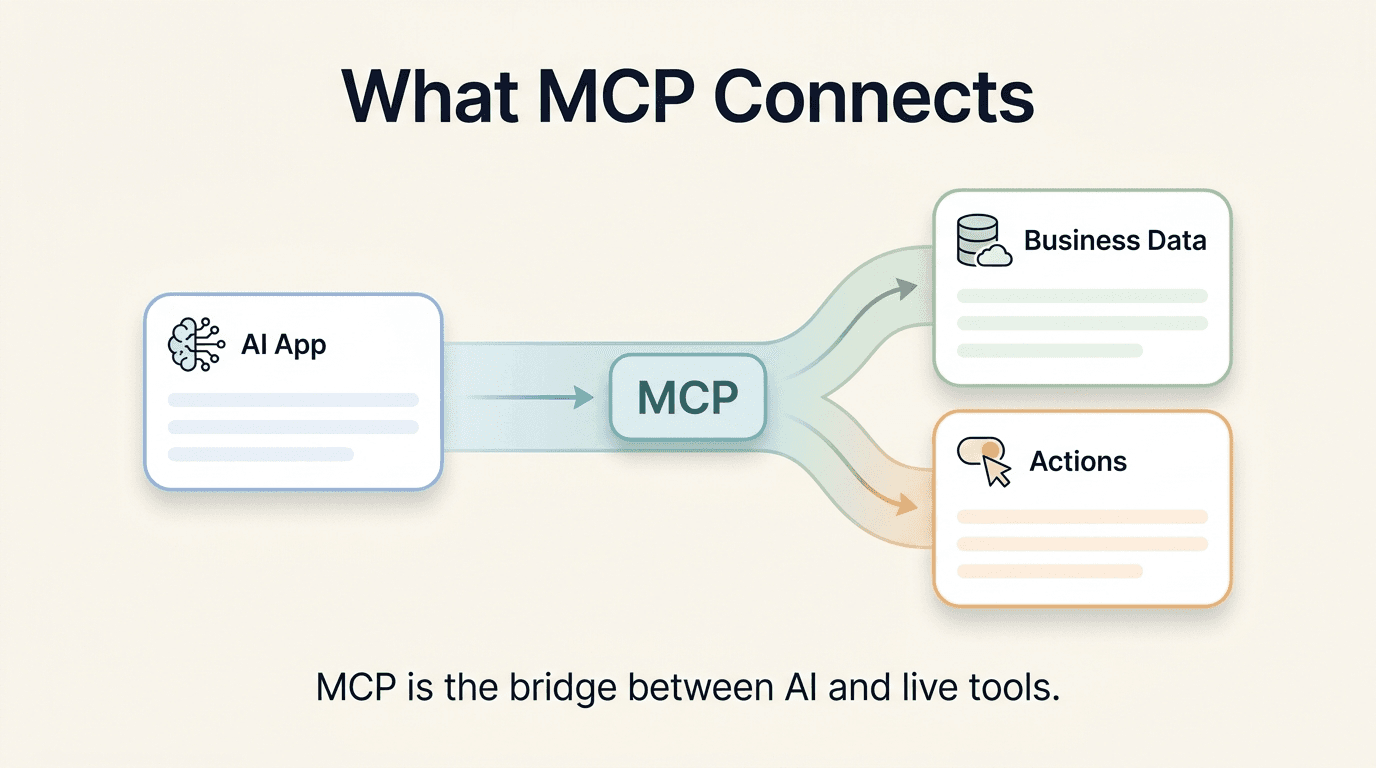
What MCP Actually Is — The USB-C Analogy
Model Context Protocol is an open standard, introduced by Anthropic in late 2024, that defines a common way for AI tools to connect to external data sources and services. You can read the full specification at modelcontextprotocol.io and the original announcement at anthropic.com.
The best analogy is USB-C.
Before USB-C, every device had its own connector. Your phone charger did not fit your laptop. Your camera cable did not fit your monitor. Manufacturers built proprietary ports, and users paid the price in adapters, frustration, and "which cable is this again?"
USB-C changed that by establishing a universal connector standard. Once a device supports USB-C, it works with any USB-C cable or hub — regardless of manufacturer. The standard does the work, so the devices do not have to.
MCP does the same thing for AI tools and data sources.
Before MCP, every AI integration was bespoke. If you wanted Claude to read your CRM, you built a custom integration. If you then switched AI tools, you rebuilt it. If a new AI assistant arrived, you started over. The integrations were one-off, brittle, and expensive to maintain.
With MCP, a software vendor ships one MCP server. Any MCP-compatible AI client — Claude Desktop, Cursor, Raycast, Continue.dev, or a custom agent you build yourself — can connect to it immediately. The standard handles the handshake so both sides focus on doing useful work.
The MCP GitHub repository has SDKs for TypeScript, Python, and other languages. It is open source and growing quickly.
How MCP Works in Practice
Understanding MCP does not require a deep technical background. Here is the model in plain terms.
Two sides: Client and Server
Every MCP connection has two sides.
The MCP client is the AI tool you are talking to — Claude Desktop, Cursor, a custom agent. It understands your natural-language request and knows how to speak the MCP protocol.
The MCP server is a piece of software that a vendor (like Hyperleap) runs alongside their product. It exposes specific capabilities — called tools — that the client can discover and call.
When you ask "Show me this week's new leads", the client does not guess. It first asks the server: "What tools do you have?" The server responds with a list of available tools and descriptions of what each one does. The client picks the right tool (list_leads), calls it with the right parameters (this week's date range), and returns the result to you in readable language.
Transports: how client and server communicate
MCP supports two transport mechanisms:
- stdio (standard input/output): The server runs as a local process on your machine. The client launches it and communicates through pipes. Good for desktop tools like Claude Desktop or Cursor.
- HTTP with Server-Sent Events (SSE): The server runs remotely and the client connects over the network. Good for hosted services and team environments where you do not want every user running a local process.
Hyperleap's MCP server uses HTTP/SSE, which means your team connects to a hosted endpoint — no local installation required beyond configuring the client.
Capability discovery: how the client knows what to ask
When a client first connects to an MCP server, it calls a standard tools/list method. The server responds with every tool it exposes, including the tool name, a description of what it does, and the parameters it accepts.
This is what makes MCP genuinely different from a custom API. The AI client learns the shape of your data at runtime. It does not need to be hardcoded with knowledge of your specific system. When Hyperleap adds a new tool to its MCP server, any connected client picks it up automatically.
What MCP Unlocks for an SMB: 5 Concrete Scenarios
Enough theory. Here is what this looks like when a real business team uses it.
Scenario 1: Morning pipeline review without opening the CRM
The old way: Open Hyperleap, navigate to the CRM view, filter by this week, export to a spreadsheet, paste into Claude, ask a question.
With MCP: Open Claude Desktop (configured with the Hyperleap MCP server) and type:
"Give me this week's CRM summary — new leads, how many in each pipeline stage, and which ones haven't been contacted yet."
Claude calls get_crm_dashboard and list_leads in sequence, synthesizes the results, and gives you a paragraph summary. The whole thing takes 15 seconds.
Scenario 2: Instant lead research before a sales call
You have a call in 10 minutes. You remember the lead's first name but nothing else.
"Tell me everything we know about the lead named Maria Santos — her conversations with our bot, any notes we've left, and what she seems most interested in."
Claude calls list_leads to find her record, then get_lead_details, get_lead_conversations, and get_lead_notes in parallel. You get a pre-call brief in seconds — buying signals, objections she raised with the chatbot, when she last engaged, and the notes your team left after the last call.
Scenario 3: Understanding why a lead went cold

A lead that looked promising three weeks ago never converted. Instead of digging through conversation logs manually, you ask:
"Walk me through everything that happened with lead 4892 — what did they ask the bot, what did we do next, and what notes are on the record?"
Claude uses get_lead_activities, get_lead_conversations, and get_lead_notes to reconstruct a timeline. It surfaces the gap: the lead asked about enterprise pricing on a Friday, nobody followed up until Tuesday, and the conversation went cold. You now know what to fix.
Scenario 4: Extracting buying intent at scale
Your team is working a large list of inbound leads from a recent campaign. You want to know which ones are worth prioritizing this week.
"For leads 2001 through 2010, extract the buying intent and main objections from each one's conversation history."
Claude calls extract_lead_insights for each lead in sequence. It returns structured summaries — "High intent, asked about pricing and implementation timeline, no major objections" vs. "Low intent, comparing tools, price-sensitive, mentioned incumbent they like." Your sales team now has a prioritized list without reading a single raw transcript.
Scenario 5: Pipeline health check for a weekly team meeting
Every Monday morning, the ops lead sends a pipeline update. With MCP, that update writes itself.
"Give me a pipeline summary for the team meeting — how many leads in each stage, where are things stuck, and what moved last week?"
Claude calls get_pipeline_stages and get_crm_dashboard, structures the data, and outputs a clean summary ready to paste into Slack or a Google Doc. Five minutes of manual work becomes a 30-second query.
MCP vs. API vs. Webhooks — When Each Fits
These three terms come up together often. They solve different problems and are not interchangeable.
| REST API | Webhooks | MCP | |
|---|---|---|---|
| Direction | Pull (you call it) | Push (it calls you) | Pull (AI calls it) |
| Who uses it | Developers | Developers / platforms | AI tools and agents |
| Integration effort | High — write code for each use case | Medium — configure endpoints | Low — configure a client |
| Context awareness | None — returns raw data | None — sends event payloads | High — AI interprets the response |
| Best for | Custom app development, data sync | Real-time event triggers, automations | Conversational queries, AI-driven workflows |
| Non-technical user? | No — requires a developer | Partial — needs endpoint setup | Yes — natural language interface |
Use a REST API when you are building a custom integration, populating a dashboard, or syncing data between systems on a schedule. This is developer work.
Use webhooks when you need real-time event notifications — a lead was created, a conversation ended, a stage changed. Webhooks push data to you the moment something happens. Hyperleap supports webhook events on lead creation, new messages, replies, and conversation started.
Use MCP when you want an AI tool to answer questions about your data using natural language — and you want that to work today, without a developer writing custom code. MCP is the fastest path from "I want to ask my AI a question about my business data" to actually doing it.
The three are also complementary. Webhooks can trigger an AI agent that then queries deeper context via MCP. A REST API can back a custom MCP server. You do not have to choose one permanently — you choose the right tool for each job.
How Hyperleap Implements MCP
Hyperleap ships a native MCP server that exposes 9 read-only tools for querying your AI Agents' data.
Every Hyperleap plan includes access to the MCP server. You configure your MCP client (Claude Desktop, Cursor, Raycast, Continue.dev, or a custom agent) to connect to the Hyperleap MCP endpoint with your API key, and the tools are available immediately.
The 9 tools, and what each one does
| Tool | What it returns |
|---|---|
list_leads | Paginated lead list with filters (date range, stage, contact status) |
get_lead_details | Full profile for one lead — contact info, source, stage, timestamps |
get_lead_conversations | All chatbot conversations for a specific lead |
get_conversation | Full transcript of one conversation |
get_lead_activities | Activity timeline — messages, stage changes, notes, follow-ups |
get_lead_notes | Internal notes your team has added to a lead record |
get_pipeline_stages | Your pipeline definition and current lead count per stage |
get_crm_dashboard | Aggregate CRM metrics — total leads, conversion rates, activity volume |
extract_lead_insights | LLM-extracted summary of a lead's intent, objections, and conversation signals |
Read-only by design
All 9 tools are read-only. The Hyperleap MCP server has zero write methods. It cannot create leads, update records, delete data, or send messages.
This is an intentional design decision, not a limitation. When you connect an AI tool to live business data, the risk profile of a read operation is fundamentally different from a write operation. A bad read returns information you can evaluate and discard. A bad write changes your data.
By keeping the MCP server read-only, Hyperleap gives your team a safe way to query data from any AI tool — including experimental setups, new client software, or junior team members learning to use AI — without any risk to your underlying records.
If you need to act on what you learn through MCP (update a lead stage, add a note), you do that in the Hyperleap interface, where you have full context and audit logging.
Connecting your MCP client
The full setup guide for Claude Desktop is at /blog/connect-hyperleap-claude-desktop-mcp. The complete tool reference — every parameter, every return type, every example prompt — is at /blog/hyperleap-mcp-tools-reference.
For a high-level overview of Hyperleap's MCP capabilities and the setup flow, visit the MCP landing page.
If you use another MCP-compatible client (Cursor, Raycast, Continue.dev), the configuration pattern is the same: point the client at the Hyperleap MCP endpoint, supply your API key, and the tools are discovered automatically. For CRM-specific setup notes, see /help/integrations/crm-mcp/setup.
For comparison of chatbot platforms that ship MCP natively, see /comparison/best-chatbot-platforms-with-mcp-2026.
What to look for when evaluating any MCP server
Not all MCP implementations are equal. When you are evaluating whether to connect an AI tool to a vendor's MCP server, ask these questions:
- Read-only or read-write? Confirm which operations are exposed. A server that can write, delete, or trigger actions carries a fundamentally different risk profile than a read-only one.
- Scoping and authentication. Can you restrict what data the MCP server can access? Look for API key scoping, per-user credentials, or role-based access controls.
- Tool quality. A long list of tools is less valuable than a short list of well-designed ones. Each tool should return focused, structured data — not a raw database dump that the AI has to untangle.
- Versioning. MCP is still a young standard. Look for vendors who version their MCP server and communicate breaking changes clearly.
Hyperleap scores well on all four: read-only by design, API-key authentication scoped to your account, 9 focused tools returning structured JSON, and a versioned endpoint.
The Bottom Line
Most SMB teams are not getting full value from their AI tools because those tools are operating without context. They know what you tell them in a single conversation. They do not know what your chatbot learned from 200 leads last month, which pipeline stages are bottlenecked, or what a specific prospect said to your bot before they went quiet.
Model Context Protocol changes the architecture. Instead of you acting as the bridge between your software and your AI assistant, MCP makes that connection direct. Your AI tool queries live data, in real time, using the language you already speak.
The practical result: faster pipeline reviews, better pre-call research, clearer insight into what is and is not working with your chatbot — all without a single copy-paste.
Hyperleap's native MCP server gives you that connection today, with 9 read-only tools and zero risk to your underlying data.
Ready to connect? See the full Hyperleap MCP setup guide at hyperleap.ai/mcp.
Frequently Asked Questions
What is Model Context Protocol (MCP) in simple terms?

MCP is an open standard that gives AI tools a common way to connect to external software and query data using natural language. Think of it like a universal adapter — once your software supports MCP, any compatible AI tool can talk to it without a custom integration. You ask a question in plain English, and the AI fetches live data from the actual source.
Who created MCP, and is it open source?
MCP was introduced by Anthropic in November 2024. It is fully open source — the specification and SDK libraries are available at github.com/modelcontextprotocol. Multiple companies and independent developers have since built MCP servers and clients, making it a community-driven standard, not a proprietary Anthropic product.
Which AI tools support MCP?
The list is growing quickly. Claude Desktop (Anthropic's desktop app) was the first major MCP client. Cursor (AI code editor) added MCP support early in 2025. Raycast, Continue.dev, and several custom agent frameworks also support MCP. Because MCP is an open standard, any developer can add support to their tool by implementing the client protocol.
Do I need to be a developer to use MCP?
To connect a client like Claude Desktop to an MCP server, you need to edit a configuration file — typically a JSON file that specifies the server endpoint and your API key. That is usually a 5-minute task with a step-by-step guide. Once it is configured, day-to-day use requires no technical knowledge. You just ask questions in natural language.
Is it safe to connect an AI tool to my business data via MCP?
The safety profile depends on how the MCP server is designed. Hyperleap's MCP server is intentionally read-only — it has no methods that can write, update, or delete your data. This means that even if your AI client sends an unexpected or malformed request, nothing in your Hyperleap account can be changed. Always review the method list for any MCP server you connect to and confirm which operations are read-only versus write-enabled.
What is the difference between MCP and a native integration?
A native integration is a purpose-built, point-to-point connection between two specific products — for example, a Zapier zap that moves data from one app to another. MCP is a protocol, not a product. One MCP server can serve many different AI clients simultaneously. When a new AI tool supports MCP, it works with your existing MCP server without any additional integration work. MCP also adds the natural-language layer that native integrations typically lack.
Can multiple team members use the same MCP server?
Yes. Because Hyperleap's MCP server is hosted (not a local process), any team member who configures an MCP client with the appropriate API key can query the same data. The read-only design means there is no risk of team members accidentally modifying each other's records. You can also scope API key permissions to control which users can access the MCP server.
What data can the Hyperleap MCP server access?
The 9 tools cover lead data, conversation transcripts, activity timelines, internal notes, pipeline configuration, aggregate CRM metrics, and LLM-extracted insights from lead history. All data returned is scoped to your Hyperleap account — the MCP server only surfaces data your account can access. It has no access to other customers' data.
Does MCP replace the Hyperleap app or dashboard?
No. MCP is a query layer, not a replacement for the product interface. You use MCP when you want to ask questions about your data from within an AI tool. You use the Hyperleap app to configure your chatbot, manage channels (Website, WhatsApp, Instagram DM, Facebook Messenger), update lead records, and access features that require interaction — like publishing knowledge base changes or adjusting conversation flows. The two are complementary.
What happens if Hyperleap adds new tools to the MCP server?
Because MCP uses capability discovery — the client asks the server "what can you do?" at connection time — new tools are available to existing clients automatically. You do not need to update your client configuration or reinstall anything. When Hyperleap ships a new tool, it appears in your AI tool's available capabilities the next time it connects.
Related Articles

Coach Sales Reps with AI Chatbot Transcripts (via MCP)
Use Claude Desktop to find chatbot conversations matching any coaching theme — objections, discovery, closing — and turn transcript review into a weekly ritual.

Run Sales Standups in Claude Desktop with Hyperleap MCP
Replace your Monday pipeline review with a 15-minute Claude Desktop session. 10 natural-language prompts that pull live data from your Hyperleap chatbot.

Connect Hyperleap to Claude Desktop in 5 Minutes (MCP Setup Tutorial)
Step-by-step guide to connecting Hyperleap AI to Claude Desktop using MCP. Query your chatbot leads, conversations, and pipeline in plain English.

Qualify Leads in Claude Desktop with Hyperleap MCP
Stop scoring leads from gut feel. Connect Claude Desktop to Hyperleap via MCP and qualify every chatbot-captured lead on real intent signals — prompts, a scoring workflow, and how to prioritize who gets called first.