Ask AI about your customer conversations
Connect Claude, Codex, or another compatible AI tool to Hyperleap AI. Ask about your customers and conversations in plain language. The connection uses MCP and is included on every plan.
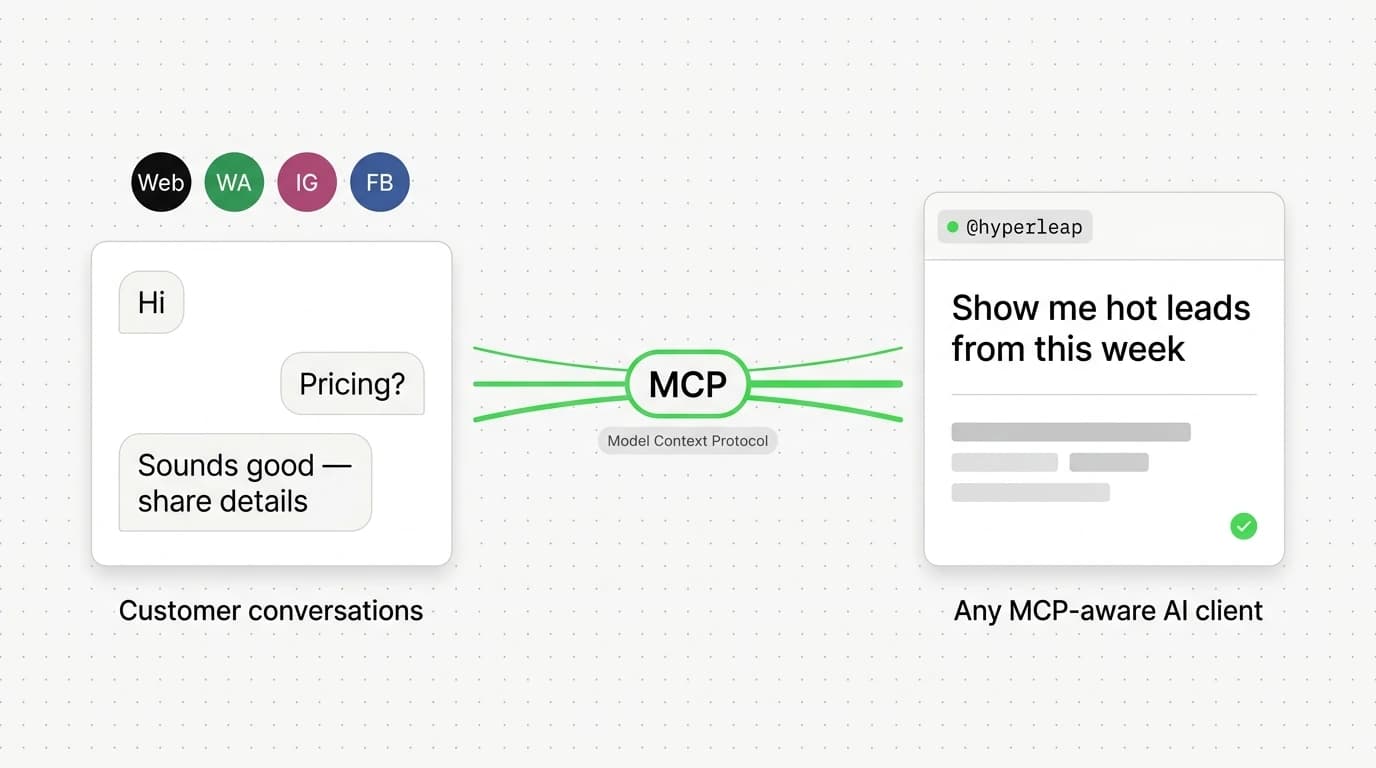
Works in any MCP-aware AI client
What is MCP?
MCP stands for Model Context Protocol. It lets compatible AI tools read information from connected services. With Hyperleap AI, you can ask questions about your customer details and conversations.
Stop logging into dashboards.
Start asking questions.
Here's what founders and sales managers are actually querying:
“Which leads from this week haven't had a follow-up conversation yet?”
“Summarize what the last 10 WhatsApp leads said they needed.”
“How many leads came in from Instagram versus the website in March?”
“Show me all leads in the Proposal Sent stage and what their last message was.”
“Which lead had the longest conversation and what was the outcome?”
“List every lead who mentioned pricing but hasn't converted — and pull their contact details.”
9 methods exposed via the Hyperleap MCP server
| Method | Example question |
|---|---|
list_leads | "Which leads from this week haven't had a follow-up yet?" |
get_lead_details | "What's the contact info for the Acme Corp lead?" |
get_lead_conversations | "What did this lead ask about in their last chat?" |
get_lead_activities | "Show me the full activity timeline for Sarah Miller." |
get_lead_notes | "What notes has my team added to this lead?" |
extract_lead_insights | "Which leads are the most engaged right now?" |
get_crm_dashboard | "Give me a summary of where my pipeline stands." |
get_pipeline_stages | "What are my current pipeline stages?" |
get_conversation | "Show me the full chat transcript for conversation #4821." |
Three steps. No engineering required.
Generate your MCP key
Go to Hyperleap Settings → API Keys → MCP Keys and generate a read-only key scoped to your organization. Takes about 30 seconds.
Add it to your AI client
Paste the key into Claude Desktop, Cursor, or any MCP-compatible client using the standard MCP server config — one JSON block and you're connected.
Start asking questions
Your AI client now has live access to your leads, conversations, pipeline stages, and activity history. Ask anything, get structured answers instantly.
Use your customer data in your AI tools
Connect the AI tools your team already uses to Hyperleap AI. Ask about customer conversations without exporting a report.
You control access to your data
MCP keys can query your data but cannot create, edit, or delete anything in your account. If a key is ever compromised, revoke it instantly from the Hyperleap dashboard — no disruption to your other integrations.
Who this is for
Hyperleap MCP is most useful when your team is already comfortable working in AI clients and wants chatbot data to be just one prompt away.
Connected AI tools can read, not change, your data
Hyperleap AI’s MCP tools can search and read your customer data. They cannot send emails or change records. You control access through workspace keys and can revoke a key at any time.
Using Hyperleap MCP in your AI client
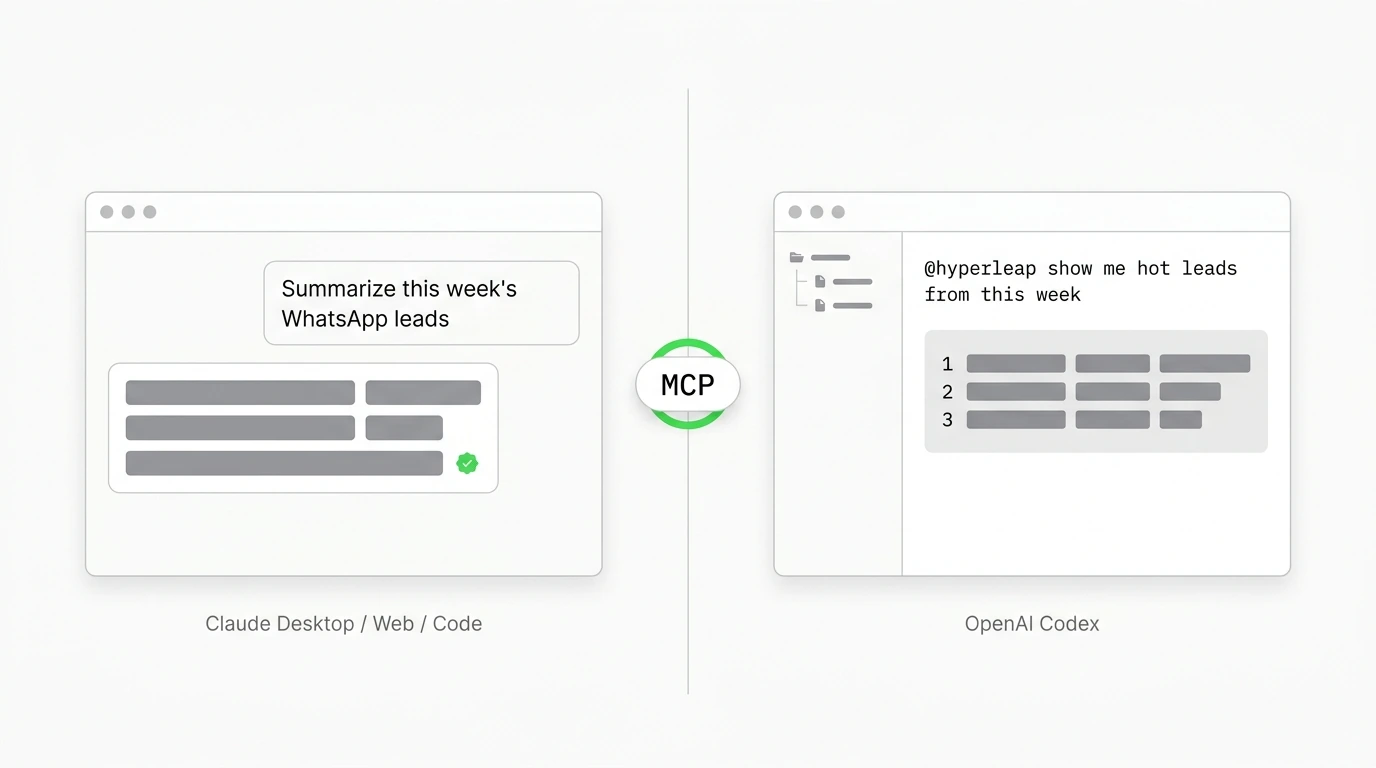
One MCP key, every compatible client. Pick your starting point:
Frequently asked questions
The questions we hear most often about Hyperleap MCP — pricing, security, what data is exposed.
Is MCP included on every plan?
Yes. Hyperleap's MCP server is included on every paid plan (Plus, Pro, and Max) — no separate add-on required. You can connect Hyperleap to Claude Desktop, Codex, Cursor, or any MCP-aware client from the start of your 7-day free trial. The Studio & API add-on ($99 one-time) is a different offering for AI Tools, AI Assistants, and the Prompts/Personas APIs — not for MCP.
Is the MCP server read-only?
Yes. Hyperleap's MCP server is read-only by default. Connected AI clients can list, search, and read your leads, conversations, notes, pipeline stages, and dashboard data — but they cannot create, edit, or delete any records. Write actions are out of scope for MCP today; if you need them, use the Hyperleap REST API and webhooks.
Which AI clients work with the Hyperleap MCP?
Any MCP-compatible client works. Tested setups include Claude Desktop, Claude Web (claude.ai), Claude Code, OpenAI Codex (web/desktop), and Cursor. The same MCP key and server URL (https://api.hyperleapai.com/mcp) works across all of them. See the Claude and Codex setup guides for step-by-step walkthroughs.
What data does the MCP server expose?
Leads (with status, stage, channel, and source), full conversation history across Website, WhatsApp, Instagram, and Facebook, AI-extracted lead insights, lead notes added by your team, pipeline stages, and a dashboard summary. The server does not expose payment data, billing details, account admin actions, or any data outside your own workspace.
Can I revoke an MCP key if it leaks?
Yes, instantly. Open My MCP Keys from your profile menu in Hyperleap Studio and revoke the key. Once revoked, any AI client using that key loses access immediately — no other integrations are affected. We recommend creating a separate key per AI client (one named "Claude", one named "Codex", etc.) so you can revoke individually without disrupting others.
Does my CRM data get sent to OpenAI or Anthropic?
Only the data your AI client requests in response to your prompt. Hyperleap doesn't push data anywhere — your AI client pulls only what it needs to answer your question, and that response passes through your AI provider's infrastructure as part of the conversation, just like any tool-use response. Hyperleap stores no copies of these requests on the AI provider side; the standard data-handling terms of your AI provider apply.
Go deeper on MCP
Setup guides, foundational reading, and the buyer's view of MCP across chatbot platforms.
Setup guides
Foundational reading
Get answers about your customers
Connect Hyperleap AI to a compatible AI tool and ask questions about your customer conversations.
Get My MCP KeyMCP is included on every plan (Plus, Pro, Max). No separate add-on required. 7-day free trial included.