AI that answers your customers’ everyday questions
Conversational AI for customer service is software that reads a customer's question in their own words and answers it in plain language — on your website, WhatsApp, Instagram DM, or Facebook Messenger, at any hour. Unlike a scripted chatbot walking a decision tree, it understands what was meant and answers from your own documents rather than from general internet knowledge.
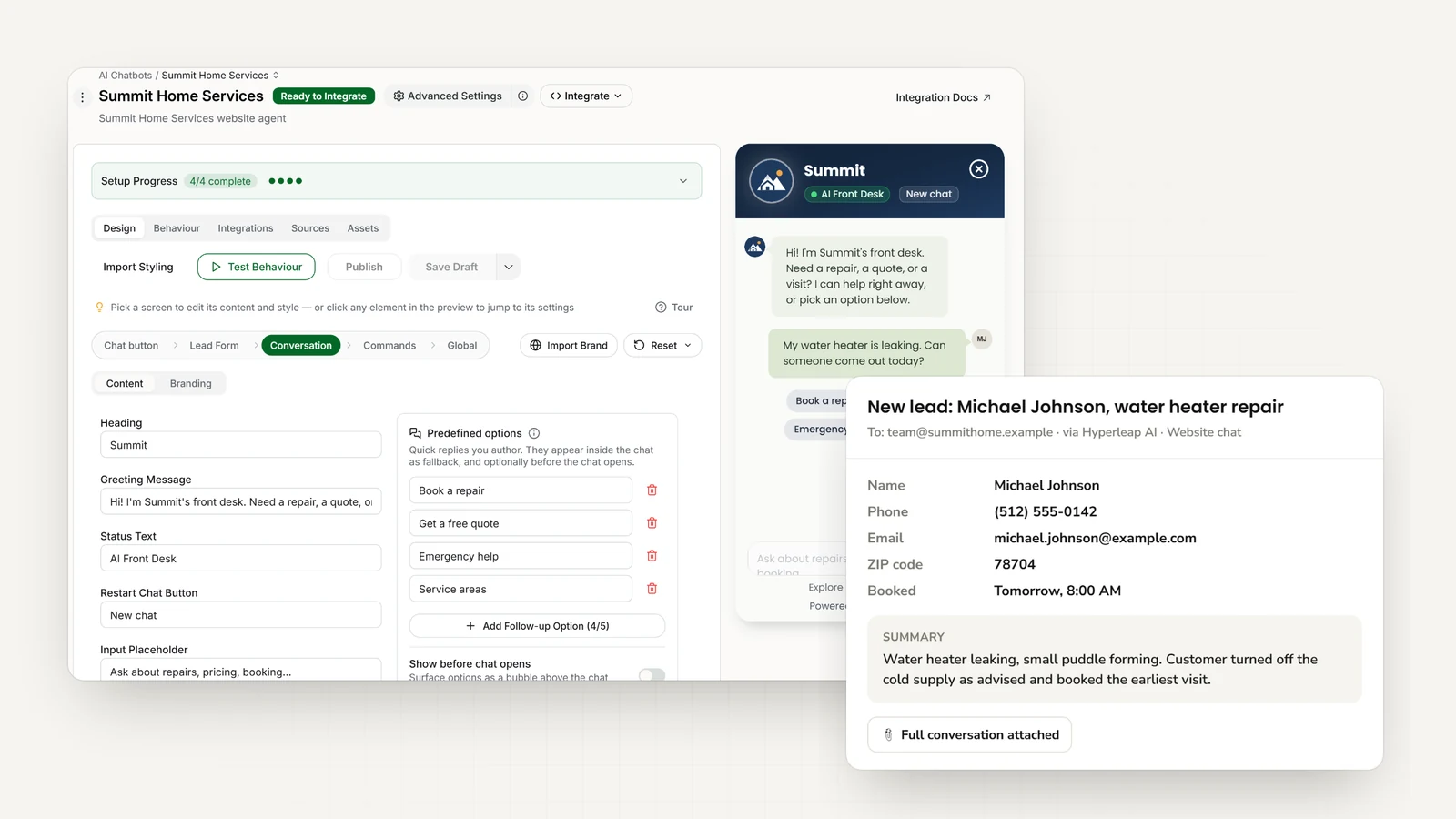
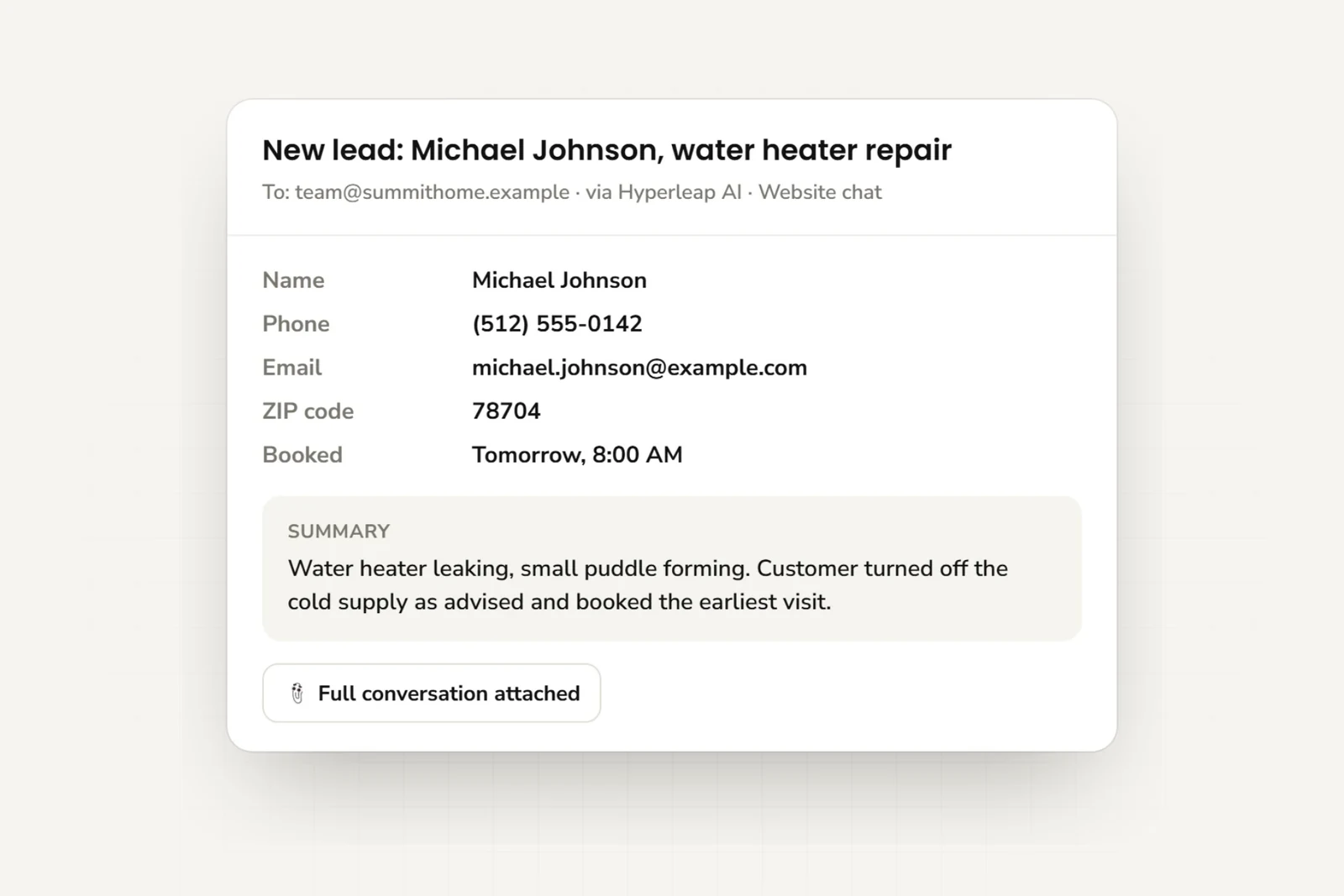
Hyperleap’s AI front desk answers routine questions, collects customer details, and shares booking links. Your team gets a summary by email. Plans start at $40/month.
How it works
How conversational AI answers a support question
It reads your documents before it answers. When a question arrives, the agent finds the relevant passages in your knowledge base — policies, product pages, FAQs, pricing — and writes the reply from those, not from what it picked up on the internet. That is designed to minimize hallucinations rather than eliminate them, so you also choose which topics it refuses and hands to a person.
How this works under the hood
The technique is called Retrieval-Augmented Generation (RAG): the system retrieves the most relevant passages from your knowledge base and the language model generates the answer from those passages instead of from its training data. How a RAG chatbot works covers the retrieval mechanics, and the knowledge grounding glossary entry is the two-minute version.
Compared
How it differs from a scripted chatbot
Both get called “chatbot”. The difference shows up the moment a customer phrases something the way no one anticipated.
| Capability | Scripted chatbot | Conversational AI |
|---|---|---|
| Understands natural phrasing | No — keyword/menu only | Yes — understands intent |
| Handles follow-up questions | No — resets context | Yes — keeps conversation context |
| Answers from your documents | Only scripted replies | Yes — answers from your documents |
| Multiple channels | Usually one | Website, WhatsApp, Instagram, Facebook |
| Languages | Per-script translation | 100+ languages |
| When it cannot answer | Dead end | Routes to a human with context |
| What you get back | A transcript | A qualified lead record and a summary |
The longer version, including where a scripted bot is still the right call: AI agent vs. chatbot and the conversational AI glossary entry.
What it handles
What it handles for a small-business support team
The same handful of questions lands on the owner all day. Here is what comes off that pile, and what stays on it.
Common questions, in the customer’s words
Answer questions about your hours, location, prices, returns, and service areas using your website and documents.
Order and appointment questions
Status checks, rescheduling questions, and what-happens-next guidance, handled without an agent picking up. When someone wants a slot, the AI books it in the conversation through Calendly or Cal.com, or shares your booking link.
Lead qualification
Ask what customers need and collect their contact details. Your team gets the answers with the chat history.
Handoff to a human
Send complaints, billing disputes, and sensitive questions to your team with the customer’s messages attached.
Answers from your documents
It answers from your documents, which is designed to minimize hallucinations. No AI is perfect, so you also set what it should refuse and route instead.
Multilingual coverage
Customers can ask and get answers in 100+ languages, using the same business information.
What it does not do
It does not process customer payments. It books new appointments only through Calendly or Cal.com (and shares your booking link for any other scheduler); it does not cancel, reschedule, or send reminders. In medical, legal, and financial settings it routes; it does not assess, diagnose, or advise. You choose which topics it refuses and hands to a person. See how the AI receptionist handles greeting and routing for the front-desk version of the same logic.
Channels
The channels one agent covers
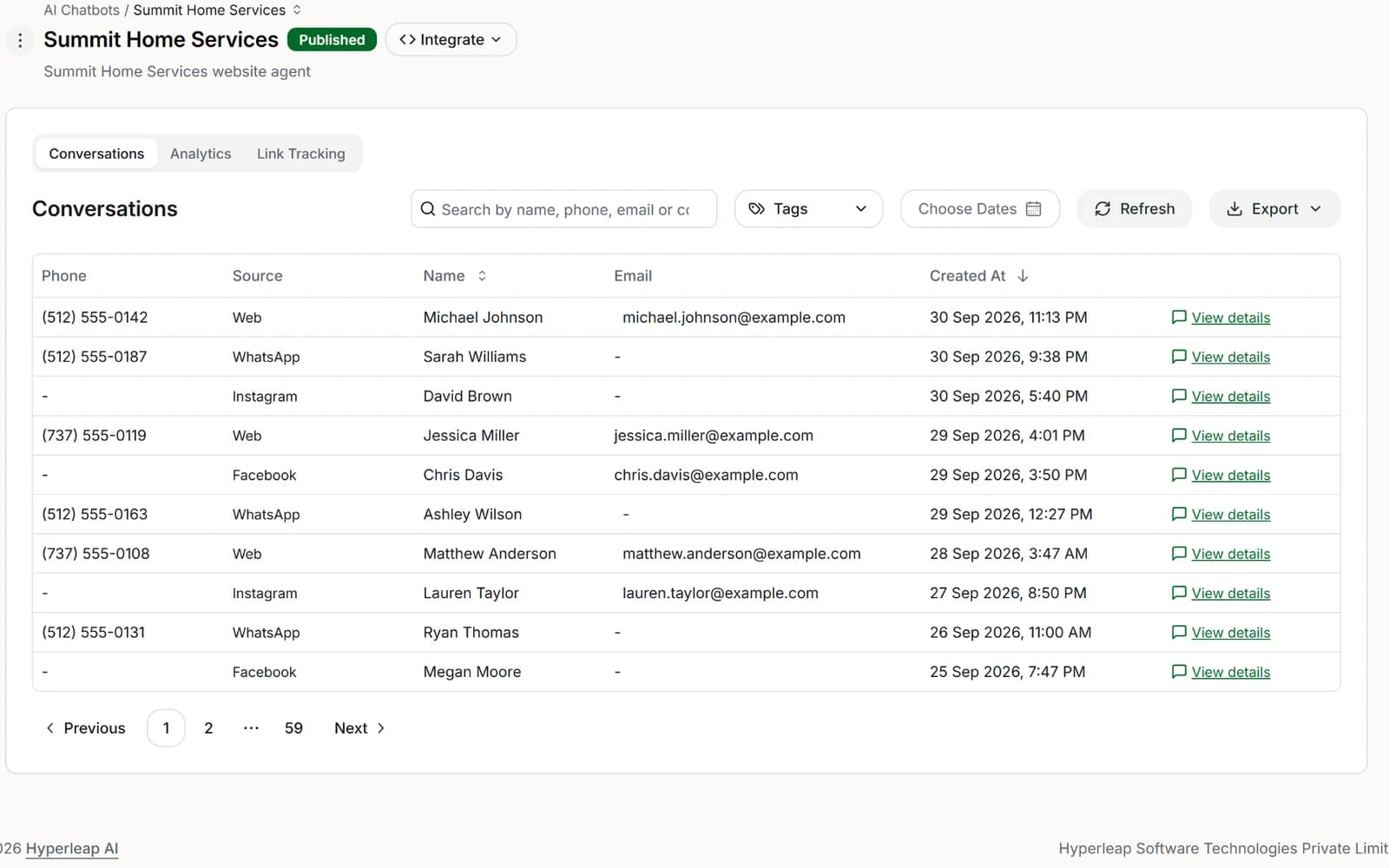
Use the same business information on your website, WhatsApp, Instagram DM, and Messenger. Your team can read messages from all four in one inbox.
Website chat widget
Your own site — the channel you own outright, and the one no platform can switch off.
WhatsApp Business API
The official Business API, not a relay. Available on every plan.
Instagram DM
Answers product and availability questions where the discovery already happened.
Facebook Messenger
Same agent, same knowledge base, same lead record.
Hyperleap AI is a Meta Technology Provider and Business Partner — WhatsApp, Instagram, and Messenger run on Meta's official Business APIs, not through a third-party relay. SMS, Slack, Telegram, Microsoft Teams, email as a channel, and voice are Roadmap, not shipped. See how each channel works.
Setup
How to set it up
Paste your website address, check a few answers, and add the supplied code to your site. A basic website setup can be live in under 5 minutes. Connect messaging apps separately.
Add your website and documents
Paste your website address or upload PDFs and Word documents. Every plan includes 40MB of content per AI agent.
Choose what it asks and answers
Choose the greeting, contact form fields, and questions that need your team.
Deploy to your channels
Paste the embed snippet on your website and connect WhatsApp, Instagram, and Facebook. One agent, one knowledge base, four channels.
Review customer conversations
Read customer messages and add information when an answer is missing. You can do this after going live.
Knowledge sources that work today
Website URL scraping with automatic indexing, plus drag-and-drop PDFs and Word documents, organised into sources per chatbot — 40MB of knowledge source per chatbot on every plan. Notion, Google Drive, and Confluence as knowledge sources are Roadmap. Developers can push and pull through the REST API and webhooks, and your leads and conversations can be read by AI tools like Claude (MCP), on every plan.
Still choosing a platform? Setting up an AI chatbot for business covers what to evaluate before you commit.
Measure
How to measure it once it is live
Check whether customers get useful answers and whether your team receives the details it needs. Start with these measures.
Questions answered without your team
The share of conversations handled without a person taking over.
First-response time
How long a customer waits for the first useful reply. Compare it against your own pre-deployment baseline, not against a vendor benchmark.
Questions sent to your team
See which questions need a person. Repeated questions may show where more business information is needed.
Customer details collected
See how many conversations include contact details and answers about what the customer needs.
Booking links shared
How often the conversation moved someone toward a scheduled conversation with your team.
Unanswered questions
The questions the agent could not answer from your documents. Use the list to decide which information to add next.
Full walkthrough: AI chatbot KPIs and how to measure success.
Your team
What changes for the team
The repeat questions stop interrupting
The high-volume FAQs that dominate the inbox get answered without anyone being pulled out of their work to type the same reply again.
First response is immediate
Customers get an answer the moment they ask, including nights and weekends. The business that replies first usually keeps the customer.
Customer details arrive with their messages
Contact details plus the answers to your qualifying questions land in your inbox with the conversation attached.
Humans handle what needs a human
Your team receives the customer’s messages and can take over when needed.
FAQ
Frequently asked questions
What is conversational AI for customer service?
How is conversational AI customer support different from a scripted chatbot?
What can an AI customer support chatbot handle on its own?
Which channels does conversational AI for customer support cover?
What does conversational AI deployment involve?
Does conversational AI for customer service support multiple languages?
What does conversational AI for customer service cost?
Industries
Built for the questions your industry gets asked
A dental practice fields questions about insurance and appointment slots. A plumber gets asked about emergency rates and service areas. A law firm handles intake. Customer service AI works best when it knows the difference — see the 51 industries we build AI customer service agents for.
Healthcare & wellness
Home & field services
Professional services
Beauty & fitness
Hospitality & events
Browse the full AI agents directory.
By website platform
The same agent embeds on any site from one knowledge base — follow the step-by-step guide for your platform.
Related
Go deeper
Guides to choosing, setting up, and checking your AI front desk.
Guides
AI Chatbot KPIs to Measure Success
The numbers that tell you if your deployment is actually working.
State of AI Customer Service for SMBs (2026)
Where small businesses actually stand on AI customer service in 2026.
Customer Messaging Expectations
What customers now expect when they message a business.
AI Chatbot vs Live Chat vs Contact Form
Which support intake option fits when, and why it matters.
Chatbot-to-Human Handoff
When to escalate, what context to pass, and a copy-ready escalation script.
What Is Ticket Deflection
The formula, a worked example, and how to measure it honestly without a helpdesk.
Conversational AI vs Generative AI
How the two relate, and what a small business actually buys.
Comparisons
Best Conversational AI Platforms (2026)
Evaluated by NLU approach, document grounding, handoff design, and pricing model.
Best No-Code Chatbot Builders (2026)
The top no-code chatbot platforms compared for 2026.
Best Multi-Channel Chatbots (2026)
Which chatbots work across Website, WhatsApp, Instagram, and Messenger.
Chatbot Pricing Comparison (2026)
What you actually pay across the major chatbot platforms.
Best Drift Alternatives (2026)
The strongest Drift alternatives worth evaluating right now.
Put an AI customer support chatbot on every channel
One agent across your website, WhatsApp, Instagram, and Facebook, answering from your own knowledge. Live in under 5 minutes, no coding required.
7-day free trial on all plans. Plans from $40/mo.
Keep exploring: AI receptionist, RAG chatbot, channels, and choosing a platform.