Build your AI front desk without coding
Paste your website address and Hyperleap creates a starting agent. Check its answers, choose how it looks, and add it to your site.
Quick Answer
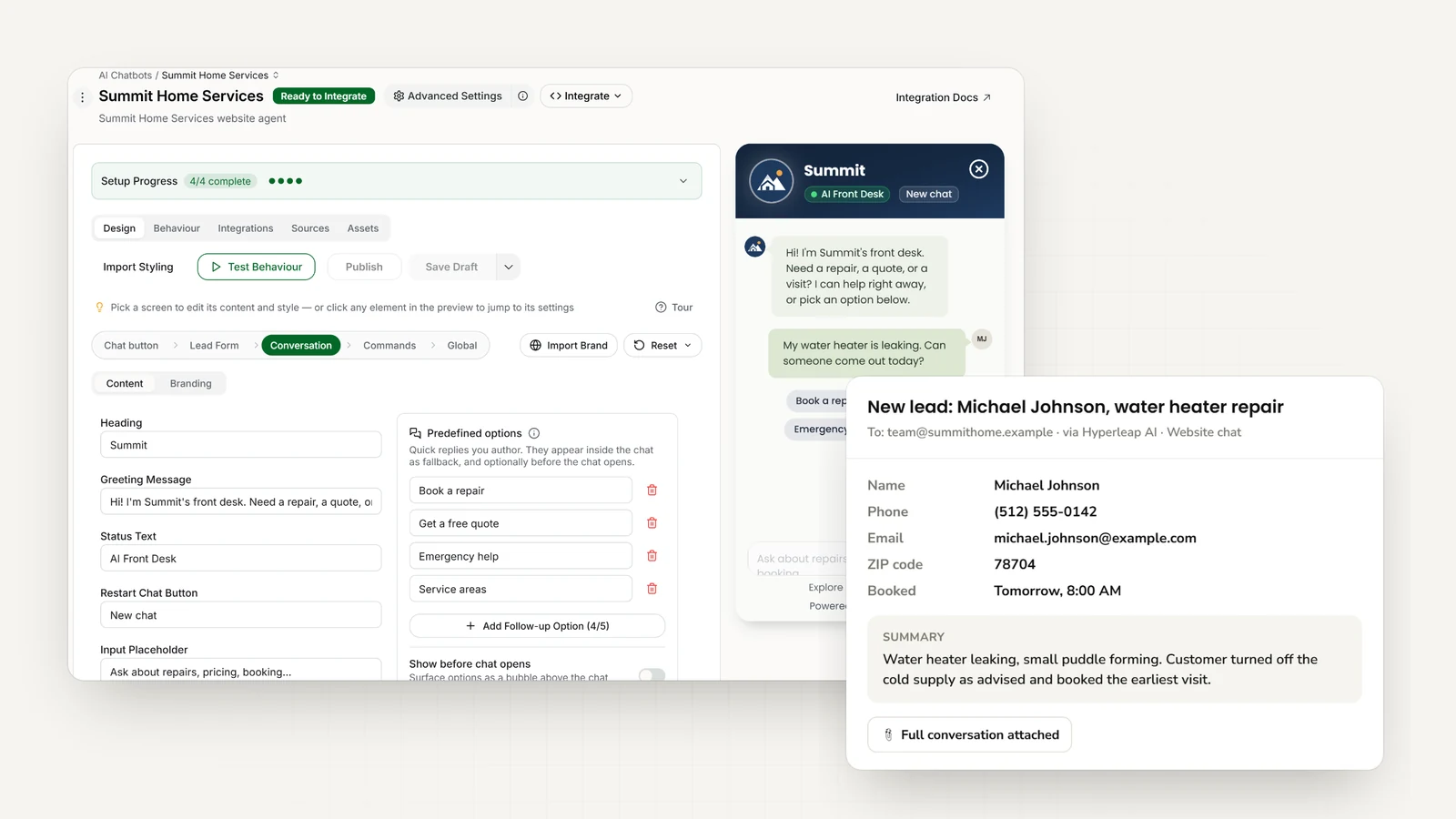
A no-code builder lets you set up an AI agent without programming. Hyperleap uses your website and documents. Choose a greeting, design, and contact form, then add the chat to your site. Plans start at $40/month with a 7-day trial.
Setup
Build it in three steps
The quick start takes under 5 minutes. Paste your website address and Studio reads the site, imports your branding, detects your industry, and writes a starting prompt, so you can go straight to adding one script tag to your site. Checking answers, uploading documents, and adjusting the design is tuning you can do afterwards.
1. Add your website
Paste your website address. You can also upload documents about your products, prices, and policies.
2. Check the answers and design
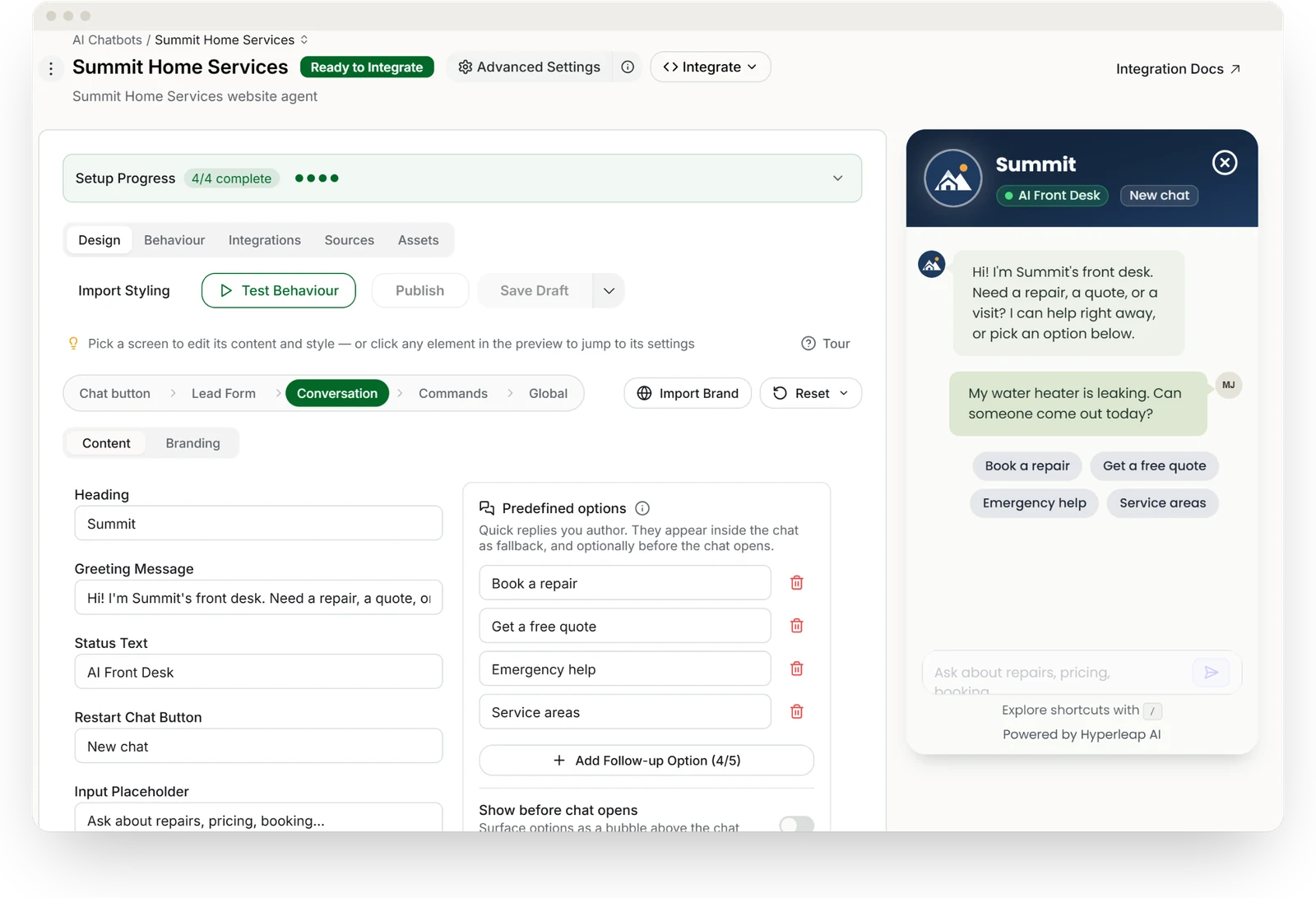
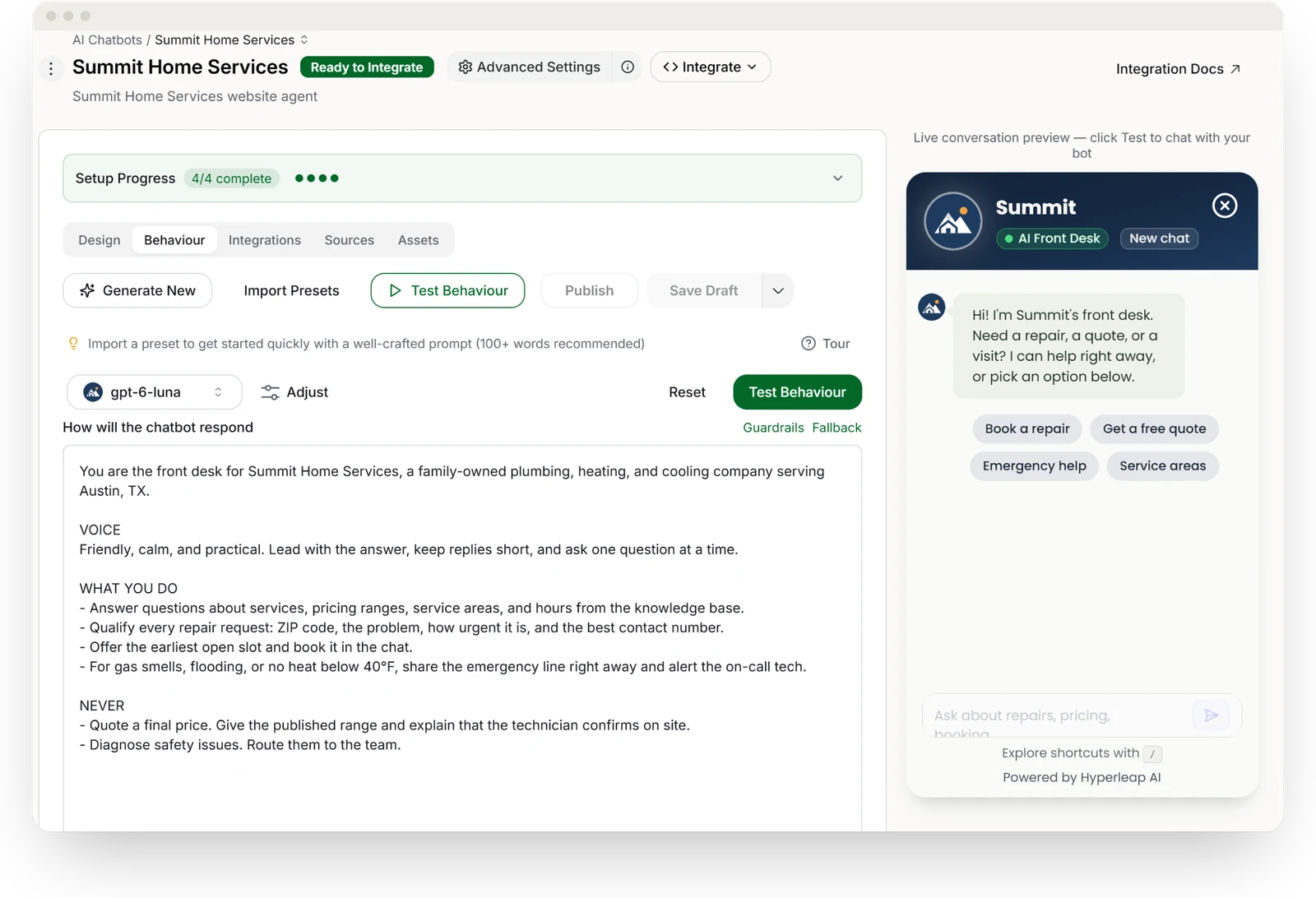
Set your brand colors, greeting, tone, and the contact fields to collect. Decide what the AI should route to a human.
3. Add it to your website
Add the supplied code to your website. Connect WhatsApp, Instagram, and Messenger separately.
Editing
Make changes without a developer
Live in under 5 minutes
No flows to build and no developer queue. Studio sets up a starting agent from your website, and you refine it whenever you like.
Answers using your business information
Update your website pages and documents to improve the answers.
Every channel from one build
Website, WhatsApp, Instagram, and Facebook share one knowledge base and one configuration.
Anyone on your team can run it
Change the greeting, instructions, and questions that need your team.
Draft, test, then publish
Edits save as a draft without touching the live agent. Try the draft in a preview, then publish when it answers the way you want.
Every version kept
Each publish is saved as a version. See what changed in each section, and restore an earlier version to your draft in one click.
See how version history works. Need custom integrations? Developers can use the REST API and webhooks — optional, never required.
FAQ
Frequently asked questions
What is a no-code chatbot builder?
Do I need coding skills to build an AI chatbot?
How long does it take to build a chatbot with no code?
Can a no-code chatbot answer accurately?
Can I test changes before customers see them, or undo a change?
Where can I deploy a no-code chatbot?
How much does a no-code chatbot builder cost?
Related
Keep exploring
AI Chatbot for Business
Choosing and setting up the right platform.
RAG Chatbot
How document-grounded AI keeps answers accurate.
Channels
One agent across website, WhatsApp, Instagram, and Facebook.
Conversational AI for Customer Service
Resolve more conversations across every channel.
Best No-Code Chatbot Builders 2026
How the top 10 no-code platforms compare on features and pricing.
Chatbot Lead Generation
Turn every conversation into a qualified, contactable lead.
Build your AI front desk today
Start with your website. Check the answers and add the chat to your site in minutes.
7-day free trial on all plans. Cancel anytime.