Chatbot KPIs: 7 Metrics + 2026 Benchmark Scorecard
What chatbot KPIs actually matter: 7 metrics defined — containment, deflection, CSAT, response time — plus a free scorecard graded against 2026 benchmarks.

TL;DR:
- Track 7 core chatbot KPIs: lead capture rate, response accuracy rate, human escalation rate, after-hours capture rate, first response time, channel-specific conversion rate, and cost per lead.
- 2026 benchmarks: containment above 60% is an A, CSAT above 4.5/5 is an A, first response under 5 seconds is an A.
- Plug your numbers into the scorecard below for an instant A–F grade and a ranked list of what to fix first.
Measuring a deployment you have not built yet? Start with conversational AI for customer service — what an AI customer support chatbot handles, and what to instrument from day one.
Score your AI chatbot in under two minutes. Plug in your 7 KPIs below — containment rate, CSAT, first response time, deflection, escalation rate, lead-to-meeting, and cost-per-resolution — and the scorecard grades you A through F against 2026 industry benchmarks, computes a weighted composite, and tells you which one to fix first.
Chatbot KPI Scorecard
Enter your numbers — get letter grades against 2026 industry benchmarks plus specific actions for whatever is underperforming.
Fill in all 7 fields to see your scorecard.
How each KPI works
The scorecard uses 2026 benchmarks calibrated for SMB and mid-market chatbot deployments. Containment rate above 60% is an A; CSAT above 4.5/5 is an A; first response time under 5s is an A. Numbers below benchmark are surfaced with concrete improvement guidance — typically a knowledge-base gap, a routing rule, or an escalation threshold. The reference content below explains each metric in detail so you can collect the input numbers from your own analytics.
Most SMBs launch a chatbot and never revisit their analytics dashboard. The ones that win are not the ones with the fanciest setup; they are the ones that measure, identify gaps, adjust, and measure again. The 7 KPIs covered here are the ones that separate a chatbot that earns its keep from one that just takes up space.
7
Essential KPIs to track post-launch
< 5s
Target AI first response time
35%
After-hours leads captured (Jungle Lodges)
What Are AI Chatbot KPIs and Why Do They Matter?
A KPI — key performance indicator — is a specific, measurable number that tells you whether something is working. In the context of AI chatbots, KPIs answer a simple question: is this chatbot delivering business value, or is it just generating conversations?
That distinction matters more than most businesses realize. It is tempting to look at the total number of messages your chatbot has handled and call it a success. But message volume is a vanity metric. A chatbot that handles 10,000 messages but captures zero leads and escalates every other conversation to your staff is not succeeding. It is creating work.
Actionable chatbot KPIs focus on outcomes, not activity:
- Lead capture rate tells you whether conversations are turning into contacts your sales team can follow up with.
- Response accuracy rate tells you whether the chatbot is giving correct, document-grounded answers — or confusing your customers.
- Human escalation rate tells you how much work the chatbot is keeping off your team's plate.
- After-hours capture rate tells you whether the chatbot is earning its keep during the hours when nobody else is available.
These are the metrics that connect chatbot performance to revenue. And they create a feedback loop that drives continuous improvement: measure the KPI, identify the gap, update the knowledge base or configuration, then re-measure. This cycle is what turns a decent chatbot into a great one.
Without KPIs, you are flying blind. You do not know what is working, what is broken, or where to invest your time. With KPIs, you have a clear roadmap for improvement — and hard evidence to justify the investment to stakeholders.
The businesses that treat their chatbot like a living system — one that needs regular measurement and tuning — consistently outperform those that adopt a "set it and forget it" approach. The rest of this article gives you the specific metrics to track, the benchmarks to aim for, and the levers to pull when a number is not where it should be.
Why Most Businesses Fail to Measure Chatbot Performance
If KPIs are so important, why do most businesses skip them? In our experience working with hundreds of SMBs deploying AI chatbots, the failure points are predictable and almost always fall into one of four categories.
No Baseline Established Before Launch
The most common mistake happens before the chatbot even goes live. Businesses do not document their current state — how many leads they capture per month, what their average response time is, how many inquiries come in after hours, or what their cost per lead looks like.
Without a baseline, there is nothing to compare against. Even if the chatbot is performing brilliantly, you have no way to prove it. And if it is underperforming, you have no way to quantify the gap.
Before launch, write down your current numbers. How many leads did you get last month through your website contact form? What was your average response time? How many inquiries came in outside of business hours, and how many of those did you actually follow up on? These numbers become your "before" snapshot, and they make every post-launch KPI meaningful. For guidance on setting up your chatbot for success from the start, see our guide on knowledge base best practices.
Overwhelmed by Data
Modern chatbot platforms generate a lot of data — conversation logs, sentiment scores, topic breakdowns, response times, engagement metrics, drop-off points. For a small business owner who is already juggling ten other responsibilities, this data avalanche leads to paralysis. They open the dashboard, see 30 different charts, and close the tab.
The fix is simple: pick the 7 KPIs in this article, ignore everything else for now, and check them once a week. You can always add more sophisticated metrics later. But these 7 will tell you 90% of what you need to know.
Measuring Activity Instead of Outcomes
This is the vanity metric trap. Total messages handled. Total conversations started. Average conversation length. These numbers feel satisfying because they go up and to the right. But they do not tell you whether the chatbot is generating revenue.
A chatbot that handles 500 conversations and captures 50 leads is vastly more valuable than one that handles 5,000 conversations and captures 10. Volume metrics without conversion context are misleading. As we explored in our article on why chatbot implementations fail, focusing on the wrong metrics is one of the most common reasons businesses abandon their chatbot investment prematurely.
No Review Cadence
Even businesses that set the right KPIs often fail because they do not build a habit of checking them. They review the dashboard once after launch, feel good about the numbers, and do not look again for three months.
By the time they come back, the knowledge base is stale, response accuracy has dropped, and they have missed seasonal patterns that could have driven more conversions. A weekly 15-minute review is all it takes to stay ahead. We will cover exactly what to check in the implementation section below.
7 Essential KPIs to Track After Launching Your AI Chatbot
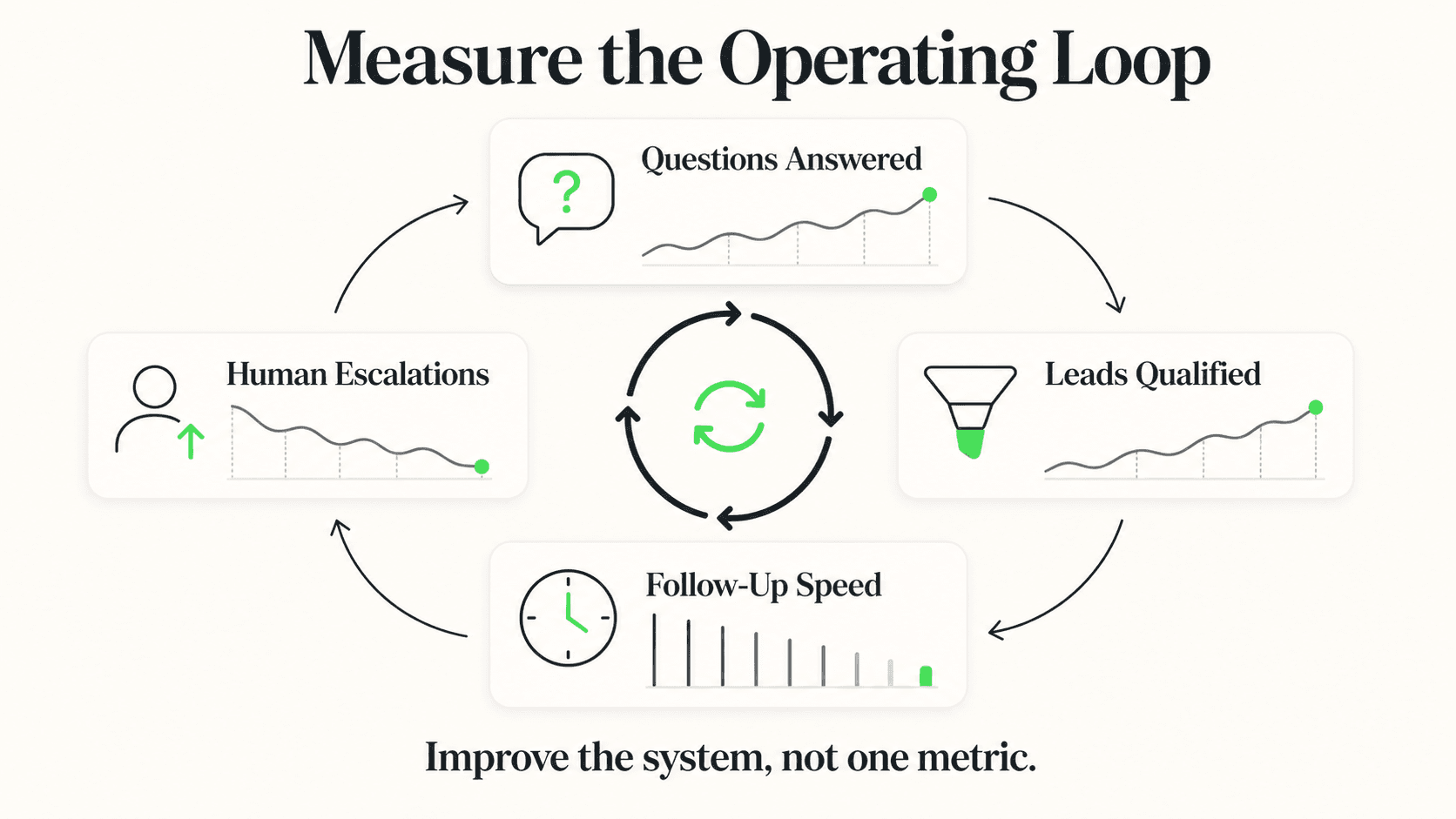
These are the seven metrics that matter most for SMBs running AI chatbots. Each one connects directly to business outcomes — leads, revenue, efficiency, or customer satisfaction. For each KPI, we cover what it measures, how to calculate it, where the benchmark sits, and what to do when the number needs improvement.
1. Lead Capture Rate
What it measures: The percentage of chatbot conversations that result in a captured contact — a name, email, phone number, or other identifier that your team can follow up on.
How to calculate it:
Lead Capture Rate = (Captured Contacts / Total Conversations) x 100
Benchmark: A well-configured AI chatbot typically captures contacts from 15-30% of conversations, based on reported benchmarks from platforms including Qualified and LocaliQ. This varies by industry — hospitality and real estate tend to sit at the higher end because the intent behind inquiries is naturally stronger. Service businesses may see 10-20% initially and improve from there.
How to improve it: The biggest lever is the timing and phrasing of your lead capture prompt. If the chatbot asks for contact information too early, visitors bounce. If it asks too late, they have already gotten what they needed and leave. The sweet spot is after the chatbot has delivered a helpful answer — the visitor has received value and is more willing to share their information in exchange for follow-up.
Also review whether your chatbot is asking for the right information. Asking for a full name, email, phone number, and company all at once creates friction. Start with one field. For most businesses, a phone number or email is enough to follow up.
2. Response Accuracy Rate
What it measures: The percentage of chatbot responses that are correct and relevant to the user's question. This is the single most important quality metric for any AI chatbot.
How to calculate it:
Response Accuracy Rate = (Correct Responses / Total Responses) x 100
To calculate this, you need to periodically review a sample of conversations and score whether the chatbot answered correctly. A sample of 50-100 conversations per week is typically sufficient for SMBs.
Benchmark: There's no reliable industry-wide target, so set your own baseline from your first few weekly reviews and track the trend. Document-grounded chatbots — those that answer strictly from your uploaded knowledge base — tend to perform well here because they are designed to minimize hallucinations and stay within the boundaries of your content. If your accuracy rate keeps falling, your chatbot is likely damaging customer trust more than it is building it. For a simple way to test accuracy, see how accurate AI chatbots really are.
How to improve it: When you find inaccurate responses, trace them back to the knowledge base. The most common causes are gaps in coverage (the customer asked about something not in your documents), outdated information, or ambiguous phrasing that the AI misinterprets. Updating your knowledge base is the fastest path to higher accuracy. Also check whether your chatbot is properly configured to say "I don't know" rather than guessing when it lacks information.
3. Human Escalation Rate
What it measures: The percentage of conversations that the chatbot transfers to a human team member because it cannot resolve the inquiry on its own.
How to calculate it:
Human Escalation Rate = (Escalated Conversations / Total Conversations) x 100
Benchmark: A target of 15-25% is a reasonable starting point for most businesses, based on reported industry benchmarks. Some escalation is healthy — you want the chatbot to hand off complex, sensitive, or high-value conversations to your team. An escalation rate below 10% could mean the chatbot is trying to handle things it should not. An escalation rate above 40% means the chatbot is not resolving enough on its own, and your team is not getting the workload relief they expected.
How to improve it: Review the escalated conversations to find patterns. Are visitors asking questions your knowledge base does not cover? Add that content. Are escalations triggered by specific phrases or topics? Refine the escalation rules. The goal is not to eliminate escalation — it is to ensure that only the right conversations reach your team. Data on how slow response times cost businesses shows that even escalated conversations benefit from the chatbot's instant initial response.
4. After-Hours Capture Rate
What it measures: The percentage of total leads captured outside your normal business hours. This is one of the strongest ROI arguments for AI chatbots because it represents revenue that would otherwise be lost entirely.
How to calculate it:
After-Hours Capture Rate = (Leads Captured Outside Business Hours / Total Leads Captured) x 100
Benchmark: Research suggests 30-40% of customer inquiries typically arrive outside standard business hours (Source: Nextiva). If your after-hours capture rate is significantly below that range, your chatbot may not be configured to capture leads effectively during evenings, weekends, and holidays.
In our work with Jungle Lodges & Resorts, 35% of leads were captured after hours — revenue that would have been entirely missed without an AI chatbot operating around the clock. That translates directly to bookings that no front desk staff would have handled.
How to improve it: Make sure your chatbot's lead capture flow works identically during and after business hours. Some businesses accidentally configure their chatbot to defer to staff during certain hours, which means after-hours visitors get a "leave a message" prompt instead of the full AI experience. Review your response time data to understand how after-hours performance compares across your industry.
5. Average First Response Time
What it measures: The average time between when a visitor sends their first message and when the chatbot delivers its first response.
How to calculate it:
Average First Response Time = Sum of All First Response Times / Total Conversations
Benchmark: An AI chatbot should respond in under 5 seconds. The average lead response time across SMBs is 47 hours — and many businesses never respond at all (Source: InsideSales.com / Harvard Business Review). The gap between 5 seconds and 47 hours is where AI chatbots create their most obvious value. Visitors who receive an instant, helpful response are dramatically more likely to engage further.
How to improve it: If your first response time exceeds 5 seconds, the issue is typically technical — slow API responses, complex initial logic, or platform latency. Check whether your chatbot is trying to process too much information before responding. A quick, accurate first response is better than a slow, comprehensive one. The visitor can always ask follow-up questions.
For a deeper look at how response time affects conversions across different industries, see our detailed response time and conversion rate analysis.
6. Channel-Specific Conversion Rate
What it measures: The lead capture rate broken down by channel — website chat, WhatsApp, Instagram DM, or Facebook Messenger. This tells you which channels are driving the most valuable conversations.
How to calculate it:
Channel Conversion Rate = (Leads Captured on Channel / Total Conversations on Channel) x 100
Benchmark: This varies significantly by industry and audience. WhatsApp tends to see higher conversion rates in markets where it is the dominant messaging platform, particularly in India, Southeast Asia, Latin America, and parts of Europe. Website chat often has higher volume but lower conversion rates because it captures more casual browsing behavior. Instagram DM tends to skew toward younger demographics with different purchase intent.
How to improve it: Compare conversion rates across your active channels. If WhatsApp converts at 25% and your website widget converts at 8%, that does not mean you should abandon the website widget — it means you should investigate why the gap exists. Are WhatsApp users further along in their buying journey? Is the website widget buried below the fold? Are the chatbot greetings different across channels? Equalizing the experience across channels while respecting the norms of each platform is the goal.
7. Cost Per Lead vs. Previous Method
What it measures: The cost of acquiring each lead through your AI chatbot compared to your previous lead generation methods — contact forms, phone calls, third-party lead providers, or manual follow-up.
How to calculate it:
Chatbot Cost Per Lead = Monthly Chatbot Cost / Leads Captured via Chatbot
Previous Cost Per Lead = Monthly Lead Gen Spend / Leads Captured via Previous Methods
Benchmark: The goal is for your chatbot cost per lead to be meaningfully lower than your previous method. With Hyperleap AI plans starting at $40/month (Plus plan), a chatbot that captures even 10 leads per month brings your cost per lead to $4 — which is significantly lower than most paid advertising, call center, or form-based lead generation costs. For a complete ROI calculation methodology, see our AI chatbot ROI calculator.
How to improve it: The denominator is the lever — more leads at the same cost drives cost per lead down. Focus on the other six KPIs in this article: improve accuracy, capture more after-hours leads, optimize channel performance, and reduce unnecessary escalations. Every improvement in those areas increases the number of leads captured without increasing your monthly cost.
Start Measuring What Matters
Hyperleap AI gives you the analytics dashboard to track all 7 KPIs from day one. See lead capture rates, response times, channel performance, and more — all in one place.
Start Your Free TrialReal Results: How Tracking KPIs Transforms ROI
Theory is one thing. Results are another. Let us walk through how these 7 KPIs play out in practice using real data from Jungle Lodges & Resorts, a Karnataka state-run hospitality brand that deployed a Hyperleap AI chatbot across their website and WhatsApp.
In just 90 days, the chatbot captured over 3,300 leads — a number that becomes more meaningful when you apply the KPI framework:
Lead Capture Rate: With thousands of conversations handled, Jungle Lodges achieved a strong lead capture rate by configuring the chatbot to share property information first, then prompt for contact details when visitors showed booking intent. The chatbot did not ask for a phone number in the first message — it earned the right to ask by being helpful first.
After-Hours Capture Rate: 35% of those 3,300+ leads came in after hours. That is more than 1,100 potential bookings that would have been missed entirely without the AI chatbot. For a hospitality business, these after-hours inquiries often come from travelers in different time zones researching their next trip.
Response Accuracy: By grounding the chatbot strictly in Jungle Lodges' property information, pricing, and availability data, the system delivered document-grounded responses that kept visitors engaged rather than confused. The knowledge base was continuously updated as property details changed.
Human Escalation: Complex booking modifications and special requests were escalated to the reservations team, while standard property inquiries, pricing questions, and availability checks were handled entirely by the chatbot — freeing staff to focus on high-value guest interactions.
Cost Per Lead: Compare the monthly chatbot cost against 3,300+ leads over 90 days. The cost per lead was a fraction of what traditional advertising or call center outreach would have cost to generate the same volume of qualified inquiries.
These numbers did not happen by accident. Jungle Lodges tracked their KPIs, identified patterns, updated the knowledge base when gaps emerged, and continuously improved the chatbot's performance. The feedback loop — measure, adjust, re-measure — is what turned a good deployment into a great one. For detailed ROI calculations and additional case studies, see our AI chatbot ROI calculator.
Setting Up Your Chatbot Analytics Dashboard
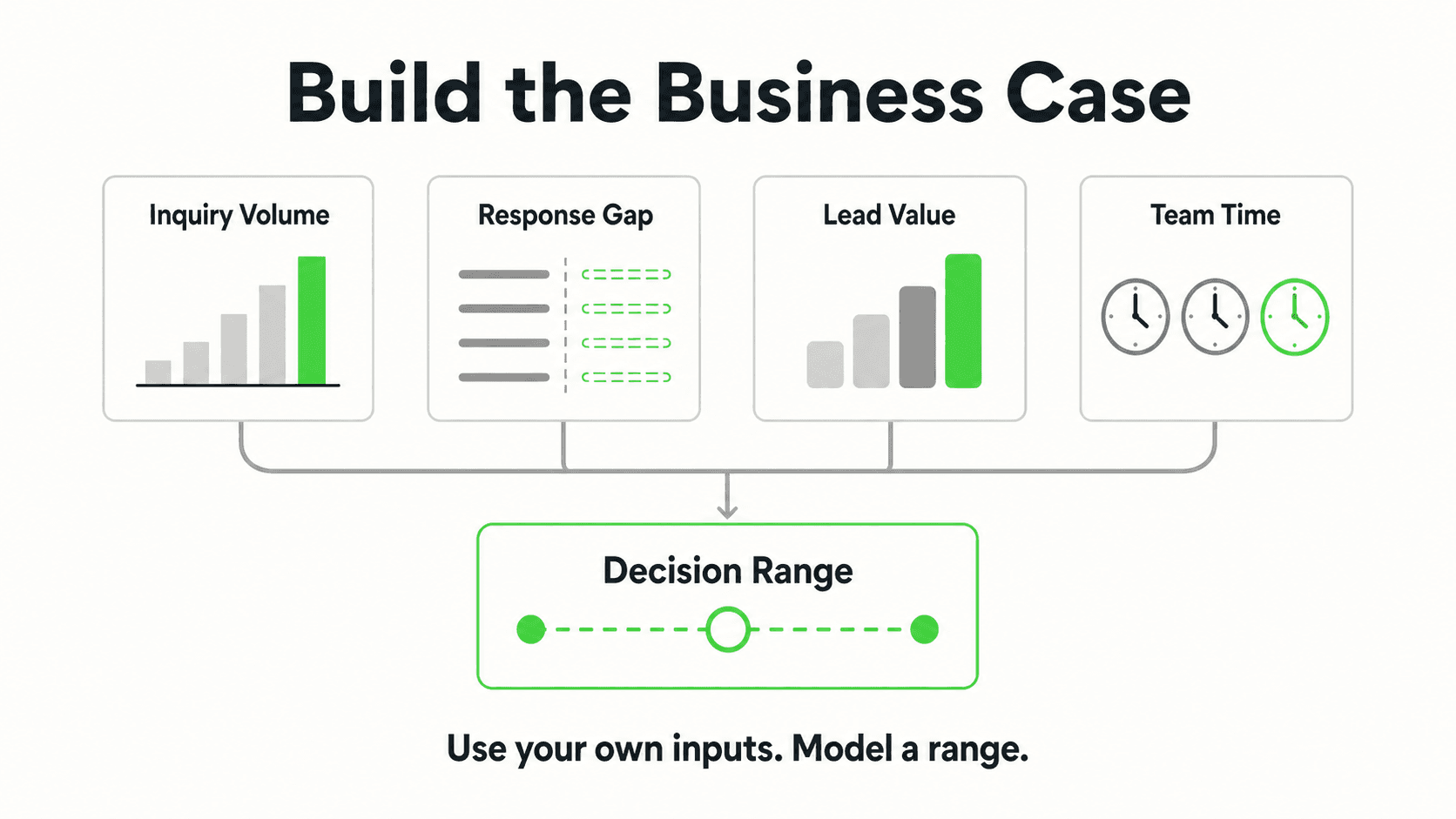
Knowing which KPIs to track is the first step. Building a review habit is what makes the data actionable. Here is how to set up a simple, sustainable analytics practice that takes no more than 15 minutes per week.
The Weekly Review Cadence
Block 15 minutes every Monday morning. This is your chatbot check-in. Consistency matters more than depth — a quick weekly scan catches problems before they compound, while a thorough monthly review often comes too late.
Here is what to check each week:
| KPI | What to Check | Action Threshold |
|---|---|---|
| Lead Capture Rate | Did it go up, down, or stay flat vs. last week? | Drop of 5+ percentage points |
| Response Accuracy | Sample 10-20 conversations for correctness | Any wrong answer needs knowledge base update |
| Human Escalation Rate | Trending up or down? | Above 35% — review escalation triggers |
| After-Hours Capture | Percentage of total leads from off-hours | Below 25% — check after-hours configuration |
| First Response Time | Average across all channels | Above 5 seconds — investigate latency |
| Channel Conversion | Compare rates across active channels | 2x gap between channels — investigate |
| Cost Per Lead | Monthly chatbot cost / total leads this month | Higher than previous method — dig deeper |
The Monthly Deep Dive
Once a month, go deeper. Review the full conversation logs for your bottom-performing KPI. Read through 20-30 conversations where the chatbot struggled — where it gave wrong answers, where visitors dropped off, where escalations happened unnecessarily. These conversations tell you exactly what to fix in your knowledge base.
The 15-Minute Rule
If your weekly review takes more than 15 minutes, you are looking at too many metrics. Stick to the 7 KPIs in this article. Once they are all consistently in the green, you can add more sophisticated metrics like customer satisfaction scores, conversation completion rates, or topic clustering analysis.
Building Your Review Template
Create a simple spreadsheet or document with these columns:
- Week ending — The date of the review
- KPI values — Each of the 7 KPIs with this week's number
- Trend — Up, down, or flat compared to last week
- Action items — What you will change this week based on the data
- Notes — Anything unusual (seasonal patterns, marketing campaigns, website changes)
This does not need to be sophisticated. A Google Sheet with 7 rows and 5 columns is enough. The point is to create a record that you can look back on to see trends over time. After three months, you will have enough data to identify seasonal patterns, measure the impact of knowledge base updates, and make confident decisions about expanding your chatbot to new channels.
Sharing Results With Your Team
Even if you are the only one reviewing the dashboard, share a monthly summary with your team. A simple email or Slack message with the top 3 KPIs and any changes made keeps everyone aligned and builds organizational confidence in the chatbot investment. This is especially important if you are considering expanding to additional channels or upgrading your plan — the data tells the story. Visit our pricing page to see which plan fits your KPI goals.
What Gets Measured Gets Improved
Deploying an AI chatbot is not the finish line. It is the starting line. The businesses that get the most value from their chatbot investment are the ones that treat it as a living system — measuring performance, identifying gaps, making targeted improvements, and measuring again.
You do not need a data science team or a sophisticated analytics platform to do this well. You need 7 KPIs, a weekly 15-minute review habit, and the willingness to update your knowledge base when the numbers tell you something is off.
Start with the metrics in this article. Establish your baselines in the first week. Set a recurring calendar reminder for your weekly review. Within a month, you will know exactly where your chatbot is strong, where it needs work, and what to do about it.
The chatbot is already doing the work. Make sure you are paying attention to the results.
Further Reading
Authoritative external sources used and recommended for further research on this topic:
- Gartner customer service research
- Forrester customer experience research
- Harvard Business Review on customer response speed
For the operational design of the escalation itself, see chatbot-to-human handoff best practices; for the full definition, formula, and the honesty problem behind the deflection number, see what is ticket deflection.
Frequently Asked Questions
How does the chatbot KPI scorecard grade my numbers?
The scorecard maps each input to a letter grade A–F based on 2026 benchmarks: containment ≥60% = A, CSAT ≥4.5 = A, first response ≤5s = A, deflection ≥45% = A, escalation ≤25% = A, lead-to-meeting ≥10% = A, cost-per-resolution ≤$1 = A. The composite is a weighted average — containment, CSAT, and lead-to-meeting carry the most weight because they predict ROI most directly.
Where do I get the input numbers?
Most modern chatbot platforms (Hyperleap AI included) expose containment, response time, deflection, escalation rate, and conversation volume in the analytics dashboard out of the box. CSAT comes from your post-conversation rating prompt. Lead-to-meeting and cost-per-resolution typically need a join between your chatbot analytics and your CRM — this guide covers the calculation.
What is a good lead capture rate for AI chatbots?
A well-configured AI chatbot typically captures leads from 15-30% of conversations, based on benchmarks from platforms including Qualified and LocaliQ. However, this number depends heavily on your industry, the intent of your visitors, and how your chatbot is configured. Hospitality and real estate businesses often see the higher end of that range because visitors arrive with strong purchase intent. Service businesses may start at 10-15% and improve from there. The key is not hitting a specific number on day one — it is establishing your baseline and improving consistently over time.
How do I measure chatbot accuracy?
The most reliable method is manual conversation review. Each week, randomly select 10-20 conversations and score each chatbot response as correct, partially correct, or incorrect. Calculate the percentage of fully correct responses. Automated accuracy scoring exists, but for most SMBs, manual review is more practical and more insightful because it also reveals why responses are wrong — which directly informs knowledge base improvements. For more on building a strong knowledge base, see our best practices guide.
How often should I review chatbot metrics?
Weekly for the core 7 KPIs (15 minutes), monthly for a deeper conversation review (30-60 minutes). This cadence catches issues before they compound without consuming your entire week. Some businesses prefer bi-weekly reviews, which works fine as long as you are consistent. The biggest mistake is not reviewing at all — even a monthly check is better than none.
What KPIs matter most for small businesses?
If you can only track three, focus on lead capture rate, response accuracy rate, and cost per lead. Lead capture rate tells you whether the chatbot is generating revenue opportunities. Response accuracy tells you whether it is representing your brand well. Cost per lead tells you whether the investment is paying off. These three give you a complete picture of business impact without overwhelming you with data.
Can AI chatbots track their own performance?
Most modern AI chatbot platforms, including Hyperleap AI, provide built-in analytics dashboards that automatically track metrics like conversation volume, response times, channel distribution, and lead capture. However, some KPIs — particularly response accuracy — require human review because only you know whether a specific answer is correct for your business context. Think of the platform analytics as the foundation and your manual review as the quality layer on top.
How do I calculate chatbot ROI?
The basic formula is straightforward: ROI = (Value Generated - Chatbot Cost) / Chatbot Cost x 100. The challenge is quantifying the value generated. Start with leads captured multiplied by your average conversion rate and average deal value. Then add the cost savings from reduced staff hours on routine inquiries. For a detailed walkthrough with real numbers, see our AI chatbot ROI calculator with case studies. With plans starting at $40/month (Plus plan) and a 7-day free trial available, the threshold for positive ROI is typically just a few captured leads per month.
When should I worry about my chatbot's performance?
Watch for these warning signs: lead capture rate dropping for two or more consecutive weeks, accuracy rate falling below your baseline, escalation rate climbing above 35%, or after-hours capture rate significantly below your during-hours rate. Any of these trends sustained over two weeks warrants investigation. A single bad week could be a seasonal blip or a temporary traffic change. Two consecutive weeks of decline suggest a systemic issue — usually a knowledge base gap, a broken configuration, or a change in the type of traffic reaching your chatbot. Our article on common chatbot implementation mistakes covers the most frequent root causes and how to fix them.
Track Your 7 KPIs from Day One
Hyperleap AI includes a built-in analytics dashboard with lead capture tracking, response metrics, and channel performance data. Plus, Pro, and Max plans all include a 7-day free trial.
Start Your Free TrialRelated Articles
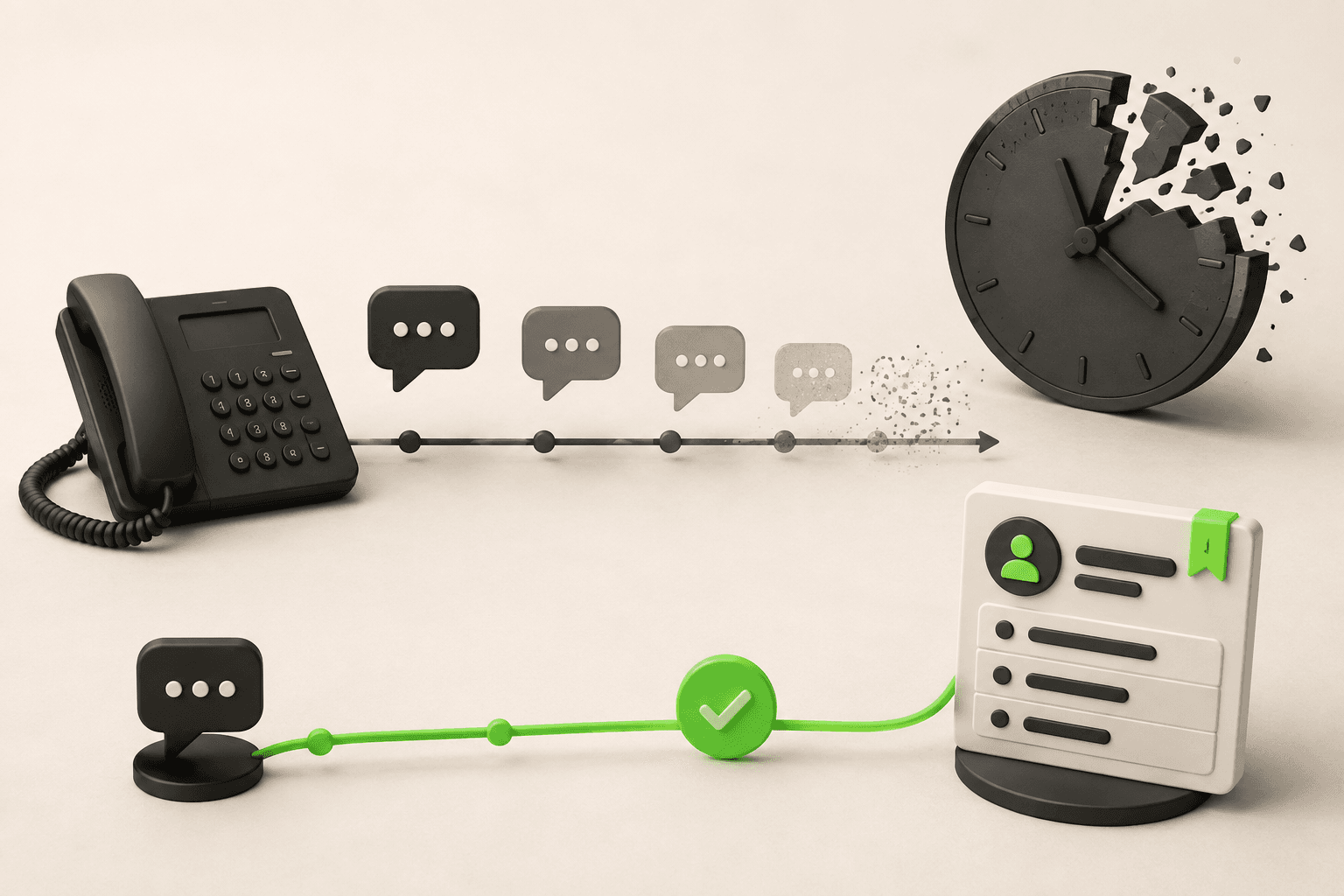
What Missed Calls Really Cost Your Small Business
A worked example of what missed calls cost small businesses in lost jobs, plus where inquiries actually arrive now and what to do about it.

AI Receptionist Cost in 2026: What You Actually Pay
AI receptionist cost ranges from $20/month for automated voice AI to $300+/month for live-agent phone answering. Full breakdown by category.

AI Chatbot vs Receptionist: Cost Comparison for SMBs
Should your small business hire a receptionist or deploy an AI chatbot? A practical cost comparison covering salary, availability, scalability, and ROI.

How to Build a Business Case for AI Chatbots: ROI Framework
A practical ROI framework for SMBs evaluating AI chatbots — calculate costs, measure returns, and build a convincing business case.