AI Chatbot vs Live Chat vs Contact Form (2026)
Contact forms convert at 2-5%. Live chat at 3-5x higher. AI chatbots match live chat 24/7 without staff. Here's how to choose for your business.

TL;DR: Contact forms convert at 2-5% of visitors. Live chat lifts that by 3-5x but requires staff. AI chatbots deliver comparable conversion rates to live chat around the clock without staffing costs. Most small businesses get the best results from a hybrid approach: an AI chatbot handling the first touch 24/7, with human handoff for high-value conversations. Here is what the data says and how to choose.
If option three is where you are heading, conversational AI for customer service is the full picture on what a customer support chatbot handles and how it hands off.
Every visitor who leaves your website without reaching out is a missed opportunity. The question every small business owner faces is not whether to capture leads online, but how.
You have three main options: the traditional contact form, live chat staffed by humans, and AI-powered chatbots. Each promises to turn browsers into buyers. Each has vocal advocates. And each has real limitations that the marketing materials conveniently leave out.
Here is the uncomfortable truth: there is no single "best" option for every business. A dental practice with 200 monthly website visitors has fundamentally different needs than a real estate agency fielding 2,000 inquiries a month. A law firm handling sensitive consultations needs a different approach than an insurance agency processing routine quote requests.
What the data does tell us is that the gap between these methods is significant. The difference between a well-optimized lead capture approach and a neglected contact form can mean 3-5x more leads from the same traffic. For a small business, that is the difference between struggling and thriving.
This guide breaks down the conversion data, cost structures, and practical trade-offs of all three approaches so you can make the right choice for your specific situation.
The Three Contenders: A Quick Overview
Before diving into the data, let us define exactly what we are comparing.
Contact forms are the static forms on your website where visitors fill in their name, email, phone number, and message, then click submit. They have been the default lead capture method since the late 1990s. You respond later, usually via email or phone.
Live chat is a real-time messaging widget on your website staffed by human agents. Visitors type a question and get an immediate response from a real person. Think of it as having a receptionist available through your website.
AI chatbots are software-powered conversational interfaces that use artificial intelligence (often large language models) to understand visitor questions and respond instantly. Modern AI chatbots can answer questions from your knowledge base, qualify leads, book appointments, and hand off to humans when needed.
Here is how they compare at a glance:
| Attribute | Contact Form | Live Chat | AI Chatbot |
|---|---|---|---|
| Typical conversion rate | 2-5% | 8-15% | 10-20% |
| Availability | 24/7 (submit anytime) | Business hours only | 24/7 |
| Response time | Hours to days | Under 1 minute | Under 5 seconds |
| Staffing required | None (but response staff needed) | 1+ dedicated agents | None (setup + monitoring) |
| Monthly cost | Free to $50 | $2,000-$5,000+ (staffing) | $40-$200 (platform) |
| Setup complexity | Very low | Medium (hiring + training) | Medium (knowledge base setup) |
| Personalization | None | High | Medium to high |
| Scalability | Unlimited submissions | Limited by headcount | Unlimited concurrent chats |
| Complex question handling | N/A | Excellent | Good (with human handoff) |
Conversion Rate Context
Conversion rates vary significantly by industry, traffic quality, and implementation. The ranges above reflect aggregated data from multiple studies. Your actual results will depend on how well you implement and optimize each method. Sources include Tidio, Qualified, LocaliQ, and Zuko benchmarking data.
Contact Forms: The Baseline
Contact forms are where most small businesses start, and where many stay. They are familiar, cheap, and require no real-time staffing. But that simplicity comes at a cost.
How Contact Forms Work
A visitor lands on your website, navigates to your "Contact Us" page (or encounters an embedded form), fills in their details, and clicks submit. The form data arrives in your email inbox or CRM. You respond at some point afterward, whether that is 5 minutes or 5 days later.
The entire interaction is asynchronous. The visitor has no way of knowing when or if they will hear back. They submit their information on faith and hope for a timely response.
What the Conversion Data Says
Contact form conversion rates are consistently the lowest of the three options:
- The average contact form converts between 2-5% of visitors who view it (Source: Zuko, WebFX)
- Only 38% of users who start filling out a contact form actually complete and submit it (Source: Feathery / Numen Technology)
- The overall form abandonment rate is approximately 68% (Source: Feathery)
- Security concerns drive 29% of form abandonment, while form length causes 27% (Source: Financesonline)
To put this in real numbers: if 1,000 people visit your website this month and 200 of them see your contact form, you might get 4-10 submissions. Of those, some will be spam. You are looking at a handful of genuine leads.
Strengths of Contact Forms
- Zero staffing cost: No one needs to be online when the form is submitted
- Simple to set up: Any website builder includes form functionality
- Low maintenance: Once configured, forms run without intervention
- Structured data: You control which fields are collected
- Spam filtering: Modern form tools include CAPTCHA and filtering
Weaknesses of Contact Forms
- No real-time engagement: Visitors with urgent questions leave without answers
- High abandonment: Nearly 68% of form interactions are abandoned before submission
- Delayed response: The gap between submission and your reply costs conversions. Leads contacted within 5 minutes are 100x more likely to convert than those contacted after 30 minutes
- No qualification: Every submission looks the same, whether it is a tire-kicker or a ready-to-buy prospect
- Poor mobile experience: Multi-field forms frustrate mobile users, who now account for over 60% of web traffic
Best For
Contact forms remain appropriate for simple inquiry collection where response time is not critical, very low-volume websites (under 100 monthly visitors) where investment in chat does not make financial sense, and compliance-heavy industries where structured, documented submissions are a regulatory requirement.
Live Chat: The Human Touch
Live chat rose to prominence in the 2010s as businesses recognized that real-time engagement dramatically outperformed passive forms. The data backs this up, but the operational reality is more complicated than vendors suggest.
How Live Chat Works
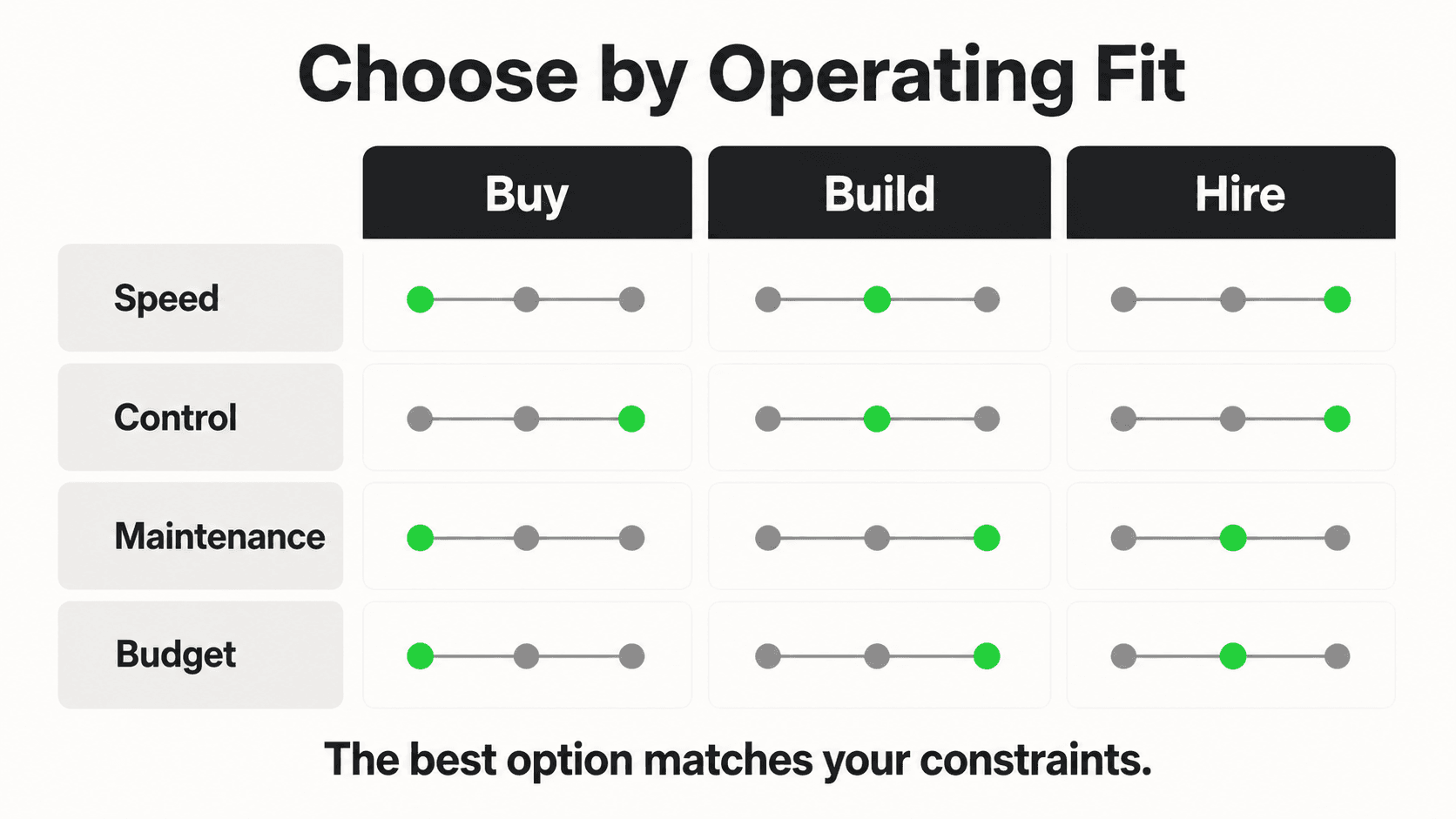
A chat widget appears on your website (usually in the bottom right corner). When a visitor clicks it, they are connected to a human agent who responds in real time. The conversation flows naturally, questions get answered immediately, and the agent can guide the visitor toward a conversion action like booking a call, scheduling a demo, or making a purchase.
The best live chat implementations feel like walking into a store and being greeted by a knowledgeable salesperson. The worst feel like waiting in a queue at the DMV.
What the Conversion Data Says
Live chat consistently outperforms contact forms by a significant margin:
- Visitors who use live chat are 63% more likely to purchase from the website (Source: Forrester via Tidio)
- Live chat interactions result in a 10% increase in average order value (Source: Forrester)
- Chat-to-conversion rates average 10-20%, compared to 2-5% for forms (Source: Qualified)
- 60% of customers are more likely to return to a website that offers real-time human help (Source: Tidio)
- Businesses using live chat report 3-5x higher conversion rates than those relying on forms alone (Source: Databox)
The Speed Advantage
The primary driver behind live chat's conversion advantage is response speed. When someone is actively browsing your website, they are in a decision-making mindset. Answering their question in 30 seconds keeps them in that mindset. Making them wait 4 hours via a contact form does not.
Strengths of Live Chat
- Human empathy: Agents read emotional cues, adjust tone, and build rapport
- Complex problem solving: Humans handle nuanced questions, exceptions, and multi-step issues
- Real-time qualification: Agents can identify high-value leads and prioritize them
- Upselling and cross-selling: Skilled agents guide visitors toward higher-value purchases
- Trust building: Speaking with a real person reassures visitors, especially for high-ticket decisions
Weaknesses of Live Chat
- Staffing costs: A dedicated chat agent costs $2,000-$5,000 per month (salary, benefits, tools). Most small businesses need at least 2-3 agents to cover business hours with breaks and sick days
- Limited availability: Unless you hire multiple shifts or outsource to a BPO, live chat only works during business hours. Yet 35-50% of website inquiries happen outside business hours (Source: Nextiva)
- Scaling problems: Each agent can handle 2-4 simultaneous conversations. During peak traffic, visitors wait in queues or leave
- Quality inconsistency: Agent performance varies by individual, mood, training level, and workload
- Training overhead: New agents need weeks to learn your products, policies, and common questions
Best For
Live chat excels for high-value sales conversations where the average deal size justifies the staffing cost (real estate, legal services, B2B software), complex products that require explanation and consultative selling, and businesses with existing customer service teams who can add chat to their responsibilities.
AI Chatbots: The Always-On Option
AI chatbots have evolved dramatically in the past two years. Early chatbots were glorified FAQ pages with a chat interface. Modern AI chatbots powered by large language models can understand context, answer nuanced questions from your documents, qualify leads conversationally, and seamlessly hand off to humans when needed.
How AI Chatbots Work
An AI chatbot sits on your website (and potentially on WhatsApp, Instagram, and Facebook Messenger) as a conversational widget. When a visitor types a question, the chatbot uses retrieval-augmented generation (RAG) to search your knowledge base (uploaded documents, FAQs, product information) and generate a natural, accurate response.
Unlike rule-based chatbots of the past, modern AI chatbots do not follow rigid decision trees. They understand free-form questions, handle follow-ups, and can take actions like collecting contact information, booking appointments, and routing conversations to the right team member.
What the Conversion Data Says
AI chatbots are closing the gap with live chat and pulling far ahead of forms:
- Websites using AI chatbots saw a 23% increase in conversion rates compared to those without (Source: Glassix)
- AI chatbots achieve 3x better conversion into sales compared to static forms (Source: Lindy / Tidio)
- Chat-to-conversion rates for well-configured AI chatbots range from 10-20% (Source: Qualified, LocaliQ)
- AI chatbots deliver first responses in under 5 seconds, meeting the expectations of 59% of customers (Source: Fullview)
- 68% of customers say quick responses are the most positive aspect of interacting with chatbots (Source: Fullview)
The 24/7 Advantage
AI chatbots capture leads that would otherwise be lost entirely. If 35-50% of inquiries arrive outside business hours and you have no live chat coverage, an AI chatbot is not just matching live chat performance: it is capturing leads that neither live chat nor contact forms would have converted.
Strengths of AI Chatbots
- 24/7 availability: Responds at 2 AM on a holiday just as effectively as at 10 AM on a Tuesday
- Instant response: Sub-5-second response times, every time, with no queue
- Unlimited scalability: Handles 1 conversation or 1,000 simultaneously without degradation
- Consistent quality: Every visitor gets the same accurate, on-brand response
- Multilingual support: Modern AI chatbots serve visitors in dozens of languages without hiring multilingual staff
- Multi-channel deployment: A single chatbot can serve your website, WhatsApp, Instagram DM, and Facebook Messenger
- Cost efficiency: The average cost per chatbot interaction is $0.50-$0.70, compared to $6-$12 per live chat interaction (Source: WotNot)
Weaknesses of AI Chatbots
- Complex emotional situations: AI struggles with angry customers or emotionally sensitive conversations where human empathy is essential
- Human handoff dependency: Complex questions, edge cases, and high-stakes decisions still need human involvement. A chatbot without a handoff mechanism frustrates visitors
- Setup investment: Building an effective knowledge base takes time. Uploading documents, writing FAQs, and testing responses is a multi-day project (though far cheaper than hiring and training agents)
- Accuracy concerns: While RAG-powered chatbots are designed to minimize hallucinations by answering from your documents, no AI system is perfect. Monitoring and refining responses is an ongoing task
- Visitor preference: Some visitors (especially older demographics or those with complex issues) prefer speaking with a human. A chatbot-only approach alienates this segment
Best For
AI chatbots deliver the highest ROI for high-volume inquiry businesses where staffing costs for live chat would be prohibitive, businesses with significant after-hours traffic, multi-channel businesses that need presence on WhatsApp, Instagram, and web simultaneously, and businesses with repeatable questions where 70-80% of inquiries can be answered from existing documentation.
Head-to-Head Comparison
Contact forms, live chat, and AI chatbots each win on different criteria — cost, speed, availability, and personalization — so this section compares them directly across the factors that matter most to small businesses.
Detailed Comparison Table
| Criteria | Contact Form | Live Chat | AI Chatbot |
|---|---|---|---|
| Conversion rate | 2-5% | 8-15% | 10-20% |
| Response time | Hours to days | 30 seconds to 2 minutes | Under 5 seconds |
| Availability | 24/7 (async) | 8-12 hours/day | 24/7 (real-time) |
| Monthly operating cost | $0-$50 | $2,000-$5,000+ | $40-$200 |
| Setup time | 1 hour | 2-4 weeks (hiring + training) | 1-3 days |
| Scalability | Unlimited | Limited by headcount | Unlimited |
| Lead qualification | None (manual) | High (human judgment) | Medium-High (AI scoring) |
| Personalization | None | High | Medium-High |
| Multilingual | Form translation only | Requires multilingual staff | Built-in (50+ languages) |
| Multi-channel | Website only | Website + some integrations | Website, WhatsApp, Instagram, Messenger |
| Complex questions | N/A | Excellent | Good (with handoff) |
| Data collection | Structured fields | Conversational | Conversational + structured |
| CRM integration | Basic (form submission) | Agent-driven | Via REST API & webhooks |
| Visitor experience | Passive, impersonal | Warm, personal | Instant, helpful |
| Night/weekend coverage | Submit only (no response) | None (unless outsourced) | Full coverage |
Ready to Stop Losing After-Hours Leads?
Hyperleap AI responds to every visitor instantly, 24/7 — across your website, WhatsApp, Instagram, and Facebook Messenger. Start your 7-day free trial today.
Try Hyperleap AI FreeFor Dental Clinics
Dental practices typically handle a high volume of similar questions: appointment availability, insurance acceptance, treatment costs, and emergency protocols.
Best fit: AI chatbot + contact form backup. Most patient inquiries are repeatable ("Do you accept Delta Dental?", "What are your hours?", "Can I book a cleaning?"). An AI chatbot handles these instantly and books appointments around the clock. A contact form serves as a fallback for complex insurance questions. Live chat staffing rarely makes financial sense for practices with 1-3 front desk staff who are already managing in-office patients.
For Real Estate Agents
Real estate involves high-value transactions where personal relationships drive decisions. Buyers and sellers want to feel heard, not processed.
Best fit: AI chatbot for initial capture, live chat for qualified leads. An AI chatbot handles the high volume of property inquiries, open house questions, and initial qualification 24/7. When a qualified buyer or serious seller is identified, the chatbot hands off to the agent for a personal conversation. This hybrid approach captures leads at 2 AM (when 30%+ of property browsing happens) without requiring agents to be perpetually online.
For Law Firms
Legal services involve sensitive matters where trust and confidentiality are paramount. Potential clients often hesitate to share details through impersonal channels.
Best fit: Contact form + AI chatbot for routing. Law firms need structured intake for conflict checks and case evaluation. An AI chatbot serves as a helpful front door, answering general questions about practice areas, fees, and process, then routing potential clients to the appropriate intake form or scheduling a consultation. Live chat makes sense for firms with dedicated intake coordinators handling high-value cases.
For Insurance Agencies
Insurance agencies deal with a mix of simple quote requests and complex coverage questions that require human expertise.
Best fit: AI chatbot as primary + human handoff. Most insurance inquiries start with simple questions: "How much is renters insurance?", "Do you cover flood damage?", "Can I add a driver to my policy?" An AI chatbot handles these and collects the information needed for a quote. When a prospect has complex coverage needs or wants to compare policies in detail, the chatbot routes them to a licensed agent. This approach dramatically reduces the time agents spend on basic inquiries while ensuring complex cases get human attention.
The Hybrid Approach: Why It's Not Either/Or

The most effective lead capture strategy is not choosing one method exclusively but combining them strategically.
The winning formula for most small businesses:
- AI chatbot as the primary engagement layer: Catches every visitor, responds instantly, answers common questions, qualifies leads, and captures contact information 24/7 across all channels
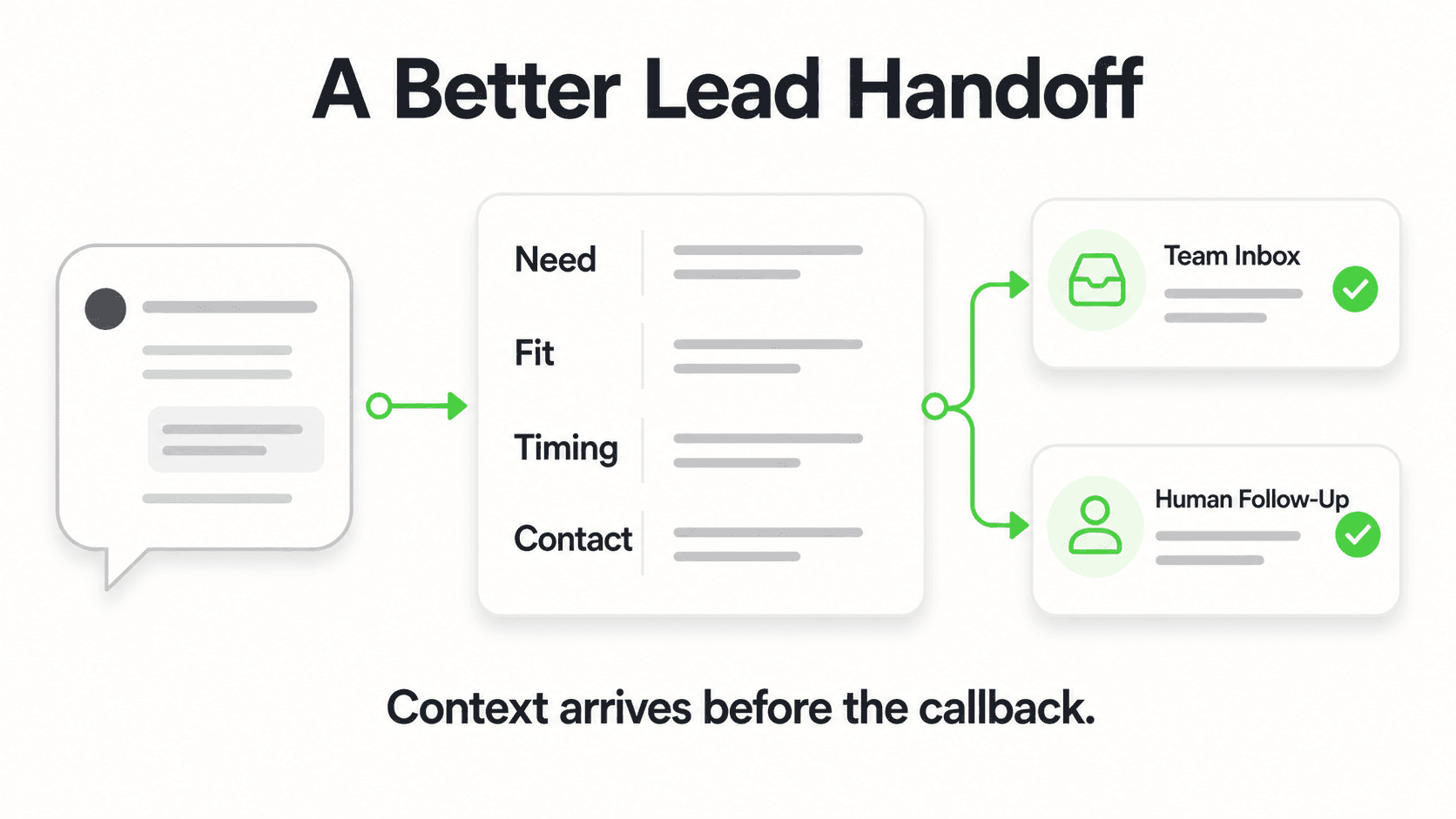
- Human handoff for high-value moments: When the chatbot detects a complex question, high purchase intent, or an emotional situation, it seamlessly transfers the conversation to a human agent during business hours
- Contact form as a safety net: For visitors who prefer structured submissions, those with detailed requests, or as a fallback when the chatbot cannot resolve an inquiry
This layered approach gives you the scalability and availability of AI, the empathy and expertise of humans, and the simplicity of forms, each deployed where it adds the most value.
Platforms like Hyperleap AI and others in the market now make it straightforward to implement this hybrid approach with built-in human handoff (Pro and Max), multi-channel deployment (website, WhatsApp, Instagram, Messenger), and REST API plus webhooks that route lead data to your existing CRM or team notification tools.
The Hybrid ROI
Businesses implementing a hybrid chatbot-plus-human approach report a 57% boost in repurchase rates while maintaining 94% positive customer feedback (Source: Glassix). The key is not replacing humans, but deploying them where they add the most value.
The practical steps to implement a hybrid approach:
- Audit your current inquiries: Categorize the last 100 inquiries. What percentage could an AI answer from your existing documents? For most businesses, it is 60-80%.
- Set up an AI chatbot first: Upload your FAQs, service descriptions, and pricing. Configure lead capture fields and appointment booking. Platforms like Hyperleap AI let you do this in a few hours.
- Define handoff triggers: Decide which situations warrant human involvement: deal size thresholds, specific service requests, complaints, or explicit "talk to a person" requests.
- Keep your contact form: Place it on your Contact page as an alternative for visitors who prefer it.
- Measure and optimize: Track conversion rates for each channel weekly. Adjust your chatbot responses, handoff rules, and form fields based on real data.
Choosing the Right Approach for Your Business
The data is clear: static contact forms leave most of your potential leads on the table. Both live chat and AI chatbots dramatically improve conversion rates. The right choice depends on your budget, staffing capacity, inquiry volume, and the complexity of your customer conversations.
For most small businesses, the math points toward an AI chatbot as the primary lead capture method. It delivers conversion rates comparable to live chat at a fraction of the cost, works around the clock, and scales without hiring. Combined with human handoff for complex cases and a contact form as a backup, you cover every visitor scenario.
The businesses that capture the most leads in 2026 will not be the ones with the fanciest websites or the biggest ad budgets. They will be the ones that respond instantly, are available when their customers need them, and make it effortless to start a conversation.
The businesses that capture the most leads respond instantly, stay available around the clock, and make it effortless to start a conversation.
Further Reading
Authoritative external sources used and recommended for further research on this topic:
- Gartner customer service research
- Forrester customer experience research
- Harvard Business Review on customer response speed
Frequently Asked Questions
Can an AI chatbot really convert as well as a human agent?
For the majority of routine inquiries, yes. Studies show AI chatbots achieve conversion rates of 10-20%, comparable to live chat's 8-15% (Source: Qualified, LocaliQ). The key difference is that chatbots maintain this performance 24/7 without fatigue or staffing gaps. However, for complex, emotionally charged, or high-stakes conversations, human agents still outperform AI. The optimal approach is using AI for initial engagement and routine questions, with human handoff for complex situations.
What is the biggest mistake small businesses make with contact forms?
Not responding quickly enough. According to InsideSales.com and Harvard Business Review, leads contacted within 5 minutes are 100x more likely to convert than those contacted after 30 minutes. Yet most small businesses take hours or days to respond to form submissions. If you rely on contact forms, set up instant email notifications and commit to responding within 15 minutes during business hours. Better yet, add a chatbot to provide immediate engagement while your team prepares a detailed response.
How much does it cost to switch from a contact form to an AI chatbot?
AI chatbot platforms typically range from $40 to $200 per month for small businesses, depending on features and conversation volume. Setup takes 1-3 days for a basic implementation (uploading documents, configuring responses, and adding the widget to your website with a single script tag). The more significant investment is building your knowledge base: writing clear answers to common questions and organizing your service information. Most businesses see ROI within 30-60 days through increased lead capture.
Do customers prefer talking to humans or chatbots?
It depends on the situation. For quick, factual questions ("What are your hours?", "Do you accept my insurance?", "How much does X cost?"), most customers prefer the speed of an AI chatbot. For complex issues, complaints, or emotionally sensitive matters, the majority prefer human interaction. Research from Tidio shows that 68% of customers appreciate chatbots for their quick responses, while 60% still want the option to speak with a human. The solution is offering both: chatbot for speed, human for depth.
Should I remove my contact form if I add a chatbot?
No. Keep your contact form as an alternative channel. Some visitors prefer structured forms, especially for detailed requests, formal inquiries, or when they want to attach documents. The goal is not to force visitors into one channel but to give them options. Place your chatbot prominently (it will capture the majority of interactions) and keep your contact form on a dedicated Contact page for those who prefer it. Think of it as adding a door, not replacing one.
See How an AI Chatbot Converts for Your Business
Hyperleap AI handles first-touch engagement 24/7 across your website, WhatsApp, Instagram, and Facebook Messenger — with built-in human handoff (Pro and Max) for complex conversations. Try it free for 7 days.
Start Your Free TrialPut this into practice
Related Articles
AI Receptionist for Landscaping Businesses
An AI receptionist for landscaping businesses answers quote and service questions 24/7, qualifies property details, and shares your booking link.
AI Receptionist for Roofing Companies: Never Miss a Lead
An AI receptionist for roofing companies answers storm-damage and estimate questions 24/7, qualifies homeowners, and routes leads to your team.

AI Chatbot for Moving Companies: Win the Quote Race
A chatbot for moving companies qualifies quote requests instantly — origin, destination, home size, date — so you respond before rival estimates land.

AI Chatbot for Electricians: Stop Losing Panel Jobs
A chatbot for electricians captures burning-smell emergencies and EV charger quote requests 24/7, routing urgent calls fast and qualifying leads.