Multi-Channel AI Chatbot Strategy: Website, WhatsApp & More
Learn how to deploy AI chatbots across website, WhatsApp, Instagram DM, and Facebook Messenger — with a unified inbox and consistent answers everywhere.
TL;DR: Your customers use three or more messaging channels daily. If your business is only reachable on one, you are invisible on the others — and your competitors are not. A multi-channel AI chatbot strategy lets a single AI agent respond instantly on your website, WhatsApp, Instagram DM, and Facebook Messenger with consistent knowledge and tone. The payoff is real: when Jungle Lodges & Resorts deployed AI, they discovered that 35% of all inquiries came after business hours — leads that would have been lost entirely without an always-on presence. They captured 3,300+ leads in just 90 days. The question is not whether to go multi-channel. It is how to do it without multiplying your workload.
3+
Channels Used by Avg. Customer
35%
After-Hours Inquiries (Jungle Lodges)
3,300+
Leads in 90 Days (Case Study)
4
Supported Channels
Today's customers do not wait, and they do not conform to a single channel. A prospect might browse your website at lunch, send a WhatsApp message in the evening, and follow up via Instagram DM the next morning. If your business only responds on one of those channels, two out of three touchpoints go unanswered. The first business to respond on the customer's preferred channel wins the lead. This guide walks you through exactly how to build a multi-channel AI chatbot strategy that captures every inquiry — without hiring a 24/7 team.
What Is a Multi-Channel AI Chatbot Strategy?
A multi-channel AI chatbot strategy means deploying a single conversational AI for customer service agent across every messaging channel your customers use — and maintaining consistent answers, tone, and lead capture on all of them. Instead of building separate bots for each platform, you create one knowledge base and one set of conversation flows that work identically whether a customer reaches you through your website chat widget, WhatsApp Business API, Instagram Direct Messages, or Facebook Messenger.
This distinction matters. Many businesses confuse "multi-channel" with "having multiple tools." A dental clinic might have a website contact form, a WhatsApp Business account they check manually, and an Instagram page where DMs pile up unanswered for days. That is not a multi-channel strategy — that is channel fragmentation with inconsistent service levels.
A true multi-channel approach has three characteristics. First, unified knowledge: the AI draws from the same document-grounded knowledge base on every channel, so a customer gets the same accurate answer whether they ask on WhatsApp or your website. Second, consistent lead capture: every channel collects the same qualifying information — name, contact details, intent — and feeds it into the same pipeline. Third, centralized management: your team monitors all conversations from a single dashboard rather than switching between four different apps.
On Pro and Max, that consistency extends to rich cards, too. When the AI shares your photos, documents, or videos, each arrives as a tappable card — title, thumbnail, and button — on every channel: swipeable carousels on Instagram DM and Facebook Messenger, individual card messages on WhatsApp, and card previews in the website widget. The same set of assets serves every surface, with no channel-specific rebuilds.
The practical result is that a small business with a five-person team can deliver the same responsiveness as a company with a 50-person support operation. Your AI agent handles the first response on every channel within seconds, captures lead details, answers common questions using your uploaded documents, and escalates complex issues to the right team member — all without requiring your staff to monitor four platforms simultaneously.
For businesses already using WhatsApp Business API, adding website chat, Instagram, and Messenger through the same AI platform is a natural next step. The knowledge base you have already built works across all channels without duplication.
Why Single-Channel Chatbots Leave Revenue on the Table
If your chatbot only lives on your website, you are solving one problem while ignoring three others. Here is why single-channel deployments consistently underperform.
Your Website Gets Traffic, but WhatsApp Gets Inquiries
In markets like India, Brazil, and Southeast Asia, WhatsApp is the default way customers communicate with businesses. Research shows that WhatsApp has over 500 million users in India alone, and many customers will search for a business on Google, find the website, and then immediately switch to WhatsApp to ask their question. If your chatbot only exists on your website, these WhatsApp inquiries go to an unmonitored inbox — or worse, to a personal phone number that nobody checks after 6 PM.
Instagram DMs Are the New Storefront for Visual Businesses
For restaurants, salons, boutiques, fitness studios, and any business where the product is visual, Instagram is often the primary discovery channel. A potential customer sees your post, swipes to your profile, and sends a DM asking about pricing or availability. Most businesses respond to social media messages far too slowly — often hours later, sometimes not at all. By then, the customer has already booked with a competitor who responded in minutes. An AI chatbot on Instagram DM turns every post into a lead-capture opportunity.
Facebook Messenger Dominates the 40+ Demographic
While younger users gravitate toward Instagram and WhatsApp, Facebook Messenger retains strong usage among customers aged 40 and above. For businesses targeting homeowners, parents, retirees, or established professionals — think home services, insurance, senior living, real estate — ignoring Messenger means ignoring a significant portion of your highest-value prospects. Facebook even awards a "Very Responsive" badge to businesses that reply to 90% of messages within 15 minutes, creating a visible trust signal that influences buying decisions.
Channel Fragmentation Means Leads Slip Through
The most damaging consequence of single-channel deployment is not poor performance on any one channel — it is the leads that fall into the gaps between channels. A customer sends a WhatsApp message on Saturday night. Nobody responds until Monday. By then, they have moved on. A prospect DMs you on Instagram. Your social media manager sees it three days later and replies with "Thanks for reaching out!" — far too late to be useful. These are not hypothetical scenarios. When Jungle Lodges & Resorts deployed AI, they discovered that 35% of inquiries arrived after business hours. Without multi-channel coverage, every one of those leads would have been lost.
Channel Comparison: What Buyers Do on Each
Going multi-channel is not just "be everywhere" — it is "be useful in the way each channel demands." Each surface attracts a different buyer state, and your qualification approach should flex to match. Website visitors arrive in active research mode and tolerate a full qualification flow; an Instagram DM from a Story ad is warm but impatient and rewards brevity and speed. The table below summarizes the distinct buyer behavior across the four channels so you can calibrate tone and question depth per channel when you configure your agent.
| Channel | Buyer state on arrival | Typical intent | Best qualification approach | Response speed expectation |
|---|---|---|---|---|
| Website | Active research, evaluating | High — already seeking | Full flow, 4–5 turns | Minutes to hours acceptable |
| Warm, opted-in follow-up | Medium-high, relationship-based | Friendly, brief — 2–3 key questions | Fast — WhatsApp is a personal channel | |
| Instagram DM | Warm, just engaged with content | Medium — interest triggered | Conversational, 2 questions max then CTA | Under 2 minutes expected |
| Facebook Messenger | Cold-to-warm, ad-driven | Low-to-medium, exploratory | Soft opener, single intent question | Fast — messaging app norms |
The key insight: the same qualification goal (understand intent, collect contact, score the lead) is applied differently on each channel. Instagram DM is not a website widget in a different container — it is a faster, warmer, lower-friction surface. The underlying logic stays consistent; only the delivery adapts.
7 Ways to Build a Winning Multi-Channel Chatbot Strategy
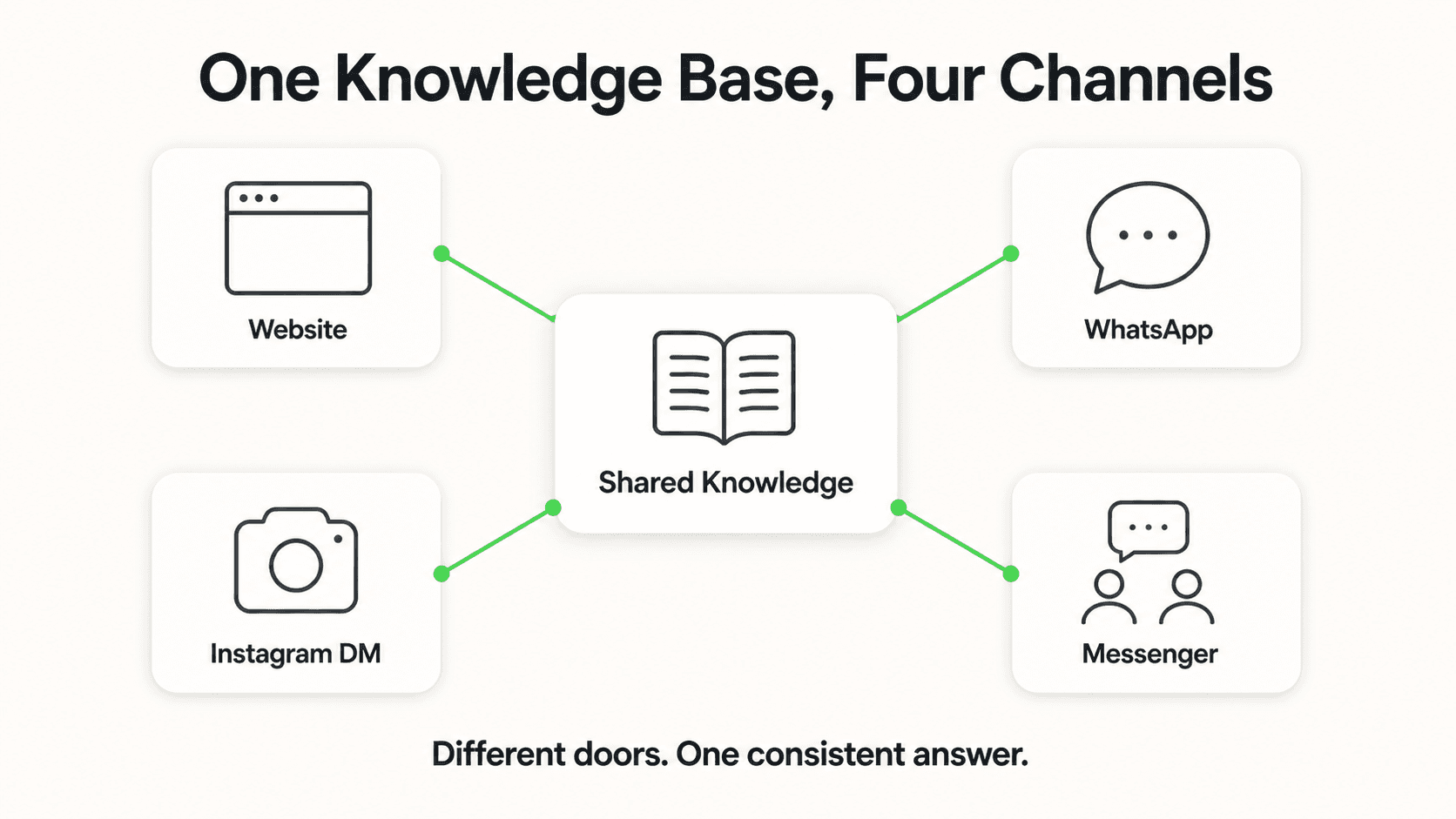
Building a multi-channel chatbot presence is not about flipping a switch. It requires deliberate planning around your customers, your industry, and your operational capacity. Here are seven practical steps to get it right.
1. Map Your Customer Journey to Channels
Before choosing channels, map how your customers actually find and contact you. This is not guesswork — look at your data. Check your Google Analytics to see where website traffic comes from. Review your WhatsApp Business message volume. Look at Instagram DM frequency and Facebook Messenger inquiries.
Most businesses discover a pattern: customers discover them on one channel (Google search, Instagram posts, Facebook ads) and then convert on another (website chat, WhatsApp message, phone call). Your chatbot needs to be present at both the discovery point and the conversion point. A restaurant might find that customers discover them on Instagram but book through WhatsApp. A dental clinic might find that patients discover them on Google but prefer WhatsApp for appointment inquiries. Map these journeys first, then deploy accordingly.
2. Maintain One Knowledge Base Across All Channels
The single biggest mistake in multi-channel deployment is creating separate knowledge bases for different channels. When your website chatbot says "We offer free consultations" and your WhatsApp bot says "Consultations start at $50," you have a trust problem that no amount of technology can fix.
Use a single, document-grounded knowledge base that powers every channel. Upload your FAQs, pricing information, service descriptions, and policies once. Every channel draws from the same source of truth. When you update your pricing, it updates everywhere simultaneously. This approach also ensures document-grounded responses across all channels — the AI answers from your uploaded materials rather than generating information that might be inaccurate. Hyperleap AI is designed so that one knowledge base automatically serves all connected channels.
3. Prioritize Channels by Industry
Not every business needs all four channels on day one. Your industry determines which channels deliver the highest ROI.
Restaurants and hospitality: Instagram and WhatsApp should be your first two channels. Visual businesses thrive on Instagram, and WhatsApp is the default booking channel in many markets. Website chat comes third. See how hotels use AI to increase direct bookings.
Healthcare and dental: Website chat and WhatsApp are your priorities. Patients typically find you through Google search and either chat on your website or message on WhatsApp. Instagram is lower priority unless you run a cosmetic practice with a strong visual presence.
B2B services: Website chat is your primary channel. B2B buyers do extensive research on your website before reaching out, and an AI chatbot that answers technical questions in real time can dramatically shorten the sales cycle. WhatsApp becomes relevant for follow-up conversations, particularly in markets where WhatsApp is the business communication standard.
Retail and e-commerce: Instagram DM and Facebook Messenger are high-value channels because customers discover products through social media. Website chat captures visitors who land directly on your site.
4. Deploy Sequentially, Not All at Once
Launching on four channels simultaneously is a recipe for a mediocre experience on all of them. Instead, deploy one channel at a time, starting with the channel that has the highest current inquiry volume.
Week 1-2: Deploy on your primary channel (usually website or WhatsApp). Test thoroughly. Refine your knowledge base based on the questions customers actually ask. Identify gaps where the AI cannot answer and add the relevant content.
Week 3-4: Add your second channel. Because you spent two weeks refining the knowledge base on channel one, channel two launches with a more complete and accurate set of answers.
Week 5-6: Add channels three and four. By now, your knowledge base covers the vast majority of common questions, and each new channel launch is smoother than the last.
This sequential approach also lets you measure the impact of each channel independently, which feeds directly into step six.
5. Customize Tone per Channel Without Splitting Content
Different channels have different communication norms. A website chat interaction tends to be more formal. A WhatsApp conversation is casual and concise. An Instagram DM exchange is often playful and emoji-friendly. Your AI agent should adapt its tone to match the channel — without changing the underlying information.
This does not mean creating separate response libraries. It means configuring your AI agent's persona to recognize which channel it is operating on and adjust its communication style accordingly. The facts stay the same. The pricing stays the same. The lead capture flow stays the same. But a WhatsApp response might be two short sentences, while a website chat response might be a structured paragraph with bullet points.
Think of it like how your best salesperson naturally adjusts their communication style depending on whether they are sending a LinkedIn message, a text, or an email. The information is identical — the delivery adapts to the medium.
6. Use Lead Attribution to Measure Channel ROI
Multi-channel deployment without attribution is flying blind. You need to know which channel generates the most leads, which channel produces the highest-quality leads, and which channel has the best conversion rate.
Configure your AI agent to tag every lead with its source channel. Then track three metrics per channel: volume (how many leads), quality (how many convert to paying customers), and timing (when inquiries peak on each channel). You might discover that WhatsApp generates twice the volume of website chat but that website chat leads convert at a higher rate. That does not mean WhatsApp is less valuable — it means the two channels play different roles in your funnel. Use this data to allocate resources, refine your knowledge base per channel, and make informed decisions about where to invest in paid advertising.
7. Unify Follow-Up Notifications Across Channels
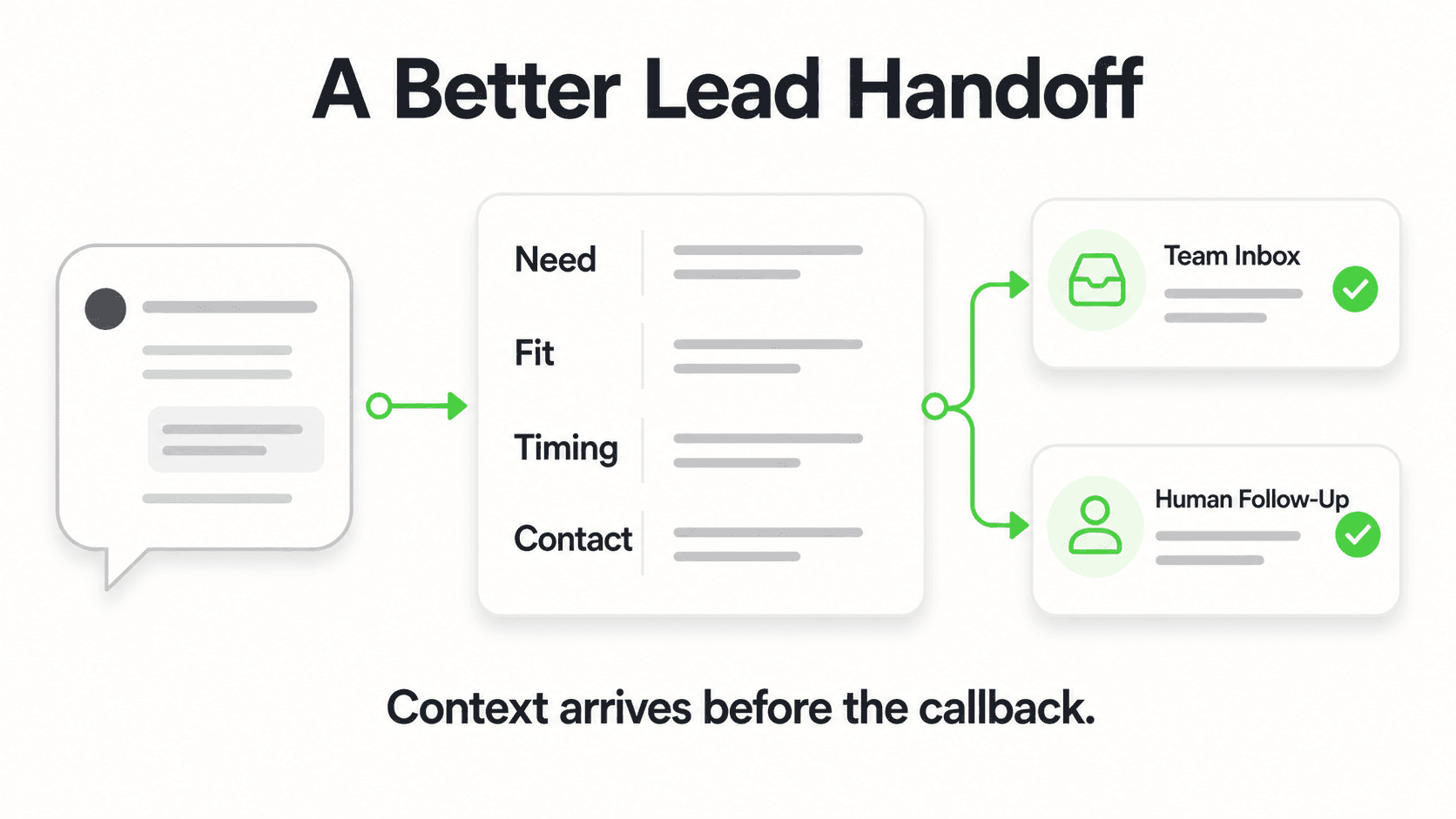
When a customer sends a message on any channel, your team needs to know about it in one place. If WhatsApp notifications go to one person's phone, Instagram DM notifications go to your social media manager's email, and website chat notifications go to your CRM, important leads will fall through the cracks.
Set up a unified notification system where all chatbot escalations and lead captures from every channel flow into a single dashboard or notification stream. This is where integration via REST API and webhooks becomes essential — connecting your AI chatbot platform with your existing workflow tools ensures that no lead sits unattended regardless of which channel it arrived on. Your team should be able to see all conversations, across all channels, in one view and respond to escalated inquiries from the same interface.
Deploy on Every Channel Your Customers Use
Hyperleap AI Agents operate across website chat, WhatsApp, Instagram DM, and Facebook Messenger — with one knowledge base, one dashboard, consistent lead capture, and rich cards on every channel (Pro and Max).
Start Your Free TrialReal Results: What Multi-Channel Deployment Achieves

The most compelling argument for multi-channel deployment comes from real-world results. When Jungle Lodges & Resorts, Karnataka's premier eco-tourism enterprise, deployed Hyperleap AI's chatbot, they captured 3,300+ qualified leads in just 90 days.
The breakthrough insight was not about any single channel — it was about coverage. Before AI, JLR had no way to quantify how many leads they were losing outside business hours. The chatbot revealed that 35% of all inquiries came after business hours — evenings, weekends, and holidays when no staff was available. These were real customers with real intent, reaching out at the moment most convenient for them. Without an always-on AI agent, every one of those leads would have gone unanswered.
The multi-channel dimension amplified these results. Customers reached JLR through their website, where the AI chatbot answered questions about properties, room types, wildlife safari schedules, and pricing — instantly, in multiple languages. The AI captured lead details automatically and routed complex inquiries to the reservation team during business hours.
What makes this case study instructive is the compounding effect of multi-channel availability. Website visitors who browsed properties at midnight could get immediate answers. Customers who preferred messaging could reach out on their channel of choice. And because every channel fed into the same lead pipeline, JLR's team had a unified view of all inquiries — no leads slipping between platforms.
The lesson is straightforward: the ROI of multi-channel deployment is not additive, it is multiplicative. Each additional channel does not just add its own leads — it captures leads that would have been lost entirely because the customer's preferred channel was not covered. According to research from InsideSales.com, leads contacted within five minutes are 21x more likely to convert than leads contacted after 30 minutes. Multi-channel AI ensures you hit that window on every platform. For a deeper look at how response time affects conversion rates across industries, see our dedicated analysis.
30-Day Multi-Channel Deployment Roadmap
Here is a practical week-by-week plan to go from single-channel (or no channel) to full multi-channel AI chatbot deployment in 30 days.
Week 1: Foundation and Primary Channel Launch
Days 1-2: Knowledge base creation. Upload your core documents — FAQs, pricing, service descriptions, policies, and any other information customers commonly ask about. Focus on accuracy over completeness. It is better to have 20 perfectly accurate answers than 100 mediocre ones.
Days 3-4: Configure lead capture and escalation. Set up the information your chatbot should collect from every lead (name, contact details, intent). Define escalation rules for questions the AI cannot answer — these should route to specific team members based on the inquiry type.
Days 5-7: Launch on your primary channel. For most businesses, this is either website chat or WhatsApp. Monitor closely during the first few days. Note which questions the AI handles well and which need additional knowledge base content.
Week 2: Optimization and Second Channel
Days 8-10: Refine based on real conversations. Review the conversations from week one. Add missing information to your knowledge base. Adjust the AI's tone and response style based on what resonates with your customers.
Days 11-14: Deploy your second channel. If you started with website chat, add WhatsApp. If you started with WhatsApp, add website chat. The refined knowledge base from week one means this launch is smoother and more accurate.
Week 3: Expand to Social Channels
Days 15-17: Deploy Instagram DM. Connect your Instagram Business account. Test the chatbot with common Instagram-style inquiries — these tend to be shorter and more casual than website inquiries.
Days 18-21: Deploy Facebook Messenger. Connect your Facebook page. Test with the types of questions your Facebook audience typically asks. Aim for the "Very Responsive" badge by ensuring the AI responds to all messages within minutes.
Week 4: Measure, Optimize, and Scale
Days 22-25: Analyze channel performance. Review lead volume, quality, and conversion rates by channel. Identify your highest-performing channel and your highest-opportunity channel (the one with the most room for improvement).
Days 26-28: Optimize underperforming channels. If one channel is generating leads but not conversions, examine the conversation flow. Are the AI's responses appropriate for that channel's communication style? Is the lead capture form too long for mobile-first channels like WhatsApp?
Days 29-30: Document and systematize. Create a simple playbook for your team covering how to handle escalations, where to check for new leads, and how to update the knowledge base when information changes.
Start with What You Have
You do not need all four channels on day one. Most businesses see significant results from just website chat and WhatsApp in the first two weeks. Add Instagram and Messenger once your knowledge base is mature and your team is comfortable with the workflow. Sequential deployment beats simultaneous launch every time.
Meet Your Customers Where They Already Are
Your customers are not waiting for you to build a support team for every channel. They are already on WhatsApp, Instagram, Messenger, and your website — messaging businesses that respond first. The businesses that show up on every channel with instant, accurate, document-grounded responses are the ones capturing leads that single-channel competitors never even see.
A multi-channel AI chatbot strategy is not about being everywhere for the sake of it. It is about being present at the exact moment a potential customer reaches out, on the exact channel they prefer, with the exact information they need. When Jungle Lodges captured 3,300+ leads in 90 days — with 35% coming after hours — that was not magic. It was the result of deploying a single AI agent across the channels their customers actually use.
You can start today. Pick your highest-volume channel, upload your knowledge base, and launch. Add a second channel next week. Within 30 days, you can cover every channel your customers use — without adding headcount.
Further Reading
Authoritative external sources used and recommended for further research on this topic:
- WhatsApp Business Platform documentation
- WhatsApp Business conversation-based pricing
- Meta for Developers WhatsApp API
Frequently Asked Questions
Do I need separate chatbots for each channel?
No. A well-designed AI chatbot platform lets you deploy a single AI agent across all supported channels — website, WhatsApp, Instagram DM, and Facebook Messenger. You build one knowledge base, configure one set of lead capture rules, and manage all conversations from a single dashboard. The AI agent adapts its communication style to each channel while maintaining the same underlying knowledge and accuracy. This is fundamentally different from the old approach of building separate bots for each platform, which creates maintenance headaches and inconsistent customer experiences.
Which channel should I deploy first?
Start with the channel that currently receives the most customer inquiries. For most businesses in India and Southeast Asia, that is WhatsApp. For B2B companies and businesses with strong web presence in Western markets, website chat is typically the highest-impact starting point. Check your current inquiry data — if you are already receiving WhatsApp messages that go unanswered for hours, that is your most urgent channel. If your website has a contact form with a 48-hour response time, website chat will deliver the fastest ROI. For more on what customers expect from messaging in 2026, see our research roundup.
How much does multi-channel deployment cost?
With Hyperleap AI, multi-channel capability is included in all plans. The Plus plan ($40/month) includes one chatbot with up to four channels. The Pro plan ($100/month) supports two chatbots with eight total channels (four per chatbot). The Max plan ($200/month) supports five chatbots with twenty total channels (four per chatbot). All plans include a 7-day free trial. You are not paying per channel — you are paying for the AI agent, and it works across all connected channels. See full details on our pricing page.
Can I customize responses per channel?
Yes. You can configure your AI agent's persona and tone to adapt to each channel's communication norms. A WhatsApp response can be concise and conversational while a website chat response can be more structured and detailed. The important point is that the underlying information remains consistent — only the delivery style changes. You do not need to maintain separate content libraries or response templates for each channel. The customization happens at the persona level, not the knowledge base level.
Will multi-channel management confuse my team?
It should simplify things, not complicate them. Without multi-channel AI, your team is already juggling multiple platforms — checking WhatsApp on one phone, Instagram DMs in another app, website inquiries in email, and Facebook messages in yet another tab. A unified AI chatbot platform consolidates all of these conversations into a single dashboard. Your team sees all leads and escalations in one place. The AI handles the first response on every channel, so your team only needs to engage with conversations that require human attention. Most businesses find that multi-channel AI reduces their team's workload rather than increasing it.
How do I track which channel generates the most leads?
Your AI chatbot platform should automatically tag every lead with its source channel. This gives you a per-channel breakdown of lead volume, lead quality, and conversion rates. Look for three metrics: total leads per channel per month, lead-to-customer conversion rate per channel, and peak inquiry times per channel. This data helps you make smarter decisions about where to invest in advertising, when to have team members available for escalations, and which channels need knowledge base improvements. Integration via REST API and webhooks lets you push this attribution data into your existing CRM or analytics tools.
What channels are supported?
Hyperleap AI currently supports four messaging channels: website chat widget, WhatsApp Business API, Instagram DM, and Facebook Messenger. The website chat widget can be embedded on any website platform including Shopify, WordPress, Webflow, Squarespace, and Wix. WhatsApp Business API integration supports rich media messages (Pro and Max). Instagram DM and Facebook Messenger connect through your existing business accounts. All four channels are managed from a single dashboard with unified analytics and lead management.
Go Multi-Channel in Minutes, Not Months
Deploy one AI agent across website, WhatsApp, Instagram, and Facebook Messenger. One knowledge base. One dashboard. Every lead captured.
Start Your Free TrialPut this into practice
Related Articles

WhatsApp Chatbot for Wedding Venues: Auto Bookings
How an AI chatbot on WhatsApp captures wedding venue inquiries from chat, Instagram, and email — and books site visits 24/7.
AI Receptionist for Landscaping Businesses
An AI receptionist for landscaping businesses answers quote and service questions 24/7, qualifies property details, and shares your booking link.
AI Receptionist for Roofing Companies: Never Miss a Lead
An AI receptionist for roofing companies answers storm-damage and estimate questions 24/7, qualifies homeowners, and routes leads to your team.
Fitness Studio Scheduling: An AI Front Desk Guide
How an AI front desk handles class-schedule and pricing questions, captures trial-class leads, and shares your booking link — for fitness studios and gyms.