Coach Sales Reps with AI Chatbot Transcripts (via MCP)
Use Claude Desktop to find chatbot conversations matching any coaching theme — objections, discovery, closing — and turn transcript review into a weekly ritual.

TL;DR: Connect Claude Desktop to Hyperleap via the MCP server and you can pull chatbot conversation transcripts by coaching theme — pricing objections, failed discovery, stalled closes — in a single plain-English prompt. The 9 MCP tools read your leads and transcripts, so Claude can surface the right conversations without you touching a dashboard. This guide shows you the exact prompts to use and how to build a 30-minute weekly coaching ritual around them.
Why Chatbot Transcript Review Is the Highest-Leverage AI Sales Coaching Activity
Every sales leader knows coaching works. The challenge has always been finding the right raw material fast enough to make coaching timely and specific.
Call recordings help — when your reps are on calls. But a growing share of early-stage sales conversations now happens through AI chatbots on your website, WhatsApp, Instagram DM, and Facebook Messenger. These conversations happen at scale, at all hours, often before a human rep ever enters the picture. And they are verbatim. No transcription errors. No summarized memory. No "I think they said something about price." Every word a prospect typed, and every word the bot replied.
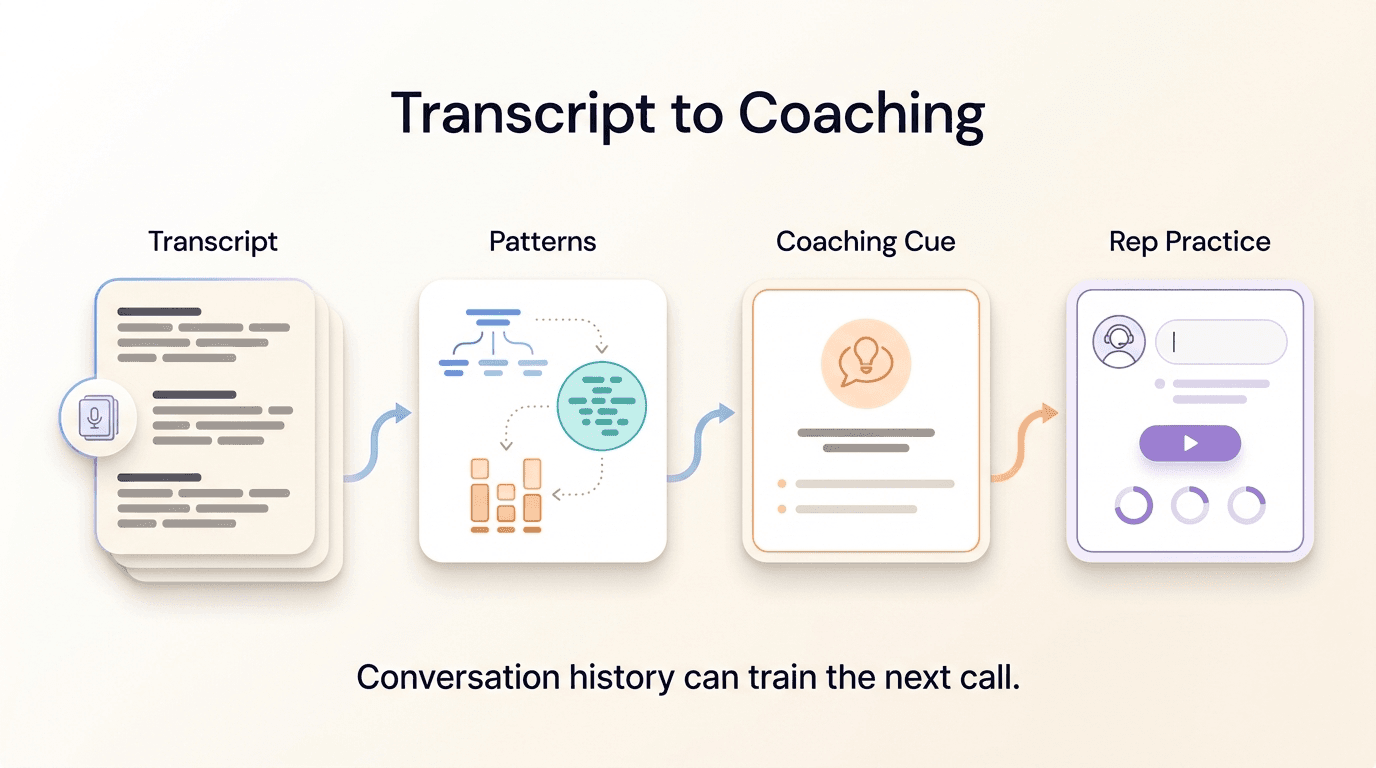
That makes chatbot conversation transcripts one of the most precise coaching inputs available. You can see the exact moment a prospect raised a pricing objection. You can read the follow-up question your bot asked — or failed to ask. You can see whether the lead's frustration built across three turns of a conversation before they went quiet. You can identify the pattern of language that appears in conversations that end in a booked demo versus the language in conversations that stall.
This is not abstract pattern recognition. It is line-by-line evidence of what your prospects actually say, in their own words, before they decide whether your company is worth a conversation with a human.
Transcript review is high-leverage for a second reason: it feeds both sides of your sales and marketing operation. The objections that appear repeatedly in chatbot conversations tell your marketing team what copy is failing. The questions the bot answers poorly tell your product team where the knowledge base has gaps. The buying signals in conversations that never convert tell you where your handoff process is breaking down.
The bottleneck has never been the value of transcripts. It has been the friction of reviewing them.
Why Nobody Actually Does It: The Dashboard Problem
If transcript review is so valuable, why do most sales managers look at their chatbot conversations only when something goes wrong?
The answer is the same reason most sales managers do not listen to more than a handful of call recordings per week: the review process is manual, click-intensive, and unsearchable in any meaningful sense.
Your chatbot platform's dashboard shows you a list of conversations. To find conversations about pricing, you open one, scan it, go back, open the next one, scan it, and repeat. There is no query interface that lets you say "show me every conversation this week where the lead raised a cost objection." There is no way to ask "which conversations ended without a clear next step?" You are limited to filters like date range, lead status, and channel — not the semantic content of what was actually said.
The result is predictable. Transcript review becomes a reactive activity: you dig into conversations after a lead complains, or after a rep asks you to look at something specific. Proactive, theme-based coaching from transcripts almost never happens, not because managers do not want to do it, but because the tooling makes it prohibitively slow.
This is the problem that the Hyperleap MCP server solves for teams already using Claude Desktop. Instead of clicking through a dashboard, you ask Claude a question in plain English. Claude calls the right combination of MCP tools, retrieves the matching conversations, and returns the transcripts — grouped, summarized, and ready for your coaching session.
Connect Claude Desktop to Hyperleap in Minutes
The Hyperleap MCP server is included on every paid plan: Plus, Pro, and Max. Follow the setup guide and start querying your conversations today.
See the MCP Setup GuideThe New Workflow: Ask Claude to Find Conversations Matching a Coaching Theme
Once you have completed the Claude Desktop MCP setup, the workflow for AI sales coaching transcript review looks like this.
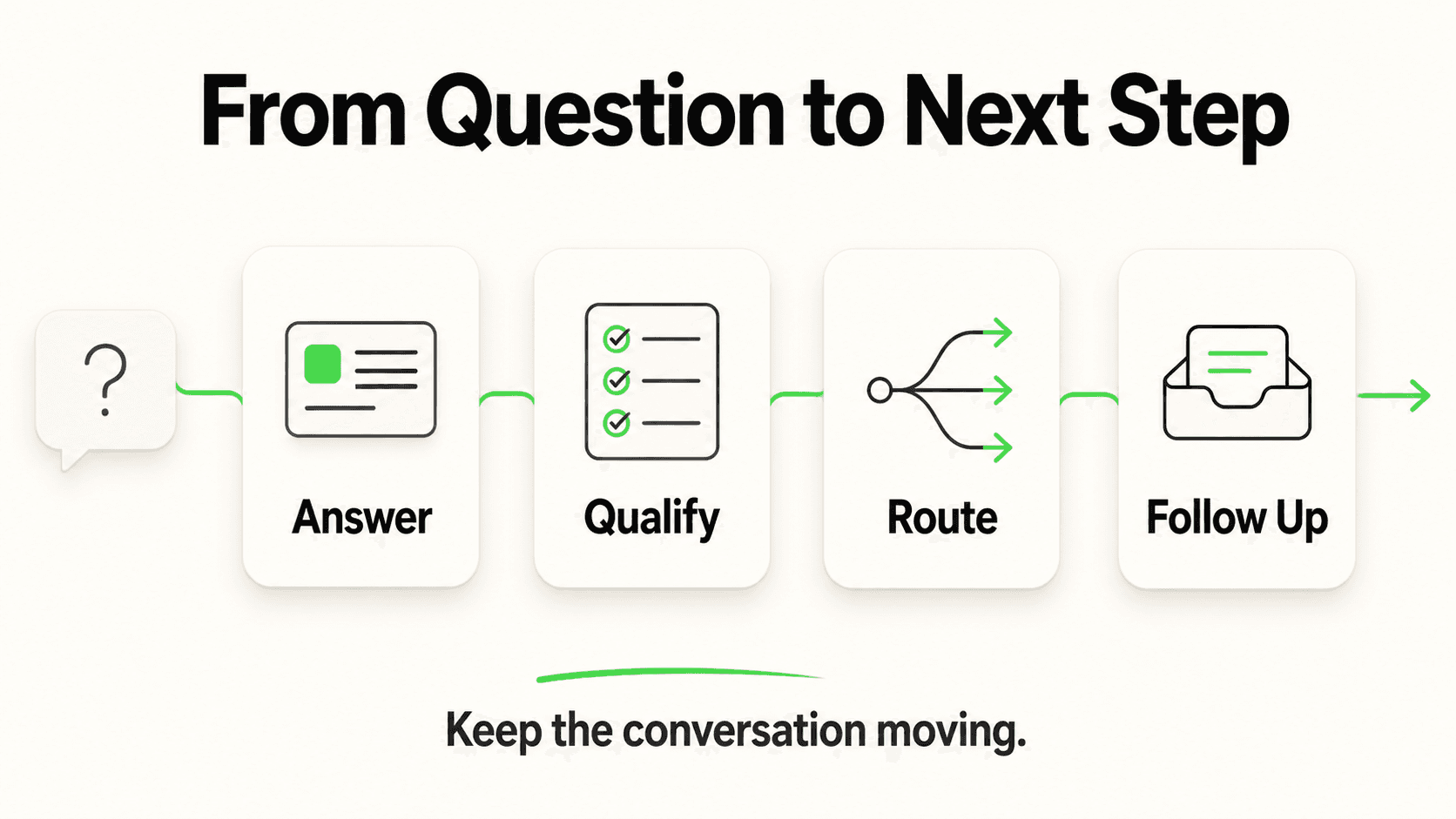
You open Claude Desktop and type a plain-English prompt describing the coaching theme you want to explore. Claude interprets your prompt, decides which MCP tools to call, sequences those calls, and returns the relevant conversations — often with a brief synthesis of what it found.
Under the hood, a coaching query typically involves two or three tool calls working in sequence:
list_leads— Claude pulls candidate leads, newest first. It can narrow by pipeline stage, tag, or chatbot, and it checks each lead's created date and channel itself, since the tool has no date or channel filter.get_lead_conversations— For each candidate lead, Claude lists that lead's conversations with your chatbot, with a message count for each.get_conversation— Claude pulls the full transcript for the conversations most likely to match your coaching theme.extract_lead_insights— Optionally, Claude calls this tool to pull the facts a lead shared (budget, timeline, requirements) from their recent conversations. It saves them to the lead, and it's a quick way to see what a lead did or didn't tell your chatbot before reading the whole transcript.
What would take a manager 45 minutes of clicking now takes a single prompt and a short wait while Claude works through the tool calls.
None of the 9 MCP tools can change a lead, a note, or a stage, or send a message, so Claude can observe and analyze your pipeline data without modifying it. The one thing any tool saves is the insights extract_lead_insights adds to a lead. You are getting a coaching lens on your live CRM data — nothing more, nothing less.
The prompts below are written to work directly in Claude Desktop with a connected Hyperleap MCP server. Each one is designed to surface a specific coaching theme.
8 Coaching Prompts with Example Responses
1. Objection Handling: Pricing Pushback
Show me 5 conversations from the past two weeks where leads pushed back on pricing or asked about cost.
Claude calls list_leads and keeps the leads from the past two weeks, then get_lead_conversations for candidates, then get_conversation on the most relevant transcripts. It returns 5 conversations grouped by how the objection appeared: direct price comparison ("Is this cheaper than [alternative]?"), sticker shock ("That's more than I expected"), or value challenge ("What do I get for that?"). For each conversation, Claude shows the objection turn and the bot's response so you can evaluate whether the answer addressed the real concern or deflected it.
2. Discovery Quality: Budget Qualification Failures
Find conversations from this month where the bot failed to qualify the lead on budget or company size — leads who got far into the conversation without us learning whether they could actually buy.
Claude runs extract_lead_insights on this month's engaged leads (the ones with long conversations in get_lead_conversations) and flags those with no Budget insight, then reads their transcripts with get_conversation to confirm what was missed: no budget range surfaced, no company size captured, no decision-maker identified. The output highlights the specific turn in each conversation where a good discovery question should have appeared but did not — giving you a concrete coaching moment to redesign the qualification flow.
3. Follow-Through: Questions the Bot Could Not Answer
Which leads this week asked questions that the bot didn't answer well — vague responses, "I don't have that information," or redirects to human contact?
Claude scans recent conversation transcripts for patterns that indicate a knowledge gap: bot responses that suggest an unanswered question, deflection phrases, or leads who restated their question multiple times. The result is a ranked list of question topics — integration capabilities, specific pricing scenarios, compliance requirements — that appear repeatedly across conversations where the lead did not progress. This doubles as a knowledge base audit.
4. Tone and Empathy: Frustrated Leads
Show me conversations where the lead expressed frustration, impatience, or dissatisfaction during the chat.
Claude retrieves transcripts with get_conversation and reads them for frustration indicators: repeated questions, shortened replies, explicit expressions of annoyance, or abrupt conversation endings. The output clusters conversations by what triggered the frustration — slow information delivery, repetitive bot responses, failure to escalate to a human — giving you a clear picture of where the chatbot experience is creating friction rather than building trust.
5. Closing Quality: Conversations That Ended Without a Clear Next Step
Find conversations that ended without a clear next step — no booking link shared, no follow-up date set, no specific action agreed.
Claude looks at conversation endpoints across recent leads: did the lead disengage after a non-committal bot response? Did the conversation trail off without a booking or a concrete handoff? The output identifies stall patterns — the specific bot turns that let conversations end without momentum — and flags leads who showed enough engagement to warrant a re-engagement sequence from your team.
6. Buying Signals: High-Intent Leads Who Did Not Convert
Which leads from the past 30 days showed strong buying intent in their chatbot conversation but didn't book a demo or move to the next stage?
Claude pulls the facts each recent lead shared with extract_lead_insights (timelines, budgets, requirements), reads the transcripts of the most promising ones, and cross-references with pipeline stage to identify leads who expressed strong interest — asked detailed implementation questions, inquired about onboarding, mentioned a timeline — but are still sitting in an early stage. This is often your highest-ROI coaching output: a list of warm leads who slipped through without a human follow-up at the right moment.
7. Knowledge Gap Mining: Recurring Unanswered Questions
What questions came up repeatedly across conversations this month that we don't have good answers for in our knowledge base?
Claude aggregates across multiple get_conversation calls to identify question patterns that recur but receive weak or inconsistent bot responses. The output is a prioritized list of knowledge gaps: the topics your prospects want to understand that your chatbot cannot currently address well. This prompt is most useful run monthly, with the output going directly to whoever manages your chatbot's knowledge base.
8. Win Pattern Mining: What Converted Leads Had in Common
Show me 3 conversations from leads who later booked a demo or moved to qualified. What did those conversations have in common compared to conversations that stalled?
Claude retrieves transcripts for leads in your qualified or booked stage, surfaces their chatbot conversations, and compares the language patterns, question types, and conversation structure to a baseline of stalled conversations. Common patterns in winning conversations might include specific questions that indicate prior research, a particular sequence of topic exploration, or engagement with a specific piece of content the bot shared. This is the foundation of a conversational playbook.
For Deeper Workflow Context
For more prompts combining these tools for pipeline review and lead qualification, see the companion posts on running AI-assisted sales standups and AI-assisted lead qualification via MCP.
Building a Weekly Coaching Ritual Around Transcript Review
The prompts above are useful on an ad hoc basis. But the compounding value comes from making transcript review a structured weekly ritual — a fixed time, a consistent format, and a clear output that feeds your next week's coaching.
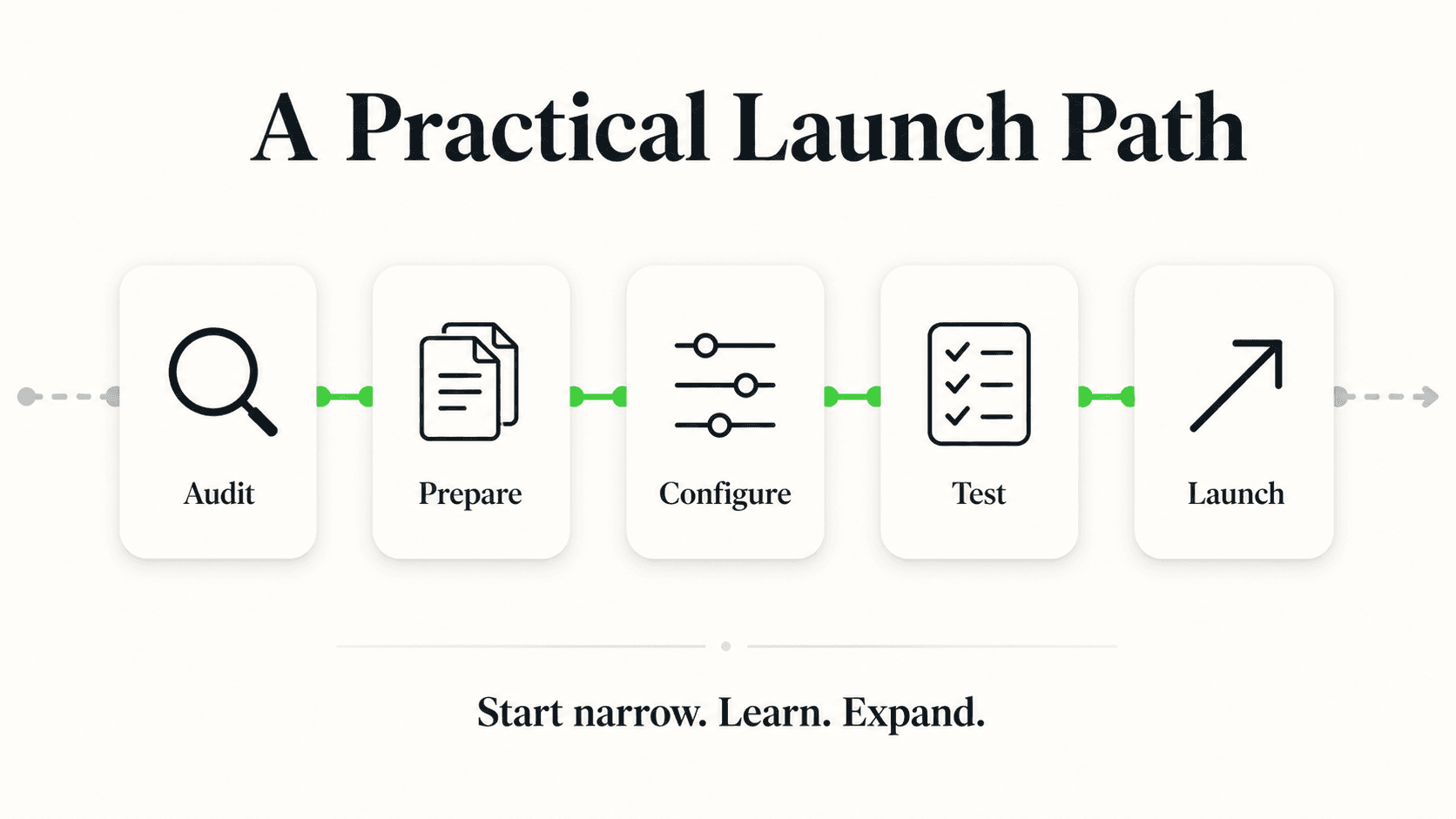
Here is a five-step cadence that fits into 30 minutes on a Friday afternoon.
Step 1: Pick Three Coaching Themes (5 minutes)
Each week, choose three themes from the prompt library above — or define your own based on what came up in pipeline reviews that week. Themes might rotate through the coaching calendar: objection handling one week, discovery quality the next, closing patterns the week after. Having three themes keeps the session focused and prevents it from becoming a freeform transcript browse.
Step 2: Run the Three Prompts in Claude Desktop (10 minutes)
Type each prompt into Claude Desktop with your Hyperleap MCP server connected. For each, specify the date range ("past 7 days" or "this week") to keep results current. Claude returns the relevant transcripts and a brief synthesis. You are not reading every word of every transcript — you are scanning for the pattern Claude has already identified, then clicking into the specific turns that illustrate it.
Step 3: Extract One Takeaway Per Theme (10 minutes)
For each of the three themes, write one concrete, actionable takeaway. Not "improve pricing objection handling" — that is a category, not a coaching input. A good takeaway sounds like: "When a lead asks about pricing relative to a named alternative, our bot is pivoting to features rather than acknowledging the comparison and offering to walk through the value difference. We need to address this in the bot's pricing response flow." Each takeaway should be specific enough that a rep or a knowledge-base editor knows exactly what to do with it.
Step 4: Document in a Shared Coaching Log (5 minutes)
Paste your three takeaways into a shared document that your team can see. A simple format works: date, theme, takeaway, recommended action (bot change, rep training, knowledge base update, follow-up sequence). The compounding value of this ritual is in the log: after eight weeks, you have a documented record of every significant pattern your chatbot conversations have surfaced, and you can see which fixes stuck and which problems keep recurring.
Step 5: Assign One Action Before Next Friday
Each coaching session should produce at least one assigned action with an owner and a deadline. The action might be a bot response rewrite, a knowledge base addition, a rep coaching conversation, or a re-engagement sequence for identified high-intent stalls. Without an assigned action, the ritual produces insight but not improvement.
Start Small
If 30 minutes feels ambitious for a first session, run just one prompt — the Buying Signals prompt (prompt 6) tends to produce the most immediately actionable output because it identifies warm leads who slipped through. That one prompt, run weekly, is enough to meaningfully improve follow-up rates without requiring a full coaching infrastructure.
Privacy and Consent Considerations
Chatbot conversation transcripts contain information that customers and leads chose to share during a conversation with your business. Before building transcript review into a team workflow, it is worth being deliberate about how that data is handled.
A few practical guidelines:
Follow your existing data-handling policies. Transcripts fall under the same data governance rules as any other customer communication. If your company has policies around who can access CRM data, those policies apply to transcript review via MCP as well.
Be thoughtful about where transcripts travel. The Hyperleap MCP server retrieves transcript data and surfaces it inside your Claude Desktop session. Be careful about copying raw transcript content into other tools, shared documents, or collaboration platforms where access controls may be looser than your CRM. The MCP tools don't change anything in your CRM, but once transcript text is in your AI session, what you do with it is your responsibility.
Anonymize before broader sharing. If you are sharing coaching examples in a team training session or a written guide, replace lead names, company names, and any identifying details with anonymized placeholders ("Lead A," "a mid-sized logistics company") before sharing. This is standard practice for call recording review and applies equally to chatbot transcripts.
Know where the AI processes it. Your AI client sends the transcript text it reads to its own AI provider (Anthropic for Claude, OpenAI for ChatGPT) as part of the conversation, subject to that provider's data handling terms. Hyperleap doesn't send it to those providers independently. If your company has specific data residency requirements, review those terms before enabling MCP-based transcript analysis.
Handled thoughtfully, transcript review via MCP is no different from reviewing call recordings or reading email threads — it is a normal part of managing a customer-facing communication channel. The goal is to improve the experience for the very leads whose conversations you are reviewing.
Turn Your Chatbot Into a Coaching Engine
Your chatbot has been having hundreds of conversations with your prospects every week — conversations that contain the exact objections, questions, and decision signals your sales team needs to get better. Until now, accessing that signal meant clicking through conversations one at a time, which meant almost nobody did it.
With Claude Desktop connected to Hyperleap via MCP, the friction disappears. A single prompt surfaces the five conversations that illustrate your coaching theme for the week. A 30-minute Friday ritual turns transcript review from an aspiration into a practice. And the practice compounds: each week you understand your prospects a little more precisely, your bot gets a little smarter, and your reps handle objections with a little more confidence.
The conversations are already there. Now you have a way to learn from them.
Further Reading
Authoritative external sources used and recommended for further research on this topic:
- Model Context Protocol specification
- Anthropic MCP documentation
- MCP servers reference (modelcontextprotocol/servers)
Frequently Asked Questions
What MCP tools does Claude use to pull chatbot transcripts?
The primary tools for transcript-based coaching are get_lead_conversations (which retrieves all chatbot conversations associated with a lead), get_conversation (which returns the full transcript for a specific conversation ID), list_leads (used to find candidate leads, newest first, before retrieving their conversations), and extract_lead_insights (which pulls the facts a lead shared, such as budget, timeline, and requirements, from their recent conversations). None of them can modify leads, notes, or stages in your Hyperleap CRM; extract_lead_insights only saves the insights it finds to the lead.
Do I need to know which lead to look up, or can Claude find conversations by topic?
You do not need to know the specific lead. You can describe the coaching theme — "leads who pushed back on pricing" or "conversations that ended without a next step" — and Claude will use list_leads and get_lead_conversations to identify relevant candidates, then pull transcripts from the conversations most likely to match. The more specific your prompt (date range, channel, pipeline stage), the more targeted the results.
How many conversations can Claude review in a single session?
There is no hard limit set by the MCP server itself, but retrieving and analyzing a large number of transcripts in one session will increase response time and may hit Claude Desktop's context window limits for very long conversations. For coaching purposes, prompts that return 5–10 conversations per theme are the most useful — enough to identify patterns without overwhelming the session. If you need to analyze a larger set, run the prompt in batches by date range.
Can Claude write back to Hyperleap — add notes, update lead stages, or send messages?
No. None of the 9 tools can add notes, change stages, edit leads, or send messages. Claude can read and analyze your CRM data but cannot modify it. The one thing any tool saves is the insights extract_lead_insights adds to a lead's profile. This is a deliberate design choice: it means MCP access can be granted to coaching workflows without any risk of accidental data modification. You can read more about the full tool set in the Hyperleap MCP reference guide.
Is this only useful for sales coaching, or are there other use cases?
Transcript review via MCP is useful for any team that needs to understand what prospects and customers are actually saying. Marketing teams use it to identify messaging gaps — the objections that appear in conversations often signal that landing page copy is not addressing the right concerns. Product teams use it for roadmap input — recurring questions the bot cannot answer well point to missing features or documentation. Customer success teams use it to understand what common onboarding questions look like before a customer ever talks to a human. The coaching use case is the most structured, but the underlying capability is general.
How is this different from the analytics dashboard in the Hyperleap platform?
The Hyperleap dashboard gives you aggregate metrics — conversation volume, lead counts by stage, channel breakdown. It is useful for understanding trends at scale. MCP-based transcript review is complementary: Claude reads the content of conversations, not just their metadata. You cannot ask the dashboard "which conversations this week had pricing objections?" but you can ask Claude that question in plain English, and it reads the transcripts and brings back the relevant ones.
Do I need technical skills to set this up?
No. The Claude Desktop MCP setup guide walks through it in a few steps that require no coding: create an MCP key in Hyperleap Studio, add Hyperleap as a connector in Claude Desktop, and sign in. You need a paid Hyperleap plan (Plus, Pro, or Max), Claude Desktop, and about five minutes. Once connected, all subsequent interactions happen in plain English — there is no SQL, no API syntax, no tooling to learn beyond typing prompts naturally.
Can I use this with any MCP-compatible client, or just Claude Desktop?
The Hyperleap MCP server works with clients that support remote MCP servers with OAuth sign-in — Claude (Desktop, web, and Claude Code), ChatGPT, Cursor, Codex, and custom MCP clients. Claude Desktop is the most common choice for sales and coaching use cases because it is optimized for conversational workflows. Developer-oriented teams sometimes prefer Cursor because it integrates with their existing code environment. The prompts in this guide are written for Claude Desktop but work equivalently in any MCP-compatible client.
Connect Claude Desktop to Your Hyperleap CRM
The Hyperleap MCP server lets Claude read your lead pipeline, conversations, and insights — in plain English. Included on Plus, Pro, and Max, no coding required.
Set Up MCPRelated Articles

Run Sales Standups in Claude Desktop with Hyperleap MCP
Replace your Monday pipeline review with a 15-minute Claude Desktop session. 10 natural-language prompts that pull live data from your Hyperleap chatbot.

Qualify Leads in Claude Desktop with Hyperleap MCP
Stop scoring leads on gut feel. Connect Claude Desktop to Hyperleap via MCP and rank chatbot leads on what they actually said: prompts plus a scoring rubric.

Connect Hyperleap to Claude Desktop in 5 Minutes (MCP Setup)
Step-by-step guide to connecting Hyperleap AI to Claude Desktop using MCP. Query your chatbot leads, conversations, and pipeline in plain English.

What is MCP (Model Context Protocol)? SMB Guide
MCP lets AI tools like Claude and Cursor query your business data directly. Here is what Model Context Protocol means, why it matters, and how to use it.