Qualify Leads in Claude Desktop with Hyperleap MCP
Stop scoring leads on gut feel. Connect Claude Desktop to Hyperleap via MCP and rank chatbot leads on what they actually said: prompts plus a scoring rubric.

TL;DR: Most lead scoring is gut feel dressed up as a number. With Hyperleap's MCP server connected to Claude Desktop, you can qualify leads on what they actually said to your chatbot — their needs, budget, timing, and concerns — instead of a guess. This guide shows you the qualification workflow: how to pull a fresh batch of leads, pull out the facts each lead shared with extract_lead_insights, have Claude score them against a simple framework, and hand your reps a ranked call list. The tools read your CRM without changing it, and everything runs in plain English. No filters, no exports, no SQL.
Lead Scoring Is Usually a Guess
Here is how lead qualification works on most small sales teams. A batch of leads comes in over the week. Someone — a founder, a sales lead, a rep with a spare hour — opens the CRM and starts triaging. They glance at the company name, maybe the email domain, maybe a one-line note from the chatbot. They mark a few as "hot," a few as "cold," and move on. The score is a vibe.
The problem is not effort. It is that the richest qualification signal — the actual conversation the lead had with your chatbot — is the hardest thing to read at scale. To qualify a lead properly you would need to open each lead, click into conversations, read the transcript, note what they asked about, check whether they mentioned a timeline or a budget, and then form a judgment. Multiply that by forty leads a week and nobody does it. So scoring stays shallow, and your best reps spend their time calling leads who were never going to buy.
This is exactly the kind of work the Model Context Protocol (MCP) was built to fix. MCP is an open standard that lets Claude Desktop connect directly to external data and call tools on your behalf. Hyperleap hosts an MCP server with nine tools that read your CRM — and three of them, get_lead_conversations, get_conversation, and extract_lead_insights, turn lead qualification from a guess into a read of real evidence.
This guide is the companion to the sales standup workflow. Where that post covers your weekly pipeline review, this one is narrower and deeper: how to actually qualify and rank a batch of leads so your reps call the right people first.
If you have not connected Claude Desktop to Hyperleap yet, start with the five-minute setup guide. Come back once Hyperleap shows up as a connector in Claude Desktop. There's nothing to install and no config file to edit.
What MCP Surfaces from a Chatbot Conversation
Before the workflow, it helps to know what Claude can actually see. The qualification signal lives in the chatbot conversation, and three tools expose it:
get_lead_conversationslists the conversations a lead has had with one of your chatbots, each with its name, status, and message count. This tells you how engaged a lead is: one two-message session is a different buyer from three long conversations.get_conversationreturns the full verbatim transcript of a single conversation, with a timestamp on every message. This is where the real signals live — the exact pricing question, the integration concern, the "we need this by Q3."extract_lead_insightsdoes the first pass of reading for you. It runs an AI model over the lead's most recent conversations (up to 5 from the past six months) plus their lead-form answers, and pulls out the facts the lead shared. Each insight has a category (Budget, Timeline, Requirement, Preference, Contact, Location, or Other) and a confidence score, and the tool saves them to the lead so your team sees them in Studio too. It doesn't score intent or list objections. That judgment is what you ask Claude to make, with the insights and transcripts as evidence.
Why this beats a static lead score
A traditional lead score weights fields you can capture in a form — company size, job title, email domain. Those are proxies. What a lead asked your chatbot is the signal itself. A 10-person company that asked detailed pricing and integration questions with a stated deadline is a better lead than a 500-person company that bounced after one message — and only the conversation tells you that.
Everything below composes these three tools with list_leads (to pull the batch), get_pipeline_stages (to scope by stage), and get_lead_details (for the full profile). None of them can move a lead, edit a record, or send a message; the only thing they save is the insights from extract_lead_insights. So you can run this during a live session with a teammate watching.
The Qualification Workflow
Here is the full workflow, from opening Claude Desktop to handing your reps a ranked call list. Plan for 15–25 minutes depending on batch size.
Open one Claude Desktop conversation and name it. Something like "Lead qualification — week of May 27." The session keeps context across turns, so you can say "now do the same for the WhatsApp leads" without repeating yourself.
Pull the batch you want to qualify. Ask Claude for the leads that need triage — typically new, uncontacted leads from a recent window. list_leads has no date or status filter, so Claude finds your New stage with get_pipeline_stages, lists that stage's leads (newest first), and keeps the ones created in the window you asked for. It returns the set with names, channels, and stages.
Pull the facts on each. Ask Claude what each lead shared about their needs, budget, and timing. Claude calls extract_lead_insights on each lead and returns the insights it finds. For a large batch, start with the most recent leads: each call runs an AI model, so it's the slowest of the tools. Leads that were analyzed before already carry their saved insights in get_lead_details, so Claude only needs to re-run the model when there are new conversations.
Score against your framework. Ask Claude to rank the leads using an explicit rubric you provide (the next section gives you one). Because Claude has the insights in context, it can apply the rubric consistently across the whole batch — no rep fatigue, no drift.
Spot-check the top of the list. For the two or three highest-scored leads, ask Claude to pull the actual conversation so you can read the evidence yourself before committing rep time. Claude calls get_conversation and returns the verbatim transcript.
Hand off the ranked list. Copy Claude's ranked output into Slack, a doc, or your CRM as your call queue for the day. Your reps now work the list top-down instead of guessing.
A Simple Qualification Rubric
The trick to consistent scoring is giving Claude an explicit framework so it is not inventing one per session. A lightweight version of the classic intent rubric works well — paste it into the conversation and ask Claude to apply it:
Score each lead 0–100. Weight the signals:
- Stated need / specific use case described .... up to 30
- Budget or pricing engagement .................. up to 25
- Timeline urgency (deadline, "soon", "this quarter") .. up to 20
- Authority signals (mentions team, decision, sign-off) .. up to 15
- Engagement depth (multiple or long conversations) ..... up to 10

Then bucket:
- 70–100 = Hot — call today
- 40–69  = Warm — nurture, follow up this week
- 0–39   = Cold — automated nurture only
Use ONLY what the lead actually said or did. If a signal is absent, score it zero — do not infer.
The last line matters most. You want Claude scoring on evidence, not optimism. A lead who never mentioned budget gets zero on the budget line, full stop. This keeps the score honest and means a "Hot" label actually corresponds to a lead who showed real signals.
Tune the weights to your business
The weights above are a starting point. If your product has a short sales cycle, weight timeline urgency higher. If you sell into teams, weight authority signals up. Save your tuned rubric in a text file and paste it at the start of every qualification session so scoring stays consistent week over week.
Seven Prompts for Qualifying Leads
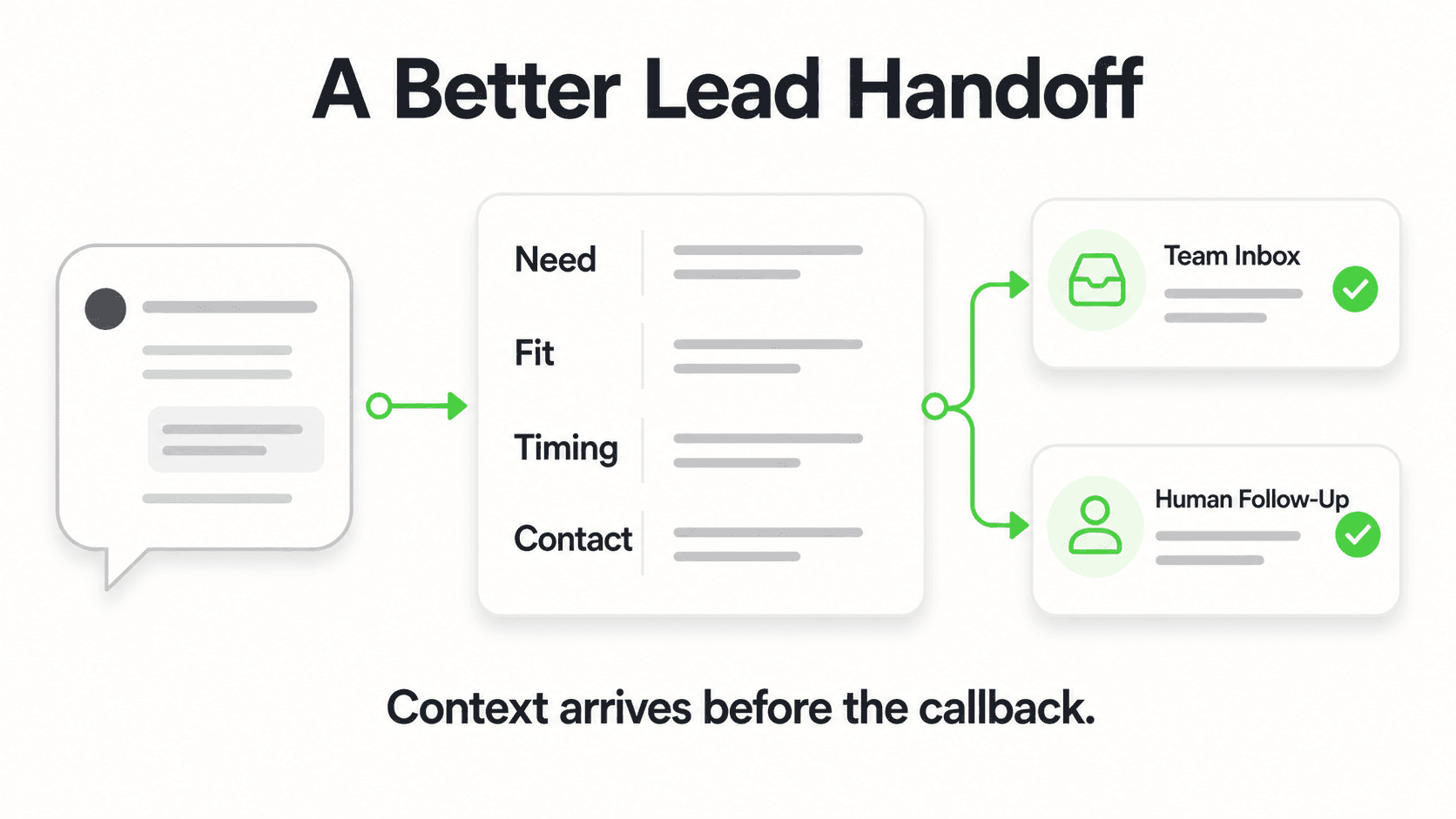
For each prompt below, the italicized sketch describes what Claude does under the hood and what the answer looks like. All names and figures are illustrative.
1. Pull the Triage Batch
Show me all new, uncontacted leads from the last 7 days.
Claude finds your New stage with get_pipeline_stages, calls list_leads with that stage, and keeps the leads created in the past week that have no notes yet (a NoteCount of 0). The response is the raw batch — lead name, channel, created date, current stage — that you are about to qualify. Illustrative: "18 new uncontacted leads: 9 from website, 5 from WhatsApp, 3 from Instagram, 1 from Facebook."
2. Pull the Facts on the Batch
For each of those leads, what did they tell us about their needs, budget, and timeline?
Claude calls extract_lead_insights on each lead and returns a compact line per lead. Illustrative: "Acme Corp: wants enterprise pricing and an integration with their existing tools, deadline in Q3, says budget is approved. Riverside Dental: one message asking 'do you do appointment reminders?', nothing about budget or timing." The insights are saved to each lead, so your reps see them in Studio as well.
3. Score and Rank
Using the rubric I pasted above, score each lead 0–100 and rank them. Show the score breakdown.
Claude applies your rubric to the insights already in context and returns a ranked table with the per-signal breakdown so you can see why each lead scored what it did. For signals the insights may not capture, such as who signs off, ask Claude to check the transcripts too. This is the core qualification artifact — a defensible ranking, not a gut call.
4. Read the Evidence on a Top Lead
Pull the full conversation for the top-ranked lead so I can see what they actually said.
Claude calls get_lead_conversations to find the conversation, then get_conversation for the transcript. You read the verbatim exchange and confirm the score holds up before you assign the lead to a rep.
5. Flag the "Looks Good on Paper, Weak on Signal" Leads
Which leads look strong on paper but said very little in their conversations?
Claude compares each lead's profile from get_lead_details (company and lead-form answers) with how much they actually said: the message counts from get_lead_conversations and how many insights came back. The response flags leads that a traditional score would rank high but whose conversation shows little real intent — exactly the leads that waste rep time. Illustrative: "GlobalEdge (lead form says 500 employees) only sent one message and never returned — deprioritize despite the size."
6. Group by Objection for Routing
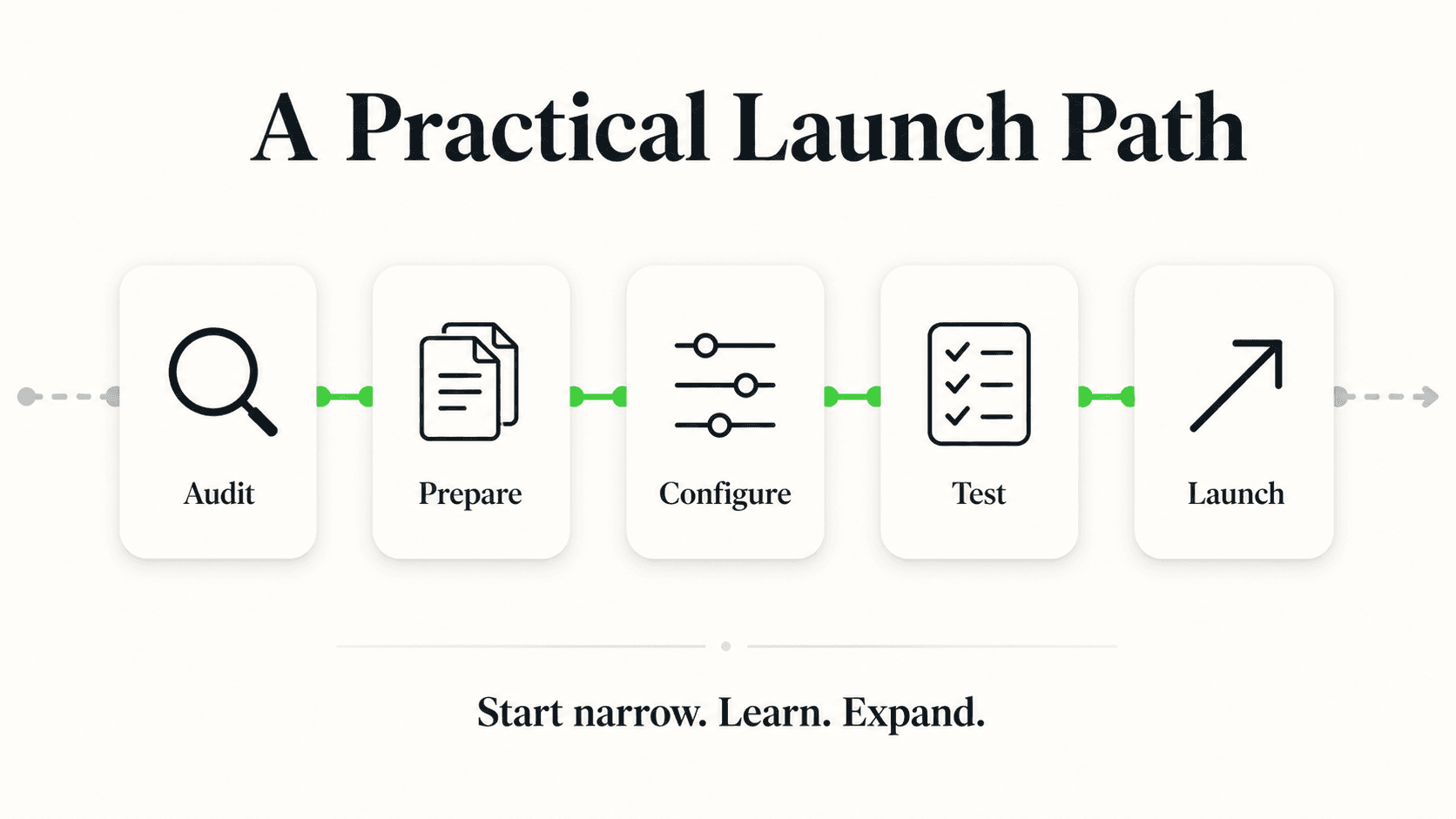
Group the hot and warm leads by their main concern or objection.
Insights record what a lead needs, not the doubts they raised, so Claude reads the hot and warm leads' transcripts with get_conversation and clusters the concerns. Illustrative: "Pricing concerns: 5 leads. Integration questions: 4 leads. Timing ('not yet'): 3 leads." Now you can route pricing objections to a rep who handles those well, and put the "not yet" leads on a nurture track instead of a call list.
7. Build the Final Call List
Give me a clean call list of the hot leads, ordered by score, with a one-line reason and suggested opener for each.
Claude composes the ranked hot list and writes each opener from the lead's insights and transcript. Illustrative: "1. Acme Corp (88) — approved budget, Q3 deadline. Opener: 'I saw you asked about our enterprise tier and integrations — want to walk through a 20-minute setup?'" This is the artifact you hand your reps.
Where Qualification Stops and Action Begins
The Hyperleap MCP tools read your CRM. None of them can change a lead's stage, edit a record, or send a message; the one thing any tool saves is the insights extract_lead_insights finds. That is worth being direct about, because it shapes where this workflow ends.
What you cannot do via Claude Desktop MCP:
- Move a lead from "New" to "Qualified" or any other pipeline stage
- Tag a lead or edit its details
- Add the qualification note to the lead record
- Trigger a follow-up message or chatbot flow
What this means: the qualification session is a read-and-decide activity. You surface the signals, apply the rubric, and produce the ranked list. The state changes that follow — moving leads to Qualified, tagging them, logging the score in a note — happen in Hyperleap Studio or through the Hyperleap REST API directly.
Treat this as a safety feature. Claude cannot accidentally mis-qualify a lead in your system of record, overwrite a note, or fire an unintended flow. Apart from saving insights, it can only look and reason. The practical setup most teams land on: Claude Desktop in one window producing the ranked list, Hyperleap Studio in another window where you action it. For teams that want AI to also take the action — "mark these five qualified and tag them hot" — the right architecture is an automation built on the REST API and webhooks, not the MCP server.
The full MCP tools reference documents every tool's inputs and why the tools only read.
Make It a Weekly Ritual
Qualification is most valuable when it is consistent. A few habits that make this stick:
Run it on a fixed cadence. A 20-minute qualification pass twice a week beats a heroic three-hour session once a month. Fresh leads get scored while their conversations are still recent, and your reps always have a current ranked list.
Reuse the same rubric. Paste your tuned scoring rubric at the start of every session so the score means the same thing every week. Drift in the rubric is drift in your pipeline math.
Close the loop on outcomes. When you work the ranked list, tag the Hot leads in Studio (for example, hot-oct). A month later, ask Claude to pull the leads with that tag and check what happened to them via get_lead_activities, which records every stage change. If your "Hot" leads moved toward Won and your "Cold" ones did not, your rubric is calibrated. If not, adjust the weights. This is how a gut-feel process becomes a measured one.
This pairs naturally with the broader AI-native sales workflow, where the same MCP connection drives standups, lead qualification, and call prep from one Claude Desktop session.
Qualify your leads on real signals, not guesses
Hyperleap's MCP server is included on every paid plan: Plus, Pro, and Max. Connect Claude Desktop in under five minutes and qualify your next batch of leads on what they actually said.
See PlansFrequently Asked Questions
How is this different from a built-in lead score?
A built-in lead score weights form fields and proxies — company size, title, email domain. This workflow scores on the actual chatbot conversation: what the lead asked, the objections they raised, and the timing signals they gave. The conversation is the real evidence; the form fields are guesses about it. You can combine both, but the conversation-based read is usually the stronger predictor for chatbot-captured leads.
Does the data Claude qualifies on stay current?
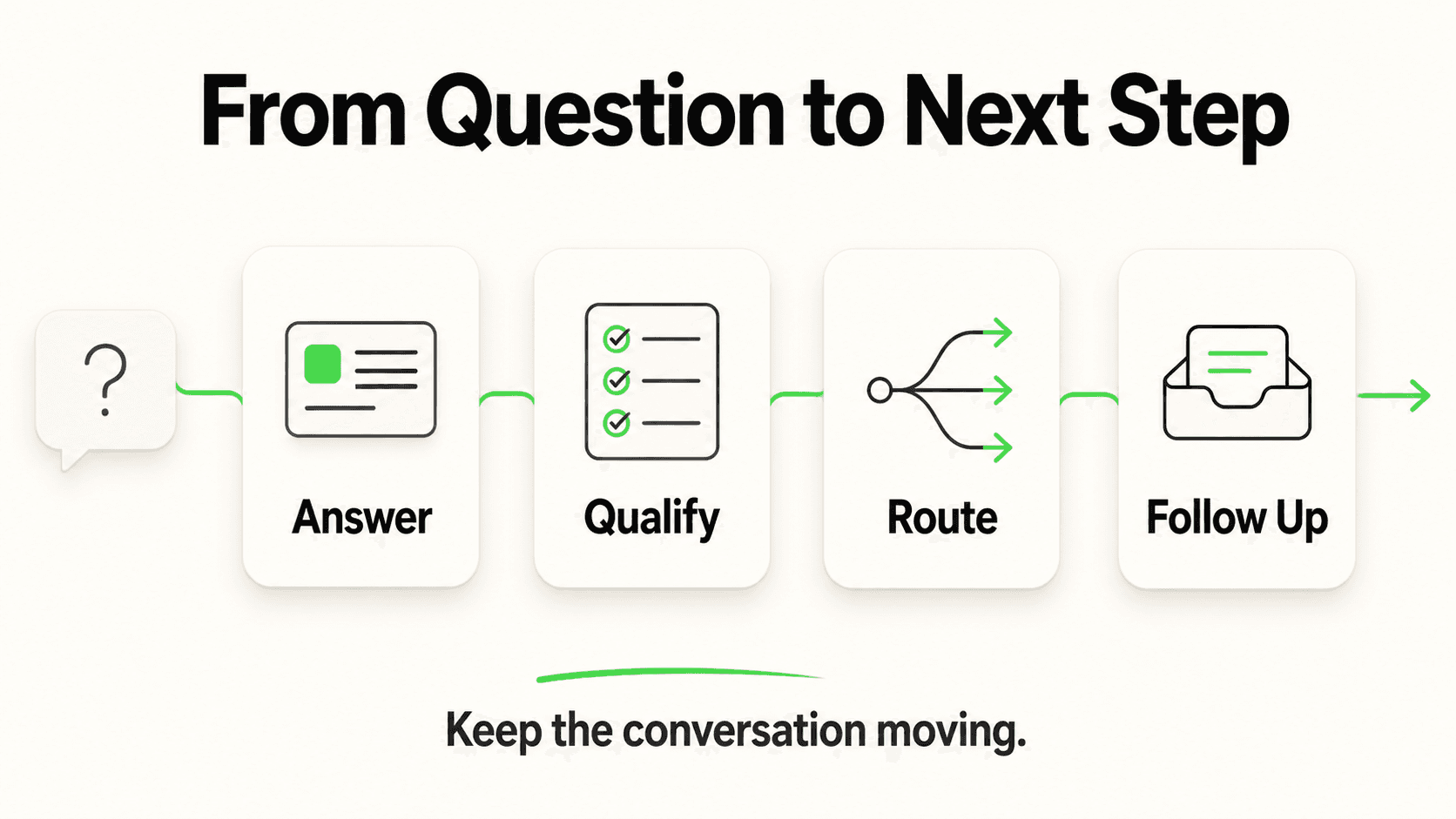
Yes. Claude calls the Hyperleap MCP server live; there is no cache or pre-pulled snapshot. When you ask for "new leads from the last 7 days," Claude calls list_leads at that moment and the response reflects your Hyperleap data as it is right then.
Can Claude mark leads as qualified for me?
No. None of the MCP tools can change a lead's stage, tags, or notes, so Claude can surface signals and rank leads but can't mark them qualified. The only thing the tools save is the insights from extract_lead_insights. You apply the resulting stage changes, tags, and notes in Hyperleap Studio or via the REST API. This is a deliberate safety design — Claude cannot mis-qualify a lead in your system of record.
Which Hyperleap plans include MCP?
MCP is included on every paid Hyperleap plan — Plus ($40/mo), Pro ($100/mo), and Max ($200/mo). It is not a paid add-on or gated behind a higher tier. There is a 7-day free trial (credit card required) and no free plan. To connect, create a personal MCP key in Hyperleap Studio from your profile menu → My MCP Keys.
How many leads can I qualify in one session?
extract_lead_insights runs an AI model on every call, so it's the slowest of the tools, and a big batch takes a while. Qualify the most recent or most promising leads first, or split the work across two sessions. Once a lead has insights, they're saved, so Claude can read them from get_lead_details without running the model again. If you routinely need to score hundreds of leads at once, build a batch process on the Hyperleap REST API instead of the interactive MCP flow.
Can I use this in Cursor or another MCP client?
Yes. Hyperleap's MCP server implements the open MCP standard and works with clients that support remote MCP servers with OAuth sign-in, including Cursor, ChatGPT, Codex, and Claude on the web or in Claude Code. The prompts work the same way in each. Setup differs a little per client: see the setup guide in the Help Center, the Cursor guide, and the Claude Desktop setup guide.
Related Articles

Run Sales Standups in Claude Desktop with Hyperleap MCP
Replace your Monday pipeline review with a 15-minute Claude Desktop session. 10 natural-language prompts that pull live data from your Hyperleap chatbot.

Coach Sales Reps with AI Chatbot Transcripts (via MCP)
Use Claude Desktop to find chatbot conversations matching any coaching theme — objections, discovery, closing — and turn transcript review into a weekly ritual.

Lead Qualification Chatbot: Questions, Fields, and Handoff Rules
A lead qualification chatbot turns raw contacts into ranked, routed leads — before a rep wastes the first call. Here's the question stack, scoring, and handoff logic that works.

Connect Hyperleap to Claude Desktop in 5 Minutes (MCP Setup)
Step-by-step guide to connecting Hyperleap AI to Claude Desktop using MCP. Query your chatbot leads, conversations, and pipeline in plain English.