Lead Qualification Chatbot: Questions, Fields, and Handoff Rules
A lead qualification chatbot turns raw contacts into ranked, routed leads — before a rep wastes the first call. Here's the question stack, scoring, and handoff logic that works.

TL;DR: A lead qualification chatbot asks the right four questions in a 30-second conversation, assigns a hot / warm / cold score based on the answers, and routes each lead to the right next step — human rep, booking link, or nurture sequence — before they leave your site. Unlike a static form or a basic chat widget, it produces a structured lead record with intent signals already attached. This guide covers the question stack, industry-specific templates, handoff rules with explicit triggers, how Hyperleap implements qualification across four shipped channels, and a vendor evaluation checklist you can use this week.
What a Lead Qualification Chatbot Actually Does
A lead qualification chatbot is a conversational AI agent that gathers the minimum information needed to score a visitor's fit and intent — and routes them to the right next step — entirely within the chat window, before a human rep gets involved.
That definition draws three important lines:
Capture vs. qualification. A lead capture chatbot collects a name and email. A lead qualification chatbot collects name, email, and the context that tells you whether this person is worth a 30-minute discovery call. Capture is a prerequisite. Qualification is the step that makes capture actionable. If you want to go deeper on the capture side, the companion article on AI lead capture chatbots covers that foundation.
Qualification vs. FAQ chat. A FAQ chatbot answers product questions. It does not ask questions in return or score intent. A qualification chatbot does both: it answers questions while collecting qualification signals in parallel.
Qualification vs. a static form. A form asks every visitor the same fields in the same order, with no adaptation and no feedback. A qualification chatbot adapts its follow-up questions based on earlier answers, guides low-intent visitors toward educational content, and escalates high-intent visitors to a human before they lose patience. The conversation itself is part of the qualification signal.
The end state is a structured lead record — not a raw transcript — that tells your sales team who this person is, what they want, when they need it, and how seriously they are shopping.
Why Qualification Belongs in Chat, Not on the Rep's First Call
Qualification done live on a discovery call is expensive in three ways most SMBs underestimate.
It consumes your best people's time on low-probability work. If your pipeline contains a mix of hot buyers and people who are just doing research, every discovery call is a coin flip. A rep who runs 10 discovery calls per week and half are unqualified is losing 5 calls' worth of capacity — time that could go to closing, upselling, or inbound follow-up on hot leads.
It slows down your hot leads. A visitor who is ready to buy today is waiting in the same queue as a visitor who is casually browsing. By the time a rep reaches the hot lead, they may have already signed with a competitor. Lead response time is one of the most documented conversion variables in B2B sales — the gap between inquiry and first response has a significant effect on conversion likelihood, and this effect is steepest in the first hour after inquiry (InsideSales research has consistently shown response windows matter at the minute scale, not the day scale).
It creates qualification drift. Without a system, every rep qualifies slightly differently. One asks about budget on call one. Another saves it for call two. Some reps disqualify aggressively; others give every lead a chance. The result is a pipeline with no consistent score and no reliable forecast.
A lead qualification chatbot solves all three: it runs qualification consistently at the moment of highest intent (when the visitor is on your site, reading about your product), it costs nothing per conversation, and it hands the rep a lead record with the work already done.
The Qualification Framework That Works in a 30-Second Chat
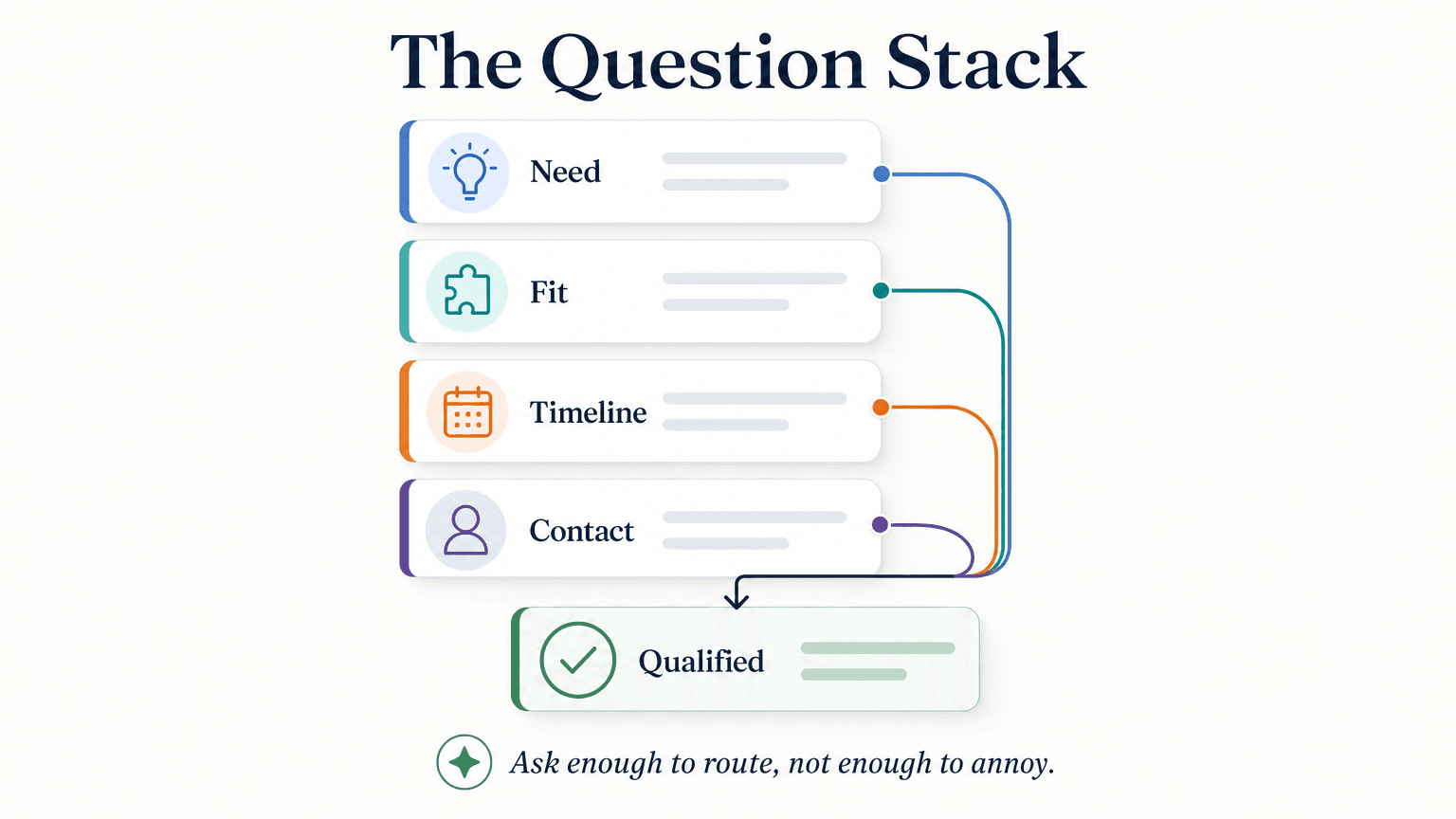
Effective chat qualification requires a different mindset than BANT or MEDDIC. Those frameworks were built for multi-call enterprise outbound. In chat, you have one shot, 30 seconds of attention, and a visitor who did not come to be interviewed. The goal is not to replicate a discovery call — it is to gather the four signals that determine the next step.
The Four Required Fields
Every qualification flow needs a minimum of four fields:
| Field | What it captures | Why it matters |
|---|---|---|
| Primary intent | What the visitor is trying to accomplish | Separates buyers from browsers, routes to the right rep or content |
| Fit signal | Company size, property type, service area, or use-case category | Determines whether this visitor can actually become a customer |
| Timeline | How urgently they need a solution | Separates hot leads from research-phase leads |
| Contact method | Phone or email (minimum one) | Enables follow-up; phone is higher-intent than email alone |
Everything else — budget range, specific product interest, team size — is secondary. Add secondary fields only if your sales process genuinely uses them to route or prioritize. Every additional field costs conversion rate; only add what you will act on.
The Question Stack
The question stack is the sequence you run to collect those four fields. The rule is: one question per turn, adaptive branching, rich cards where possible.
A well-structured question stack for a general B2B or home services buyer looks like this:
- Intent question (turn 1): "What brings you here today?" — offer 3–4 rich-card options (e.g., "I need help with X," "I want to compare options," "I have a specific question")
- Fit question (turn 2): Adapts based on intent. For B2B: "What best describes your team?" For home services: "What's the service area?" For healthcare front desk: "Which practice are you contacting?"
- Timeline question (turn 3): "When are you looking to get started?" — rich-card bands work well: "ASAP / This month," "Next 1–3 months," "Just researching"
- Contact question (turn 4): "What's the best way to reach you?" — ask for phone if timeline is urgent; email is sufficient for research-phase leads
After turn 4, the chatbot scores the lead, determines the next step, and executes the handoff.
Rich Cards vs. Free Text
Use rich cards (buttons with fixed options) for any question where the answer maps to a known set of values that drive routing or scoring. Use free text only for open-ended qualitative information (e.g., "Tell us more about your situation") that a rep will read verbatim — not for anything that feeds a score or a route.
Rich cards reduce friction, eliminate misspelling, and make scoring trivial. Note that Hyperleap's rich cards are a different thing: on Pro and Max, they carry the photos, documents, and videos your agent shares, not answer options.
Scoring Bands
Keep scoring simple. Three bands is enough:
| Band | Trigger conditions | Next step |
|---|---|---|
| Hot | Intent is purchase/urgent + timeline is ASAP or this month + phone number provided | Route to human rep immediately (or within 1 business hour) |
| Warm | Intent is evaluating + timeline is 1–3 months + contact provided | Send booking link for a scheduled call; add to nurture |
| Cold | Intent is research or unclear + timeline is undefined + email only (or no contact) | Add to email nurture sequence; no rep involvement yet |
Do not invent score percentages. The band system gives you a clear, reproducible next step for every lead without requiring a scoring algorithm. It also gives your reps a shared definition: "hot lead means someone told us they want to buy this month."
Industry-Specific Question Sets
The four-field minimum applies across every industry, but the specific questions and answer options need to reflect how buyers in that vertical actually talk.
Real Estate
Real estate qualification needs to separate buyers from sellers, serious from early-stage shoppers, and local from out-of-area leads.
| Turn | Question | Options (rich cards) |
|---|---|---|
| 1 | "Are you looking to buy, sell, or both?" | Buy / Sell / Both / Just browsing |
| 2 | "What's your timeline for making a move?" | Within 60 days / 3–6 months / 6–12 months / Just exploring |
| 3 | "What area are you focused on?" | Free text or preset neighborhood/city options |
| 4 | "What's the best way to reach you?" | Phone (preferred) / Email |
Scoring note: "Buy + within 60 days + phone" = hot. Route immediately. For real estate specifically, read the real estate AI chatbot lead qualification guide for a more detailed treatment of that vertical.
Home Services (HVAC, Plumbing, Cleaning, Landscaping)
Home services qualification focuses on service type, urgency, and service area validity.
| Turn | Question | Options (rich cards) |
|---|---|---|
| 1 | "What can we help you with?" | Repair / Installation / Maintenance / Get a quote |
| 2 | "Is this urgent?" | Yes, I need help today or tomorrow / No, I'm planning ahead |
| 3 | "What's your zip code?" | Free text |
| 4 | "Best way to reach you?" | Phone (for urgent) / Email or phone (for planned) |
Scoring note: "Repair or installation + urgent + in-service zip" = hot. This is the case where phone number verification has the most value — an unverified number on an urgent service request wastes a tech's time. For trade-specific setups, see the dedicated pages on conversational AI for plumbers and AI agents for HVAC companies.
Dental Front-Desk Routing
Healthcare-adjacent qualification requires routing language only. No diagnosis, clinical assessment, or medical triage. The chatbot collects intake information and routes requests to the right team member.
| Turn | Question | Options (rich cards) |
|---|---|---|
| 1 | "What can we help you with today?" | Book an appointment / Ask about services / Urgent concern / Billing question |
| 2 | "Are you a new or existing patient?" | New patient / Existing patient |
| 3 | "Preferred appointment timing?" | This week / Next week / Flexible |
| 4 | "Best contact number?" | Free text (phone) |
Scoring note: "Urgent concern" routes to a staff member immediately. "Book an appointment + new patient" routes to the scheduling flow and shares your booking link. The chatbot does not assess symptoms or recommend treatment — it routes the conversation to the appropriate team member.
B2B SaaS
B2B qualification maps most closely to traditional BANT, compressed into four chat-friendly turns.
| Turn | Question | Options (rich cards) |
|---|---|---|
| 1 | "What's the main problem you're trying to solve?" | Preset use-case options (3–5) based on your ICP |
| 2 | "How big is your team?" | 1–10 / 11–50 / 51–200 / 200+ |
| 3 | "When are you looking to move forward?" | ASAP / This quarter / Next quarter / Exploring |
| 4 | "Best email for follow-up?" | Free text |
Scoring note: "Use-case match + 11–50 or 51–200 + ASAP or this quarter" = hot. Team size under 10 or team size 200+ may be outside your ICP — set your own thresholds based on your actual customer data.
Handoff Rules: When to Route, Schedule, Send a Link, or Nurture
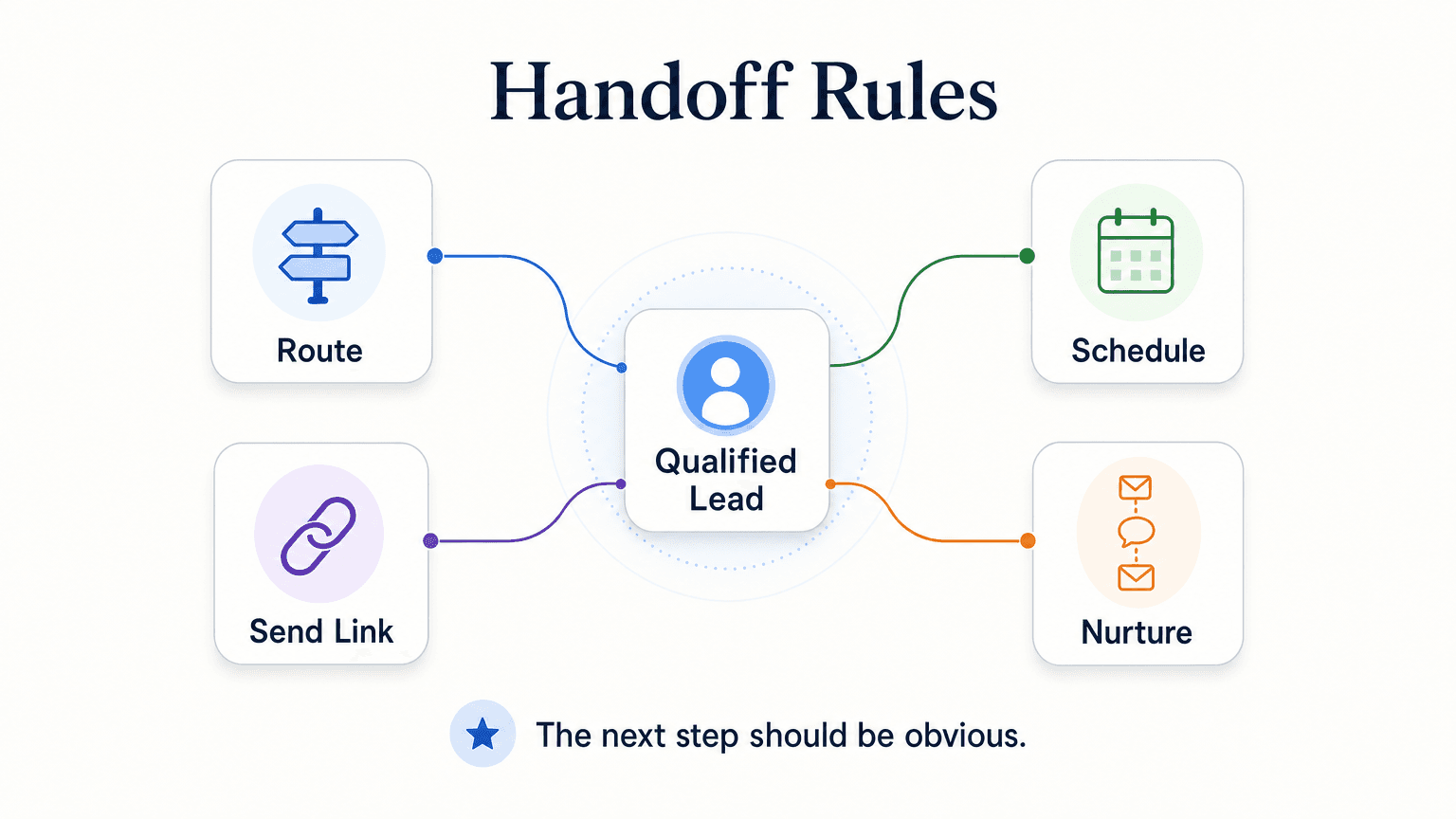
The handoff is where most qualification implementations fail. The chatbot scores a lead, and then... nothing happens for three hours because there is no rule about what to do next.
Define your handoff rules before you configure the chatbot. Here are the four branches, with explicit triggers:
Branch 1: Route to Human (Immediate)
Trigger conditions: Hot band — high-intent + urgent timeline + phone number provided + within business hours.
What happens: The chatbot notifies the rep in real time (via your team inbox, REST API call, or webhook to your CRM), marks the lead as hot, and tells the visitor a rep will follow up within [your stated SLA — be specific, "within 1 hour during business hours" is better than "shortly"]. Do not promise an instant human connection unless you have live rep coverage.
Outside business hours: Tell the visitor your hours and ask if they want a callback when you open. Capture their preferred callback time. This is still a hot lead — it just waits for the next available window.
Branch 2: Schedule a Callback
Trigger conditions: Warm band — evaluating + defined timeline + phone number provided.
What happens: With Calendly or Cal.com connected (Pro and Max), the chatbot offers real open times and books the call in the conversation; the visitor gets a calendar invite by email (in-chat booking needs Calendly Standard or higher). On Plus, or with any other scheduling tool, it shares your booking link and the visitor books there.
Branch 3: Send a Booking Link (Self-Serve)
Trigger conditions: Warm band — defined intent + flexible timeline + email preferred.
What happens: The chatbot shares the booking link and optionally sends a follow-up email with the link and a brief context summary. This branch suits visitors who would rather pick a time later — lower urgency — the rep follows up if the visitor does not self-book within 48 hours.
Branch 4: Add to Nurture
Trigger conditions: Cold band — research phase + undefined timeline + email only.
What happens: The chatbot acknowledges the visitor, answers any remaining questions, and notes that a follow-up email with helpful resources is on the way. The lead is added to your email nurture sequence via webhook or REST API. Rep involvement is optional and delayed — a rep may review cold leads in batch once a week, not in real time.
Multi-Channel Handoff Consistency
The same four branches apply across all four Hyperleap channels: Website, WhatsApp, Instagram DM, and Facebook Messenger. A visitor who starts a qualification flow on Instagram DM and scores hot gets the same immediate routing as one who came through your website chat widget. Your team does not need to maintain separate handoff rules per channel. For a full picture of how multi-channel deployment works in practice, the channels overview is worth reading alongside this guide.
How Hyperleap Implements Lead Qualification
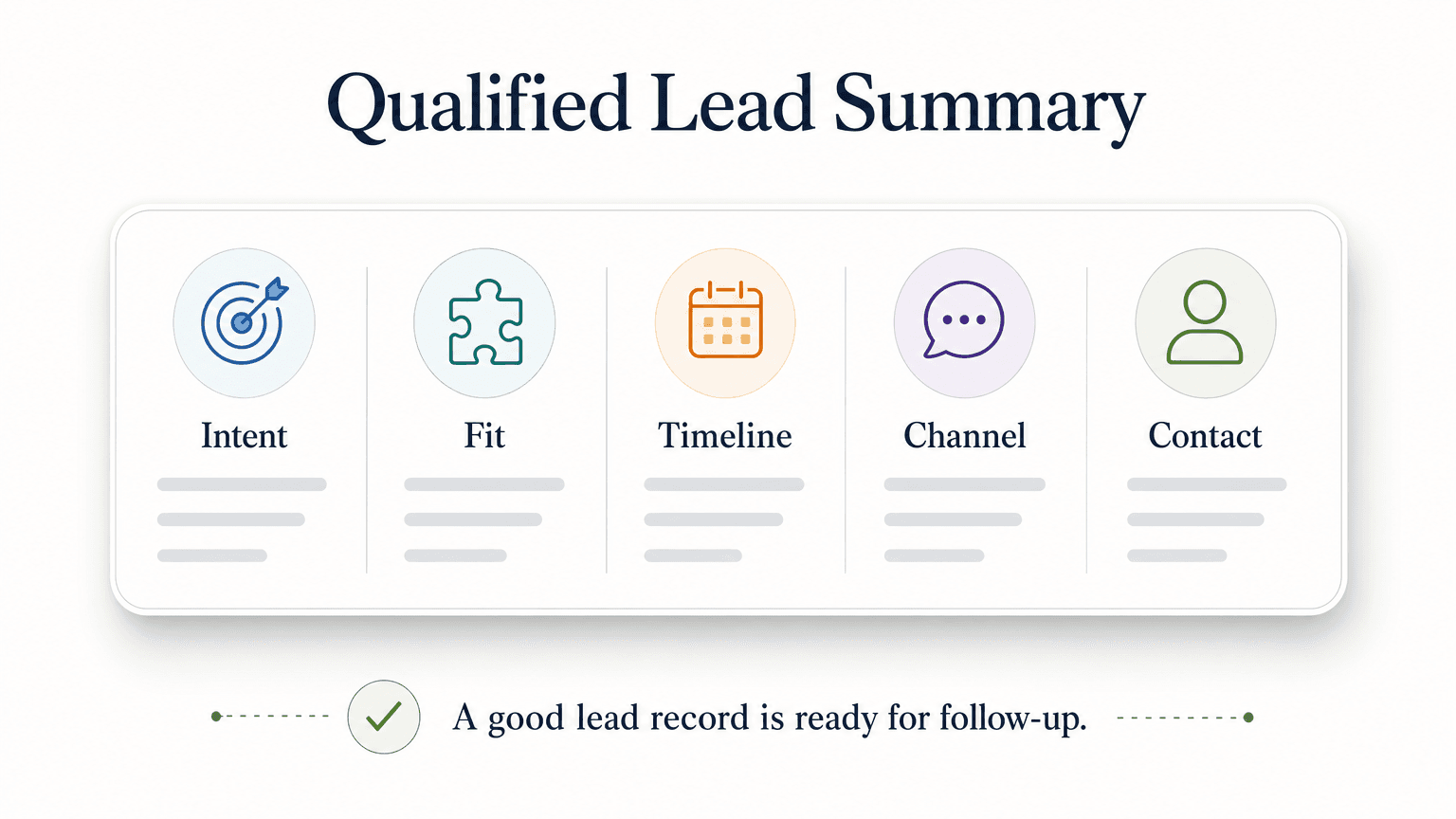
Here is what the four-field qualification stack looks like when it runs on Hyperleap:
Four-Channel Parity
Hyperleap's AI Agents run on Website, WhatsApp, Instagram DM, and Facebook Messenger. The qualification logic — question stack, scoring bands, handoff rules — is configured once and executes identically across all four channels. A visitor on WhatsApp gets the same sequence as a visitor on your website. A hot lead from Instagram DM triggers the same routing rule as a hot lead from your site's chat widget.
On Pro and Max, rich cards render on all four channels, so the photos, documents, and videos your agent shares arrive as tappable cards on every surface — no channel-specific rewrites.
Lead Summaries
When a conversation ends (after qualification is complete or the visitor disengages), Hyperleap generates a structured lead summary for your team. A typical summary includes:
- Contact: name, phone, email (whatever was captured)
- Channel of origin: Website / WhatsApp / Instagram DM / Facebook Messenger
- Primary intent: the option the visitor selected on turn 1
- Fit signal: the answer to your fit question
- Timeline: the band selected
- Score: Hot / Warm / Cold (per your configured rules)
- Conversation excerpt: the key exchanges
This summary arrives in your team inbox without requiring your reps to read a full transcript. It is also available via REST API and webhooks for handoff to your CRM or downstream tools.
CRM Handoff via REST API and Webhooks
Hyperleap does not offer native integrations with CRMs such as HubSpot, Salesforce, or others. Qualified lead data is passed to your CRM via REST API and webhooks — your development team or integration layer handles the mapping. If you need to evaluate whether this works for your stack, the rule of thumb is: if your CRM has a REST API endpoint for creating or updating contacts, Hyperleap can post lead data to it on conversation completion.
OTP Phone Verification (Paid Add-On, Pro/Max Only)
For industries where an unverified phone number represents a real cost — home services dispatching a tech, real estate agents blocking calendar time, healthcare front desks scheduling appointments — Hyperleap offers OTP (one-time password) verification as a paid add-on.
Important: OTP Verification is not included with any base plan. It is available on Pro ($100/mo) and Max ($200/mo) plans only, as a usage-based add-on with recharge starting at $100. It is not available on the Plus plan.
When OTP is active, the chatbot asks the visitor to verify their phone number before completing the qualification flow. OTP runs on website chat only. A verified phone number significantly reduces wasted handoff on leads with fake or incorrect contact details.
Pricing
- Plus: $40/mo — 3,000 AI responses, 1 chatbot, 4 channels per chatbot, 40MB knowledge, 10 team members, 5 workspaces
- Pro: $100/mo — 12,000 AI responses, 2 chatbots, 8 channels (4 per chatbot), white-label branding, 50 team members, 10 workspaces
- Max: $200/mo — 30,000 AI responses, 5 chatbots, 20 channels (4 per chatbot), 100 team members, 25 workspaces
All plans include a 7-day free trial. Credit card is required. There is no free plan. See the full Hyperleap AI pricing page for current details and add-on costs.
How to Evaluate a Lead Qualification Chatbot Vendor
Use this checklist when shortlisting vendors. Weight the items that match your specific situation most heavily.
| Criterion | What to ask | Weight |
|---|---|---|
| Channel coverage | Does it run on all the channels where your leads actually come from — website, WhatsApp, Instagram DM, Facebook Messenger? | High |
| Rich card support | Do buttons/quick-reply options work on all deployed channels? | High |
| Structured lead output | Does it produce a summary, not just a transcript? Are fields machine-readable for CRM handoff? | High |
| Scoring and routing | Can you define custom scoring bands and handoff rules without code? | High |
| REST API and webhooks | Can the chatbot push lead data to your existing systems on completion? | High |
| Document-grounded answers | Does the chatbot use your own knowledge base to answer product questions alongside qualification questions? | Medium |
| OTP verification | Is phone number verification available for high-stakes verticals? At what cost and plan level? | Medium (high for home services / real estate) |
| Per-conversation pricing | Does the vendor charge per conversation, per lead, or per message? Hidden per-conversation costs change the economics at scale. | Medium |
| Multilingual support | Can the qualification flow run in languages other than English? (Hyperleap supports 100+ languages.) | Medium–High depending on audience |
| Setup complexity | Can a non-technical team owner configure the question stack and handoff rules? | Medium |
| Transparency on what is not built | Does the vendor clearly state which features are roadmap vs. shipped? | High |
The last criterion is a trust signal as much as a feature signal. Vendors who claim "400+ integrations" or "full CRM sync" without naming which systems or which plan tier are making claims worth verifying carefully. See the Hyperleap AI features overview for a current list of what is shipped.
Common Qualification Mistakes (and How to Avoid Them)
Mistake 1: Asking too many questions
Five or more qualification questions in a single flow reliably hurt completion rates. If you cannot route a lead with four questions, your routing logic is too complex — simplify it. Start with the four required fields. Add a fifth only if you can show that it materially changes routing for a meaningful percentage of your leads.
Mistake 2: Using free text where rich cards work
"What is your budget?" as a free-text question produces unusable answers ("not sure," "depends," "competitive"). "Which best describes your budget range?" with three or four card options produces a scoreable field. Every free-text field that feeds a score or a route should be a rich card instead.
Mistake 3: No handoff SLA
A hot lead routed to a rep is only valuable if the rep responds within a defined window. If you do not have a stated, monitored SLA for hot lead follow-up, the routing rule is meaningless. Define the SLA before you go live, communicate it to the team, and instrument it. "Within 1 business hour during business hours" is a specific commitment your chatbot can communicate and your ops team can measure.
Mistake 4: One qualification flow for all channels
Your Website visitors and your WhatsApp contacts are not the same audience. WhatsApp tends to attract higher-intent, more mobile buyers; a visitor who found your WhatsApp number is already a step further in their journey than a first-time website visitor. Consider slightly more aggressive routing rules (shorter timeline bands, faster human escalation) for WhatsApp and Instagram DM leads.
Mistake 5: Setting up qualification and never reviewing it
Qualification logic is not a set-and-forget configuration. Review your band distribution monthly for the first three months: if 80% of leads score "warm," your hot threshold is probably too strict. If 60% score "hot," your threshold is probably too loose. Calibrate based on what your reps actually close, not on what you predicted when you built the flow.
Mistake 6: Confusing routing with triage in regulated contexts
For healthcare and legal contexts, "routing" means connecting a visitor to the right team member or scheduling flow. It does not mean the chatbot assesses symptoms, diagnoses conditions, or gives legal or financial advice. Keep the chatbot's role explicitly limited to collecting intake information and routing to the appropriate human. This is both a safety and a liability issue.
Start Your Free Trial
If your pipeline is full of contacts with no context, the fix is usually not more outreach — it is a qualification step that runs before the rep gets involved.
Hyperleap AI lets you build a qualification chatbot with a custom question stack, scoring bands, and handoff rules across Website, WhatsApp, Instagram DM, and Facebook Messenger — without writing code for the core flow.
Turn every inbound conversation into a qualified lead record
Set up your qualification flow in minutes. 7-day free trial — credit card required. Or see pricing first.
Start free trialOr explore how the AI chatbot for business works if you want the full category overview before committing to a trial.
FAQ
Does a lead qualification chatbot work for service businesses that book appointments, not products?
Yes — and it is often a better fit than for product-led businesses. Service businesses have a naturally bounded set of qualification signals (service type, location, urgency, availability), which makes the question stack short and the routing logic clean. The chatbot collects the four required fields, scores urgency, and shares your booking link or routes to a rep for scheduling. Dental practices, HVAC companies, legal intake teams, and fitness studios are all strong use cases.
How does scoring actually work — is it AI-driven or rule-based?
In most practical implementations, scoring is rule-based. You define the conditions: "if timeline is ASAP and intent is purchase and phone is provided, score as hot." The chatbot applies those rules consistently to every conversation. AI-driven scoring (where a model infers intent from free-text) exists, but it introduces variance. For SMBs, rule-based bands tied to rich-card answers are more predictable, easier to calibrate, and easier to explain to your sales team. Start rule-based; add AI scoring later if your volume justifies the complexity.
What happens when a visitor asks in Spanish, Arabic, or another language?
Hyperleap supports 100+ languages. The qualification flow can run in the visitor's language if your knowledge base and question copy include multilingual content, or if you configure language-specific flows. For visitors who switch language mid-conversation, Hyperleap's AI responds in the language the visitor uses. Multilingual support does not require separate chatbot instances — one agent handles the full language range.
What does a lead qualification chatbot cost?
Hyperleap's plans start at $40/mo (Plus) for 1 chatbot and 3,000 AI responses per month. Pro at $100/mo adds a second chatbot, higher response volume, and white-label branding. Max at $200/mo scales to five chatbots and 30,000 responses. All plans include a 7-day free trial; credit card is required and there is no free plan. OTP phone number verification is a separate paid add-on (usage-based from $100, Pro/Max only, website chat only). See the pricing page for current details.
How does the chatbot integrate with my CRM?
Hyperleap does not offer native plug-in integrations with specific CRMs. Qualified lead data is made available via REST API and webhooks — on conversation completion, the lead record (fields, score, channel, conversation excerpt) is pushed to the endpoint you configure. If your CRM accepts inbound REST API calls for contact creation or update, you or your developer can wire up the handoff. This is standard for HubSpot, Salesforce, Pipedrive, and most modern CRMs. Evaluate the specific endpoint requirements with your CRM's API documentation.
What about phone number verification — is it included?
No. OTP (one-time password) phone verification is a paid add-on, available only on Pro ($100/mo) and Max ($200/mo) plans, billed on a usage basis with recharge starting at $100. It is not available on the Plus plan, is not included in any base subscription, and runs on website chat only. It is most valuable for high-stakes leads — home services dispatch, real estate showings, or medical appointment scheduling — where a fake or mistyped phone number costs more than a few dollars to chase down.
Put this into practice
Related Articles

AI Lead Capture Chatbot: Convert Website Visitors Into Qualified Leads
An AI lead capture chatbot does what forms can't: qualify intent, capture contacts, and hand clean leads to your team — across four channels, 24/7.

OTP-Verified Lead Capture for AI Chatbots
OTP-verified lead capture confirms a visitor's phone number inside the chat before the lead enters your queue — here's how it works, what it costs, and which industries need it most.

Facebook Messenger Chatbot for Local Businesses
A Facebook Messenger chatbot helps local businesses answer FAQs, capture leads, share booking links, and route inquiries 24/7 — without a human watching the queue.

Chatbot Lead Summaries: What Your Team Should Receive
A raw transcript creates work. A chatbot lead summary — contact details, intent, qualification signals, timeline, and a next action — means your rep is ready to call in 30 seconds.