Everything your
AI front desk does.
Explore the features
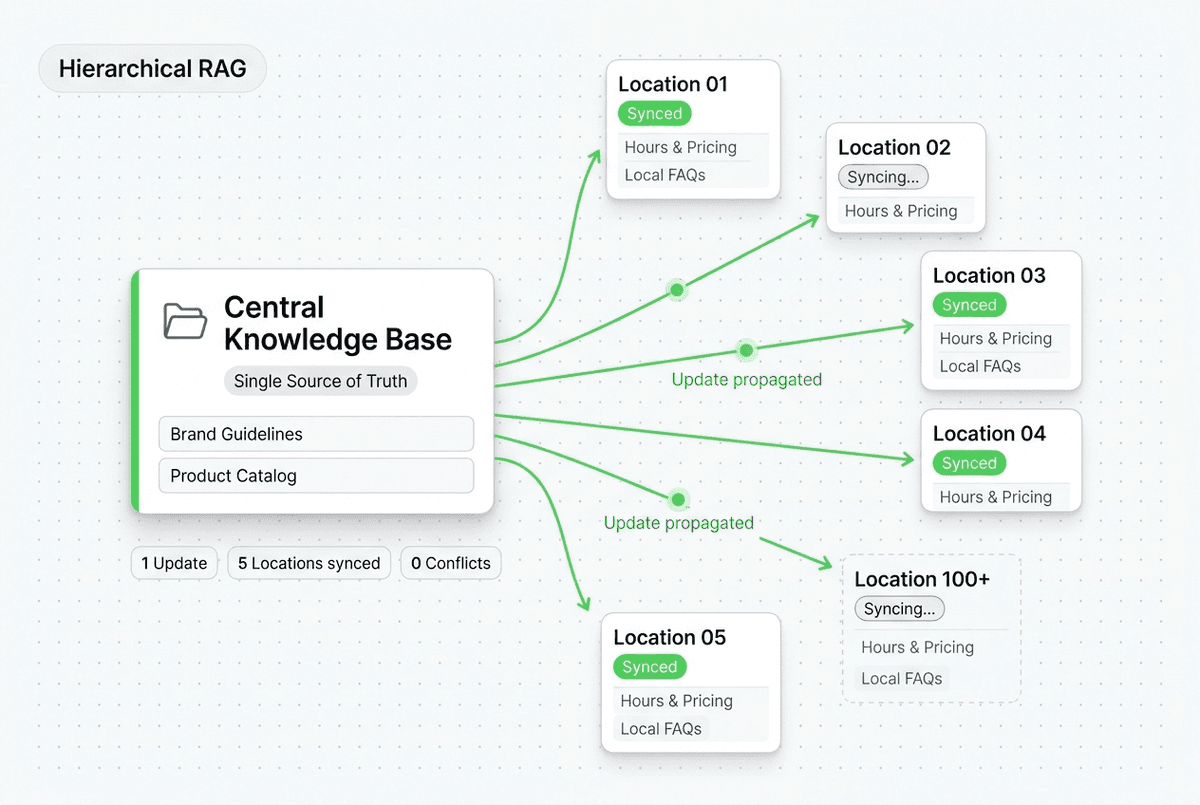
Answers using your website and documents
Add your website, PDFs, and FAQs. The AI uses them to answer questions. Set instructions for when it should ask your team for help, and check the source used for any answer.

Set it up for your business
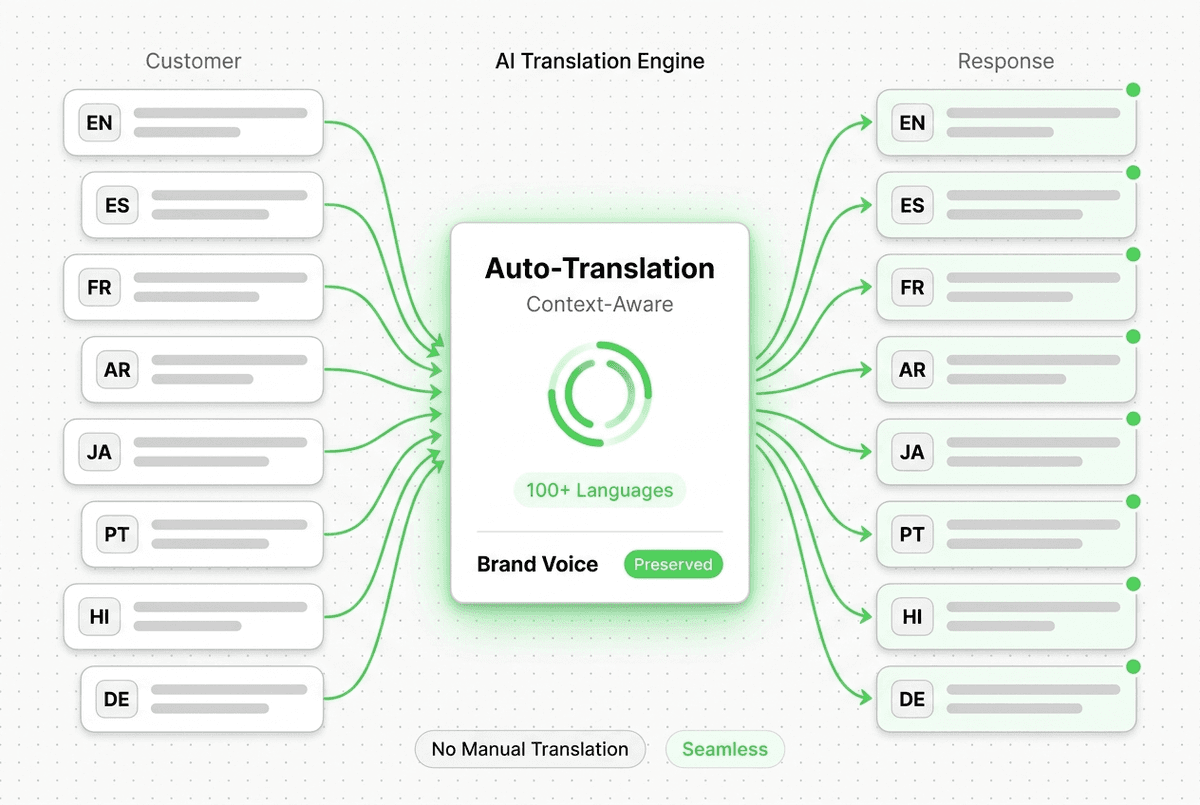
Website and messaging apps
Website, WhatsApp, Instagram, and Facebook - one agent, all channels.
Answers day and night
Reply to routine questions in seconds, even when your team is busy.
Customer details ready for follow-up
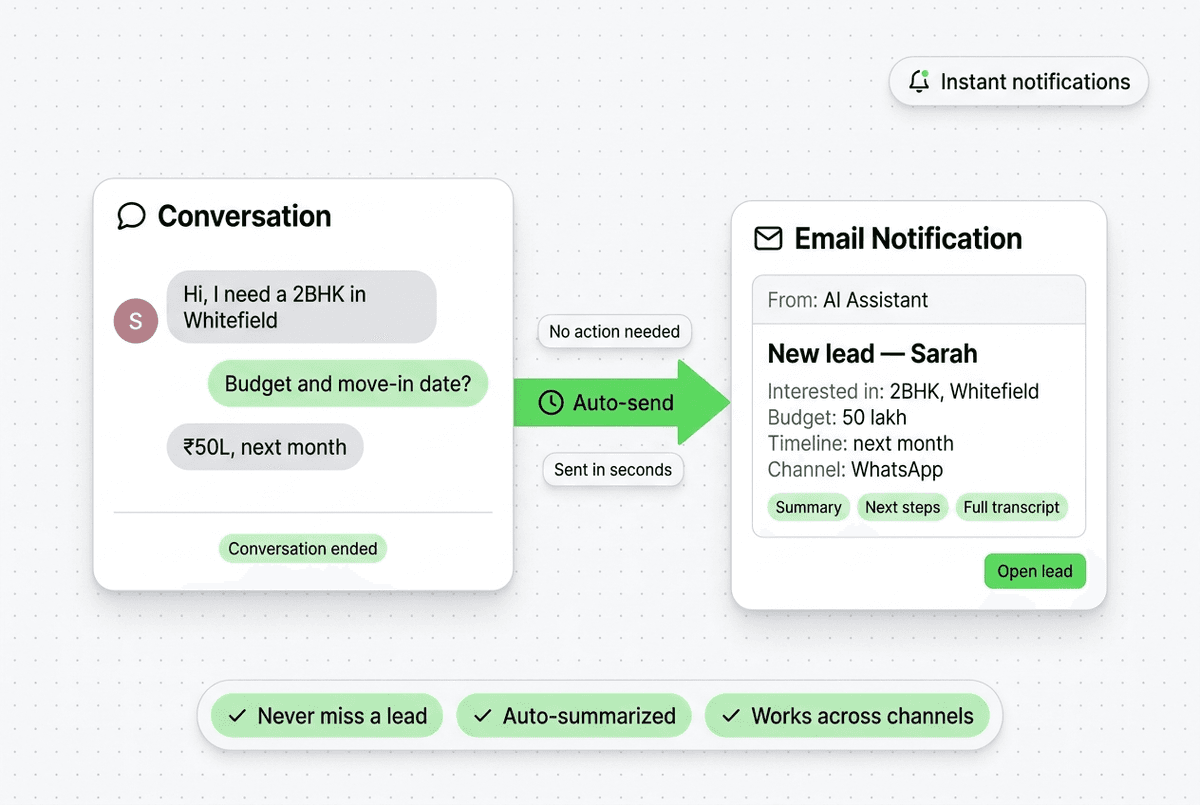
Ask what customers need, collect their contact details, and email your team a summary. Read or export the full conversation when you need it.
Photos, documents, and videos
Share your PDFs, photos, and videos in the chat. Customers can tap to open them.
A chat design that fits your website
Choose your colours, fonts, logo, and chat style.
Templates for your industry
35+ industry templates give you a practical starting point for setup.
Shortcuts to useful pages
Add up to 10 shortcuts to pages such as pricing, booking, and common questions.
See where customers get stuck
See which questions go unanswered, which links get clicks, and where customers leave the chat.
Follow up with customers
One inbox for all messages
View all customer conversations from Website, WhatsApp, Instagram, and Messenger in one place.
- Live Chat Interface
- Conversation History
- Your team can join the conversation
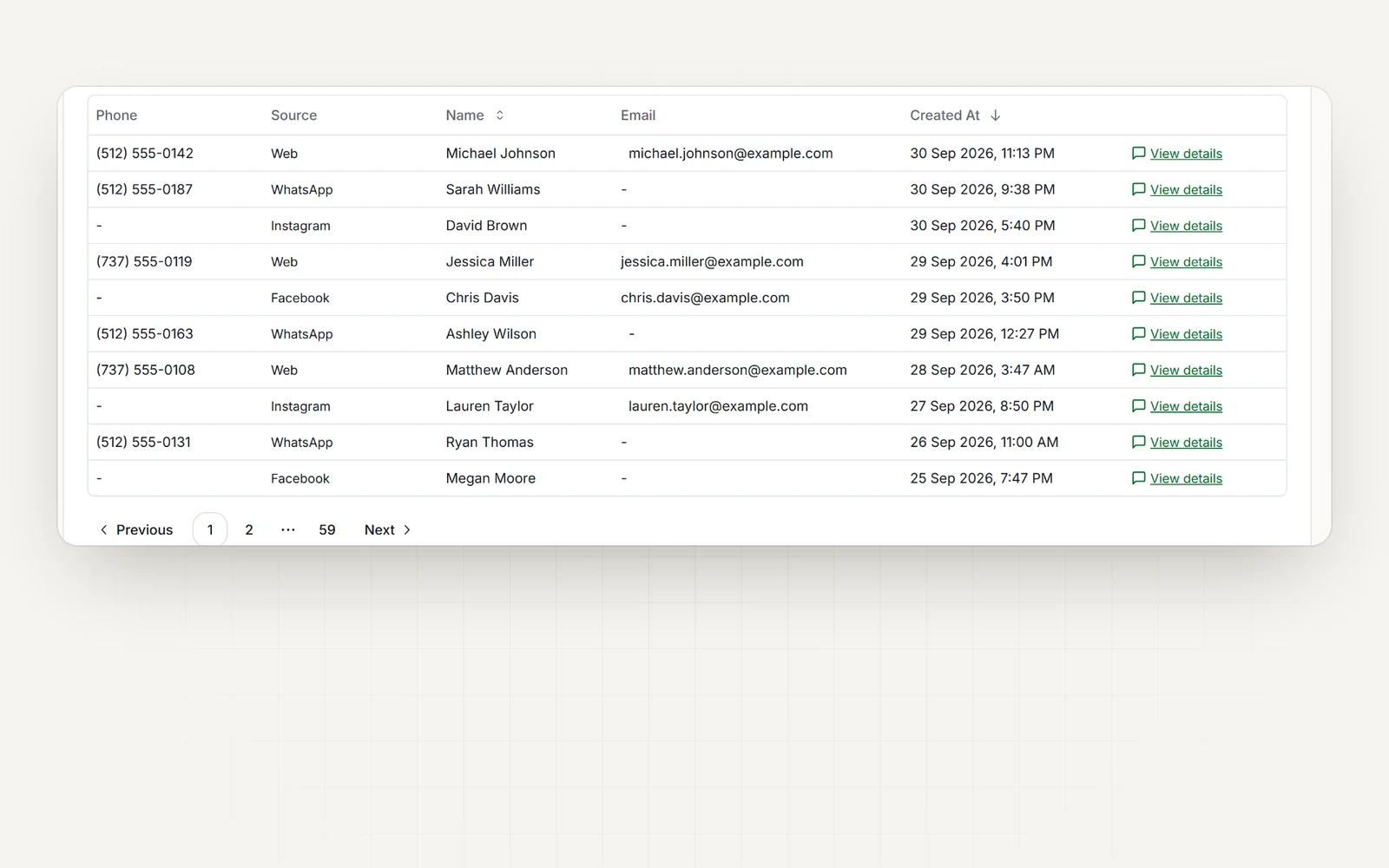
Lead Export
Download your leads and conversation data anytime.
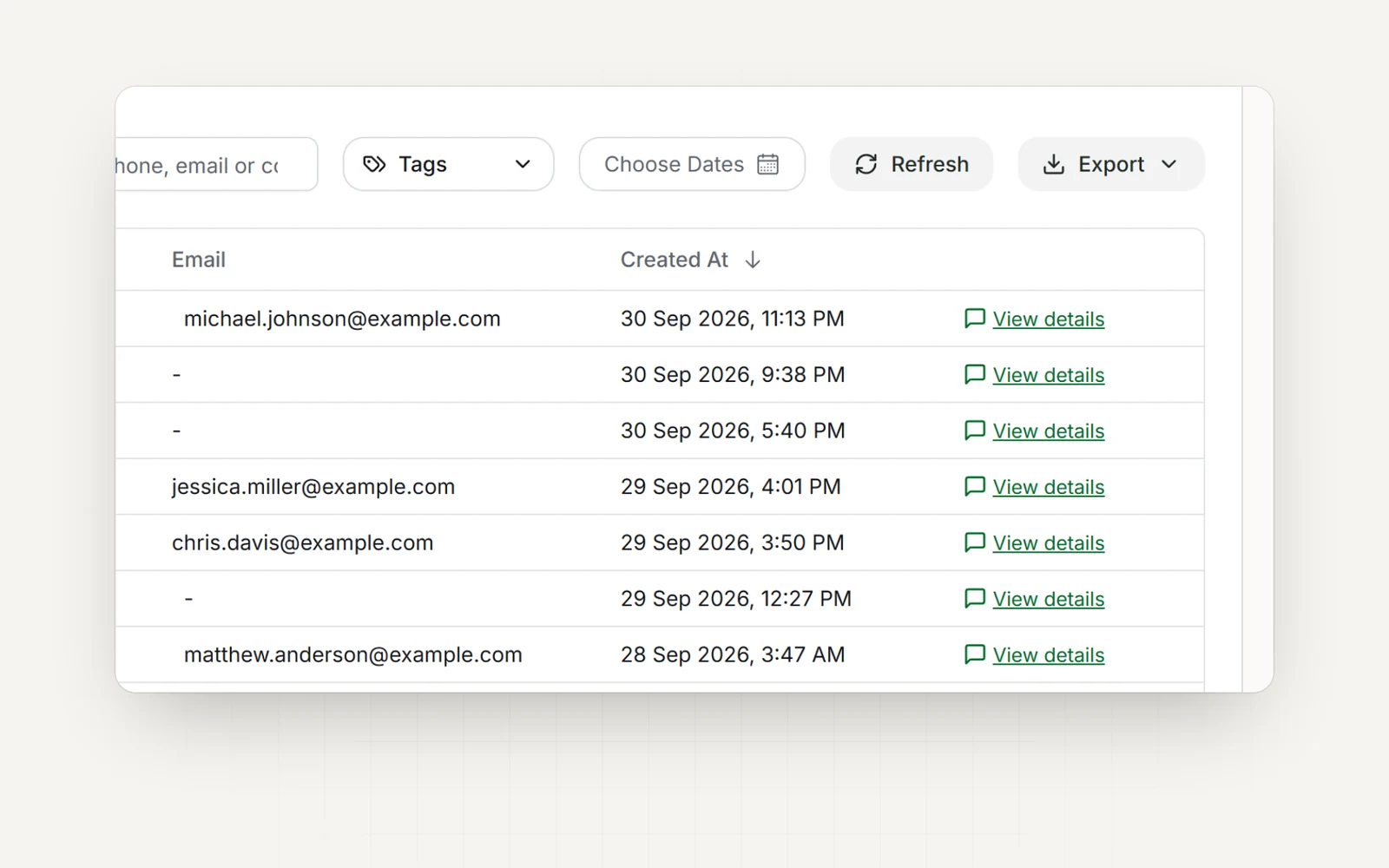
- CSV Export
- Excel Compatibility
- Filter by Date/Source
Email notifications
Get customer details and chat history by email.
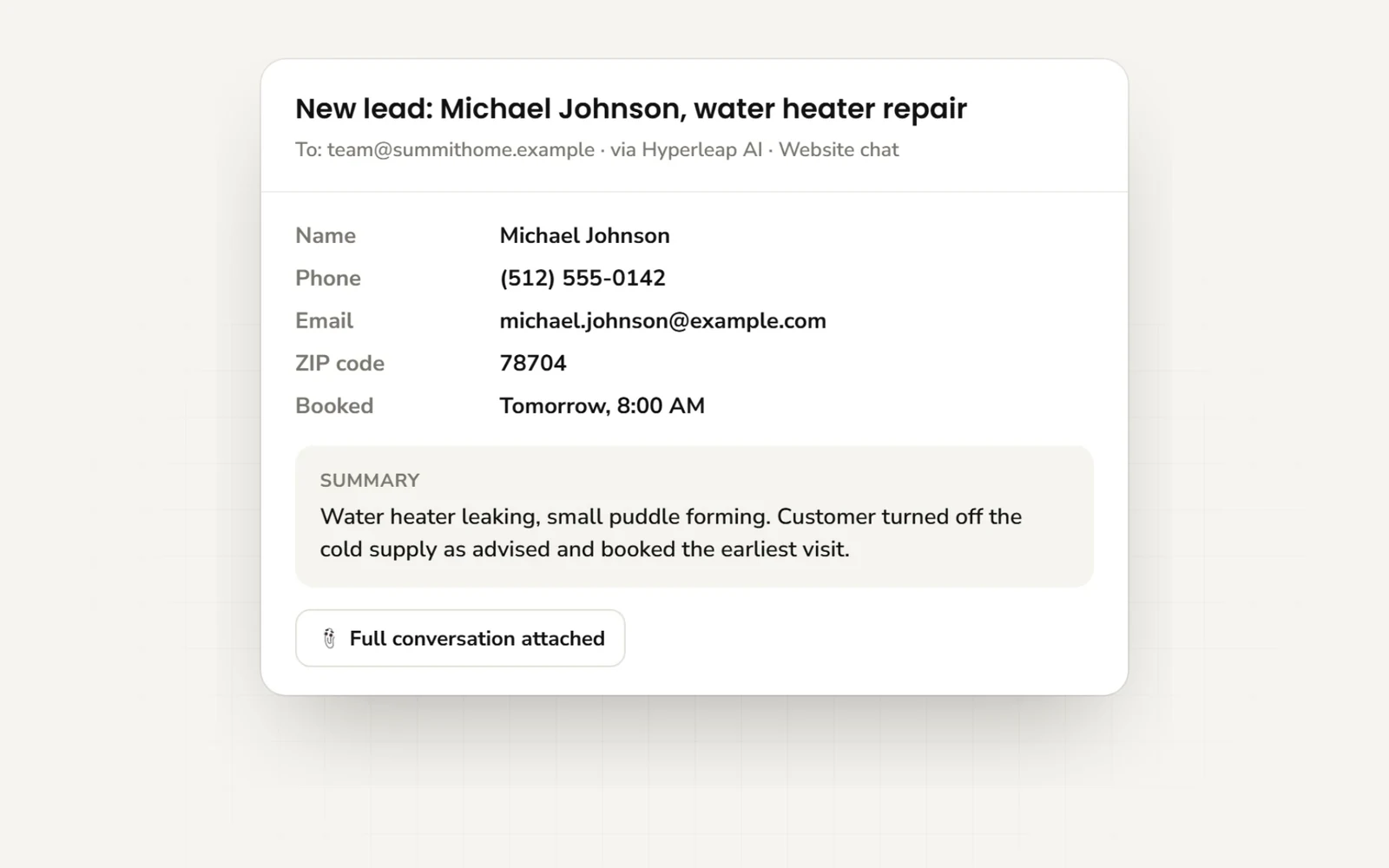
- New lead email (immediate)
- Full chat history, emailed when you choose
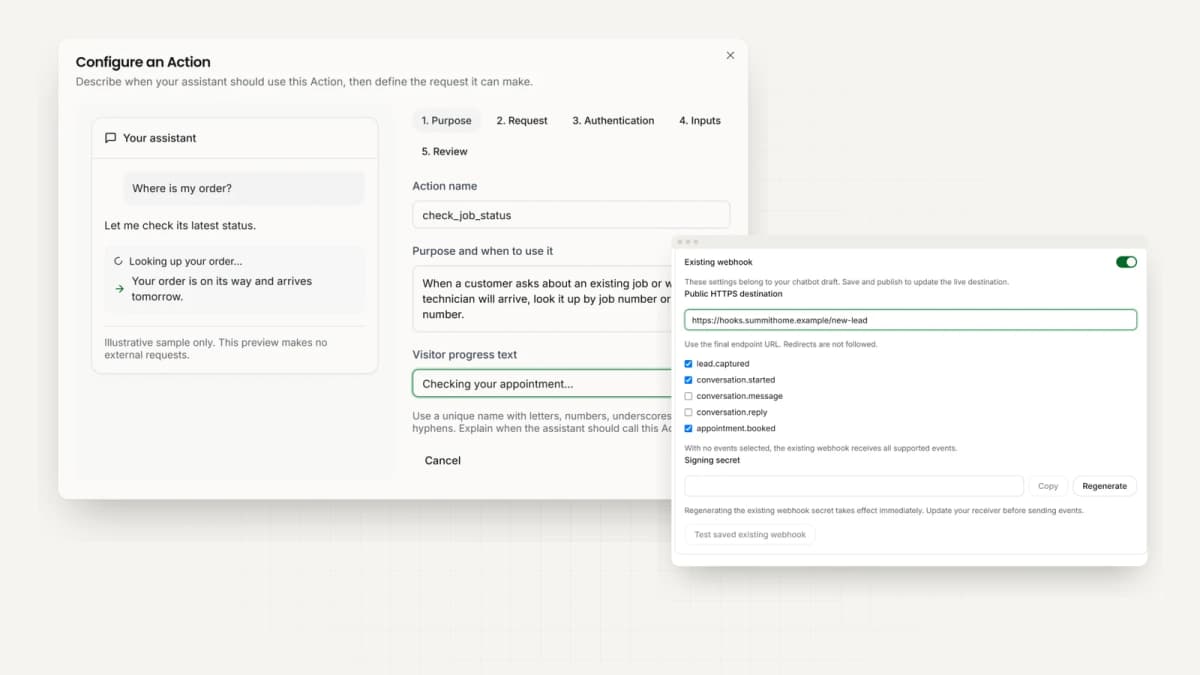
- Custom connections to other tools, with developer help