MCP vs REST API vs Webhooks: Chatbot Data Access
When should you use Model Context Protocol, when REST, and when Webhooks? A practical decision guide for chatbot data access in 2026.

When you connect your chatbot to the rest of your stack — CRM, internal tools, AI assistants, dashboards — the question is never just "can we get the data?" It is "what is the right way to get it?" REST API, Webhooks, and MCP (Model Context Protocol) are not competing standards. They solve different problems, for different consumers, on different timescales. Pick the wrong one and you either poll an API every 30 seconds for something that rarely changes, or you miss a real-time event because you were waiting for a scheduled request.
This guide gives you a clear decision framework: what each primitive is, when each one wins, and how to compose all three when your requirements are complex. If you are evaluating Hyperleap AI's integration options, every scenario below maps directly to what Hyperleap exposes today.
TL;DR — Quick Decision Reference
If you remember nothing else, remember this: route the request to whoever is consuming the data.
| Who or what consumes the data | What they need | Best fit |
|---|---|---|
| An AI agent or AI assistant (Claude Desktop, Cursor, custom LLM app) | Query live data in natural language at conversation time | MCP |
| Your backend or webhook receiver (server-side automation, CRM sync) | Instant notification when something changes | Webhooks |
| A developer building a custom internal tool or dashboard | Full programmatic CRUD access, pagination, filters | REST API |
| A sales team querying pipeline data without writing SQL | Ask questions in plain English, no code required | MCP |
If you want the full reasoning behind each row, read on. If you want to see all three in action against Hyperleap's endpoints specifically, jump to How Hyperleap Exposes All Three.
Who This Guide Is For
This post is written for developers, product teams, and technical founders who are integrating chatbot data into their broader stack. It assumes you know what an API is but may be new to MCP or uncertain about when webhooks are the right call.
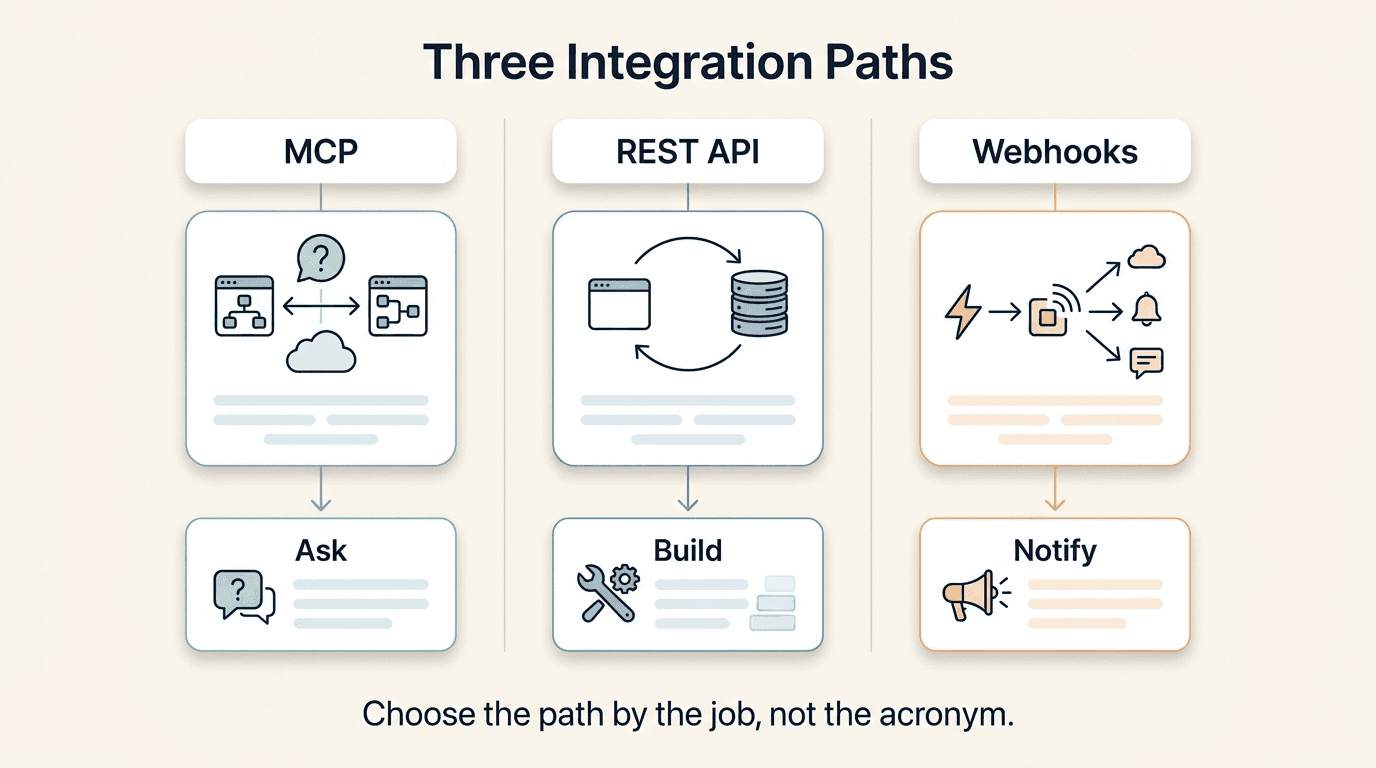
The Three Primitives Explained
Before the decision framework, a clean mental model for each primitive.
REST API: You Pull, When You Want
A REST API is a request-response interface. Your application asks a server a question — "give me the leads from this week" — and the server replies with data. The timing is entirely under your control. You decide when to make the request, what parameters to send, and what to do with the response.
REST is the most familiar primitive for developers. It is predictable, stateless, and works with any HTTP client. The trade-off is that it requires your system to know when to ask. If something changes on the server — a new lead arrives, a conversation closes — your REST client does not know until it polls again. For most dashboard and reporting use cases, that is fine. For real-time automation, it is not.
The authoritative specification for REST is Roy Fielding's original dissertation, but for practical implementation guidance MDN's HTTP documentation is the clearest reference.
Webhooks: The Server Pushes When Something Changes
A webhook inverts the REST model. Instead of your system asking for data, the server sends data to your system the moment something happens. You register a URL endpoint; when an event fires (a lead is created, a message arrives), the server sends an HTTP POST to your URL with the event payload.
Webhooks are ideal for event-driven automation. The latency between an event and your system learning about it is measured in seconds rather than your polling interval. The trade-off is operational complexity: you need a publicly accessible endpoint, idempotent event handling (the same event might be delivered more than once), and some retry / failure logic.
MCP: An AI Client Discovers and Uses Tools at Conversation Time
Model Context Protocol is a newer primitive and the one most teams misunderstand. MCP is an open standard — originally developed by Anthropic and now broadly adopted — that lets AI clients connect to data sources via a defined tool-calling interface.
Here is the key difference: with REST and webhooks, a human developer writes the integration code. With MCP, an AI model (in Claude, ChatGPT, or any other MCP-compatible client) discovers available tools at runtime and decides which to call based on a user's natural language query. The developer registers the MCP server once; after that, the AI figures out how to query it.
If a sales rep asks Claude Desktop "which leads came in this week from our WhatsApp channel and haven't had a follow-up from the team yet?" — Claude calls the MCP server's tools to answer that question. The sales rep wrote no query. The developer wrote no report. For more background on how the protocol works, see What is MCP? A Plain-English Guide.
Five Real Scenarios — Pick the Right Tool
Abstract comparisons are useful. Concrete decisions are better. Here are five scenarios you are likely to actually face when integrating chatbot data into your stack.
Scenario 1: "I want a dashboard showing real-time lead counts"
The need: You want a live view of leads coming in — counts by source, by status, updated as close to real-time as possible.
Why Webhooks win (with a REST fallback): The right architecture here is to listen for lead.captured webhook events and update your dashboard's data store on each event. When the dashboard loads for the first time, use a REST API call to fetch the initial state. After that, webhook events keep the count current without any polling.
If you use REST alone and poll every 60 seconds, you are making unnecessary API calls 99% of the time, and still lagging by up to 60 seconds during burst periods. MCP is the wrong tool here because the consumer is a dashboard server, not an AI client.
Recommendation: Webhooks for real-time updates, REST for initial state hydration.
Scenario 2: "I want to ask in plain English: 'show me hot leads from this week'"
The need: A sales manager wants to query the CRM pipeline conversationally — no SQL, no filters, no UI navigation — just a question typed into their AI assistant.
Why MCP wins: This is exactly the problem MCP was designed to solve. The sales manager opens Claude Desktop or Cursor, types their question, and the MCP client calls the appropriate tool (list_leads, get_crm_dashboard, or extract_lead_insights) to assemble the answer. The manager never touches the Hyperleap UI or writes a query.
REST would require building a query interface. Webhooks cannot answer questions — they only push events. MCP collapses the distance between "I want to know X" and "here is X" to a single natural language sentence.
Recommendation: MCP. See the 9 Hyperleap MCP tools for the exact methods available.
Scenario 3: "I want to sync new leads into Salesforce automatically"
The need: Every time a chatbot conversation captures a lead, you want that lead to appear in Salesforce within seconds, fully populated with conversation context.
Why Webhooks win: This is a textbook webhook use case. When a lead is captured, Hyperleap fires a lead.captured event to your webhook endpoint. Your handler receives the payload (the lead's contact details, tags, and lead-form answers), transforms it to Salesforce's contact schema, and writes it via the Salesforce REST API. Total latency: seconds.
Using REST polling instead would mean Salesforce lags behind by your polling interval, and you burn API quota on empty responses most of the time. Hyperleap's MCP tools don't create or update records, so MCP is not applicable here.
Note: Hyperleap does not currently have a native Salesforce or HubSpot integration. The path today is Webhooks + your own handler. If you are building this, the chatbot CRM integration guide covers the data mapping patterns in detail.
Recommendation: Webhooks → your handler → Salesforce (or any CRM) via their REST API.
Scenario 4: "I want a developer to build a custom internal tool"
The need: Your team wants a custom-built internal app — say, a unified inbox that shows leads, their conversation transcripts, and their pipeline status in one place, built and styled to your exact specifications.
Why REST API wins: A developer building a deterministic application needs deterministic data access. REST gives them exact control: paginate through leads, fetch a specific conversation transcript, filter by date range or status, build the exact UI they want. The API contract is stable; the developer can iterate on the frontend without worrying about unexpected changes in how data arrives.
MCP is non-deterministic — the AI client decides how to call tools, which is great for flexible queries but a poor fit for a production app that needs predictable behavior. Webhooks are useful as a complementary stream but cannot serve as the primary data layer for a CRUD application.
Recommendation: REST API. Start with the Hyperleap developer docs for endpoint reference.
Scenario 5: "I want my whole sales team to query data without learning SQL"
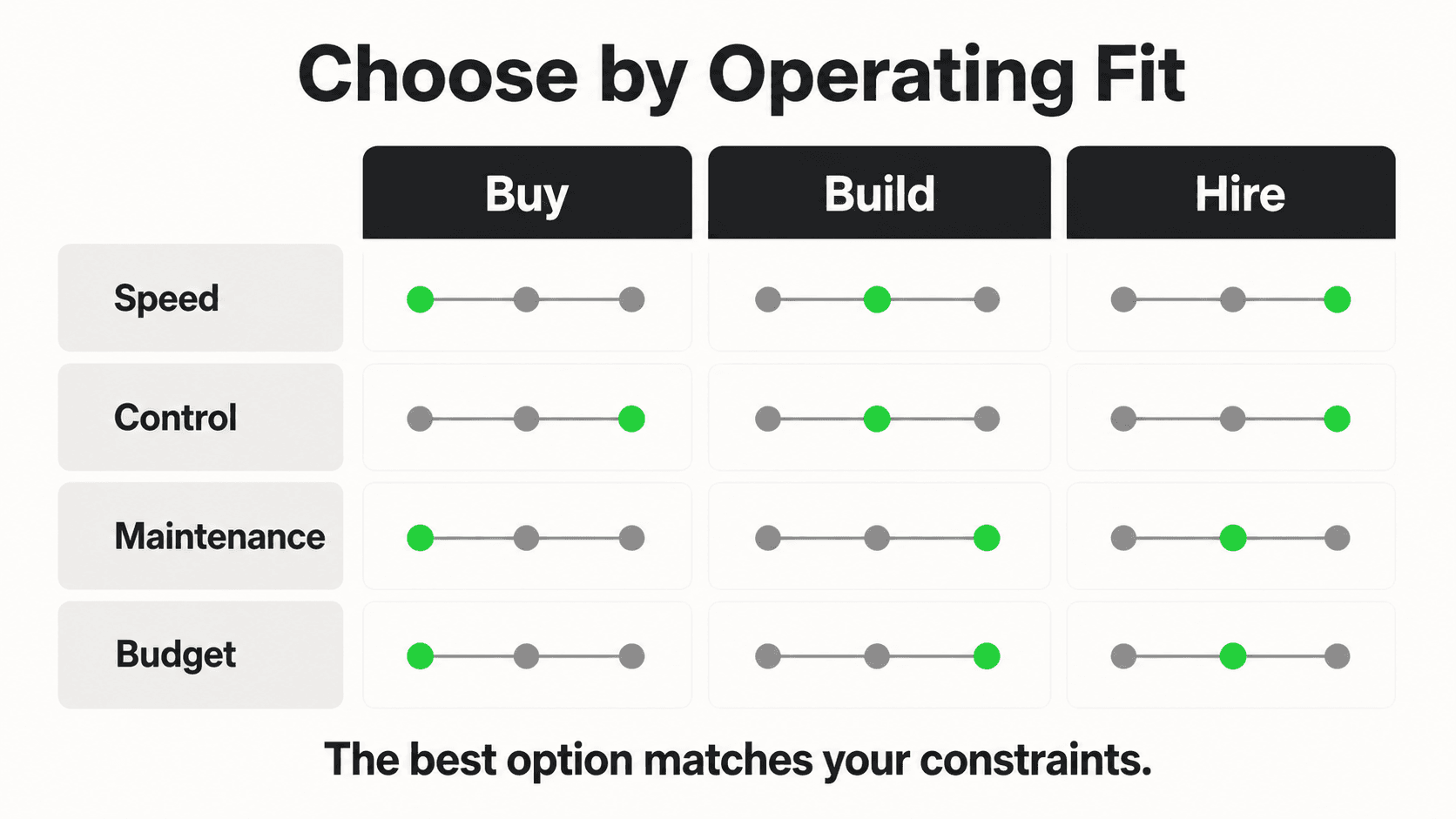
The need: A sales team of 15 people wants to ask ad-hoc questions about the pipeline — "who are our warmest leads this week," "what did this lead say about pricing" — without an analyst in the loop and without a BI tool subscription.
Why MCP wins: MCP turns every team member into a self-sufficient analyst. Connect Claude Desktop (or any MCP-compatible AI client) to your Hyperleap MCP server once. Every team member can then ask questions in natural language and get answers drawn from live CRM data. No SQL training. No BI licensing. No analyst bottleneck.
REST requires a developer to anticipate and build every query path. Webhooks are irrelevant here — there is no event to push. MCP democratizes data access at the team level in a way neither REST nor webhooks can.
Recommendation: MCP. The Hyperleap MCP integration guide covers setup in a few minutes.
Why "Use All Three" Is Usually the Right Answer
The scenarios above present each primitive in its strongest role. In production, sophisticated integrations compose all three because each primitive covers a gap the others leave.
Consider a mid-size sales team using Hyperleap as their chatbot platform. Here is how a well-designed integration might use all three simultaneously:
Webhooks handle the real-time flow. When a lead is captured — someone fills in your chatbot's lead form or verifies with OTP — a lead.captured event fires to the CRM integration handler. Within seconds, a new contact appears in the CRM with the lead's contact details, tags, and lead-form answers. When the lead sends a new message, a conversation.message event fires and can trigger a Slack notification to the assigned rep. The pipeline never goes stale.
REST API powers the deterministic application layer. The custom internal inbox pulls leads via REST, renders transcripts via REST, and gives the team a paginated, filterable view of everything. When a rep clicks into a lead, the app fetches the full conversation history via a specific API call. The behavior is predictable, testable, and versioned.
MCP handles the ad-hoc intelligence layer. Before a sales call, a rep opens Claude Desktop and asks: "What did this lead say about their budget? What objections came up? What should I lead with?" Claude calls extract_lead_insights for the budget and timeline the lead mentioned, get_lead_conversations and get_conversation for the transcript, and get_lead_notes for what the team already knows, then writes a pre-call briefing in plain English. No context switching. No manual CRM research.
The three primitives form a layered system:
- Webhooks keep data current (push)
- REST serves structured application requests (pull)
- MCP serves unstructured human and AI queries (discover + call)
Trying to do everything with one primitive creates awkward compromises. Polling REST to simulate real-time is wasteful. Building every possible query into REST endpoints is expensive to maintain. Making a production app depend on AI-decided tool calls introduces non-determinism. Use each tool for what it is good at.
The Composition Pattern
A common production pattern: Webhooks write to your database in real time. REST reads from that database for application features. MCP reads from the live source for AI-driven queries. Each layer does exactly one job.
How Hyperleap Exposes All Three
Hyperleap AI ships all three primitives today. Here is what each exposes.
MCP Server — 9 Tools That Read Your CRM
Hyperleap hosts its MCP server at https://api.hyperleapai.com/mcp. It gives AI clients that support remote MCP servers with OAuth sign-in — Claude (Desktop, web, and Claude Code), ChatGPT, Cursor, Codex, or a custom client — natural-language access to your CRM data through 9 tools. Each person signs in with their own MCP key from Hyperleap Studio, and it's included on Plus, Pro, and Max.
| Tool | What it returns |
|---|---|
list_leads | A page of leads, newest first, optionally narrowed by name/email/company search, stage, tag, or chatbot |
get_lead_details | Full profile of a single lead, with its insights, notes, and activity |
get_lead_conversations | A lead's conversations with one chatbot |
get_conversation | Full transcript of one conversation by ID |
get_lead_activities | Activity log (stage and tag changes, notes added, edits) |
get_lead_notes | Internal team notes on a lead |
get_pipeline_stages | Stage definitions + lead count per stage |
get_crm_dashboard | Account-wide totals: all leads, new in the last 7 days, per stage, per chatbot, won and lost |
extract_lead_insights | Facts the lead shared (budget, timeline, requirements), extracted from recent conversations and saved to the lead |
None of the 9 tools can create, update, or delete a lead, note, stage, or conversation, or send a message. The one thing any tool saves is the insights extract_lead_insights adds to a lead. This is intentional: it makes the server safe to connect to AI clients without risking accidental changes to your records. list_leads has no date or channel filter, so for "this week" or "WhatsApp only," the AI client pages through recent leads and filters them itself. Full documentation for every tool, including inputs and example prompts, is in the Hyperleap MCP tools reference.
REST API — Full CRUD Access
Hyperleap's REST API gives developers full programmatic access to leads, conversations, pipeline stages, notes, and activities. It supports pagination, filtering, and the full create-read-update-delete lifecycle. Use it when you are building a deterministic application — a custom dashboard, an internal tool, a data pipeline — and need stable, predictable behavior. Documentation lives at hyperleap.ai/developers.
Webhooks — Real-Time Events
Hyperleap fires events to your chatbot's registered webhook endpoint (webhooks are on Pro and Max):
| Event | When it fires |
|---|---|
lead.captured | A visitor submits the lead form or verifies with OTP |
conversation.started | A new conversation is created |
conversation.message | The visitor sends a message |
conversation.reply | The AI sends a reply |
appointment.booked | The chatbot books an appointment in the chat (once booking is enabled for your chatbot) |
Register your endpoint in Hyperleap Studio. Events are delivered via HTTP POST with a JSON payload, signed with HMAC-SHA256 when you set a secret, and Studio has a test-event button and a delivery history. Use these to power real-time CRM sync, rep notifications, or any automation that should happen the moment something changes. The webhooks guide in the Help Center has every payload.
Connect Hyperleap to Your Stack
REST API, Webhooks (Pro and Max), and MCP server — all live today. Start with the developer docs or connect Claude Desktop to your pipeline in under 10 minutes.
Explore Developer IntegrationsDecision Flowchart
Not sure which to use? Walk the tree.
Is the consumer an AI agent or AI assistant querying data in natural language?
├── YES → MCP
└── NO ↓

Does the consumer need to react the moment an event happens (real-time push)?
├── YES → Webhooks
└── NO ↓

Does the consumer need full CRUD or precise deterministic queries?
├── YES → REST API
└── UNSURE → REST API (safe default for application development)
Shortcut version:
- AI client asking questions → MCP
- Server-side automation triggered by events → Webhooks
- Developer building a product → REST API
- All three at once → compose them (see the pattern above)
If you are still uncertain, the safest starting point is REST API. It is the most general-purpose primitive and will cover most integration needs. Add Webhooks when you need real-time push. Add MCP when your team wants natural-language data access.
The Right Primitive for the Right Consumer
The core insight in this guide is deceptively simple: route the request to whoever is consuming the data.
AI clients get MCP — because they need to discover and call tools dynamically at conversation time, not execute pre-written queries. Servers and automation layers get Webhooks — because they need to react to events the moment they happen, not poll for changes. Developers building applications get REST — because they need deterministic, stable, fully controllable access to create, read, update, and delete.
Most real integrations use all three. Webhooks keep the data current. REST serves the application layer. MCP serves the people who want to ask questions without writing code or navigating a UI.
Hyperleap exposes all three today — 9 MCP tools, a full REST API, and real-time webhook events (Pro and Max) — so you can compose the integration that fits your actual use case rather than compromising for the one primitive your platform happens to support.
Frequently Asked Questions
Can I use MCP and REST API at the same time for the same data?
Yes — and in most production deployments you should. MCP is ideal for AI-driven queries and ad-hoc human questions in natural language. REST is ideal for deterministic application code that needs stable, predictable behavior. They read from the same underlying data source; using both simply means different consumers get the interface best suited to their needs.
Is Hyperleap's MCP server safe to connect to AI clients?
Hyperleap's MCP tools read your data; none of them can create, update, or delete a lead, note, stage, or conversation, or send a message. The one thing any tool saves is the insights extract_lead_insights adds to a lead. Connecting the server to an AI client like Claude Desktop or Cursor means the AI can read your leads, conversations, and pipeline data, limited to the chatbots the signed-in person can access in Studio. This design is intentional: it removes the risk of accidental changes from AI tool calls.
What is the difference between MCP and a REST API call made by an AI?
A REST API call made by an AI is hardcoded — a developer decides which endpoint to call, with which parameters. MCP is dynamic: the AI client discovers available tools at runtime and decides which to call based on the user's natural language input. MCP gives the AI flexibility to compose multiple tool calls to answer a complex question, without a developer pre-building each query path.
When should I use webhooks instead of polling the REST API?
Whenever you need to react to events in near-real time and polling latency is unacceptable, use webhooks. If your use case can tolerate a delay equal to your polling interval — for example, a nightly reporting job — REST polling is simpler to implement. For CRM sync, rep notifications, and live dashboards, the latency and wasted API calls from polling make webhooks the right choice.
Does MCP replace the need for a REST API in chatbot integrations?
No. MCP serves AI clients making natural-language queries. REST serves application code making deterministic, programmatic requests. An MCP server is typically backed by the same data that a REST API exposes, but through a different interface. Applications that need predictable behavior, pagination, exact filtering, or write operations require REST. Teams that want conversational data access use MCP alongside REST, not instead of it.
Can Webhooks replace MCP for real-time AI responses?
No — they solve different problems. Webhooks push data to your system when an event fires; they are designed for server-to-server automation. MCP lets an AI client pull the data it needs, at conversation time, in response to a user's question. A webhook could trigger an AI workflow, but MCP is the interface through which that AI workflow reads contextual data on demand.
How do I sync new chatbot leads to my CRM using Hyperleap?
The pattern today is Webhooks + your own handler. When a lead.captured event fires, your handler receives the payload and writes to your CRM via its API. Hyperleap does not currently have a native HubSpot or Salesforce integration — those are in development. For now, the Webhooks + REST path gives you full control over the data mapping. The chatbot CRM integration guide covers the field-mapping patterns in detail.
What MCP clients work with Hyperleap's MCP server?
Any client that implements the Model Context Protocol specification and supports remote servers with OAuth sign-in works with Hyperleap's server. That includes Claude (Desktop, web, and Claude Code), ChatGPT, Cursor, Codex, and custom MCP clients you build. There's nothing to install: you add the server URL and sign in with a personal MCP key. Setup guides are in the Help Center, with walkthroughs for Claude Desktop and Cursor. The MCP tools reference documents every available tool with example prompts and expected responses.
Ready to Connect Your Stack?
Explore Hyperleap's MCP server, REST API, and Webhooks (Pro and Max) — all live, all documented, all composable.
View Developer DocsRelated Articles

Build a Read-Only Sales Agent with Hyperleap MCP
Build a scheduled sales agent on Hyperleap's read-only MCP server: the agent loop, the tools it reads, copy-paste prompts, and an Anthropic SDK example.

Hyperleap MCP API Reference: Tools, Auth, and Errors
Developer reference for the hosted Hyperleap MCP server: OAuth sign-in, every tool's parameters and response fields, pagination, and errors.

Multi-MCP Workflows: Hyperleap + HubSpot + Linear in Claude
Combine Hyperleap, HubSpot, and Linear MCP servers in one Claude workflow that turns chatbot leads into enriched CRM records and follow-up tickets.

Connect Hyperleap MCP to Cursor for Developer Workflows
Step-by-step setup for using Hyperleap's MCP server inside Cursor. Pull live lead data, prototype agents, and debug integrations from your IDE.