Hyperleap MCP API Reference: Tools, Auth, and Errors
Developer reference for the hosted Hyperleap MCP server: OAuth sign-in, every tool's parameters and response fields, pagination, and errors.

TL;DR: Hyperleap hosts its MCP server at https://api.hyperleapai.com/mcp over Streamable HTTP. Clients sign in with OAuth (authorization code with PKCE, plus dynamic client registration), and the sign-in page asks for a personal MCP key created in Hyperleap Studio. The server exposes 9 tools for reading your CRM; none of them can create, edit, or delete leads, notes, stages, or conversations. Most tools return JSON with PascalCase field names; get_conversation returns a plain-text transcript; failures come back as text starting with Error:. This reference documents the endpoint, the sign-in flow, every tool's parameters and response fields, pagination, and errors.
This document is the machine-facing complement to the plain-English tools reference. Where that article explains what each tool does and when to use it in natural language, this reference covers the endpoint, auth flow, parameter names, response fields, pagination, and error behavior a developer needs to wire up an integration programmatically. Read this when you are building a custom MCP client, automating CRM workflows in code, or debugging unexpected tool behavior.
Internal links you will want alongside this reference: MCP overview · Setup guide for Claude · Setup guide for Codex · Tools reference in the Help Center · Developer hub.
Overview
The Hyperleap MCP server implements the Model Context Protocol, an open standard that defines how AI clients discover and invoke typed tools exposed by external servers. Clients with built-in MCP support—Claude (Desktop, web, and Code), Cursor, ChatGPT, and others—connect with no custom code. Custom clients can connect using any MCP SDK that supports remote servers.
| Endpoint | https://api.hyperleapai.com/mcp |
| Transport | Streamable HTTP. The server is stateless, so each request stands on its own. |
| Auth | OAuth 2.1 bearer tokens (see Authentication) |
| Scope | crm:read |
| Plans | Included on every paid plan: Plus, Pro, and Max |
The URL must be exactly https://api.hyperleapai.com/mcp. Other hostnames, including api.hyperleap.ai, will not work. There is no npm package to install and no local process to run—older guides that used npx and a HYPERLEAP_API_KEY environment variable describe a setup that has been retired.
What the Server Can and Cannot Do
All 9 tools read your Hyperleap CRM: leads, conversations, activities, notes, pipeline stages, and aggregate metrics. No tool can create, update, or delete a lead, note, pipeline stage, or conversation, and no tool sends messages.
The one tool with a side effect is extract_lead_insights. It runs an AI model over a lead's conversations, saves the insights it finds to that lead's profile, and records an InsightsExtracted entry in the lead's activity log. Everything else is a pure read.
What a Connection Can See
A connection acts as the person whose MCP key authorized it. Lead-level tools (list_leads, get_lead_details, the conversation, activity, notes, and insight tools) return only leads from chatbots that person can access in Studio, so a team member limited to certain workspaces sees only those leads. The account-level totals in get_crm_dashboard and the lead counts in get_pipeline_stages cover the whole Hyperleap account.
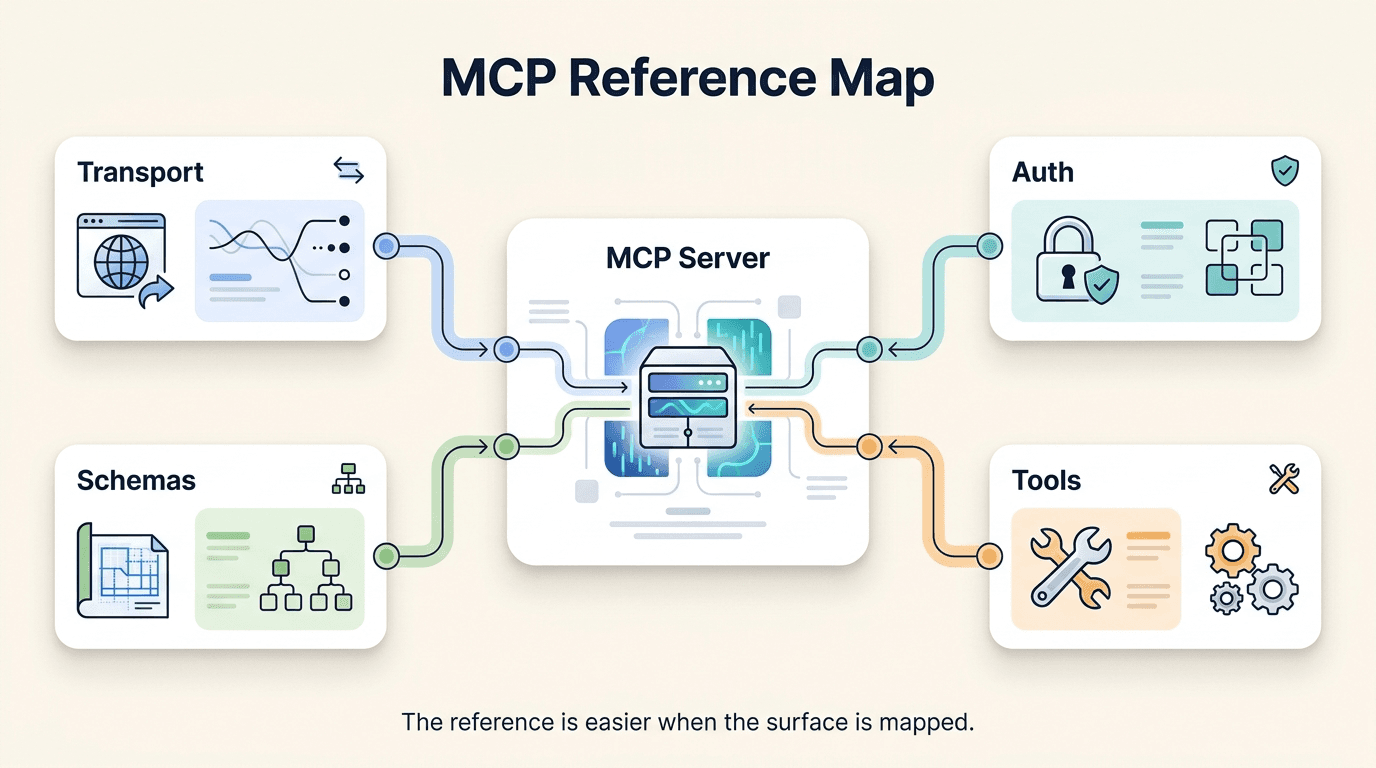
Authentication
MCP Keys
Sign-in uses a personal MCP key:
- Sign in to Hyperleap Studio.
- Click your profile avatar in the top-right corner and choose My MCP Keys.
- Click Create MCP Key, give it a descriptive name (e.g.,
cursor-dev,sales-agent), and click Create. - Copy the key immediately — it is displayed once.
Only personal MCP keys from this menu are accepted. A key belongs to you and to the Hyperleap account you created it in. Create one key per client or integration so you can delete one without affecting the others.
You don't send the MCP key to the MCP endpoint itself. You paste it on Hyperleap's sign-in page, and the OAuth flow turns it into access tokens for your client.
The OAuth Flow
The server follows the MCP authorization spec, so MCP clients with OAuth support discover and run this flow on their own. A request to /mcp without a valid token returns 401 with a WWW-Authenticate header that points to the protected-resource metadata.
| Step | Endpoint |
|---|---|
| Protected-resource metadata | GET https://api.hyperleapai.com/.well-known/oauth-protected-resource |
| Authorization-server metadata | GET https://api.hyperleapai.com/.well-known/oauth-authorization-server |
| Dynamic client registration (RFC 7591) | POST https://api.hyperleapai.com/mcp/register |
| Authorization (shows the "Connect to Hyperleap AI" page) | GET https://api.hyperleapai.com/mcp/authorize |
| Token exchange and refresh | POST https://api.hyperleapai.com/mcp/token |
| Token revocation | POST https://api.hyperleapai.com/mcp/revoke |
Details worth knowing if you're writing your own client:
- PKCE is required, with
code_challenge_method=S256. Requests without it are rejected. - Clients are public. Registration returns a
client_idwithtoken_endpoint_auth_method: none; there is no client secret. - Grant types are
authorization_codeandrefresh_token. The token endpoint takes form-encoded parameters. - Access tokens last 1 hour; refresh tokens last 90 days. A refresh returns a new access token and a new refresh token, so store the latest refresh token each time.
- Send the access token as a bearer token on every request to
/mcp:Authorization: Bearer <access_token>.
Refreshing a token looks like this:
curl -X POST https://api.hyperleapai.com/mcp/token \
  -d grant_type=refresh_token \
  -d refresh_token="$HYPERLEAP_MCP_REFRESH_TOKEN"
The response contains access_token, token_type, expires_in, and refresh_token.
When Tokens Stop Working
A token is rejected with 401 when it has expired or been revoked, when the user it was issued to has been removed from the Hyperleap account, or when the account's subscription is no longer active.
Key and Token Hygiene
- Never commit keys or tokens to source control. Use your CI/CD secret store, a system keychain, or a git-ignored
.envfile. - One key per client or environment, named so you can tell them apart in My MCP Keys.
- Delete keys you no longer use from My MCP Keys, and remove the connector from any client that used them.
- For unattended jobs, store the refresh token as a secret and refresh before each run.
Calling Tools
Tools are invoked with the standard MCP tools/call method over JSON-RPC 2.0. The tool name goes in params.name and its arguments in params.arguments. Argument names are camelCase.
{
  "jsonrpc": "2.0",
  "id": 1,
  "method": "tools/call",
  "params": {
    "name": "list_leads",
    "arguments": {
      "search": "@acmecorp.com",
      "pageSize": 25
    }
  }
}
Every tool returns an MCP CallToolResult with a single text content block:
- JSON text for most tools. Field names are PascalCase (
TotalCount,ExternalUserId,StageName). Parse the text as JSON. - Plain text for
get_conversation, which returns a readable transcript. - An error message beginning with
Error:when something goes wrong (see Errors). Check for this prefix before parsing.
Identifiers
All identifiers are GUIDs:
| ID | Where it comes from | Field name in responses |
|---|---|---|
Lead ID (leadId) | list_leads, get_lead_details | ExternalUserId |
Chatbot ID (chatbotId) | list_leads, get_lead_details, get_crm_dashboard | ChatbotId |
Pipeline stage ID (stageId) | get_pipeline_stages | CrmPipelineStageId |
Conversation ID (conversationId) | get_lead_conversations | ConversationId |
Timestamps are ISO 8601 date-times in UTC. They may not carry a Z suffix, so parse them as UTC rather than local time. The sample values below are shortened for readability.
list_leads
Returns a page of leads, newest first. This is the entry point for most workflows: pipeline scans, finding a lead by name or email, and listing a stage. With no arguments it returns the 20 most recently created leads.
Parameters
| Name | Type | Required | Description |
|---|---|---|---|
search | string | No | Matches leads by name, email, or phone number. |
stageId | string (GUID) | No | Only leads in this pipeline stage. Get IDs from get_pipeline_stages. |
tags | string | No | Only leads whose tags contain this text. |
chatbotId | string (GUID) | No | Only leads captured by this chatbot. |
page | integer | No | Page number, starting at 1. Default 1. |
pageSize | integer | No | Leads per page. Default 20, maximum 50. |
There are no date, channel, or status filters. Leads come back newest first, and each carries CreatedAt and LastActivityAt, so filter by date on the client. For "lost" or "won" leads, find the matching stage with get_pipeline_stages (its IsClosedLost or IsClosedWon flag is true) and pass its ID as stageId.
Returns
{
  "Items": [
    {
      "ExternalUserId": "3f2c9a1e-…",
      "FirstName": "Jordan",
      "LastName": "Reeves",
      "Email": "jordan@acmecorp.com",
      "PhoneNumber": null,
      "CompanyName": "Acme Corp",
      "CrmTags": "enterprise",
      "SenderSource": "…",
      "IsManuallyCreated": false,
      "ChatbotId": "7d41b0c2-…",
      "ChatbotName": "Website Assistant",
      "CrmPipelineStageId": "a90e6f13-…",
      "StageName": "Qualified",
      "StageColor": "…",
      "NoteCount": 1,
      "LastActivityAt": "2026-10-14T09:11:44",
      "TopInsights": [],
      "CreatedAt": "2026-10-12T14:32:07",
      "ModifiedAt": "2026-10-14T09:11:44"
    }
  ],
  "TotalCount": 247,
  "Page": 1,
  "PageSize": 20,
  "TotalPages": 13
}
TopInsights holds up to three of the lead's highest-confidence insights, in the same shape extract_lead_insights returns.
get_lead_details
Returns the full profile of one lead: contact details, stage, tags, the custom data captured by your chatbot's lead form, and the lead's insights, notes, and recent activity in one call.
Parameters
| Name | Type | Required | Description |
|---|---|---|---|
leadId | string (GUID) | Yes | The lead's ExternalUserId. |
Returns
{
  "ExternalUserId": "3f2c9a1e-…",
  "FirstName": "Jordan",
  "LastName": "Reeves",
  "Email": "jordan@acmecorp.com",
  "PhoneNumber": "…",
  "CountryDialCode": "…",
  "CountryIsoCode": "…",
  "CompanyName": "Acme Corp",
  "CrmTags": "enterprise",
  "ConversationTags": "…",
  "CustomData": "…",
  "SenderSource": "…",
  "IsManuallyCreated": false,
  "IsAutoResponsePaused": false,
  "ChatbotId": "7d41b0c2-…",
  "ChatbotName": "Website Assistant",
  "CrmPipelineStageId": "a90e6f13-…",
  "StageName": "Qualified",
  "StageColor": "…",
  "Insights": [],
  "Notes": [],
  "Activities": [],
  "CreatedAt": "2026-10-12T14:32:07",
  "ModifiedAt": "2026-10-14T09:11:44"
}
Insights, Notes, and Activities use the shapes documented under extract_lead_insights, get_lead_notes, and get_lead_activities. CustomData is a string holding whatever your lead form collected.
get_lead_conversations
Lists a lead's conversations with one chatbot. Each item is conversation metadata; to read the messages, pass a ConversationId to get_conversation.
Parameters
| Name | Type | Required | Description |
|---|---|---|---|
leadId | string (GUID) | Yes | The lead's ExternalUserId. |
chatbotId | string (GUID) | Yes, in practice | The chatbot the lead talked to. The schema marks it optional, but the tool returns an error without it. Use the lead's ChatbotId from list_leads or get_lead_details. |
Returns
{
  "Data": [
    {
      "ConversationId": "8b1e44d0-…",
      "ConversationName": "Pricing question",
      "ConversationStatus": "…",
      "ChatMessagesCount": 12,
      "Model": "…",
      "IsActive": false
    }
  ],
  "ContinuationToken": null
}
Each item carries more metadata than shown here; the fields above are the useful ones. The tool returns up to 50 conversations per call and has no parameter for fetching further pages.
get_conversation
Returns one conversation's full transcript as plain text. System messages (including your chatbot's prompt) are never included.
Parameters
| Name | Type | Required | Description |
|---|---|---|---|
conversationId | string (GUID) | Yes | A ConversationId from get_lead_conversations. |
Returns
Conversation: Pricing question
ID: 8b1e44d0-…
Status: …
Model: …
Messages: 12
Active: False

--- TRANSCRIPT ---
[2026-10-12 14:32] Visitor: Do you integrate with WhatsApp?

[2026-10-12 14:32] Assistant: Yes. We connect to WhatsApp through Meta's official Business API…
Each message line starts with its timestamp (yyyy-MM-dd HH:mm) and its role: Visitor for the customer, Assistant for everything else.
get_lead_activities
Returns a lead's activity log, newest first: stage changes, notes added, insight extractions, conversation events, and other CRM events.
Parameters
| Name | Type | Required | Description |
|---|---|---|---|
leadId | string (GUID) | Yes | The lead's ExternalUserId. |
count | integer | No | How many activities to return. Default 50, maximum 100. |
Returns
[
  {
    "CrmActivityLogId": "c5d2e8a7-…",
    "ActivityType": "InsightsExtracted",
    "Description": "…",
    "Metadata": "…",
    "CreatedBy": null,
    "CreatedAt": "2026-10-14T09:11:44"
  }
]
Metadata is a string; for some activity types (such as stage changes) it carries extra detail like the from and to stage. There is no filter by activity type, so filter the array on the client.
get_lead_notes
Returns the notes your team has written on a lead. Notes are internal; the lead never sees them.
Parameters
| Name | Type | Required | Description |
|---|---|---|---|
leadId | string (GUID) | Yes | The lead's ExternalUserId. |
Returns
[
  {
    "CrmLeadNoteId": "e1a7f9b4-…",
    "Content": "Called Jordan. Evaluating three vendors, deciding by end of quarter.",
    "CreatedBy": "52c8d3f6-…",
    "CreatedByName": "Sam Patel",
    "CreatedAt": "2026-10-14T11:06:00",
    "ModifiedAt": null
  }
]
get_pipeline_stages
Returns your pipeline's stages in display order, with the number of leads in each. Use it to look up a stageId for list_leads, or for a one-call view of how leads are spread across the funnel. Lead counts cover the whole account.
Parameters
This tool takes no parameters.
Returns
[
  {
    "CrmPipelineStageId": "a90e6f13-…",
    "Name": "Qualified",
    "DisplayOrder": 3,
    "Color": "…",
    "IsDefault": false,
    "IsClosedWon": false,
    "IsClosedLost": false,
    "LeadCount": 19
  }
]
New accounts start with the stages New, Contacted, Qualified, Proposal, Won, and Lost. IsDefault marks the stage new leads land in.
get_crm_dashboard
Returns account-wide CRM metrics: totals, this week's new leads, the spread across stages and chatbots, recent activity, and win/loss counts. It takes no date range; for custom periods, page through list_leads and filter on CreatedAt.
Parameters
This tool takes no parameters.
Returns
{
  "TotalLeads": 312,
  "NewLeadsThisWeek": 21,
  "LeadsByStage": [
    { "StageId": "a90e6f13-…", "StageName": "Qualified", "StageColor": "…", "Count": 19 }
  ],
  "LeadsByChatbot": [
    { "ChatbotId": "7d41b0c2-…", "ChatbotName": "Website Assistant", "Count": 188 }
  ],
  "RecentActivities": [],
  "ConversionRate": 72.5,
  "WonCount": 29,
  "LostCount": 11
}
ConversionRate is a percentage of closed leads: won ÷ (won + lost) × 100, rounded to one decimal place, or 0 when nothing has closed yet. RecentActivities uses the get_lead_activities shape.
extract_lead_insights
Runs an AI model over a lead's conversations and returns structured insights: contact details the lead mentioned, location, topics, intent, and sentiment. Unlike the other tools, it does work rather than just reading stored data, so it takes longer to respond. It also saves the insights to the lead's profile, where get_lead_details and list_leads return them afterwards.
Parameters
| Name | Type | Required | Description |
|---|---|---|---|
leadId | string (GUID) | Yes | The lead to analyze. |
Returns
[
  {
    "CrmLeadInsightId": "f04b6c19-…",
    "Key": "…",
    "Value": "…",
    "Category": "…",
    "Confidence": 0.9,
    "SourceConversationId": "8b1e44d0-…",
    "CreatedAt": "2026-10-14T09:11:44",
    "ModifiedAt": null
  }
]
Each insight is a key–value pair with a category and a confidence score between 0 and 1. Because each call runs a model, call it for the leads you care about rather than across the whole pipeline. Once a lead has insights, get_lead_details returns them without running the model again.
Pagination
Only list_leads pages its results. Pass page (starting at 1) and pageSize (up to 50), and use TotalPages from the response to know when to stop:
async function fetchAllLeads(
  callTool: (name: string, args: Record<string, unknown>) => Promise<string>,
  filters: Record<string, unknown> = {}
) {
  const results: unknown[] = [];
  let page = 1;
  let totalPages = 1;

  do {
    const text = await callTool("list_leads", { ...filters, page, pageSize: 50 });
    if (text.startsWith("Error:")) throw new Error(text);
    const data = JSON.parse(text) as { Items: unknown[]; TotalPages: number };
    results.push(...data.Items);
    totalPages = data.TotalPages;
    page++;
  } while (page <= totalPages);

  return results;
}
Pages are computed per request, so a lead created while you're paging can shift later pages by one. Because results are newest first, stop paging as soon as you reach leads older than the period you care about. For real-time new-lead detection, use Hyperleap webhooks (Pro and Max) rather than polling list_leads.
get_lead_conversations returns up to 50 conversations and get_lead_activities up to 100 activities per call; neither has further pages.
Errors
Errors arrive at two levels.
HTTP Errors
| Status | Cause | What to do |
|---|---|---|
401 | Missing, expired, or revoked access token; the user was removed from the account; or the account's subscription is no longer active. | Refresh the access token. If refreshing fails, run the sign-in flow again. |
429 | Too many requests in a short window. The API applies a request-rate limit to every client. | Back off and retry. Honor the Retry-After header if present. |
5xx | A server-side problem. | Retry once after a short wait. If it persists, email support@hyperleap.ai. |
Tool Errors
When a tool can't complete, the request still succeeds at the HTTP level and the tool returns a text result that starts with Error:. Common ones:
| Message | Meaning |
|---|---|
Error: Invalid lead ID format. | leadId isn't a GUID. Use an ExternalUserId. |
Error: chatbotId is required to fetch lead conversations. | get_lead_conversations was called without chatbotId. |
Error: Lead not found or access denied. | The lead doesn't exist, or the signed-in user can't see its chatbot. |
Error: Conversation not found or access denied. | The conversation doesn't exist, or the user can't see its chatbot. |
Error extracting insights: … | Insight extraction failed for this lead. Retry later. |
MCP clients pass these messages to the model, which usually explains the problem or corrects its arguments and tries again. If you call tools from your own code, check for the Error prefix before parsing JSON.
Handling 429 Responses
Apply exponential backoff with jitter:
async function callWithRetry<T>(fn: () => Promise<T>, maxAttempts = 5): Promise<T> {
  for (let attempt = 0; ; attempt++) {
    try {
      return await fn();
    } catch (err: unknown) {
      const status = (err as { status?: number }).status;
      if (status !== 429 || attempt === maxAttempts - 1) throw err;
      const baseDelay = 2 ** attempt * 1000; // 1s, 2s, 4s, 8s…
      const jitter = Math.random() * baseDelay * 0.25;
      await new Promise((r) => setTimeout(r, baseDelay + jitter));
    }
  }
}
How the status appears on an error depends on your MCP client library; adapt the check to it.
Changes and Compatibility
Because Hyperleap hosts the server, there is nothing to install or pin. Clients discover the current tool list and input schemas at connect time through the standard tools/list method, so your client always sees what the server supports today. If you hard-code argument names or parse response fields, re-check them against tools/list and this reference when you upgrade your integration.
Frequently Asked Questions
Can I use the MCP server with a custom client that is not Claude or Cursor?
Yes. Any client that supports remote MCP servers over Streamable HTTP with OAuth can connect. SDKs exist for TypeScript, Python, and other languages — see modelcontextprotocol.io for the current list. For OpenAI Codex, follow the Codex setup guide.
Is there a local or stdio version of the server?
No. Hyperleap's MCP server is hosted only. Earlier guides described an npx package started by your MCP client; that setup is retired. Point your client at https://api.hyperleapai.com/mcp instead.
Why can't the tools create or update records? Will write tools be added?
The server is designed for reading and analysis — briefing an AI before a call, generating pipeline reports, reviewing chatbot transcripts. Changes to leads, stages, and notes stay in Hyperleap Studio and the REST API. This keeps the integration safe to use in exploratory AI sessions. The only thing a tool saves is the insights extract_lead_insights produces.
How does an MCP key differ from a REST API key?
They are separate. An MCP key is personal: it's created from your profile menu, it acts as you, and it's used only to sign in on Hyperleap's MCP connect page. REST API keys are managed separately and authenticate calls to the REST API.
How do I run the MCP server from an unattended job?
Complete the sign-in flow once with an MCP client, store the refresh token as a secret, and exchange it at /mcp/token at the start of each run. Save the new refresh token the response returns. See Build a Sales Agent with Hyperleap MCP for a worked example.
Does extract_lead_insights re-run every time I call it?
Yes. Each call runs the model again and updates the lead's saved insights. To read insights without re-running the model, call get_lead_details, or use the TopInsights field in list_leads.
What is the difference between get_lead_conversations and get_conversation?
get_lead_conversations returns a list of conversations for a lead and chatbot — names, status, and message counts, without the messages. get_conversation returns the full transcript of one conversation. A typical pattern is to call get_lead_conversations to find the conversation you want, then get_conversation with its ID.
Can I filter get_lead_activities by activity type?
No. It returns the most recent activities of every type, newest first. Filter the returned array on the client.
Where do I find the rate limit for my plan?
The rate limit isn't tied to your plan; it's a request-rate limit the API applies to every client to protect service stability. Interactive use is unlikely to reach it. If a batch job does, slow it down and retry 429 responses with backoff.
Get Started
Ready to connect? The MCP setup guide walks you through connecting Claude in under five minutes, and Connect Hyperleap MCP to Cursor covers Cursor. For the plain-English tools reference — what each tool does and when to use it — see The 9 Hyperleap MCP Tools, Explained with Real Prompts. For multi-server composition patterns, see Multi-MCP Workflows: Hyperleap + HubSpot + Linear.
Related Articles

Build a Read-Only Sales Agent with Hyperleap MCP
Build a scheduled sales agent on Hyperleap's read-only MCP server: the agent loop, the tools it reads, copy-paste prompts, and an Anthropic SDK example.

Multi-MCP Workflows: Hyperleap + HubSpot + Linear in Claude
Combine Hyperleap, HubSpot, and Linear MCP servers in one Claude workflow that turns chatbot leads into enriched CRM records and follow-up tickets.

Connect Hyperleap MCP to Cursor for Developer Workflows
Step-by-step setup for using Hyperleap's MCP server inside Cursor. Pull live lead data, prototype agents, and debug integrations from your IDE.

The 9 Hyperleap MCP Tools, Explained with Real Prompts
Every tool in Hyperleap's hosted MCP server in plain English: what each one reads, the inputs it takes, prompts to try, and sample responses.