Build a Sales Agent with Hyperleap MCP (Read-Only, Scheduled, Safe)
A hands-on guide to building a non-interactive sales agent on top of Hyperleap's read-only MCP server — the agent loop, the tools it uses, example prompts, and how to schedule or trigger it.

TL;DR: A "sales agent" built on Hyperleap's MCP server is a non-interactive Claude run that wakes up on a schedule (or a trigger), reads your chatbot pipeline through the 9 read-only MCP tools, reasons over what it finds, and emits a structured output — a morning digest, a ranked follow-up queue, a loss-pattern summary. Because every Hyperleap MCP tool is read-only, the agent observes but never writes to your CRM, so a hallucinated argument produces a wrong answer, never corrupted data. This guide covers the agent loop, the read-only tool surface it draws on, copy-paste prompts, the Anthropic SDK skeleton, and how to schedule or event-trigger it with cron, Prefect, Temporal, or Airflow.
What "Sales Agent" Actually Means Here
The word "agent" is overloaded, so let's be precise. In this guide a sales agent is a non-interactive Claude run that you don't sit in front of. Where the patterns in our AI-native sales team guide describe a human asking questions in Claude Desktop, a sales agent removes the human from the loop for routine, repeating work. It runs on a schedule, calls the same Hyperleap MCP tools a person would, and hands you a finished artifact instead of a chat window.
It is the difference between asking "who came in overnight?" every morning and having a digest of exactly that waiting in your inbox at 7:30 AM — written by Claude, drawn from live pipeline data, with the three highest-intent leads already summarized.
One constraint shapes everything that follows: Hyperleap's MCP server is strictly read-only. It exposes nine tools — leads, conversations, activities, notes, pipeline stages, dashboard metrics, and LLM-extracted insights — and zero write methods. That is not a feature gap; it is the property that makes an unattended agent safe to run. You are letting Claude execute tool calls without a human reviewing each one, so the blast radius of a mistake matters. With a read-only surface, the worst an agent can do is read something it didn't need to. It cannot move a lead to the wrong stage, overwrite a note, or fire a downstream webhook.
Who This Guide Is For
Developers and RevOps engineers who already have the Hyperleap MCP server connected. If you haven't connected yet, start with Connect Hyperleap to Claude Desktop, then come back. Familiarity with the 9 MCP tools and basic Python is assumed.
The Agent Loop
Every useful sales agent reduces to the same four-phase loop. Keep this shape in mind — it's what you're implementing whether you run it from a shell script or a workflow orchestrator.
1. TRIGGER   →  cron schedule, webhook, or threshold crossing
2. GATHER    →  read-only MCP tool calls against Hyperleap
3. REASON    →  Claude synthesizes the gathered context
4. EMIT      →  structured output: email / Slack / file / ticket
Notice what is not in the loop: a write back to Hyperleap. The agent's job ends at EMIT. If a human (or a separate, write-capable system) needs to act on the output, that happens downstream — outside the read-only boundary. This separation is deliberate. It keeps the agent auditable: the MCP tool-call log is a complete record of every piece of data the agent touched, and you never have to ask "did it change anything?" because it structurally cannot.
The GATHER phase is where the Hyperleap MCP tools do the work. A morning-digest agent gathers differently than a loss-review agent, but both compose the same primitives.
The Read-Only Tools Your Agent Will Use
You don't call these tools directly — Claude resolves your natural-language instruction to the right tool call. But you should know the palette so you can write instructions the agent can actually satisfy. All nine are read-only.
| Tool | What the agent reads | Typical agent use |
|---|---|---|
list_leads | Filtered, paginated lead list | The entry point for almost every agent — scope the work |
get_lead_details | One lead's full profile | Enrich a flagged lead before summarizing |
get_lead_conversations | A lead's chatbot conversations | Understand what the lead actually asked |
get_conversation | Verbatim transcript by ID | Pull exact quotes for a coaching brief |
get_lead_activities | Chronological activity timeline | Detect "went silent after demo" patterns |
get_lead_notes | Internal team notes | Avoid re-flagging a lead a rep already handled |
get_pipeline_stages | Stage definitions + live counts | One-call pipeline snapshot |
get_crm_dashboard | Aggregate metrics for a date range | Trend lines for a weekly summary |
extract_lead_insights | LLM-extracted intent, objections, next-best-action | The high-leverage call — turn raw data into a decision |
A note on extract_lead_insights: it synthesizes across conversations, activities, and notes, so it is the most expensive call by latency and usage. Agents should reserve it for the handful of leads that clear an earlier filter — never run it across the whole pipeline. The tools reference documents each tool's parameters and response shape in full.
No Write Tools Exist — Design For It
There is no create_lead, update_stage, or add_note in the Hyperleap MCP server. If your agent's job description includes "and then update the lead," that step lives outside the agent — in your CRM UI or against the Hyperleap REST API, which does support writes. Don't write a prompt that asks the agent to perform a write; it has no tool to satisfy it.
Three Agents Worth Building
Start with one. Get its output trustworthy, then add the next. Here are the three highest-value sales agents, each with the instruction you'd hand Claude.
Agent 1: The Morning Digest

The single most valuable agent for a founder or sales lead. Runs once a day before work, reads overnight pipeline movement, and emails a ranked brief.
You are a sales digest agent. Using the Hyperleap MCP tools, do the following:

1. Call get_crm_dashboard for the last 24 hours to get volume and channel
   breakdown.
2. Call list_leads filtered to leads created in the last 24 hours, status
   "new", sorted by most recent.
3. For the top 5 leads only, call extract_lead_insights to get buying intent,
   objections, and next-best-action.

Then write a digest with:
- A one-line pipeline summary (X new leads overnight, top channel).
- A ranked list of the up-to-5 hottest leads. For each: name, what they
  asked about, inferred intent, and the single next step.

Keep it under 200 words. Do not invent leads or details not present in the
tool results. If fewer than 5 leads came in, only summarize what exists.
The "do not invent" guardrail matters more in an unattended agent than in a live chat, where a human would catch a fabrication. State it explicitly every time.
Agent 2: The Stalled-Lead Sweeper
Catches high-intent leads that have gone quiet — the leads most likely to be lost to neglect.
You are a pipeline-hygiene agent. Using the Hyperleap MCP tools:

1. Call get_pipeline_stages to find the "Demo Scheduled" stage ID.
2. Call list_leads filtered to that stage with created_before set to 7 days
   ago — leads that have been sitting in the hot stage too long.
3. For each, call get_lead_activities and check the most recent activity
   timestamp, and get_lead_notes to see if a rep has already logged a
   follow-up.

Output a table of leads where the last activity is more than 5 days old AND
there is no recent follow-up note. Columns: lead name, days since last
activity, assigned rep, last thing they asked about. If the list is empty,
say "No stalled leads — pipeline is clean."
This agent reads get_lead_notes specifically to avoid nagging about a lead a rep already worked — the kind of context a naive filter would miss.
Agent 3: The Weekly Loss-Pattern Brief
Runs every Friday, reads the week's lost leads, and finds the recurring reason.
You are a win/loss analyst agent. Using the Hyperleap MCP tools:

1. Call list_leads with status "lost", created_after the start of this week.
2. For each lost lead, call get_lead_conversations to read what they
   originally asked about, and get_lead_activities to see where contact
   stopped.

Synthesize a single paragraph: how many leads were lost, the most common
point at which they went silent (e.g., after demo, after pricing), and the
two most frequent objection themes — quoting actual phrasing where the
transcripts support it. Flag any lead that was lost with no recorded
follow-up. Ground every claim in the tool results.
Always Cap the Batch Size
Unattended agents can paginate through your entire lead database if you let them — burning rate limit and tokens. Put an explicit ceiling in every instruction ("top 5 leads," "this week only"). The agent has no human watching the call count, so the limit has to live in the prompt.
Building It With the Anthropic SDK
Claude Desktop is for the human-in-the-loop workflows. For a scheduled agent you run Claude non-interactively through the Anthropic SDK with the Hyperleap MCP server attached. Here is the minimal skeleton — one agent, one run.
import anthropic

client = anthropic.Anthropic()

# Attach the Hyperleap MCP server (read-only) at run time.
mcp_servers = [
    {
        "type": "stdio",
        "command": "npx",
        "args": ["-y", "@hyperleap-ai/mcp-server"],
        "env": {"HYPERLEAP_API_KEY": "hlai_live_..."},
    }
]

DIGEST_INSTRUCTION = """
You are a sales digest agent. Using the Hyperleap MCP tools, summarize the
leads that came in over the last 24 hours. Call get_crm_dashboard for volume,
list_leads for the new leads, and extract_lead_insights on the top 5 only.
Return a ranked brief under 200 words. Do not invent any lead or detail not
present in the tool results.
"""

response = client.beta.messages.create(
    model="claude-opus-4-5",
    max_tokens=4096,
    mcp_servers=mcp_servers,
    messages=[{"role": "user", "content": DIGEST_INSTRUCTION}],
    betas=["mcp-client-2025-04-04"],
)

digest = "".join(
    block.text for block in response.content if block.type == "text"
)
print(digest)
# → hand `digest` to your EMIT step: send_email(...), post_to_slack(...), etc.
SDK Shape Changes — Verify Before Shipping
MCP support in the Anthropic SDK is still evolving. The exact mcp_servers parameter shape and the beta header above reflect the SDK's general pattern, not a frozen contract. Check the Anthropic MCP documentation for the current beta identifier before deploying. The package name @hyperleap-ai/mcp-server and your API key prefix should also be confirmed against your workspace's Settings → API Keys.
The EMIT step is intentionally outside the SDK call. The agent produces text; what you do with that text — email, Slack, a Markdown file, a ticket — is plumbing you own. Keep it separate so the read-only reasoning stays cleanly testable.
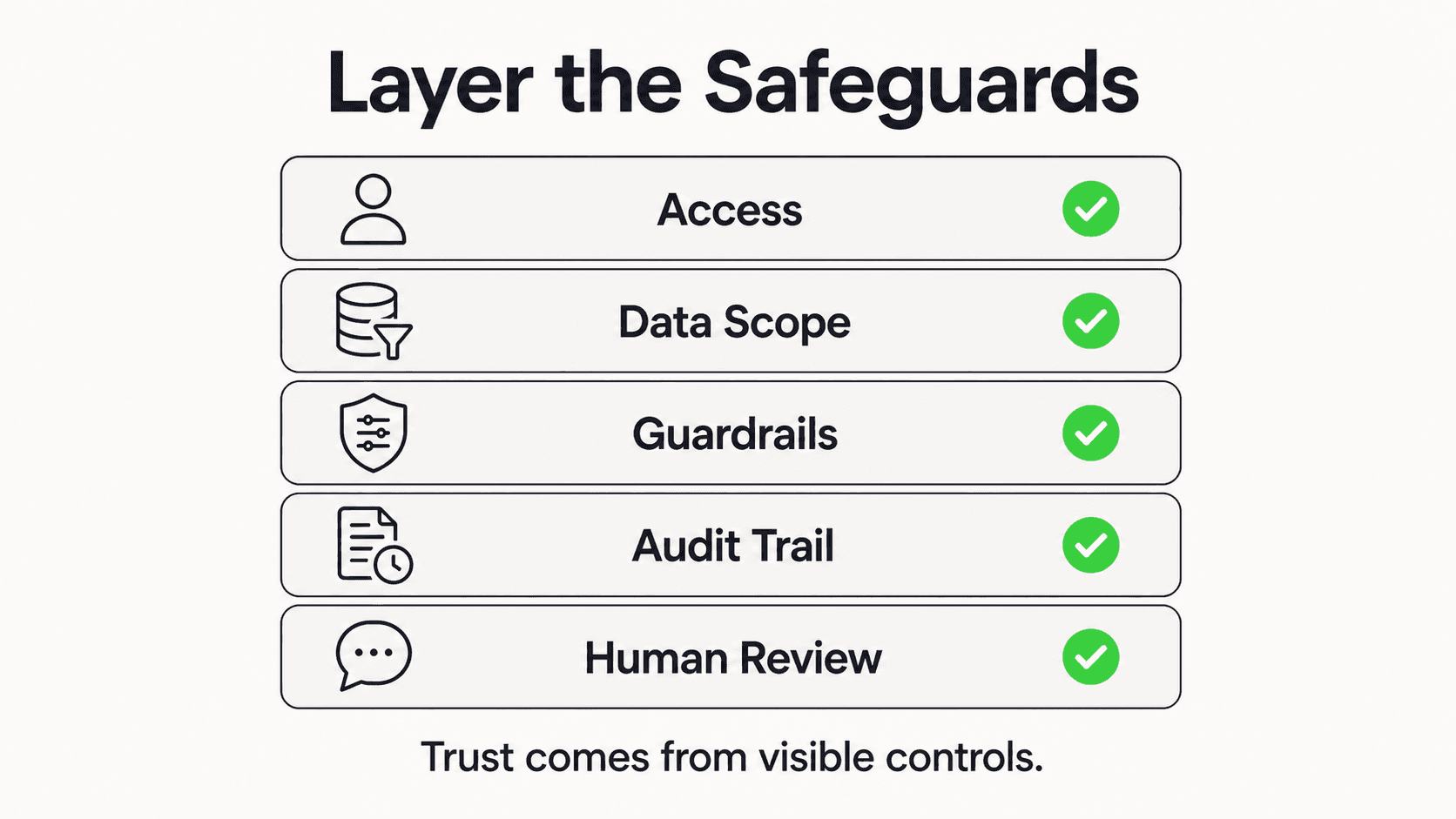
For production, wrap the call in error handling that catches rate-limit responses (a 429 from any Hyperleap tool surfaces in the run), implement exponential backoff, and log the tool-call sequence. That log is your audit trail — it shows exactly which leads and conversations the agent read.
Scheduling and Triggering the Agent
The agent loop's TRIGGER phase is where you decide when the run fires. Two families: time-based and event-based.
Time-Based: Cron and Orchestrators
The simplest trigger is a cron entry that runs your script on a cadence:
# Morning digest, every weekday at 7:30 AM
30 7 * * 1-5  /usr/bin/python3 /opt/agents/morning_digest.py
For anything beyond a single script you want a real orchestrator — Prefect, Temporal, or Airflow. They give you retries, observability, alerting on failure, and the ability to chain the agent's output into a downstream task (the EMIT step, or a human-review gate). A Prefect flow, for example, would wrap the SDK call as one task and the Slack post as the next, with the framework handling retry-on-failure between them. The agent logic doesn't change — only the harness around it.
Event-Based: Threshold Triggers
The higher-leverage pattern is triggering on a signal rather than a clock. Because extract_lead_insights returns a buying-intent level, you can run a lightweight watcher that fires the full agent only when a new lead crosses a threshold — say, a lead whose insights come back as "high" intent. The watcher polls list_leads cheaply on a tight schedule; the expensive synthesis runs only when there's something worth synthesizing.
This is the same agent pattern described in our multi-MCP workflows guide — only the trigger mechanism changes. In that guide the agent fans out to write-capable servers (HubSpot, Linear) after reading Hyperleap. Here we keep it read-only and emit a notification instead. Both are valid; the read-only single-server version is the safer starting point.
Start Read-Only, Add Writes Deliberately
Ship the read-only agent first. Once you trust its output for a week or two, then decide whether to wire its EMIT step into a write-capable system — and when you do, put a human-review gate between "agent decided" and "write executed." The read-only Hyperleap surface stays your stable, safe foundation no matter how far you extend the EMIT side.
Guardrails for Unattended Runs
Three failure modes matter more when no human is watching:
Hallucinated content. In a live chat you'd catch a made-up lead. An agent emits straight to your inbox. Mitigation: the explicit "ground every claim in the tool results" instruction in every prompt, plus a sanity check in code (e.g., the digest's lead count should match list_leads).
Prompt injection through conversation content. Your agent reads chatbot transcripts written by end users. A malicious visitor could embed "ignore previous instructions" text in a conversation. The defense is structural: Hyperleap's read-only design means even a successful injection cannot make the agent write anything — the worst case is a garbled summary, not a corrupted CRM. Treat all conversation content as untrusted and never wire a read-only agent's raw output directly into a write action without review.
Rate-limit exhaustion. A runaway agent paginating the whole database trips the API's per-plan limits. Mitigation: batch caps in the prompt (covered above) and backoff-on-429 in code. Rate limits are tied to your plan and enforced at the API level; see the help docs linked from the tools reference for current numbers.
Build Your First Sales Agent on Hyperleap MCP
Every Hyperleap plan includes the read-only MCP server — 9 tools, zero write risk. Connect it to Claude and ship a morning-digest agent this week.
See PlansFrequently Asked Questions
Can a Hyperleap MCP agent modify my CRM data?
No. The Hyperleap MCP server exposes 9 read-only tools and zero write methods — there is no way for an agent to create, update, or delete a record through it. This is the property that makes unattended agents safe to run. If your workflow needs to write back (update a stage, add a note, send a message), that step happens outside the MCP boundary — through the Hyperleap UI or the REST API, which does support writes — ideally behind a human-review gate.
Do I need a paid plan to build agents on the MCP server?

Hyperleap's MCP server is included on every Hyperleap plan — Plus, Pro, and Max — and it is not gated behind a tier. There is a 7-day free trial (credit card required, no free plan). The MCP integration uses a workspace-scoped API key from Settings → API Keys; the same key your agent uses for unattended runs is the one you'd use to connect Claude Desktop interactively.
How is this different from just asking Claude Desktop questions?
Claude Desktop is interactive — a human asks, reads, and decides in real time. A sales agent removes the human from routine, repeating work: it runs on a schedule or trigger, calls the same read-only MCP tools, and emits a finished artifact (a digest, a queue, a brief) without anyone sitting in front of it. The tool surface is identical; what changes is that the run is unattended, which raises the bar on guardrails like batch caps and "ground every claim" instructions.
Which scheduler should I use to run the agent?
For a single daily run, a plain cron entry calling your Python script is enough. For anything with retries, failure alerting, or multi-step chains (agent run → notification → review gate), use a workflow orchestrator — Prefect, Temporal, or Airflow. The agent logic is identical across all of them; the orchestrator only wraps the TRIGGER and EMIT phases. For event-based runs, a lightweight watcher that polls list_leads and fires the full agent only when a lead crosses an intent threshold is more efficient than a fixed clock.
How do I stop the agent from burning through my rate limit?
Two layers. First, cap the batch in the prompt — "top 5 leads," "this week only" — so the agent never paginates the entire database. Second, catch 429 responses in code and back off exponentially before retrying. Reserve the expensive extract_lead_insights call for the handful of leads that clear an earlier, cheaper filter rather than running it across the pipeline. Rate limits are tied to your plan and enforced at the API level.
Can I extend a read-only agent to take actions later?
Yes, and the recommended path is to do it deliberately. Ship the read-only agent first and trust its output for a couple of weeks. Then, if you want it to act, route its EMIT step into a write-capable system — and put a human-review gate between the agent's recommendation and any write. The multi-MCP workflows guide shows the pattern for combining Hyperleap's read-only server with write-capable servers like HubSpot and Linear. Hyperleap stays the read-only foundation; the write capability lives in the systems you've explicitly granted it to.
Related Articles

Hyperleap MCP API Reference: Schemas, Examples, and Rate Limits
Complete developer reference for the Hyperleap MCP server. Tool schemas, parameters, response shapes, authentication, pagination, and rate limits.

Multi-MCP Workflows: Hyperleap + HubSpot + Linear in Claude
How to combine multiple MCP servers — Hyperleap, HubSpot, Linear — into a single Claude workflow that turns chatbot leads into enriched CRM records and follow-up tickets.

Connect Hyperleap MCP to Cursor for Developer Workflows
Step-by-step setup for using Hyperleap's MCP server inside Cursor. Pull live lead data, prototype agents, and debug integrations from your IDE.

The 9 Hyperleap MCP Tools, Explained with Real Prompts
Reference guide to every tool in Hyperleap's MCP server. Parameters, example prompts, sample responses, and when to use each of the 9 read-only methods.