What is Model Context Protocol (MCP)? Definition & How It Works
Model Context Protocol (MCP) is an open standard that lets AI applications securely connect to external data and tools. Learn what MCP does and why it matters.

What is Model Context Protocol (MCP)?
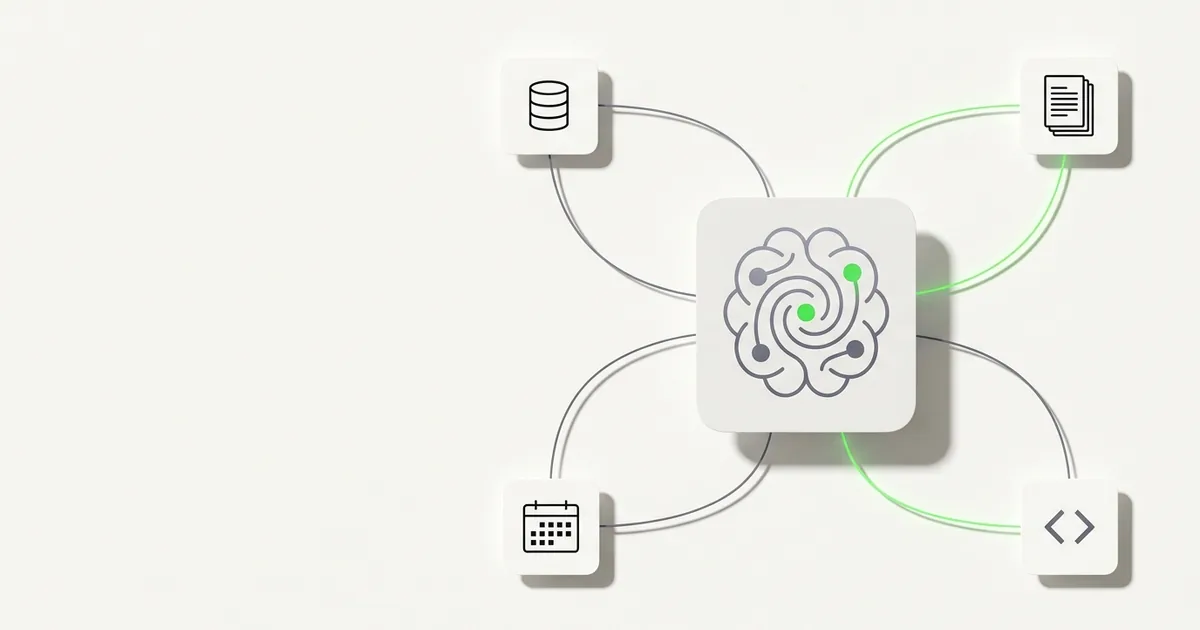
Model Context Protocol (MCP) is an open standard, introduced by Anthropic in late 2024, that defines how AI applications connect to external data sources and tools. Think of it as USB-C for AI: any MCP-compatible client — such as Claude Desktop, Cursor, or Raycast — can plug into any MCP server and immediately access live data, without requiring a custom integration for each pairing.
Before MCP, every AI-to-data connection was bespoke — one-off plugins that only worked with a single client and broke whenever either side updated. MCP replaces that sprawl with a single, vendor-neutral contract: build one server, expose your data to any MCP-compatible AI client, today and in the future.
The full specification is published at modelcontextprotocol.io. Anthropic's original announcement is at anthropic.com/news/model-context-protocol.
How MCP Works
An MCP server exposes a structured set of capabilities — tools, resources, and prompts — that any MCP client can discover and call at runtime. The client negotiates what it needs, the server responds with live data, and the AI model uses that data to produce a grounded answer. No fragile per-client middleware; just a handshake and a live connection.
The four moving parts are:
- MCP clients — AI applications that consume data (Claude Desktop, Cursor, Raycast, IDEs, internal tools)
- MCP servers — lightweight processes that expose data or actions from a specific system (a CRM, a database, a SaaS product)
- Transports — the wire protocol over which clients and servers communicate (stdio for local, HTTP+SSE for remote)
- Capability discovery — a standardized negotiation step where the client asks the server what tools and resources it exposes before making any calls
MCP vs API vs Webhooks
| API | Webhook | MCP | |
|---|---|---|---|
| Direction | Client pulls data on demand | Server pushes data on event | Client discovers and pulls at runtime |
| Integration effort | Per-client SDK / wrapper needed | Per-destination endpoint needed | One server, any compatible client |
| AI-native? | No — requires an adapter layer | No | Yes — designed for AI client consumption |
APIs and webhooks are still the right choice for application-to-application pipelines. MCP is specifically designed for AI clients — the protocol is structured so the model can discover what data exists and decide what to request.
Why MCP Matters for Businesses
- Live data in AI clients, not stale training snapshots — your AI assistant can query your actual CRM records, pipeline stages, and conversation history in real time
- One server, any client — build the server once; it works with Claude Desktop today and any MCP-compatible client your team adopts in the future
- No per-tool integration work — one MCP server gives AI clients a consistent interface to your data, no bespoke connectors per client
- Composable across vendors — combine servers for your CRM, docs, and analytics; the AI client assembles context from all of them
- Read-only servers are safe to share with teams — a server that exposes only read methods carries minimal security risk and needs no special audit process
- Future-proofing — MCP is an open standard with growing adoption across the AI client ecosystem; investing now pays dividends as the tooling landscape matures
How Hyperleap Uses MCP
Hyperleap ships a native MCP server with nine read-only tools: list_leads, get_lead_details, get_lead_conversations, get_conversation, get_lead_activities, get_lead_notes, get_pipeline_stages, get_crm_dashboard, and extract_lead_insights. Connect Claude Desktop, Cursor, or any MCP-compatible client and you can query your pipeline, pull up lead conversations, and extract deal insights without leaving your AI workspace. The server is read-only by design — no write methods, no mutation risk.
For the full tool reference and setup, see Hyperleap MCP tools reference. For a plain-English introduction to MCP, see What is Model Context Protocol?.
Frequently Asked Questions
Who created MCP?
Anthropic created MCP and released it as an open standard in late 2024. The specification is maintained at modelcontextprotocol.io and is vendor-neutral — any company can build MCP-compatible clients or servers without licensing fees.
Is MCP open source?
Yes. The MCP specification is published under an open license with reference implementations on GitHub. Any developer can build a conforming server or client without approval from Anthropic.
What clients support MCP?
Claude Desktop, Cursor, Windsurf, Raycast, and several IDE extensions support MCP natively. Because it is an open standard, new clients are adopting it regularly. See modelcontextprotocol.io for an up-to-date list.
Is MCP secure?
Security depends on server implementation. A well-designed server authenticates requests and exposes only the data it should — limiting to read-only methods removes the risk of AI-driven data mutation entirely. Hyperleap's MCP server is read-only by design: no write methods exist, so an AI client cannot modify your lead or conversation data.
Does Hyperleap support MCP?
Yes. Hyperleap ships a native MCP server with nine read-only tools covering leads, conversations, pipeline stages, and CRM insights. It works with Claude Desktop, Cursor, and any MCP-compatible client. See the Hyperleap MCP tools reference for setup and the full tool schema.
Related Terms
- AI Agent: Autonomous AI systems that can use MCP servers to access live data during a conversation
- RAG: Retrieval-Augmented Generation — another approach to grounding AI responses in current data
- Knowledge Grounding: The broader practice of constraining AI responses to verified, current information