Automate Patient Appointment Scheduling (2026)
A step-by-step guide to automating appointment booking, reminders, and rescheduling while maintaining the personal care patients expect.

TL;DR: Patient scheduling automation can reduce no-shows by up to 30%, recover after-hours bookings (40% of appointments are requested outside business hours), and free up front-desk staff for higher-value patient interactions. This guide walks through seven practical steps to automate booking, reminders, and rescheduling while keeping the human connection patients expect.
How to Automate Patient Appointment Scheduling Without Losing the Human Touch
Every missed appointment costs your practice approximately $200 in lost revenue. Multiply that across the average no-show rate of 18-20% and you are looking at tens of thousands of dollars walking out the door each year. Research from the MGMA shows that patient no-shows cost the U.S. healthcare system an estimated $150 billion annually. For an independent practice, that translates to roughly $150,000 in annual losses.
Meanwhile, your front desk is overwhelmed. Phones ring constantly, staff juggles rescheduling requests, and patients who want to book at 9 PM on a Tuesday have nowhere to turn. The result is a scheduling bottleneck that hurts both your revenue and your patient experience.
The solution is not replacing your team with robots. It is automating the repetitive, time-consuming parts of scheduling so your staff can focus on what they do best: caring for patients.
Who This Guide Is For
This guide is written for medical practice owners, office managers, and healthcare administrators at small to mid-size practices (1-20 providers) looking to modernize their appointment scheduling without sacrificing the personal touch that sets their practice apart.
What Is Automated Patient Scheduling?
Automated patient scheduling uses technology to handle appointment booking, confirmations, reminders, rescheduling, and waitlist management with minimal manual intervention. Unlike traditional phone-based scheduling, automated systems let patients interact on their own terms, at any time, through the channel they prefer.
For healthcare practices, automated scheduling typically includes:
- Online self-scheduling through patient portals or website widgets
- AI-powered chatbots that guide patients through booking via web, WhatsApp, or Facebook Messenger
- Automated reminders sent via text, email, or messaging apps at configurable intervals
- Smart rescheduling that offers alternative times when patients need to change appointments
- Waitlist automation that fills canceled slots by notifying patients on the waiting list
- After-hours booking that captures appointments when the office is closed
The key difference from traditional scheduling is that automation handles the routine logistics while your team handles the exceptions, the complex cases, and the human connection.
Why Medical Practices Struggle with Scheduling
The After-Hours Gap
Research shows that 40% of all appointment requests happen outside business hours (Source: DocResponse). When a patient tries to book at 8 PM and reaches voicemail, there is a real chance they will call a competitor the next morning instead. Every hour your phone is off is an hour of lost bookings.
The No-Show Problem
No-show rates in U.S. healthcare vary widely, from 5% to as high as 50% depending on the specialty and patient population. According to Curogram, the average across specialties falls between 18-20% for many practices. Each no-show means an empty exam room, wasted provider time, and lost revenue.
The math is straightforward: A practice with 100 appointments per week at a 20% no-show rate loses 20 appointments weekly. At $200 per appointment, that is $4,000 per week or over $200,000 per year.
Staff Burnout and Phone Tag
Front-desk staff at busy practices spend 60-70% of their time on the phone handling scheduling tasks. That includes initial bookings, confirmations, rescheduling, and chasing down no-shows. This repetitive work contributes to staff burnout and high turnover rates, which only makes the problem worse.
Low Self-Scheduling Adoption
Despite patient demand for digital options, adoption remains low. According to a 2025 MGMA Stat poll, 71% of practices report fewer than 25% of their patients use self-scheduling tools. The gap between patient preference and actual adoption represents a significant opportunity for practices willing to invest in better scheduling workflows.
7 Steps to Automate Patient Scheduling
1. Audit Your Current Scheduling Workflow
What this looks like in practice: Before you automate anything, map out exactly how appointments flow through your practice today. Track every touchpoint from initial patient contact to completed visit.
Key questions to answer:
- How many appointment requests come by phone, email, portal, and walk-in?
- What percentage of calls go to voicemail? How many of those result in a booked appointment?
- How long does the average scheduling call take?
- What is your current no-show rate, broken down by appointment type?
- How many hours per day does your front desk spend on scheduling-related tasks?
Why it works: You cannot improve what you do not measure. Practices that complete a thorough scheduling audit before implementing automation see better results because they target the specific bottlenecks in their workflow rather than applying a generic solution.
Key actions:
- Track phone call volume by hour for two weeks
- Document the step-by-step flow for each appointment type
- Calculate your cost per missed appointment
- Survey patients about their preferred booking method
- Identify your top three scheduling pain points
2. Identify What to Automate vs. What to Keep Human
What this looks like in practice: Not every scheduling interaction should be automated. The goal is to let technology handle the routine so your team can focus on the situations that need a human touch.
Automate these tasks:
- Standard appointment booking (well visits, follow-ups, routine exams)
- Appointment confirmations and reminders (text, email, WhatsApp)
- Rescheduling for non-urgent appointments
- Waitlist notifications when slots open up
- After-hours booking for standard visit types
- Insurance eligibility pre-checks (basic verification)
Keep human for these tasks:
- Complex cases requiring clinical judgment about scheduling urgency
- Routing urgent or emergency situations to appropriate care
- Insurance verification disputes or complex authorization
- Patient complaints or service recovery situations
- First-time patients who need extra onboarding guidance
- Scheduling for specialized procedures with specific prep requirements
Important: Emergency Routing, Not Assessment
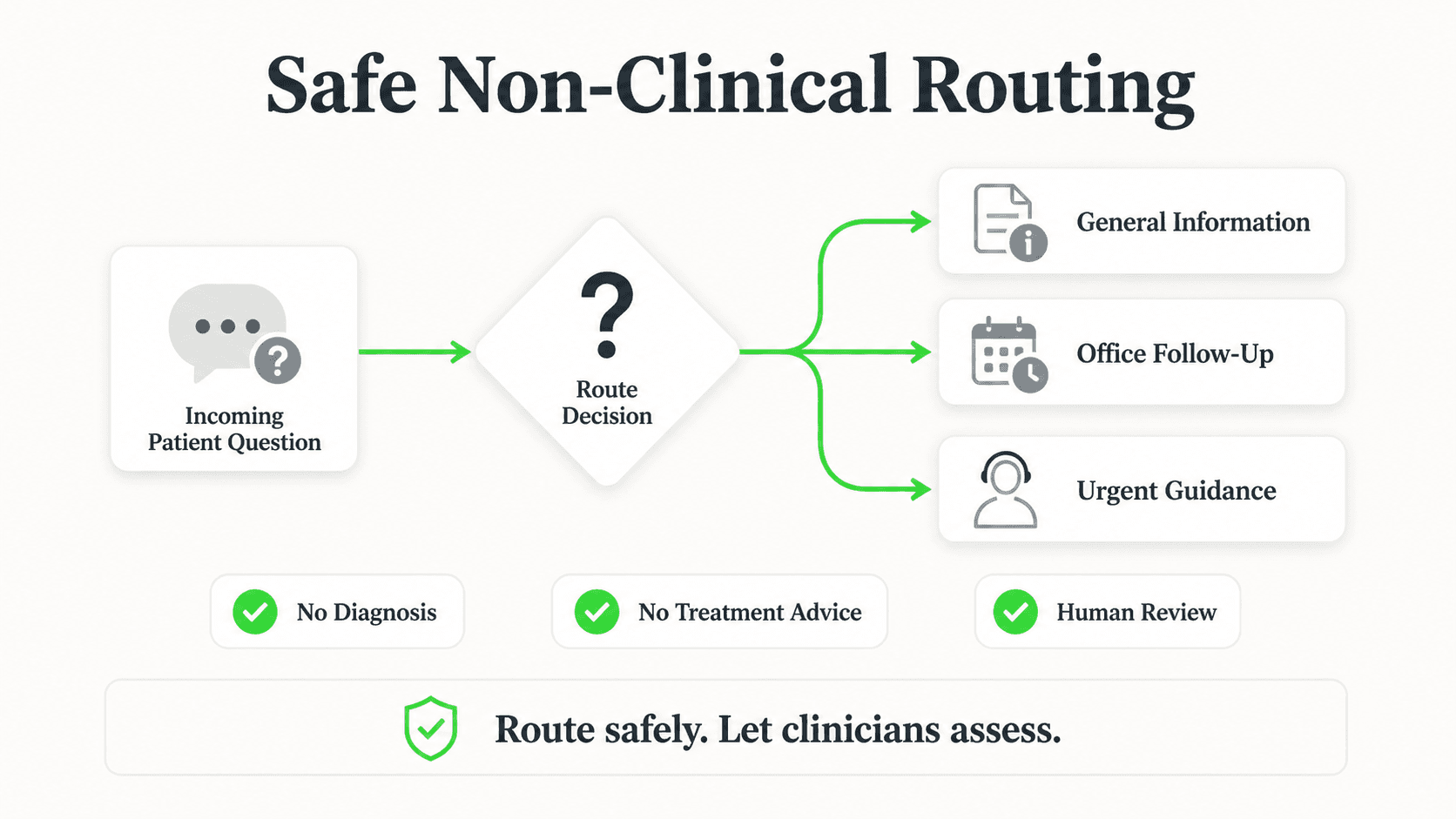
Automated scheduling systems should route emergency situations to your clinical staff immediately. The chatbot or portal should never attempt clinical assessment. Instead, configure clear escalation paths: if a patient describes symptoms that could be urgent, the system should immediately connect them with a trained team member or direct them to call 911.
Real-world impact: Practices that automate routine scheduling while preserving human touchpoints for complex cases report higher patient satisfaction scores because patients get faster service for simple requests and personal attention when it matters.
3. Ensure HIPAA Compliance from Day One
What this looks like in practice: Any scheduling system that handles patient information must comply with HIPAA regulations. This is non-negotiable, and the consequences of getting it wrong are severe. In 2025, the average cost of a healthcare data breach reached $7.42 million, and HIPAA violation penalties start at $13,785 per violation.
Essential compliance requirements:
- Business Associate Agreement (BAA): Every vendor that touches patient data must sign a BAA. No exceptions. If a scheduling vendor will not sign one, walk away.
- Data encryption: All electronic protected health information (ePHI) must be encrypted in transit (TLS 1.2+) and at rest (AES-256). The 2025 HIPAA Security Rule update eliminated the distinction between "required" and "addressable" controls, meaning encryption is now mandatory across the board.
- Access controls: Implement role-based access so staff only see the scheduling data they need. Front-desk staff do not need access to clinical notes.
- Audit trails: Every access, modification, and deletion of patient scheduling data must be logged with timestamps and user identification.
- Minimum necessary standard: Your scheduling system should only collect and display the minimum patient information needed for booking (name, contact, appointment type, date/time).
Key features to demand from any vendor:
- Signed BAA before implementation
- SOC 2 Type II certification (or HITRUST CSF for gold-standard compliance)
- Automatic session timeouts
- Multi-factor authentication for staff access
- Regular security audits and penetration testing
- Clear data retention and deletion policies
For a deeper dive into HIPAA compliance for healthcare AI tools, see our complete guide to HIPAA-compliant AI chatbots.
4. Choose the Right Scheduling Technology
What this looks like in practice: There is no one-size-fits-all scheduling solution. The right technology depends on your practice size, patient demographics, budget, and existing tech stack.
Patient portals (e.g., athenahealth Patient Portal, Epic MyChart):
- Best for practices already using these EHR systems
- Patients log in, see available slots, and book directly
- Tight integration with clinical workflows
- Drawback: requires patient portal adoption, which can be slow
Website chatbots and AI assistants:
- Available 24/7 on your website, WhatsApp, Facebook Messenger, or Instagram
- Guide patients through booking conversationally
- Can handle FAQs, insurance questions, and pre-visit instructions simultaneously
- Best for capturing after-hours bookings and serving patients who prefer messaging over phone calls
Phone-based IVR systems:
- Automated phone systems that handle basic scheduling via keypad menu or voice prompts
- Good for older patient demographics who prefer phone calls
- Can route complex requests to staff
- Note: AI-powered voice scheduling is an emerging category — evaluate vendors carefully for maturity and accuracy
Hybrid approach (recommended):
- Combine portal self-scheduling with chatbot-assisted booking
- Offer phone-based scheduling for patients who prefer it
- Use one centralized scheduling engine across all channels
Real-world impact: Practices that offer multiple booking channels see higher scheduling completion rates because patients can use whichever method they prefer. According to MGMA research, practices with the highest self-scheduling adoption were more likely to report decreased no-show rates.
5. Integrate with Your EHR and Practice Management System
What this looks like in practice: Your scheduling automation is only as good as its connection to your existing systems. A disconnected scheduling tool creates double-entry, data errors, and frustrated staff.
Major EHR platforms and their integration approaches (evaluate each vendor's compatibility separately):
- Epic: Holds 37.7% of U.S. hospital market share (EHR in Practice). Supports integration via FHIR/SMART APIs. Epic's App Orchard marketplace lists pre-built third-party scheduling connectors — check if your chosen scheduling tool is listed.
- Oracle Health (Cerner): Strong in large hospital systems. Supports integration through HL7 FHIR and proprietary APIs. Ask scheduling vendors specifically about Cerner connector availability.
- athenahealth: Popular with ambulatory practices. Cloud-native with broad interoperability through Carequality (athenahealth). Has an open API — verify which scheduling tools have built certified connectors.
- DrChrono: Ideal for small practices. Mobile-first with integrated scheduling and billing. Open API for custom integrations.
- eClinicalWorks: Affordable cloud-based platform. Wide adoption in independent practices. Starting around $449/month per provider. API available for integration.
Verify Integration Before You Commit
Not every scheduling tool integrates with every EHR. Before selecting a vendor, confirm in writing which EHR systems they support, whether the integration is pre-built or requires custom development, and whether data flows bidirectionally. Many AI chatbot platforms connect to scheduling and CRM systems via REST API and webhooks rather than direct EHR connectors — ask specifically about the integration approach for your system.
What to verify before choosing:
- Does the scheduling tool have a pre-built integration with your specific EHR and version?
- Is the integration bidirectional (data flows both ways)?
- Are appointment types, provider availability, and location data synced in real time?
- Does the integration maintain HIPAA compliance throughout the data flow?
- What happens when the integration encounters an error? Is there a fallback?
FHIR Is the Standard
By 2026 and beyond, certified EHR systems must support FHIR/SMART-based data exchange for interoperability. When evaluating scheduling tools, prioritize those that use FHIR APIs for integration rather than proprietary connectors. This future-proofs your investment.
6. Design Multi-Channel Access for Patients
What this looks like in practice: Patients today expect to interact with healthcare providers through the channels they already use. A scheduling system that only works through a patient portal misses a large segment of your patient base.
Channel strategy for U.S. practices:
- Website: Embed a scheduling widget or chatbot directly on your practice website. This is the primary entry point for patients searching online. Make it visible on every page, not buried three clicks deep.
- SMS/Text: Text messaging has the highest open rates (98%) of any channel. Use it for appointment reminders, confirmations, and rescheduling prompts. Note: SMS is a notification channel, not typically a full booking channel.
- WhatsApp: Growing in the U.S., especially among younger demographics and immigrant communities. Supports rich media (images of insurance cards, directions to your office) and conversational booking.
- Phone: Do not eliminate phone scheduling. Instead, use AI to handle routine calls and route complex requests to staff. Many older patients and those with limited tech access still prefer calling.
- Patient Portal: For patients who are already registered, self-scheduling through the portal offers the deepest integration with their medical record.
Multi-channel design principles:
- One unified scheduling engine across all channels (no separate systems)
- Consistent availability and appointment types regardless of channel
- Seamless handoff from automated to human when needed
- Confirmation and reminders sent through the patient's preferred channel
Real-world impact: Practices that deploy scheduling across web, text, and at least one messaging channel capture significantly more after-hours bookings and reduce phone volume for routine scheduling requests.
7. Measure Results and Continuously Optimize
What this looks like in practice: Automation is not a set-and-forget investment. The practices that see the best results track key metrics and refine their approach over time.
Core metrics to track:
- No-show rate: Your primary success metric. Track overall and by appointment type, provider, day of week, and booking channel. One clinic reduced no-shows by 30% using AI-driven proactive outreach to high-risk patients (DocResponse).
- Booking completion rate: What percentage of patients who start the scheduling process complete it? Drop-offs indicate friction in the flow.
- Channel distribution: Which channels are patients using? How is the mix shifting over time?
- Time to appointment: Are patients getting seen faster? Automated scheduling should reduce the gap between request and appointment.
- Patient satisfaction scores: Use post-visit surveys to gauge how patients feel about the booking experience.
- Staff time recaptured: Track how many hours per week front-desk staff save on scheduling tasks.
- Provider utilization: Are you filling more slots? Practices using smart scheduling report up to a 30% improvement in provider utilization.
Optimization cycle:
- Review metrics monthly
- Identify the biggest remaining bottleneck
- Test one change at a time (reminder timing, channel additions, booking flow tweaks)
- Measure the impact for 30 days
- Keep what works, revert what does not
See How AI Scheduling Works for Healthcare
Hyperleap AI helps medical practices automate appointment booking (Pro and Max), reminders, and patient communication across web, WhatsApp, and more.
Get StartedReal Results: What Practices Are Achieving with Automated Scheduling
Revenue Recovery
- Practices that reduce no-shows by just 10 percentage points recover an estimated $100,000+ annually in previously lost revenue
- After-hours booking captures the 40% of patients who want to schedule outside of 9-5 (DocResponse)
- Waitlist automation fills canceled slots that would otherwise go empty
- The global AI medical scheduling market is projected to grow from $262 million in 2026 to nearly $1.9 billion by 2034, reflecting the proven ROI of these tools (Straits Research)
Operational Efficiency
- Front-desk phone volume drops significantly as patients shift to self-service channels
- Staff time recaptured can be redirected to patient care, billing follow-ups, and other revenue-generating activities
- Fewer scheduling errors from manual data entry
- Reduced overtime costs from shorter call queues
Patient Satisfaction
- Patients who self-schedule are statistically more likely to show up (MGMA)
- 67% of patients prefer to book appointments online (DocResponse)
- Faster time to appointment improves perception of access to care
- Automated reminders in the patient's preferred channel reduce confusion and missed appointments
Competitive Advantage
- Practices offering digital scheduling differentiate themselves in a crowded market
- Younger patients actively seek providers with online booking options
- Multi-channel availability positions your practice as modern and patient-centered
- Better scheduling data enables smarter business decisions about hours, staffing, and growth
Implementation Roadmap for Your Practice

Phase 1: Foundation (Days 1-30)
- Complete your scheduling audit (Step 1)
- Define which tasks to automate vs. keep human (Step 2)
- Evaluate vendors and confirm HIPAA compliance, BAAs, and EHR integration (Steps 3-5)
- Select a scheduling technology partner
- Begin staff training on the new workflow
Phase 2: Launch (Days 31-60)
- Deploy automated scheduling on your primary channel (typically your website)
- Configure appointment types, provider availability, and booking rules
- Set up automated reminders (recommended: 48 hours before, 24 hours before, and 2 hours before)
- Test the complete patient booking flow end-to-end
- Soft launch with a subset of appointment types before going practice-wide
Phase 3: Expand and Optimize (Days 61-90+)
- Add additional channels (WhatsApp, messaging, enhanced phone handling)
- Enable waitlist automation and smart rescheduling
- Begin tracking core metrics and reviewing them weekly
- Gather patient and staff feedback
- Iterate on the booking flow based on data
- Expand to all appointment types and providers
Start Small, Scale Fast
The most successful implementations start with one or two standard appointment types on one channel, prove the value, and then expand. Trying to automate everything at once leads to longer timelines and more friction.
Frequently Asked Questions
Will automated scheduling replace my front-desk staff?
No. Automated scheduling handles the routine, repetitive tasks that consume most of your front desk's time, such as straightforward bookings, confirmations, and reminders. Your team remains essential for complex scheduling, patient concerns, insurance issues, and the personal interactions that build patient loyalty. Think of automation as giving your staff more time for meaningful patient interactions, not eliminating their role.
How much does scheduling automation cost for a small practice?
Costs vary widely depending on the solution. Basic patient portal scheduling may be included with your EHR system. Standalone scheduling tools typically range from $200-500 per month for a small practice. AI-powered chatbot solutions that include multi-channel booking start at around $40-100 per month depending on the platform and features. When evaluating cost, factor in the revenue recovered from reduced no-shows and after-hours bookings. See Hyperleap AI pricing for chatbot-based scheduling options.
How long does it take to implement automated scheduling?
Most practices can launch basic automated scheduling within 30-60 days. This includes vendor selection, EHR integration, configuration, staff training, and a soft launch period. Full multi-channel deployment with optimization typically takes 60-90 days. The timeline depends primarily on the complexity of your EHR integration and the number of appointment types you need to configure.
How accurate is AI-powered scheduling compared to a human scheduler?
AI scheduling systems are designed to follow your exact booking rules consistently. They do not forget to check provider availability, double-book by mistake, or misquote your hours. For standard appointment types, automated systems typically match or exceed human accuracy for booking. Where humans still outperform AI is in judgment calls: recognizing when a patient needs to be seen sooner than the standard scheduling protocol allows, or understanding nuanced insurance situations.
Can automated scheduling work with my existing EHR system?
Most modern scheduling automation tools integrate with major EHR platforms including Epic, athenahealth, Oracle Health (Cerner), DrChrono, and eClinicalWorks. Look for FHIR-based integrations for the most reliable data exchange. Before committing to any vendor, request a technical integration review to confirm compatibility with your specific EHR version and configuration.
What if a patient has an emergency and reaches the chatbot instead of a person?
Properly configured scheduling chatbots include emergency detection protocols. If a patient describes symptoms or language that could indicate an emergency, the system should immediately display emergency contact information (call 911), attempt to route the patient to a live team member, and log the interaction for follow-up. The chatbot should never attempt to assess or advise on medical situations. It should only route the patient to the appropriate human resource.
Do I need technical expertise to manage automated scheduling?
No. Modern scheduling platforms are designed for non-technical healthcare staff. Configuration is typically done through a visual interface where you set provider availability, appointment types, booking rules, and reminder schedules. Initial setup may require vendor support, especially for EHR integration, but day-to-day management should be straightforward for your office manager or front-desk lead. For a guide to evaluating platforms, see our article on how to choose an AI chatbot platform.
Better Scheduling Starts Now
The gap between what patients expect and what most practices deliver is widening. Patients want to book on their own schedule, through the channels they already use, with instant confirmation. Practices that meet this expectation capture more appointments, reduce no-shows, and build stronger patient relationships.
The practices that will thrive in the next few years are not the ones that automate everything. They are the ones that automate intelligently, freeing their teams to provide the empathy, judgment, and personal connection that no technology can replace.
If you are ready to modernize your scheduling without losing what makes your practice special, start with the seven steps in this guide. Audit your workflow, choose the right technology, ensure HIPAA compliance, and measure everything.
For healthcare practices looking for an AI-powered scheduling assistant that works across your website, WhatsApp, and messaging channels, Hyperleap AI offers document-grounded responses, a non-PHI-by-design approach that keeps health details out of the chat, and REST API plus webhook connectivity that allows integration with your existing systems.
How is my data protected inside Hyperleap?

Hyperleap encrypts data in transit and at rest, isolates customer workspaces, and follows industry-standard security practices. Sensitive workflows (PHI, PCI, financial data) should follow your existing compliance framework — the chatbot is a routing and retrieval layer, not a system of record for regulated data.
Is Hyperleap HIPAA-compliant?
Hyperleap takes a non-PHI approach for clinical SMBs: contact details are collected in a lead form before the chat, answers come from your practice documents, and clinical questions are routed to your team rather than assessed by the AI. Hyperleap does not sign Business Associate Agreements — if your workflow requires PHI to flow through the chatbot itself, use a BAA-covered vendor for that piece. Always consult your compliance officer.
Where is the data stored?
Workspace data is stored in managed cloud infrastructure with regional availability. For regional-data-residency requirements, talk to us during managed setup so the right region is selected at provisioning time.
PT clinics have their own referral and insurance wrinkles, covered in AI chatbot for physical therapy clinics.
Ready to Reduce No-Shows and Capture More Bookings?
See how Hyperleap AI helps healthcare practices automate appointment scheduling while keeping patient interactions personal — with a non-PHI design that keeps health details out of the chat.
Start Your Free TrialIndustry Solutions
See how AI chatbots work for these industries:
Related Articles

AI Chatbot for Chiropractic Clinics: 2026 Guide
How an AI chatbot for chiropractic clinics answers new-patient questions, shares booking links, and reduces no-shows — without giving medical advice.

HIPAA Compliant Chatbot Checklist: Free 2026 Tool
Is your chatbot HIPAA compliant? Free 30-question self-assessment covering BAAs, PHI handling, encryption, and audit logging — get a downloadable report.
AI Receptionist for Veterinary Clinics: A Guide
An AI receptionist for veterinary clinics answers intake and pricing questions, routes emergencies to your team, and shares your booking link 24/7.

AI Receptionist for Pharmacies: The Non-Clinical Front Desk
An AI receptionist for pharmacies answers hours, services, and insurance questions 24/7 — and routes every medication question straight to your pharmacist.