AI Chatbot for Daycares: Streamline Parent Communication
Daycare AI chatbots handle enrollment inquiries, daily updates, and parent questions so your staff can focus on the children.

It is 7:45 in the morning. Six parents are dropping off their children at the same time. Two more are calling to ask what time lunch is served. A new family just sent a WhatsApp message asking about your enrollment process. Your lead teacher is trying to reach you about a child who arrived feeling unwell.
Your front desk is one person.
This is the daily reality at most daycare centers. The communication demands — enrollment questions, daily schedule inquiries, pickup authorizations, illness notifications, activity updates, and fee reminders — are relentless. They arrive through every channel at once and compete for the same limited staff attention that should be going toward the children.
An AI chatbot for daycare centers does not replace your team. It handles the high-volume, routine communication that takes staff away from the floor so that the humans in your center can focus on what they came to do: care for children.
The Communication Challenge Daycare Centers Face
Daycare communication is uniquely demanding because it is time-sensitive, emotionally charged, and constant. Parents are not customers making a casual purchase. They are leaving their children in your care, and they expect responsiveness proportional to that trust.
The challenge compounds because communication spikes at predictable times — morning drop-off, afternoon pickup, and whenever an illness or incident occurs — and those peak times are exactly when your staff is least available to answer phones and messages.
The categories of communication that consume the most staff time in a typical daycare center:
Enrollment inquiries. Families researching childcare options often contact multiple centers before making a decision. Each inquiry requires someone to explain program options, share availability, describe the curriculum, and follow up. Most of these conversations happen in the evening or on weekends when your office is unstaffed.
Daily schedule and activity questions. What time is nap? What did the children eat today? Is there outdoor play in this weather? These questions are reasonable and answerable, but they arrive in volume throughout the day.
Pickup authorization and logistics. Who is authorized to pick up my child today? Can my mother pick up instead of me? What do I need to bring for early pickup? Each variation requires staff to locate records and confirm details.
Illness and emergency alerts. A child running a fever needs to be picked up within a set time. Communicating this quickly — and documenting that the message was sent and received — is both a care obligation and a liability matter.
Payment and fee questions. What is due this week? Did you receive my payment? What is your late pickup fee? These questions require staff to pull up accounts and respond individually.
Policy questions. What is your illness exclusion policy? Do you provide meals? Is there a sibling discount? These are answerable from your parent handbook, but someone has to answer them.
A well-configured AI chatbot handles most of these categories automatically, giving parents instant answers and freeing your team to manage the situations that genuinely require human judgment.
What Parents Ask Most
Before setting up any chatbot, it helps to understand which questions arrive most frequently. Based on the typical daycare inquiry pattern, the highest-volume questions fall into these categories:
- Hours of operation: "What time do you open?" / "What is the latest pickup time?"
- Program options: "Do you have infant care?" / "What age groups do you serve?" / "Do you offer part-time enrollment?"
- Availability: "Do you have space in the toddler room?" / "Is there a waitlist?"
- Daily schedule: "What time is lunch?" / "When is nap time?" / "Do you go outside every day?"
- Meal and snack policy: "Do you provide food or do I pack a lunch?" / "How do you handle food allergies?"
- Illness exclusion policy: "How long does my child need to be fever-free before returning?" / "What happens if my child gets sick at daycare?"
- Pickup procedures: "What do I need to show for pickup?" / "Can my babysitter pick up my son?"
- Enrollment process: "How do I enroll?" / "What documents do I need?" / "Is there a registration fee?"
- Tuition and fees: "What is the weekly rate?" / "Do you offer a sibling discount?" / "What is your late pickup fee?"
- Safety and security: "How do you handle drop-off?" / "What is your check-in system?"
Every one of these questions can be answered from your parent handbook, enrollment packet, and policy documents. That means every one of them is a candidate for chatbot automation.
How an AI Chatbot Handles Daycare Communication
A modern AI chatbot for childcare centers is not a scripted phone tree. It is a conversational AI system trained on your actual documents — your parent handbook, tuition schedule, enrollment FAQ, daily schedule, illness policy, and meal plan — and it responds to parent questions in natural language, day or night. (For a similar industry deep-dive, see how daycare and education businesses use AI to reduce admin workload.)
When a parent messages your website chat widget at 8pm asking "do you have space in the 2-year-old room," the chatbot does not make them wait until morning. It draws on your enrollment materials to respond accurately and — if you have configured it to capture leads — collects the parent's contact details for your director to follow up.
When the same family messages your WhatsApp Business number the following morning during drop-off chaos, they get the same consistent, accurate response without anyone on your team needing to stop what they are doing.
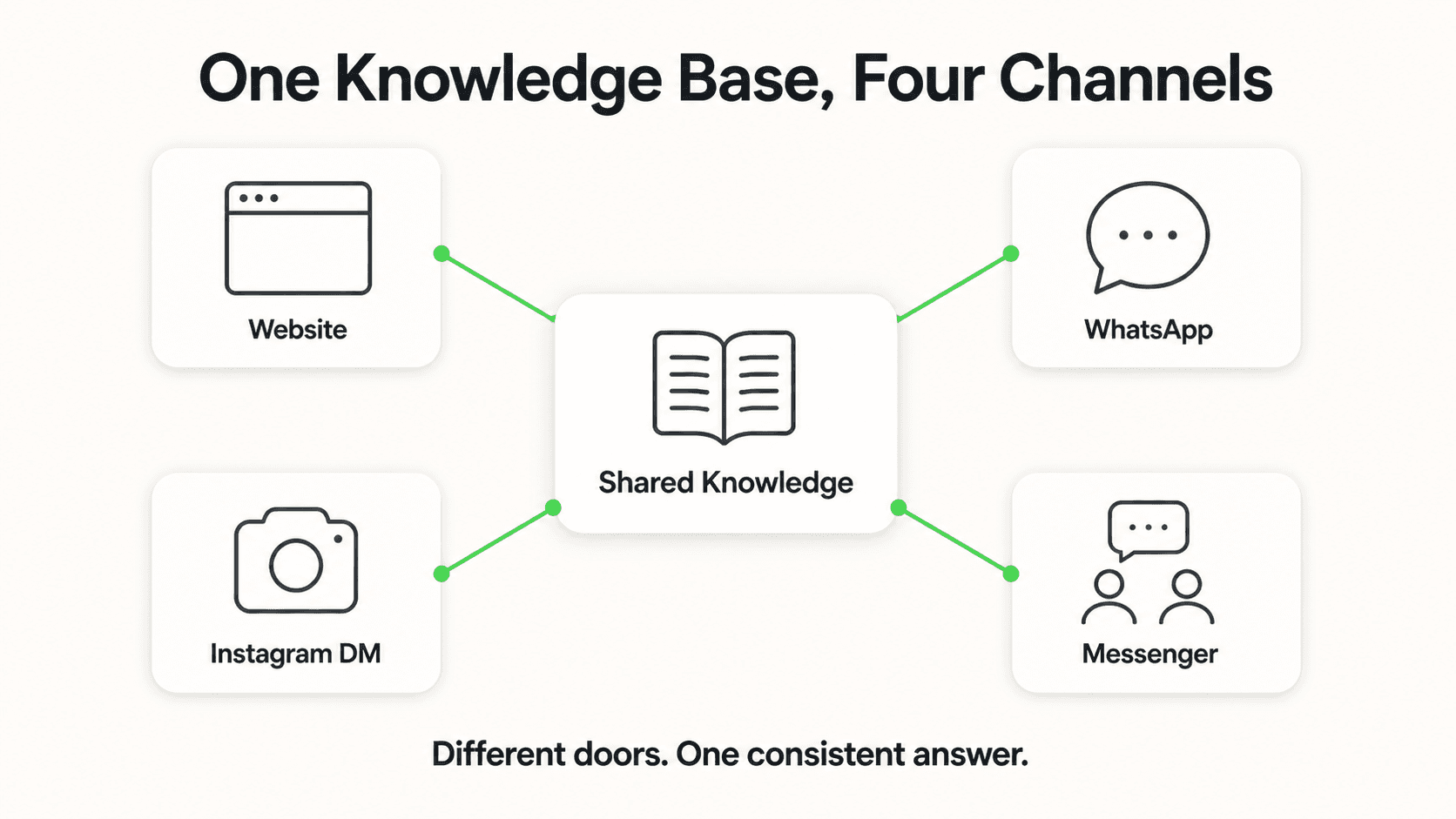
The channels that matter for daycare communication:
- Website chat widget: Parents researching centers in the evening can ask questions and get instant answers. A chatbot on your website is often the first interaction a prospective family has with your center, and it sets the tone for the relationship.
- WhatsApp: Many daycare centers already communicate with current families via WhatsApp. A chatbot connected to your WhatsApp Business number can handle FAQ questions, send enrollment information, and acknowledge routine messages — reducing the volume that requires staff to respond manually.
Document-Grounded Responses
AI chatbots for daycare centers work best when they answer strictly from the documents you provide — your parent handbook, enrollment materials, and policy guides. This keeps the chatbot accurate and on-message. Configure it to refer parents to staff for anything outside your documents rather than attempting to guess.
5 Key Use Cases for Daycare AI Chatbots
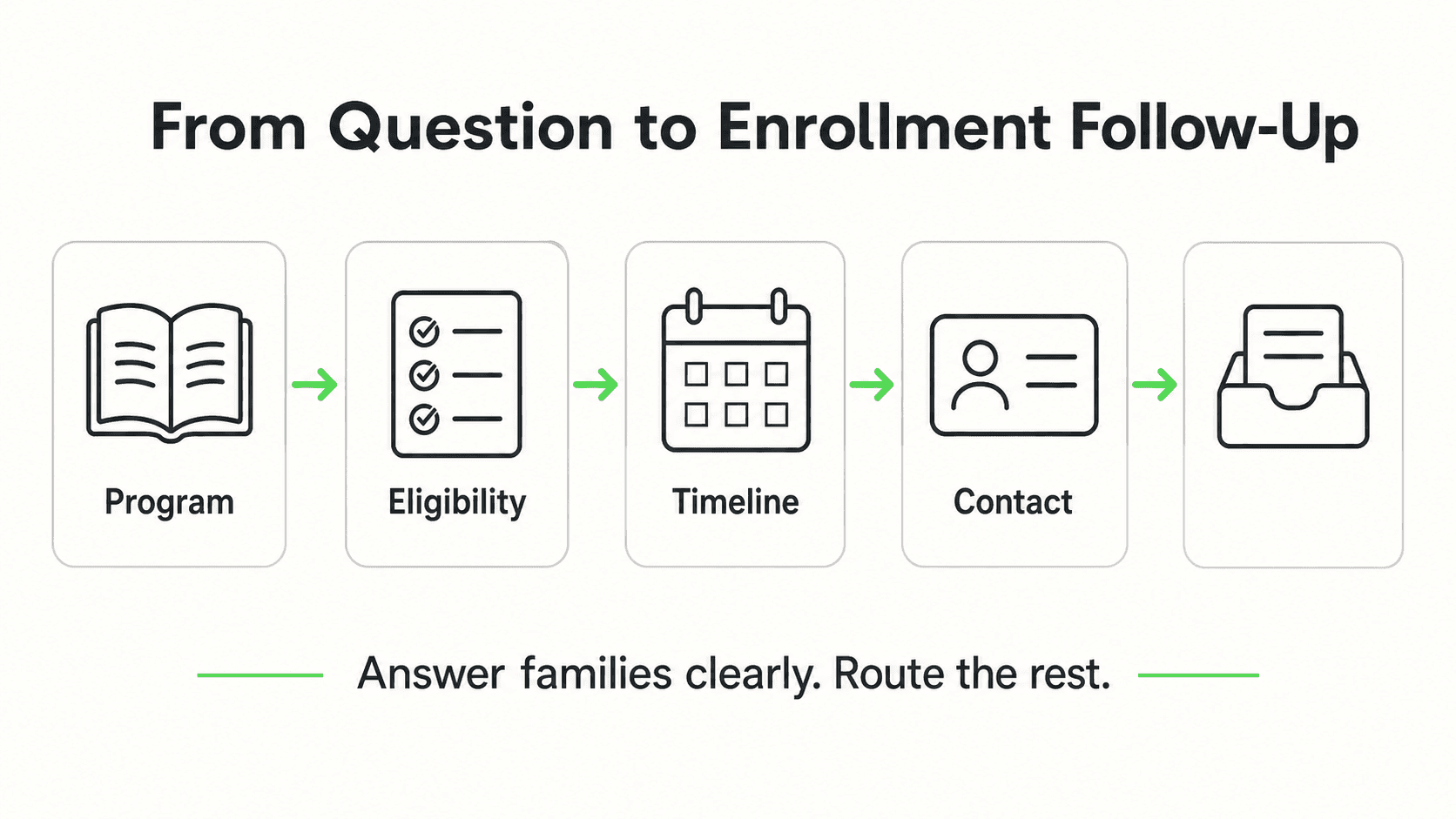
1. Enrollment Inquiries and Lead Capture
Childcare decisions are research-intensive. Parents compare multiple centers, read reviews, ask detailed questions, and often make the decision weeks before they are ready to enroll. During this research phase, most of their questions arrive after business hours — in the evening, on weekends, or during the workday when they have a quiet moment to look.
An AI chatbot handles every enrollment inquiry immediately, regardless of when it arrives. It shares your program options, age groups, tuition schedule, and enrollment process. It answers questions about curriculum approach, staff ratios, and facility features. And when a prospective parent is ready to take the next step, it collects their name, child's age, and contact information so your enrollment director can follow up during business hours — the same lead generation chatbot playbook that works for other education businesses.
This is particularly valuable for centers that rely on word-of-mouth referrals. When a referred family reaches out on a Saturday afternoon and your chatbot responds within seconds with accurate, helpful information, that first impression reflects well on your center before a human has even entered the picture.
2. Daily Updates and Schedule Information
Current families ask routine questions constantly. Your chatbot can answer all of them from your daily schedule document:
- What time does the morning program start?
- Is today a regular day or is there early dismissal?
- What is on the menu this week?
- Do you have outdoor time in winter?
These are not complex questions. They are high-volume, answerable questions that take staff away from children every time one comes in. A chatbot handles them instantly, consistently, and without requiring anyone to leave the classroom.
For centers that send daily activity updates, a chatbot can also serve as a reference point — parents who missed the daily summary can ask the chatbot what their child's group did that day, if you configure it with that information.
3. Pickup Logistics and Authorization
Pickup is one of the highest-stakes moments in a daycare center's day. It is also one of the most communication-intensive. Parents message to say they are running late, to add a grandparent to the pickup list, or to ask whether a sibling can pick up for the first time.
Your chatbot can handle the informational layer of these conversations — explaining your pickup authorization policy, describing what identification is required, and confirming what parents need to do to add someone to the authorized list. For actual authorization changes that require updating your records, the chatbot routes the parent to your staff or prompts them to complete a form.
This creates a clear, documented communication trail. The parent receives an instant acknowledgment. Your staff receives a flagged message with the relevant details. No request falls through the cracks during an afternoon that is already hectic.
4. Illness Alerts and Emergency Routing
When a child becomes ill at daycare, time matters. Your illness policy typically requires parents to pick up within a set window, and communicating that clearly and promptly is both a care obligation and a documentation requirement.
A chatbot can handle the initial informational exchange — explaining your illness exclusion policy, communicating when a child needs to be picked up, and answering follow-up questions about how long the child needs to be symptom-free before returning. These are all answerable from your policy documents.
For situations that require immediate action — a child with a high fever, an injury, a serious symptom — the chatbot routes parents directly to your staff or director. It does not attempt to assess or advise on medical situations. Its role is to connect parents with the right person quickly.
Always Route Urgent Situations to Staff
AI chatbots should never attempt to advise on medical symptoms or health decisions. Configure your chatbot to immediately route any message indicating a child health concern to your staff or director. The chatbot handles the logistics layer — connecting parents to help — not the clinical layer.
5. Tuition Reminders and Payment Questions
Tuition management generates its own steady stream of communication. Parents ask whether their payment was received, what the late pickup fee is, how the sibling discount works, and what happens if they miss a payment. Each of these questions takes staff time to look up and answer individually.
Your chatbot can answer all of them from your tuition schedule and financial policy documents. It can also serve as a gentle first touchpoint for payment reminders — sending an automated message on the day tuition is due, with a link to your payment portal, before a missed payment requires a more difficult conversation.
For payment disputes or account-specific questions, the chatbot routes to your billing contact. This preserves the human relationship for interactions that require sensitivity while automating the routine reminders and policy questions that do not.
Setting Up a Daycare Chatbot With Hyperleap AI
Getting a chatbot running for your daycare center is a four-step process that does not require technical expertise.
Step 1: Gather Your Documents
Pull together the materials the chatbot will learn from. At minimum:
- Parent handbook
- Enrollment FAQ and process overview
- Tuition and fee schedule
- Daily and weekly schedule by age group
- Meal and snack policy
- Illness exclusion policy
- Pickup authorization procedures
- Emergency contact policy
The more complete your documents, the more accurately the chatbot will answer. If you do not have a formal parent handbook, a simple FAQ document with 20–30 questions and answers is a strong starting point.
Step 2: Configure Your Chatbot in Hyperleap AI
Create an account on Hyperleap AI and set up your chatbot:
- Upload your documents to the knowledge base
- Set the chatbot's name and persona (for example, "Sunny from [Center Name]")
- Define the chatbot's scope — what it should answer and when to route to staff
- Configure routing instructions for health concerns, authorization changes, and anything requiring a human decision
Hyperleap AI's plans start at $40/month (Plus), which includes the website chat widget, WhatsApp, Instagram DM, and Facebook Messenger. A 7-day free trial is available; a credit card is required to start.
Step 3: Embed on Your Website and Connect WhatsApp
Website: Copy and paste a one-line embed code into your website — this works on any platform, including WordPress, Squarespace, Wix, and Webflow. The chat widget appears in the corner of your site and is ready to answer questions immediately.
WhatsApp: Connect your WhatsApp Business number through the guided setup process. Families who already message you on WhatsApp will now receive instant responses for routine questions.
Step 4: Test Before You Go Live
Run through your highest-stakes scenarios before enabling the chatbot for parents:
- "My daughter has a fever, what do I do?" — Does it route to staff immediately?
- "What time is pickup?" — Does it answer correctly from your schedule?
- "Can my neighbor pick up my son today?" — Does it explain the authorization policy and route the actual request appropriately?
- "We are interested in enrolling our 18-month-old, what are your rates?" — Does it share the right information and capture contact details?
Test the illness and emergency scenarios with particular care. These are the interactions where an unclear or delayed response has the greatest consequences.
What to Avoid When Deploying a Daycare Chatbot
Do not let the chatbot advise on health symptoms. If a parent messages "my daughter has a rash, should I bring her in?" the chatbot should not answer that question. It should say something like: "For any health concern, please contact our director directly at [phone/email]. We will help you figure out the right next step." Medical questions always go to humans.
Do not train it on outdated documents. If your tuition schedule changed two months ago but the chatbot is still referencing the old rates, that creates confusion and erodes trust. Keep your knowledge base current. Set a calendar reminder to review and update documents each semester.
Do not configure it to sound robotic. A chatbot representing a childcare center should feel warm and reassuring. Use a name. Write the persona instructions to reflect the tone of your center. Parents choosing a daycare are making an emotional decision, and the chatbot's voice is an extension of your brand.
Do not skip the routing configuration. The chatbot needs clear instructions about what it can handle and what requires a human. Without these, it may attempt to answer questions it should not — or leave parents without direction for urgent situations.
Do not rely on it for channels you have not connected. Hyperleap supports Website, WhatsApp, Instagram DM, and Facebook Messenger. If your parents primarily use WhatsApp, prioritize connecting that channel. Do not assume the chatbot will reach parents on channels it has not been configured for.
Focus on the Children, Not the Inbox
Daycare centers exist to care for children. Every minute a staff member spends answering "what time is nap?" or "how do I enroll?" is a minute not spent on the floor, in a classroom, or engaged with a child who needs attention.
An AI chatbot for daycare centers does not change your relationship with families — it protects your team's ability to be present for those families in the ways that actually matter. The enrollment inquiry that used to go unanswered over a weekend gets handled instantly. The pickup policy question at 9pm gets answered before the parent has to wait until morning. The illness notification reaches the right parent without pulling your director away from a child who needs her.
The communication layer becomes automatic. The care layer stays human.
If you are ready to reduce your team's communication load and give prospective families a better first experience with your center, the setup takes an afternoon.
Further Reading

Authoritative external sources used and recommended for further research on this topic:
Frequently Asked Questions
Will a chatbot work for a small daycare center, or is it only for large facilities?
A chatbot is arguably more valuable for smaller centers than for large ones. Small daycare operations typically have fewer staff members handling more responsibilities — the director is often also the person answering phones, managing enrollment, and running a classroom. A chatbot that handles routine parent questions and enrollment inquiries at any hour lets a small team punch well above its weight. Hyperleap AI's Plus plan starts at $40/month, which is accessible for a center of any size.
What happens when a parent asks something the chatbot does not know?
A well-configured chatbot recognizes when a question falls outside its knowledge base. Rather than guessing, it tells the parent that it does not have that information and provides a way to reach your team — a phone number, email address, or a note that someone will follow up the next business day. Configure your escalation message to feel warm and helpful rather than like a dead end. The goal is a smooth handoff to a human, not a frustrating stop sign.
Can the chatbot handle messages from parents who do not speak English?
Modern AI chatbots can respond in multiple languages. If a parent messages in Spanish, the chatbot can respond in Spanish — as long as the underlying AI model supports that language. For daycare centers serving multilingual communities, this can meaningfully improve the parent experience and reduce the communication barrier for families who might otherwise hesitate to ask questions. Check with your platform provider for specific language support details.
Is parent and child information secure with an AI chatbot?
Reputable AI chatbot platforms follow standard data security practices — encryption in transit, access controls, and data handling policies. For a daycare center, review the platform's data privacy terms before deployment and ensure you are not asking parents to share sensitive personal information — such as a child's medical history — through the chatbot. Use the chatbot for policy information, logistics, and routing, and keep sensitive records in your secure enrollment management system.
How do I know whether the chatbot is actually helping?
Look at the volume of routine questions your staff is answering by phone and message before and after deployment. Track how many enrollment inquiries are captured outside business hours. Note whether missed messages or unanswered questions decrease over time. Hyperleap AI's dashboard shows you conversation volume, the questions being asked most often, and where the chatbot is routing to staff — all of which help you refine the knowledge base over time and identify any remaining communication gaps.
Can the chatbot answer questions about specific courses or programs?
Yes — when your course catalog, fees, and admission criteria are uploaded as knowledge base content, the bot answers from that content. It does not invent answers about programs that are not in your knowledge base.
Does it handle admissions in multiple languages?
Yes. Hyperleap supports 100+ languages so admissions inquiries from international students get answered in their language. The same deployment serves English, Spanish, Mandarin, Arabic, Hindi, and dozens more.
How long does it take to set up an AI chatbot with Hyperleap?
Most SMBs go live in 3–5 days for self-serve setup. With Managed Setup ($299 Free, available on every plan), Hyperleap builds the bot for you on your content and channels. A 7-day free trial is included on every plan.
Which channels does the chatbot run on?
Hyperleap deploys the same AI agent across four channels: your website widget, WhatsApp Business, Instagram DM, and Facebook Messenger. SMS, Slack, Telegram, MS Teams, and voice are on the roadmap and are not shipped yet.
Let Your Staff Focus on the Children
Hyperleap AI trains on your parent handbook and policies, then answers enrollment questions, schedule inquiries, and routine parent messages — day and night.
Start Free TrialIndustry Solutions
See how AI chatbots work for these industries:
Related Articles

AI Receptionist for Daycares and Preschools
An AI receptionist for daycares answers parent enquiries, shares tour links, captures waitlist leads, and routes sensitive questions to the director.

Best AI Chatbot for WhatsApp Business 2026: Buyer Guide
WhatsApp is the highest-converting channel for most SMBs in 2026. Here's what a serious AI chatbot for WhatsApp Business actually needs to do.

Instagram Chatbot: DM Automation Setup Guide (2026)
How to set up an Instagram chatbot in 2026 — where AI beats rule-based DM tools for lead capture, FAQs, and 24/7 replies, with real setup examples.

WhatsApp Chatbot for Wedding Venues: Auto Bookings
How an AI chatbot on WhatsApp captures wedding venue inquiries from chat, Instagram, and email — and books site visits 24/7.