WhatsApp Business API
AI front desk for WhatsApp
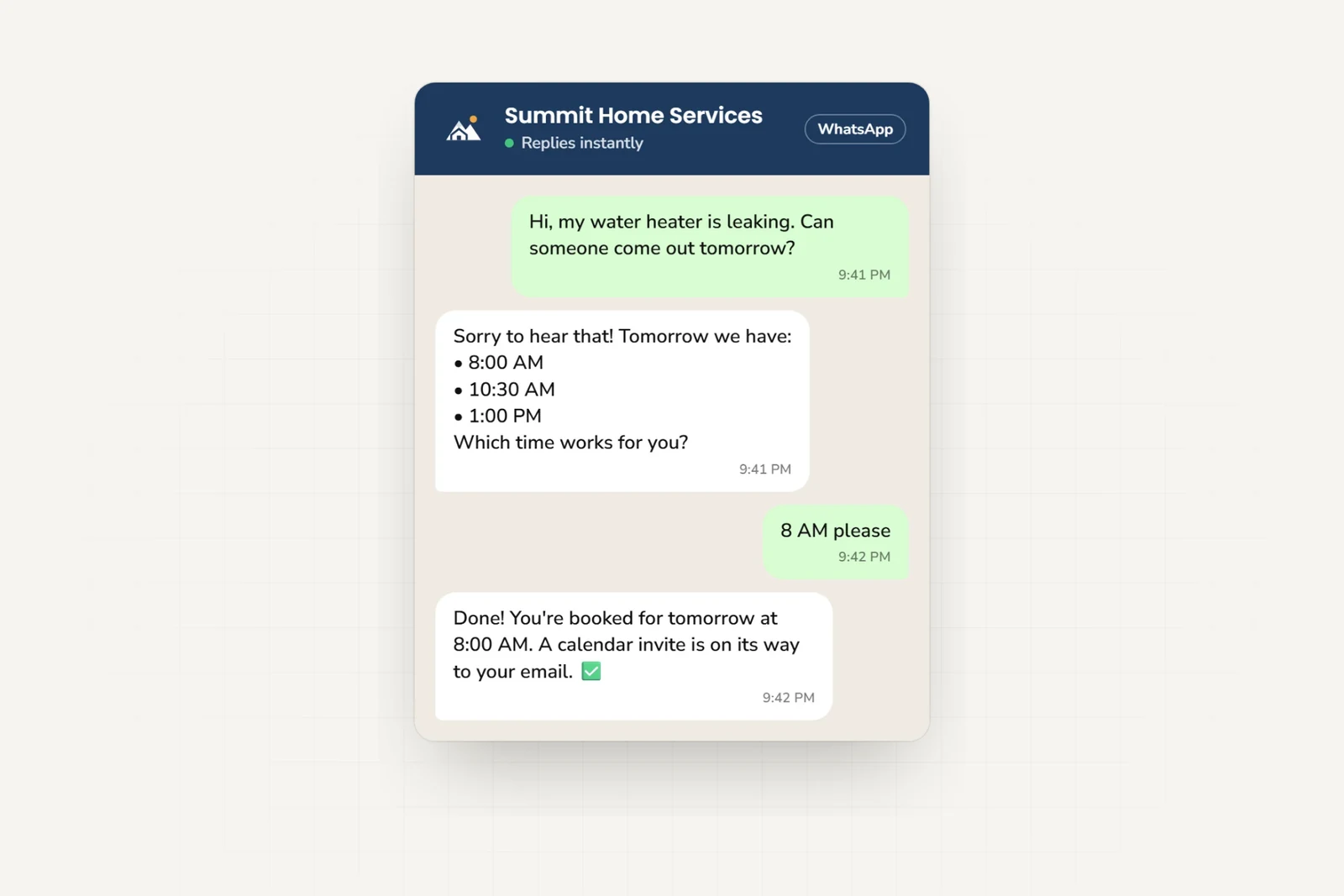
Let your AI front desk answer WhatsApp questions, book appointments on Pro and Max, and send your team customer details. It also covers your website, Instagram, and Messenger.
Comparing Hyperleap AI with Meta’s Business Agent? See the differences.
- Meta Technology Provider
- and Business Partner — verified by Meta
- Official Business API
- No third-party relay in the middle
- One AI reply = one response
- No model-credit math
- From $40/mo
- See pricing — 7-day free trial
Trusted by businesses worldwide — hospitality, real estate, healthcare, education, publishing, SaaS












Features
Why WhatsApp for Business?
Meet your customers where they already are — and give every enquiry an answer in seconds.
24/7 Instant Responses
Reply to customer questions in seconds, 24/7.
Customer details for your team
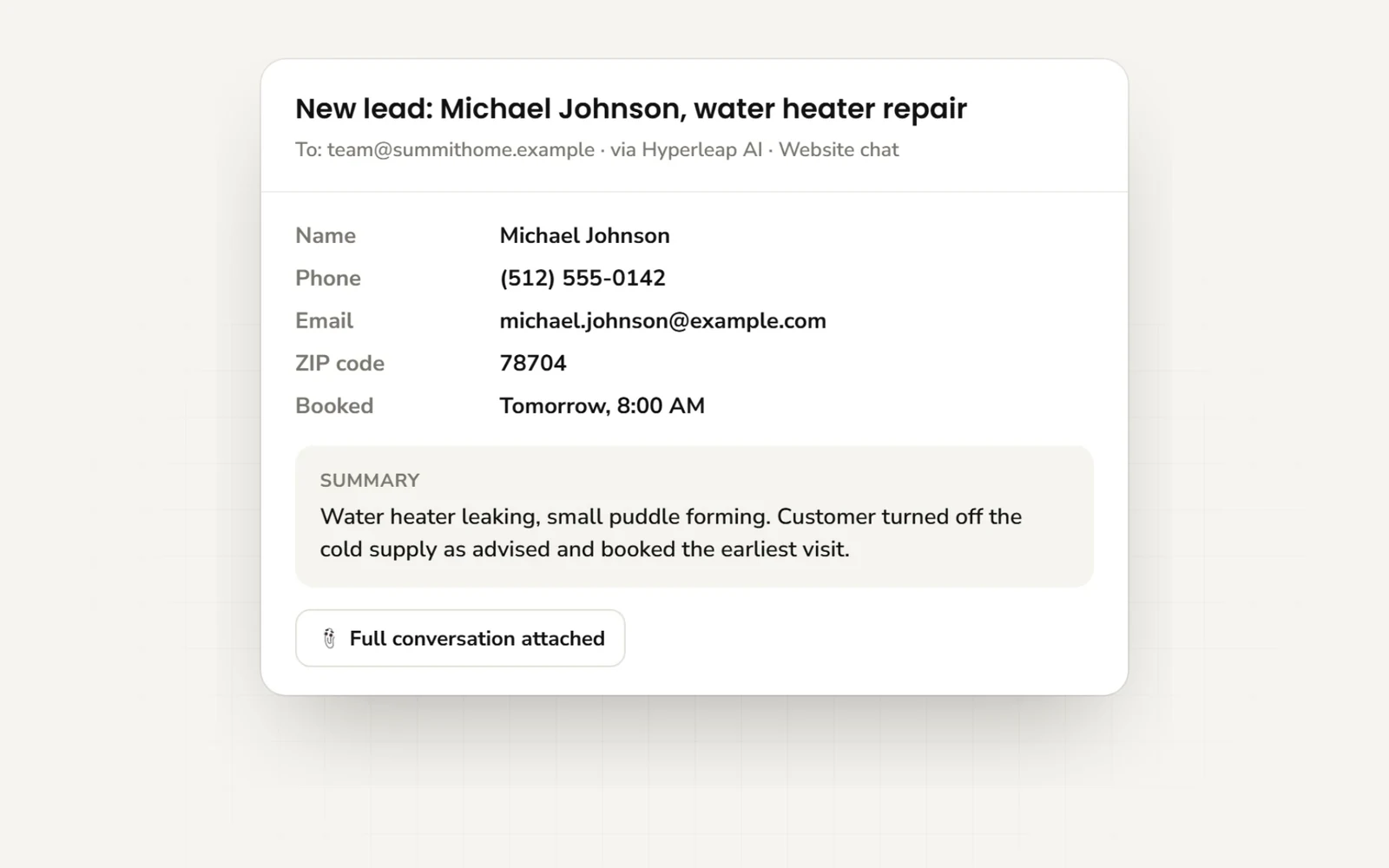
The customer’s phone number stays with the conversation. The AI asks what they need and emails your team a summary.
Multi-Language
Auto-detect and respond in 100+ languages for global customer support.
End-to-End Encrypted
All conversations are secured with WhatsApp's built-in encryption.
Rich Cards
On Pro and Max, share photos, documents, videos, and booking links during the conversation.
Human Handoff
When customers need personal assistance, the AI provides your team's contact information.
Rich cards
Share photos, documents, and booking links
On Pro and Max, add photos, documents, videos, and links to Hyperleap AI. The agent can share them when a customer asks a related question.
The same assets power every channel. On WhatsApp, each card arrives as its own tappable message; on Instagram DM and Facebook Messenger, multiple cards appear as a swipeable carousel.
See all channelsSample cards — on WhatsApp, each arrives as its own message
Compared
AI Agent vs. Keyword Chatbot
See how answers from your business information compare with scripted replies.
| Keyword chatbot | Hyperleap AI agent | |
|---|---|---|
| Understanding | Exact keyword matching — typos and rephrased questions fall through | Understands natural language, follow-ups, and typos |
| Answers | Canned replies you script one by one | Uses your documents and website to answer questions |
| Lead qualification | None — visitors ask, nobody follows up | Asks what the customer needs and emails your team a summary |
| When it doesn't know | Dead-end loops ("Sorry, I didn't understand") | Says so honestly and routes the customer to your team |
| Languages | A separate flow per language | 100+ languages, auto-detected |
| Maintenance | Rebuild flows for every new question | Update your business information in one place |
Setup
How to Connect WhatsApp
Creating the agent itself takes under 5 minutes — paste your website URL and Studio builds a starting agent from it. Meta's business verification (step 3) is the one step that takes 1–3 business days.
- 1
Create Your AI Agent
Sign up for Hyperleap and create your AI agent. Train it with your business knowledge, FAQs, and product information.
- 2
Connect WhatsApp Business
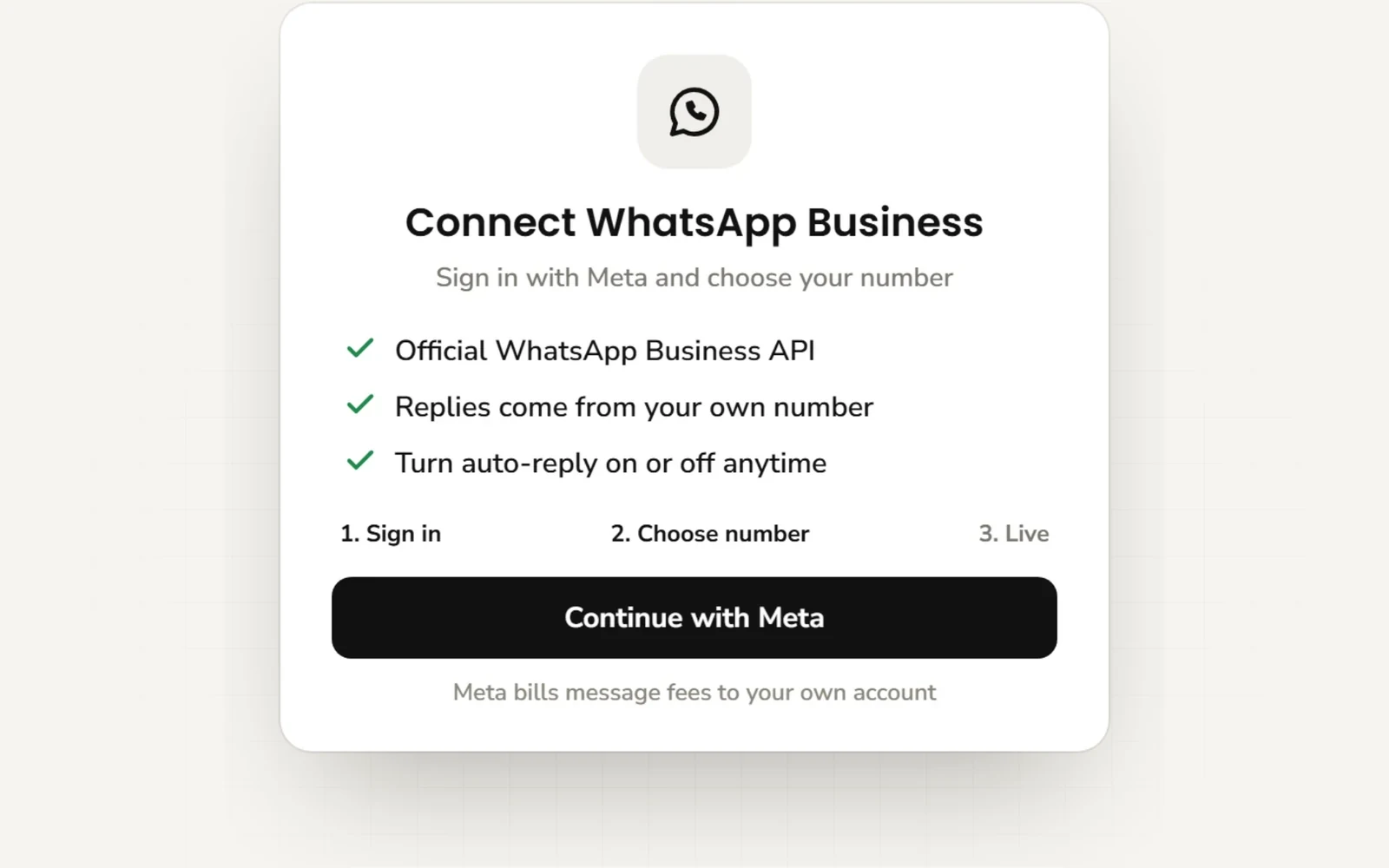
From the Channels section, click "Connect WhatsApp". You'll be redirected to Meta Business Suite to authorize the connection.
- 3
Verify Your Business
Complete Meta's business verification process. This typically takes 1-3 business days and ensures your business is legitimate.
- 4
Configure Auto-Responses
Set your welcome message and instructions. Choose which questions the AI should pass to your team.
- 5
Go Live
Test your setup with a few messages, then enable the integration. Your AI agent is now live on WhatsApp!
Before you start
Requirements
What you need before connecting WhatsApp
You'll Need:
Good to Know:
Lead email
What your team receives
Your team receives an email with the customer’s details, what they asked, and the chat history.
Need it in your own systems instead? On Pro and Max, webhooks fire on every new lead, message, conversation, and booking, and the full REST API is available on all plans.
For developers: sample webhook payload
{
  "event": "lead.created",
  "channel": "whatsapp",
  "lead": {
    "name": "Sarah M.",
    "phone": "+1 555 0142",
    "interest": "New patient hygiene visit"
  },
  "conversationId": "conv_8f3k2m",
  "transcriptUrl": "https://studio.hyperleapai.com/…"
}
Illustrative sample. Webhooks (Pro and Max) fire on lead created, new message, reply, conversation started, and booking events — see the API docs.
By industry
Industry Use Cases
Examples of questions your AI front desk can handle
Real Estate
Answer listing questions, qualify buyers and renters, book viewings.
Healthcare
Answer FAQs, take appointment requests, route urgent questions to your staff.
Hospitality
Answer room and amenity questions, share booking links, handle pre-arrival questions.
Home Services
Take quote requests, answer service-area questions, qualify job details before a callback.
Education
Answer course and enrollment questions, qualify prospective students, share application links.
Retail & E-commerce
Answer product, shipping, and returns questions straight from your policies and catalog docs.
Simple, Predictable Pricing
Plans start at $40/mo with 3,000 AI responses and 4 channels per chatbot — WhatsApp included. One AI reply = one response. No model-credit math.
Note: Meta bills WhatsApp Business API conversation charges separately, based on your country and volume.
Frequently Asked Questions
Everything you need to know
Do I need a WhatsApp Business API account?
Yes, you need a WhatsApp Business API account (Meta Business Suite). Hyperleap helps you connect your existing account or guide you through setting one up.
How long does verification take?
Meta's business verification typically takes 1-3 business days. Once verified, you can start messaging customers immediately.
Can I use my existing phone number?
Our team can check your number and current setup before you connect. Keep your existing WhatsApp service running until you have a confirmed migration plan.
What happens if the AI doesn't know the answer?
When a customer needs human assistance, the AI can provide your team's contact information such as a phone number or email address so they can reach out directly.
Does it use the official WhatsApp API?
Yes. Hyperleap AI connects through the official WhatsApp Business API. We are a Meta Technology Provider and Business Partner.
How much does WhatsApp messaging cost on top of Hyperleap?
Hyperleap plans start at $40/month, and one AI reply always counts as one response — no model-credit math. Meta bills WhatsApp Business API conversation charges separately, based on your country and message volume. Our free WhatsApp pricing calculator on this site estimates those Meta charges for you.
Can it book appointments in WhatsApp?
Yes, on the Pro and Max plans, with Calendly or Cal.com. The agent checks your live availability, lists the open times in its reply, and books the one the customer picks, then confirms the booked time in the chat. The customer gets the calendar invite by email. In-chat booking with Calendly needs Calendly Standard or higher; Cal.com works with cal.com-hosted event links. It creates new bookings only, so customers cancel or reschedule from their confirmation email. On Plus, or with any other scheduling tool, the agent shares your booking link.
Can the same agent answer on my website and Instagram too?
Yes. Each agent can answer on your website, WhatsApp, Instagram DM, and Facebook Messenger using the same business information. All four channels are included on every plan.
How is this different from Meta's free Business Agent?
Hyperleap AI answers on your own website as well as WhatsApp, Instagram, and Messenger. It uses your business information and emails your team customer details and chat summaries. See our comparison for the differences.
Still have questions?
Email support@hyperleap.aiReady to Go Live on WhatsApp?
Answer WhatsApp questions and send your team the details they need to follow up.
7-day free trial · From $40/mo