AI Receptionist for Dental Clinics: Safe Emergency Routing
How dental clinics use AI receptionists to answer FAQs, book appointments, and route emergencies to the on-call team — without clinical triage.
TL;DR: An AI receptionist for a dental clinic should handle appointment inquiries, insurance questions, location and hours, new patient intake — and should route urgent situations to your on-call team rather than attempt any form of clinical assessment. The distinction between "routing" and "triage" matters legally and medically. Done right, an AI receptionist captures every after-hours inquiry that would otherwise have gone to voicemail and turns them into booked appointments the next business morning.
This is the dental playbook; for the cross-industry version, see our AI receptionist guide.
AI Receptionist for Dental Clinics: What It Should (and Shouldn't) Do
Dental clinics have a specific operational problem: phones ring constantly during business hours, and go to voicemail every evening, weekend, and holiday — the exact times patients are most likely to look for a new dentist. An AI receptionist closes that gap safely, but only if it's configured to do the right job.
This guide is about the right job. Not clinical triage. Not medical advice. Not anything that should require a dental professional. What an AI receptionist can do is answer routine questions, capture appointment requests, collect new-patient intake information, and route genuine emergencies to your on-call team with the right context. That's enough to change the economics of a clinic.
Who This Guide Is For
Dentists, practice managers, and dental office administrators evaluating whether an AI receptionist fits their clinic workflow.
What Is an AI Receptionist for a Dental Clinic?
An AI receptionist is a conversational AI system — typically a chatbot on your website and WhatsApp — that handles routine patient inquiries the way a front-desk team would. It answers common questions from your clinic's content, books appointments, collects intake details, and hands off cases that need a human.
What a Dental AI Receptionist Should Do
- Answer appointment availability and hours questions
- Explain services offered and general pricing ranges
- Collect new-patient intake (name, contact, reason for visit, insurance carrier)
- Provide directions and parking information
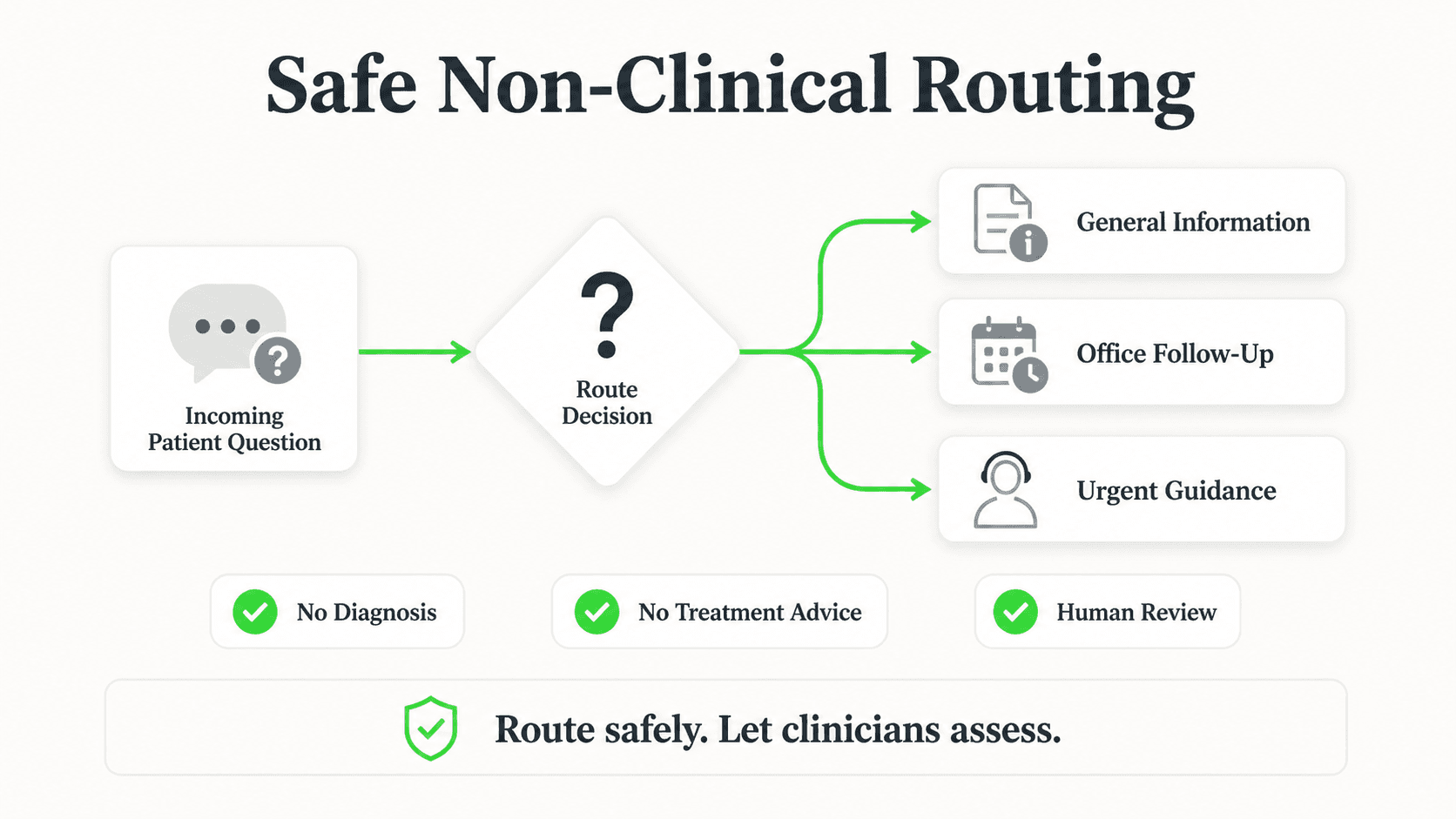
- Route after-hours emergencies to your on-call protocol
- Capture inquiries as qualified leads in the clinic's workflow
What a Dental AI Receptionist Should Never Do
- Diagnose dental conditions
- Recommend specific treatments
- Assess pain severity or urgency clinically
- Replace any clinical judgment
- Quote exact prices for procedures that require examination
The line is clear: information and routing, not assessment or advice. A well-configured AI receptionist stays firmly on the right side of that line.
Why Dental Clinics Need After-Hours Coverage
Every dentist I've talked to has the same story: the best new-patient inquiries come at 9pm on a Tuesday or Saturday afternoon, when the person who just chipped a tooth starts Googling. If the office is closed, the prospect calls three more dentists before finding one who picks up — and books with whoever responds first.
The "first to respond wins the patient" dynamic is unusually strong in dentistry because of how the search behavior works. An AI receptionist is the only cost-effective way to guarantee a fast, accurate response at 9pm without paying for overnight staff.
7 Things a Dental AI Receptionist Must Handle Correctly
1. Appointment Availability Inquiries
What this looks like in practice: "Do you have anything available next Tuesday morning?" — the bot checks general availability language from your knowledge base and collects the request for your team to confirm.
Real-world impact: Most booking workflows don't need the bot to make a real-time calendar write. Collecting the request and letting the front desk confirm in the morning is usually cleaner and safer.
2. New Patient Intake
What this looks like in practice: Name, contact, insurance carrier, reason for visit, any relevant context. Captured as structured data and sent to the team.
Real-world impact: The front desk starts the day with a queue of pre-qualified new-patient requests instead of voicemail catch-up.
3. Insurance Questions
What this looks like in practice: "Do you take [insurance carrier]?" — the bot answers from a maintained list in your knowledge base.
Real-world impact: This is the single most common pre-booking question in most dental clinics. Answering it instantly is a meaningful UX improvement.
4. Emergency Routing (Not Triage)
What this looks like in practice: A patient describes a broken tooth, severe pain, or a swollen jaw. The bot acknowledges the urgency, provides your emergency protocol (e.g., "call our emergency line at XXX-XXXX" or "if this is a medical emergency, call 911"), and flags the inquiry to your on-call team. It does not attempt to assess severity.
Real-world impact: This is where clinics get nervous about AI — for good reason. Done right, the bot is actually safer than a human receptionist guessing, because the routing protocol is deterministic and documented.
5. Hours, Location, and Parking
What this looks like in practice: "Where are you located? What are your hours on Saturday?" — basic informational questions answered from the clinic's KB.
Real-world impact: High-volume, low-stakes. Offloading these entirely gives the team back meaningful daily time.
6. Clear Handoff to Human Staff
What this looks like in practice: Any time a patient asks for a person, mentions anything clinical, or the bot can't find an answer, the conversation routes to your staff cleanly.
Real-world impact: The single biggest trust lever. A clinic AI that escalates gracefully builds trust. One that tries to handle everything loses it.
7. HIPAA-Aware Data Handling (US)
What this looks like in practice: The platform handles patient-provided information in compliance with HIPAA requirements.
Real-world impact: In the US, this is a non-negotiable due-diligence item. For clinics outside the US, check local equivalent requirements. See our guide to what a HIPAA compliant chatbot actually requires before you deploy.
What to Say to Patients Who Ask If They're Talking to AI
Always honest. Every time. The right answer is something like:
"You're talking to our clinic assistant — an AI that helps with questions and appointment requests outside office hours. I can connect you directly with our team anytime you'd like."
Patients are more comfortable with AI than vendors often assume. What they're not comfortable with is being deceived about what they're interacting with.
Real Results: What Dental Clinics Actually See
After-Hours Lead Capture
A pattern we see consistently in SMB deployments: 30–40% of patient inquiries arrive outside business hours. Before automation, these are voicemails with a roughly 20% follow-through rate. After, they become captured appointment requests with name, contact, insurance, and reason — ready for the front desk to confirm the next morning.
Front Desk Time Recovered
Typical front-desk staff spend a meaningful share of the day on routine calls: hours, insurance, directions, rescheduling. Offloading those conversations to an AI receptionist gives meaningful time back — typically 1–3 hours per day per clinic.
Patient Experience
Done right, patients actually prefer an AI receptionist for routine questions because they get immediate, correct answers instead of waiting on hold. The complaint we see is always about bots that try to handle things they shouldn't — which is why the scope discipline in this guide matters so much.
Deploy a dental AI receptionist that stays in its lane
Hyperleap's dental deployments route emergencies to your team, capture after-hours inquiries, and keep patient-facing responses grounded in your clinic's content.
Start a Free TrialImplementation Checklist for Dental Clinics
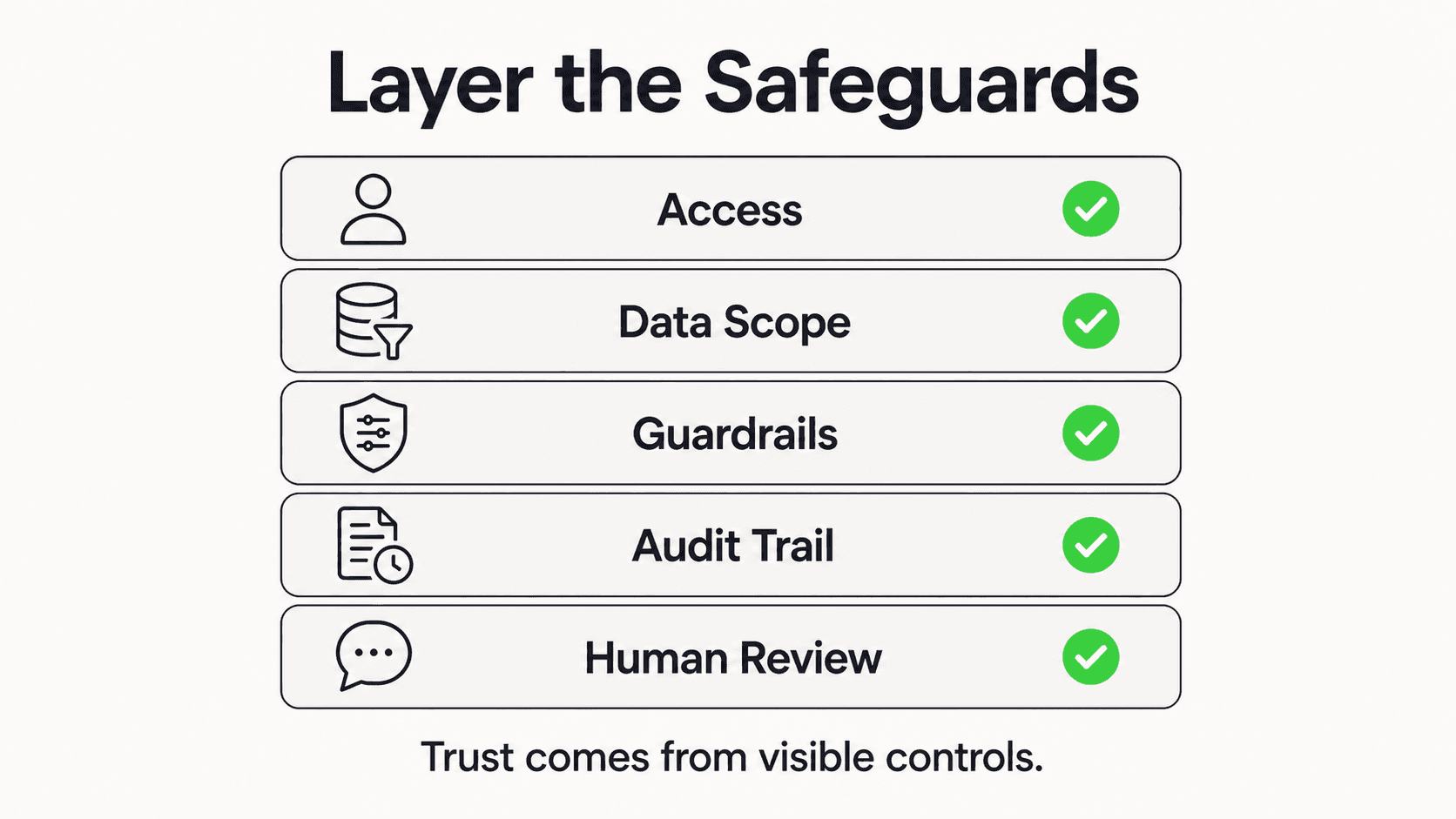
- Write your emergency routing protocol. What should the bot do at 11pm on a Sunday? Make it explicit.
- Define the scope. What topics is the bot allowed to discuss? Everything else routes to a human.
- Build the knowledge base. Hours, insurance list, services, FAQs, location details, new-patient intake form.
- Configure escalation triggers. Explicit "human" requests, any clinical question, any complaint.
- Test with real patient questions. Run 30 real inquiries from your voicemail transcripts.
- Deploy to your website first. Add WhatsApp once you've validated the content.
- Review weekly for the first month. Patch gaps in the KB as they appear.
Frequently Asked Questions
Will an AI receptionist replace my front desk team?
No. It handles routine inquiries so your team can focus on patients in the office and the conversations that genuinely need a person. The right framing is "the AI handles the volume; your team handles the relationship."
Is this HIPAA compliant?
The platform needs to handle patient information in compliance with HIPAA requirements. Hyperleap handles patient data under appropriate safeguards — always confirm specifics with your platform and your compliance counsel before deployment.
What happens if a patient describes a real emergency?
The bot follows your documented emergency routing protocol — typically acknowledging the urgency, providing your emergency line or 911 guidance, and flagging the conversation to your on-call team immediately. It does not assess severity or provide medical advice.
Can the bot book appointments directly into my PMS?
Hyperleap does not currently integrate with dental practice management systems (Dentrix, Eaglesoft, Open Dental). Appointment requests are captured as structured data via REST API and webhooks, and your front desk confirms them into your PMS. If native PMS integration is a hard requirement, evaluate that on the platforms you're considering.
How does the bot handle insurance questions?
By answering from a maintained list in your knowledge base. The bot shouldn't guess about coverage — if a patient asks about a carrier not on your list, the clean behavior is "I don't see that carrier in my list — let me have our office confirm."
What does this cost for a single-location clinic?
Hyperleap Plus at $40/month is enough for most single-location dental clinics. That covers 3,000 AI responses and 4 channels (website + WhatsApp + two more). The break-even is typically a single captured after-hours appointment.
Safe Automation Is the Only Automation Worth Deploying
The clinics that get the most out of an AI receptionist are the ones who take the scope discipline seriously. Stay out of clinical territory. Answer the questions a front-desk team would answer. Route emergencies cleanly. Capture every after-hours inquiry your voicemail used to swallow. That's the playbook — and at the volume a typical single-location clinic runs, it's transformative.
Hyperleap's dental agent deployments are built around this exact playbook. Honest, scoped, grounded, and safe — with the after-hours capture that most clinics want and the escalation discipline that keeps the whole system trustworthy. See transparent pricing and the broader AI chatbot use cases for dental clinics guide.
Can the chatbot diagnose or assess dental issues?
No — and it should not. Hyperleap is configured to capture symptom information and route to your clinical team. It does not make clinical assessments or provide medical advice. This scope discipline is what keeps the deployment compliant and trustworthy.
How does emergency routing work?

The bot detects emergency keywords (knocked-out tooth, severe pain, swelling, bleeding) and routes immediately to your designated emergency contact — phone number, on-call dentist, or after-hours line — rather than scheduling a regular appointment.
Is the chatbot HIPAA-compliant for patient information?
For HIPAA-covered workflows (PHI handling, EHR integration), pair the chatbot with your existing HIPAA-compliant systems and configure scope to capture identifiers only when needed. Hyperleap routes — it does not store full medical records. Work with your compliance team for your specific configuration.
Further Reading
Authoritative external sources used and recommended for further research on this topic:
- American Dental Association practice resources
- ADA Health Policy Institute research
- HIPAA Privacy Rule (HHS.gov)
See a dental deployment on your clinic's content
Configure scope, emergency routing, and patient intake in one session. Start with a 7-day free trial.
Try Hyperleap for DentalRelated Articles
AI Receptionist for Veterinary Clinics: A Guide
An AI receptionist for veterinary clinics answers intake and pricing questions, routes emergencies to your team, and shares your booking link 24/7.
How to Build an AI Chatbot for Your Business
How to build an AI chatbot for your business: decide the jobs it should do, gather knowledge, choose channels, test, and go live in under 5 minutes.
AI Receptionist for Landscaping Businesses
An AI receptionist for landscaping businesses answers quote and service questions 24/7, qualifies property details, and shares your booking link.
AI Receptionist for Restaurants: Chat-First Guide
An AI receptionist for restaurants answers menu and hours questions, qualifies reservation and private-dining requests, and shares your reservation link 24/7.