Automate Service Appointment Scheduling for Auto Shops
A step-by-step guide to automating oil change, brake, and inspection scheduling so service advisors focus on upsells and CX.

TL;DR: Automated appointment scheduling reduces service department no-shows by 30-50%, increases daily appointment capacity by 15-25%, and frees service advisors from 2-3 hours of daily phone work. This guide walks through 7 practical steps to automate scheduling for oil changes, brake jobs, inspections, and seasonal services — including how AI chatbots connect to your DMS via webhooks and APIs.
How to Automate Service Appointment Scheduling for Your Auto Shop
Your service advisors spend 2-3 hours every day on the phone scheduling oil changes, brake jobs, and state inspections. That's 2-3 hours they could spend greeting customers, presenting multi-point inspection findings, and recommending the additional services that drive your effective labor rate.
Automated appointment scheduling isn't just about convenience for customers; it's about unlocking your service department's highest-value activity: the service drive interaction. Efficiency-focused shops are 25% more likely to increase annual profits compared to those relying on manual scheduling processes (Source: Auto Care Association). Automated reminders alone reduce no-shows by 30-50%.
This guide covers the complete process, from auditing your current scheduling workflow to integrating with your DMS and measuring the impact on your bottom line.
Who This Guide Is For
This guide is for independent auto repair shops, franchise dealership service departments, multi-location service chains, and tire/quick-lube centers looking to automate appointment scheduling without replacing their existing DMS or shop management system.
What Automated Service Scheduling Looks Like
Automated service scheduling uses AI-powered tools and online booking systems to handle appointment creation, reminders, confirmations, rescheduling, and waitlist management without requiring a human to pick up the phone. For auto shops, this means customers can book routine services 24/7, while your team focuses on the work that actually requires their expertise.
A fully automated scheduling workflow handles:
- Online appointment booking through your website, Google Business Profile, and messaging channels
- Intelligent time allocation based on service type (30 minutes for an oil change vs. 3 hours for a brake job)
- Automated reminder sequences via text and email at 48-hour, 24-hour, and 2-hour intervals
- DMS integration syncing appointments directly into CDK, Reynolds & Reynolds, Tekion, or Shopmonkey
- Capacity management preventing overbooking of bays and technician hours
- Seasonal demand handling for tire changeovers, AC service, and winter prep rushes
The difference from a simple online form is intelligence: the system understands that a brake noise complaint needs a diagnostic bay and 90 minutes, not the 30-minute slot an oil change requires.
Why Auto Shops Struggle with Manual Scheduling
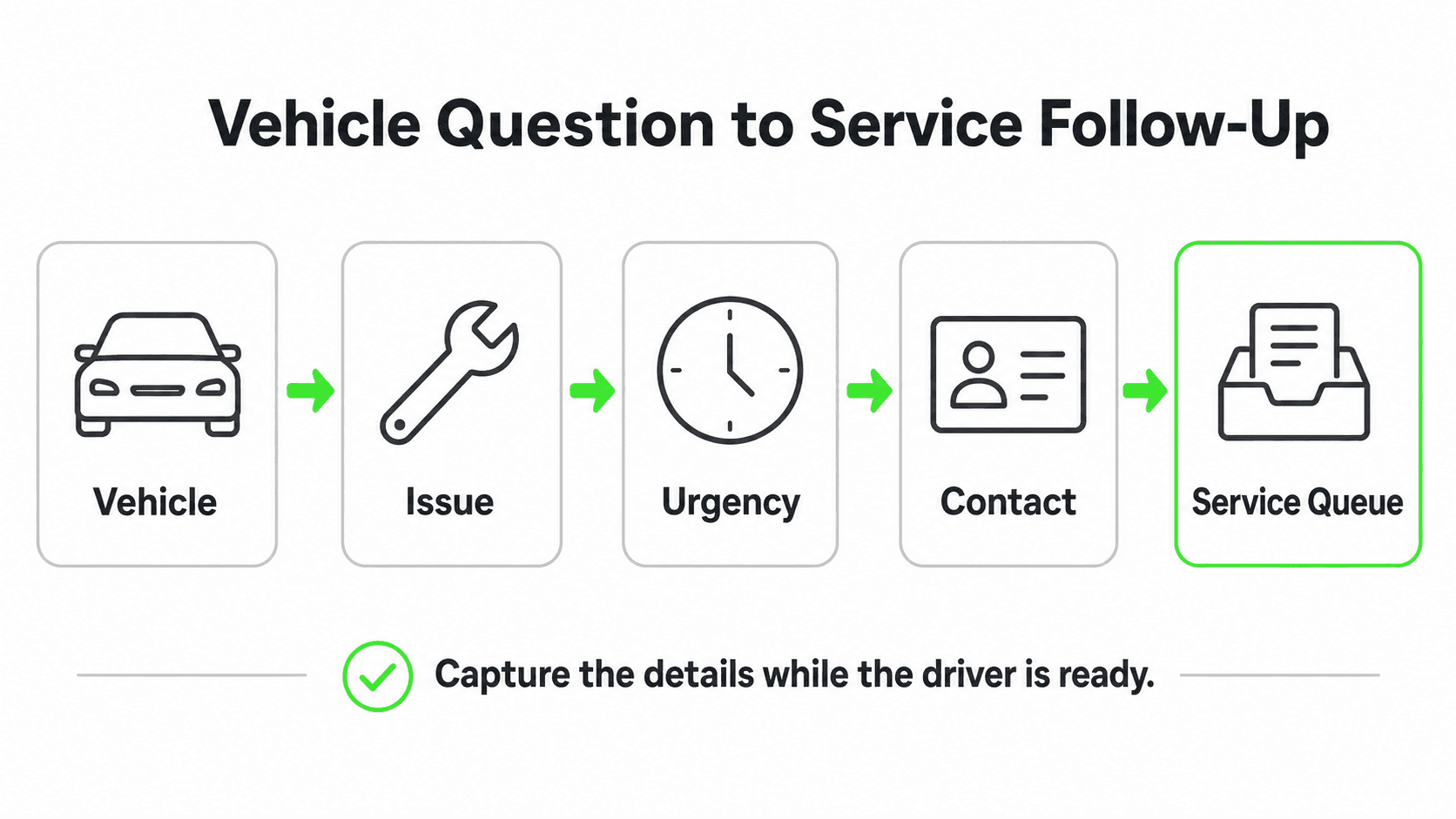
Phone Tag Consumes Service Advisor Time
The average service department handles 30-50 scheduling-related calls per day. Each call takes 3-5 minutes. That's 2-3 hours of your best service advisors' time spent on low-value phone conversations instead of write-ups, walkarounds, and upselling.
The real cost: A service advisor earning $65,000-$85,000 per year spending 30% of their time on phone scheduling is a $19,500-$25,500 annual misallocation. When those same advisors are on the service drive presenting multi-point inspection results, they generate $150-$300+ per customer in additional service recommendations.
No-Shows Destroy Shop Productivity
No-show rates in auto service range from 10-20% depending on the shop type and location. For a shop running 40 appointments per day, that's 4-8 empty slots representing $400-$1,200 in lost daily revenue (at $100-$150 average repair order value).
Automated reminders cut no-shows by 30-50% (Source: Auto Care Association). A shop with a 15% no-show rate that reduces to 8% through automated reminders recovers approximately 2.8 additional appointments per day, or roughly $400+ daily, which totals over $100,000 annually.
After-Hours Demand Goes Uncaptured
Customers notice problems with their vehicles during their commute or on the drive home. They want to schedule service immediately, but your shop closed at 6 PM. By the next morning, they've either forgotten, found an alternative, or the urgency has faded.
Research shows that 40% of service appointments are booked outside business hours when shops offer 24/7 online scheduling (Source: Zenoti booking data). Without after-hours booking capability, your shop is invisible when customers are most motivated to act. Learn more about why after-hours gaps cost auto businesses.
Seasonal Demand Creates Chaos
Tire changeover season, pre-summer AC checks, and year-end inspection rushes create predictable but overwhelming demand spikes. Manual scheduling during these periods leads to overbooking, long wait times, frustrated customers, and burned-out staff.
The Hidden Cost of Overbooking
Overbooking doesn't just frustrate the customers who wait too long. It exhausts technicians, increases error rates, and reduces the quality of multi-point inspections, suppressing the upsell revenue that drives fixed operations profitability.
7 Steps to Automate Service Appointment Scheduling
1. Audit Your Current Scheduling Workflow
What this looks like in practice: Before automating anything, document your current process end-to-end. Track how appointments flow from initial customer contact through completion for one full week.
Real-world impact: Most shops discover that 40-60% of scheduling touchpoints (initial call, confirmation, reminder, rescheduling) can be fully automated, while the remaining require minimal human oversight.
Why it works: You can't automate what you don't understand. The audit reveals where the biggest time sinks and failure points are, so you can prioritize automation where it matters most.
Key steps:
- Track every scheduling-related phone call, email, and walk-in for 5 business days
- Record the average time per interaction and the outcome (booked, rescheduled, no-show, canceled)
- Identify your top 10 most-scheduled services and their required time/bay allocations
- Document your current reminder process (or lack thereof)
- Note which DMS or shop management system you use (CDK, Reynolds & Reynolds, Tekion, Shopmonkey, Shop-Ware, Mitchell 1)
2. Configure Service-Specific Time Blocks
What this looks like in practice: Different services require different time blocks, bays, and technician skill levels. Your automation system needs to understand that an oil change is not the same as a transmission diagnostic.
Real-world impact: Shops that implement intelligent time blocking can increase daily appointment capacity by 15-25% by eliminating the buffer time that service advisors pad into manual scheduling (Source: Identifix scheduling best practices).
Why it works: When a customer books an oil change online, the system allocates exactly 30 minutes in a quick-service bay. When they book a brake noise diagnostic, it allocates 90 minutes in a diagnostic bay. No guessing, no double-booking, no wasted capacity.
Key configurations:
| Service Type | Time Block | Bay Type | Skill Level |
|---|---|---|---|
| Oil change / filter | 30 min | Quick service | Any tech |
| Tire rotation | 30 min | Quick service | Any tech |
| Brake pad replacement | 90 min | General service | Certified |
| Diagnostic / check engine | 60-120 min | Diagnostic bay | Master tech |
| State inspection | 30 min | Inspection bay | Licensed |
| AC service | 60 min | General service | AC certified |
| Transmission service | 120 min | Specialty bay | Master tech |
| Timing belt / major repair | 240+ min | General service | Master tech |
3. Integrate with Your DMS or Shop Management System
What this looks like in practice: Your scheduling automation must sync bidirectionally with your existing DMS. Appointments booked online need to appear in your DMS, and existing appointments in your DMS need to block online availability.
Real-world impact: Without DMS integration, you end up with double-bookings and your service advisors managing two separate calendars. Integration eliminates this friction entirely.
Why it works: The DMS is your system of record. All scheduling automation feeds into it, not around it.
Integration options by platform:
- CDK Global (Drive DMS): CDK Appointment is built into Drive and supports online scheduling that syncs directly with the repair order system. Third-party tools can integrate via CDK's Fortellis API marketplace.
- Reynolds & Reynolds: Reynolds Service Portal 2.0 is the native scheduling solution built into the Reynolds Retail Management System, providing customers with a personalized portal for scheduling, viewing history, and tracking repair orders.
- Tekion: Tekion Automotive Retail Cloud uses AI and machine learning natively, with built-in scheduling that connects across sales, service, and parts.
- Shopmonkey / Shop-Ware / Mitchell 1: These independent shop management platforms offer API integrations and built-in online scheduling features.
For AI chatbot integration, platforms like Hyperleap AI can connect to your existing scheduling system via webhooks or direct API integration (Pro and Max), enabling conversational booking through your website, WhatsApp, and social media channels.
4. Set Up Multi-Touch Automated Reminders
What this looks like in practice: A customer books a brake job for Thursday at 10 AM. They automatically receive a confirmation text immediately, a reminder email 48 hours before, a reminder text 24 hours before, and a final "See you in 2 hours" text the morning of.
Real-world impact: Automated reminders reduce no-shows by 30-50% and give customers an easy way to reschedule rather than simply not showing up. Shops implementing automated reminder systems see a 25% reduction in no-show appointments (Source: Auto Care Association).
Why it works: Most no-shows aren't malicious; customers simply forget. A reminder sequence at 48 hours is early enough for the customer to reschedule and for your shop to fill the slot from a waitlist. The 2-hour reminder reduces same-day no-shows.
Key features:
- Immediate booking confirmation with appointment details
- 48-hour reminder with reschedule/cancel option
- 24-hour reminder via SMS (98% open rate)
- 2-hour "on the way" reminder
- Post-service follow-up for satisfaction and rebooking
Automate Your Service Scheduling Today
Hyperleap AI integrates with your existing shop systems to handle appointment booking (Pro and Max), reminders, and follow-up 24/7.
Get Started5. Enable 24/7 Multi-Channel Booking
What this looks like in practice: A customer googling "oil change near me" at 9 PM finds your shop, clicks the "Book Now" button on your Google Business Profile, and schedules an oil change for tomorrow at 8 AM. Another customer texts your shop number on Saturday afternoon and books a brake inspection through an AI-powered conversation.
Real-world impact: Shops offering multi-channel 24/7 booking capture 40% more appointments from after-hours inquiries compared to phone-only scheduling. These are customers who would otherwise choose a competitor with easier booking.
Why it works: Customers want to book service on their terms, not yours. The shop that makes booking effortless, whether at 9 PM on a phone screen or 7 AM before work, wins the appointment.
Channels to activate:
- Website booking widget (embedded scheduler on your site)
- Google Business Profile "Book" button
- AI chatbot on your website for conversational booking
- WhatsApp / text messaging for customers who prefer messaging
- Facebook / Instagram booking for social media users
When choosing a chatbot platform for your auto shop, look for one that supports multiple channels from a single dashboard.
6. Build Seasonal and Maintenance Demand Campaigns
What this looks like in practice: Your system automatically sends a "Time for your fall tire changeover" message to all customers who had winter tires installed last spring. It includes a one-tap booking link for tire changeover appointments during the first two weeks of October, with available slots pre-populated.
Real-world impact: Automated re-engagement campaigns drive up to 70% more repeat visits compared to shops relying on customers to remember their own maintenance schedules (Source: Auto Care Association). Pre-scheduled seasonal campaigns smooth demand instead of creating rush-period chaos.
Why it works: Customers don't track their own maintenance schedules. When you proactively remind them and make booking one tap away, you capture the service visit before a competitor or a DIY alternative does.
Campaign calendar:
| Month | Campaign | Target Audience |
|---|---|---|
| March-April | Spring AC check + tire rotation | All customers |
| May | Pre-summer road trip inspection | Families, SUV/minivan owners |
| September-October | Fall tire changeover + brake check | Winter tire customers |
| November | Winter prep (battery, coolant, wipers) | All customers |
| Dec-Jan | Year-end inspection | Customers with expiring inspections |
| Ongoing | Mileage-based oil change reminders | All customers at 3K/5K/7.5K intervals |
7. Implement Waitlist and Capacity Management
What this looks like in practice: It's October and your tire changeover schedule is fully booked for the next two weeks. A customer wants an appointment. Instead of turning them away, the system adds them to a waitlist and automatically offers them the slot if a cancellation occurs. The customer gets a text: "A tire changeover slot just opened for Thursday at 2 PM. Reply YES to book."
Real-world impact: Waitlist automation can fill 80-90% of cancellation slots that would otherwise remain empty. For a busy shop losing 3-5 appointments per week to cancellations, that's $1,500-$3,500 in recovered weekly revenue.
Why it works: Cancellations are inevitable. The question is whether you fill those slots or let them sit empty. Manual waitlist management requires a staff member to call down the list; automated waitlist management handles it instantly via text.
Key features:
- Automatic waitlist enrollment when preferred times are full
- Instant text notification when a matching slot opens
- One-tap confirmation to prevent slot from going to the next person
- Priority queue based on service urgency and customer value
- Capacity dashboard showing bay utilization and bottlenecks
Real Results: What Auto Shops Are Achieving
Revenue Growth
- Shops implementing automated scheduling see a 15-25% increase in daily appointment capacity through better time-block optimization (Source: Identifix)
- No-show reduction from 15% to 8% recovers an average of $100,000+ annually for a busy shop
- After-hours booking captures 40% of total appointments that would otherwise go to competitors
- Automated maintenance reminders drive up to 70% more repeat visits (Source: Auto Care Association)
Operational Efficiency
- Service advisors reclaim 2-3 hours daily from phone-based scheduling
- Reclaimed time spent on service drive interactions increases average repair order value by $50-$150
- Seasonal demand campaigns smooth booking across the calendar instead of creating bottleneck weeks
- DMS integration eliminates double-booking and manual data entry errors
Customer Experience
- 24/7 booking availability meets customer expectations for instant service access
- Automated reminders reduce no-shows and last-minute cancellations
- Faster rebooking from waitlists reduces customer wait times during peak seasons
- Post-service follow-up drives Google reviews and repeat business
Getting Started: A Step-by-Step Implementation Plan

Week 1: Audit and Configure
- Run the 5-day scheduling audit described in Step 1
- Document your service menu with time blocks and bay requirements
- Identify your DMS and confirm API/integration availability
- Select your scheduling automation platform
Week 2: Integrate and Test
- Connect your scheduling system to your DMS
- Configure service time blocks and technician assignments
- Set up automated reminder sequences
- Test end-to-end with internal bookings before going live
Week 3: Launch and Monitor
- Enable online booking on your website and Google Business Profile
- Deploy AI chatbot for conversational booking on your website and messaging channels
- Monitor bookings daily, adjusting time blocks and availability as needed
- Train service advisors on the new workflow
Week 4-8: Optimize and Expand
- Launch your first seasonal campaign (based on the campaign calendar)
- Enable waitlist management
- Activate additional channels (WhatsApp, social media)
- Review no-show rates, booking volume, and advisor time savings
- Calculate ROI against your pre-deployment baseline
Frequently Asked Questions
Will automated scheduling work with my existing DMS?
Yes, most modern scheduling automation platforms integrate with the major DMS providers including CDK Global, Reynolds & Reynolds, Tekion, Shopmonkey, Shop-Ware, and Mitchell 1. Integration is typically through APIs or middleware. Hyperleap AI connects via webhooks (Pro and Max) to work with virtually any shop management system.
How long does it take to set up automated scheduling?
Most shops can be live within 1-2 weeks. The first week covers the scheduling audit and system configuration. The second week covers integration testing and staff training. Simple setups (online booking + reminders without full DMS integration) can launch in 2-3 days.
What if a customer books the wrong service type?
Intelligent scheduling systems ask clarifying questions to route customers to the right service. For example, if a customer selects "brake service" the system asks whether they need a routine pad replacement or are experiencing a noise/vibration that requires diagnosis. AI chatbots are particularly effective at this conversational triage, ensuring the right time block and bay are allocated.
Will customers actually book online instead of calling?
Yes. When offered the option, over 50% of customers prefer online booking over phone calls (Source: Zenoti). Younger demographics (under 45) show even stronger preference for digital booking. You don't need to eliminate phone scheduling; you're adding channels, not replacing them. Over time, phone volume decreases naturally as customers adopt the easier path.
How much does service scheduling automation cost?
Costs vary by complexity. Basic online booking widgets are often included with shop management software subscriptions. AI-powered conversational booking through platforms like Hyperleap AI starts at $40/month. Full DMS-integrated solutions with automated campaigns and waitlist management typically range from $100-$500/month. Compare this to the $25,000+ annual cost of service advisor time spent on manual scheduling.
Can automated scheduling handle complex repairs that need diagnosis first?
Yes. The system can be configured to book a diagnostic appointment first, then schedule the repair separately once the diagnosis is complete. For complex situations, the AI captures the customer's description of the problem, books an appropriate diagnostic slot, and notes the details in your DMS for the technician.
How do I handle walk-ins alongside scheduled appointments?
Most scheduling automation platforms include walk-in buffer slots. You can designate 2-3 time blocks per day as "walk-in available" that don't show up in online booking. This preserves capacity for walk-ins while maximizing scheduled appointments during remaining hours.
Your Service Department's Competitive Edge Starts with Scheduling
The auto service industry is shifting from phone-first to digital-first. Shops that automate scheduling today capture more appointments, reduce no-shows, and free their best people to do what generates the most revenue: face-to-face customer interactions on the service drive.
The tools exist. DMS providers like CDK, Reynolds, and Tekion offer scheduling APIs, and AI platforms connect via webhooks and REST APIs. The ROI, measured in recovered no-show revenue, after-hours bookings, and advisor time savings, can often offset costs within the first few months — though results vary by shop size and implementation.
Whether you're a single-location independent shop or a multi-rooftop dealer group, automated scheduling is no longer optional. It's how the best service departments compete. Start by running the 5-day audit, and you'll have the data to make the case.
What is an AI chatbot in business terms?
A customer-facing chat agent that answers questions, qualifies inquiries, and captures leads 24/7. Modern AI chatbots are grounded in your business content (not the open internet) and run across your website and messaging channels with the same persona and knowledge.
How is Hyperleap different from a chat widget or a live chat tool?

Live chat tools route to humans; basic widgets follow scripted flows. Hyperleap is an AI agent grounded in your content — it understands intent, retrieves from your knowledge base, qualifies leads, and escalates only when needed. Same answers across website, WhatsApp, Instagram DM, and Facebook Messenger.
How long does it take to set up an AI chatbot with Hyperleap?
Most SMBs go live in 3–5 days for self-serve setup. With Managed Setup ($299 Free, available on every plan), Hyperleap builds the bot for you on your content and channels. A 7-day free trial is included on every plan.
Further Reading
Authoritative external sources used and recommended for further research on this topic:
- Anthropic research and product documentation
- Google Search Central documentation
- Gartner customer service research
Ready to Automate Your Service Scheduling?
Hyperleap AI handles appointment booking (Pro and Max), reminders, and customer follow-up across your website, WhatsApp, and social channels, 24/7.
Start Your Free TrialIndustry Solutions
See how AI chatbots work for these industries:
Related Articles
AI Answering for Auto Repair Shops & Dealerships
AI answering for auto repair shops vs. dealerships: estimates and status vs. inventory, test drives, trade-ins — 24/7 across chat, WhatsApp, Instagram.

AI Chatbot for Cleaning Services: Quotes & Bookings 24/7
See how an AI chatbot for cleaning services delivers instant quotes, books recurring cleanings, and captures after-hours leads your team would otherwise miss.

AI Chatbot for Property Managers: Tenant Requests 24/7
How AI chatbots handle routine maintenance, lease, and availability inquiries 24/7 — and lighten the load on property managers.

Instagram Chatbot: DM Automation Setup Guide (2026)
How to set up an Instagram chatbot in 2026 — where AI beats rule-based DM tools for lead capture, FAQs, and 24/7 replies, with real setup examples.