How to Build an AI Chatbot Without Code (2026)
A complete walkthrough for building a production-ready AI chatbot with no code — from knowledge base to WhatsApp deployment — in under an hour.

TL;DR: Building a production-ready AI chatbot in 2026 no longer requires any code. A modern no-code platform lets you import your website, generate a knowledge base, customize the persona, test the responses, and deploy to a website widget or WhatsApp — typically in under an hour. This guide walks through the full process end-to-end, including the decisions that matter and the mistakes to avoid on the first build.
Want the overview before the steps? See our no-code chatbot builder page — this is the hands-on walkthrough.
How to Build an AI Chatbot Without Code in 2026
A few years ago, "building an AI chatbot" meant wiring up an LLM API, a vector database, a retrieval pipeline, a widget, and a channel integration. None of that is necessary anymore. In 2026, a non-technical founder can ship a document-grounded, multi-channel AI chatbot in the time it takes to eat lunch — if they know which decisions to make and which corners not to cut.
This walkthrough is the version I wish someone had handed me on day one. It covers what to prepare, what to configure, what to test, and how to know when you're ready to go live.
Who This Guide Is For
Founders, ops leaders, and marketers building their first AI chatbot. No technical background required. You'll need a website, a list of common customer questions, and about an hour.
What Is a No-Code AI Chatbot?
A no-code AI chatbot is a customer-facing AI assistant you configure through a web interface rather than writing any code. You provide the content, the tone, and the deployment target. The platform handles the underlying model, retrieval, channel integration, and hosting.
The serious platforms in this space in 2026 include Hyperleap, Chatbase, SiteGPT, and Intercom Fin. They differ in channel coverage, pricing model, knowledge management, and lead capture, but share the same basic shape: import content → configure persona → deploy.
Before You Start: 4 Things to Prepare

1. A Clear Primary Use Case
Pick one job. "Answer common pricing questions and capture leads" is a good first job. "Handle all customer support, book meetings, qualify leads, and send follow-ups" is not — at least not for the first build.
2. Your Source Content
- Your website URL (the platform will crawl it)
- Any PDFs, brochures, or product documentation
- A list of your 20 most common customer questions with the correct answers
- Your pricing, hours, contact details, and booking link
3. A Persona Description
Two to three sentences describing how the bot should sound. Friendly, formal, playful, concise, detailed — pick a direction and write it down. This becomes the system prompt.
4. A Clear Escalation Rule
When should the bot hand off to a human? For most SMBs: "whenever the customer explicitly asks for a human, whenever the question involves a complaint or sensitive topic, whenever the bot can't find an answer in the knowledge base."
7 Steps to Build Your First Chatbot
1. Create Your Account and Start a New Agent
What this looks like in practice: Sign up for a platform trial. Hyperleap offers a 7-day free trial on every plan — Plus, Pro, and Max. Start the lowest tier that fits your expected volume.
Why it matters: Don't over-commit on day one. Build on Plus, upgrade if you run into limits.
2. Import Your Website and Documents
What this looks like in practice: Paste your website URL. The platform crawls your pages, extracts the text, and indexes it into a searchable knowledge base. Upload any PDFs you want included.
Real-world impact: This is where most of the magic happens. The bot's accuracy on business-specific questions is entirely a function of how good this knowledge base is — read the chatbot knowledge base best practices before you import.
Content Hygiene
Fix contradictions before importing. If your website says "open 9–5" on one page and "open 10–6" on another, the bot will confidently give whichever version it retrieves first.
3. Configure the Persona
What this looks like in practice: Write a 2–3 sentence description of how the bot should sound. Add any rules you want enforced — "always respond in English," "never discuss competitor pricing," "offer the booking link when the user asks about availability."
Real-world impact: This is your system prompt. Spend 10 minutes on it. It determines tone consistency across every conversation.
4. Set Up Lead Capture
What this looks like in practice: Configure which fields to capture (name, email, phone, intent), when to ask for them (usually after the bot has answered a question or two), and where the captured leads should land (email notification, webhook, CSV export).
Real-world impact: This is the single highest-ROI step in the whole build. A chatbot without lead capture is an expensive FAQ. A chatbot with it is a pipeline channel — see the lead generation chatbot playbook for the full flow.
5. Test With Real Questions
What this looks like in practice: Open the preview and run 20–30 real questions from your inbox. Note where the bot gets it right, where it gets it wrong, and where it refuses unnecessarily.
Real-world impact: First builds always have gaps. Finding them now is cheaper than finding them after launch.
What to look for:
- Correctness against your knowledge base
- Tone consistency
- Willingness to say "I don't know" when appropriate
- Handling of out-of-scope questions
- Lead capture flow feels natural
6. Deploy to Your First Channel
What this looks like in practice: Most teams start with the website widget — copy a snippet of JavaScript, paste into your site header, publish. Five minutes of work, and the same snippet works to add a chatbot to any HTML website.
Real-world impact: The website widget gives you immediate feedback with zero risk. It's also where most SMBs see first lead capture within 24 hours of launch.
7. Add WhatsApp (and Other Channels) When Ready
What this looks like in practice: Connect your WhatsApp Business API, Instagram, or Facebook Messenger through the platform's integration flow. Each requires some verification, but the platform handles the heavy lifting.
Real-world impact: Multi-channel is where the real pipeline lift comes from — customers prefer the channels they already use, and the best WhatsApp Business chatbot platforms round-up walks through the highest-converting first expansion.
Real Results: What a Good First Build Looks Like
Lead Capture From Day One
In Hyperleap's Jungle Lodges deployment, the chatbot captured 3,300+ leads in 90 days, with 35% of inquiries arriving outside business hours. The core of that deployment was built in the first session — the KB import, persona, and website widget. WhatsApp was added later.
The Right Metrics to Watch in Week One
- Conversations per day
- Lead capture rate (leads ÷ conversations)
- Escalation rate (handoffs ÷ conversations)
- Questions the bot couldn't answer (these become your next KB updates)
When to Upgrade From Plus to Pro
When you hit the 3,000 AI response limit consistently, want a second chatbot, need white-label branding, or need more than 4 channels. Pro is $100/month and covers 12,000 responses, 2 chatbots, 8 channels, and white-label.
Build your first chatbot in under an hour
Hyperleap's no-code setup imports your content, generates a knowledge base, and deploys to your first channel in one session.
Start a Free Trial5 Mistakes to Avoid on Your First Build
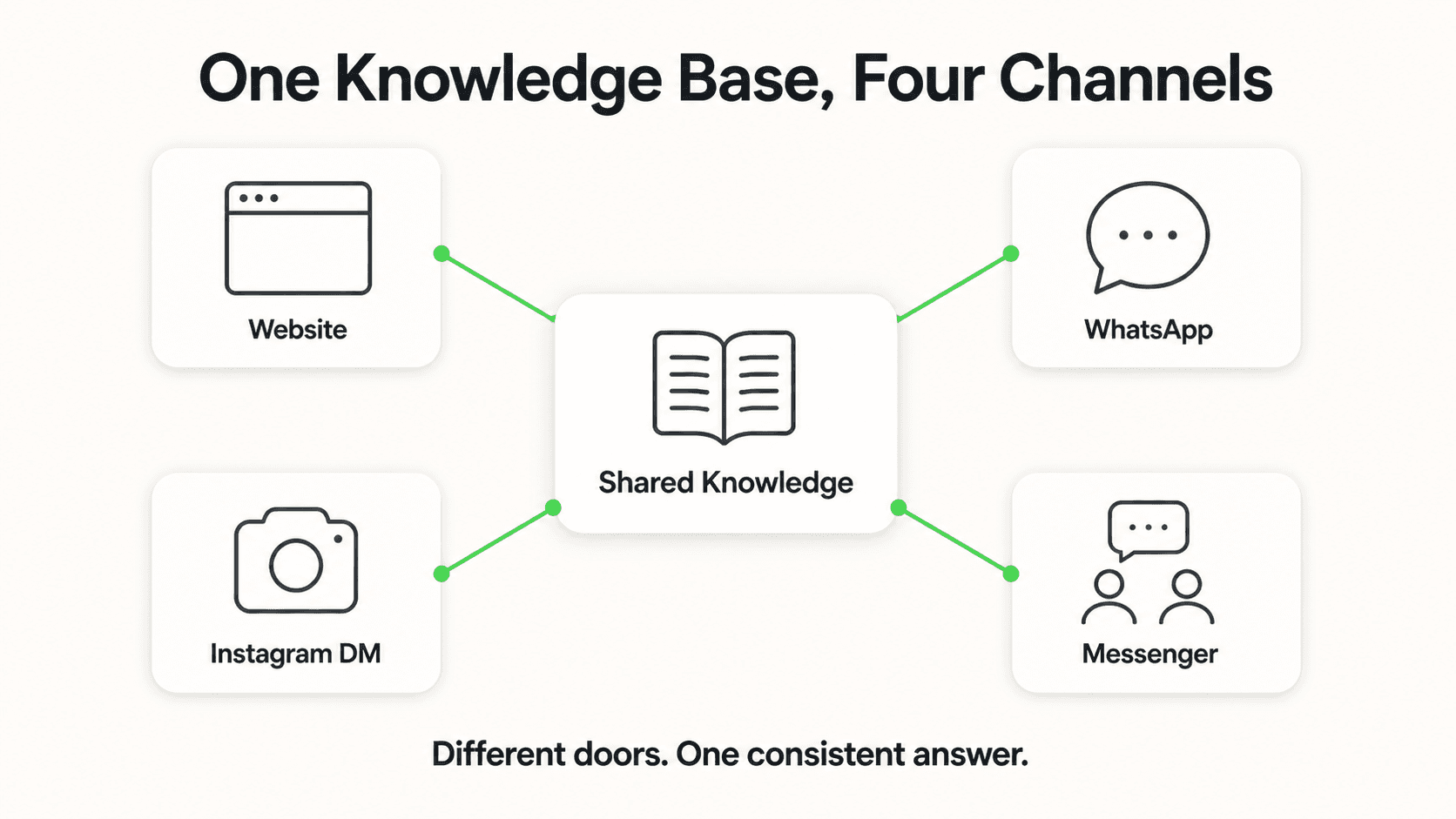
- Importing too much content. Dump in your 20 most-referenced pages, not your entire 300-page site. Smaller, cleaner KBs perform better.
- Skipping the persona. "Helpful assistant" is not a persona. Write something specific.
- Not testing escalation. Make sure "I want to speak to a human" actually works before going live.
- Forgetting lead capture configuration. This is the ROI of the whole project. Don't launch without it.
- Deploying to WhatsApp first. Start on the website widget, get the content right, then expand channels.
Frequently Asked Questions
Do I really need zero technical skills?
For a modern platform like Hyperleap, yes. Everything is configured through a web interface. The only "code" you'll touch is copy-pasting a JavaScript snippet into your website — the platform gives you the exact code to use.
How long does a first build take?
Typically 45–90 minutes for a focused use case (lead capture + FAQ on one website). Add another 30–60 minutes if you want to connect WhatsApp on day one.
How much does a no-code chatbot cost?
Hyperleap Plus starts at $40/month with a 7-day free trial and covers most first deployments. Pro is $100/month for businesses that need more volume, a second chatbot, or white-label. There is no free plan, and a credit card is required for the trial.
What happens when the bot doesn't know the answer?
A well-configured bot says "I don't have that information — would you like me to connect you with our team?" and captures the lead so your team can follow up. The worst failure mode is a bot that invents an answer; the right failure mode is clean escalation.
Can I train the bot on PDFs and not just my website?
Yes. Most platforms support PDF, DOCX, and text uploads directly. Hyperleap supports up to 40MB of knowledge content across all plans. Keep source content focused and current.
Will I need to maintain the chatbot after launch?
Yes, but it's not full-time work. Plan to spend 30 minutes a week reviewing conversations, updating the KB with questions the bot couldn't answer, and refining the persona. The first month needs the most attention; it gets lighter after that.
Your First Build Is the Hardest One
Every chatbot I've built has been easier than the one before it, but the first one is still meaningful work — not because the tools are hard, but because you're making a set of decisions about your business for the first time. What does your bot sound like? What questions are you willing to let it answer? What counts as a qualified lead? Those are the actually valuable parts of the exercise.
Hyperleap is designed to make the technical side invisible so you can focus on those decisions. Import your site, configure a persona, test with real questions, deploy to the channels you already use — and you'll have a working AI chatbot before the afternoon's over.
What is an AI chatbot in business terms?
A customer-facing chat agent that answers questions, qualifies inquiries, and captures leads 24/7. Modern AI chatbots are grounded in your business content (not the open internet) and run across your website and messaging channels with the same persona and knowledge.
How is Hyperleap different from a chat widget or a live chat tool?
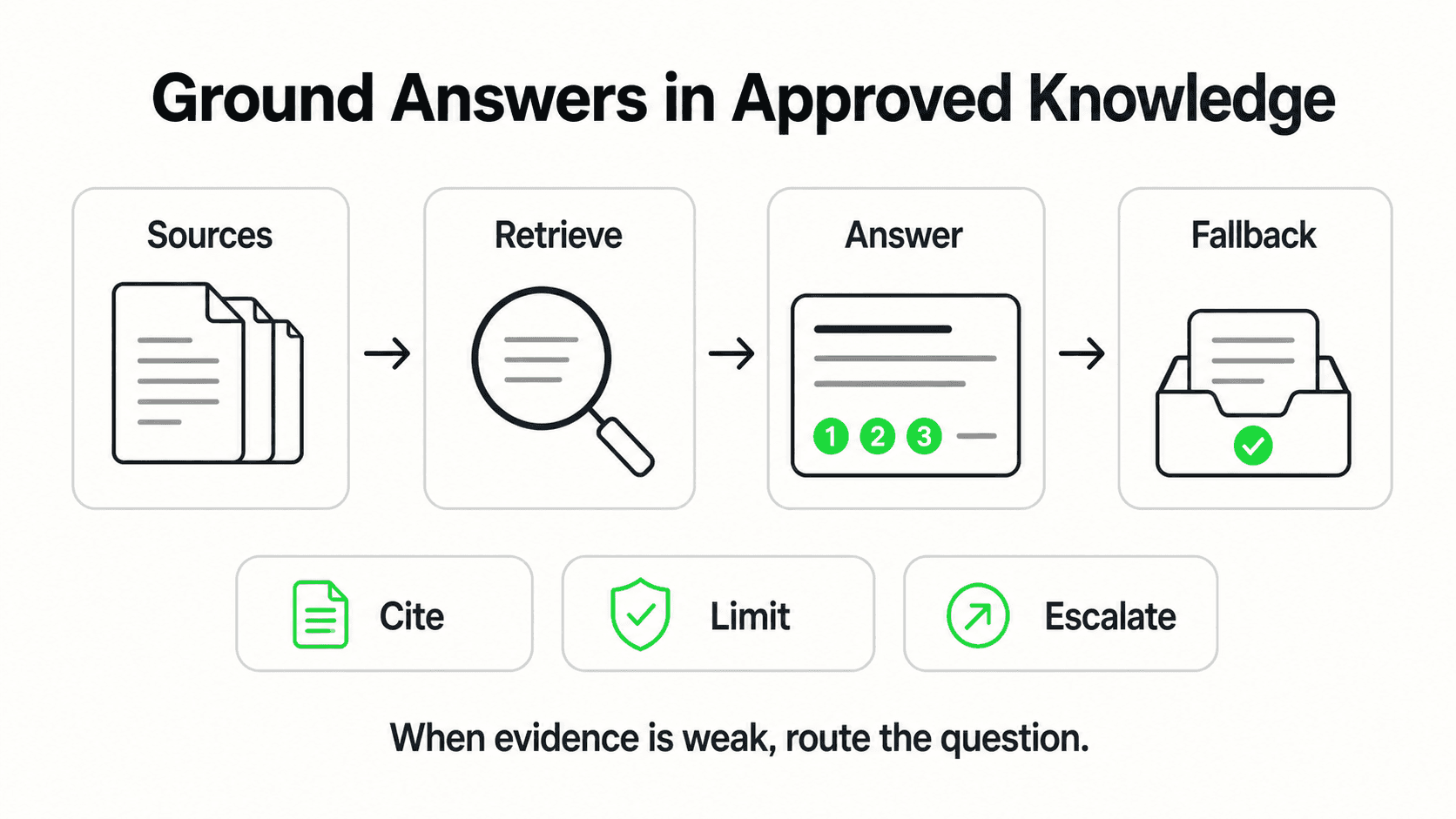
Live chat tools route to humans; basic widgets follow scripted flows. Hyperleap is an AI agent grounded in your content — it understands intent, retrieves from your knowledge base, qualifies leads, and escalates only when needed. Same answers across website, WhatsApp, Instagram DM, and Facebook Messenger.
How long does it take to set up an AI chatbot with Hyperleap?
Most SMBs go live in 3–5 days for self-serve setup. With Managed Setup ($299 Free, available on every plan), Hyperleap builds the bot for you on your content and channels. A 7-day free trial is included on every plan.
Further Reading
Authoritative external sources used and recommended for further research on this topic:
- Anthropic research and product documentation
- Google Search Central documentation
- Gartner customer service research
Haven't decided what your chatbot should actually do yet? Start with how to build an AI chatbot for your business for the planning steps this walkthrough assumes are done.
Ready to build your first chatbot?
Start the 7-day free trial and ship something live in under an hour.
Start BuildingRelated Articles
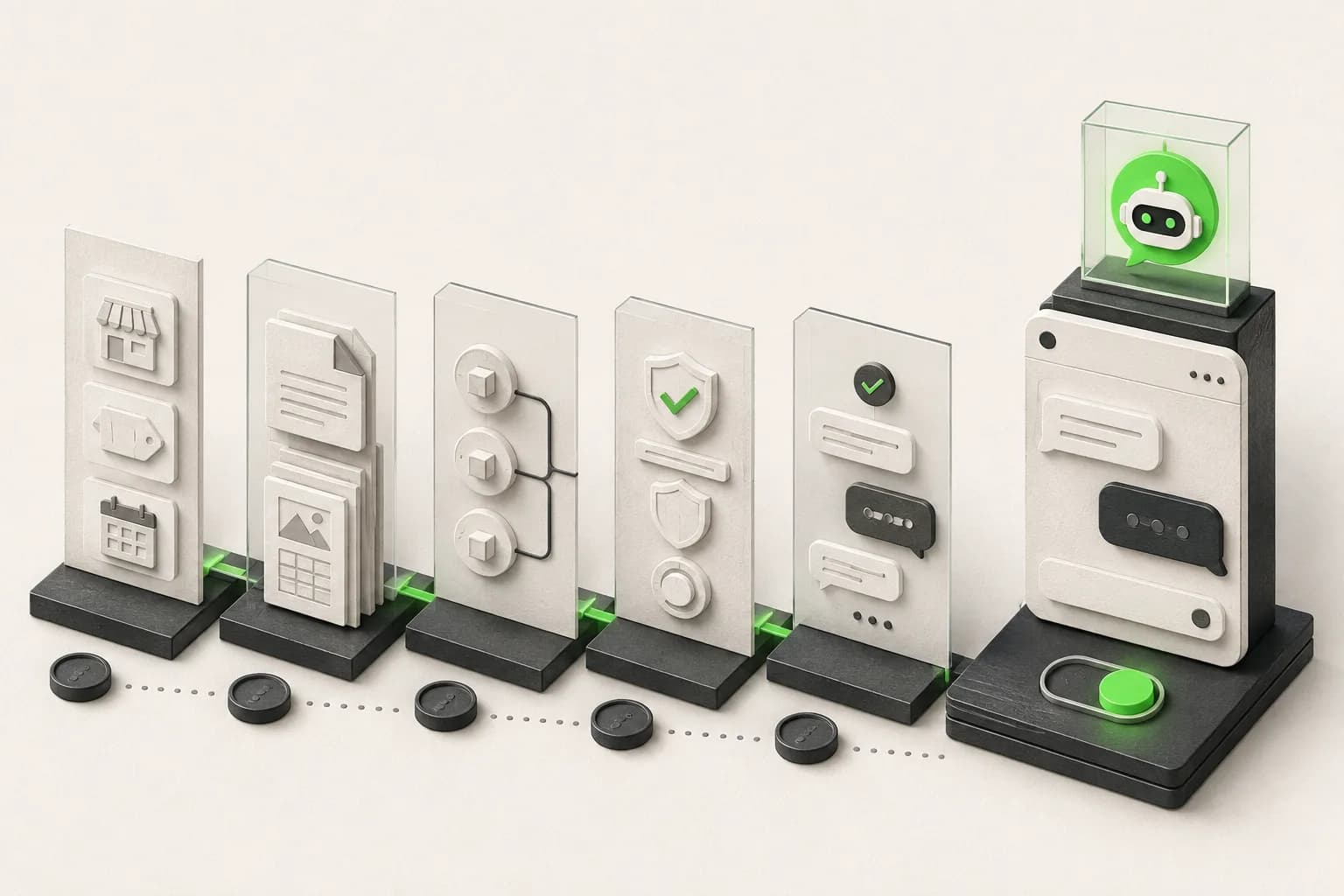
How to Build an AI Chatbot for Your Business
How to build an AI chatbot for your business: decide the jobs it should do, gather knowledge, choose channels, test, and go live in under 5 minutes.

AI Chatbot for Nonprofits: Donor Engagement at Scale
How nonprofits use AI chatbots to answer donor questions, capture volunteer signups, and route program inquiries — without adding headcount or losing the personal touch.
Best AI Chatbot for WhatsApp Business 2026: Buyer Guide
WhatsApp is the highest-converting channel for most SMBs in 2026. Here's what a serious AI chatbot for WhatsApp Business actually needs to do.
Instagram Chatbot: DM Automation Setup Guide (2026)
How to set up an Instagram chatbot in 2026 — where AI beats rule-based DM tools for lead capture, FAQs, and 24/7 replies, with real setup examples.