7 Questions Before Automating Law Firm Client Intake
Not all intake automation is created equal. Ask these 7 questions to protect your firm's ethics, security, and client experience.

TL;DR: Before automating your law firm's client intake, ask seven critical questions covering attorney-client privilege, bar association compliance, practice management integrations, human handoff protocols, conflicts checking workflows, client experience, and ROI measurement. The wrong solution can create ethics violations, security breaches, and poor first impressions that cost your firm far more than the technology saves.
You have decided your law firm needs automated client intake. The reasons are compelling: prospective clients expect instant responses, your staff spends hours on repetitive screening questions, and the data shows that firms responding within five minutes see conversion rates jump by up to 300% compared to those that respond more slowly (Source: LawHustle).
But here is where most firms go wrong. They pick an intake automation tool based on a slick demo or a colleague's recommendation without asking the questions that actually matter. Not all intake solutions are created equal, and in the legal profession, choosing wrong does not just mean wasted money. It can mean ethics violations, compromised attorney-client privilege, or a client experience so impersonal that high-value prospects walk away.
The legal technology market is growing rapidly, with 26% of law firms actively integrating generative AI in 2025, up from 14% in 2024, according to the Thomson Reuters Survey on AI Adoption. That growth means more vendors, more options, and more opportunity to make a costly mistake.
Before you sign a contract or start a free trial, ask these seven questions. They will help you evaluate any intake automation tool, whether it uses AI, simple automation, or a hybrid approach, and protect your firm from the risks that most evaluation checklists overlook.
Who This Guide Is For
This guide is written for managing partners, firm administrators, and legal operations professionals at small to mid-size law firms (2-50 attorneys) evaluating intake automation for the first time or replacing an existing solution.
1. How Does It Protect Attorney-Client Privilege?
Attorney-client privilege is the cornerstone of legal practice, and any technology that touches client communications must protect it absolutely. When a prospective client submits information through an automated intake system, they are often sharing sensitive details about their legal situation, financial circumstances, and personal history. If that data is mishandled, the privilege may be waived.
What to Look For
Start with encryption. Any credible intake solution must provide encryption in transit (TLS 1.2 or higher) and encryption at rest (AES-256). But encryption alone is not enough. You need to understand where data is stored, who can access it, and how long it is retained.
Key security requirements:
- End-to-end encryption for all client communications, including chat transcripts, form submissions, and uploaded documents
- Data residency controls that let you specify where client data is stored (US-based servers for US firms)
- Role-based access controls ensuring only authorized personnel can view intake data
- Audit logging that records every access to client information
- Data retention policies with automatic deletion after configurable periods
- SOC 2 Type II certification as a baseline security benchmark
Red Flags
Be wary of vendors that store data in consumer-grade cloud environments without enterprise security certifications. If a platform uses your client data to train AI models, that is a disqualifier. As noted in research from Spellbook Legal, public AI platforms that retain or train on user data effectively destroy confidentiality the moment information is uploaded.
Attorney-Client Privilege Warning
If your intake automation vendor cannot provide a clear data processing agreement specifying that client data is never used for model training, never shared with third parties, and stored with enterprise-grade encryption, do not proceed. A privilege waiver caused by a technology vendor is still a privilege waiver.
Questions to Ask Vendors
- Where is client data stored, and can we restrict it to specific geographic regions?
- Do you use client data to train or improve your AI models?
- Can you provide SOC 2 Type II or equivalent security certification?
- What happens to our data if we cancel the service?
- Who at your company can access our client intake data?
2. What Do Bar Associations Say About This Technology?
Legal technology adoption is not just a business decision. It is an ethical one. The American Bar Association and state bar associations have issued increasingly specific guidance on lawyers' use of technology, including AI-powered tools.
ABA Formal Opinions That Apply
ABA Formal Opinion 477R (2017) established that lawyers have a duty to use reasonable efforts to prevent unauthorized access to client information when using technology. This applies directly to any cloud-based intake system.
ABA Formal Opinion 483 (2018) addresses ethical obligations after a data breach, requiring lawyers to monitor for breaches, stop the breach, notify affected clients, and take steps to prevent recurrence. Your intake vendor's breach notification protocols directly affect your ability to comply.
ABA Formal Opinion 512 (2024) is the most directly relevant. Released in July 2024, it was the ABA's first formal opinion on generative AI use in legal practice. It addresses six areas of concern: competence (Model Rule 1.1), confidentiality (Model Rule 1.6), communication with clients (Model Rule 1.4), candor toward the tribunal (Model Rules 3.1 and 3.3), supervisory responsibilities (Model Rules 5.1 and 5.3), and reasonable fees.
Opinion 512 explicitly states that lawyers must have a "reasonable understanding of the capabilities and limitations" of AI tools they use and must secure informed client consent before using client confidences in AI tools. Importantly, the opinion clarifies that boilerplate consent in engagement letters is not adequate.
State Bar Variations
Beyond the ABA's model guidance, individual state bars have adopted varying positions. As of early 2026, over 40 states have adopted the duty of technology competence from ABA Model Rule 1.1, Comment 8, which requires lawyers to stay current with the "benefits and risks associated with relevant technology." Several states, including California, Florida, and New York, have issued their own AI-specific guidance.
How to Stay Compliant
- Disclose AI use to clients during the intake process when AI is involved in collecting or processing their information
- Supervise AI outputs as required by Model Rules 5.1 and 5.3, treating AI tools like non-lawyer assistants
- Document your evaluation process to demonstrate competence and due diligence in selecting the technology
- Review vendor agreements for compliance with your state bar's data protection requirements
For a deeper look at how confidentiality requirements shape intake automation choices, see our guide on automating legal client intake while maintaining confidentiality.
3. Does It Integrate with Our Practice Management Software?
An intake automation tool that does not connect to your existing practice management system creates data silos, duplicate entry, and potential for errors. Integration is not a nice-to-have feature; it determines whether the automation actually saves time or just shifts the workload.
The Major Platforms
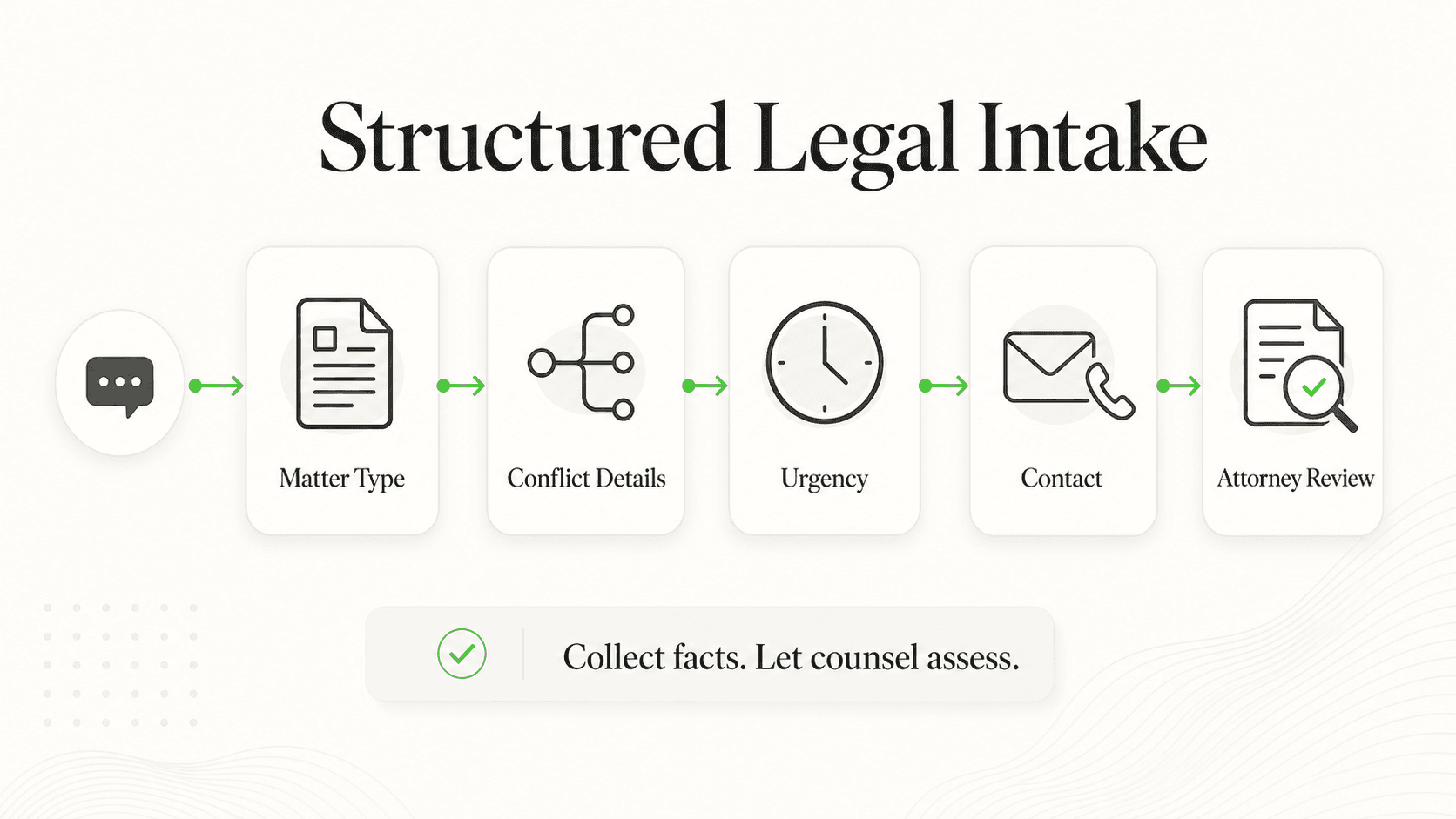
Most law firms run on one of a handful of practice management systems. Here is how integration typically works with each:
- Clio: The most widely used platform in the small to mid-size firm market. Clio Grow (formerly Lexicata) offers its own intake solution, but third-party tools can integrate through Clio's API. Look for native integrations that sync contacts, matters, and documents automatically.
- PracticePanther: Known for its clean interface and strong third-party integration ecosystem. Supports integrations through both native connectors and Zapier.
- MyCase: Offers built-in intake forms through MyCase IQ and supports API-based integrations with external tools.
- Lawmatics: Purpose-built for legal CRM and intake automation. Integrates natively with Clio, MyCase, PracticePanther, Filevine, Rocket Matter, and Smokeball, syncing matter data upon lead conversion.
- Filevine: Takes a modular approach, with Lead Docket handling intake and feeding into Filevine's case management. API integrations are available for third-party tools.
API vs. Native Integration
Not all integrations are equal. There are three tiers:
- Native integrations sync data automatically and bi-directionally. A new lead captured via intake automatically creates a contact and potential matter in your PMS. This is the gold standard.
- API integrations require some configuration but can be customized. You may need IT support or a vendor's professional services team to set them up.
- Zapier or webhook integrations connect tools through a middleware layer. They work, but they add cost, complexity, and a potential point of failure.
Data Flow Considerations
When evaluating integration, map out the complete data flow from the moment a prospect first interacts with your intake system to the point where they become a client in your PMS. Key questions include:
- Does lead information flow into your PMS automatically, or does someone need to copy-paste?
- Are documents uploaded during intake accessible in the matter file?
- Can intake data trigger automated workflows in your PMS (such as task creation or calendar events)?
- What happens when data conflicts arise between systems?
Integration Test
Before committing to any intake tool, run a pilot with 10-15 real intake submissions. Track how many manual steps are required to move data from the intake system to your PMS. If it takes more than two clicks per lead, the integration is not tight enough.
4. What Happens When the AI Cannot Answer a Question?
This is the question most firms forget to ask, and it is the one that matters most to the prospective client sitting on the other end of the conversation. No AI system can handle every scenario. What separates a good intake system from a liability is how gracefully it handles its limitations.
Human Handoff Protocols
Any intake automation solution must include clear, configurable escalation paths. When the AI encounters a question it cannot answer, a situation that requires empathy, or a prospect who explicitly asks for a human, the transition must be seamless.
What seamless looks like:
- The AI acknowledges it cannot fully address the question
- It collects the prospect's preferred contact method and availability
- It immediately notifies the appropriate attorney or intake specialist
- The human responder has full context of the conversation so the prospect does not need to repeat themselves
What failure looks like:
- The AI gives a vague or incorrect answer rather than admitting its limitation
- The prospect is told to "call during business hours" with no further follow-up
- The handoff loses conversation context, forcing the prospect to start over
- No one is notified, and the lead goes cold
Escalation Workflows
Your intake system should support tiered escalation:
- Tier 1: AI handles routine screening (practice area, basic facts, contact information, scheduling)
- Tier 2: Complex questions escalate to a trained intake specialist or paralegal
- Tier 3: Urgent or high-value matters route directly to an attorney
Each tier should have configurable triggers. For example, if a prospect mentions a statute of limitations issue or an emergency protective order, the system should immediately escalate.
After-Hours Routing
For many firms, the greatest value of intake automation is capturing after-hours leads. According to legal client intake statistics, a significant share of prospect inquiries come outside of business hours. Your system needs a clear after-hours protocol:
- Immediate acknowledgment: The AI confirms receipt and sets expectations for response time
- On-call attorney routing: For urgent matters, the system should be able to page or text the on-call attorney
- Next-business-day queue: Non-urgent matters are queued with full context for the first available team member
- Automated follow-up: A scheduled follow-up message is sent to prevent leads from going to competitors
5. How Does It Handle Conflicts Checking?
This is the question where getting it wrong creates the most serious liability. Conflicts of interest are governed by Model Rules 1.7 through 1.10, and a failure to identify a conflict before representation begins can result in disqualification, malpractice claims, and disciplinary action.
Critical Ethics Requirement
Automated intake systems must NEVER perform conflicts checks autonomously. The correct workflow is always: capture information first, then an attorney reviews for conflicts before any engagement proceeds. No AI system should make a conflicts determination, and no vendor should claim this capability.
Why Automated Intake Must Not Do Conflicts Checks
Conflicts analysis requires legal judgment. It involves understanding the nature of the representation, identifying adverse parties and related entities, evaluating the materiality of the conflict, and determining whether informed consent can cure the conflict. These are tasks that require an attorney's professional judgment under Model Rule 1.7.
An automated system that flags a "conflict" based on name matching alone will produce false positives (different people with the same name) and false negatives (related entities with different names). Either failure is dangerous.
The Correct Workflow
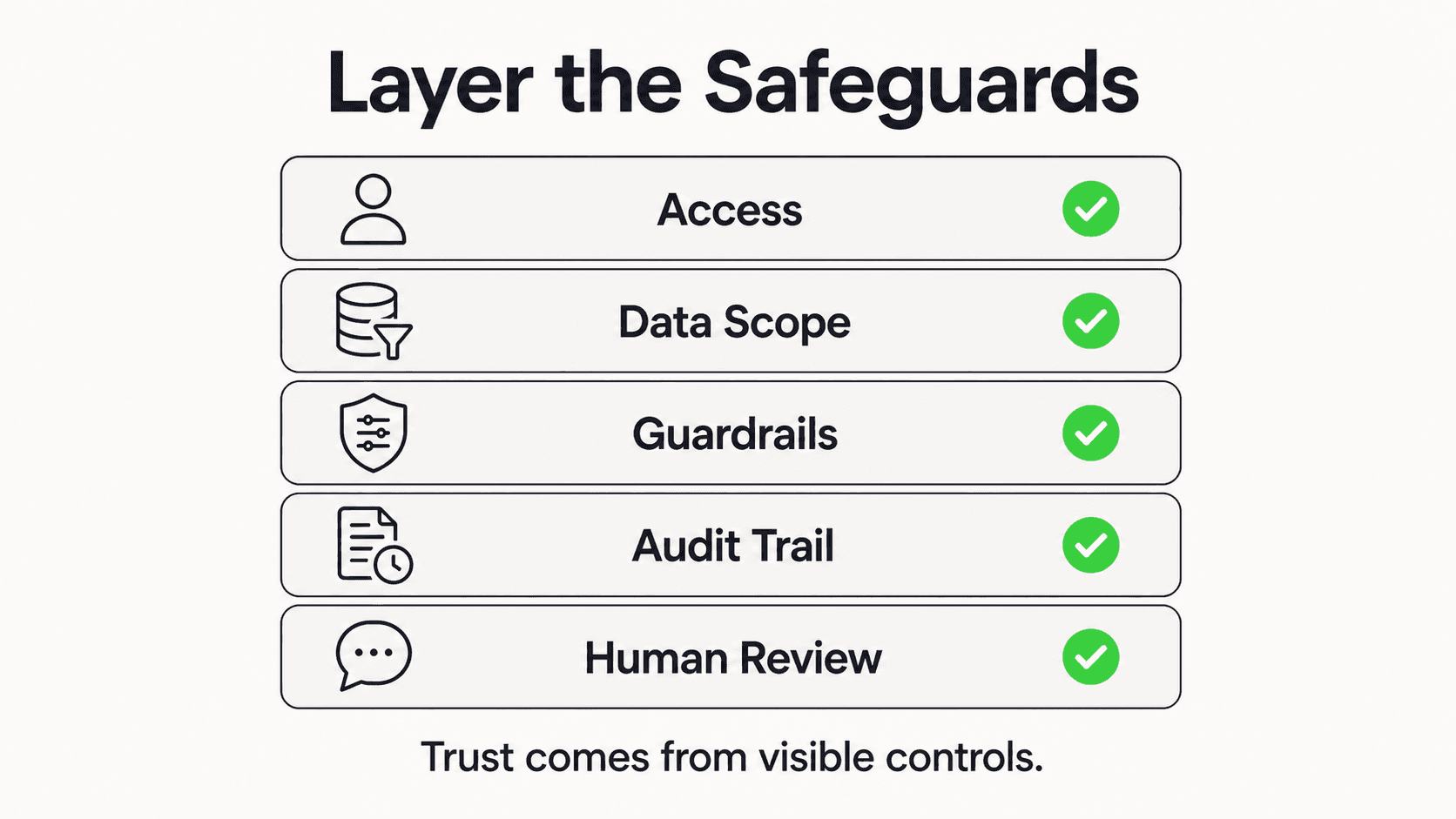
The proper role for intake automation in the conflicts process is:
- Capture comprehensive information: The intake system collects the prospect's full name, all known adverse parties, the nature of the dispute, and any related entities or individuals
- Feed data to your conflicts database: The information is transmitted to your practice management system's conflicts module (Clio, PracticePanther, and others all have built-in conflicts tools)
- Attorney reviews conflicts results: A licensed attorney evaluates the conflicts report, applying professional judgment to determine whether a conflict exists
- Proceed or decline: Based on the attorney's review, the firm either proceeds with engagement or declines the representation with appropriate referrals
Liability Considerations
If your intake system skips or shortcuts the conflicts process, the consequences are severe. A missed conflict discovered after representation begins can lead to court-ordered disqualification, malpractice exposure, bar disciplinary proceedings, and reputational damage. Document your conflicts workflow as part of your technology adoption process, and ensure every member of your team understands that the intake system captures data for conflicts review but never replaces it.
6. What Will Our Clients' Experience Be Like?
A prospective client's first interaction with your firm sets the tone for the entire relationship. For many practice areas, particularly personal injury, family law, and criminal defense, the person reaching out is in a stressful, vulnerable situation. The intake experience must reflect the professionalism and empathy your firm would demonstrate in person.
First Impressions Matter
Research consistently shows that the speed and quality of initial response is the single biggest factor in whether a prospect retains your firm over a competitor. Automated intake can dramatically improve response times, but only if the experience feels professional rather than robotic.
What prospects evaluate (consciously or not):
- How quickly did the firm respond?
- Did the system understand my situation, or did I feel like I was talking to a machine?
- Was I asked relevant questions, or generic ones that did not apply to my legal issue?
- Did I feel heard and respected, even before talking to an attorney?
Tone and Professionalism Requirements
Your intake system speaks on behalf of your firm. The language it uses must match your firm's voice and the expectations of your client base. A personal injury firm in Texas will have a different tone than a corporate law firm in Manhattan. Make sure any solution lets you customize:
- Greeting messages and initial prompts
- Follow-up language and scheduling confirmations
- Practice area-specific questions that demonstrate domain knowledge
- Sensitivity calibration for emotionally charged practice areas (family law, criminal defense, personal injury)
Customization Options
Look for platforms that offer AI agents customizable to your firm's brand and practice areas. A one-size-fits-all chatbot that asks the same questions for a slip-and-fall case as it does for a business formation is going to frustrate prospects and undermine your firm's credibility.
Essential customization features include:
- Practice area-specific intake flows with relevant screening questions
- Custom branding (firm logo, colors, and visual identity)
- Conditional logic that adapts questions based on previous answers
- White-label capabilities that make the tool feel like part of your firm, not a third-party widget
Multi-Language Support
If your firm serves diverse communities, multi-language intake is not optional. The ability to conduct intake in Spanish, Mandarin, Vietnamese, or other languages spoken in your client base can be a significant competitive advantage and an access-to-justice issue.
7. How Do We Measure ROI?
Automating intake is an investment, and like any investment, it should deliver measurable returns. Before you deploy a solution, define the metrics you will track and establish baseline numbers so you can calculate actual ROI rather than relying on vendor promises.
Key Metrics to Track
Response time: Measure the average time between a prospect's first inquiry and your firm's first substantive response. Before automation, this is typically 4-24 hours for most firms. After automation, it should be under 2 minutes for the initial AI response.
After-hours lead capture: Track how many inquiries come in outside business hours and what percentage convert to consultations. Industry data suggests that AI-powered intake can capture leads that would otherwise go to competitors overnight.
Consultation-to-retention rate: Of the prospects who complete automated intake and schedule a consultation, what percentage retain your firm? This measures whether the intake experience is properly qualifying and warming up prospects.
Cost per acquired client: Calculate the total cost of your intake process (technology, staff time, missed leads) divided by the number of new clients retained.
Staff time reallocation: Measure how many hours per week your intake staff or paralegals save on repetitive screening tasks, and what higher-value work they can do instead.
Cost Comparison
To calculate ROI fairly, compare the total cost of automated intake against the alternatives:
| Approach | Monthly Cost | After-Hours Coverage | Lead Capture Rate |
|---|---|---|---|
| Additional intake staff | $3,500-5,500 (salary + benefits) | No (unless you hire for night shift) | Varies by individual |
| Legal answering service | $800-1,500 | Yes (basic message taking) | Low (no screening or qualification) |
| AI-powered intake automation | $100-400 | Yes (full qualification) | High (immediate, consistent response) |
The cost differential is significant, but the real ROI comes from leads that would have been lost entirely. A firm that captures even 3-5 additional retained clients per month through better after-hours response can see substantial revenue gains depending on the practice area and average case value.
Typical Payback Period

For most small to mid-size firms, intake automation pays for itself within 60-90 days. The math is straightforward: if your average case value is $3,000 and automation helps you retain even two additional clients per month that you would have lost to slow response times, that is $6,000 in monthly revenue against a technology cost of $100-400.
Track Before You Automate
Establish your baseline metrics at least 30 days before deploying any intake automation. Track response times, after-hours inquiries, and conversion rates manually. Without a baseline, you cannot prove ROI, and you cannot identify which improvements came from the technology versus other changes.
For a data-driven perspective on the cost of missed inquiries, see our analysis of why law firms lose cases from after-hours inquiries.
Your Law Firm Intake Automation Checklist
Before signing with any vendor, confirm that the solution meets these requirements drawn from the seven questions above:
Security and Privilege Protection:
- End-to-end encryption (TLS 1.2+ in transit, AES-256 at rest)
- US-based data residency option
- SOC 2 Type II or equivalent certification
- No use of client data for AI model training
- Configurable data retention and deletion policies
- Comprehensive audit logging
Ethics and Compliance:
- Ability to disclose AI use to prospective clients
- Compliant with ABA Formal Opinions 477R, 483, and 512
- Documented supervisory controls for AI outputs
- Clear data processing agreement available
Integration:
- Native or API integration with your practice management system (Clio, PracticePanther, MyCase, Filevine, or Lawmatics)
- Automated data flow from intake to matter creation
- Document and attachment syncing
Human Handoff:
- Configurable escalation triggers
- Context preservation during handoff (no lost conversations)
- After-hours on-call routing
- Automated follow-up scheduling
Conflicts Workflow:
- Captures all necessary conflicts data (parties, adverse parties, related entities)
- Feeds data to your PMS conflicts module
- Does NOT make autonomous conflicts determinations
- Supports attorney review step before engagement
Client Experience:
- Practice area-specific intake flows
- Custom branding and white-label options
- Tone and language customization
- Multi-language support
- Conditional question logic
ROI Measurement:
- Response time tracking and reporting
- After-hours lead capture analytics
- Conversion rate reporting
- Integration with your firm's financial reporting
The Right Questions Lead to the Right Solution
Automating your law firm's client intake is one of the highest-impact technology decisions you will make. Done right, it captures leads around the clock, qualifies prospects with consistent accuracy, and frees your team to focus on the work that requires human judgment and empathy. Done wrong, it creates ethics exposure, alienates prospective clients, and wastes money on a tool that sits unused.
The seven questions in this guide are not a theoretical exercise. They represent real risks that firms have encountered when choosing intake automation without sufficient diligence. By asking these questions of every vendor you evaluate, you protect your firm, your clients, and your reputation.
The firms that thrive in 2026 and beyond will not be the ones who adopted AI first. They will be the ones who adopted it thoughtfully, with the right safeguards, the right integrations, and the right client experience. Start your evaluation with these questions, and you will be in a strong position to choose well.
Further Reading
Authoritative external sources used and recommended for further research on this topic:
Frequently Asked Questions
How long does implementation typically take?
Most law firms can deploy automated intake within 1-3 weeks. The first week typically involves configuring practice area-specific intake flows, integrating with your practice management system, and customizing branding. The second week is usually spent on testing with your team, refining question flows, and training staff on the handoff process. More complex deployments involving multiple practice areas, offices, or custom integrations may take 4-6 weeks. The key is to start with your highest-volume practice area and expand from there.
What is the typical cost of intake automation for a law firm?
Costs vary widely depending on the solution type. Basic form-and-workflow automation tools start at $50-150 per month. AI-powered intake platforms with natural language processing typically range from $100-400 per month. Enterprise solutions with custom integrations and dedicated support can run $500-1,500 per month. When evaluating cost, factor in the savings from reduced answering service fees, fewer missed leads, and staff time reallocation. For most firms, the technology cost is a fraction of the revenue gained from faster, more consistent lead capture. See our pricing page for Hyperleap AI's current plans.
Can we use intake automation for specific practice areas only?
Yes, and this is actually the recommended approach. Start with the practice area that has the highest intake volume and the most standardized screening questions, such as personal injury, family law, or criminal defense. These areas benefit most because the initial qualification questions are relatively predictable. Once you have proven the system works for one practice area, expand to others. Most platforms support multiple intake flows, so a personal injury inquiry follows a different question path than a business formation inquiry.
Will clients know they are talking to AI?
This depends on the platform and your ethical obligations. From an ethics standpoint, the growing consensus among bar associations aligning with ABA Formal Opinion 512 is that firms should disclose when AI is involved in client communications. Most modern intake platforms make this easy with configurable disclosure messages at the start of the conversation. In practice, the disclosure does not deter prospects when the AI experience is fast, relevant, and professional. What deters prospects is not getting a response at all, or getting a slow, impersonal one.
What if we have multiple offices or practice locations?
Multi-office firms need intake automation that supports location-based routing, meaning a prospect in Dallas should be connected to the Dallas office, not the Houston office. Look for platforms that offer geographic routing based on the prospect's location or the nature of their legal matter. The system should also support office-specific branding, intake flows, and scheduling calendars. If you evaluate platforms for a multi-office firm, check that the AI answers from the right office's content (hours, address, attorneys) while sharing firm-wide policies and procedures, and that it asks which office when a prospect doesn't say.
See How AI Intake Works for Law Firms
Hyperleap AI agents are designed for professional services firms that need document-grounded responses, human handoff protocols (Pro and Max), and data connectivity via REST API and webhooks. Start your 7-day free trial.
Get StartedIndustry Solutions
See how AI chatbots work for these industries:
Related Articles

5 Questions Insurance Agencies Must Ask Before a Chatbot
Insurance isn't like other industries. Here are the 5 questions that separate the right chatbot from an expensive mistake for your agency.

Automate Legal Client Intake Without Confidentiality Risk
A step-by-step guide to automating your law firm's client intake while maintaining attorney-client privilege and bar association compliance.

7 Questions Before Adding AI to Your Real Estate Biz
Not all AI tools are built for real estate. Ask these 7 questions to protect your leads, your client relationships, and your commission checks.

Patient Communication Platform for Dental Practices
A practical evaluation guide for dental practices choosing a patient communication platform. 7 must-have capabilities from PMS integration to HIPAA compliance.