Patient Communication Platform for Dental Practices
A practical evaluation guide for dental practices choosing a patient communication platform. 7 must-have capabilities from PMS integration to HIPAA compliance.
Every missed patient call costs your dental practice $500 to $1,000 in lost production -- and that is just the immediate appointment. Research shows that dental practices miss an average of 35% of incoming calls, and 65% of those missed calls come from potential new patients (Source: Resonate / Peerlogic). When you factor in a patient lifetime value of $7,000 to $10,000, the stakes multiply fast. The result? Practices that cannot communicate effectively lose patients to the competitor who answers first. The solution is not another generic messaging tool or a basic online form. It is a patient communication platform built for the realities of running a dental practice.
But here is the problem: there are dozens of platforms claiming to solve dental communication, and most of them were never designed for dentistry. They do not connect to your practice management software. They do not understand dental workflows. They leave compliance gaps that could cost your practice tens of thousands in HIPAA penalties.
This guide walks you through exactly what to evaluate so you choose the right patient communication platform the first time.
Who This Guide Is For
This guide is written for US dental practice owners, office managers, and front desk coordinators evaluating patient communication platforms for the first time or replacing an underperforming solution. Whether you run a solo practice or a multi-location group, the 7 criteria here apply across general dentistry, orthodontics, periodontics, and pediatric dentistry.
What Is a Patient Communication Platform for Dental Practices?
A patient communication platform is software that manages and automates how your dental practice interacts with patients across every touchpoint -- from the first inquiry to post-treatment follow-up. Unlike a single-function tool that only handles texting or only manages appointment reminders, a true patient communication platform unifies multiple capabilities into one system that works with your existing dental workflow.
For dental practices specifically, these platforms typically handle:
- Appointment scheduling and confirmation through web, text, and messaging channels
- Automated reminders via text, email, and messaging apps to reduce no-shows
- Two-way messaging so patients can ask questions and get answers without calling
- Recall and recare automation to bring patients back for hygiene and follow-up visits
- Online scheduling that syncs with your practice management system in real time
- Patient intake by collecting insurance, health history, and forms before the visit
- After-hours availability so inquiries at 9 PM do not go unanswered until morning
The critical distinction from generic customer communication tools is that a dental-specific platform understands your workflow. It knows the difference between a hygiene recall and an emergency appointment. It connects to practice management systems like Dentrix, Eaglesoft, or Open Dental. It handles protected health information within HIPAA requirements.
This is where most platforms fall short. A tool designed for retail customer service or general business messaging may check the "two-way texting" box, but it was never built for the compliance requirements, scheduling complexity, and patient relationship dynamics that define dental practice communication.
Why Most Communication Tools Fall Short for Dental Practices
Generic Tools Do Not Understand Dental Workflows
Most communication platforms on the market were built for broad business use -- retail, restaurants, salons, general service businesses. They treat every appointment the same and every customer inquiry identically. But dental practices have fundamentally different needs. A new patient exam requires different scheduling rules than a crown prep. An orthodontic consultation has different intake requirements than a hygiene cleaning. A patient describing a dental emergency at 10 PM needs a completely different response than someone asking about your whitening services.
When you force a generic tool into dental workflows, your front desk ends up spending as much time configuring workarounds as they save on automation. That defeats the purpose entirely.
No PMS Integration Creates Double Work
Dentrix, Eaglesoft, and Open Dental account for more than 50% of dental software installs in North America (Source: EIN Presswire / OpenPR). If your patient communication platform cannot connect to your PMS, every appointment booked online must be manually entered into your scheduling system. Every patient form collected digitally must be re-keyed into patient records. Every reminder sent through the platform is disconnected from the schedule changes happening in your PMS.
This double data entry is not just inefficient -- it is error-prone. Missed entries lead to double bookings, outdated availability, and patients who show up for appointments that were never properly recorded. The time your front desk wastes on manual data transfer is time they are not spending on patients in the office.
Compliance Gaps Create Real Legal Risk
HIPAA civil monetary penalties range from $100 to $50,000 per violation, with annual caps of up to $1.9 million for willful neglect (Source: HIPAA Journal). A dental practice becomes a covered entity the moment it transmits health information electronically, which includes submitting a single insurance claim. Yet many communication platforms store patient conversation data on servers that do not meet HIPAA Security Rule requirements, lack audit logging, and cannot produce a Business Associate Agreement.
In 2022, three dental practices reached settlements totaling $142,500 for HIPAA noncompliance including disclosing PHI on review websites and impermissible use of patient information for marketing (Source: HIPAA Journal). A communication platform that handles patient messages without proper safeguards puts your practice squarely in this risk zone.
No Dental-Specific Features Means Missed Revenue
Generic tools lack the features that directly impact dental practice revenue: recall and recare automation, treatment follow-up sequences, insurance verification workflows, and emergency routing protocols. Without recall automation, you are relying on your front desk to manually track which patients are overdue for hygiene -- and the average dental office loses about 17% of their patients each year to attrition (Source: eAssist Dental Billing). Without emergency routing, a patient messaging about severe pain at midnight gets the same generic auto-reply as someone asking about your office hours. These are not edge cases. They are daily realities that dental-specific platforms address and generic tools ignore.
7 Things to Look for in a Patient Communication Platform for Your Dental Practice
1. Practice Management System Integration
What this looks like in practice: The platform connects directly to your practice management system -- whether Dentrix, Eaglesoft, Open Dental, CareStack, or another PMS -- so appointment availability, patient records, and schedule changes flow bidirectionally without manual intervention. When a patient books through the platform, it appears in your PMS immediately. When your team blocks a time slot, the platform knows not to offer it.
Real-world impact: Integration eliminates the double data entry that plagues practices using disconnected tools. Research shows that more than 42% of dental clinics report improved patient flow after implementing integrated digital management platforms (Source: Precedence Research). Without integration, your front desk is essentially running two systems in parallel, which creates more administrative work than it saves.
Why it works: The most common reason dental practices abandon communication tools is that the tool creates more work than it removes. Integration is the difference between a platform that genuinely automates and one that just shifts the manual work to a different screen. When evaluating any platform, ask specifically which PMS systems they integrate with and whether the integration is bidirectional or one-way.
Key features to demand:
- Pre-built integrations with Dentrix, Eaglesoft, Open Dental, and other major dental PMS platforms
- Bidirectional sync for scheduling, patient records, and appointment status
- Real-time availability updates that prevent double bookings
- Fallback protocols when the integration encounters sync errors
- Appointment-type-specific rules that match your PMS configuration
2. Automated Appointment Reminders
What this looks like in practice: Your system sends a multi-touch reminder sequence -- 48 hours before, 24 hours before, and 2 hours before the appointment -- through the patient's preferred channel. Each message includes a simple way to confirm, reschedule, or cancel. Confirmations update your PMS automatically. Cancellations trigger waitlist automation to fill the open slot.
Real-world impact: The average dental no-show rate sits at approximately 15%, costing practices $105,000 or more annually in lost production (Source: Arini / Maxillo Dental). Research shows that practices implementing automated reminders experience 30-45% fewer no-shows than those relying on manual methods (Source: Arini). Text-based reminders are particularly effective: text messages achieve a 98% open rate compared to roughly 20% for email (Source: RevenueWell / Dental Intel).
Why it works: Forgetfulness causes 36% of all dental no-shows (Source: Inshalytics / Dialog Health). A single reminder call the day before is not enough -- patients who hear a voicemail at 4 PM about a 9 AM appointment may forget again by morning. Multi-touch sequences with a same-day reminder address the cognitive load that busy patients face. The confirmation loop creates psychological commitment and gives your practice time to fill cancellations.
Key features to demand:
- Customizable multi-touch reminder sequences (48h, 24h, 2h)
- Two-way confirmation where patients reply to confirm or reschedule
- Multi-channel delivery: text, email, and messaging apps
- Automatic PMS updates when patients confirm or cancel
- Waitlist automation that fills canceled slots by notifying standby patients
3. Two-Way Patient Messaging
What this looks like in practice: Patients can text or message your practice with questions and receive timely responses -- either automated for common inquiries or routed to the right staff member for complex ones. Your team manages all conversations from a single dashboard, regardless of whether the patient reached out via text, website chat, or a messaging app.
Real-world impact: Research shows that 55% of patients prefer text messaging over phone calls for appointment-related communication (Source: RevenueWell). Text messages have a 40% response rate, far higher than any other channel (Source: FalkonSMS). Practices that enable two-way messaging reduce inbound phone volume because patients can get answers to routine questions -- insurance acceptance, office hours, preparation instructions -- without calling. That frees your front desk to focus on patients who are physically in the office.
Why it works: Patients are already texting constantly in their daily lives. Forcing them to call your office for every question creates friction and drives patients toward competitors who make communication easier. Two-way messaging meets patients where they are and creates a documented conversation trail that eliminates the "he said, she said" confusion that phone calls sometimes produce.
Key features to demand:
- Unified inbox for all patient conversations across channels
- Automated responses for common questions (hours, insurance, directions, parking)
- Smart routing of complex questions to the appropriate staff member
- Conversation logging tied to the patient record in your PMS
- Templates for common message types (post-op instructions, pre-visit reminders, billing follow-ups)
See Two-Way Messaging in Action for Dental
Hyperleap AI connects your dental practice to patients on web, WhatsApp, Instagram, and Messenger -- with document-grounded responses that stay accurate to your practice information.
Get Started4. Online Scheduling That Syncs with Your PMS
What this looks like in practice: Patients can book appointments directly from your website, Google Business Profile, or messaging channels at any time of day. The system shows real-time availability pulled from your PMS, enforces appointment-type rules (cleaning vs. exam vs. emergency), and assigns the booking to the correct provider. The confirmed appointment appears in your PMS schedule immediately.
Real-world impact: Research shows that 72% of patients prefer booking appointments online or through an app, and 80% say they would switch to a provider that offers online booking for convenience alone (Source: Resonateapp / Doctible). Practices that offer both online scheduling and phone booking schedule 24% more appointments than phone-only practices (Source: Practice by Numbers). With 40% of dental inquiries coming outside business hours (Source: TrueLark), online scheduling captures bookings that after-hours voicemail never will.
Why it works: A patient who remembers to schedule a cleaning at 9 PM on Sunday should not have to wait until Monday morning to book. By then, the intent has faded. Online scheduling converts that 9 PM intent into a confirmed appointment in seconds, with no staff involvement required. For practices investing $150-$300 per new patient in marketing (Source: Dentplicity / Dr. Marketing), capturing every inquiry from that investment is critical.
Key features to demand:
- Real-time PMS sync so patients only see available slots
- Appointment-type rules (different durations, providers, and preparation requirements)
- Provider-specific scheduling for multi-dentist practices
- New patient vs. existing patient booking flows with appropriate intake
- Integration with Google Business Profile for direct booking from search results
5. Recall and Recare Automation
What this looks like in practice: The platform automatically identifies patients who are due or overdue for hygiene appointments, preventive care, or treatment follow-ups. It sends a sequence of outreach messages -- starting gentle and increasing in urgency -- through the patient's preferred channel, with a direct link to book their next visit.
Real-world impact: The average dental office loses approximately 17% of patients each year, many of whom simply fall off the recall schedule rather than consciously choosing to leave (Source: eAssist Dental Billing). Research shows that effective recall programs can increase patient retention rates by up to 25% (Source: Arini). 48% of patients will not proactively schedule their next appointment (Source: Dental Practice Solutions) -- they need a prompt. Automated recall ensures that prompt happens on schedule, every time, for every patient, without your front desk manually tracking overdue lists.
Why it works: Recall is the revenue backbone of most dental practices. Hygiene visits generate consistent production and are the primary touchpoint where treatment needs are identified. When patients fall off the recall schedule, you lose the hygiene revenue, the treatment revenue from undetected issues, and eventually the patient entirely. Manual recall systems depend on your busiest staff members finding time to make calls to patients who often do not answer. Automated recall runs in the background, reaching patients through channels they actually respond to.
Key features to demand:
- Automatic identification of due and overdue patients from your PMS data
- Multi-touch recall sequences (initial reminder, follow-up, final outreach)
- Direct booking links within recall messages for frictionless scheduling
- Customizable intervals for different recall types (6-month hygiene, perio maintenance, orthodontic checks)
- Reporting on recall conversion rates and overdue patient volume
6. HIPAA Compliance and Data Security
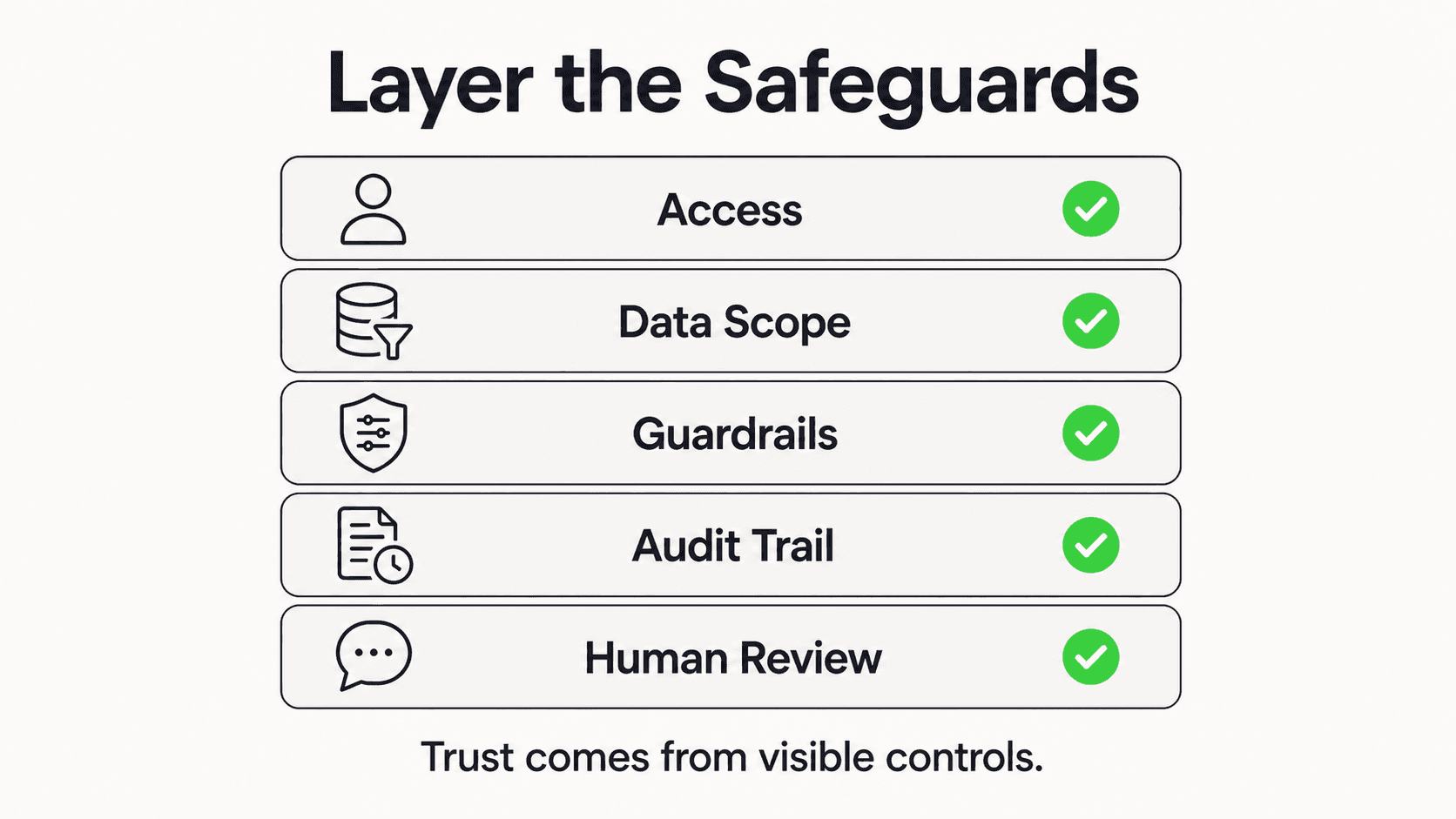
What this looks like in practice: The vendor provides a signed Business Associate Agreement before you deploy the platform. Patient conversation data is encrypted at rest (AES-256) and in transit (TLS 1.2+). Every interaction is logged in an audit trail accessible to your compliance officer. The platform has role-based access controls so front desk, hygienists, and dentists see only the information relevant to their role.
Real-world impact: HIPAA applies to every dental practice in the United States that transmits health information electronically -- which means virtually every practice (Source: ADA). The 2025 HIPAA Security Rule update eliminated the distinction between "required" and "addressable" safeguards, making encryption and access controls mandatory. A patient communication platform that stores texts, chat logs, and intake forms containing protected health information without proper safeguards puts your practice at risk. In 2024, a dental practice in Maryland was fined $70,000 for a single right-of-access violation (Source: HIPAA Journal).
Why it works: HIPAA compliance is not just about avoiding penalties. It is about building the trust that patient relationships depend on. When patients know their information is protected, they are more willing to engage with digital communication tools, share health history through intake forms, and communicate openly about their dental concerns. A platform that takes compliance seriously also takes your practice's reputation seriously.
Key features to demand:
- Signed BAA provided before implementation
- AES-256 encryption at rest and TLS 1.2+ in transit
- Comprehensive audit trails for every patient interaction
- Role-based access controls for different staff roles
- SOC 2 Type II certification or equivalent security attestation
- Clear data retention and deletion policies
For a deeper dive into compliance for AI-powered tools, see our guide to HIPAA-compliant AI chatbots for healthcare.
A BAA Is Not Optional
If your patient communication platform handles any protected health information -- which includes patient names, appointment details, insurance information, and health history -- your vendor must sign a Business Associate Agreement. If a vendor cannot or will not provide a BAA, that is a disqualifying factor regardless of how good their features are.
7. Dental-Specific Analytics and Reporting
What this looks like in practice: Your dashboard shows metrics that matter for dental practice operations: appointment booking completion rates, no-show trends by day and provider, recall conversion rates, most common patient questions by category, after-hours vs. business-hours engagement volume, and revenue impact estimates from captured appointments.
Real-world impact: Generic communication dashboards track "messages sent" and "conversations started." Those numbers tell you very little about whether the platform is actually improving your practice's bottom line. Dental-specific analytics tell you how many appointments were booked versus abandoned, which recall sequences convert best, whether your after-hours coverage is capturing the bookings you were previously losing, and which patient questions come up most often. Practices using AI-powered analytics gain visibility into which communication workflows are performing and where patients drop off — enabling targeted improvements rather than guesswork.
Why it works: What gets measured gets managed. Without dental-specific analytics, you cannot calculate the return on your platform investment, identify gaps in your patient communication, or make data-driven decisions about staffing, hours, and marketing. The practices that get the most value from their communication platform are the ones that review their analytics monthly and optimize based on what the data reveals.
Key features to demand:
- Appointment funnel metrics (booking started, completed, abandoned, rescheduled)
- No-show tracking with trend analysis by provider, day, and appointment type
- Recall campaign performance (sent, opened, booked, overdue remaining)
- After-hours engagement reporting
- Revenue impact estimates based on appointments captured
- Exportable reports for team meetings and practice management reviews
Real Results: What Dental Practices Are Achieving
Revenue Recovery
- Practices capturing after-hours appointment requests recover bookings from the 40% of patients who want to schedule outside of 9-5 (Source: TrueLark)
- Reducing no-shows by 10 percentage points can recover an estimated $70,000+ annually for a mid-size practice, based on average production per appointment of $200-$400
- Waitlist automation fills canceled slots that would otherwise sit empty, recovering same-day production
- Practices with faster response times convert dramatically more new patient inquiries, with 64% of patients booking within 10 minutes of first contact (Source: DCM Moguls)
Operational Efficiency
- Front desk phone volume decreases as patients shift to self-service channels for routine questions about hours, insurance, and directions
- Staff time previously spent on manual reminder calls (2-3 hours daily for a busy practice) is redirected to in-office patient care
- Automated recall eliminates the need to manually track and call overdue patients, which typically consumes additional staff hours weekly
- PMS integration removes double data entry and reduces scheduling errors
Patient Satisfaction
- 77% to 96% of patients report higher satisfaction when their dental practice uses text-based communication (Source: RevenueWell / Rectangle Health)
- Patients who self-schedule are statistically more likely to keep their appointments (Source: MGMA)
- Instant responses to after-hours inquiries build trust and differentiate your practice from competitors who send everything to voicemail
- Two-way messaging gives patients a convenient way to ask questions without the friction of a phone call
Competitive Differentiation
- Practices offering digital communication stand out in markets where most competitors still rely on phone-only approaches
- Younger patient demographics actively seek providers with online booking and messaging (Source: RevenueWell)
- Multi-channel availability positions your practice as modern and patient-centered
- Data from analytics enables smarter decisions about office hours, staffing, and marketing investment
Getting Started: A Step-by-Step Implementation Guide
Phase 1: Audit and Evaluate (Weeks 1-2)
- Document your current communication workflow: daily call volume, missed calls, after-hours inquiries, no-show rate, and recall completion rate
- Identify your PMS (Dentrix, Eaglesoft, Open Dental, or other) and confirm the version you are running
- Use the 7 criteria in this guide to create a vendor evaluation scorecard
- Request demos from 2-3 platforms and specifically test PMS integration, reminder workflows, and two-way messaging
- Verify HIPAA compliance: ask for the BAA, encryption specifications, and audit trail capabilities
- Check references from other dental practices of similar size and specialty
Phase 2: Configure and Connect (Weeks 3-4)
- Sign the BAA with your chosen vendor
- Connect the platform to your PMS and verify bidirectional sync for scheduling and patient records
- Configure your appointment types with correct durations, provider assignments, and scheduling rules
- Set up automated reminder sequences: 48 hours, 24 hours, and 2 hours before appointments
- Build recall automation rules based on your practice's recare intervals
- Upload your practice knowledge base: services offered, insurance accepted, office hours, preparation instructions, parking, and FAQs
Phase 3: Soft Launch and Train (Weeks 5-6)
- Deploy on your primary channel (typically your practice website) with a subset of appointment types
- Train front desk staff on the new dashboard, messaging workflow, and escalation procedures
- Monitor conversations daily during the soft launch to refine automated responses
- Verify that PMS sync is working correctly -- appointments booked through the platform should appear in your schedule within minutes
- Gather staff feedback on what is working and what needs adjustment
- Test the reminder sequence with upcoming appointments and confirm patients receive messages at the correct intervals
Phase 4: Expand and Optimize (Weeks 7-12)
- Enable the full range of appointment types and providers
- Add additional channels if your platform supports them (messaging apps, social media)
- Activate recall automation for your full patient base, starting with patients already overdue
- Begin tracking core metrics: booking completion rate, no-show rate, recall conversion rate, after-hours engagement
- Review analytics monthly and adjust messaging, timing, and channels based on what the data shows
- Survey patients about their experience with the new communication tools
Start Small, Prove Value, Then Expand
The most successful dental practice implementations start with one channel and one or two appointment types. Prove the value in 30 days with clear metrics, then expand. Trying to launch everything at once leads to longer timelines, more configuration issues, and slower staff adoption. For a step-by-step approach, see our guide to choosing an AI chatbot platform.
Better Patient Communication Starts with the Right Platform
The gap between what patients expect and what most dental practices deliver is widening every year. Patients want instant answers, after-hours availability, and the ability to book and communicate through the channels they already use. Practices that meet these expectations capture more patients, reduce no-shows, and build stronger long-term relationships. Those that do not will steadily lose ground to competitors who do.
But not every patient communication platform is built for dentistry. The 7 criteria in this guide -- from PMS integration and automated reminders to HIPAA compliance and dental-specific analytics -- separate the platforms that will genuinely improve your practice from the ones that will create new headaches.
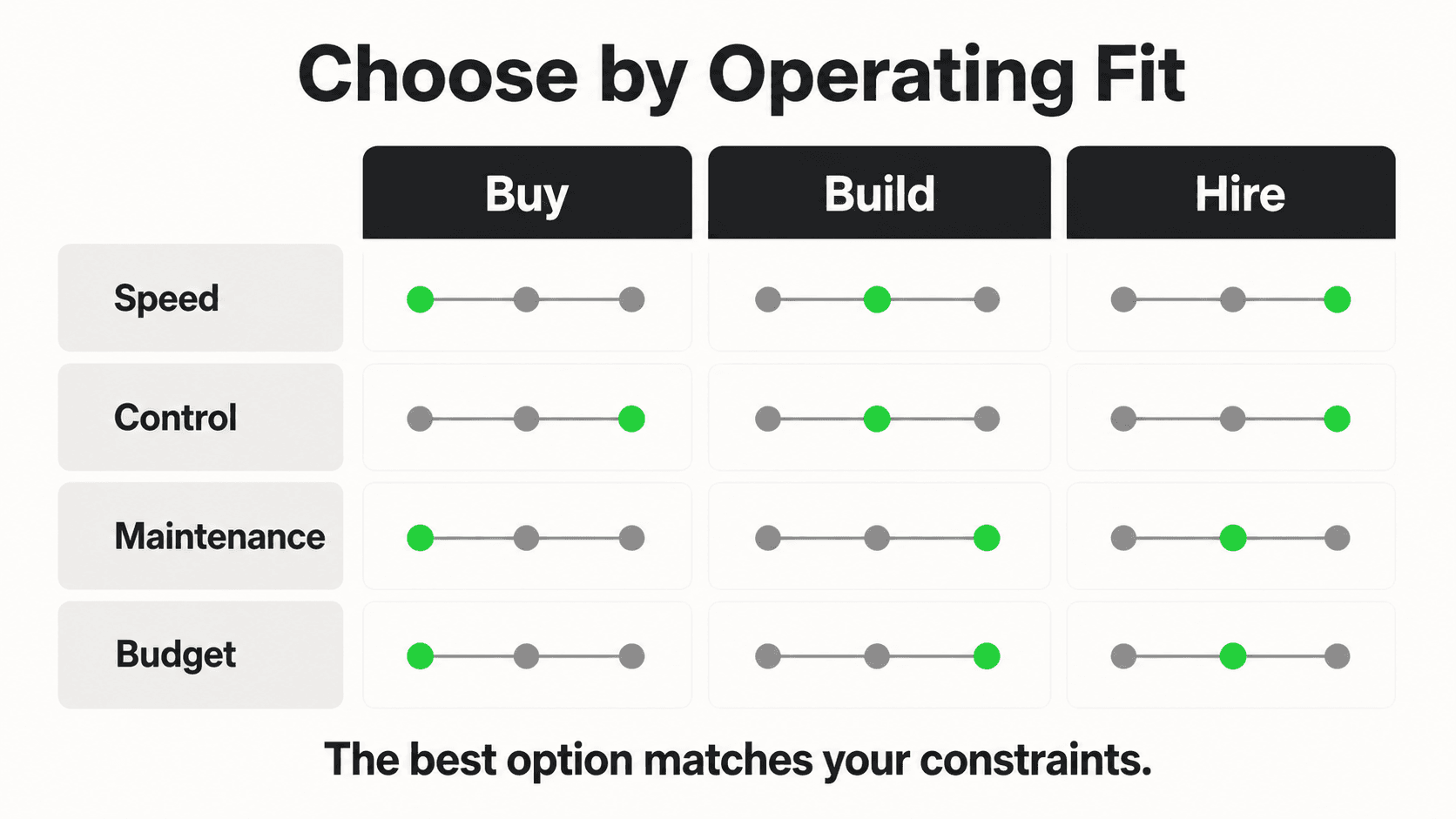
The practices that thrive will be the ones that evaluate carefully, start with the capabilities that address their biggest pain points, and expand based on data. If your practice is ready to explore AI-powered patient communication built for dental workflows, Hyperleap AI offers document-grounded responses, multi-channel access across web, WhatsApp, Instagram, and Messenger, REST API and webhook connectivity for system integration, and architecture designed with healthcare compliance in mind.
Further Reading
Authoritative external sources used and recommended for further research on this topic:
- American Dental Association practice resources
- ADA Health Policy Institute research
- HIPAA Privacy Rule (HHS.gov)
Frequently Asked Questions
Will a patient communication platform replace my front desk staff?
No. A patient communication platform handles the repetitive, high-volume tasks that consume most of your front desk's time: answering routine questions, sending reminders, confirming appointments, and managing recall outreach. Your staff remains essential for complex patient situations, insurance disputes, in-person check-ins, and the personal interactions that build patient loyalty. Think of the platform as giving your team more time for meaningful work, not replacing their role.
How much does a patient communication platform cost for a dental practice?
Costs vary significantly by platform and feature set. Standalone reminder-only tools may start at $100-$200 per month. Comprehensive platforms with PMS integration, two-way messaging, recall automation, and AI-powered features typically range from $200 to $500+ per month. When evaluating cost, factor in the revenue recovered from reduced no-shows, after-hours bookings captured, recall patients reactivated, and staff time redirected to higher-value tasks. Most practices see a positive return within 60-90 days.
How long does implementation take?
Most dental practices can go live on their first channel within 2-4 weeks. This includes PMS integration, reminder configuration, and staff training. Full deployment with recall automation and additional channels typically takes 6-12 weeks. The timeline depends primarily on the complexity of your PMS integration and the number of appointment types you need to configure. Practices running Dentrix, Eaglesoft, or Open Dental generally have faster integrations because most platforms have pre-built connectors for these systems.
Does the platform need to integrate with my specific PMS?
Yes -- PMS integration is one of the most important criteria. Without it, your team will manually transfer data between systems, which creates errors and negates the efficiency gains. Before committing to any vendor, confirm compatibility with your specific PMS and version. Ask whether the integration is bidirectional (schedule changes in your PMS update the platform and vice versa) or one-way. One-way integrations still leave manual work on your team.
Is HIPAA compliance really necessary for a messaging platform?
Absolutely. If your platform handles patient names, appointment details, insurance information, health history, or any other protected health information, both your practice and the vendor must comply with HIPAA requirements. The vendor must sign a Business Associate Agreement. Data must be encrypted. Interactions must be logged. Practices have been fined for HIPAA violations related to patient communication on digital platforms, including a $70,000 penalty against a dental practice in 2024 for a single right-of-access violation (Source: HIPAA Journal).
Can an AI-powered platform actually handle dental-specific questions accurately?
Modern AI platforms that use document-grounded responses -- meaning the AI answers only from the knowledge base you provide -- can handle the vast majority of routine dental inquiries with high accuracy. This includes questions about your services, insurance acceptance, office hours, preparation instructions, and post-treatment care. The AI is designed to stay within the boundaries of your documented information and escalate to your team when a question falls outside its knowledge. No AI system is perfect, so look for platforms that offer confidence scoring and automatic escalation for questions the AI cannot answer confidently. For more on evaluating AI chatbot platforms for your practice, see our detailed comparison guide.
What channels should my dental practice prioritize?
Start with your practice website, where most new patient inquiries originate. Text messaging should be your second priority, given that 55% of patients prefer it over phone calls (Source: RevenueWell). From there, evaluate where your patients already are. If your practice has an active social media presence, adding messaging on those channels can capture inquiries from patients who find you through Instagram or Facebook. An AI-powered dental communication platform can unify all these channels into a single dashboard so your team manages one interface rather than monitoring multiple inboxes.
Ready to Modernize Your Patient Communication?
See how Hyperleap AI helps dental practices automate scheduling, reminders, and patient inquiries while keeping your team in control.
Start Your Free TrialIndustry Solutions
See how AI chatbots work for these industries:
Related Articles

7 Questions Before Adding AI to Your Real Estate Biz
Not all AI tools are built for real estate. Ask these 7 questions to protect your leads, your client relationships, and your commission checks.

5 Questions Insurance Agencies Must Ask Before a Chatbot
Insurance isn't like other industries. Here are the 5 questions that separate the right chatbot from an expensive mistake for your agency.

7 Questions Before Automating Law Firm Client Intake
Not all intake automation is created equal. Ask these 7 questions to protect your firm's ethics, security, and client experience.

How to Choose an AI Chatbot Platform
A comprehensive guide to selecting the right AI chatbot platform — covering features, pricing, integrations, and the questions to ask before you commit.