WhatsApp for Insurance Agents in India: Policy & Renewals
3M+ Indian insurance agents, 500M+ WhatsApp users. Here's how to professionally manage policy inquiries, renewals, and claims on WhatsApp Business.

TL;DR: India has over 3 million insurance agents and 500+ million WhatsApp users. WhatsApp is already the default communication channel between agents and policyholders, but most agents use personal accounts with no system, no documentation trail, and no automated follow-ups. This guide covers how to set up WhatsApp Business professionally, automate renewal reminders, handle policy inquiries and claims, and stay compliant with IRDAI guidelines and the Digital Personal Data Protection Act (DPDP Act).
WhatsApp for Insurance Agents in India: Policy Inquiry and Renewal Guide
Every lapsed policy costs an Indian insurance agent not just commission income but years of relationship-building. According to IRDAI data, the insurance industry added over 11 lakh new agents in the last fiscal year alone, intensifying competition for every policyholder's attention. Yet the majority of these agents still manage their client communication through personal WhatsApp accounts — no business profile, no automated reminders, no documentation trail.
Here is the reality: India has over 535 million WhatsApp users (Source: eMarketer/Statista), making it the largest WhatsApp market globally. For policyholders, WhatsApp is not just a messaging app — it is the default way they expect to communicate with their agent. Whether it is a premium reminder, a claim status update, or a question about tax-saving investments during January-March season, the conversation happens on WhatsApp.
The gap is not in the channel — it is in the system. Agents who professionalize their WhatsApp communication see measurably higher renewal rates, faster claim processing, and stronger client retention. This guide shows you exactly how to do it.
Who This Guide Is For
This guide is written for individual insurance agents, agency owners, and development officers working with LIC, HDFC Life, ICICI Prudential, SBI Life, Max Life, Bajaj Allianz, and other Indian insurers. Whether you sell life, health, motor, or general insurance, these practices apply to your daily communication workflow.
Why WhatsApp Is Essential for Indian Insurance Agents
India's insurance market is valued at over USD 156 billion in 2026 and projected to reach USD 244.5 billion by 2031 (Source: Mordor Intelligence). Within this massive market, the distribution model still relies heavily on individual agents — brokers and agents hold a 33.2% share of insurance distribution. But the way these agents communicate with policyholders has fundamentally shifted.
WhatsApp Penetration Changes Everything
With over 500 million users in India, WhatsApp has a penetration rate that no other communication channel comes close to matching. Consider the numbers:
- Phone calls go unanswered 60-70% of the time during working hours
- Emails have open rates below 20% for financial services in India
- SMS gets lost in a flood of promotional messages and OTPs
- WhatsApp messages have open rates above 95% and response rates 3-5x higher than email
For tier-2 and tier-3 cities — which now contribute 62% of India's new insurance premiums (Source: IBEF) — WhatsApp is often the only digital communication channel policyholders actively use.
IRDAI's Digital Push
IRDAI has been actively encouraging digital adoption across the insurance value chain. The regulator now requires digital proof of disclosures, supports eKYC for onboarding, and mandates that intermediaries maintain electronic records. This regulatory direction makes WhatsApp Business a natural fit — it provides timestamped conversations, document sharing capabilities, and a verifiable business identity.
Policyholder Expectations
Today's policyholders — especially those under 40 — expect instant responses. They want to send a WhatsApp message at 9 PM asking about their premium due date and get a response within minutes, not days. Agents who meet this expectation build loyalty. Those who do not lose clients to digital-first platforms like PolicyBazaar, Digit, and Acko that offer instant WhatsApp-based support.
The integration of UPI payment links directly within WhatsApp conversations has made premium collection seamless. An agent can send a renewal reminder, attach the UPI payment link, and the policyholder completes the payment — all within the same chat window.
Common Mistakes Indian Insurance Agents Make on WhatsApp
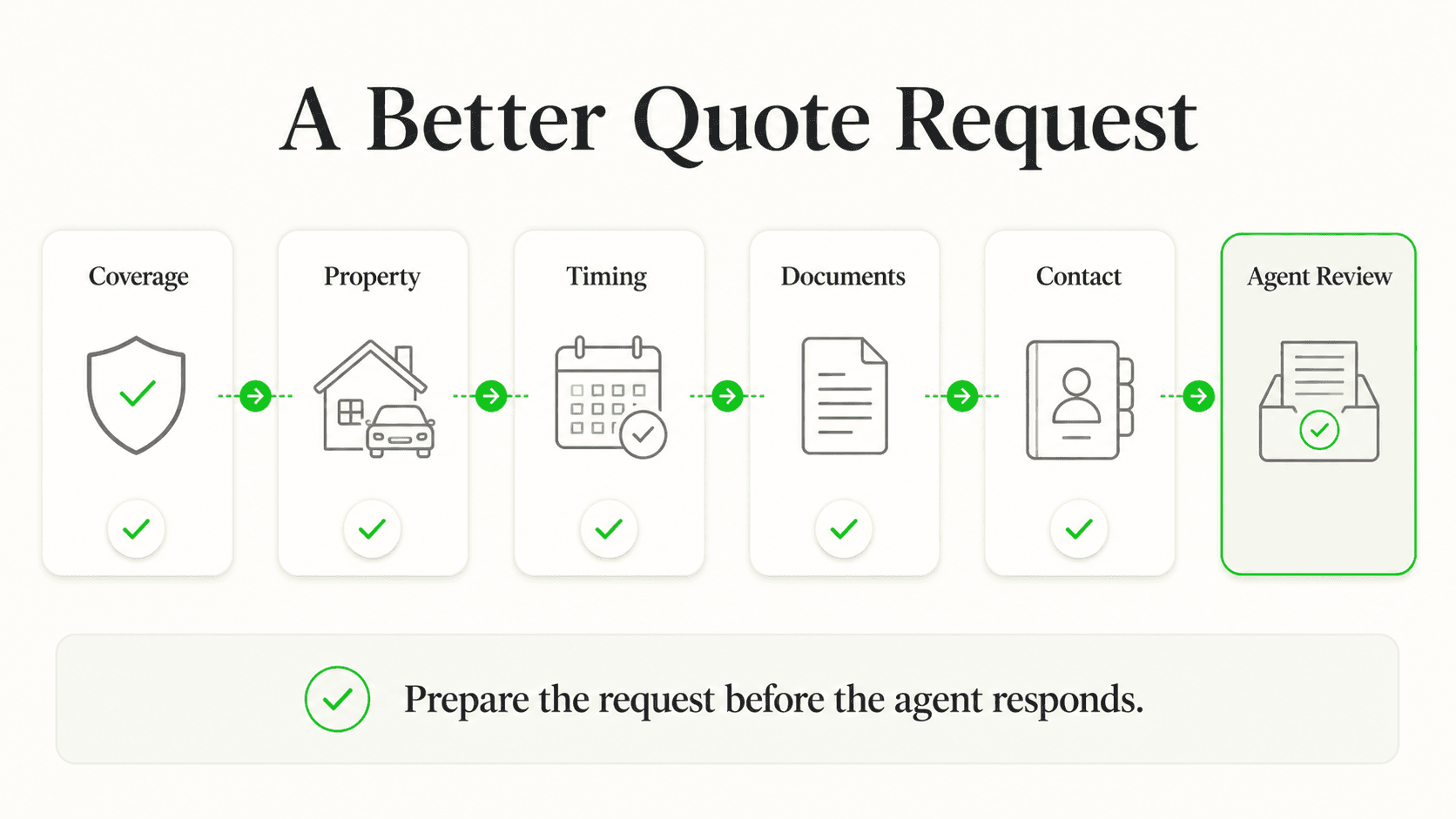
Before diving into best practices, let us address the mistakes that cost agents clients and commissions every day.
Using Personal WhatsApp Accounts
This is the most widespread mistake. When you use your personal WhatsApp for business communication, you create several problems:
- No professional identity — clients see your personal profile photo and status, not your business credentials
- No IRDAI license visibility — policyholders cannot verify your legitimacy
- No separation — family messages mix with client conversations, leading to missed inquiries
- No business features — you miss out on catalog, quick replies, automated greetings, and labels
A personal account also raises compliance concerns under the DPDP Act, as you are processing policyholder data without proper organizational safeguards.
No Systematic Follow-Up
Most agents rely on memory or basic phone reminders for renewals. With 100+ active policies, this approach guarantees that some renewals slip through. Research shows WhatsApp-based renewal reminders can improve renewal adherence by up to 28% (Source: Streebo). Without a system, you are leaving commission income — and policyholder coverage — on the table.
Missing the Renewal Window
Insurance renewals in India have specific grace periods: 15 days for monthly premiums, 30 days for quarterly/half-yearly/annual premiums. Once a policy lapses, the reinstatement process is painful for both the agent and the policyholder — involving medical examinations, additional documentation, and potential premium increases. A simple 30-15-7 day reminder sequence on WhatsApp prevents most lapses.
No Documentation Trail
When a policyholder calls to ask about claim procedures and you explain everything verbally, there is no record. If a dispute arises later, it is your word against theirs. WhatsApp conversations create an automatic, timestamped record of every interaction — every document shared, every instruction given, every commitment made.
Mixing Product Lines Without Organization
An agent who sells life, health, motor, and general insurance often handles all inquiries in a single unorganized chat stream. When a health insurance client messages about their claim, the agent scrolls through motor renewal reminders and term plan comparisons to find the context. Labels and organized chat management solve this entirely.
7 Best Practices for WhatsApp-Based Insurance Communication
These seven practices will transform how you manage policy inquiries, renewals, and client relationships on WhatsApp.
1. Set Up WhatsApp Business with a Professional Profile
Your WhatsApp Business profile is your digital visiting card. For an insurance agent, it must communicate trust, legitimacy, and accessibility.
What this looks like in practice: A policyholder searches for your number or receives your business card. When they open your WhatsApp profile, they see your professional photo, your agency name, IRDAI license details, office address, working hours, and a catalog of insurance products you offer.
How to set it up:
- Download WhatsApp Business (free) from Google Play Store or Apple App Store
- Use a dedicated business phone number — not your personal number
- Complete your business profile with:
- Business name: "Rajesh Kumar | LIC Insurance Advisor" or "Kumar Insurance Services"
- Category: Financial Services
- Description: Include your IRDAI license number, insurer affiliations, and specializations (e.g., "IRDAI Licensed Agent | Lic. No. 12345678 | LIC, HDFC Life | Term Life, Health, ULIP")
- Address: Your office or branch address
- Business hours: Set realistic hours (e.g., 9:00 AM - 8:00 PM, Mon-Sat)
- Email and website if available
Key features to configure:
- Greeting message: Auto-sent to first-time contacts. Example: "Namaste! Thank you for reaching out to Kumar Insurance Services. I am Rajesh, your IRDAI-licensed insurance advisor. How can I help you today?"
- Away message: Auto-reply during off-hours. Example: "Thank you for your message. Our office hours are 9 AM - 8 PM, Mon-Sat. I will respond first thing on the next business day."
- Labels: Create labels for organization — "New Lead", "Renewal Due", "Claim in Progress", "Policy Delivered", "Health", "Life", "Motor"
Why IRDAI License Number Matters
Displaying your IRDAI license number in your WhatsApp Business profile builds immediate trust. Policyholders can verify your credentials, which is especially important when handling sensitive financial and health information. IRDAI mandates that agents clearly identify themselves in all client communications.
2. Create Automated Renewal Reminders
Policy lapse is the single biggest revenue killer for insurance agents. A structured renewal reminder sequence on WhatsApp dramatically reduces lapses and increases your renewal commission income.
What this looks like in practice: Your system automatically sends a WhatsApp reminder to Priya Sharma 30 days before her health insurance policy expires. She gets another reminder at 15 days, and a final urgent reminder at 7 days — each with the exact premium amount, the due date, and a UPI payment link.
Real-world impact: WhatsApp-based renewal reminders show a 2-3x improvement in conversion rates compared to traditional SMS or call-based reminders. For an agent managing 500 policies, even a 10% improvement in renewal rates translates to significant additional commission income.
How to implement this:
Using WhatsApp Business's quick replies and broadcast lists:
- 30-day reminder (informational): "Dear Priya, your HDFC Life health insurance policy (Policy No. XXXX1234) is due for renewal on March 15, 2026. Premium amount: ₹18,500/year. Early renewal ensures uninterrupted coverage. Need help? Reply to this message."
- 15-day reminder (action-oriented): "Hi Priya, a reminder that your health insurance renewal is due in 15 days (March 15). Pay ₹18,500 via UPI: [payment link]. Tax benefit under Section 80D: up to ₹25,000. Happy to help with any questions."
- 7-day reminder (urgent): "Priya, your health insurance policy expires in 7 days. To avoid a coverage gap and potential re-underwriting, please renew before March 15. Quick pay link: [UPI link]. Call me at [number] if you need assistance."
Key features:
- Maintain a simple spreadsheet or CRM with policy expiry dates and automate reminders
- Personalize each message with the policyholder's name, policy number, and premium amount
- Include UPI payment links for frictionless premium collection
- Mention relevant tax benefits (Section 80C for life, Section 80D for health) during January-March tax-saving season
3. Build Quick Replies for Common Questions
Indian policyholders ask the same questions repeatedly — claim procedures, premium calculations, policy comparisons, tax benefits. Typing out detailed responses each time wastes hours every week.
What this looks like in practice: A new lead asks "What is the difference between term insurance and endowment?" You tap a quick reply shortcut, and a comprehensive, professionally formatted comparison is sent in seconds.
Essential quick replies to create:
- Claim process: Step-by-step claim filing instructions for each insurer you represent
- Premium calculation: Template response explaining factors that affect premium (age, sum insured, riders)
- Policy comparison: Ready-made comparison of term vs endowment vs ULIP vs whole life
- Tax benefits: Section 80C and 80D benefit explanations with examples
- Document checklist: Required documents for new policy applications (ID proof, address proof, income proof, medical reports)
- Grace period information: Grace period details for premium payment by frequency
- Nomination change: Process for updating nominee details
How to set up quick replies in WhatsApp Business:
- Go to Business Tools > Quick Replies
- Create shortcuts like
/claim,/tax,/compare,/docs - Type the shortcut in any chat to instantly send the pre-formatted response
Why it works: Quick replies ensure consistency and accuracy across all client interactions. Every policyholder gets the same correct information, regardless of when they ask or how busy you are.
4. Share Policy Documents Securely
Indian policyholders frequently lose physical policy documents. WhatsApp makes it simple to share soft copies, but agents must do it properly to maintain security and compliance.
What this looks like in practice: After a new policy is issued, you share the e-policy document as a PDF on WhatsApp with a brief message explaining the key details — sum insured, premium frequency, maturity date, and nominee details. The policyholder always has a digital copy accessible in their chat.
Best practices for document sharing:
- Policy documents: Share the official e-policy PDF immediately after issuance. Add a summary message highlighting key policy details.
- Premium receipts: After each premium payment, share the receipt. This builds a verifiable payment trail.
- Claim forms: When a policyholder initiates a claim, share the relevant form (death claim, health claim, maturity claim) with pre-filled instructions.
- Tax certificates: Share annual premium certificates during tax-filing season (April-July).
- KYC documents: When updates are needed, guide policyholders through the process with document checklists.
Security considerations:
- Never share Aadhaar numbers or full bank details in plain text
- Use password-protected PDFs for sensitive documents
- Delete shared documents from your device after confirming receipt
- Inform policyholders about your data handling practices (DPDP Act compliance)
- Use WhatsApp's disappearing messages feature for particularly sensitive communications
DPDP Act Compliance
Under the Digital Personal Data Protection Act, 2023 (with DPDP Rules expected to be fully enforceable by late 2026 or early 2027), insurance agents processing policyholder data must obtain specific, informed consent for data processing. This includes any personal data shared or collected via WhatsApp. Maintain clear consent records and provide policyholders with an easy way to withdraw consent.
5. Manage Lead Nurturing for New Policy Inquiries
Converting a new insurance lead in India requires multiple touchpoints. The average life insurance purchase decision involves 5-7 interactions over 2-4 weeks. WhatsApp is the ideal channel for this nurturing process.
What this looks like in practice: Amit, a 32-year-old IT professional, inquires about term insurance. Over the next three weeks, you share a term plan comparison, a premium calculator screenshot for his age and coverage, a tax benefit explanation, and a testimonial from a similar client — all through WhatsApp, all tracked with labels.
Lead nurturing workflow by product type:
Term Life Insurance (highest demand among salaried professionals):
- Day 1: Thank the inquiry, ask about coverage needs and family situation
- Day 3: Share a personalized premium comparison (LIC Tech Term vs HDFC Click 2 Protect vs ICICI iProtect)
- Day 7: Send a tax benefit calculation showing Section 80C savings
- Day 14: Share a claim settlement ratio comparison across insurers
- Day 21: Final follow-up with a limited-time benefit or birthday-based pricing advantage
Health Insurance (critical post-COVID awareness):
- Day 1: Understand family size, pre-existing conditions, preferred hospital network
- Day 3: Share 2-3 plan comparisons with network hospital lists
- Day 7: Explain waiting period differences, co-payment terms, room rent limits
- Day 14: Send a real-world hospitalization cost example showing coverage gap without insurance
Motor Insurance (renewal-driven, time-sensitive):
- Day 1: Collect vehicle details, current policy status, NCB (No Claim Bonus) details
- Day 2: Share competitive quotes from 3-4 insurers
- Day 3: Follow up with comparison highlighting IDV, add-ons, and cashless garage network
- If no response by Day 5: Send a reminder about coverage gap risks
Key features:
- Use WhatsApp Business labels to track each lead's stage ("New Inquiry", "Quote Sent", "Follow-Up", "Converted", "Lost")
- Set daily or weekly reminders to review leads by label
- Share multimedia — premium comparison images, short explainer videos, infographics — not just text
6. Handle Claim Support Communication
Claim time is the moment of truth for any insurance relationship. How you handle claim communication determines whether a policyholder renews, refers others, or churns. WhatsApp enables responsive, documented claim support.
What this looks like in practice: Sunita's father is hospitalized. She WhatsApps her agent at 11 PM. The away message acknowledges her query immediately. First thing next morning, the agent sends the cashless claim form, a list of required documents, and the insurer's TPA contact details — all in a single organized message.
Claim communication workflow:
Step 1: Immediate acknowledgment
- Acknowledge the claim intimation within 1 hour during business hours
- The away message handles off-hours acknowledgment
- Express empathy first, then move to process
Step 2: Document collection
- Share a checklist of required documents specific to the claim type
- For health claims: discharge summary, hospital bills, investigation reports, pharmacy bills, FIR (if accident)
- For death claims: death certificate, policy bond, claimant ID, bank details, medical records
- For motor claims: FIR copy, driving license, RC, damage photographs, repair estimates
Step 3: Status updates
- Proactively share claim status updates as they happen
- "Your claim documents have been submitted to [insurer] on [date]. Reference number: XXXX. Expected processing time: 15-30 days."
- Follow up with the insurer's claim department and relay updates before the policyholder has to ask
Step 4: Resolution and follow-up
- Once the claim is settled, share the settlement letter and payment confirmation
- Ask for feedback on the claim experience
- Use the positive outcome as a reference for other policyholders (with permission)
Why it works: Agents who provide proactive claim support on WhatsApp see measurably higher renewal rates from those policyholders. A well-handled claim generates 2-3 referrals on average, as satisfied claimants naturally share their positive experience with family and friends.
Automate Your Insurance WhatsApp Communication
Hyperleap AI Agents handle policy inquiries, renewal reminders, and claim status updates on WhatsApp — 24/7, in Hindi and English.
See How It Works7. Build Broadcast Lists for Seasonal Campaigns
Insurance sales in India follow predictable seasonal patterns. Smart agents leverage these seasons with targeted WhatsApp broadcast campaigns that reach hundreds of clients simultaneously.
What this looks like in practice: On January 2nd, you send a broadcast to your "Salaried Professionals" list with a tax-saving insurance guide highlighting Section 80C and 80D deadlines. In June, your "Motor Insurance" list receives monsoon preparedness tips with a reminder to check add-on covers.
Seasonal campaign calendar for Indian insurance agents:
- January-March (Tax-Saving Season): This is your golden quarter. Broadcast messages about Section 80C (life insurance, ELSS) and Section 80D (health insurance) benefits. Include premium calculators and last-date reminders. The January-March window is widely reported as the highest-volume new business period for insurance agents in India, driven by tax-saving deadlines under Sections 80C and 80D.
- April-May (New Financial Year): Target corporate clients and HR departments for group health insurance renewals. Share updated sum insured recommendations based on medical inflation.
- June-September (Monsoon Season): Motor insurance campaigns focusing on comprehensive coverage, add-ons for engine protection, roadside assistance. Share tips on filing claims during floods and waterlogging.
- October-November (Festival Season): Diwali and Navratri campaigns with new vehicle insurance for festive purchases. Health insurance campaigns around festival indulgence and wellness.
- December (Year-End Review): Portfolio review broadcasts encouraging policyholders to assess coverage adequacy before the new year.
Broadcast list best practices:
- Create separate broadcast lists by product type (Life, Health, Motor, General)
- Segment further by demographics (salaried, self-employed, senior citizens, NRIs)
- Keep broadcast messages under 200 words — concise and actionable
- Always include a reply option ("Reply YES to learn more")
- Send broadcasts during optimal hours (10 AM - 12 PM or 5 PM - 7 PM on weekdays)
- Limit frequency to 2-4 broadcasts per month per list to avoid fatigue
- Ensure all recipients have opted in — WhatsApp and TRAI regulations require explicit consent for business messages
Real Results: What Agents Are Achieving with WhatsApp Business
Agents and agencies across India who have professionalized their WhatsApp communication report consistent improvements across key business metrics.
Renewal Rate Improvements
WhatsApp-based renewal reminders deliver measurable results. Industry data shows that structured WhatsApp reminder sequences achieve a 2-3x improvement in renewal conversion rates compared to traditional call-and-SMS approaches. For an agent with 500 active policies and an average commission of ₹2,000-5,000 per renewal, even a 15% improvement in renewal rates translates to ₹1.5-3.75 lakhs in additional annual commission income.
Lead Conversion Acceleration
Agents who respond to new inquiries on WhatsApp within 5 minutes typically report significantly higher conversion rates than those who respond within 24 hours — consistent with cross-industry data showing that speed of response is the single biggest lead conversion lever (Source: InsideSales.com Lead Response Management Study). The combination of instant response, multimedia sharing (premium comparisons, benefit illustrations), and UPI payment links shortens the sales cycle from weeks to days.
Close to 70% of insurance customers now prefer digital channels over traditional agent visits (Source: ICICI Lombard Digital Insurance Study). Agents who meet customers on WhatsApp — their preferred platform — win this preference.
Client Satisfaction and Referrals
Proactive WhatsApp communication, especially during claims, builds the kind of trust that generates referrals. Agents report that policyholders who receive regular WhatsApp updates — premium reminders, tax certificates, policy anniversary wishes — are significantly more likely to recommend the agent to family and friends. In the Indian insurance market, where trust and personal relationships drive business, this word-of-mouth advantage is difficult to replicate through any other channel.
Operational Efficiency
The operational benefits are equally compelling:
- Time saved: Quick replies and broadcast lists substantially reduce time spent on repetitive communication (individual results vary based on volume and setup)
- Documentation: Every conversation is automatically timestamped and archived
- Reach: Messages to tier-2 and tier-3 city clients who may not respond to calls or emails
- Cost reduction: WhatsApp-based communication delivers a 25-50% reduction in cost per client contact (Source: Clickatell)
Getting Started: WhatsApp Business Setup for Insurance Agents

Here is a practical step-by-step roadmap to professionalize your WhatsApp insurance communication within 30 days.
Week 1: Foundation Setup
Day 1-2: WhatsApp Business Installation
- Download WhatsApp Business from your app store (free)
- Register with a dedicated business number (not your personal number)
- Complete your business profile with IRDAI license details, insurer affiliations, office address, and working hours
- Set your professional profile photo — either your headshot or agency logo
Day 3-4: Basic Automation
- Set up your greeting message for first-time contacts
- Configure your away message with office hours
- Create 5-10 labels for organizing chats (New Lead, Renewal Due, Claim Active, Health, Life, Motor, Policy Delivered)
Day 5-7: Quick Replies
- Draft and save quick replies for your 10 most common questions
- Test each quick reply with a colleague to ensure clarity and accuracy
- Include relevant document attachments (claim forms, checklists) with each quick reply
Week 2: Client Migration
Day 8-14:
- Inform existing clients about your new WhatsApp Business number
- Send a professional introductory message to each client with their policy summary
- Start organizing existing clients into appropriate labels
- Begin building broadcast lists by product type and demographic
Week 3: System Building
Day 15-21:
- Create your renewal tracking spreadsheet with policy expiry dates and reminder schedules
- Set up weekly review sessions — every Monday, check renewals due in the next 30 days
- Draft seasonal campaign messages for the current quarter
- Begin documenting all client interactions via WhatsApp (not phone calls where possible)
Week 4: Optimization
Day 22-30:
- Review message response times and identify gaps
- Refine quick replies based on actual questions received
- Send your first broadcast campaign
- Measure results — track renewal reminders sent vs. renewals completed
When to Upgrade to WhatsApp Business API
If you manage more than 500 active policies, work with a team of sub-agents, or need integration with your CRM or agency management system, consider upgrading to the WhatsApp Business API. The API enables unlimited broadcasts, chatbot automation, multi-agent access, and CRM integration. Read our complete step-by-step WhatsApp chatbot setup guide for detailed instructions.
Frequently Asked Questions
Is using WhatsApp for insurance communication IRDAI-compliant?
Yes, WhatsApp Business is compliant with IRDAI requirements when used properly. IRDAI encourages digital communication channels and requires agents to maintain electronic records of client interactions. WhatsApp Business provides timestamped message records, document sharing with delivery confirmation, and a verifiable business identity. However, ensure your WhatsApp Business profile clearly displays your IRDAI license number, and maintain proper consent records for all communications. All policy-related advice should be consistent with the product information filed with IRDAI.
How does the Digital Personal Data Protection Act (DPDP Act) affect WhatsApp insurance communication?
The DPDP Act, 2023 — with enforcement rules expected to take full effect by late 2026 or early 2027 — requires insurance agents to obtain specific, informed consent before processing policyholder personal data. This means you must clearly inform policyholders about what data you collect via WhatsApp, how you use it, and how they can withdraw consent. Practically, this means adding a consent statement when onboarding new clients on WhatsApp, using WhatsApp Business (not personal accounts) to demonstrate organizational data handling, and maintaining records of consent. Non-compliance can result in significant financial penalties under the Act.
Should I use WhatsApp Business App or WhatsApp Business API?
For individual agents managing up to 300-500 policies, the free WhatsApp Business App is sufficient. It provides business profiles, quick replies, labels, and broadcast lists (up to 256 contacts per list). For agency owners, teams with multiple agents, or those managing 500+ policies, the WhatsApp Business API is worth the investment. The API enables unlimited broadcast recipients, AI chatbot integration for 24/7 responses, multi-agent access on the same number, CRM integration, and advanced analytics. API pricing starts at approximately ₹0.30-0.80 per conversation.
How do I handle multiple product lines (life, health, motor) on a single WhatsApp number?
Use WhatsApp Business labels and broadcast lists to organize by product type. Create labels like "Health Insurance", "Term Life", "Motor", "ULIP", and "General Insurance" to categorize each client's primary product. Create separate broadcast lists for each product category so renewal reminders and campaigns reach the right audience. For quick replies, use product-specific shortcuts like /health-claim, /motor-claim, /life-tax. If your product portfolio is extensive and you manage a large client base, the WhatsApp Business API with AI-powered chatbot integration can automatically route inquiries to the right response flow based on the policyholder's query.
What are the costs involved in using WhatsApp Business for insurance?
The WhatsApp Business App itself is free. Your primary costs are a dedicated phone number (₹100-200/month for a prepaid SIM) and the time invested in setup and maintenance. If you upgrade to the WhatsApp Business API, costs include API access through a Business Solution Provider (₹1,000-5,000/month depending on the provider), per-conversation charges (₹0.30-0.80 per conversation), and any chatbot or automation platform fees. For most individual agents, the free WhatsApp Business App delivers excellent ROI with zero additional cost. The investment is primarily your time in setting up quick replies, labels, and broadcast lists during the first 30 days.
Can I send bulk messages to all my policyholders at once?
WhatsApp Business App supports broadcast lists of up to 256 contacts each, and recipients must have your number saved in their contacts to receive broadcast messages. You can create multiple broadcast lists to reach your entire client base. However, be careful about frequency — sending too many messages can lead to clients blocking your number or WhatsApp flagging your account for spam. Limit broadcasts to 2-4 per month per list, ensure every broadcast provides genuine value (not just sales pitches), and always include an opt-out option. Under the DPDP Act and TRAI guidelines, explicit consent is required before sending commercial communications. For higher-volume messaging without these restrictions, the WhatsApp Business API with proper opt-in management is the appropriate solution.
Professional WhatsApp Communication Starts Today
The gap between Indian insurance agents who thrive and those who struggle is increasingly defined by communication systems, not product knowledge. Every agent knows the products. The agents who win are those who make it effortless for policyholders to get answers, pay premiums, and file claims — and in India, that means WhatsApp.
The best part is that getting started costs nothing. WhatsApp Business is free. The 30-day setup roadmap above requires no technical skills. The seven best practices in this guide are proven across thousands of Indian insurance agents who have professionalized their communication.
Start with the basics: download WhatsApp Business, set up your professional profile with your IRDAI license number, create your first five quick replies, and send renewal reminders to this month's due policies. The results will compound from day one.
For agents and agencies ready to scale beyond the basics — with AI-powered chatbots that handle policy inquiries 24/7 in Hindi and English, automated renewal sequences, and seamless CRM integration — Hyperleap AI Agents for insurance are built specifically for this use case.
Can the chatbot generate insurance quotes?
No — and presenting one would create compliance risk. Hyperleap captures coverage interest and routes the prospect to a licensed agent. It can answer general policy and process questions from your knowledge base but does not quote, bind, or advise.
How does the chatbot handle claims?
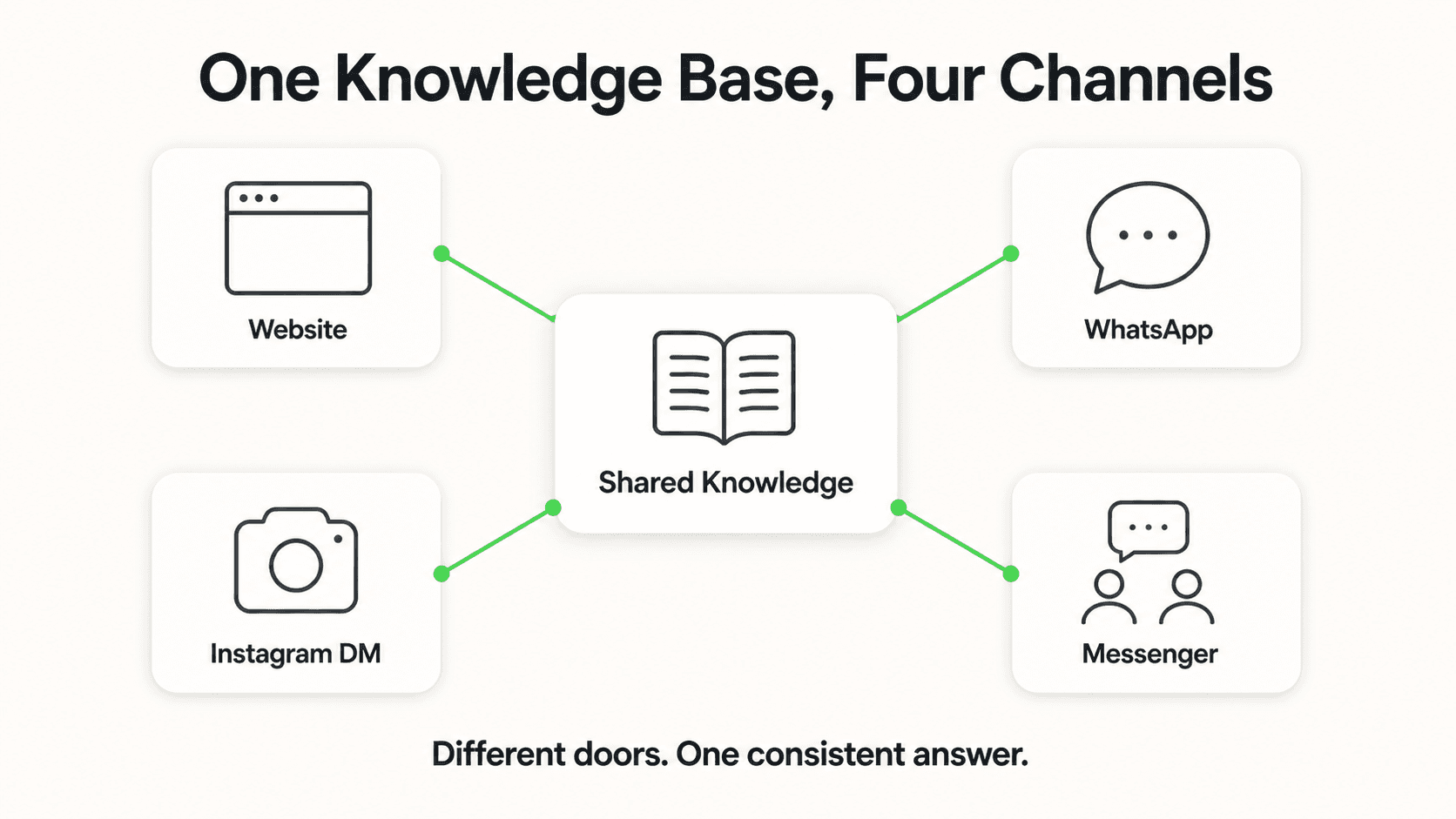
It does not handle claims directly. The bot acknowledges a claim inquiry, captures the basic incident details, and routes to your claims team or claims portal. The actual claim handling stays in your existing claims platform.
How long does it take to set up an AI chatbot with Hyperleap?
Most SMBs go live in 3–5 days for self-serve setup. With Managed Setup ($299 Free, available on every plan), Hyperleap builds the bot for you on your content and channels. A 7-day free trial is included on every plan.
Further Reading
Authoritative external sources used and recommended for further research on this topic:
Ready to Automate Your Insurance WhatsApp Communication?
Hyperleap AI Agents handle policy inquiries, renewal reminders, and claim support on WhatsApp — so you can focus on selling and relationship-building.
Start Free TrialIndustry Solutions
See how AI chatbots work for these industries:
Related Articles

WhatsApp for Auto Dealerships and Workshops in India
How Indian dealerships and workshops use WhatsApp to capture leads, book services, and drive repeat business from buyers.

WhatsApp for Home Services in India: Lead Guide
How Indian home service businesses use WhatsApp to capture leads, book jobs instantly, and convert 3x more inquiries into completed work orders.

WhatsApp for Clinics in India: Fewer No-Shows, 24/7 Replies
How Indian clinics and hospitals use WhatsApp to reduce no-shows, automate appointment reminders, and improve patient comms.

WhatsApp for Real Estate Developers in India
How Indian real estate developers use WhatsApp to capture project inquiries, schedule site visits, and convert leads 3x faster than traditional methods.