AI Chatbot for Accounting Firms: Tax Season Triage
How AI chatbots handle tax-season client questions on deadlines, document checklists, and filing status — so CPAs stay focused on returns and advisory work.

TL;DR: Between February and April, accounting firms field the same 20 questions hundreds of times — "What documents do I need?" "Is my return done yet?" "What's the deadline for an extension?" An AI chatbot handles this repetitive volume automatically, freeing your CPAs and admin staff to focus on complex returns, new client intake, and the relationship work that actually builds your practice.
AI Chatbot for Accounting Firms: Tax Season Triage Without Hiring
Every tax season, the same scene plays out at accounting firms across the country: the phone rings constantly from February through April with questions that have the same answers every year. What documents do you need for a Schedule C? Can I still make an IRA contribution? What's the penalty for filing late? Did you receive my 1099s?
Your CPAs and staff know the answers. They've answered them a hundred times. And every minute they spend on the phone answering routine questions is a minute they're not spending on the complex return sitting on their desk — the one that actually requires their expertise.
An AI chatbot for accounting firms handles the routine volume automatically, leaving your team free to do the work only they can do. This guide explains what it handles, what it doesn't, and how to deploy one before next tax season.
The Tax Season Inquiry Pattern: Same Questions, Every Year
The inquiries that flood accounting firm phones during tax season fall into predictable categories. Here's the breakdown that most firms recognize immediately:
| Category | Example Questions | Share of Volume (Typical) |
|---|---|---|
| Document checklist | "What do I need to bring?" "Do you need my W-2s?" | High |
| Status inquiries | "Is my return done?" "When will it be ready?" | High |
| Deadline questions | "When is the filing deadline?" "How do I get an extension?" | Medium |
| Pricing questions | "How much do you charge for a business return?" | Medium |
| New client intake | "Can I become a client?" "What's your process?" | Medium |
| Complex questions | Specific tax law questions, unusual situations | Low — but high-value |
The first four categories are highly automatable. The last category — the genuinely complex questions — is where your CPAs' time should be concentrated. An AI chatbot handles the first four, routing the fifth to your team with full context already collected.
What the Chatbot Does Not Do
An AI chatbot provides general tax information, collects client information, and answers procedural questions. It does not provide individualized tax advice — that's your CPAs' work. Configure it clearly: "For specific tax advice related to your situation, we'll schedule a consultation with one of our CPAs."
5 High-Value Uses for an Accounting Firm Chatbot

1. Document Checklist Delivery
The single most-asked question during tax season: "What documents do I need to gather?" Your chatbot can answer this in a structured, comprehensive way — customized to client type (individual, self-employed, small business, rental property owner) with a clear checklist.
This alone eliminates dozens of phone calls per week during peak season. The client gets a thorough, consistent answer in 30 seconds. Your admin staff doesn't spend 5 minutes on the phone for something that should take 30 seconds.
Example chatbot flow: "Are you filing as an individual, self-employed/freelancer, or as a business?" → Based on selection, deliver the appropriate document checklist. Include a link to your client portal for document upload.
2. Status Inquiry Handling
"Is my return ready yet?" is the question that drives accounting firm staff to distraction during peak season. The honest answer depends on your workflow status — information the chatbot can't access unless you integrate it with your practice management software.
The practical solution: the chatbot acknowledges the inquiry and sets expectations clearly. "Returns submitted through [date] are currently being processed. If your return is complete, your preparer will reach out directly via email. For urgent status questions, call us at [number] during business hours." This routes genuinely urgent inquiries to your team while managing expectations for the majority who just want reassurance.
For firms using practice management software with an API, a more sophisticated integration can pull status from your system — but this requires development resources and isn't necessary for a functional chatbot.
3. New Client Intake Qualification
A prospective client finds your firm through Google or a referral. They want to know: do you work with people like me, how do you work, and what will it cost? Your chatbot handles this qualification conversation at any hour.
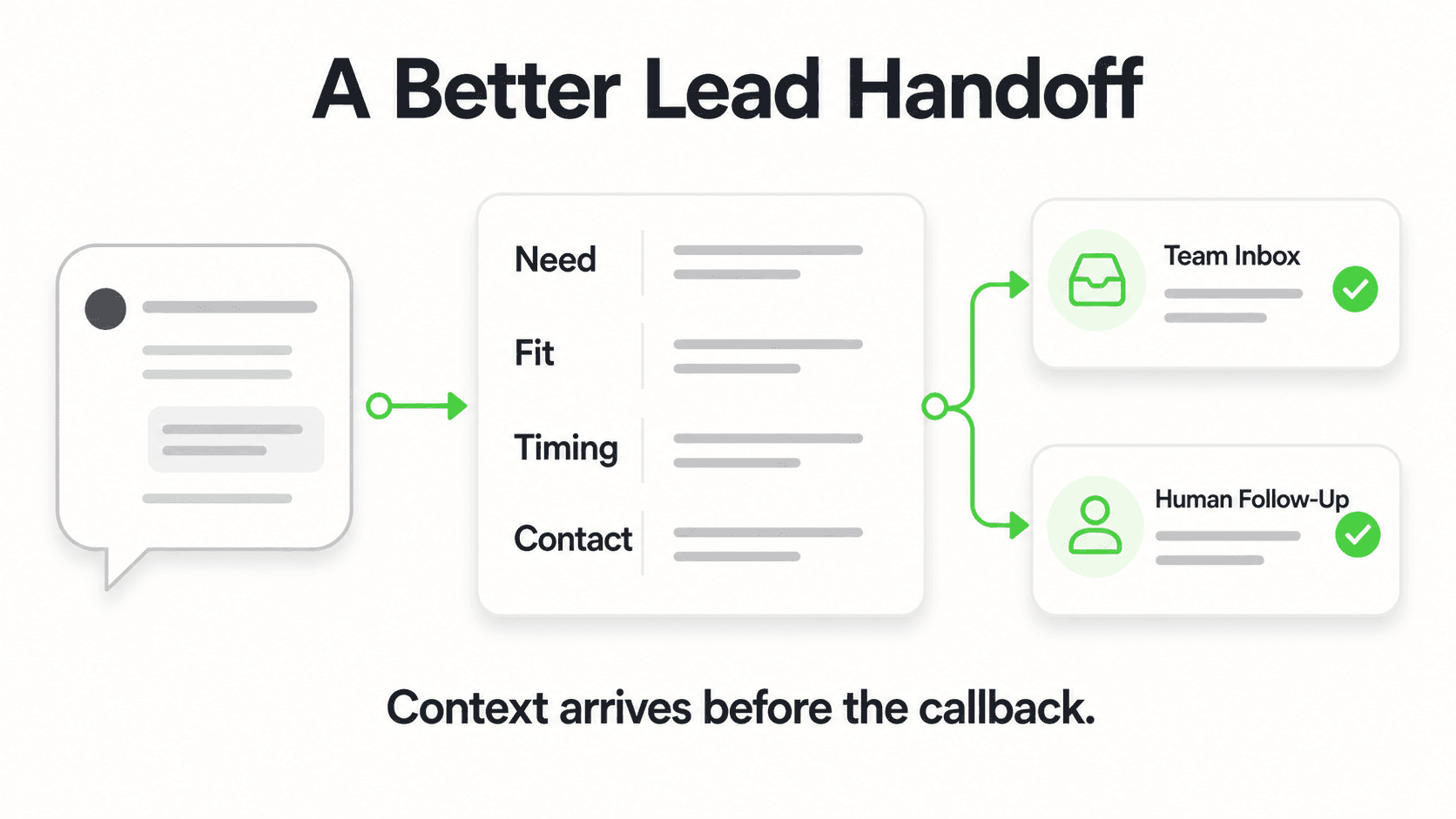
Collect: individual vs. business client, complexity indicators (rental properties, investments, self-employment, multi-state), service needed (tax prep only vs. year-round advisory), and contact information. Deliver a brief overview of your services and invite them to schedule an initial consultation via your booking link.
This means new client consultations are arriving pre-qualified — your CPA knows what type of return they're discussing before the call starts.
4. Extension and Deadline Information
Tax deadlines shift. The chatbot, trained on current-year deadlines, answers accurately:
- Individual filing deadline (typically April 15)
- Extension deadline (typically October 15)
- Estimated tax payment deadlines (quarterly)
- Business entity deadlines (S-corps, partnerships, C-corps differ)
- IRA contribution deadline
Update your chatbot's knowledge base at the start of each tax season with the current year's dates. This is a 10-minute update that eliminates hundreds of phone calls.
5. Off-Season Lead Capture
Accounting firms aren't only needed in April. Business formations, bookkeeping services, mid-year tax planning, payroll setup — these needs exist year-round. A chatbot that's live 24/7 captures the June inquiry from a new small business owner who just formed an LLC and needs help setting up accounting, even though your office has returned to normal pace.
The chatbot captures the lead, collects the context, and routes it to the appropriate service discussion. Your off-season new business improves because the front door is always open.
What the Chatbot Should Explicitly Not Do
To avoid professional liability issues, configure your chatbot with clear guardrails:
Do not provide individualized tax advice. "I can't give you specific advice about your situation — that's what your CPA consultation is for. But I can give you general information about how [topic] typically works and schedule you with our team."
Do not interpret tax law for specific situations. "That's a nuanced question that depends on your specific circumstances. I'd like to schedule a consultation with one of our CPAs to address it properly."
Do not quote exact fees without consultation. "Our fees depend on the complexity of your return — I can give you a general range, but your exact quote will come after an initial review." This protects you from price-matching complaints and sets appropriate expectations.
These guardrails are good for clients and protect your firm. A chatbot that overpromises or gives wrong advice damages trust; one that appropriately routes complex questions builds it.
Reclaim Tax Season From Repetitive Phone Calls
A chatbot that handles document checklists, deadline questions, and new client intake — so your CPAs can focus on returns.
Try for FreeImplementation Timeline: Deploy Before Filing Season
4 weeks before peak season: Build your knowledge base. Document your document checklists by client type, current-year deadlines, fee ranges, services offered, and your new client intake process. This is the core content your chatbot needs.
3 weeks out: Configure your intake qualification flow. Define the questions you want new prospects to answer before a consultation call: client type, complexity level, service needed, timeline.
2 weeks out: Deploy on your website and test with real scenarios. Run through 10–15 test conversations covering your most common inquiry types. Adjust anything that feels off.
1 week out: Share the chatbot with your team. Brief them on what it handles and what it routes to them. Ensure they understand how to review incoming conversations and follow up appropriately.
For professional services firms, see the related guide on automating legal client intake — many of the same principles apply.
Frequently Asked Questions
Does a chatbot create any professional liability issues for accounting firms?
When configured correctly, no. The chatbot handles general information and logistics — document checklists, deadlines, intake qualification — and explicitly routes individualized tax questions to your CPAs. Your chatbot should never provide specific tax advice or interpret tax law for individual situations. Clear guardrails ("For advice specific to your situation, let's schedule a consultation") manage this boundary appropriately.
Can the chatbot access my practice management software to answer status questions?
Not without a custom integration. Out of the box, the chatbot can manage status inquiries by setting expectations and routing urgent requests to your team. A more sophisticated setup — pulling actual return status from your practice management system — requires API development. For most small firms, the expectation-management approach works well without that complexity.
Will this replace my admin staff?
No. Your admin staff handles client relationship management, complex intake, payment processing, and the coordination work that requires human judgment. The chatbot handles the high-volume, repetitive informational layer so your admin staff can focus on higher-value work. Most firms that deploy chatbots find their admin team is less stressed during peak season, not downsized.
What if a client calls instead of messaging?
The chatbot handles messaging channels — website, WhatsApp, Instagram DM, Facebook Messenger. For clients who prefer to call, your existing phone system handles that. The chatbot supplements your phone coverage; it doesn't replace it. Some firms add the chatbot number (WhatsApp) to their voicemail message: "For immediate answers to common questions, message us at [number]."
How much does it cost?
Plans start at $40/month (Plus plan) with a 7-day free trial. Credit card required. See pricing details. For a firm that fields 200+ repetitive phone calls per tax season, the time savings alone justify the cost — before accounting for any new client conversions from improved after-hours responsiveness.
How long does setup take?
Most accounting firms can deploy a functional chatbot in 3–5 business days. The main time investment is writing your knowledge base: document checklists, current deadlines, service descriptions, and FAQ answers. The Managed Setup add-on pairs you with a setup specialist if you want help building the initial configuration.
Tax Season Doesn't Have to Mean Triage Mode

Every CPA knows the feeling: buried in returns, phone ringing constantly, staff fielding the same questions all day, new prospects falling through the cracks because nobody has time to do a proper intake call. It doesn't have to be this way.
An AI chatbot for your accounting firm handles the routine volume that consumes disproportionate staff time, leaving your CPAs to focus on the work that requires their expertise. It captures new client leads when you're too busy to answer the phone. It answers deadline questions at 11 PM when a client is anxious. It delivers document checklists in seconds instead of holding through hold music.
The firms that automate patient and client intake well are the ones that scale without the proportional increase in chaos. Yours can be one of them.
Can the chatbot give specific tax advice?
No. Hyperleap answers general questions from your firm's published content — deadlines, document requirements, service descriptions — and routes any client-specific advice question to a CPA. It does not provide tax positions or interpret IRS rules for a specific client situation.
How does it handle confidential client information?
Configure scope so the bot captures only what is needed to schedule, route, or surface published content. Confidential client data should not be ingested into the chatbot's knowledge base. Your firm's existing client portal remains the system of record.
How long does it take to set up an AI chatbot with Hyperleap?
Most SMBs go live in 3–5 days for self-serve setup. With Managed Setup ($299 Free, available on every plan), Hyperleap builds the bot for you on your content and channels. A 7-day free trial is included on every plan.
Further Reading
Authoritative external sources used and recommended for further research on this topic:
For the year-round, full-service picture beyond tax season, see AI chatbot for accounting firms.
Handle Tax Season Without Hiring Additional Staff
Start your 7-day trial and deploy a chatbot that handles the inquiry volume while your team focuses on the returns.
Start Free TrialRelated Articles

AI Chatbot for Therapy Practices: Respectful Intake
How AI chatbots handle therapy intake logistics — phone tag, forms, scheduling — while clinical work stays with your therapists.

7 Questions Before Automating Law Firm Client Intake
Not all intake automation is created equal. Ask these 7 questions to protect your firm's ethics, security, and client experience.

Automate Legal Client Intake Without Confidentiality Risk
A step-by-step guide to automating your law firm's client intake while maintaining attorney-client privilege and bar association compliance.

Hotel Late-Arrival Questions: An Approved Answer Pack
Prepare accurate hotel late-arrival replies with public policy sources, private-access boundaries and a clear route to your reception team.