AI Chatbot Implementation Checklist for SMBs: 10 Steps
A complete, ordered AI chatbot implementation checklist for small and mid-sized businesses — inputs, owners, time estimates, and the mistakes that derail rollouts.

TL;DR: Most AI chatbot rollouts at small and mid-sized businesses do not fail because the AI is bad. They fail because the rollout was unordered — the team picked a vendor before scoping the job, uploaded a folder of PDFs and called it "training," and turned on every channel at once. This is the ordered, opinionated AI chatbot implementation checklist we wish every SMB owner read before signing a contract. Ten steps, in order, with the inputs you need at each step, the owner who should run it, a realistic time estimate, and the mistake that kills the step if you skip it. Read it as a project plan, a buying-criteria document, or both. By the end you will know exactly what to do, in what order, and what to look for in a vendor that matches the plan.
Why Most SMB Chatbot Rollouts Stall
Walk into any post-mortem of a failed AI chatbot rollout and the same patterns show up. A vendor was chosen because of a slick demo, not because the team had defined what the chatbot was supposed to do. A folder of PDFs was uploaded with no curation, and the first ten test questions returned hallucinations. The team turned on Website, WhatsApp, Instagram DM, and Facebook Messenger on day one and got buried in conversations they had no handoff plan for. Eight weeks in, the chatbot is still in "pilot," the ops lead is exhausted, and someone is quietly asking whether they should just hire another support agent instead.
None of those failures are about the AI. They are about the rollout. AI chatbot implementation is a deceptively ordinary software project — it has phases, inputs, owners, and predictable risks. Treat it like one and it works. Treat it like a magic wand and it stalls.
This guide gives you the ordering. It assumes you have already decided that you want an AI chatbot for your business and now want to figure out the actual implementation path. If you are still in the "do I need one" phase, read the category guide first.
What "Implementation" Actually Means for an AI Chatbot
A reasonable working definition: implementation is everything between "we decided to do this" and "we have reviewed the first 100 real customer conversations and are tuning weekly." It is not just configuration. It includes:
- Scoping the job the chatbot will do, and the jobs it will not do
- Curating the documents and policies the chatbot will answer from
- Designing the conversation: greeting, qualifying questions, escalation rules
- Picking a vendor whose product maps to your scope
- Configuring channels, knowledge, and lead-capture flows
- Running a controlled private pilot before exposing it to real customers
- Connecting the chatbot's output to your existing systems via REST API and webhooks
- Watching what real customers actually ask and tuning the answers
Skip any of those and you are not "almost done" — you are paused at a step that will eventually have to be done in production with real customers watching.
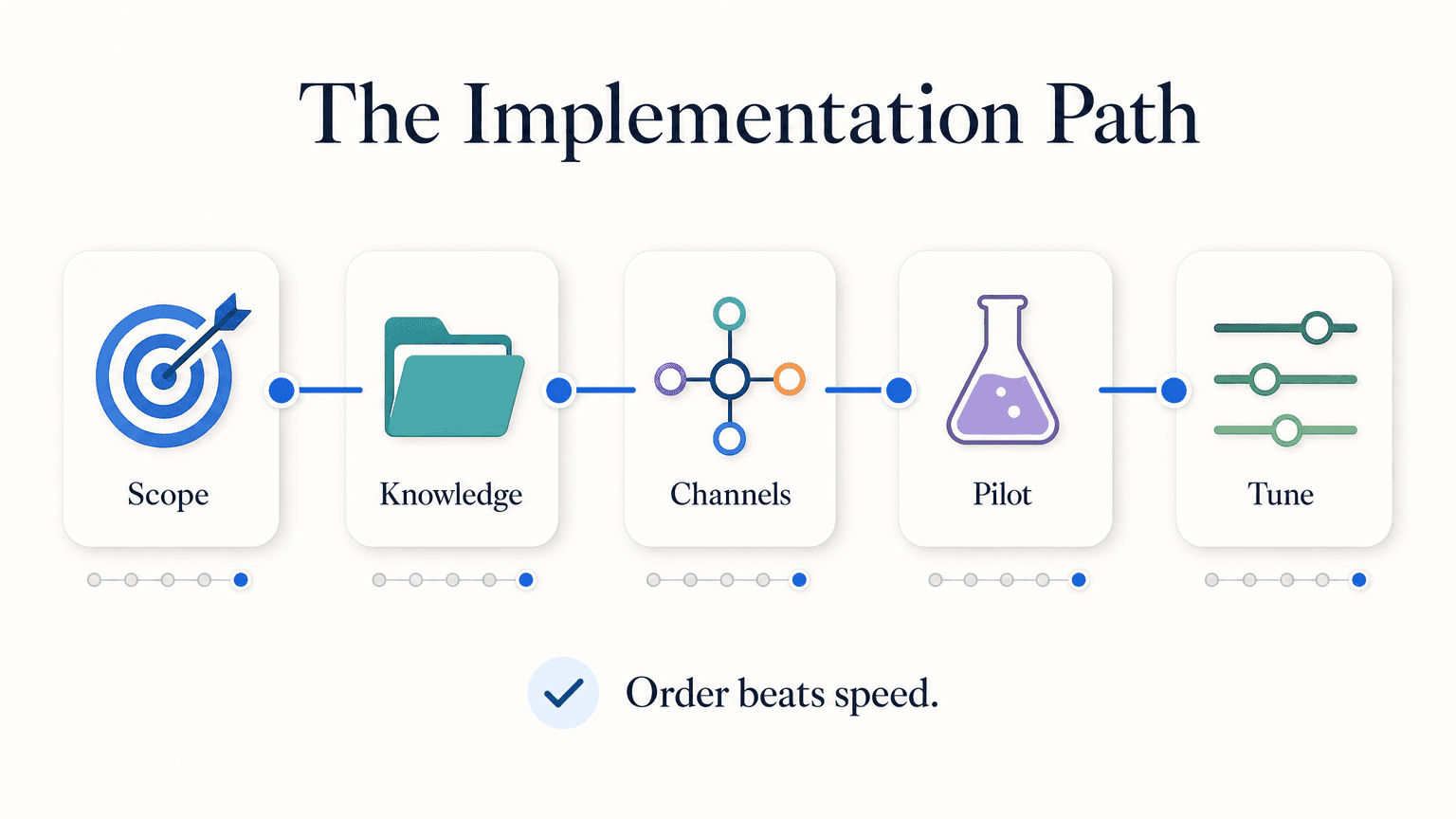
The 10-Step AI Chatbot Implementation Checklist
Each step lists the inputs you need before starting, the owner who should run it, a realistic time range for an SMB, and the mistake to avoid.
Step 1: Pin Down the Job the Chatbot Is Doing
Inputs: Last 30 days of inbound customer questions (support tickets, Instagram DMs, WhatsApp messages, website chat transcripts, missed phone calls if you log them). One paragraph from the founder or owner describing what good customer service looks like at your business.
Owner: The person who currently handles customer inquiries.
Time: 2–4 hours.
What to produce: A one-page document that says, in plain language: "Our AI chatbot answers questions about X, Y, Z. It captures leads who are interested in A, B, C. It routes anything else to a human within N minutes."
The mistake to avoid: writing "our chatbot will handle customer support" as the scope. That is not a scope, that is an aspiration. Pin it down to the five to ten question patterns the chatbot must handle and the ones it must refuse and route. A chatbot with a tight scope feels smart. A chatbot trying to do everything feels broken.
Step 2: Inventory and Curate Your Knowledge Sources
Inputs: Every document, page, and FAQ the chatbot should reference. Your website pages. Your existing FAQ. Product or service descriptions. Pricing pages. Policies. Anything a customer might ask about.
Owner: Same person from Step 1, plus whoever owns your website content.
Time: 1–3 days. This is the step most SMBs underestimate.
What to produce: A clean, deduplicated, structured knowledge folder. No 50-page PDFs unless they are actually structured. No outdated policy documents. No internal-only language. If your current FAQ is wrong, fix it now, not later.
The mistake to avoid: dumping raw documents and assuming the AI will sort it out. Modern chatbots use Retrieval-Augmented Generation (RAG) to deliver document-grounded responses — they pull answers directly from the knowledge you provide. Garbage in, garbage out is not a metaphor here. For deeper guidance, see our AI chatbot knowledge base best practices guide.
If your business operates across multiple locations or product lines, this is also the step where you decide how to structure knowledge so the chatbot does not confuse one location with another.
Step 3: Choose Your Channels
Inputs: Where your customers actually contact you today. Volume estimates per channel. Existing accounts you can connect (WhatsApp Business number, Instagram Business account, Facebook Page).
Owner: Marketing or growth lead.
Time: 1–2 hours to decide; account setup is a separate sub-step.
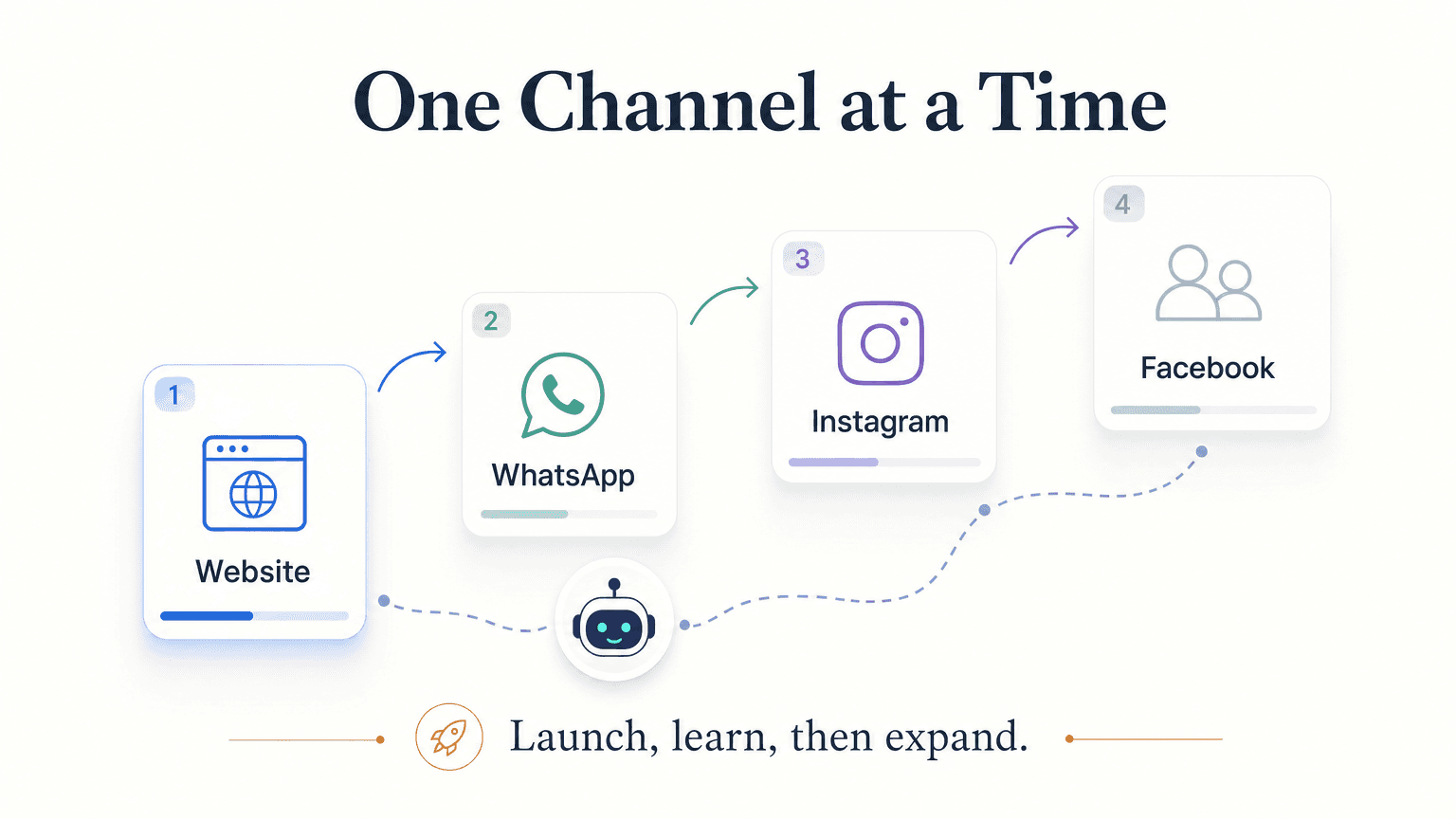
What to produce: A prioritized channel list. For most SMBs the shipped four are Website chat widget, WhatsApp, Instagram DM, and Facebook Messenger. Pick the one with the highest current inbound volume to launch first.
The mistake to avoid: turning on all channels on day one. Each channel has its own setup, its own message format quirks (cards, carousels, buttons), and its own tone expectations. Launch one, watch it for a week, then expand. The same agent should answer across all channels — but the rollout is sequential, not simultaneous.
Note on channels that are not shipped on Hyperleap today: SMS, voice, email, Slack, Telegram, and MS Teams are on the roadmap but not available as live channels. If your customers reach you primarily through SMS or voice, your implementation plan needs to account for that gap. See our channels page for the current shipped list.
Step 4: Define Your Lead-Capture and Qualification Flow
Inputs: What information your sales or service team needs to follow up on a lead. The fields you would ask for if a customer walked in and said "I am interested." Your existing CRM fields if you have one.
Owner: Whoever owns sales follow-up at your business.
Time: 2–4 hours.
What to produce: A short conversation script: which qualifying questions the chatbot asks, in what order, and what counts as "qualified enough to hand to a human." Decide whether you need phone-number verification on captured leads — if you do, plan for OTP Verification as a paid add-on (Pro/Max only, usage-based from $100). See our AI lead capture chatbot guide for a deeper treatment.
The mistake to avoid: asking ten qualifying questions before letting the customer have an actual conversation. People bounce. Aim for the minimum viable set — usually name, contact, and intent — and let the rest emerge in conversation.
Step 5: Decide Your Handoff Rules
Inputs: Your team's hours. The kinds of questions only a human should answer (refunds, escalations, anything regulated, anything sensitive). Your existing escalation path.
Owner: Customer-service or operations lead.
Time: 1–2 hours.
What to produce: A handoff rules document: when the chatbot answers, when it captures the lead and ends, when it summarizes and routes to a human in real time, and how that human gets notified. Define after-hours behavior separately from in-hours behavior.
The mistake to avoid: leaving handoff undefined. A chatbot that confidently answers questions it should have escalated is worse than no chatbot. For sensitive verticals — healthcare, legal, finance, insurance — the rule is firm: the chatbot routes intake, the human delivers advice.
Step 6: Pick Your Vendor Against the Checklist
Inputs: Steps 1–5. Your budget. Your timeline. Your existing tech stack.
Owner: The decision-maker. This is a buying decision, not an IT decision.
Time: 1 week of evaluation, including demos and a hands-on trial.
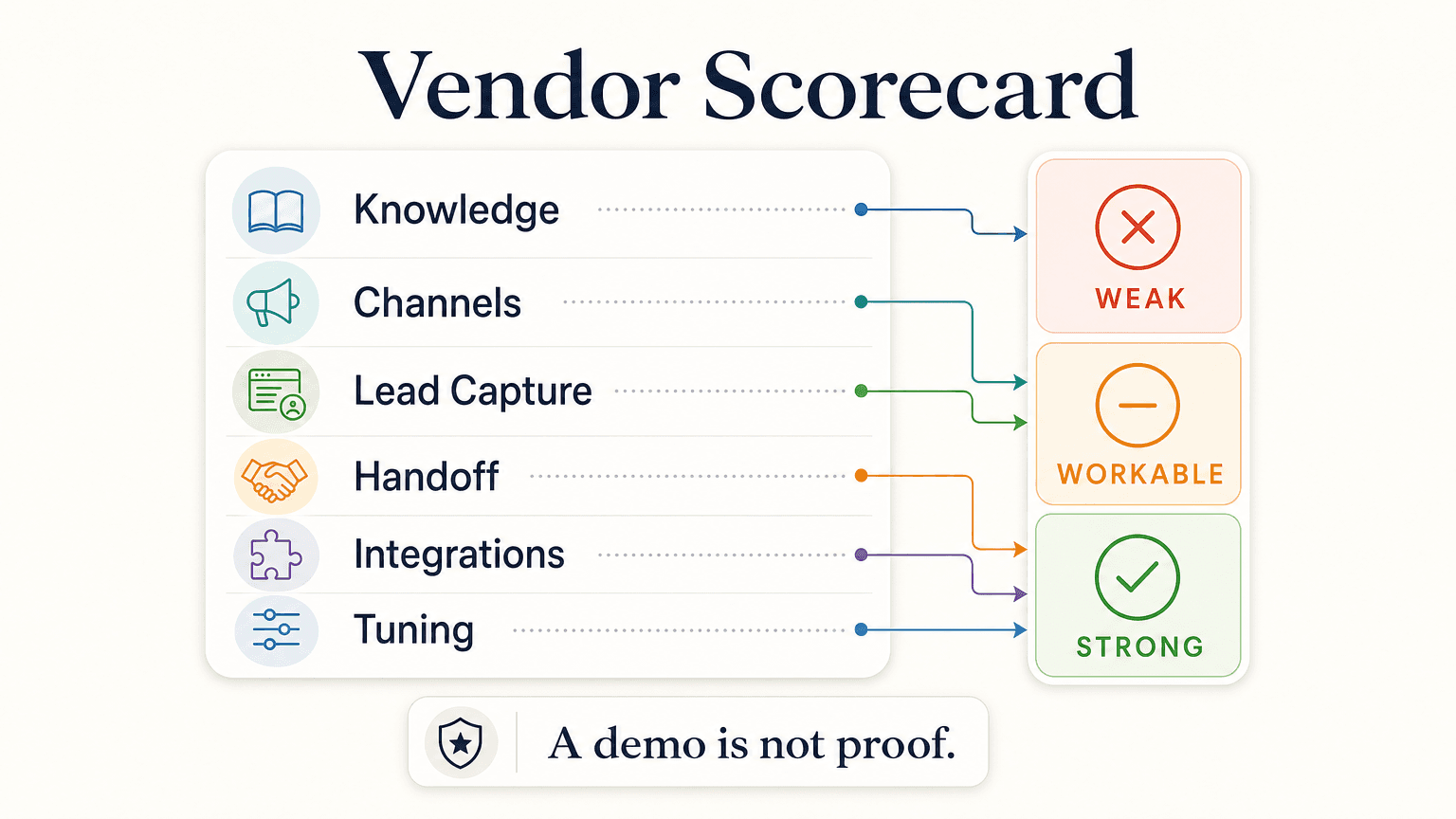
What to produce: A scored vendor comparison. Score each candidate on:
- Does it support all four shipped channels you actually need (Website, WhatsApp, Instagram DM, Facebook Messenger)?
- Does it use document-grounded responses (RAG), or does it default to generic LLM output?
- Can it capture and structure leads in the way Step 4 requires?
- Does it offer REST API and webhooks so you can pass leads into whatever CRM or follow-up system you already use?
- Is the pricing transparent and per-month, not "contact sales for a quote"?
- Is there a free trial so you can validate Steps 7–8 before signing?
- How does it handle escalation and handoff?
- Where does it fall short — and is that gap acceptable?
The mistake to avoid: picking based on the demo alone. A demo is a controlled environment; your business is not. Build a hands-on trial into your evaluation.
This is also where Hyperleap honestly fits: the shipped capability set maps directly to this checklist. Four channels, RAG-grounded answers, lead capture and structured summaries, REST API + webhooks (webhooks on Pro and Max), transparent pricing (Plus $40/mo, Pro $100/mo, Max $200/mo with a 7-day free trial), and the broader feature set is published.
Step 7: Configure, Ground, and Test in Private
Inputs: The curated knowledge from Step 2. The conversation script from Step 4. The handoff rules from Step 5. Your chosen vendor's account.
Owner: The ops lead, with vendor support.
Time: 3–7 days.
What to produce: A working chatbot in a private staging environment, with all the knowledge uploaded and grounded, the lead-capture flow wired, the handoff rules configured, and a test conversation log showing it behaves correctly on at least 30 test prompts.
Test prompts should cover:
- Common questions the chatbot must answer (positive cases)
- Edge cases that should trigger handoff
- Adversarial prompts that try to make it answer outside scope
- Questions where the answer is genuinely "I do not know" — the chatbot should say so, not invent
The mistake to avoid: skipping adversarial testing. If you do not test "what if the customer asks something the chatbot does not know," you will discover the answer in production and it will be a hallucination.
Step 8: Run a Controlled Pilot
Inputs: The configured chatbot from Step 7. One channel from Step 3 (start with the highest-volume one or, conversely, the lowest-stakes one — depends on your risk appetite). A small audience: existing customers who opted in, or a single segment of incoming traffic.
Owner: Ops lead, with daily review from the founder for the first week.
Time: 1–2 weeks.
What to produce: A log of every conversation, with each one labeled — answered correctly, answered with caveats, should have escalated, missed a lead, hallucinated. Tune knowledge and rules daily based on what you see.
The mistake to avoid: declaring the pilot a success after three conversations. You need volume — at least 30–50 real conversations on one channel — before you have signal. If your pilot does not get that volume in two weeks, the channel choice was wrong, not the chatbot.
Step 9: Roll Out Remaining Channels and Integrations
Inputs: A pilot that has converged on stable accuracy. Your CRM or follow-up system. Your team's notification preferences.
Owner: Ops lead.
Time: 1–2 weeks.
What to produce: The chatbot live on all chosen channels. Lead-capture flowing into your CRM via REST API or webhooks — not via a "native CRM integration" badge, because most vendors (including Hyperleap) do that work through REST API and webhooks rather than native plug-ins. If your team needs structured summaries after every conversation, wire those into your existing tooling at this step.
The mistake to avoid: rolling out channels before integrations. A chatbot capturing leads with nowhere to send them is a backlog problem in disguise.
For teams interested in querying the chatbot's data in natural language — "show me hot leads from this week," "which conversations need follow-up" — this is also when you would set up MCP-ready workflows. See /mcp for context.
Step 10: Review the First 100 Real Conversations and Tune
Inputs: Conversation logs from Step 9. The same labelling discipline from Step 8.
Owner: Ops lead, with founder reviewing weekly summaries.
Time: Ongoing — but the first 100-conversation review is the milestone that marks "implementation complete."
What to produce: A tuning log. For every conversation that did not go well, identify the root cause: missing knowledge, ambiguous prompt, wrong handoff rule, or a real product/policy gap that customer service needs to fix. Update the relevant artifact and re-test.
The mistake to avoid: setting it and forgetting it. The first 100 conversations reveal exactly which question patterns you missed in Step 2. Use them.
After 100 reviewed conversations, the chatbot is in steady state. Implementation is done. Operating it is now a weekly review rhythm, not a project.
What to Look for in a Vendor (Mapped to the Checklist)
Here is the evaluation rubric, mapped step by step:
| Checklist step | Vendor capability to verify |
|---|---|
| Step 1 — Job scoping | Does the vendor support a defined-scope chatbot, or does it default to "everything"? |
| Step 2 — Knowledge | Does the vendor use RAG with document-grounded responses, and how does it handle "I do not know"? |
| Step 3 — Channels | All four shipped channels (Website, WhatsApp, Instagram DM, Facebook Messenger), with feature parity? |
| Step 4 — Lead capture | Structured lead fields, qualifying questions, customizable conversation flow? |
| Step 5 — Handoff | Configurable handoff rules, after-hours behavior, real-time notifications? |
| Step 6 — Pricing | Per-month transparent pricing, free trial, no surprises? |
| Step 7 — Configuration | Private staging environment, test-prompt support, edit-and-retest loop? |
| Step 8 — Pilot | Single-channel rollout supported, per-conversation logs? |
| Step 9 — Integration | REST API + webhooks + in-chat booking with your scheduler (e.g. Calendly or Cal.com)? |
| Step 10 — Tuning | Conversation logs, accuracy review, knowledge update workflow? |
The vendors that pass all ten are the ones worth a hands-on trial. Demos cannot prove any of this; only your own data running through their product can.
Common Mistakes That Derail SMB Rollouts
Five recurring failure modes worth calling out explicitly, even though each was implicit above:
- No defined scope. "Customer support" is not a scope.
- Uncurated knowledge. Document quality is the ceiling on accuracy.
- All channels on day one. Sequential rollout. One channel, one week, then expand.
- No handoff plan. A confident wrong answer is worse than no chatbot.
- No conversation review. Without weekly tuning, the chatbot drifts.
For a deeper post-mortem of these patterns, read our companion piece on why AI chatbot implementations fail.
How Hyperleap Maps to This Checklist
Hyperleap was built around exactly the steps above, which is why the mapping is short and specific:
- Steps 1, 2, 4, 5, 7: All happen inside the Hyperleap configuration — scope definition, knowledge upload, conversation flow, handoff rules, and private testing are first-class workflows; live human takeover is on Pro and Max.
- Step 3: The four shipped channels (Website, WhatsApp Business API, Instagram DM, Facebook Messenger) are all live, with rich cards on all four channels (Pro and Max).
- Step 6: Pricing is published — Plus $40/mo, Pro $100/mo, Max $200/mo, 7-day free trial, credit card required, no free plan. Add-ons (Suite, OTP Verification, Multi-variant (locations, courses, etc), Credit Packs, Managed Setup) are named and priced separately and are never bundled silently.
- Step 9: Lead delivery happens via REST API and webhooks. Native in-chat booking with Calendly and Cal.com is shipped on all four channels on Pro and Max (in-chat booking needs Calendly Standard or higher); on Plus, or with any other scheduling tool, the booking link gets shared. Native CRM integrations (Zapier, HubSpot, Salesforce, Zendesk) are in active development — until they ship, the REST API + webhooks path is how teams move leads into existing systems.
- Step 10: Every conversation is logged, and for teams who want natural-language queries against their conversation data, the MCP-ready workflows let approved AI clients ask "which conversations need follow-up?" or "what questions are customers asking that the website does not answer?"
If you compared every vendor against the rubric above and ended up with a tight short list, Hyperleap is the option built to score across the row.
Next Step
The fastest way to validate this checklist against a real product is to run Steps 1, 2, and 7 inside a free trial. You will know within a few days whether a vendor can actually support the rollout you scoped, or whether the demo was the best part.
Start Your AI Chatbot Implementation
Run Steps 1, 2, and 7 of this checklist inside a 7-day free trial. Plus, Pro, and Max plans all include the trial. Credit card required. No free plan.
Start Free TrialFAQ
How long does an AI chatbot implementation actually take for an SMB? Typical end-to-end time is 2–4 weeks from "we decided to do this" to "first channel live with reviewed conversations." Knowledge curation in Step 2 is the most variable input — businesses with a clean existing FAQ move much faster than those starting from scratch. The 10 steps in this checklist can compress or expand around that variable.
Do I need a developer to implement an AI chatbot? For Steps 1–8, no. Modern AI chatbot platforms — Hyperleap included — are configured through a web UI, not code. A developer becomes useful at Step 9 if you want to wire lead delivery through REST API and webhooks into a custom CRM or internal tool, but most SMBs use the default integrations and skip custom code entirely.
What knowledge should I upload to the chatbot first? Start with the answers to your most common customer questions, your pricing or service descriptions, and any policies a customer might ask about. Skip internal documents (employee handbooks, partner agreements) unless customers regularly ask about them. The goal in Step 2 is high-quality coverage of customer-facing topics, not volume.
Can the chatbot handle multiple languages? Yes — modern AI chatbots support 100+ languages out of the box, and the same agent can answer in whichever language the customer messages in. You do not need to maintain separate knowledge per language for most use cases; the AI handles translation against your source documents.
What happens when the chatbot does not know the answer? This is configurable in Step 5 (handoff rules) and Step 7 (configuration). The recommended default is: the chatbot says it does not know, captures the customer's contact information, and routes the question to a human within minutes. A well-grounded chatbot using RAG should not invent an answer when the knowledge base does not cover the question — that behavior is the most important quality signal in vendor evaluation.
Should I run the pilot on Website or WhatsApp first? Whichever channel has the highest current inbound volume. Volume is what gives the pilot signal. A "safer" low-volume channel may feel less risky but will not generate enough conversations to validate the rollout in two weeks. If volume is split evenly across channels, start with Website — it has the lowest setup cost and the cleanest analytics path.
How do I know the chatbot is ready to expand to more channels? Use Step 8's accuracy log. When the pilot channel converges on a stable rate of "answered correctly" conversations across at least 30–50 real conversations, and you have addressed the recurring failure modes, you have signal that Step 9 (expand channels) will not surface new failure modes. Without that volume, expanding is premature.
Put this into practice
Related Articles

How to Deploy an AI Chatbot in Under a Week
A realistic day-by-day plan for SMBs to deploy an AI chatbot across Website, WhatsApp, Instagram DM, and Facebook Messenger — no developer required.

How to Add an AI Chatbot to Squarespace (Step by Step)
Step-by-step guide to adding an AI chatbot to Squarespace via Code Injection, plus plan requirements, troubleshooting, and a pre-launch checklist.

Lead Qualification Chatbot: Questions, Fields, and Handoff Rules
A lead qualification chatbot turns raw contacts into ranked, routed leads — before a rep wastes the first call. Here's the question stack, scoring, and handoff logic that works.

AI Lead Capture Chatbot: Convert Website Visitors Into Qualified Leads
An AI lead capture chatbot does what forms can't: qualify intent, capture contacts, and hand clean leads to your team — across four channels, 24/7.