Webhooks let you receive HTTP POST notifications at your own URL whenever chatbot events occur — such as a new lead being captured, a conversation starting, or a message being sent. Use webhooks to sync data with your CRM, send Slack alerts, trigger Zapier workflows, or power custom backend integrations.
Prerequisites
- Paid plan with webhook access — Your plan must include the chatbot webhooks feature. If the Webhooks tab is not visible, your current plan may not include it.
- A publicly accessible HTTPS endpoint — Your webhook URL must use HTTPS and be reachable from the internet.
Setting Up Webhooks
Follow these steps to configure webhooks for your chatbot:
Open Chatbot Settings
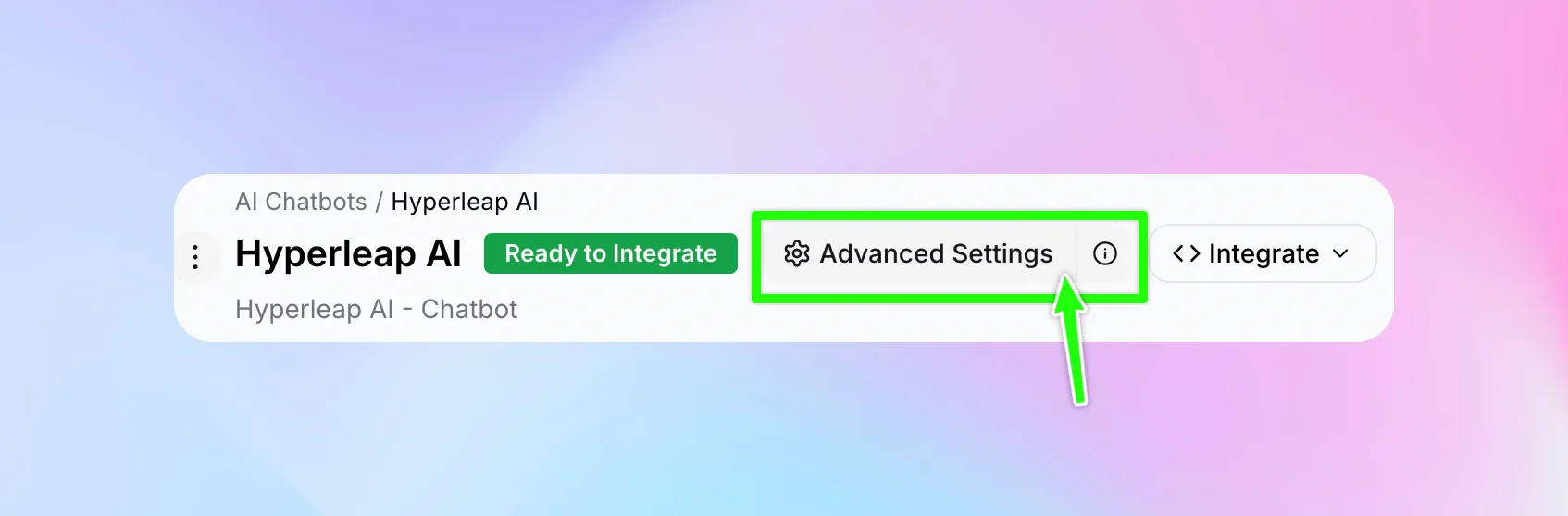
Go to the Webhooks Tab
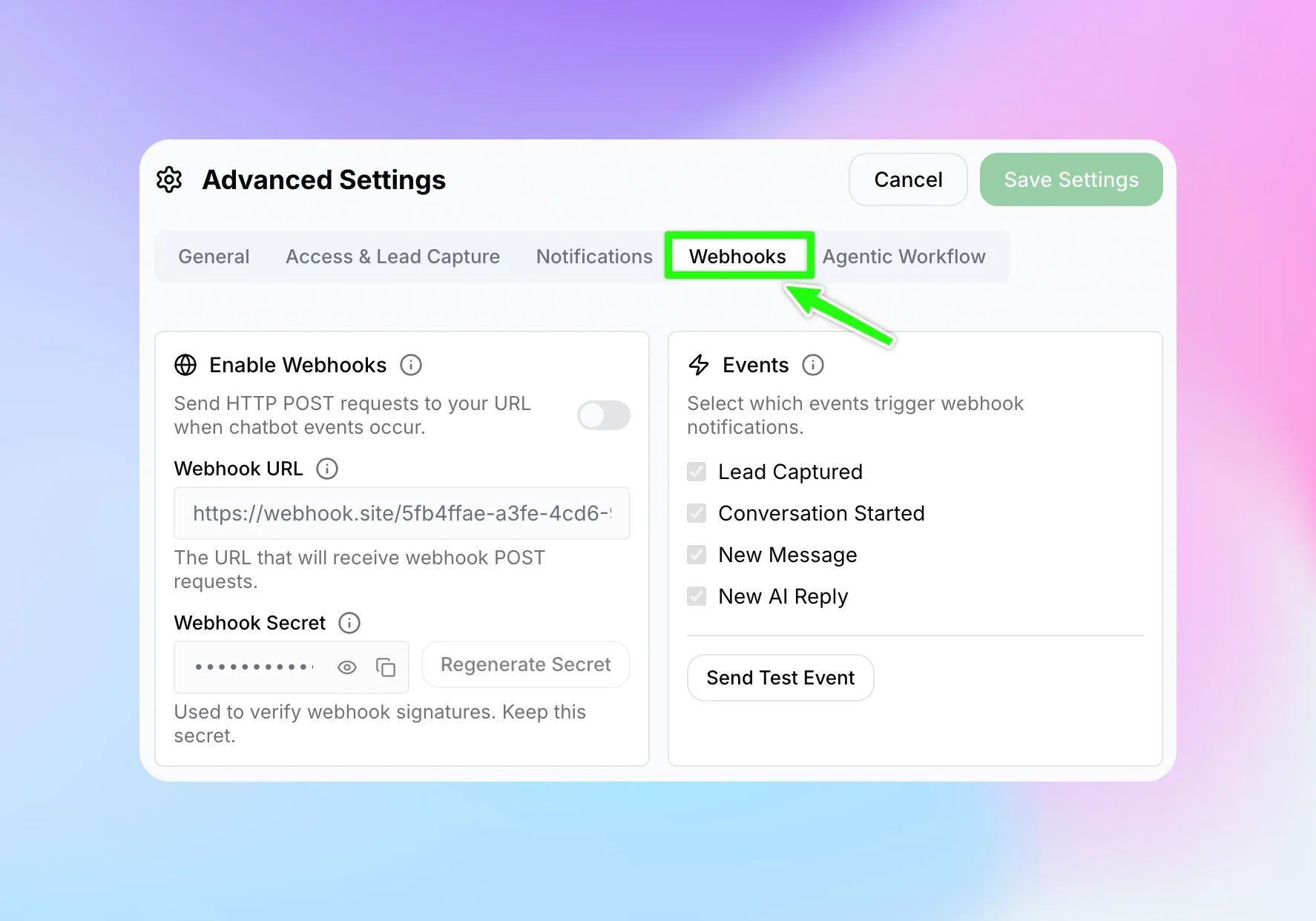
Enable Webhooks
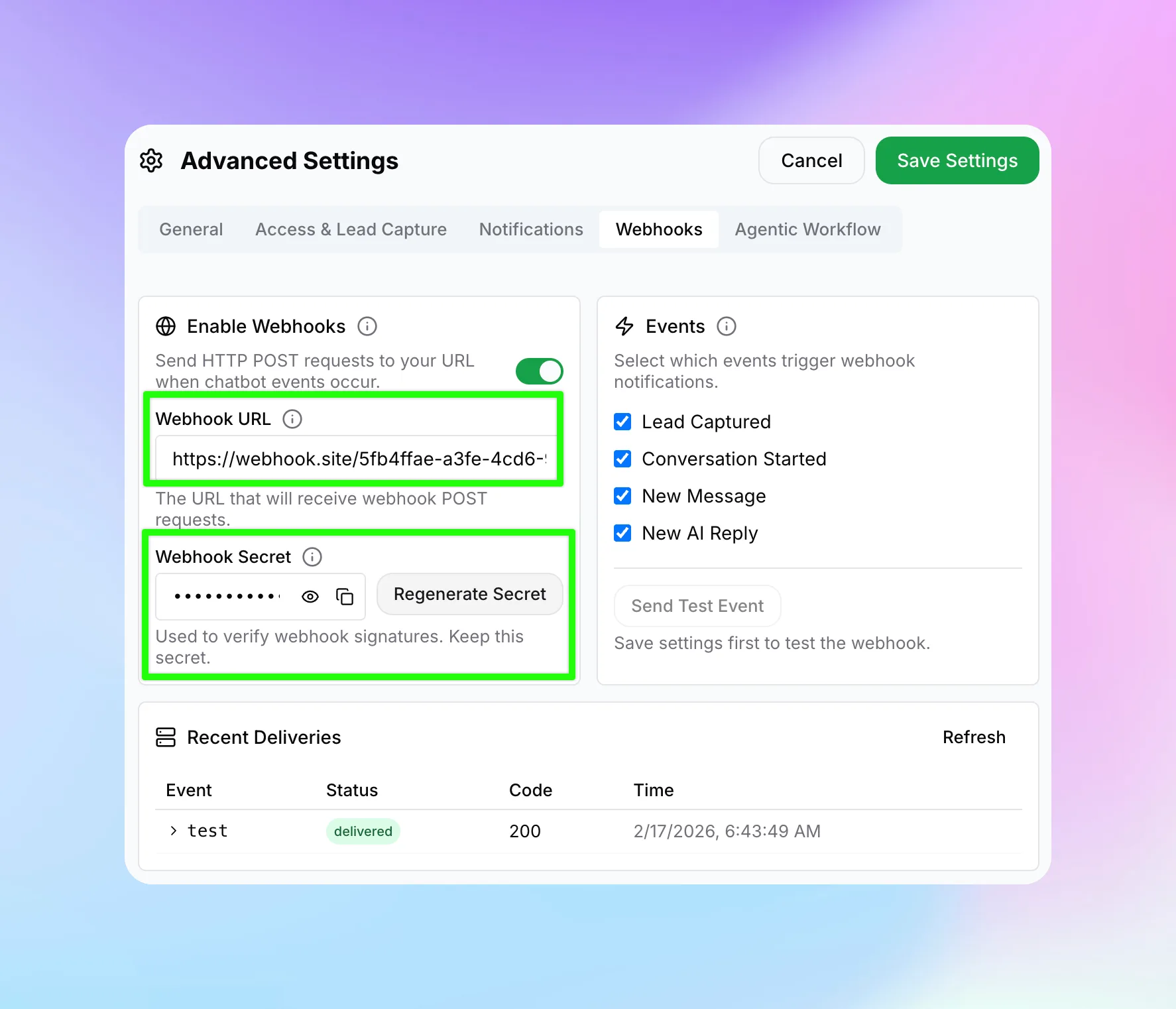
Enter Your Webhook URL
https://. This is where Hyperleap will send HTTP POST requests with event data as JSON.Configure Your Webhook Secret (Optional but Recommended)
- View the secret by clicking the eye icon
- Copy it with the copy icon
- Regenerate it by clicking "Regenerate Secret" (only available after saving the chatbot at least once)
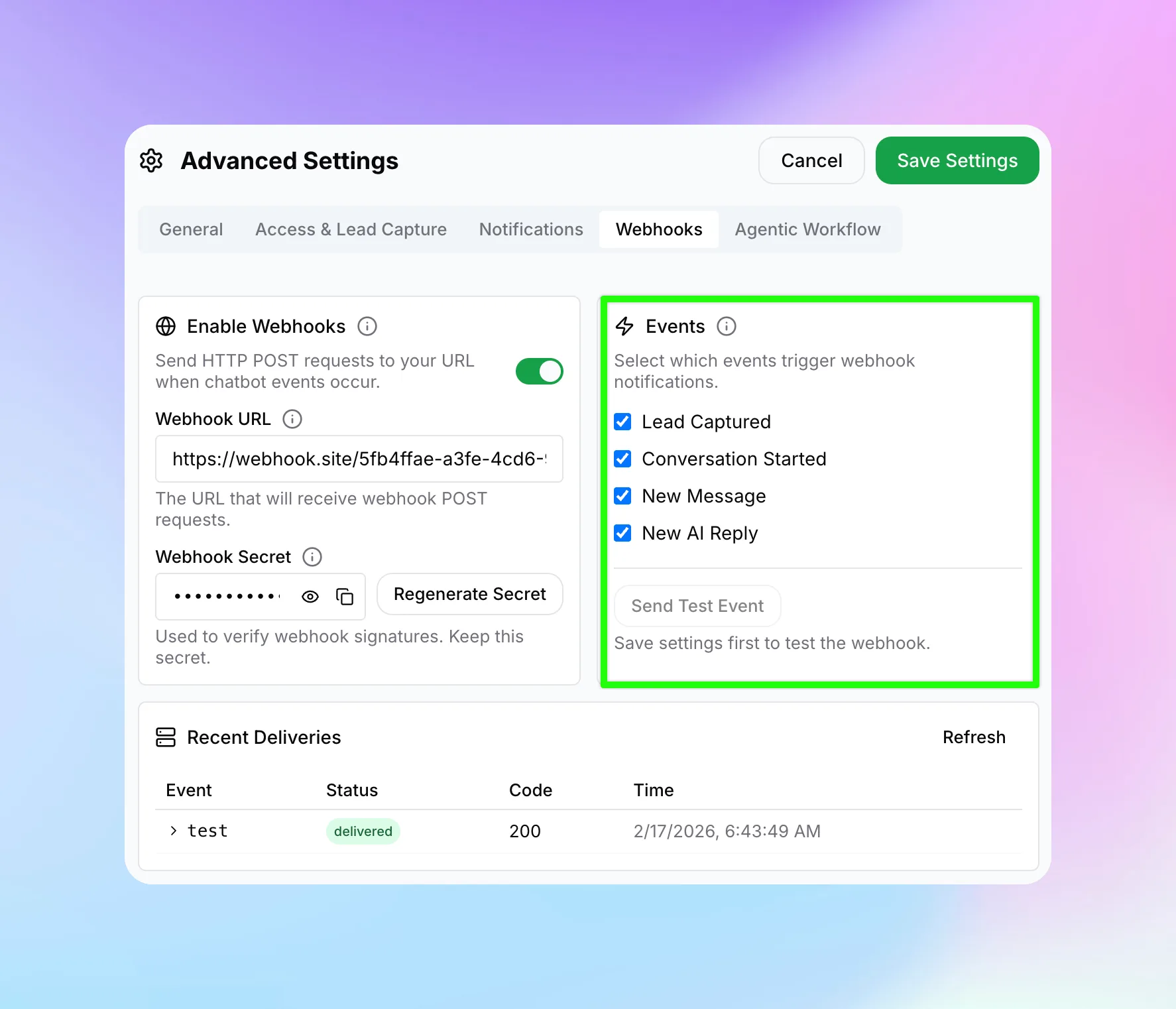
Select Events
Save Settings
Test Your Webhook
Event Types
Hyperleap supports the following webhook events:
| Event | Trigger |
|---|---|
lead.captured | Visitor submits lead form or authenticates via OTP |
conversation.started | A new conversation is created |
conversation.message | User sends a message in the chat |
conversation.reply | AI chatbot sends a reply |
Webhook Envelope
Every webhook POST body follows this common envelope structure:
{
  "eventType": "lead.captured",        // string — one of the event types above
  "chatbotId": "a1b2c3d4-...",         // string (UUID) — chatbot that triggered the event
  "chatbotName": "Support Bot",        // string — display name of the chatbot
  "organizationId": "e5f6g7h8-...",    // string (UUID) — your organization ID
  "timestamp": "2025-09-15T10:30:00Z", // string (ISO 8601 UTC) — when the event occurred
  "deliveryId": "d9e0f1a2-...",        // string (UUID) — unique ID for this delivery
  "data": { ... }                      // object — event-specific payload (see below)
}deliveryId for idempotency — you may receive the same event more than once during retries.Event Payloads
Each event type includes a different data object in the envelope.
lead.captured
{
  "name": "Jane Smith",               // string | null — full name from lead form
  "email": "jane@example.com",        // string | null — email address
  "phone": "+1234567890",             // string | null — phone number
  "companyName": "Acme Inc",          // string | null — company name (if collected)
  "externalUserLoginId": "uuid-...",  // string | null — internal login record ID
  "tags": ["enterprise", "demo"]      // string[] | null — conversation tags
}
conversation.started
{
  "conversationId": "uuid-...",        // string (UUID) — unique conversation identifier
  "externalUserId": "user-123",        // string | null — external user ID (if provided)
  "metadata": {                        // object | null — custom metadata from chat session
    "page": "/pricing",
    "referrer": "google"
  }
}
conversation.message
{
  "conversationId": "uuid-...",                    // string (UUID) — conversation ID
  "message": "How do I reset my password?"         // string — the user's message text
}
conversation.reply
{
  "conversationId": "uuid-...",            // string (UUID) — conversation ID
  "messageId": "uuid-...",                 // string (UUID) — unique ID of the AI response
  "userMessage": "How do I reset?",        // string — the user message that triggered this reply
  "reply": "To reset your password..."     // string — the full AI response text
}
Request Headers
Every webhook request includes these HTTP headers:
| Header | Value | Description |
|---|---|---|
Content-Type | application/json | Always JSON |
X-Hyperleap-Event | e.g. lead.captured | The event type |
X-Hyperleap-Delivery-Id | UUID string | Unique delivery ID for idempotency |
X-Hyperleap-Signature | sha256={hex} | HMAC-SHA256 signature (only if secret is configured) |
Verifying Webhook Signatures
If you configured a webhook secret, every request includes an X-Hyperleap-Signature header containing an HMAC-SHA256 signature of the request body. Verify this signature to ensure the request is genuinely from Hyperleap.
Node.js
const crypto = require('crypto');

function verifySignature(payload, secret, signatureHeader) {
  const expected = 'sha256=' + crypto
    .createHmac('sha256', secret)
    .update(payload, 'utf8')
    .digest('hex');
  return crypto.timingSafeEqual(
    Buffer.from(expected),
    Buffer.from(signatureHeader)
  );
}
Python
import hmac, hashlib

def verify_signature(payload: bytes, secret: str, signature_header: str) -> bool:
    expected = 'sha256=' + hmac.new(
        secret.encode(), payload, hashlib.sha256
    ).hexdigest()
return hmac.compare_digest(expected, signature_header)timingSafeEqual or compare_digest) to prevent timing attacks when verifying signatures.Testing Webhooks
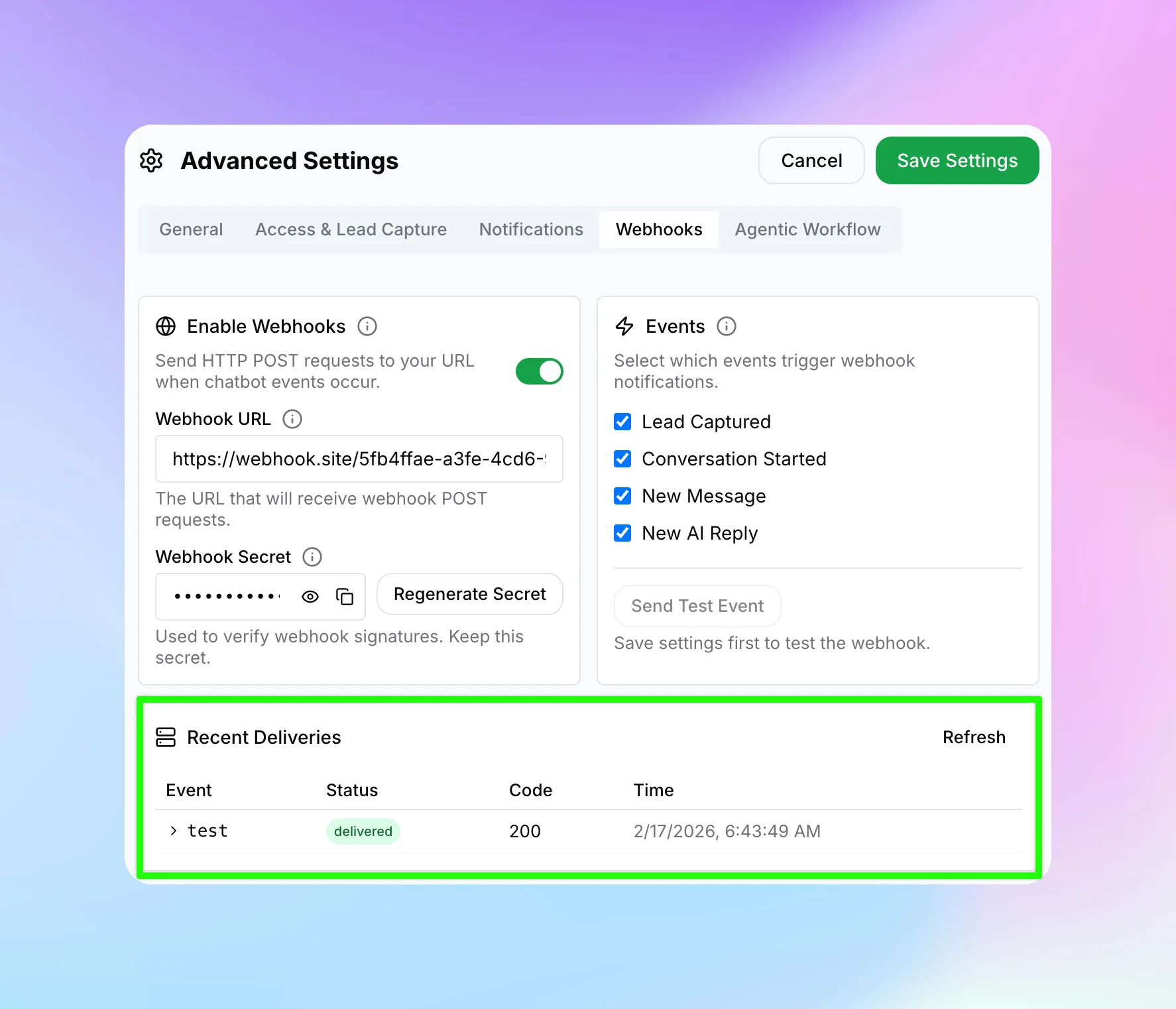
- Send Test Event — After saving your webhook settings, click the "Send Test Event" button in the Webhooks tab to send a test payload to your URL.
- Recent Deliveries — The table below your webhook settings shows delivery status, HTTP response code, and timestamps for each delivery attempt.
- Save before testing — The "Send Test Event" button is disabled while you have unsaved changes.
Retry Behavior & Delivery
Hyperleap retries failed webhook deliveries automatically:
- 3 attempts with exponential backoff: 1s, 4s, and 16s delays between retries
- 10-second timeout per attempt — your endpoint must respond within 10 seconds
- Delivery statuses:
pending→deliveredorfailed - Recent Deliveries table shows response codes and error messages for each attempt
Best Practices
deliveryId for idempotency — you may receive the same event more than once during retries.Next Steps
Now that your webhooks are configured, explore these related features:
- Analytics — Monitor chatbot performance and conversation metrics
- Channels — Connect your chatbot to WhatsApp, Instagram, and Facebook
- API Reference — Full API documentation for programmatic access