What are Sources?
Sources are knowledge bases that contain your business information. When connected to chatbots, tools, or assistants, they enable AI to provide accurate, relevant responses grounded in your actual content.
This technique is called Retrieval Augmented Generation (RAG) - the AI retrieves relevant information from your Sources before generating a response.
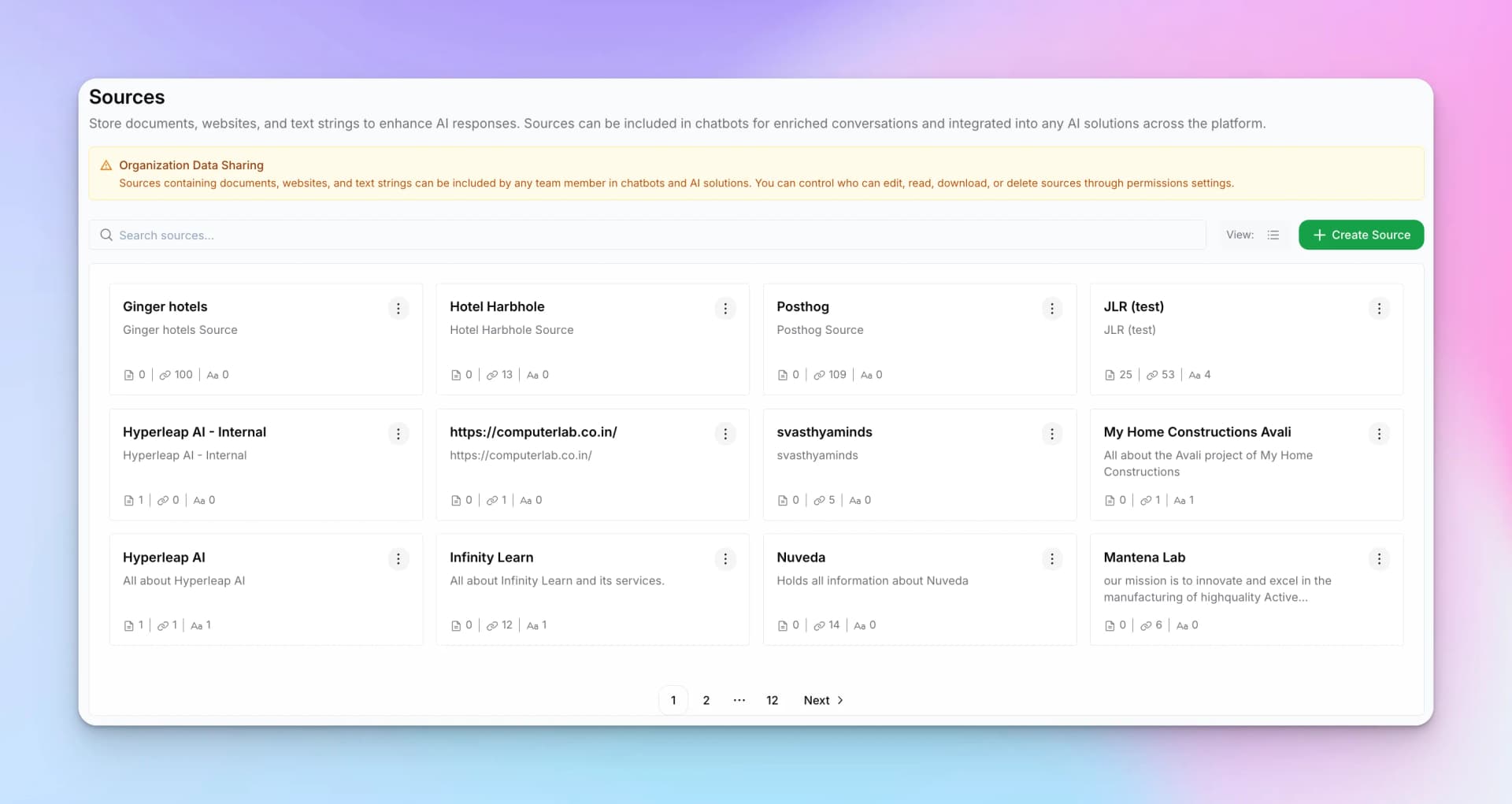
Why Use Sources?
- Accuracy — Responses based on your actual information, not general knowledge
- Up-to-date — Update Sources when information changes
- Reduced hallucination — AI grounded in facts, not guesses
- Consistency — Same answers across all AI interactions
Watch the Video
Content Types
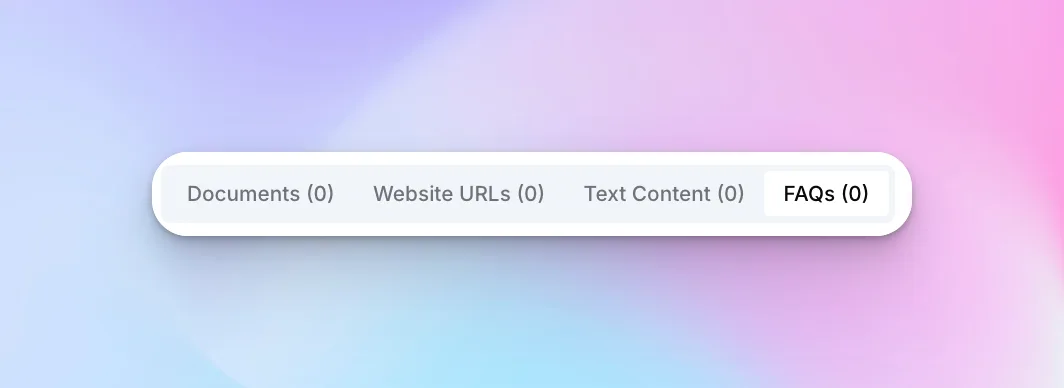
Each Source can contain multiple types of content:
Documents
Upload PDFs, Word docs, and text files.
Website URLs
Index web pages for AI retrieval.
Text Content
Add text snippets directly.
FAQs
Structure question-answer pairs.
Creating a Source
To create a new Source:
- Go to Sources from your dashboard
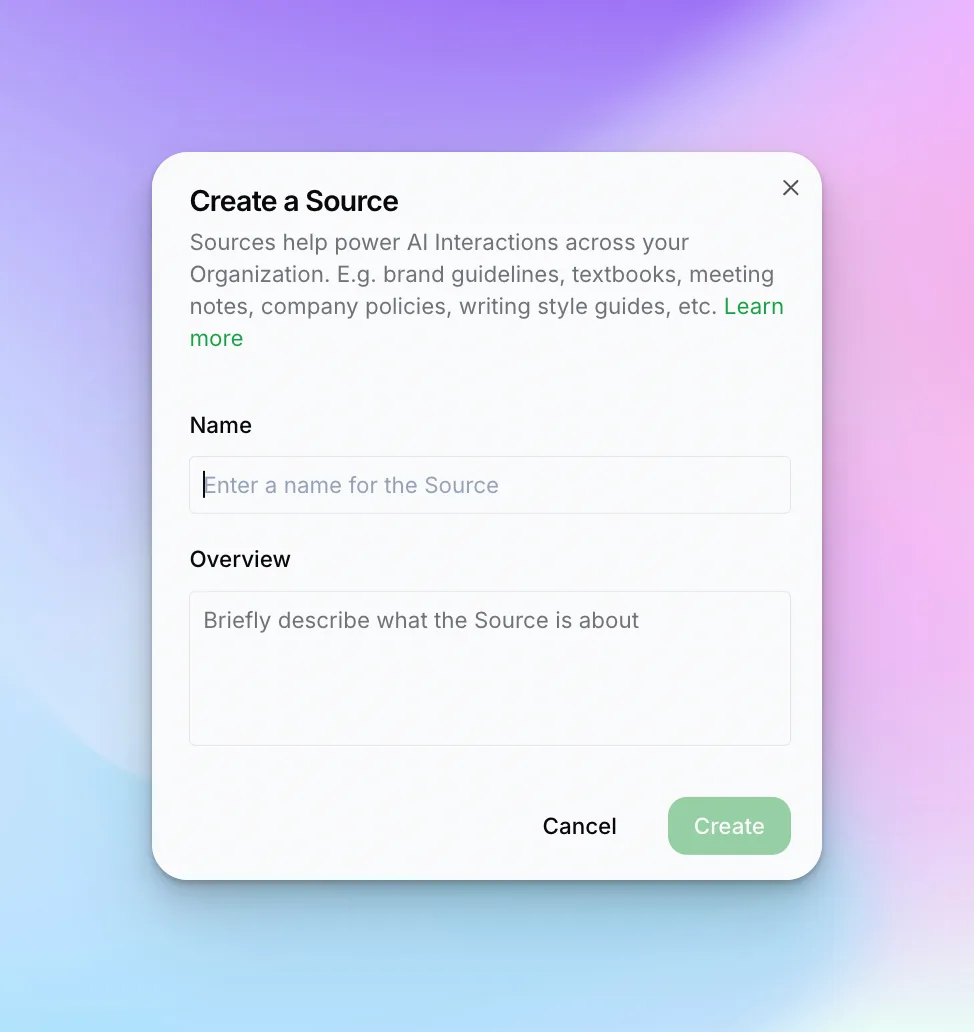
- Click "+ Create Source"
- Enter a Name and Overview
- Click "Create"
Source Details
- Name — A clear, descriptive name (e.g., "Product Documentation", "Company Policies")
- Overview — Brief description of what information this Source contains
Source Content Tabs
After creating a Source, you'll see tabs for different content types:
Text Content
Add plain text directly to your Source. Useful for:
- Quick snippets of information
- Policies that don't exist as documents
- Frequently updated information
- Custom knowledge that isn't documented elsewhere
FAQs
Structure information as question-answer pairs. The question format closely matches how users ask questions, making FAQs one of the most effective content types for accurate retrieval.
Learn how to add and manage FAQs →
Connecting Sources
To use a Source with your chatbot, tool, or assistant:
- Open the chatbot/tool/assistant editor
- Find "Select Sources" in the Behaviour/prompt section
- Choose the Sources you want to connect
- Save your changes
Organization Data Sharing
Sources can be shared across your organization:
- Private Sources — Only you can access
- Team Sources — Shared with your workspace
- Organization Sources — Available to all team members
Next Steps
Learn how to add content to your Sources:
- Uploading Documents — PDFs, Word docs, and more
- Adding Websites — Index web pages
- Adding FAQs — Structure question-answer pairs