What are AI Assistants?
AI Assistants are conversational interfaces that engage in back-and-forth dialogue. Unlike Tools (which use forms), Assistants maintain context across a conversation and can explore topics, answer follow-up questions, and guide users through complex workflows.
How Assistants Work
- User opens the assistant chat interface
- User types a message or question
- Assistant responds based on its system prompt and connected Sources
- Conversation continues with context preserved
- User can explore different angles, ask follow-ups, or change topics
Assistants vs. Tools
Choose the right format for your use case:
| Feature | AI Tools | AI Assistants |
|---|---|---|
| Interface | Form-based | Chat-based |
| Interaction | Single input → single output | Multi-turn conversation |
| Context | Fresh each time | Maintains conversation history |
| Best for | Specific, structured tasks | Exploration, Q&A, guidance |
Example Use Cases
AI Assistants excel at:
Knowledge Base Q&A
Answer questions from company documentation
Onboarding Guides
Help new employees learn processes
Research Assistants
Explore topics and gather information
Technical Support
Troubleshoot issues with guided conversation
Training Coaches
Practice scenarios with feedback
Meeting Prep
Brief team members on topics before calls
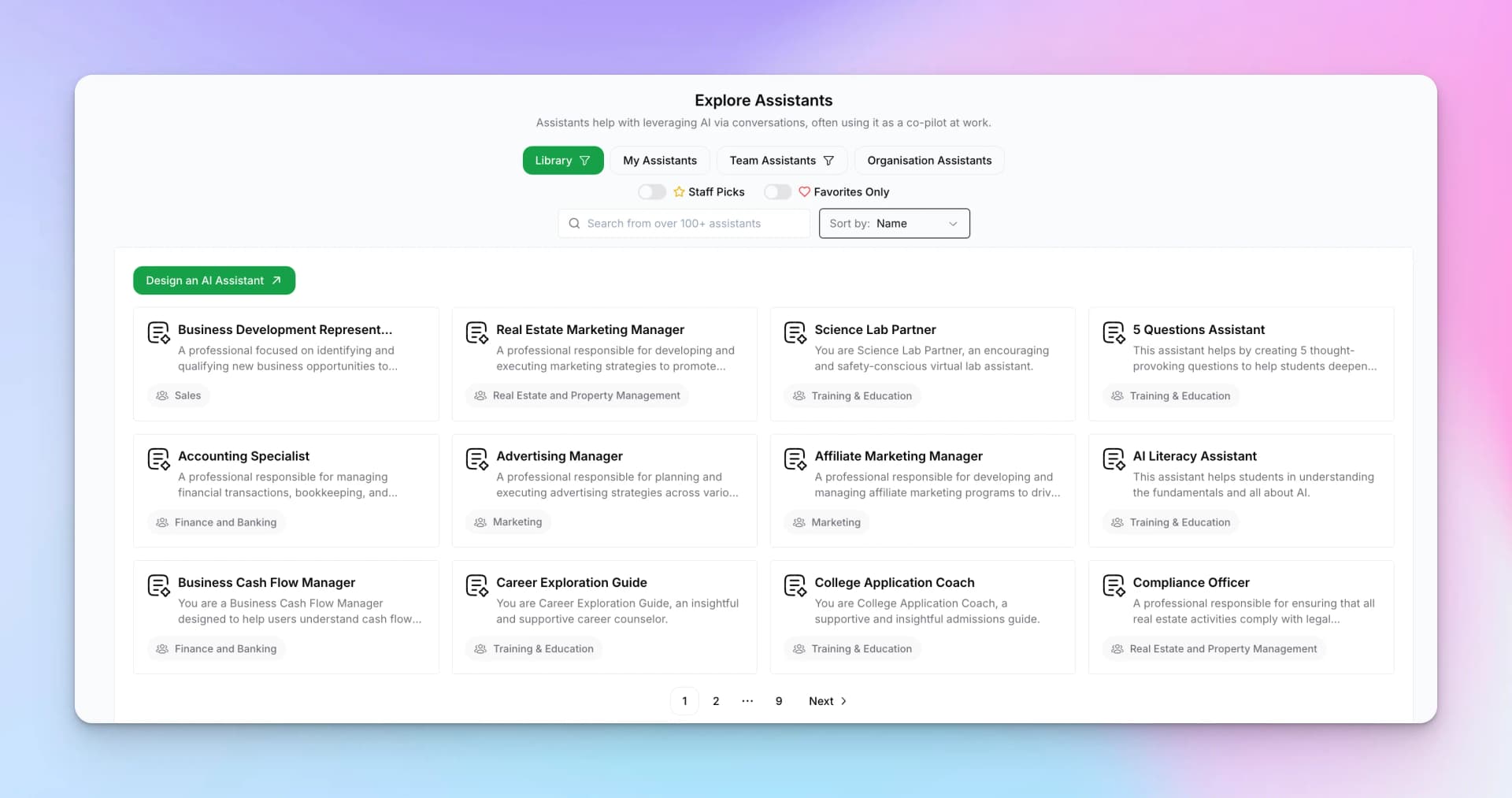
Explore Assistants Library
Hyperleap provides pre-built assistants you can use immediately or customize:
- My Assistants — Assistants you've created
- Team Assistants — Shared by your workspace team
- Organization Assistants — Company-wide assistants
- Staff Picks — Featured assistants from Hyperleap
- Favorites Only — Your bookmarked assistants
Assistant Features
Chat Inputs
Variables users fill before chatting
System Prompt
Instructions defining the assistant's personality
Source Connection
Link knowledge bases for grounded responses
Conversation History
Review past conversations
Model Selection
Choose the AI model powering responses
Assistant Chat Interface
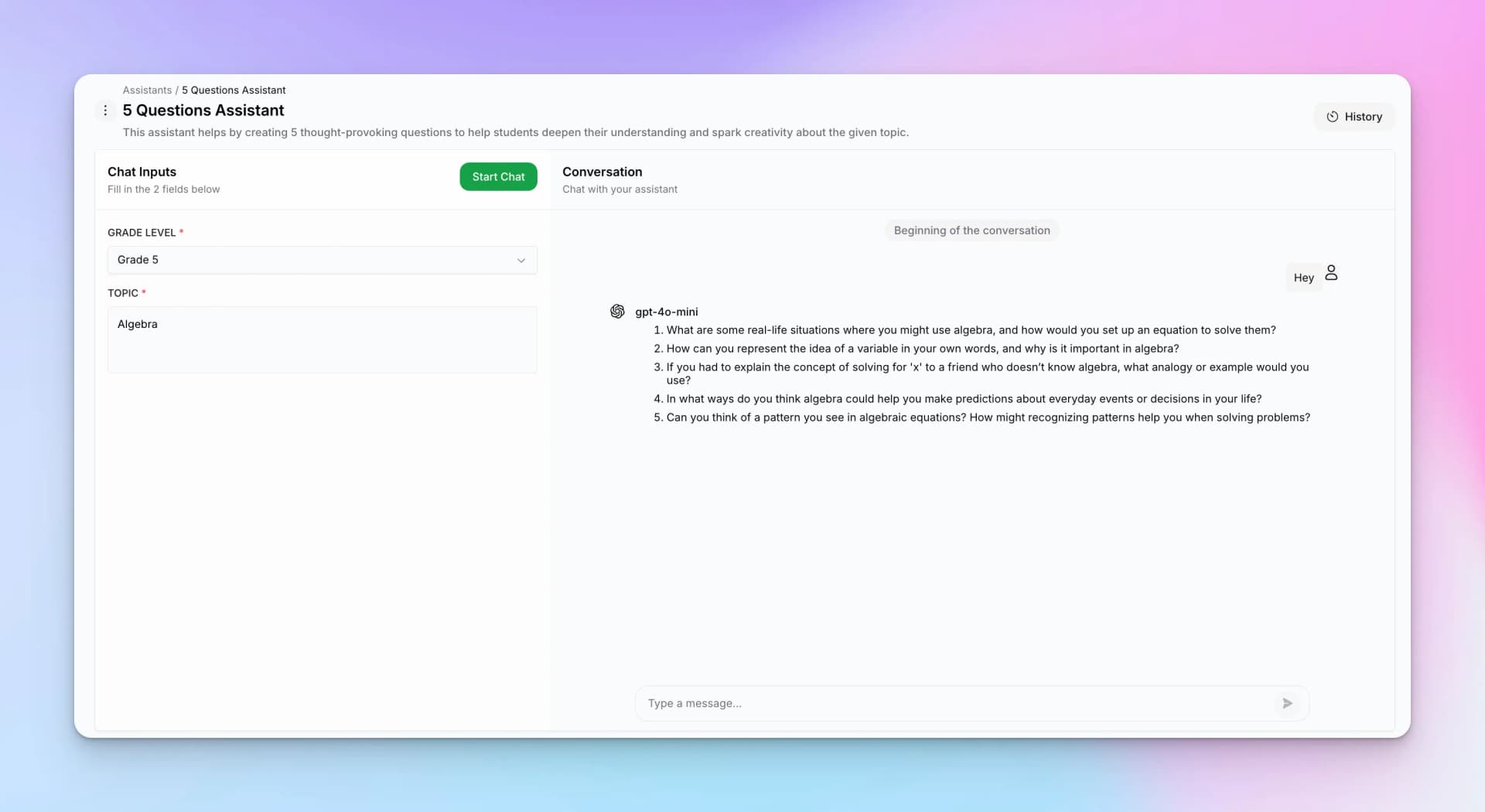
When users open an assistant, they see a chat interface:
Interface Components
- Chat Inputs — Fill in context fields (grade level, topic, etc.)
- Start Chat — Begin the conversation
- Conversation — The chat history with AI responses
- History — Access previous conversation sessions
Getting Started
Need role-by-role access details first? Review the AI Assistants Permissions Matrix.
Ready to build your own AI Assistant? See the Create an Assistant guide for step-by-step instructions.