Welcome to Hyperleap AI
Hyperleap AI is the AI front desk for small businesses. Most teams start with AI Chatbots, which answer customers on your website, WhatsApp, Instagram, and Messenger. AI Studio and the Prompts and Personas APIs are part of the Suite add-on ($99 one-time, on Plus, Pro and Max). Switch between the three modes below based on what you want to build.
Interactive Demo
Take a quick interactive walkthrough of the platform — no signup required.

2-minute interactive walkthrough
Platform Modes
When you log in, you can switch between modes using the mode selector in the top navigation.
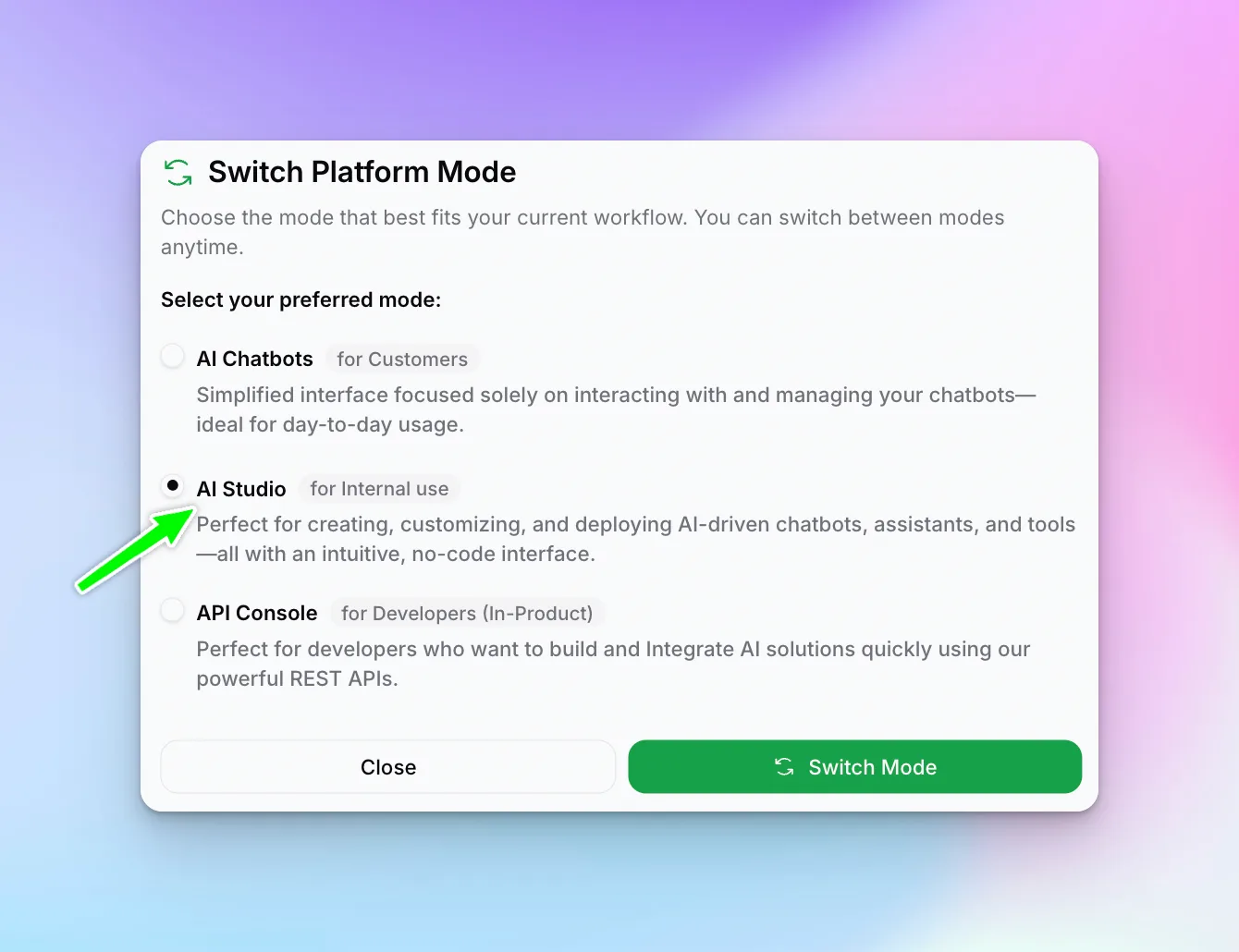
Bot Studio
(AI Chatbots)Build customer-facing chatbots for websites, WhatsApp, Instagram, and Facebook.
AI Studio
(Internal Tools)Create AI tools and assistants for your team's internal productivity.
API Console
(Developer APIs)Access Prompts API and Personas API for custom integrations.
Quick Start Guide
The fastest path to your first AI creation:
Choose Your Mode
Decide what you want to build:
- Customer chatbot? → Bot Studio
- Internal tool? → AI Studio
- Custom integration? → API Console
Create Your First Resource
Follow the guide for your chosen mode:
- Create a Chatbot (Bot Studio)
- Create a Tool (AI Studio)
- API Documentation (API Console)
Add Knowledge (Optional)
Connect Sources to ground your AI in your business information.
Test and Deploy
Test your creation, then publish or deploy to your channels.
Key Concepts
Knowledge bases containing your business information. They power accurate AI responses through Retrieval Augmented Generation (RAG).
Collaborative spaces where teams work together on AI projects.
Your top-level account that contains all workspaces, manages billing, and sets company-wide policies. Agencies building for several businesses use a partner organization, with a separate client organization for each business.
Need Help?
If you get stuck:
- Browse the guides in this Help Center
- Contact support at support@hyperleap.ai
- Schedule a demo for personalized guidance
Next Steps
Ready to start building? Choose your path:
- Bot Studio Guide — Build customer chatbots
- AI Studio Guide — Create internal tools
- API Documentation — Developer integration
- Partners Guide — Build and manage chatbots for your clients