Hyperleap uses domain whitelisting as a security measure to ensure your chatbot only loads on authorized websites. You must add your domain before the chatbot embed code will work.
Adding a Domain
Open the Profile Menu
Click your profile icon in the top-right corner of the Hyperleap dashboard.
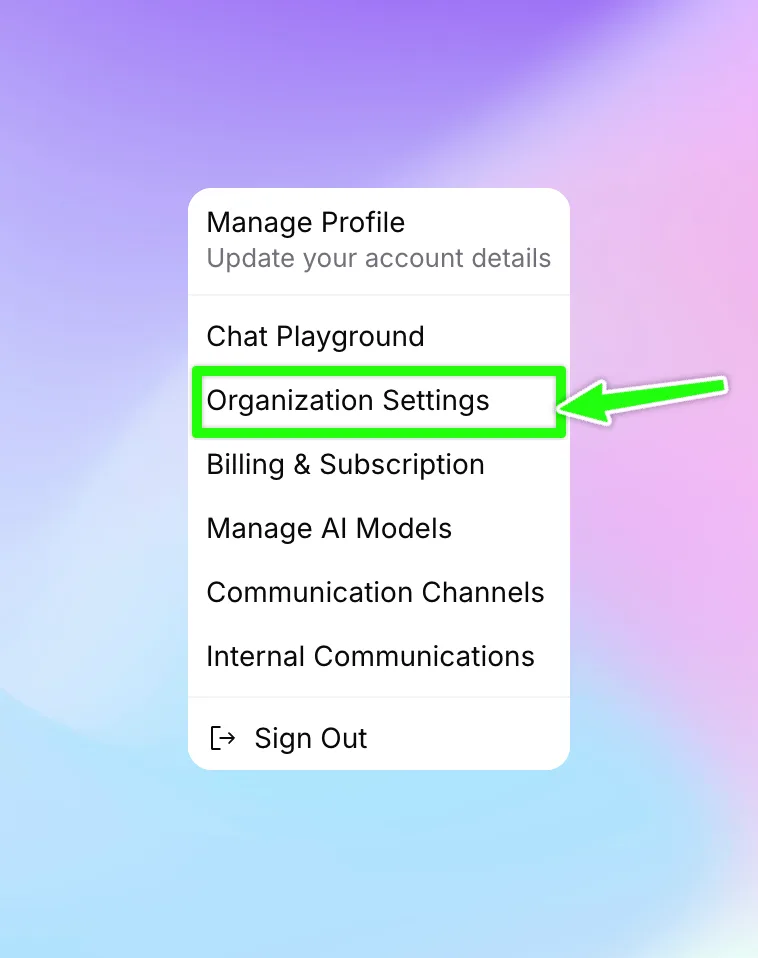
Go to Organization Settings
Select "Organization Settings" from the dropdown menu.
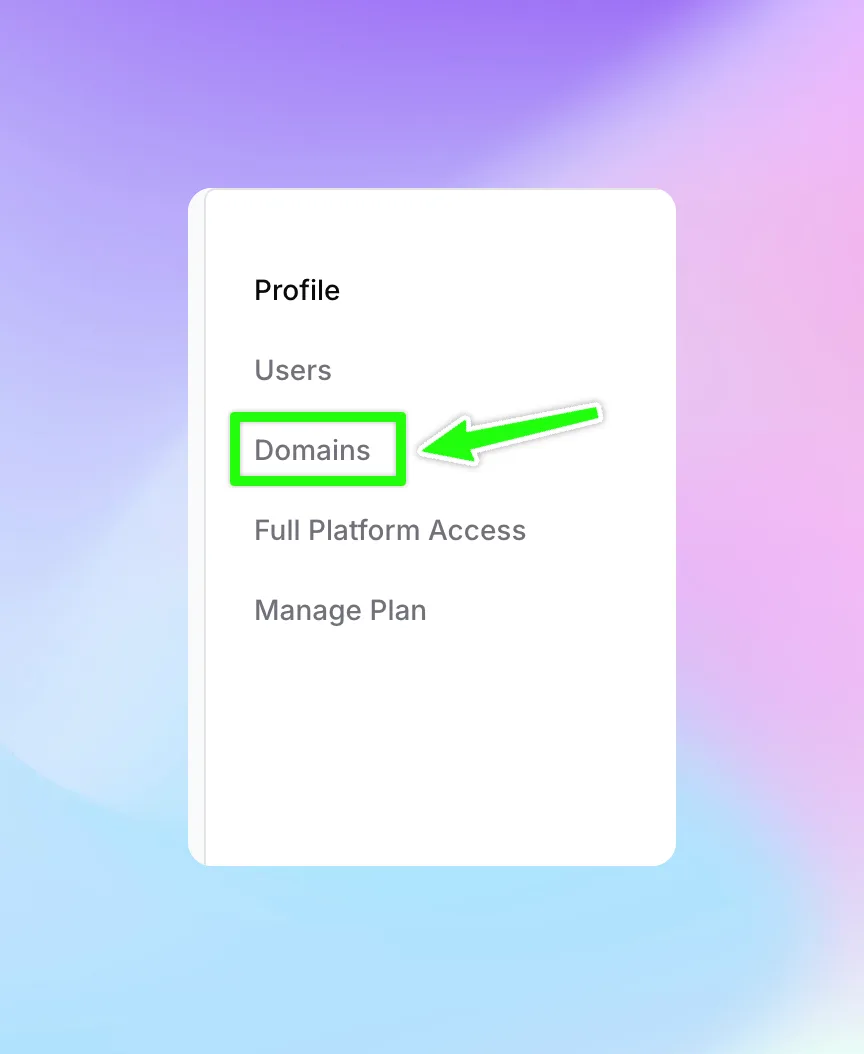
Navigate to the Domains Tab
In the Organization Settings page, click the "Domains" tab in the sidebar.
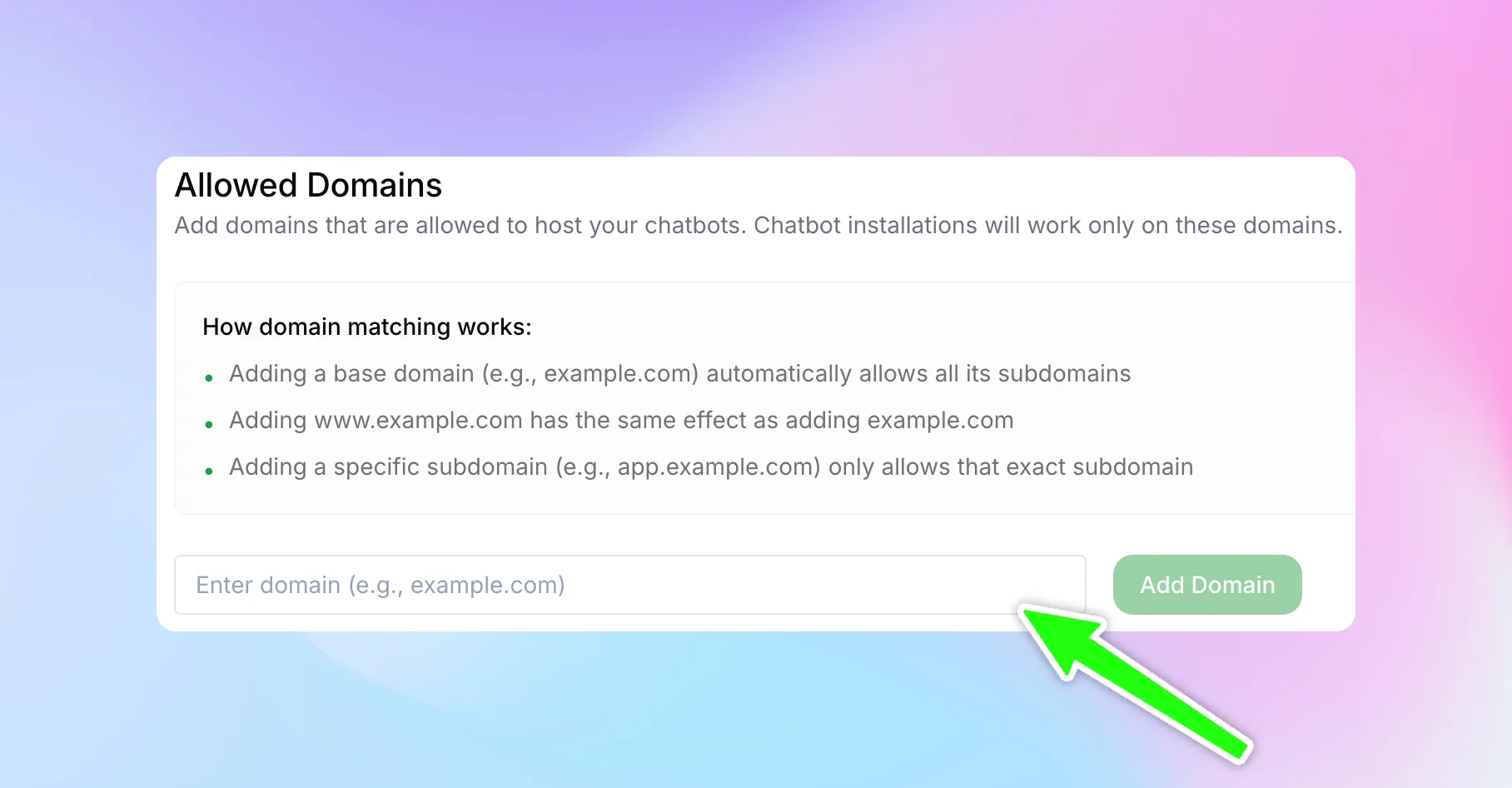
Add Your Domain
Enter your website domain in the input field (e.g., example.com) and click "Add Domain".
Domain Matching Rules
Hyperleap uses smart domain matching to determine where your chatbot is allowed to load:
- Base domain allows all subdomains — Adding
example.comautomatically allows the chatbot onwww.example.com,blog.example.com,app.example.com, and any other subdomain. - www is treated as the base domain — Adding
www.example.comhas the same effect as addingexample.com. - Specific subdomain restricts access — Adding
app.example.comonly allows the chatbot on that exact subdomain, not onexample.comor other subdomains.
example.com) and all subdomains will be covered automatically.Common Scenarios
Single Website
If your chatbot should appear on your main website only, add your base domain:
- Add
example.com— coversexample.comandwww.example.com
Multiple Subdomains
If you want the chatbot on all subdomains (marketing site, app, blog, etc.):
- Add
example.com— automatically covers all subdomains
Specific Subdomain Only
If you want the chatbot only on a specific subdomain (e.g., your app but not your marketing site):
- Add
app.example.com— only allows the chatbot onapp.example.com
Local Development
For testing during development, add localhost to the whitelist. Remember to remove it before going to production.
localhost from your whitelist before going live to prevent unauthorized access during local development by others.Next Steps
Once your domain is whitelisted, proceed to Publishing to get the embed code and deploy your chatbot to your website.