What is AI Studio?
AI Studio is Hyperleap's platform for building internal team tools and assistants. Unlike Bot Studio (which creates customer-facing chatbots), AI Studio focuses on productivity tools for your employees and team members.
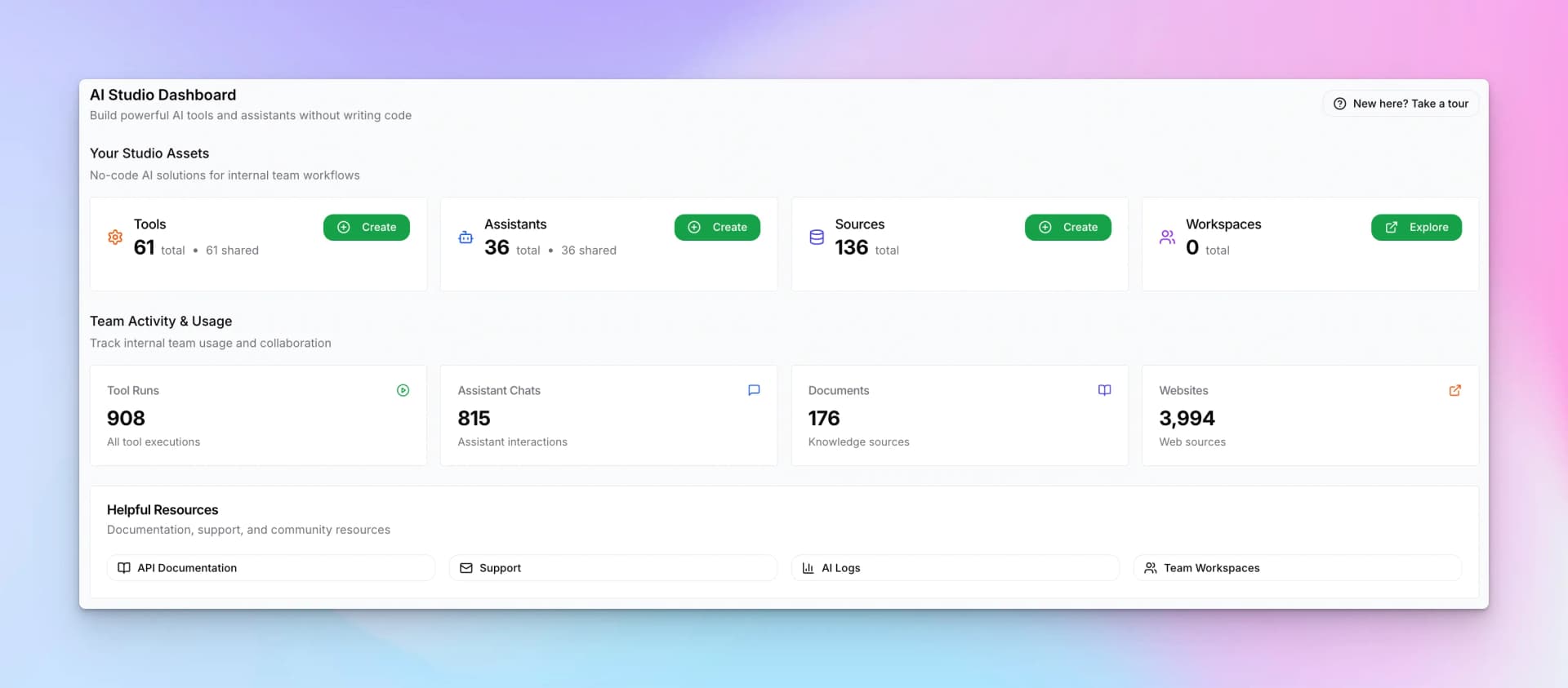
Dashboard Overview
The AI Studio dashboard shows:
- Tools — Form-based AI workflows you've created
- Assistants — Conversational AI interfaces
- Sources — Knowledge bases and document collections
- Workspaces — Collaboration spaces for teams
The dashboard also displays team activity metrics like tool runs, assistant chats, documents uploaded, and websites indexed.
Key Features
AI Tools
Form-based, non-conversational AI workflows for specific tasks.
AI Assistants
Conversational AI chat interfaces for ongoing interactions.
Sources
Shared knowledge bases that power tools and assistants.
Team Collaboration
Share tools and assistants across your organization.
Tools vs. Assistants
Understanding when to use each:
AI Tools
- Form-based input — Users fill in fields, get a result
- Single task focus — One specific job (email writer, summarizer, analyzer)
- Non-conversational — No back-and-forth chat
- Examples: Content generators, data analyzers, report builders, email drafters
AI Assistants
- Conversational interface — Natural chat interaction
- Multi-turn dialogue — Ongoing conversation with context
- Flexible use cases — Answer questions, guide workflows, explore topics
- Examples: Knowledge assistants, onboarding guides, research helpers
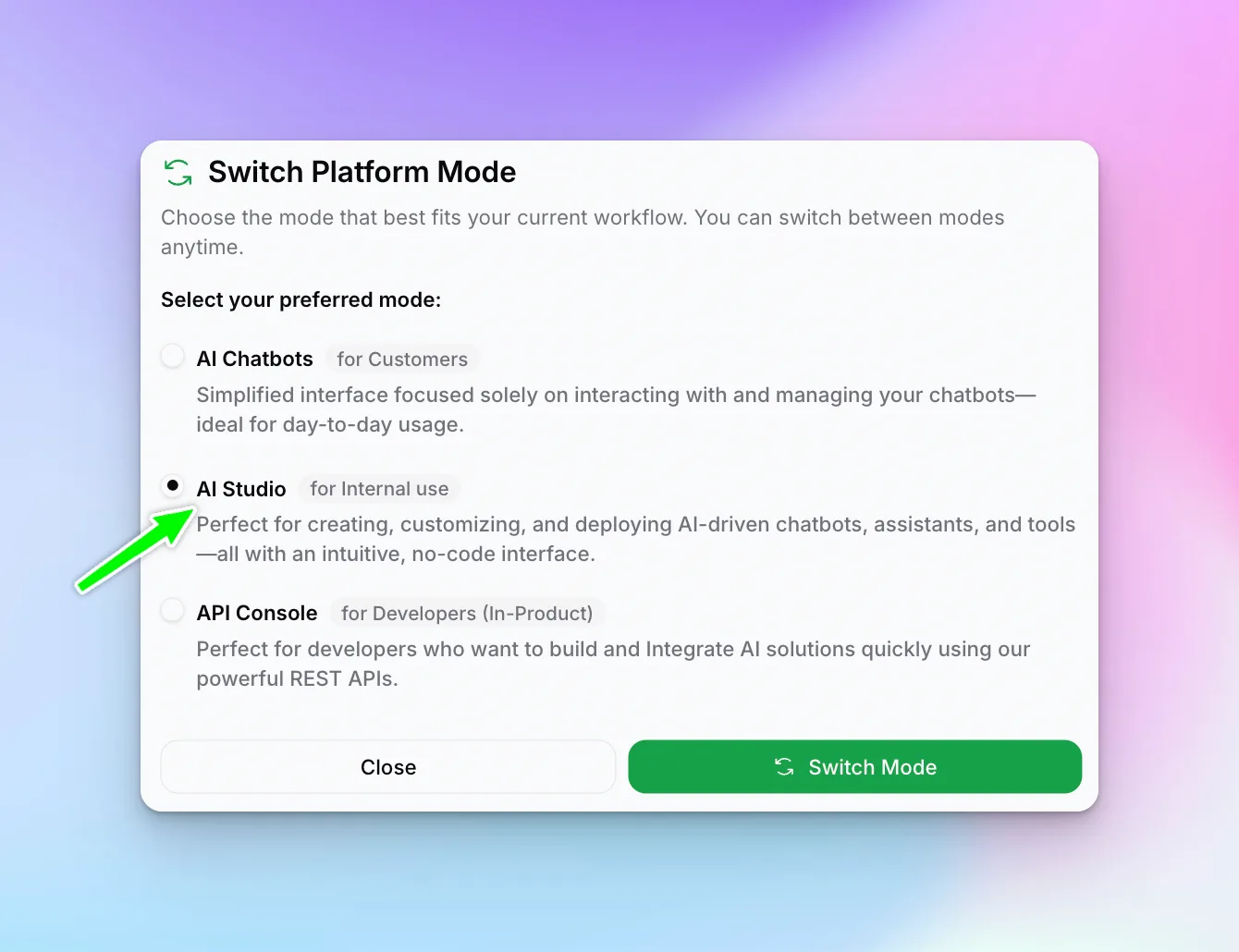
Switching to AI Studio
If you're in Bot Studio mode, switch to AI Studio:
- Click the mode switcher in the top navigation
- Select "AI Studio" for internal use
Guides in This Section
AI Tools
Build form-based AI workflows
Create a Tool
Step-by-step tool creation guide
AI Assistants
Build conversational AI interfaces
Create an Assistant
Step-by-step assistant creation guide
Getting Started
Ready to build your first AI tool? Head to AI Tools to learn about creating productivity tools for your team.