Lead Form
The Lead Form appears when visitors first open your chatbot. It collects contact information before the conversation begins, helping you capture leads even if visitors don't complete a purchase or booking.
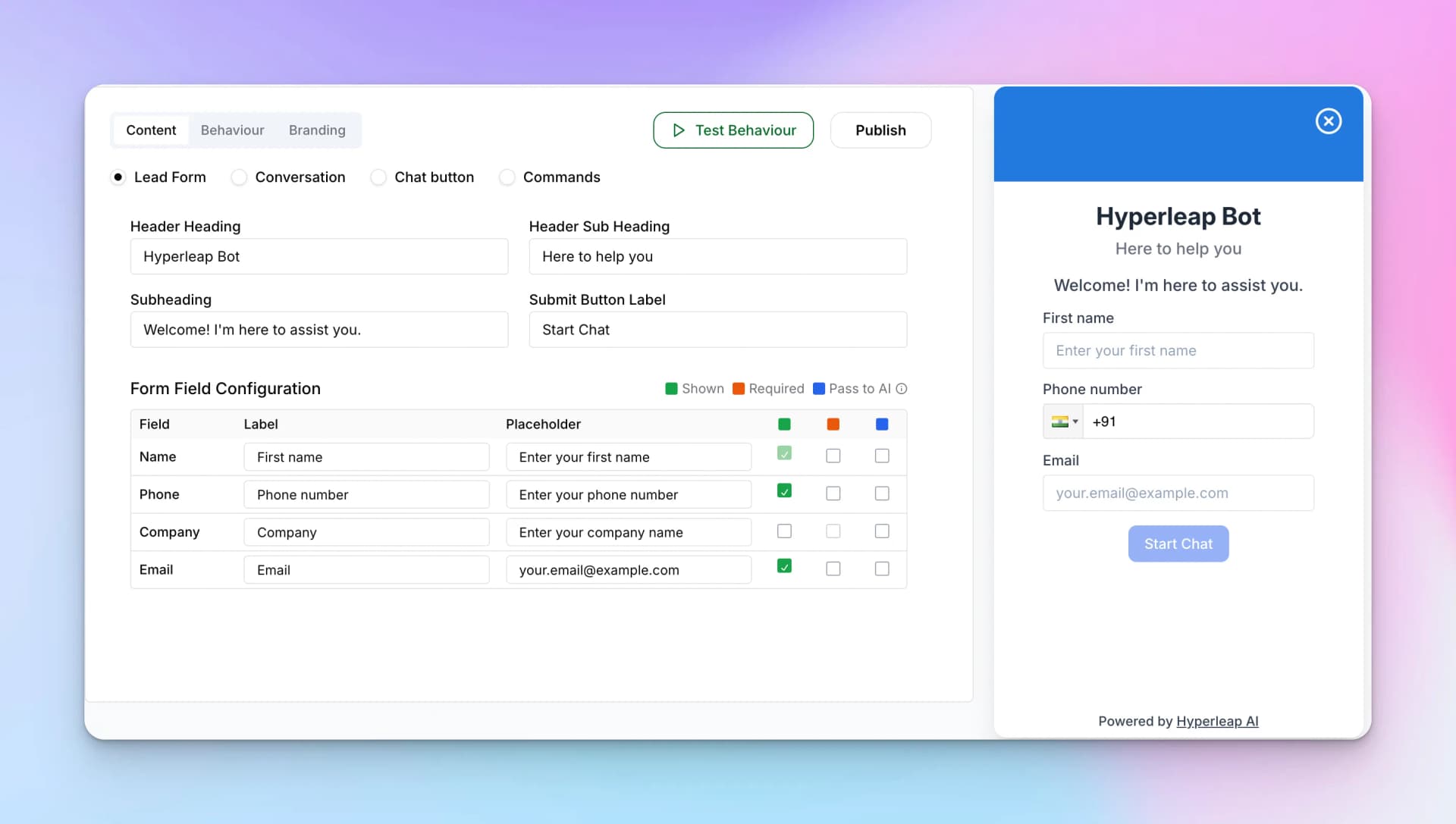
Header Settings
- Header Heading — The main title (e.g., "Hyperleap Bot")
- Header Sub Heading — Subtitle text (e.g., "Here to help you")
- Subheading — Welcome message (e.g., "Welcome! I'm here to assist you.")
- Submit Button Label — CTA button text (e.g., "Start Chat")
Form Field Configuration
Configure which fields appear on your lead form:
Field
The field type (Name, Phone, Company, Email, etc.)
Label
What visitors see (e.g., "First name")
Placeholder
Helper text inside the field
Shown
Toggle whether the field appears
Required
Make the field mandatory
Pass to AI
Include this data in AI context for personalized responses
Tip:
Enable "Pass to AI" for the name field so your chatbot can address visitors personally. For example, the AI can say "Hi Sarah, how can I help you today?"