System Prompt
The system prompt tells the AI how to behave. It defines the chatbot's personality, knowledge boundaries, response style, and any specific instructions.
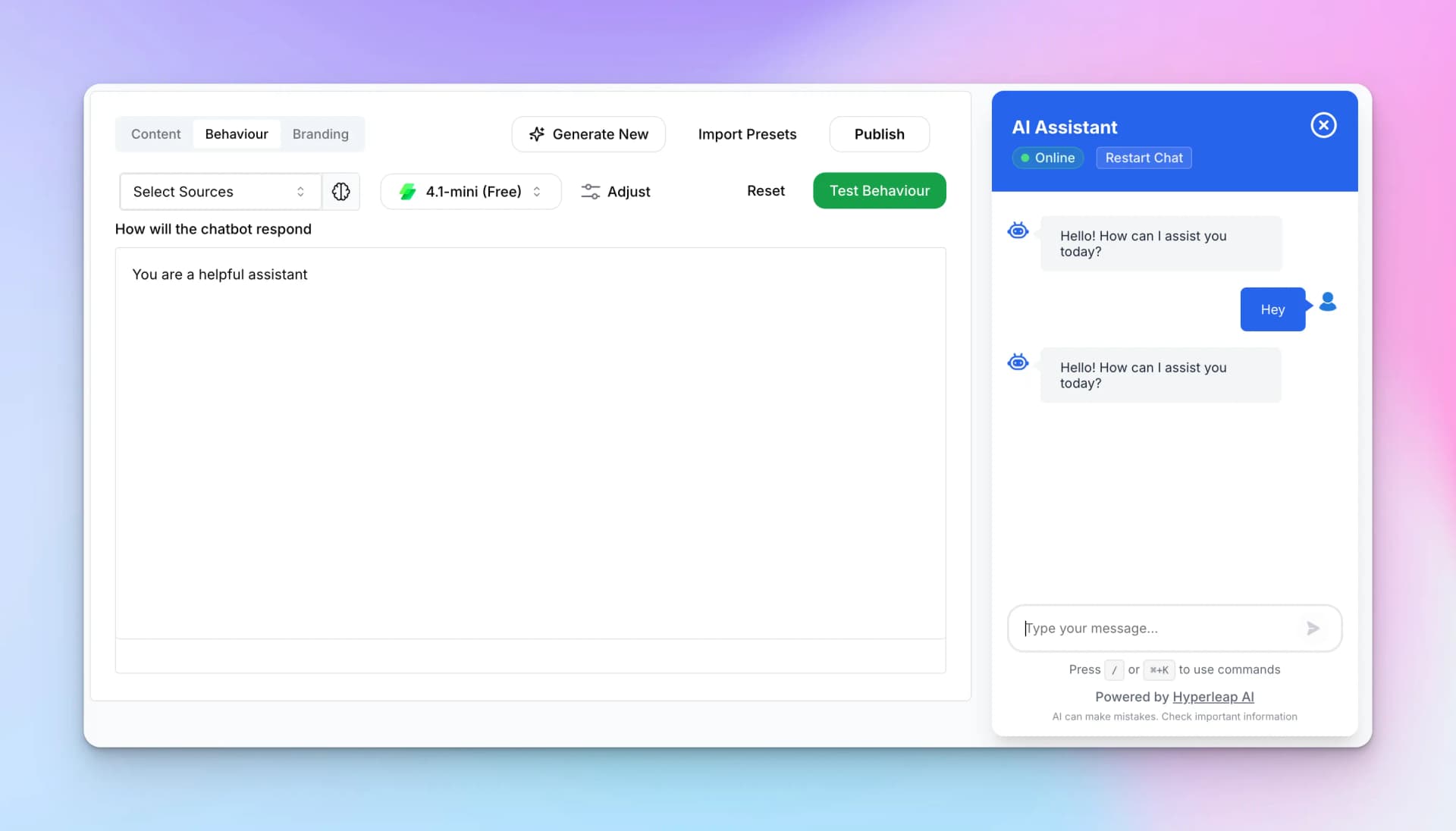
Key Elements
- Select Sources — Connect knowledge bases for RAG (Retrieval Augmented Generation)
- Model Selector — Choose which AI model powers your chatbot
- Adjust — Fine-tune model parameters like temperature
- System Prompt Text — The instructions that define your chatbot's behavior
Tip:
Start with a simple prompt like "You are a helpful assistant" and refine it based on testing. The best prompts are specific about tone, limitations, and desired response format.
Model Selection
Choose the AI model that powers your chatbot. Different models offer different trade-offs between speed, cost, and capability.
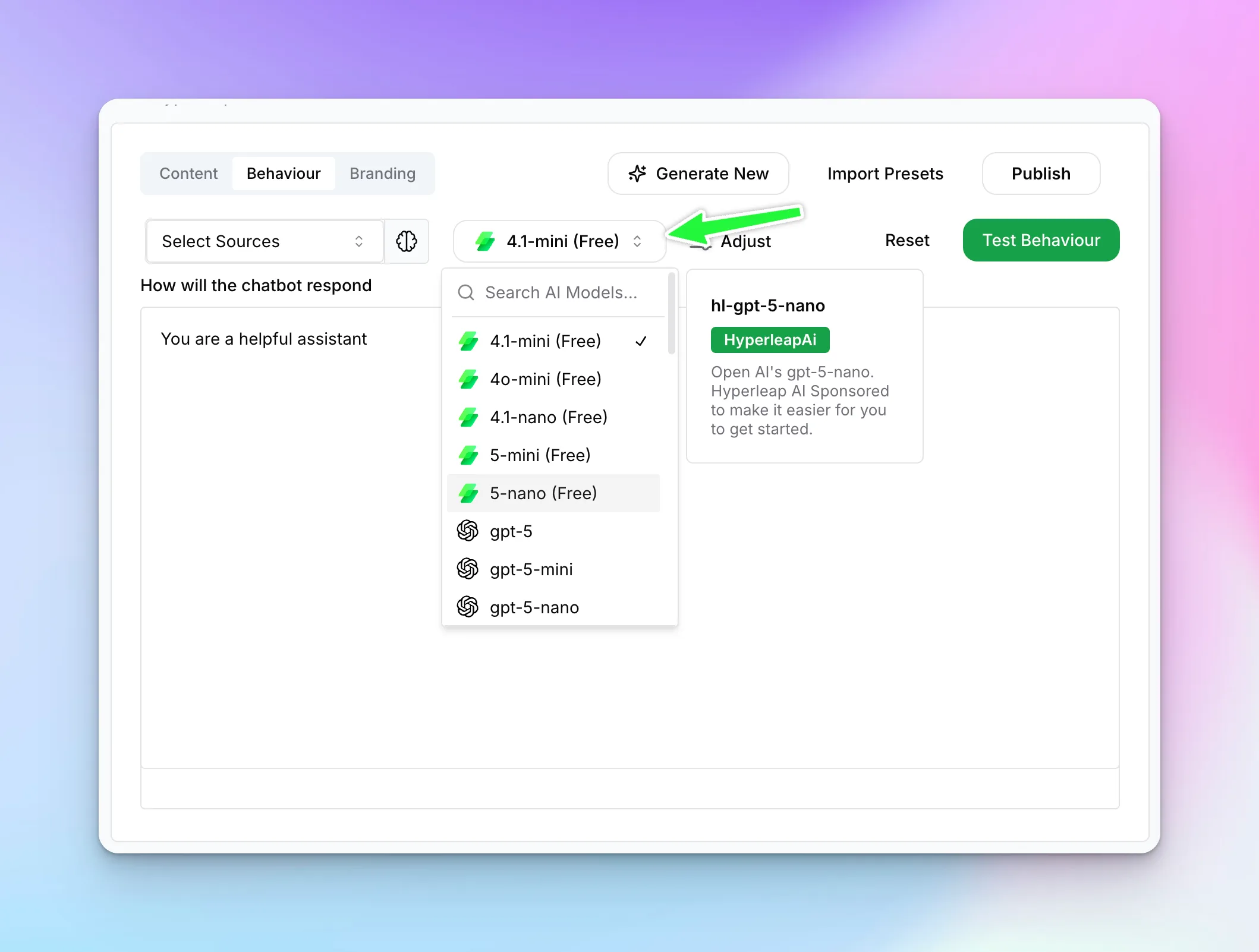
Model Categories
Hyperleap offers a wide range of AI models from leading providers including OpenAI, Anthropic, Google, and Meta. Models are organized by capability and cost:
- Free Models — Included with all plans, great for most use cases. Includes various GPT, Claude, Gemini, and Llama variants.
- Premium Models — Advanced capabilities for complex reasoning and specialized tasks. Usage-based pricing.
- Speed Tiers — Choose between standard, mini, and nano variants based on your speed vs. capability needs.
The model dropdown shows all currently available models with their pricing tier (Free or Premium) clearly labeled. New models are added regularly as they become available.
Tip:
Start with a free model for testing. Upgrade to premium models only if you need advanced reasoning or specific capabilities.
Adjust Parameters
Click "Adjust" to open the configuration panel for fine-tuning AI behavior.
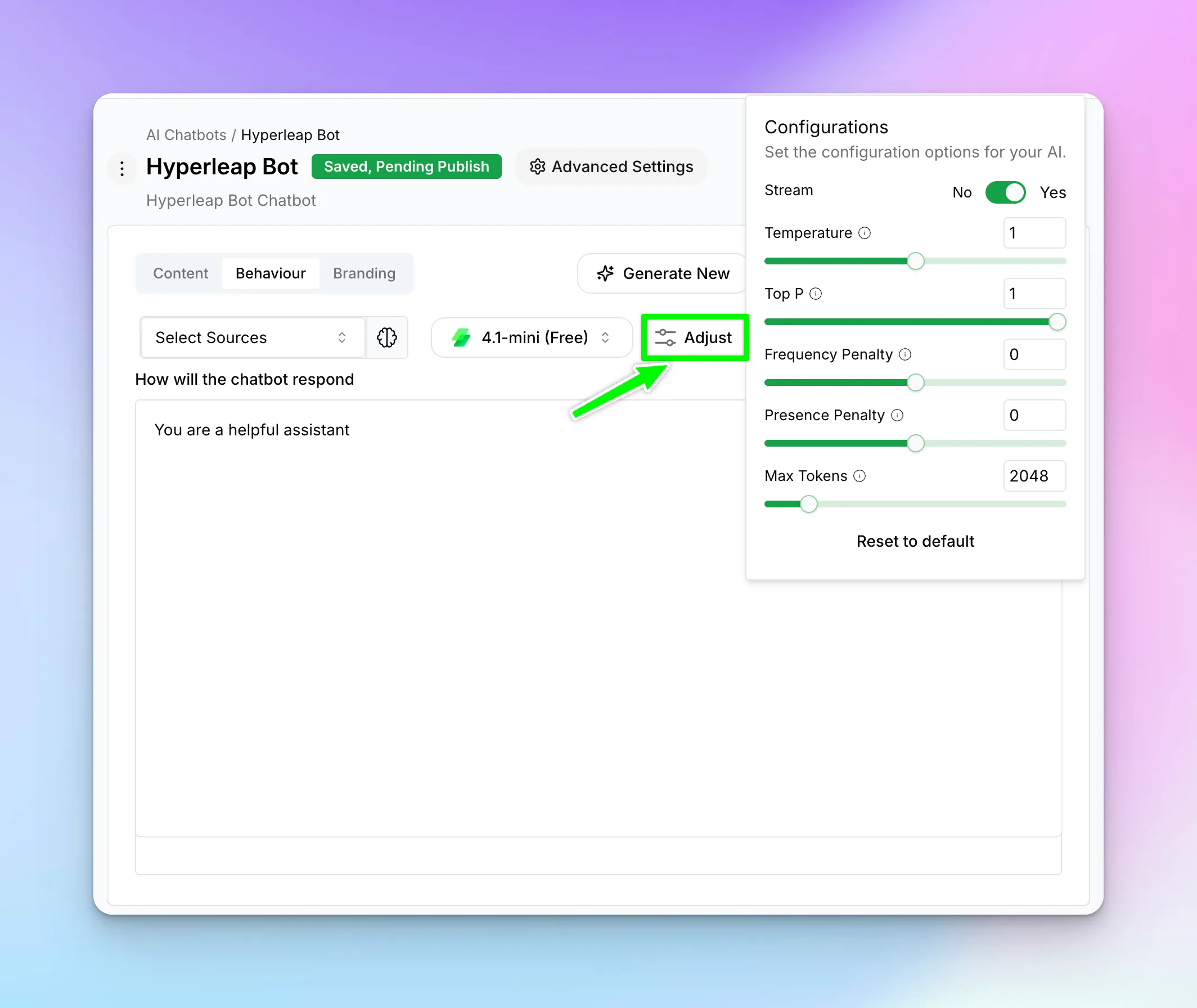
Configuration Options
- Stream — Enable real-time response streaming (recommended: Yes)
- Temperature — Controls randomness (0 = focused, 1 = creative)
- Top P — Nucleus sampling parameter (typically 1)
- Frequency Penalty — Reduces repetition (0-2)
- Presence Penalty — Encourages new topics (0-2)
- Max Tokens — Maximum response length (default: 2048)
Tip:
For customer support chatbots, use lower temperature (0.3-0.5) for consistent, factual responses. For creative applications, higher temperature (0.7-0.9) adds variety.