How to Build Chatbot AI for Your Business the No-Code Way
Want to build chatbot AI without developers? This guide shows SMBs how to design, train, and deploy a powerful chatbot on your website, WhatsApp, and more.
Your team is probably answering the same questions all day. What are your hours? Do you ship internationally? How much does this service cost? Can someone call me back? Those messages come through your website chat, WhatsApp, Instagram, Facebook, and contact forms, usually when your staff is already busy.
That's where most SMB chatbot projects start. Not with grand AI strategy. With operational drag. You need faster replies, cleaner lead capture, and fewer interruptions for your team. The good news is you can build chatbot AI without hiring developers, stitching together APIs, or turning this into a six-month software project.
What matters is the full lifecycle. Clean up the knowledge your bot will use. Ground its answers so it stays accurate. launch it where customers already message you. Test it like a real customer would. Then keep improving it with actual conversation data. Done well, a chatbot stops being a novelty widget and becomes a working part of your sales and support process.
Table of Contents
- Why Your Business Needs a Chatbot Now
- Preparing Your Knowledge Base for an Accurate AI
- Building Your AI Chatbot in Minutes Without Code
- Deploying Your Chatbot Across Customer Channels
- Testing and Launching for a Flawless Experience
- Monitoring and Optimizing Your Chatbot for ROI
Why Your Business Needs a Chatbot Now
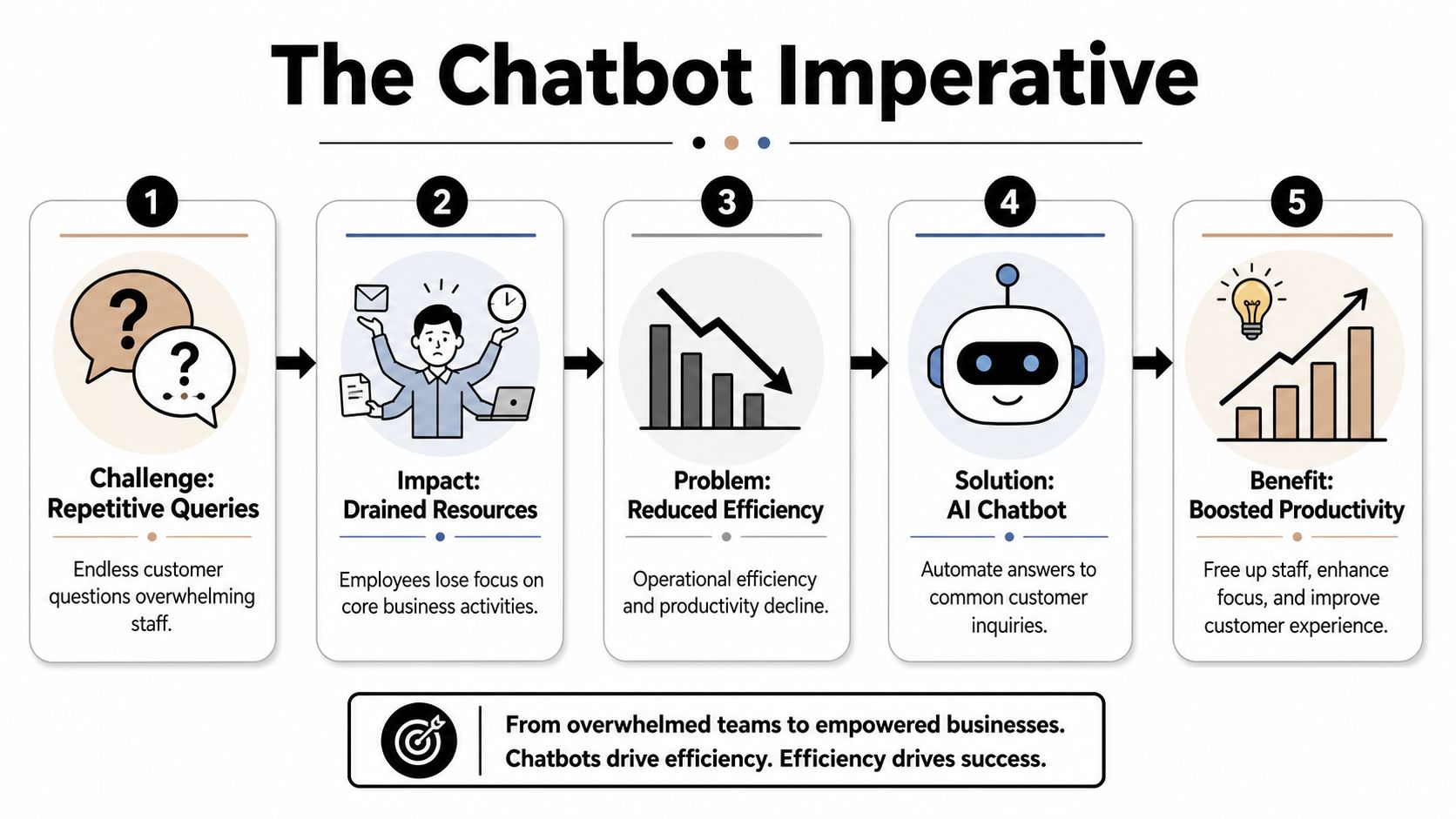
Most SMB owners don't need more software. They need fewer interruptions. A chatbot earns its keep when it takes repetitive demand off your team and gives prospects an answer while they're still ready to buy.
The real cost of repetitive questions
A missed message isn't just a support problem. It's often a lost lead. If someone asks about pricing, availability, financing, appointment slots, or service coverage and gets no answer until tomorrow, they often move on.
That pressure is why more businesses are treating chatbots as front-line support rather than a side experiment. If you're exploring digital team member solutions, the useful framing is simple: the bot handles the repeatable first layer, and humans step in for nuance, exceptions, and closing.
Practical rule: If a question gets asked often and the answer already exists in your business, a chatbot should probably handle the first response.
What the market is telling you
This isn't a fringe trend. The global chatbot market is projected to expand from $7.01 billion in 2024 to $20.81 billion by 2029, with 69% of organizations integrating chatbots and 55% of businesses reporting they generate higher-quality leads through them, according to G2's chatbot statistics roundup.
Those adoption numbers matter because customer expectations changed before many SMBs changed their operations. People expect immediate replies, especially on channels they already use casually. They don't care whether the first answer comes from a person or a well-built assistant. They care whether the answer is accurate and fast.
A chatbot also scales differently than hiring. You don't add headcount just because ten customers ask the same refund, booking, or warranty question after hours. You route those repetitive interactions through a system that can answer consistently and collect contact details when a person is needed.
Here's where businesses usually get the value first:
- Lead capture after hours: Your bot can answer basic qualification questions and collect verified contact details.
- Support deflection: It handles routine policy, product, and service questions so staff can work on exceptions.
- Faster routing: It sends hot leads to booking pages or a human inbox at the right moment.
- Consistency: It gives the same approved answer every time, instead of relying on whoever happened to reply.
The mistake is thinking the project starts with software. It starts with operational clarity. Decide which questions should be automated, which ones should escalate, and which interactions directly support revenue.
Preparing Your Knowledge Base for an Accurate AI
The hardest part of build chatbot AI projects usually isn't the interface. It's the content. If your website says one thing, your PDF brochure says another, and your staff answers with a third version, the bot can't magically produce a clean answer.
Start with the documents you already have
Begin with a content audit. Pull together the materials customers already rely on or your team already references.

In practice, that usually includes:
- Website pages: Home, services, product pages, pricing pages, contact pages, location pages.
- Support content: FAQs, shipping rules, return policies, intake instructions, cancellation policies.
- Sales material: Brochures, pitch decks, offer sheets, financing information, service menus.
- Operational docs: Manuals, onboarding documents, appointment prep notes, internal reference sheets.
Don't upload everything blindly. Remove duplicates, archive outdated files, and resolve conflicts before the bot sees them. A chatbot grounded in conflicting documents doesn't become smarter. It becomes hesitant or inconsistent.
Clean source material beats clever prompting every time.
Why RAG matters more than a clever prompt
The most important technical concept to understand is Retrieval-Augmented Generation, usually shortened to RAG. In plain English, it means the chatbot doesn't rely only on its general model knowledge. It looks into your approved documents, pulls the relevant pieces, and answers from that material.
That grounding is what keeps the bot from inventing policies, pricing, or service details. According to Classic Informatics on chatbot best practices, a well-implemented RAG system can achieve containment rates of 80% or higher when the knowledge base is well curated.
If you're organizing content for this kind of setup, Hyperleap has a useful guide on AI chatbot knowledge base best practices that matches how SMB teams usually prepare mixed website and document sources.
A good RAG setup depends on discipline from the business side:
| Content area | What good looks like | What causes bad answers |
|---|---|---|
| Pricing | One current source of truth | Old PDFs still in circulation |
| Policies | Clear, specific wording | Vague exceptions buried in email threads |
| Locations | Separate details per branch | One generic page for all locations |
| Services | Consistent naming | Staff shorthand that customers never use |
How to clean messy business content
This part is manual, but it doesn't need to be complicated. Work through your material the way a customer would.
First, rewrite vague answers into direct ones. "Contact us for details" is useless if your staff already gives the same details twenty times a week. Put the actual answer in the source document unless there's a real reason not to.
Second, separate universal information from local or situational information. Your main service description should sit in one place. Store local hours, branch-specific offers, and address details separately so they can be layered in cleanly later.
Third, write for retrieval, not for brochure style. Short sections, clear headings, product names spelled consistently, and policy statements that answer one question at a time work far better than dense marketing copy.
A simple structure works well:
- Core business facts such as services, products, coverage, and common policies.
- Transactional details such as pricing rules, booking steps, shipping, refunds, or required documents.
- Escalation answers for issues the bot should recognize but hand off, such as complaints, unusual medical cases, legal questions, or custom enterprise requests.
When the knowledge base is clean, the rest of the project gets easier. When it isn't, the chatbot becomes a mirror of your internal mess.
Building Your AI Chatbot in Minutes Without Code
Once your content is ready, the actual build is usually the easiest part. Modern no-code tools have removed most of the technical friction. You're not training a model from scratch. You're configuring behavior around your business content.
What the no-code setup usually looks like
A typical setup starts with a template, then a source import, then behavior tuning. That sequence matters because it keeps the build grounded in a real use case instead of turning into random feature clicking.
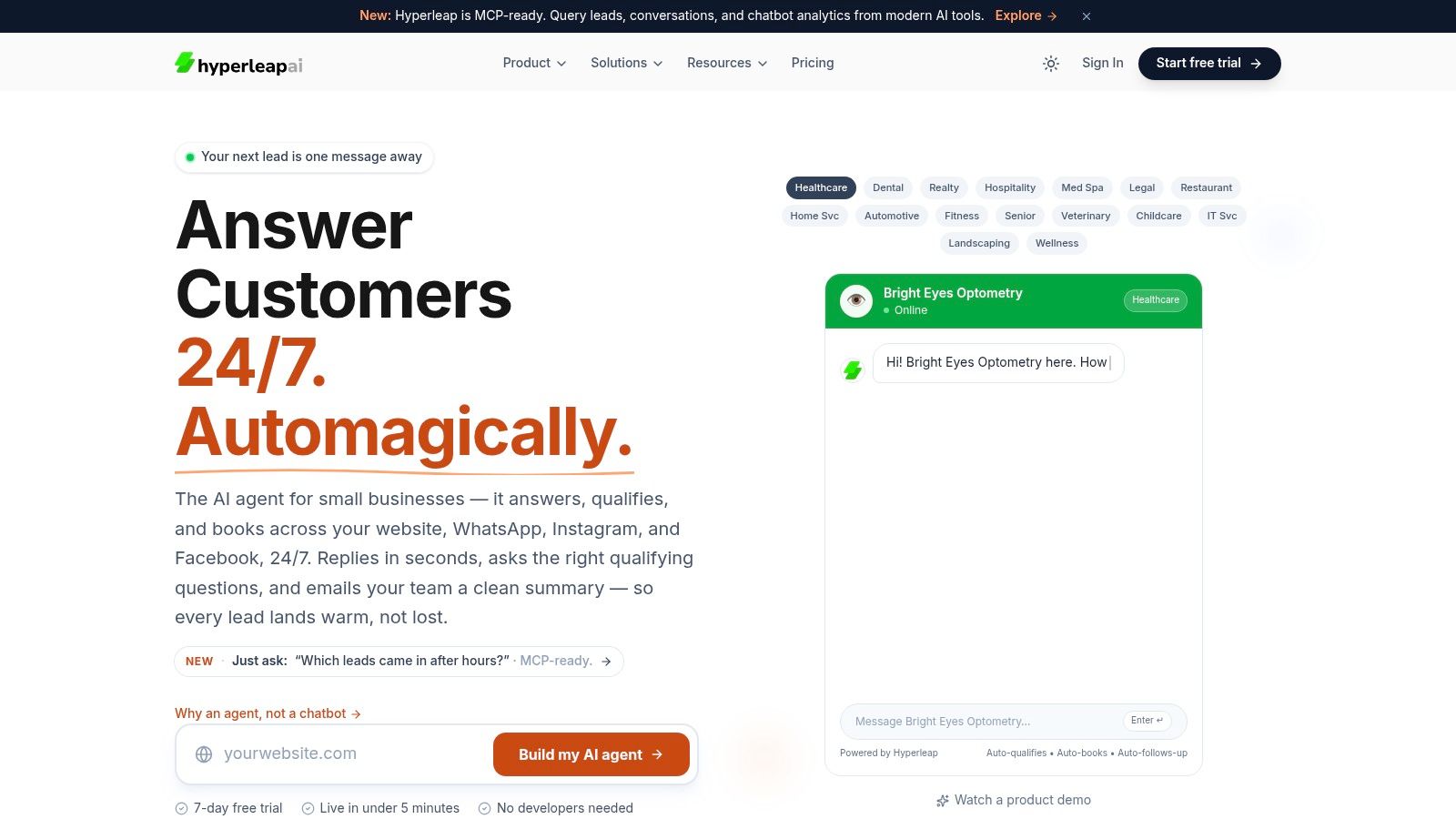
One practical example is Hyperleap AI, which lets teams pick an industry template, paste a website URL or upload documents, and publish to web and messaging channels without code. That's useful for SMBs because the challenge usually isn't model engineering. It's getting a reliable first version live with the right instructions and source material. If you're comparing categories before choosing a tool, this overview of no-code chatbot builders is a sensible place to start.
A simple no-code workflow usually looks like this:
- Choose a starting template: Match the bot to a use case like support, lead generation, booking, or intake.
- Import your knowledge: Crawl your site, upload PDFs, add FAQs, and remove junk pages.
- Set the role: Tell the bot what it is. Customer support assistant, sales qualifier, clinic intake guide, property inquiry assistant.
- Define the limits: Tell it what not to do, when to escalate, and how to respond when the answer isn't in the source material.
The instructions that shape good behavior
Many first-time builders often either overdo it or skip too much. You don't need a giant prompt full of AI jargon. You need operational instructions.
Good system instructions usually cover:
- Tone and brand voice: Friendly, concise, direct, formal, consultative.
- Source discipline: Answer only from approved knowledge.
- Escalation rules: If pricing is unclear, if the user asks for a manager, if a policy exception is involved, collect details and hand off.
- Lead capture timing: Ask for contact information after intent is clear, not in the first message unless the use case requires it.
Here's the useful mental model. You're not trying to make the bot sound impressive. You're trying to make it predictable.
After the core setup, review a hands-on walkthrough before you publish:
Where most first builds go wrong
The first common mistake is uploading messy content and hoping the bot sorts it out. It won't. The second is writing instructions that are too broad, such as "help users with everything." That sounds flexible, but it creates uncertainty at exactly the moment you need control.
The better approach is narrower. Decide what the first version must do well. For example: answer top support questions, qualify leads for one service line, and route booking-ready users to a calendar.
A useful first chatbot is better than an ambitious one that answers inconsistently.
If you're trying to build chatbot AI for the first time, speed matters less than clarity. Most no-code platforms can get you to a working bot quickly. The quality comes from the content, rules, and testing choices you make around that tool.
Deploying Your Chatbot Across Customer Channels
A chatbot on one lonely web page doesn't solve much. Customers ask questions wherever it's convenient for them. Some start on your site. Others go straight to WhatsApp or Instagram because that's how they already communicate with local businesses.
One brain, several customer touchpoints
The cleanest setup uses one central knowledge base and publishes that assistant into multiple channels. That keeps answers consistent while meeting customers where they are.
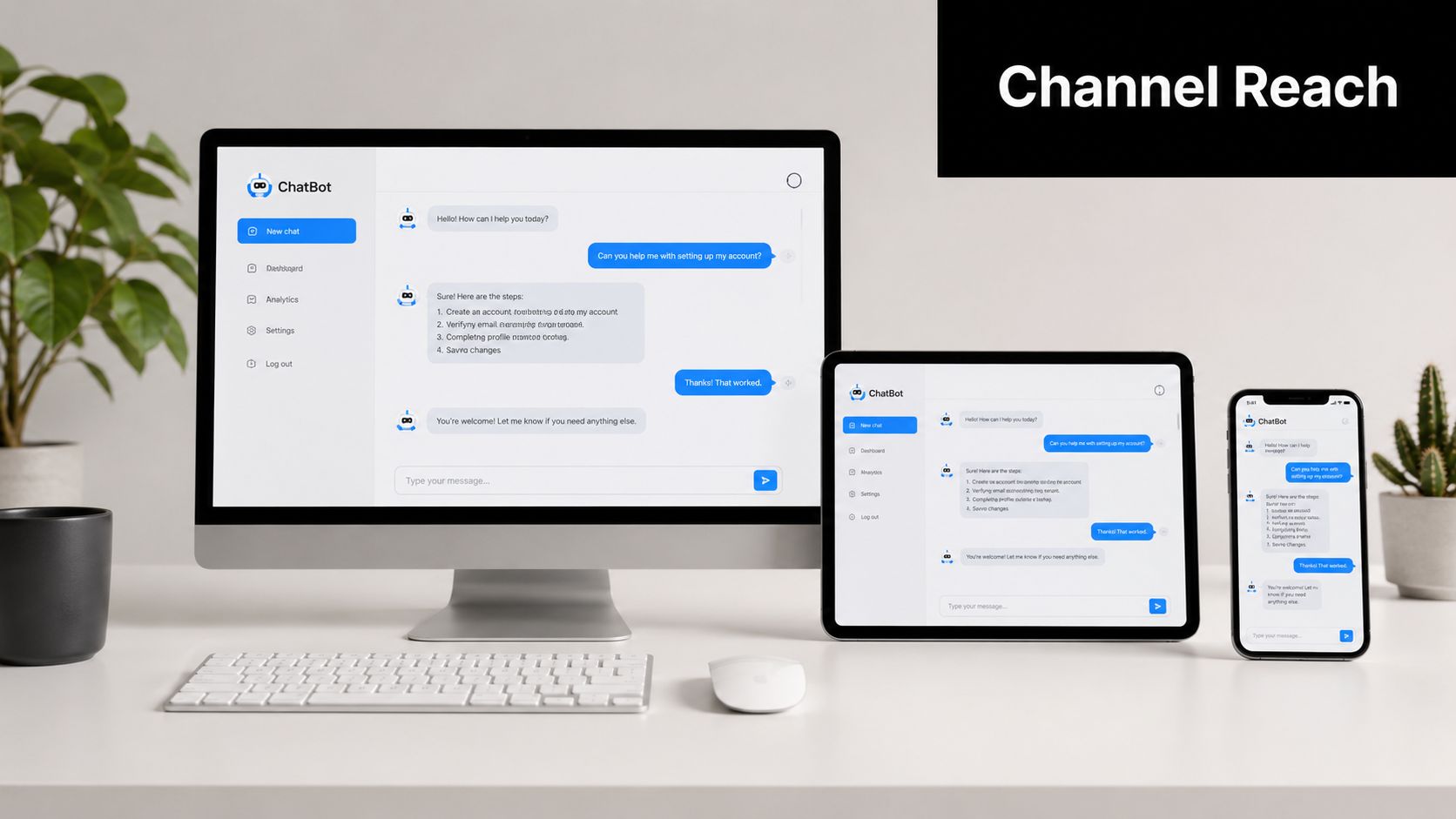
Website chat and messaging apps don't behave the same way, though. Your website bot often handles browsing questions, product comparisons, and pre-purchase hesitation. WhatsApp tends to be more direct. People ask for availability, send short follow-ups, or want a fast path to booking and a human response if needed.
That means your deployment choices should reflect channel behavior:
| Channel | Best use | Design choice |
|---|---|---|
| Website widget | Product and service discovery | Offer guided prompts and deep answers |
| Fast inquiry and lead capture | Keep replies short and action-oriented | |
| Instagram and Facebook | Campaign follow-up and social inquiries | Handle common DMs and route serious interest |
If you're using Meta-owned channels, reliable API access matters. Official provider relationships are less glamorous than bot design, but they affect delivery, compliance, and operational stability.
Lead capture and booking inside the chat
A chatbot becomes commercially useful when it doesn't stop at answering questions. It should know when to capture a lead and when to route the user toward the next action.
For SMBs, that usually means a few practical moves:
- Collect contact details at the right point: Ask after interest is established, not before trust exists.
- Verify lead quality when needed: OTP verification helps reduce junk contacts for higher-intent workflows.
- Send people to scheduling tools: If the prospect is qualified, route them to Calendly or Cal.com instead of making them wait for a callback.
- Notify your team fast: The handoff matters as much as the capture.
A med spa, clinic, real estate office, or local service business can get real value from this flow because the conversation turns into a booked next step rather than a dead-end FAQ exchange.
The best chatbot conversations end in movement. A booked call, a verified lead, a human handoff, or a resolved question.
How multi-location businesses should handle local answers
Multi-location businesses often make one of two mistakes. They either create a separate bot for every branch and create an admin headache, or they force one generic bot to answer location-specific questions badly.
A better approach is shared core knowledge plus local overlays. Keep the main service information centralized. Then layer in branch-specific details like hours, addresses, local offers, and parking or access notes.
That keeps the bot maintainable. It also reduces the chance that one location's update breaks answers across the whole business. For franchises, hotel groups, clinics, and regional service brands, this setup is usually much easier to govern over time.
Testing and Launching for a Flawless Experience
The fastest way to ruin confidence in a chatbot is to launch it after testing only the obvious questions. "What are your hours?" is not a serious test. Real customers ask vague, incomplete, and contradictory things.
Use real customer questions, not demo questions
A common deployment mistake is poor testing. Best practice is to use a stratified sample of 100 to 300 representative queries drawn from actual customer interactions and to simulate peak query volumes, as outlined in Mobisoft's chatbot development guide. That's a much better standard than asking a dozen clean demo questions and calling it ready.
Hyperleap also has a practical checklist for deployment best practices that fits the way SMB teams usually launch.
Your test set should include:
- Straightforward questions: Basic FAQs you expect the bot to answer easily.
- Messy phrasing: Misspellings, shorthand, incomplete questions, and voice-to-text style requests.
- Edge cases: Discontinued services, unusual policy requests, niche scenarios, and ambiguous wording.
- Escalation triggers: Complaints, exceptions, refund disputes, urgent issues, and anything a human should handle.
A practical launch checklist
The best testing mindset is simple. Try to break the bot before your customers do.
Run through a checklist like this:
- Ask the same thing five different ways. If answers shift wildly, your source material or instructions need work.
- Test missing-information scenarios. The bot should admit uncertainty and route correctly when the answer isn't in the knowledge base.
- Submit lead forms yourself. Confirm notifications, summaries, CRM entries, or inbox alerts all arrive where they should.
- Click every link. Booking pages, policy pages, brochures, and media assets need to work on mobile and desktop.
- Check channel behavior separately. Website flow can feel fine while WhatsApp replies feel too long or too formal.
Launching without edge-case testing is how businesses end up with a bot that looks polished in a demo and falls apart in public.
What a safe first launch looks like
A controlled launch beats a big-bang release. Start with a defined scope, limited channels if necessary, and visible human fallback. Let the team monitor conversations closely in the first days.
Also pay attention to privacy and platform security. If you're handling customer contact data, appointment details, or sensitive intake information, the platform you choose needs clear governance and appropriate safeguards. Customers may not read your tech stack, but they notice quickly when a bot feels careless with their information.
The first launch doesn't need to be perfect. It needs to be trustworthy.
Monitoring and Optimizing Your Chatbot for ROI
Important work starts after launch. Once customers begin using the bot, conversation logs show you what your website analytics often can't. They reveal the exact wording people use, the objections they repeat, and the gaps in your content.
What to review every week
A chatbot inbox isn't just support history. It's demand intelligence. Review conversations weekly with three questions in mind: what did people want, where did the bot struggle, and what should change in your source material or routing?
Look for patterns like these:
- Repeated unanswered questions: Add or rewrite source content.
- Confusing terminology: Update your docs to match customer language, not internal jargon.
- Weak handoff moments: Improve escalation prompts and notification flows.
- Missed commercial intent: Add clearer booking or lead capture triggers where users signal interest.
These reviews are where the chatbot starts pulling double duty. It handles front-line interactions, and it also tells you how customers think.
The training loop that keeps performance from slipping
Chatbots aren't set-and-forget systems. Neglecting conversation audits and retraining on fresh data causes a 12% increase in misunderstood interactions, while a continuous learning pipeline reduces errors by the same margin, according to TenUpSoft's discussion of chatbot development challenges.
That has a direct operational implication. Schedule regular review cycles. Pull escalated chats. Tag failure patterns. Update documents. Refine instructions. Retrain or refresh the knowledge setup on a recurring cadence.
A practical loop usually includes:
| Review task | Why it matters | What to update |
|---|---|---|
| Audit failed conversations | Finds knowledge gaps | FAQs, policies, source docs |
| Review lead quality | Improves qualification flow | Prompting, verification, routing |
| Inspect escalations | Reduces unnecessary handoff | Bot limits, fallback logic |
| Check outdated answers | Protects trust | Old brochures, pricing, local details |
How chatbot logs turn into business insight
Once the basics are stable, optimization becomes less about the bot and more about the business. If prospects keep asking about a financing option that isn't visible on your site, that's a sales signal. If customers repeatedly ask a pre-appointment question, that's an operations signal. If one location gets more pricing confusion than another, that's a local messaging problem.
This is also where return on investment becomes easier to understand. Better lead capture, cleaner qualification, faster response times, and fewer repetitive support interruptions all show up in workflows your team can actually feel.
The businesses that get the most from chatbot projects usually treat them like a living service channel. Not a widget to install once. Not a novelty. A managed system that gets sharper as more real conversations come in.
If you want a practical way to build chatbot AI without code, Hyperleap AI is one option built around the full SMB workflow: upload documents or a website, ground answers in your knowledge base, publish across website and messaging channels, capture verified leads, and refine performance through conversation history over time.