Chatbot Interface Design: Master UX & UI in 2026
Master chatbot interface design for more leads & delighted customers. A practical 2026 guide on UX, UI, & conversation flow for small businesses.
Your chatbot is probably doing one of two things right now. It's either answering basic questions well enough but failing to turn interested visitors into real leads, or it's trying to sound smart while frustrating people who just want a fast answer, a quote, or a booking.
That gap usually isn't a model problem. It's an interface problem.
Most small business owners don't need a custom AI stack. You need chatbot interface design that helps people complete real tasks on your website, WhatsApp, Instagram, or Facebook without getting lost, waiting too long, or wondering whether the bot can help. Good design is what turns a chatbot from a novelty into a reliable front-desk assistant.
Table of Contents
- The Core Principles of Good Chatbot Interface Design
- Designing a Conversation Flow That Works
- Choosing the Right UI Components for Web and Messaging
- Optimizing Interfaces for Lead Capture and Booking
- Using Localization and Accessibility to Expand Your Reach
- Hyperleap Pro Tips and Ready-to-Use Templates
- Measuring Success and Continuously Improving Your Design
The Core Principles of Good Chatbot Interface Design
A lot of businesses miss leads for a simple reason. The chatbot opens with a vague “How can I help?” and leaves the visitor to do all the work.
That's backwards. Your bot should reduce effort, not create it.
A 2026 chatbot design guide says strong chatbot UI should be judged on capability transparency, recovery patterns, confidence display, and accessibility. The same guide also recommends keeping messages under 60 words for mobile contexts, which is a practical rule when customers are skimming on small screens.

Start with clarity, not personality
A business owner often gets tempted to make the bot sound clever first. That's usually the wrong priority. Customers care more about whether the bot can answer pricing questions, find availability, explain services, or hand them to a human when needed.
Use these baseline rules:
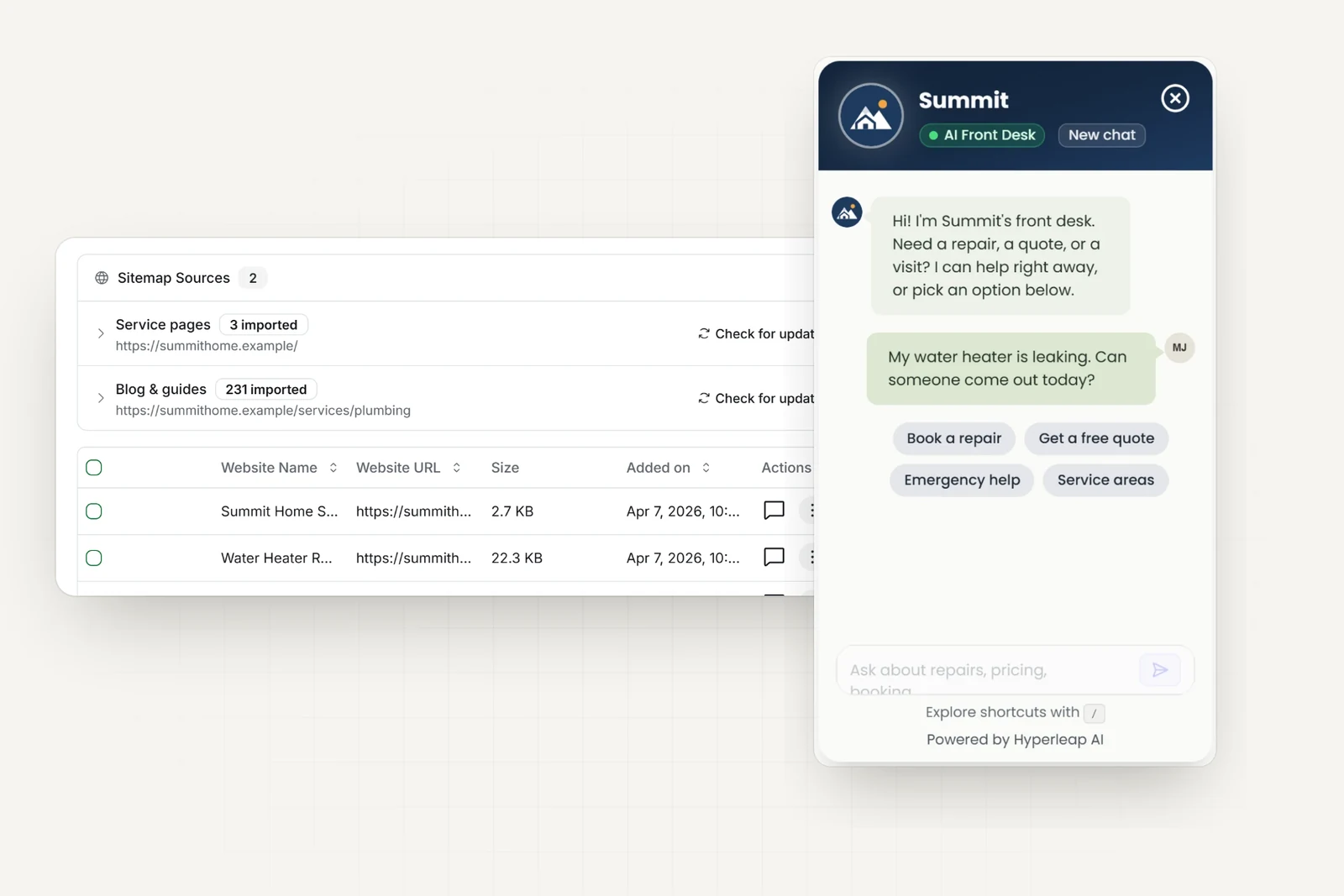
- State what the bot can do: The welcome message should name a few jobs clearly, such as booking, pricing, product questions, or support.
- Offer guided choices early: Buttons and starter prompts are easier than a blank text field.
- Keep replies tight: Short messages scan better, especially on phones.
- Use structure: Bullets, line breaks, and labeled options beat dense paragraphs.
If you want a simple mental model, good chatbot interface design follows the same thinking behind user centered design principles. Start with the user's task, remove friction, and make the next step obvious.
Practical rule: If a first-time visitor has to guess what your chatbot does, the interface is already underperforming.
Build trust through limits and recovery
The strongest bots don't pretend to know everything. They show confidence when the answer is solid and stay honest when it isn't.
That means your chatbot should:
- Acknowledge uncertainty clearly instead of producing a long, generic answer.
- Offer a recovery path such as “Would you like pricing, opening hours, or a call back?”
- Escalate cleanly when the request needs a person.
- Stay visually consistent so each answer feels like it came from one reliable system.
There's also a human side to this. A bot that admits limits feels more trustworthy than one that rambles.
A useful way to think about it is this: your chatbot is your most consistent employee. You'd want that employee to speak plainly, stay on script when needed, and ask for backup when the situation goes beyond their role. Your interface should train the bot to do exactly that.
Designing a Conversation Flow That Works
A chatbot with no planned flow behaves like a receptionist with no intake process. Customers ask different things, the bot responds inconsistently, and your team ends up cleaning up the mess later.
Useful flows don't have to be complicated. They just need to reflect the jobs people come to your business to complete.

Map the shortest useful path
Start with one or two high-value journeys. For most small businesses, that means things like:
- Lead capture: A visitor wants pricing, a callback, or a quote.
- Appointment booking: A customer wants to schedule a consultation or service.
- Basic support: Someone needs hours, location, policies, or product guidance.
Write each journey like a simple map:
| User intent | Best first response | Next step |
|---|---|---|
| Wants a quote | Show service categories or pricing options | Collect contact details or route to sales |
| Wants to book | Ask service type or location | Send to calendar or booking flow |
| Needs support | Show top help topics | Answer directly or escalate |
This works because it cuts out unnecessary conversation. You're not trying to simulate a human chat. You're guiding a task to completion.
Nielsen Norman Group notes that modern chatbots still struggle when users deviate from linear flows, and recommends designing for ambiguity, combining free text with selection controls, and letting users move forward or backward in a conversation through its chatbot UX guidance.
Plan for detours instead of resisting them
People won't follow your script perfectly. They'll ask about pricing in the middle of a booking flow. They'll switch locations. They'll ask if you're open on Sunday after starting a quote request.
That's normal. Good conversation flow accounts for it.
A rigid bot feels broken the moment a customer changes direction.
Use these safeguards:
- Add escape hatches: Include choices like “Start over,” “Talk to support,” or “Change location.”
- Retain context carefully: If someone selected a service already, don't make them repeat it.
- Use mixed input: Let users type, but keep options visible whenever possible.
- Handle dead ends politely: If the bot can't answer, route the user somewhere useful instead of ending the chat.
Video examples can help you visualize this kind of flow design in practice:
If your business also handles calls, it's worth studying how conversational routing translates to voice. This piece on enhancing CX with AI voice bots is useful because the same principle applies across channels. The user shouldn't have to guess the system's rules.
Choosing the Right UI Components for Web and Messaging
Most chatbot problems don't come from the words alone. They come from using the wrong interface element for the job.
If you ask users to type everything into a blank box, you increase hesitation. If you use too many buttons, you can make the interface feel cramped and robotic. Strong chatbot interface design comes from matching the component to the task.
A UX guide on AI chat interfaces recommends structured, scannable responses like bullet points, cards, progressive disclosure, and visible status cues such as typing indicators or incremental loading in its discussion of chatbot UI patterns.

What works best on a website
A website widget gives you more room to design around the task.
Here's a practical comparison:
| Component | Best use on web | Risk if overused |
|---|---|---|
| Quick replies | Directing first actions | Can feel shallow if every answer is button-only |
| Cards | Showing services, packages, locations | Too many cards create scrolling fatigue |
| Forms | Capturing lead details cleanly | Long forms inside chat feel heavy |
| File upload | Intake, documents, screenshots | Confuses users if requested too early |
| Date picker | Appointment selection | Works poorly if availability is unclear |
A web chatbot can also borrow from traditional interface design. You can combine chat with embedded forms, side panels, FAQ snippets, and booking widgets. If you're planning your site widget layout, this chat widget guide is a useful reference for deciding what should stay inside the conversation versus what should open as a structured action.
What changes inside messaging apps
Messaging channels are tighter. The screen is smaller, users are more impatient, and platform controls matter more.
That changes your choices:
- Quick replies become primary navigation: They reduce typing and keep the flow moving.
- Short text wins: Messaging users don't want long paragraphs.
- Media should support the task: Product images, brochures, or location pins can help when used with purpose.
- Menus need restraint: Too many branches create a maze.
A helpful rule is to treat messaging apps as decision interfaces, not browsing interfaces. They're ideal for confirming intent, narrowing choices, and moving people to the next action.
Sendbird's guidance on task-specific chatbot UI controls makes the case well. Effective chatbot UIs rely on starter prompts and quick-reply chips, not pure free-text chat, because that reduces cognitive load and aligns the interface around one or two main tasks.
Optimizing Interfaces for Lead Capture and Booking
Here, a lot of businesses either make money or waste attention.
When someone wants to book, request pricing, or ask for a callback, they're no longer browsing casually. They're taking a high-intent action. At that moment, open-ended chat can slow them down.
Recent AI interface thinking argues that the best UX prioritizes clarity and speed over conversation, and that for high-intent tasks like booking or lead capture, a hybrid of chat plus buttons or forms often outperforms a purely conversational bot in this analysis of AI interface design.

Use chat to qualify, not to overcomplicate
Chat is useful at the start of lead capture because it feels approachable. It's good for greeting, qualifying, and routing. It's not always the best place to collect every detail.
A stronger pattern looks like this:
- Open with intent selection such as pricing, booking, product info, or support.
- Ask a small number of qualifying questions that matter to your sales or service team.
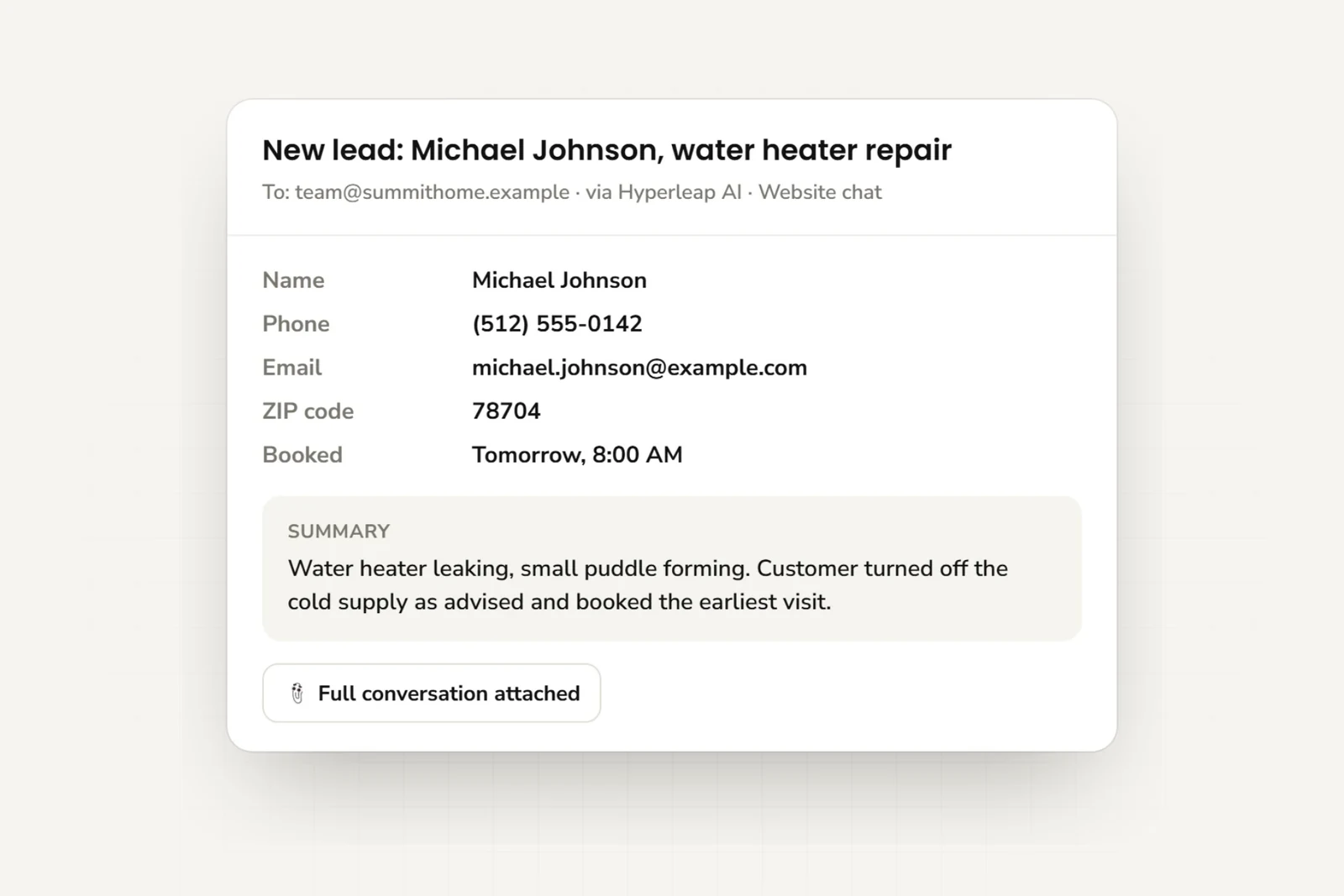
- Switch to a structured capture step for name, phone, email, location, or service type.
- Confirm the next action clearly so the user knows what happens after submission.
That structure usually produces cleaner lead data and fewer abandoned chats than a free-form conversation that keeps asking follow-up questions without visible progress.
The user doesn't care whether your system feels conversational. They care whether the task gets done quickly and correctly.
For planning these flows, a practical reference is this lead generation chatbot playbook, especially if your goal is to qualify and route leads rather than just answer FAQs.
The strongest booking flows remove uncertainty
Booking fails when the interface creates doubt. People hesitate if they don't know what happens next, whether the request is confirmed, or whether they're talking to a bot capable of scheduling anything.
For appointment-driven businesses, these choices help:
- Show the path early: “I can help you book a consultation” is better than a generic greeting.
- Use buttons for service selection: Don't force customers to type out a category if the options are known.
- Collect only essential details first: You can gather edge-case information later.
- Route to calendar tools at the right moment: Once a user is qualified, let them choose a time instead of continuing the chat.
If fake or low-quality inquiries are a recurring problem, verified contact capture is worth adding before the handoff. That keeps your team from chasing dead-end leads and makes the booking path more reliable for serious prospects.
Using Localization and Accessibility to Expand Your Reach
Many businesses treat localization and accessibility as cleanup work. In practice, they shape whether a customer can complete the interaction at all.
If your chatbot speaks only one language clearly, or if key controls are hard to read, tap, or hear with assistive technology, you're reducing your reachable audience before the conversation even starts.
Localization changes who can buy from you
Small businesses often underestimate how many customer interactions break down because of language mismatch, especially on messaging channels where people write quickly and informally.
A multilingual chatbot can help in obvious cases like tourism, healthcare intake, real estate, and retail support. It also helps in less obvious ones, like local service businesses in multilingual neighborhoods where customers may understand your offering but feel more comfortable asking questions in another language.
This matters most when the wording affects action. Service names, insurance questions, appointment instructions, refund terms, and delivery details all need to feel clear in the customer's preferred language. If they don't, hesitation goes up and confidence drops.
For businesses exploring that route, this guide to a multi-language AI chatbot for diverse customers lays out the practical considerations well.
Accessibility improves everyday usability too
Accessibility isn't only about compliance. It often improves the experience for everyone.
A strong interface should support:
- Readable text: Keep contrast strong and avoid tiny type.
- Clear labels: Buttons should say what they do.
- Screen reader compatibility: Conversation structure needs to make sense when read aloud.
- Predictable interaction: Controls should behave consistently across steps.
This overlaps with what users already prefer. Shorter messages, obvious next steps, and clean button labels help people with visual, cognitive, or motor challenges. They also help the busy customer using one hand on a phone while walking into your store.
When you design for broader access, you usually end up with a cleaner chatbot for every user.
Hyperleap Pro Tips and Ready-to-Use Templates
You do not need to know chatbot UX theory to get strong results from a no-code platform. You need a setup your team can manage, your customers can follow, and your business can trust.
For a small business, good configuration usually comes down to four outcomes: accurate answers, cleaner lead capture, faster routing to the right next step, and fewer conversations that waste staff time. That is the standard to use when you set up Hyperleap AI or any similar platform.
Configuration choices that improve outcomes
The strongest chatbot setups are usually simple. They reflect how your front desk, sales coordinator, or support team already works, then turn that into a repeatable flow.
- Ground answers in your own materials: Upload FAQs, service sheets, policy pages, menus, brochures, and other approved content so the bot answers from your business information, not generic language.
- Split shared knowledge from branch-specific details: Keep company-wide policies in one place. Add location-level hours, staff names, coverage areas, or service availability separately so answers stay accurate.
- Set handoff rules before launch: Decide which questions the bot should answer, which should go to a booking page, and which should be passed to a person. This prevents awkward half-answers.
- Turn on verification where lead quality matters: If your team spends time chasing fake or incomplete inquiries, verified contact capture helps filter that out early.
Hyperleap AI is one example of an off-the-shelf platform built for this kind of setup. Businesses can deploy it across website chat, WhatsApp, Instagram, and Facebook, connect approved knowledge sources, capture OTP-verified leads, route users to Calendly or Cal.com, and manage replies in one inbox.
A chatbot is easier to trust when you can trace its answers back to your own content and control what happens after a lead comes in.
Simple templates by business type
Start with the conversations you already have every day. If customers ask the same five questions by phone, walk-in, or Instagram DM, those are your first chatbot paths.
Real estate
- Opening options: Buy, Rent, Book a viewing, Ask about a property
- Follow-up: Preferred location, budget range, property type
- Conversion step: Verified contact capture, then viewing request or agent handoff
Dental or med spa
- Opening options: Treatments, Pricing, Book consultation, Insurance question
- Follow-up: Service type, preferred location, new or existing patient
- Conversion step: Booking link after basic qualification
Hotel or hospitality group
- Opening options: Room availability, Amenities, Group booking, Directions
- Follow-up: Dates, party size, property selection
- Conversion step: Reservation routing or call-back request
Local services
- Opening options: Get a quote, Check service area, Book visit, Support
- Follow-up: Zip code, service type, urgency
- Conversion step: Structured lead form with a clear confirmation of what happens next
The best template is the one your staff would use at the front desk. If the flow feels unnatural, too broad, or too chatty, trim it down. Shorter paths usually produce better lead quality and fewer abandoned conversations.
Measuring Success and Continuously Improving Your Design
A chatbot launch isn't the finish line. It's the moment you start seeing where real customers get stuck.
The easiest mistake is to judge success by whether the bot answers something. A better standard is whether the interaction reaches a useful business outcome. Did the customer get the information they needed, submit a real inquiry, complete the booking path, or leave satisfied with the support experience?
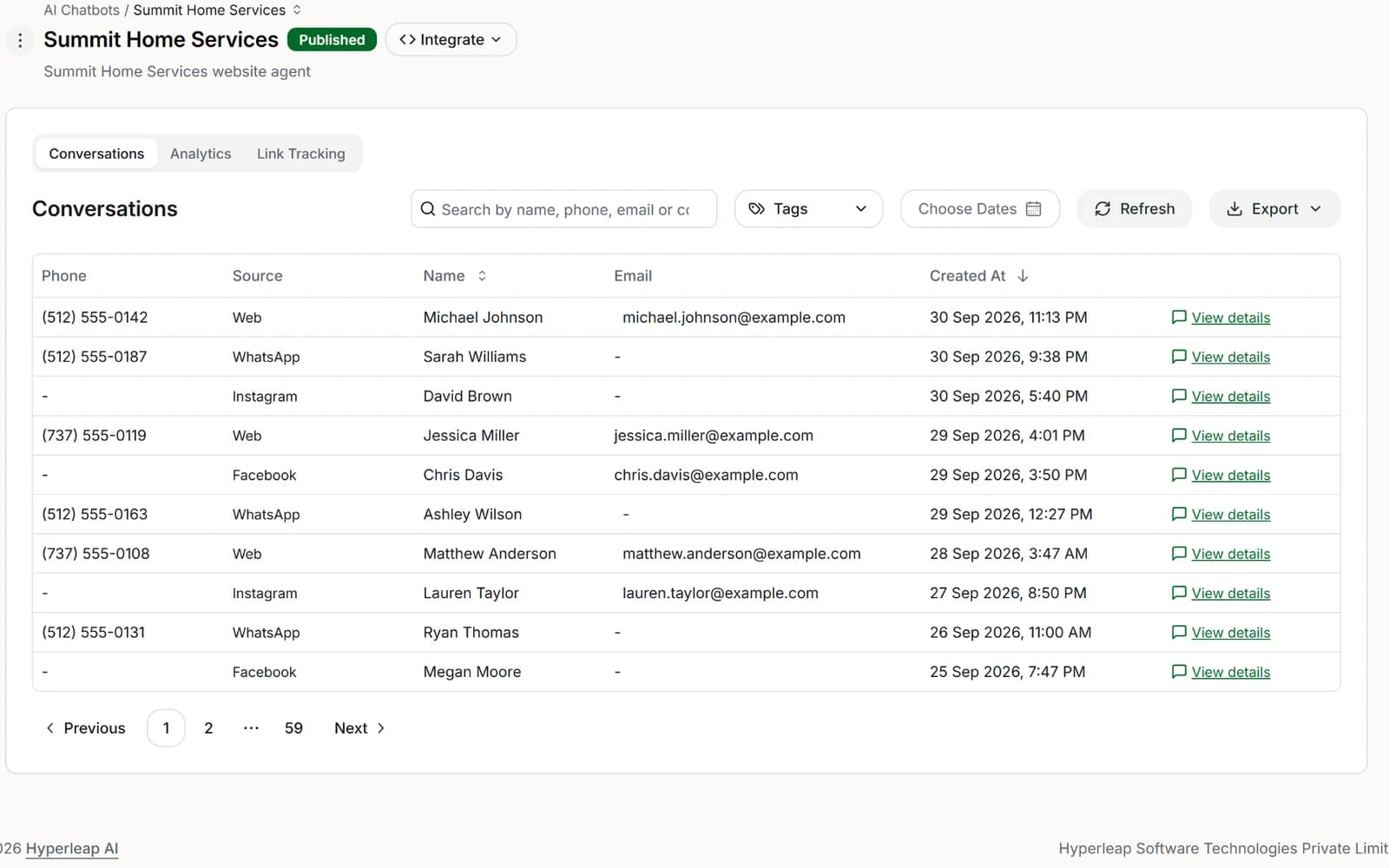
Review conversations like a manager, not just an admin
Read conversation history with these questions in mind:
- Where do users abandon the flow
- Which questions trigger vague or repetitive answers
- Which lead paths attract low-quality inquiries
- Where does the bot need a clearer handoff
Patterns show up quickly when you review actual transcripts. You'll usually find one of three issues: the bot is too open-ended, the choices are unclear, or the next step appears too late.
Make one change at a time
Don't rewrite everything at once. Change the welcome message, shorten a long reply, replace a typed answer with buttons, or move lead capture earlier in the flow. Then review the effect.
That steady approach matters because chatbot interface design improves through iteration, not guesswork. The businesses that get strong results usually aren't the ones with the fanciest bot. They're the ones that keep refining the path customers already want to take.
If you want a practical way to put these ideas into action, Hyperleap AI gives small businesses a no-code way to launch across website and messaging channels, ground answers in their own knowledge, capture verified leads, and route customers into support or booking flows without building a custom system.