AI Chatbot for Ecommerce: The 2026 SMB Guide to Sales
Learn how to use an AI chatbot for ecommerce to boost sales and cut support costs. This 2026 guide covers benefits, use cases, and implementation for SMBs.

85% of retail and e-commerce businesses have implemented chatbots in their operations, according to IBM's overview of ecommerce chatbots. That single number changes the conversation for any store owner still treating chat as a nice extra.
An AI chatbot for ecommerce is no longer just a floating widget for answering basic questions. It's becoming part of the store itself. It helps shoppers find products, answers order questions, captures leads, and keeps sales moving when no one on your team is online. For a small business, that matters because the key comparison is no longer chatbot versus no chatbot. It's your buying experience versus competitors that already respond faster and guide shoppers better.
If you're setting up your first store, or fixing an existing one that feels too manual, it helps to see the chatbot as one step in a broader commerce system. This comprehensive guide for Australian businesses is useful context because the bot works best when your catalog, checkout flow, delivery policies, and customer support basics are already in place.
Table of Contents
- The New Standard for Online Stores
- What Is an AI Chatbot for Ecommerce
- Key Business Benefits and ROI Metrics
- Essential Features of a Modern Ecommerce Chatbot
- Real-World Ecommerce Use Cases in Action
- How to Implement an AI Chatbot with Hyperleap AI
- AI Chatbot FAQs for Ecommerce Owners
The New Standard for Online Stores
Store owners used to think of chatbots as a support shortcut. That framing is outdated. The more accurate view is that a chatbot now sits between your product catalog, your support process, and your sales funnel.
IBM notes that chatbots are commonly embedded not only on websites but also in channels like WhatsApp and Facebook Messenger, which tells you where this is heading. Buyers don't separate “support” from “shopping” the way merchants often do. They ask a question wherever it's easiest, then expect a useful answer without repeating themselves. That pushes the chatbot from accessory to operating layer.
Why the bar has moved
A modern store has to do a few things well at the same time:
- Answer quickly: Shoppers hesitate when sizing, delivery, stock, or return questions go unanswered.
- Stay available: Online shopping doesn't happen on your staff roster.
- Work across channels: A customer might discover on Instagram, ask on WhatsApp, and buy on your site.
- Support revenue, not just service: The conversation should help someone move toward purchase, not just close a ticket.
That's why “we'll add chat later” usually turns into lost momentum. If your catalog is growing and your inbox is messy, delay creates operational drag.
Practical rule: If the same pre-sales questions keep appearing in email, DMs, and live chat, you already have enough demand to justify an AI chatbot for ecommerce.
What small businesses often get wrong
The common mistake is buying a bot before defining the store problems it should solve. Another is assuming the chatbot should replace people. It shouldn't. It should absorb repeatable conversations and route the rest cleanly.
A good first deployment usually focuses on a short list: product discovery, order status, returns guidance, checkout questions, and lead capture for higher-consideration products. That's where owners see the value fastest, because those conversations already exist and already consume time.
What Is an AI Chatbot for Ecommerce
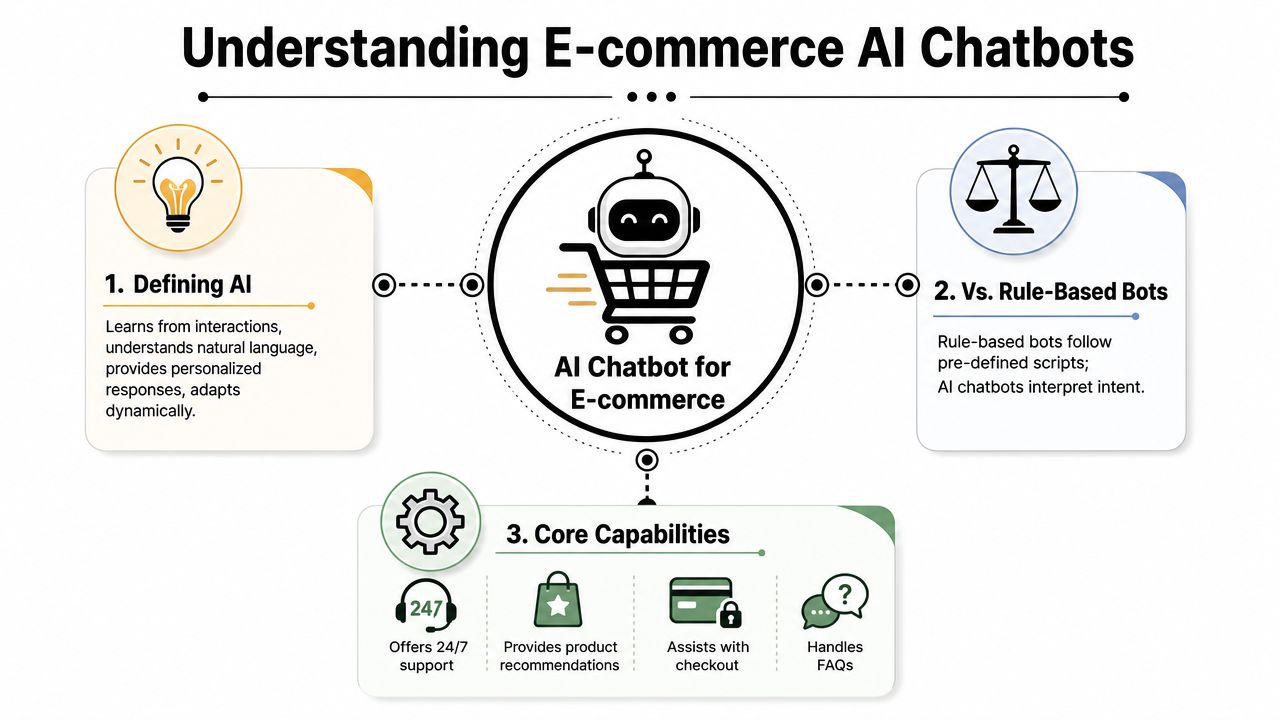
An AI chatbot for ecommerce is a customer-facing assistant that can understand shopper questions in natural language and respond using your actual store information. It's the difference between a static decision tree and a sales associate who knows your products, policies, and current inventory.
Rule-based bot versus AI assistant
A rule-based bot works like a phone menu. Click shipping. Click returns. Click store hours. It's fine for narrow tasks, but it breaks when a customer asks a messy real question like, “I need a gift under my budget that ships fast and suits sensitive skin.”
An AI chatbot handles that better because it tries to interpret intent. It doesn't need the customer to phrase things the “right” way. That matters in ecommerce, where people ask half-complete questions, compare options, and change their mind mid-conversation.
Use this quick comparison:
| Type | Best for | Weakness |
|---|---|---|
| Rule-based bot | Simple FAQs and fixed paths | Fails on nuanced or unexpected questions |
| AI chatbot | Product help, support, lead capture, guided shopping | Requires better data and more oversight |
What grounding means in practice
The useful part of AI isn't that it sounds conversational. The useful part is whether it's grounded in your store data. A high-performing ecommerce chatbot must be connected to live business information such as product catalogs, inventory systems, and order-management platforms so it can answer with context-aware accuracy, as explained in this overview of ecommerce chatbot data grounding.
That changes the quality of the answer.
Without grounding, the bot says, “You may like our running shoes collection.” With grounding, it says, “The wide-fit model in your size is currently available, and the black colorway is in stock.”
Those are completely different customer experiences.
The simplest way to think about it
An AI chatbot for ecommerce combines three practical capabilities:
- Language understanding: It reads natural questions instead of waiting for exact keywords.
- Business context: It pulls from your products, policies, and systems.
- Action support: It helps the customer continue, whether that means viewing a product, tracking an order, or booking a call.
A chatbot becomes useful when it can answer a question that would otherwise force the customer to leave the page and hunt for information.
That's the threshold. If it can't reduce friction, it's just decoration.
Key Business Benefits and ROI Metrics
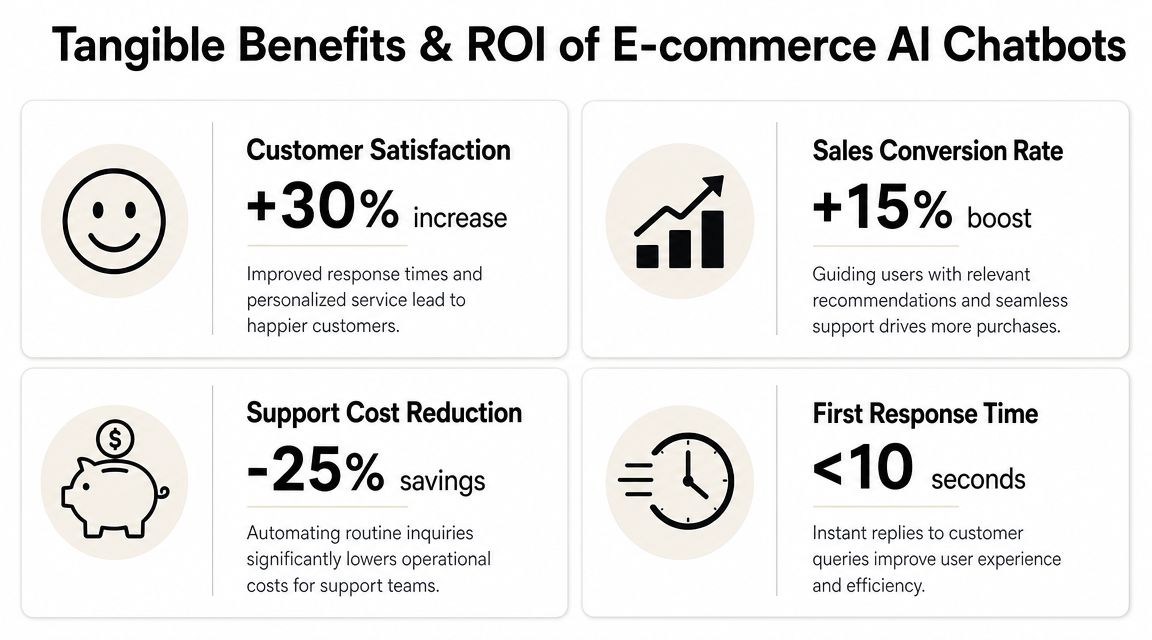
A chatbot earns its keep when it changes one of two numbers. It either brings in more revenue, or it reduces the cost of serving customers. The stronger programs do both.
Revenue impact
One reported analysis found that 12.3% of shoppers who engage with AI-powered chat purchase, versus 3.1% who do not, which is roughly a 4x conversion difference. The same analysis says purchases are completed 47% faster when shoppers are assisted by AI, according to these conversational AI ecommerce statistics.
Small stores should read that with some caution. A chatbot will not rescue weak product pages, poor pricing, or confusing shipping terms. What it can do is reduce hesitation at the point where buyers stall. That usually shows up in three places: product selection, checkout questions, and post-purchase reassurance before a customer abandons the session.
I advise owners to treat the bot as part of the sales path, not a support widget sitting off to the side. If you want a practical way to measure that, use an AI chatbot ROI framework for building a business case before launch. It forces you to define what success looks like in dollars, not just chat volume.
Operational efficiency
The cost case is often easier to prove first.
If your team spends hours answering order-status questions, stock checks, return-policy questions, and basic product fit questions, an AI chatbot can absorb a large share of that repetitive load. That does not eliminate the need for people. It changes where their time goes. Staff can focus on exceptions, refunds with nuance, damaged shipments, or high-intent buyers who need a human answer before they purchase.
For owners, the practical gains usually look like this:
- Lower volume of repetitive tickets: Staff spend less time copying the same answers into email and chat.
- Faster first response: Customers get help after hours and on weekends, when small teams are usually offline.
- Better use of payroll: Sales and support staff can handle work that calls for judgment.
The trade-off is setup. A rushed launch can create more follow-up work if the bot gives vague answers or hands conversations over without context. Efficiency comes from accuracy first, then automation.
What to measure first
Do not start with a giant dashboard. Start with a short scorecard you can review every week for the first 60 days.
A useful starting set includes:
- Chatbot-influenced conversion: Are shoppers who use the bot more likely to buy?
- Containment rate: How many conversations end without human takeover?
- Escalation quality: When the bot passes a case to staff, does it include the order details or question history needed to respond fast?
- Average response coverage: Is the bot answering the questions you expected, or is it missing common intents?
- Ticket deflection by topic: Which categories, such as shipping, returns, or sizing, are successfully leaving the support queue?
One more point matters. Measure ROI by use case, not by chatbot activity in general. If you deploy Hyperleap AI to handle order tracking, product guidance, and lead capture, score each one separately. That makes it much easier to see what is paying back, what needs tuning, and where human support still performs better.
Owner's lens: If the bot is not reducing repetitive tickets, increasing assisted conversion, or shortening time to purchase, it is not producing ROI yet.
Essential Features of a Modern Ecommerce Chatbot
Plenty of chatbot tools look similar in a demo. The difference appears after launch, when real customers ask vague questions, switch channels, and expect accurate answers. That's why feature lists matter less than capability stacks.
The feature checklist that matters
If you're evaluating platforms, these are the features that usually deserve priority.
- Omnichannel deployment: Your chatbot should work on the website and in messaging channels where customers already contact you, such as WhatsApp, Instagram, or Facebook Messenger. Otherwise, your team ends up splitting conversations across tools.
- Catalog and order integrations: The bot needs access to product information, order status, and policy content. If it can't see current data, it can't answer confidently.
- Lead capture with verification: For stores that sell higher-ticket products or custom items, lead quality matters more than lead volume. Capturing contact details is useful. Capturing fake details is not.
- Booking and routing options: Some stores need the bot to move a prospect into a consultation, callback, or appointment flow instead of forcing everything through chat.
- Unified inbox: Your team should be able to see conversation history in one place when takeover is needed.
- Analytics and export: You need visibility into missed questions, escalation points, and sales influence.
For building the content behind those conversations, this knowledge base best practices guide for AI chatbots is worth reviewing. Most deployment problems begin with weak source material, not weak software.
Features that sound good but disappoint
A few things get oversold in this category.
First, “human-like conversation” isn't a buying criterion by itself. A bot can sound polished and still give useless answers. Accuracy beats personality.
Second, broad automation promises often hide weak handoff design. If the bot can't recognize when the customer is frustrated, confused, or asking for something sensitive, your team inherits a worse interaction later.
Third, flashy product recommendations can disappoint when they aren't tied to real inventory and shopper context. Generic recommendations feel automated in the worst way.
A stronger buying question is: Can this tool answer store-specific questions correctly, route edge cases cleanly, and show me what it's getting wrong?
That's the checklist experienced operators use.
Real-World Ecommerce Use Cases in Action
A chatbot earns its keep when it handles ordinary buying moments that would otherwise stall the sale or burden your team. The easiest way to judge fit is to follow the customer journey.
Before purchase
A shopper lands on a product category page but isn't sure what to buy. They type, “I need running shoes for wide feet and daily use.”
A weak bot dumps links. A better one asks a couple of narrowing questions, then recommends relevant options, explains differences clearly, and points the shopper to the right product page. If the store sells technical items, the chatbot can also interpret plain-language needs and map them to product specs.
Another common scenario is policy hesitation. A customer likes the product but asks about shipping time, returns, or whether an item will be restocked. If the bot can answer those questions clearly, the shopper often keeps moving instead of opening another tab.
During checkout
Checkout support is where conversational friction matters most. Customers ask about discount codes, shipping methods, payment options, or whether two products work together.
Handled well, the chatbot reduces uncertainty without forcing the buyer to leave checkout. Handled poorly, it distracts and slows them down.
A smart use case here is intervention when someone pauses. The chatbot doesn't need to be aggressive. It just needs to be available with relevant help, such as clarifying sizing, confirming stock, or pointing to the returns policy.
The best ecommerce chatbot conversations feel like in-store assistance. Present, informed, and easy to ignore if the customer doesn't need help.
After the order
Post-purchase support is where owners usually feel the immediate relief. Customers want to know where the order is, how to start a return, or whether they can change details.
These aren't glamorous conversations, but they consume serious time. A chatbot that can answer them consistently gives customers faster service and gives staff breathing room.
There's also a retention angle. After purchase, the chatbot can surface care instructions, complementary products, or the next step in a reorder cycle. The useful version is gentle and relevant. The useless version pushes promotions before the customer's original question is solved.
That distinction matters. Good chatbots continue the relationship. Bad ones interrupt it.
How to Implement an AI Chatbot with Hyperleap AI
Stores usually get better results from a first chatbot launch when they start small, measure real customer outcomes, and expand only after the bot proves useful. That matters more than feature count.
Start with one narrow job
Pick one outcome you want the chatbot to improve in the first 30 days. For a small ecommerce store, that usually means answering pre-sales product questions, handling order tracking and return guidance, or capturing leads for higher-consideration purchases.
This choice shapes everything else. It determines what content you need, which conversations deserve human takeover, and what success looks like.
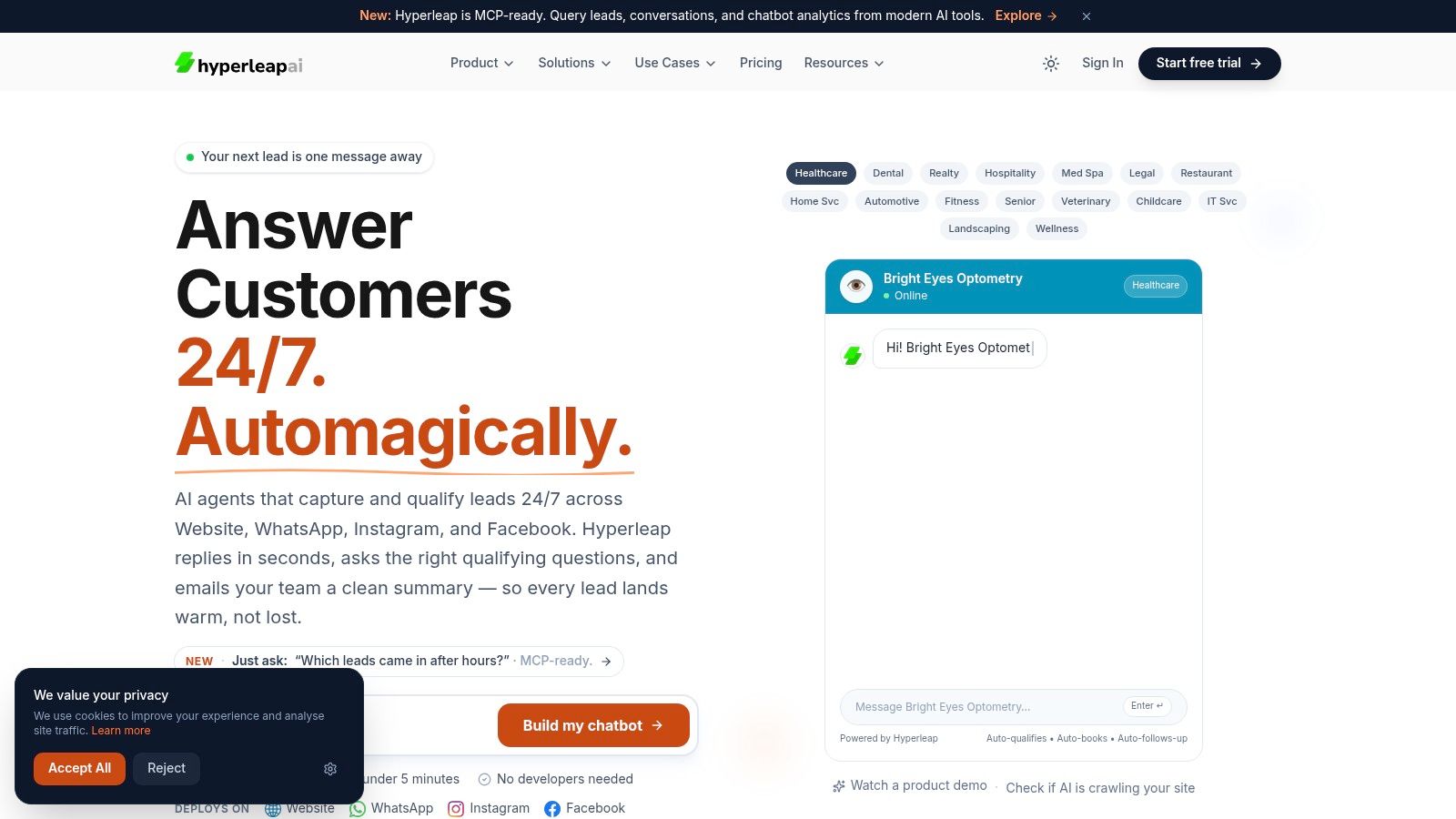
Hyperleap AI is useful here because the setup fits a non-technical team. You can start with a template, add a website URL or upload documents, and publish to your site or messaging channels without a long implementation cycle. If you run Shopify, this Shopify chatbot embed guide for Hyperleap AI is the practical step-by-step reference for getting the widget live.
Build the knowledge layer
A chatbot fails for predictable reasons. The most common one is weak source material.
Before launch, gather the content a customer needs:
- Product information: descriptions, size guidance, compatibility notes, materials, care instructions
- Policies: shipping, returns, exchanges, warranties, payment methods, delivery windows
- Operations: support hours, expected response times, escalation rules, contact options
- Brand guardrails: tone, claims the bot should avoid, situations that require a person
Then test it with customer language, not internal jargon. Ask blunt, messy questions. Real shoppers do.
Examples:
- “Will this fit true to size?”
- “Can I return this if it was discounted?”
- “Which version is better for a beginner?”
- “Why hasn't my order shipped yet?”
- “I need help from a person”
I usually tell owners to review twenty to thirty likely questions before launch and mark each answer as correct, incomplete, or risky. That exercise exposes weak pages fast.
Launch, test, and benchmark
Once the chatbot is live, track a short list of operating metrics. Start with containment rate, handoff rate, and chatbot-influenced conversion rate. Those numbers tell you whether the bot is solving routine requests, escalating at the right moments, and contributing to revenue instead of just creating activity.
Do not chase full automation. Aim for fewer repetitive tickets, faster answers on simple questions, and cleaner handoffs on complex ones.
A practical review rhythm helps. Check chat logs every week at first. Look for:
- Repeated misses: the bot gives vague answers or cannot answer at all
- Poor handoffs: the conversation should have gone to a person sooner
- New demand patterns: customers keep asking about something you did not include in setup
- Policy risk: the bot states shipping, return, or stock details too confidently
Hyperleap AI works best when you treat deployment as a journey from concept to ROI, not a one-time install. The first version gets the bot into real conversations. The next rounds of edits are where the business value usually shows up.
A walkthrough helps when you're visualizing how a no-code setup works in practice:
The stores that see early returns usually keep the scope tight, review transcripts often, and update the knowledge base like they would any other revenue or support system.
AI Chatbot FAQs for Ecommerce Owners
Will it sound robotic and hurt my brand
It can, if you leave tone to chance. A chatbot should be trained on your policies, products, and preferred style of response. Keep the voice simple and helpful. Don't force slang. Don't make it overly cheerful when the customer is dealing with a delay or return.
Do I need technical skills to launch one
Not necessarily. Many SMB-focused tools are no-code or low-code. The hard part usually isn't installation. It's organizing good source content and deciding where the chatbot should hand off to a person.
Should a chatbot replace live support
No. It should reduce routine work and improve first response. Human support still matters for edge cases, complaints, high-stakes purchases, and situations where judgment is more important than speed.
How do I make sure answers are accurate
Accuracy comes from structure, not magic. A key challenge is trust and accuracy, because chatbot responses are only as good as the structured data behind them, and ongoing maintenance is required to prevent errors, as noted in this discussion of trust and maintenance in ecommerce chatbots.
Use a practical review process:
- Audit source content: Remove outdated policy pages and duplicate product information.
- Test high-risk questions: Pricing, returns, availability, compatibility, and delivery questions deserve extra scrutiny.
- Set handoff rules: If the bot is uncertain or the issue is sensitive, route to a person.
- Review logs regularly: Real customer phrasing reveals gaps faster than internal testing.
Accuracy is the feature customers remember. They rarely care how advanced the model is. They care whether the answer was right.
Is an AI chatbot for ecommerce worth it for a small store
If your store gets recurring product questions, support requests outside business hours, or leads that need qualification, yes, it can be worth it. The key is starting with one clear use case and measuring whether it reduces manual work or helps more shoppers buy.
If you want a practical way to launch without custom development, Hyperleap AI offers a no-code chatbot platform that can be trained from your website or uploaded documents, deployed across your site and messaging channels, and used for customer questions, lead capture, and appointment routing.