Create WhatsApp Link: Maximize Conversions in 2026
Learn how to create whatsapp link with pre-filled messages & QR codes. Our 2026 guide covers tracking, international formats, and chatbot integration.

A lot of small businesses create a WhatsApp link, paste it into an Instagram bio, and stop there. The link works, chats come in, and that feels like a win. Then the practical questions start. Which channel brought the conversation? Why do some people click but never send the first message? Who replies when leads arrive after hours?
That's where a basic click-to-chat link turns into a real lead generation asset. Used well, it shortens the gap between interest and action, gives customers a familiar way to reach you, and helps your team manage intent across social, web, email, and even printed materials.
Table of Contents
- Why Click-to-Chat Is a Modern Business Essential
- Generating Your Basic WhatsApp Click-to-Chat Link
- Crafting Prefilled Messages to Start Great Conversations
- Tracking Performance with UTM Parameters and QR Codes
- Handling International Formats and Business App Features
- Integrate Your Link with a Chatbot for 24/7 Lead Capture
Why Click-to-Chat Is a Modern Business Essential
A customer sees your service at night, on a commute, or while walking past a printed poster. In that moment, they usually won't open a contact form, draft a careful email, and wait. They want the fastest path to asking a question.
That's why click-to-chat works so well in practice. It removes the extra steps between curiosity and conversation. A tap from a bio link, website button, or QR code opens a chat instead of sending the person into a longer funnel that asks for more effort upfront.
For small businesses, that matters most in situations like these:
- Social discovery: Someone lands on your Instagram profile and wants pricing, availability, or a quick answer.
- Local intent: A person scans a flyer, menu, poster, or business card and wants to ask before they forget.
- Mobile-first browsing: Many visitors are already on their phones. Messaging fits the way they browse.
- After-hours leads: Interest doesn't follow office hours. The opportunity often shows up when your team is offline.
A WhatsApp link works because it meets people where their attention already is. It doesn't ask them to learn a new flow.
The strategic value isn't just convenience. It's speed and clarity. When businesses create WhatsApp links and place them at high-intent touchpoints, they give buyers a direct route to ask, clarify, and move forward.
What doesn't work is treating the link as a decoration. A lonely WhatsApp icon buried in a footer won't carry much weight. The businesses that get the most from it make the link visible, contextual, and connected to a real response process.
Generating Your Basic WhatsApp Click-to-Chat Link
A WhatsApp link only has one job at this stage. It needs to open the right chat, every time, on the first tap.
The base format is simple:
Copy format:
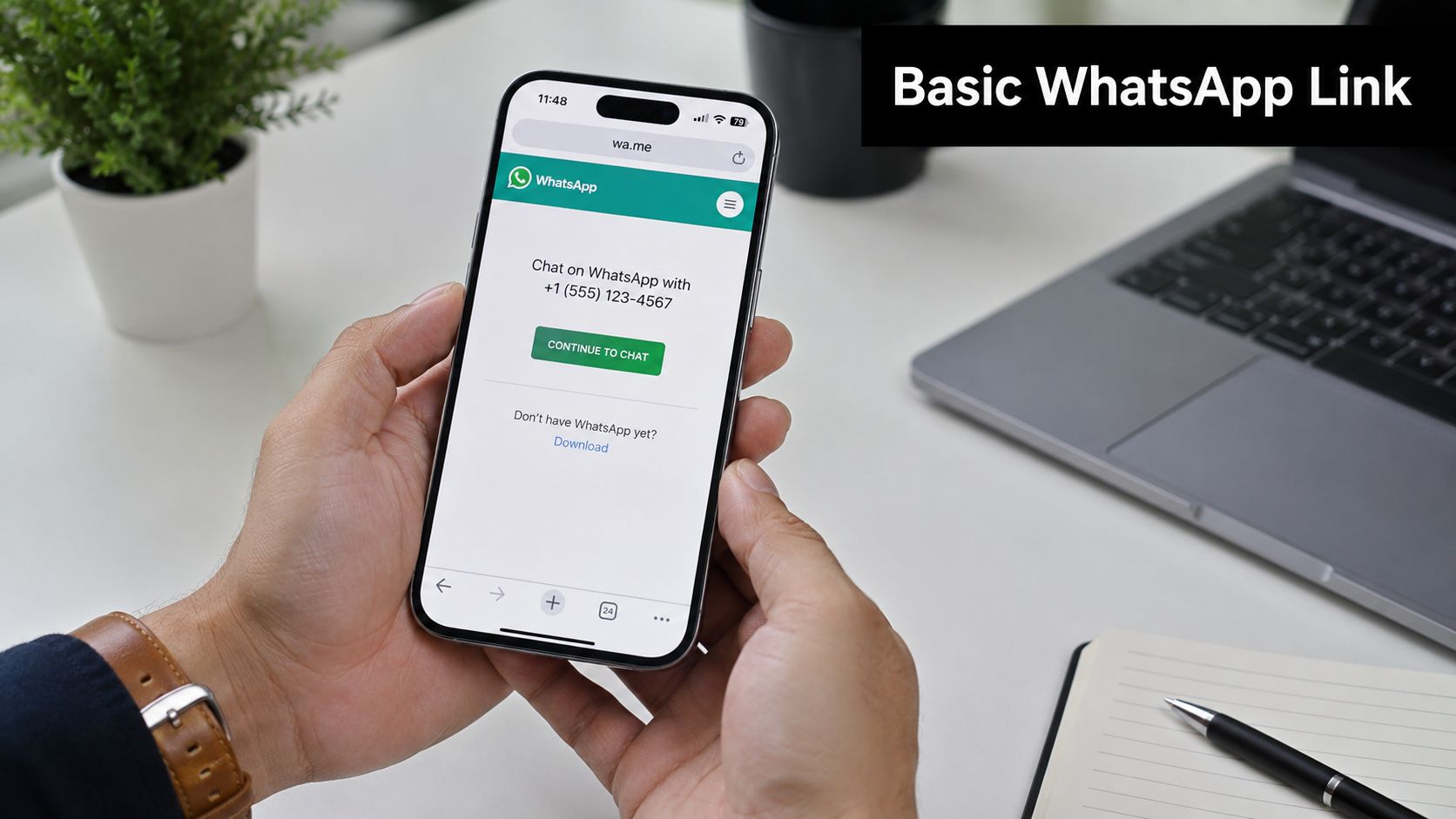
https://wa.me/yourfullinternationalnumber
The official format that works
Use your full phone number in international format as one continuous string of digits. That means country code first, followed by the full number, with no extra characters added.
If your business number is usually written as +1 (555) 123-4567, the link version should be:
https://wa.me/15551234567
Small formatting errors break more links than technical problems do. A plus sign, a space, or a missing country code is enough to send visitors into a dead end.
A quick build process keeps it clean:
- Start with the full international number.
- Remove the plus sign.
- Remove spaces, brackets, and dashes.
- Paste the finished number after
https://wa.me/ - Test the link on your phone and on desktop WhatsApp
Common formatting mistakes
Teams usually run into the same few issues, especially when they copy a number from a website footer, Google Business Profile, or staff signature.
| Problem | What happens | Fix |
|---|---|---|
| Symbols left in the number | The link fails or loads incorrectly | Use digits only |
| Local number format | Visitors outside your country may not reach the right account | Use full international format |
| Copy-paste typo | Chats go nowhere | Test every live link before publishing |
Practical rule: get the plain link working first. Add prefilled text, UTMs, QR codes, or chatbot routing only after the base URL reliably opens the correct conversation.
There is also a faster option if you use WhatsApp Business. The app includes a built-in short link and QR code feature, which is useful for basic setups and offline materials, as described in this WhatsApp link generator guide from SleekFlow.
I still recommend knowing how to build the raw wa.me version manually. The app shortcut is convenient, but the manual format gives you more control once you start tracking campaigns, creating multiple entry points, or sending leads into an automated workflow such as Hyperleap AI. That is where a simple chat link starts becoming a usable lead capture system, not just a contact button.
Crafting Prefilled Messages to Start Great Conversations
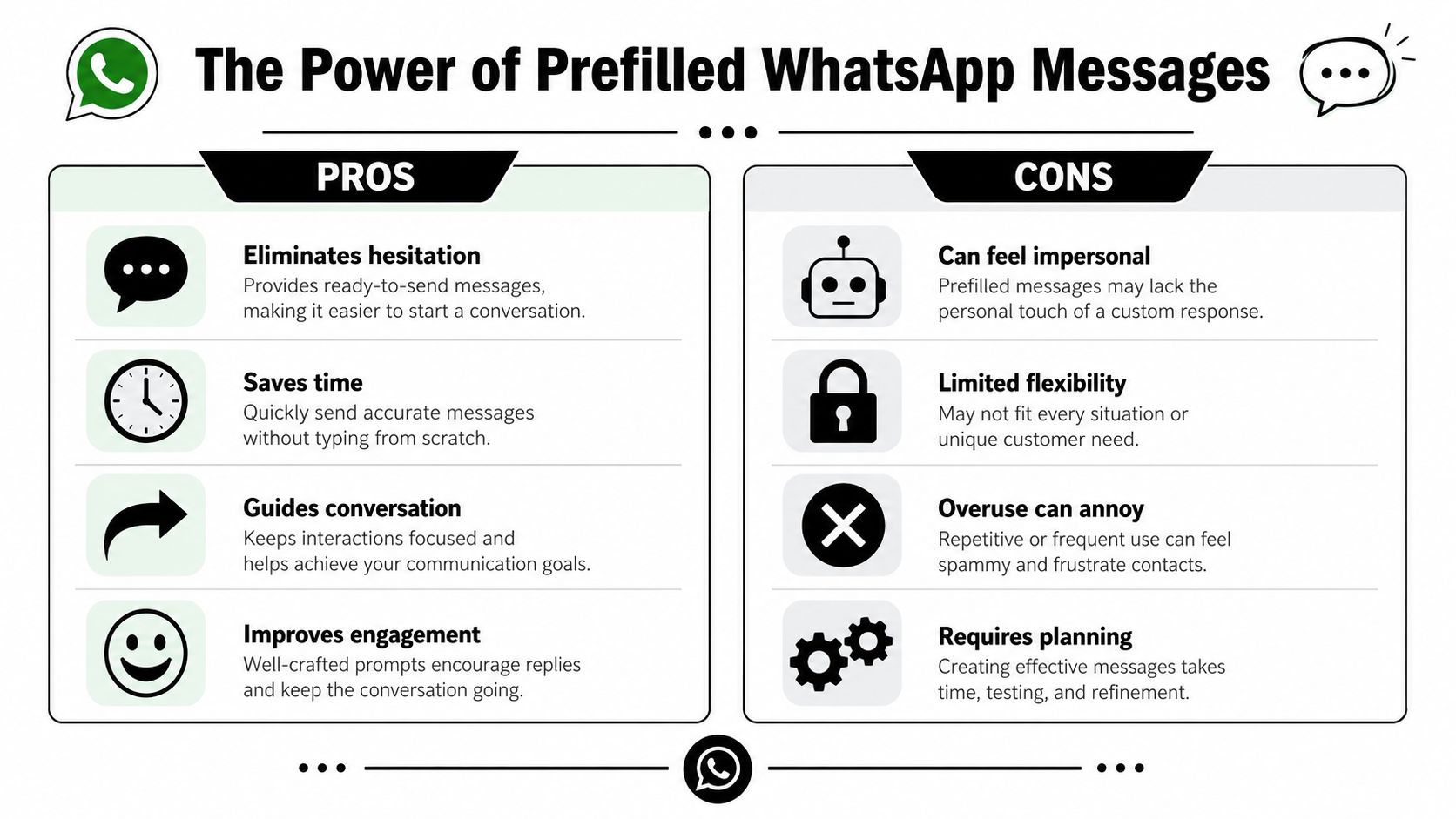
A customer taps your WhatsApp button from an Instagram ad, lands in chat, sees an empty message field, and pauses. That pause matters. If they have to decide how to introduce themselves, explain what they want, and add context, some of those chats never get sent.
Prefilled text reduces that hesitation. It gives the customer a clear first step and gives your team cleaner inbound conversations to work with.
Why the first message matters
The opening message shapes the quality of the lead.
A vague chat like “Hi” creates extra back-and-forth before your team can qualify the person. A better starter message can tell you what they want, which service they care about, and where they came from. That is useful for sales, customer support, and campaign reporting.
Use the ?text= parameter to add prefilled text to your link:
https://wa.me/yourfullinternationalnumber?text=yourencodedmessage
The message has to be URL-encoded. Spaces become %20, and special characters need safe formatting too. If you skip that step, links can break or the message can display incorrectly on some devices or placements.
What good prefilled messages actually do
Strong prefilled text is short, specific, and easy to send without editing. In practice, the best-performing messages usually do one job well instead of trying to collect everything up front.
A useful message can:
- State the intent:
Hi, I'd like to book an appointment. - Name the offer:
Hi, I'm interested in your kitchen remodeling service. - Add source context:
Hi, I saw your Facebook ad and want a quote. - Route the conversation:
Hi, I'm contacting your Dubai branch about availability.
That last point gets overlooked. If you run multiple services, locations, or campaigns, prefilled text can help your team identify intent before a human even replies.
Keep the message short enough to send
Many businesses write prefilled text like a mini intake form. That usually hurts conversion.
If the message feels stiff or overly detailed, people edit it, delete part of it, or abandon the chat. A better approach is to remove uncertainty without scripting the customer too tightly. Ask for just enough context to help your team respond well.
For example:
- Too generic:
Hi - Better:
Hi, I'm interested in a dental cleaning appointment. - Too long:
Hello, I am reaching out because I visited your website and would like full pricing, timing, and package information for your available services. - Better:
Hi, I'd like pricing for your cleaning packages.
I usually aim for one sentence. Two, at most.
Match the message to the traffic source
A simple WhatsApp link starts acting like a lead generation asset.
The message in your link should reflect the page, ad, or QR code that sent the visitor. If someone clicks from a bridal makeup landing page, the prefilled message should mention bridal makeup. If they scan a flyer for a lunch special, the message should mention that offer. Message match improves lead quality because the customer does less explaining and your team gets context immediately.
If you plan to use offline materials, it helps to pair the same message strategy with a WhatsApp QR code generator for print and in-store placements, so each scan starts with the right prompt.
Simple message patterns you can reuse
A few formats work well across small business campaigns:
- Booking:
Hi, I'd like to book a consultation. - Quote request:
Hi, I want a quote for your painting service. - Product inquiry:
Hi, I'm interested in Product A. Is it available? - Location-based inquiry:
Hi, I'm looking for availability at your Austin location. - Campaign-specific inquiry:
Hi, I saw your summer offer and want details.
The trade-off is straightforward. Shorter messages get sent more often. Slightly more specific messages give your team better lead context. The right balance depends on whether you need more conversation volume or better pre-qualification.
Keep the prefilled message easy to send as-is. If customers feel they need to rewrite it, the prompt is doing too much.
For service businesses, the job of prefilled text is simple. Start the conversation cleanly, reduce hesitation, and give your team enough context to respond fast.
Tracking Performance with UTM Parameters and QR Codes
Creating the link is easy. Knowing which placements generate conversations is where the business value starts to show. Many businesses use WhatsApp links across ads, email signatures, and printed materials, but most how-to content stops before attribution. As noted in WhatsApp Business guidance on short links and default messages, the key operational value often comes from standardizing the entry experience and measuring intent, not just generating a URL.
A simple attribution setup
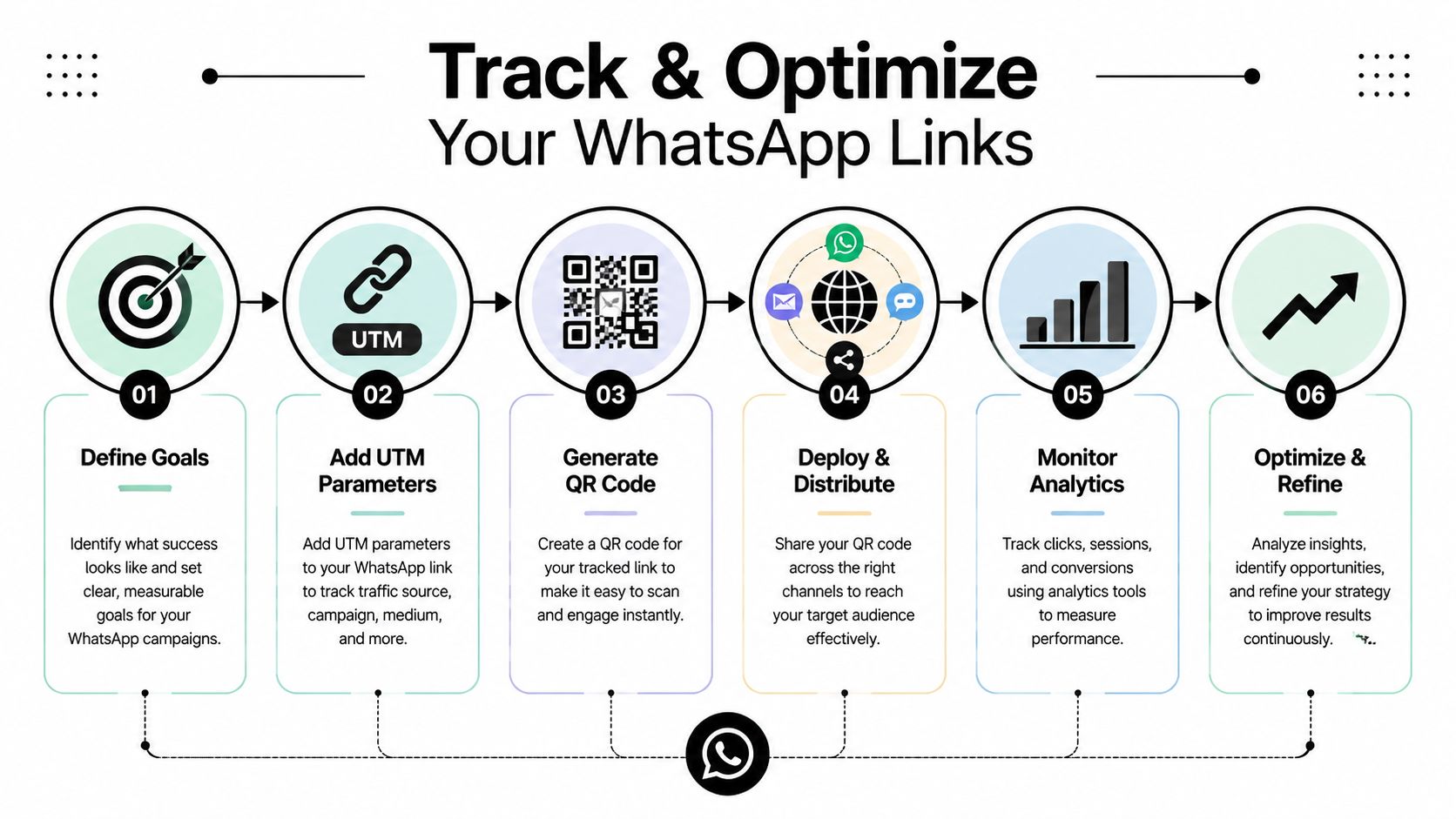
The cleanest approach is to treat each WhatsApp entry point like a campaign asset.
If your Instagram bio, email footer, landing page button, and print flyer all use the exact same destination with no differentiation, your team sees chats but can't easily tell what drove them. That makes optimization harder than it needs to be.
A practical setup usually includes:
- One destination logic per campaign: Keep the landing behavior consistent for each campaign or channel.
- Channel naming conventions: Label links by source, medium, and purpose so internal reporting stays readable.
- Message consistency: Match the prefilled text to the ad, page, or print asset that generated the click.
Many teams use UTM-style parameters before generating the final shareable link or redirect path. The point isn't technical complexity. The point is to preserve source information so your analytics setup can distinguish between traffic from social, email, partnerships, and offline scans.
Teams often overcomplicate things. You don't need a giant attribution model. You need disciplined naming and a repeatable workflow.
A lightweight structure might track:
| Placement | What to identify | Why it matters |
|---|---|---|
| Instagram bio | Social source and profile context | Helps compare organic profile traffic with other channels |
| Email signature | Team or campaign identifier | Shows whether ongoing outbound touchpoints are generating chats |
| Landing page CTA | Page or offer name | Tells you which offer creates the strongest chat intent |
| Printed QR code | Offline asset or location | Connects physical materials to digital conversations |
Here's a useful rule. If two placements serve different audiences or different intent levels, they shouldn't share an indistinguishable link.
For businesses that want a simpler workflow, a dedicated WhatsApp QR code generator can help turn a prepared chat link into a scannable asset for printed materials.
Turning one trackable link into offline campaigns
QR codes matter because they connect real-world attention to a live conversation. A menu, product package, event banner, business card, or front-desk sign can all push someone into WhatsApp without asking them to type anything.
This video walks through a practical marketing setup:
What works in print is clarity. Put the QR code next to a reason to scan. “Ask about availability,” “Get pricing,” or “Book on WhatsApp” performs better than a floating code with no instruction.
What fails is mixing too many goals into one link. If the same QR code is used for support, sales, and general inquiries with the same generic message, your team gets conversations but loses useful intent signals.
Handling International Formats and Business App Features
Formatting gets trickier when a business serves multiple markets. A single local number is easy. Several regional numbers, branch-specific teams, or staff-managed inboxes create a routing problem, not just a link problem.
That's why the question often isn't how to create WhatsApp link URLs. It's how to create the right link for each market, branch, or campaign without confusing the customer or the team, a gap highlighted in this guide on creating the right WhatsApp link for each market.
Manual links versus business short links
There are two common paths.
Manual wa.me links give you flexibility. They're useful when you need different prefilled messages, campaign-specific tracking, or market-based variants controlled outside the app.
WhatsApp Business short links are simpler to manage for everyday sharing. If your need is basic distribution, the in-app short link is often enough.
The choice depends on the job:
- Use manual links when marketing needs control over source naming, campaign variants, or message logic.
- Use in-app short links when the goal is fast setup for general contact access.
- Avoid mixing approaches randomly because inconsistent naming and messaging make reporting messy.
Managing multiple regions without confusion
Multi-location businesses usually need governance before they need more links.
A practical operating model looks like this:
- Assign one purpose to each number. Don't send support, sales, and branch inquiries into the same unmanaged path unless that's intentional.
- Map links to markets. If you serve different countries or cities, create a clear naming system for each destination.
- Keep message copy localized. The same wording won't fit every region or service line.
- Document ownership. Every public link should have a responsible team behind it.
For businesses planning broader messaging workflows, WhatsApp Business API features are worth reviewing because they support more structured operational setups than ad hoc sharing alone.
The formatting rule is simple. The management rule is harder. Every public WhatsApp link should answer one question clearly: who receives this conversation, and why this number?
That discipline prevents the most common scale problem. Chats arrive, but nobody is sure which branch, campaign, or team should handle them.
Integrate Your Link with a Chatbot for 24/7 Lead Capture
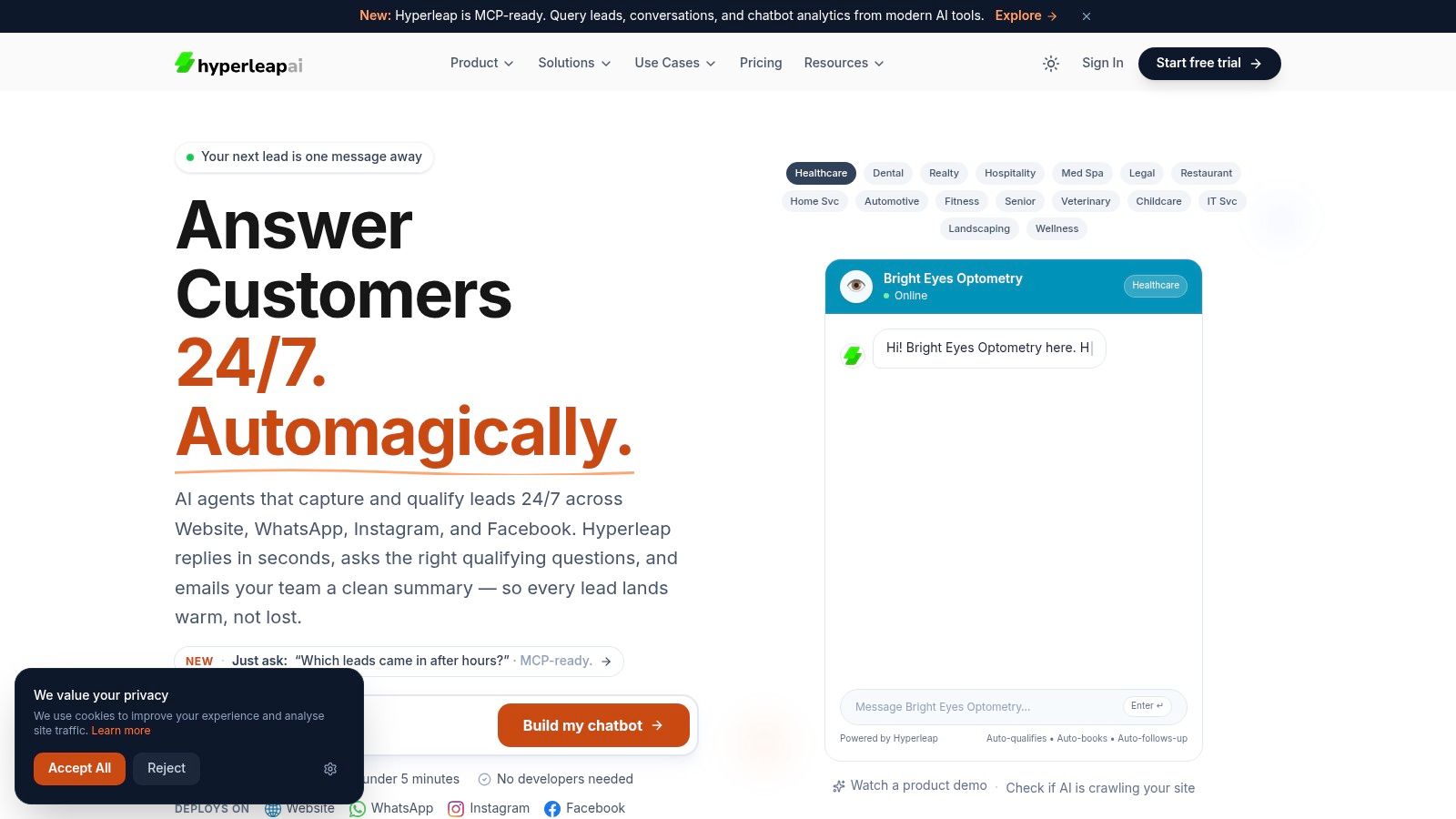
The click is only the front door. What happens after someone opens the chat matters more than the link itself.
If no one responds quickly, your marketing did its job but the handoff failed. That's where automation changes the value of a WhatsApp entry point. Instead of sending leads into an inbox that depends entirely on staff availability, you can route the conversation into a system that greets, qualifies, and organizes it.
What happens after the click matters more
A good chatbot flow doesn't try to replace every human interaction. It handles the opening stage well.
That usually means the system can:
- Answer common questions using your approved business information
- Collect lead details before a human steps in
- Route the conversation to the right team or branch
- Support booking flows when the user is ready to act
For businesses that want to compare tooling options for this use case, this guide to AI chatbots for WhatsApp Business outlines what to look for in a platform.
A practical automation flow
The strongest setups keep the experience tight and relevant.
A customer clicks a campaign-specific WhatsApp link. The chat opens with a useful prefilled message. An automated assistant responds with the right opening prompt, asks one or two qualifying questions, captures the core details, and then either answers directly or hands the conversation to a person with context already attached.
That flow is far more useful than a generic “Hello, how can we help?” message sent to everyone.
One option in this category is Hyperleap AI, which supports WhatsApp as a messaging channel for answering questions, capturing leads, and routing conversations using your business knowledge base. For a small business, that means the link can feed a structured conversation instead of an unmanaged inbox.
What works here is restraint. Keep the bot focused on first-response tasks, qualification, and routing. What often frustrates users is an assistant that asks too many questions before offering help, or one that ignores the context already implied by the clicked link.
A practical checklist:
- Match the bot opening to the link intent
- Use short qualification prompts
- Capture only the details your team will use
- Escalate cleanly when the issue needs a person
A WhatsApp link on its own creates access. A WhatsApp link paired with automation creates continuity. That's the difference between generating chats and building a dependable lead intake system.
If you want your WhatsApp link to do more than open a chat, Hyperleap AI is one option for turning that entry point into a structured lead capture flow across WhatsApp and other channels. It can help small businesses respond after hours, collect key details, and route conversations without building a custom system from scratch.