Widget for Whatsapp
Discover how a widget for WhatsApp can transform your lead generation in 2026. Get setup instructions, best practices, and tips to capture qualified leads.

A familiar leak happens on small business websites every day. A visitor lands on a product page after hours, likes what they see, then hits one unresolved question. Shipping. Availability. Sizing. Setup. They don't want to fill out a form and wait until morning. They want a quick answer in the app they already use.
If your site can't offer that direct line, many of those people leave without expressing their objections. You never hear the objection, and you never get the chance to close the sale.
That's why a widget for WhatsApp matters. It turns your website from a brochure into a conversation starter. For a local service business, it can mean faster enquiries. For an online store, it can mean rescuing uncertain buyers before they abandon checkout. For a shop juggling in-person and online sales, it fits neatly alongside the rest of the operational stack, much like reviewing Shopstar's recommended POS systems helps connect front-of-house sales with back-end workflows.
The opportunity isn't just adding a floating green button. It's deploying a widget in a way that captures real leads, routes enquiries cleanly, and respects privacy from the first click. Most tutorials stop at installation. That's usually where the expensive mistakes begin.
Table of Contents
- Introduction Why Your Website Needs a Direct Line to Customers
- What Exactly Is a WhatsApp Widget and How Does It Work
- Key Widget Types and Strategic Business Use Cases
- How to Add a WhatsApp Widget to Your Website
- Best Practices for Compliance and High-Quality Lead Capture
- Why a Smart Widget Beats a Simple Chat Button
- Frequently Asked Questions About WhatsApp Widgets
Introduction Why Your Website Needs a Direct Line to Customers
A customer visits your site at 9 PM. Your team has gone home. The contact form is still there, but forms feel like work when someone only has one quick question. That visitor hesitates, opens another tab, and buys from a competitor who made it easier to ask.
That pattern hurts more than most owners realize because it usually hides inside “normal” traffic. You still get visits. You still get some leads. What you don't see are the conversations that never started.
A widget for WhatsApp fixes that gap by meeting people where they're already comfortable. Instead of asking them to save a number, draft an email, or wait for office hours, you give them a direct path into a chat. For many small businesses, that's the fastest way to reduce friction without redesigning the whole site.
Why speed and familiarity matter
When buyers are uncertain, they rarely want a polished support journey. They want a fast answer.
That's especially true for businesses where intent is high but confidence is fragile, such as:
- Service businesses: Customers want to ask if you cover their area, offer weekend slots, or handle urgent jobs.
- Ecommerce stores: Buyers need a quick answer about stock, delivery, or returns before they commit.
- Clinics and appointment-led businesses: People often want to confirm basics before booking.
- Local retailers: Shoppers ask whether an item is available before driving over.
Practical rule: If a short answer can unlock a sale, make that answer available in the channel customers already trust.
The strongest websites don't force every enquiry into the same funnel. They offer forms for detailed requests, phone calls for urgent cases, and messaging for everything in between. A WhatsApp widget fills that middle ground well because it feels immediate without being intrusive.
The missed opportunity most setups create
Many businesses install a chat button and assume the job is done. It isn't. A weak setup can create poor routing, low-quality leads, broken device experiences, and privacy concerns that were never considered during setup.
That's why the difference between “we have a button” and “this channel produces good enquiries” is usually operational discipline. Placement matters. Messaging matters. Device handling matters. Compliance matters.
What Exactly Is a WhatsApp Widget and How Does It Work
A widget for WhatsApp is best understood as a dedicated contact line built into your website. It sits on the page as a visible prompt, then sends the visitor into a WhatsApp conversation with as little friction as possible.
The simplest way to think about it
Think of it as a smart shortcut, not just an icon.
A standard setup automatically creates a wa.me link using your business number in international format. When someone clicks it on desktop, it opens WhatsApp Web. When they click on mobile, it launches the native app. That deep-linking flow is described by Common Ninja's explanation of how a WhatsApp button uses Click-to-Chat.
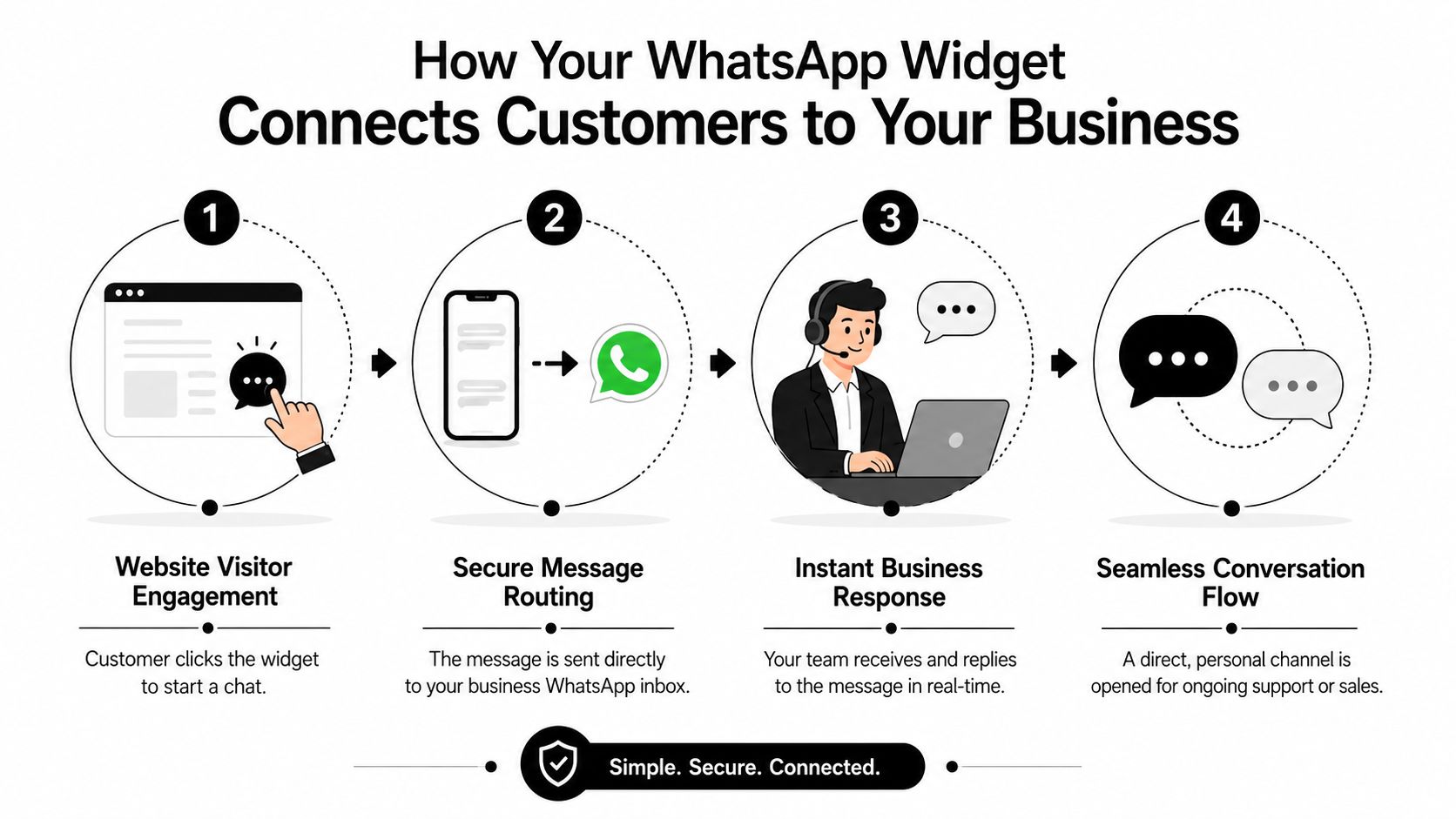
That matters because friction kills intent. If users have to copy a number, save a contact, leave the site, and compose a message from scratch, many won't bother.
What happens after the click
The technical flow is simple, but the business effect is what matters.
- The visitor sees the widget on a page where they have a question.
- They click once instead of hunting for contact details.
- The deep link opens the right WhatsApp environment for their device.
- A pre-filled message can add context, so the chat starts with a useful prompt rather than an empty box.
That last step is underrated. A blank message field forces the user to think. A prompt like “Hi, I have a question about this product” lowers effort and gives your team context immediately.
A good widget doesn't just open WhatsApp. It helps the customer start the conversation they were already trying to have.
Another practical advantage is operational flexibility. Some widget tools let businesses change routing numbers, business hours, or welcome copy from a dashboard without pushing code changes to the site. For a small team that updates staffing, campaigns, or locations regularly, that's far easier than asking a developer to edit the website every time a detail changes.
What it is not
A WhatsApp widget is not automatically a full customer support system.
A basic version can only pass the user into chat. It won't handle lead qualification, reporting, routing logic, or conversation history in a structured way unless you choose a more capable platform.
That's why two businesses can both say they “have WhatsApp on the website” while getting very different outcomes. One has a contact shortcut. The other has a managed lead capture channel.
Key Widget Types and Strategic Business Use Cases
Not every widget for WhatsApp solves the same problem. The right choice depends on who answers, how often enquiries come in, and whether you need simple conversations or structured lead handling.
Simple click-to-chat buttons
This is the leanest version. A visitor clicks the widget and lands in a WhatsApp chat with your business.
It works best for businesses that don't need heavy workflow logic. A freelance designer, local bakery, solo consultant, or boutique repair service can do well with this because the owner usually handles messages directly. The setup is light, the learning curve is low, and there's almost nothing to maintain.
What doesn't work well is using a simple button in a business with multiple departments or high message volume. If sales, support, and operations all share one inbox without a process, response quality falls fast.
Multi-agent widgets
These setups are better when enquiries need routing. A real estate group might want property buyers to speak with one team and landlords to speak with another. A dental clinic may want treatment questions to go one way and appointment changes another.
This type of setup reduces a common headache: one person becomes the bottleneck because every message starts in the same place.
A multi-agent widget is useful when your business has:
- Different conversation types: New sales, support, reschedules, and billing.
- More than one responder: Staff need clarity on who owns what.
- Location-specific enquiries: Branch, territory, or service-area differences matter.
- Specialist knowledge: Some questions belong with one staff member, not the general inbox.
Automated chatbot widgets
At this stage, the widget becomes more than a contact trigger. It starts handling the front of the conversation.
An automated widget can greet visitors, ask what they need, collect details, offer common answers, and pass the chat to a person when necessary. That's useful for after-hours traffic, repetitive enquiries, and businesses that need some structure before a human jumps in.
A few practical examples make the differences clearer:
| Business type | Best-fit widget | Why it works |
|---|---|---|
| Local plumber | Simple click-to-chat | Fast questions, owner-led replies, low routing complexity |
| Real estate agency | Multi-agent widget | Buyers, renters, and sellers need different contacts |
| Online store | Automated chatbot widget | Handles product questions, delivery prompts, and lead capture before handoff |
| Clinic or med spa | Automated or multi-agent | Triage common questions and route bookings cleanly |
The right widget type should match your operating model, not just your budget.
Many owners choose the simplest tool because setup feels easier. That's fine if the business is simple. It's a mistake when message volume, multiple staff, or compliance needs are already part of the day-to-day reality.
How to Add a WhatsApp Widget to Your Website
Most businesses have two practical implementation paths. One is fast and no-code. The other is custom and developer-led. The best option depends less on ambition and more on internal resources.
The no-code route most businesses should choose
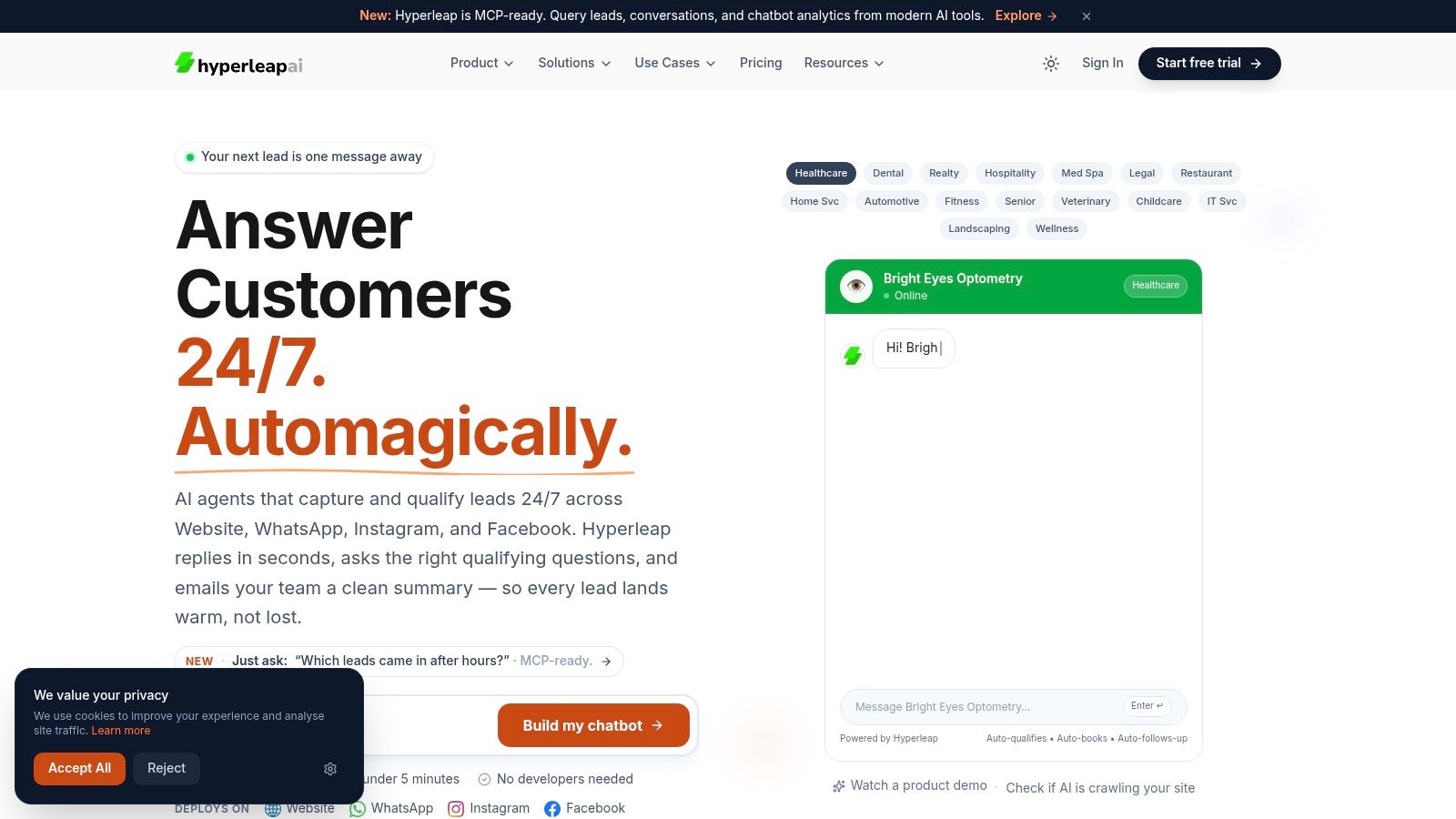
For most small and medium-sized businesses, a no-code widget platform is the practical choice. You pick a template, adjust colors and welcome text, connect your number or messaging flow, then paste a script into your website builder.
That approach works well on platforms like WordPress, Shopify, and Webflow because it avoids a full custom build. It also means marketing teams can update the widget without waiting in a developer queue.
A clean no-code rollout usually looks like this:
- Choose the right trigger: Floating corner button, embedded prompt, or page-specific widget.
- Set a useful welcome message: Keep it short and tied to the page context.
- Match the brand lightly: Use your brand colors, but keep the widget recognizably WhatsApp.
- Test on real devices: Desktop, Android, iPhone, and tablet behavior can differ.
If you need help creating the link structure itself, this guide on how to create a WhatsApp link covers the mechanics clearly.
The developer-led route
A custom build makes sense when WhatsApp is one piece of a larger customer system. For example, you may want deep integration with internal tools, advanced routing rules, custom authentication steps, or a highly specific front-end experience.
That route offers more control, but it also creates more moving parts. Someone has to own maintenance, testing, edge cases, and ongoing updates. For a small business without technical capacity, that often becomes shelfware disguised as sophistication.
A developer-led setup is usually justified when:
- You already have engineering support available for ongoing maintenance.
- Your lead flow is complex and needs custom business logic.
- You require tight integration with internal systems beyond standard plugins.
- Brand and UX requirements go far beyond a typical widget interface.
A short walkthrough helps if you want to see a practical implementation in motion:
A practical setup checklist
The setup itself is easy. The decisions around it are where quality is won or lost.
Before publishing, check these points:
- Use the correct phone number format. International formatting errors break the click-to-chat experience.
- Write the pre-filled message carefully. It should help the user start, not box them into an awkward script.
- Decide who owns replies. A widget without response ownership becomes a missed-message machine.
- Limit visual clutter. If your site already has live chat, popups, and sticky bars, adding one more floating element can hurt clarity.
- Review mobile behavior first. For many businesses, mobile visitors are the primary audience for messaging.
The simplest successful installs share one trait. They're built around the customer's next question, not the business's desire to “have a chat feature.”
Best Practices for Compliance and High-Quality Lead Capture
A widget for WhatsApp can generate more conversations and still produce poor business outcomes if the setup ignores consent, lead quality, and device context. More chats aren't automatically better. Better chats are better.
Placement affects results
Homepage-only placement is one of the most common mistakes.
Technical benchmarking cited by Botcake found that placing a WhatsApp widget on high-need pages such as product pages or checkout flows correlates with a 15-20% increase in click-through rates and customer engagement because the prompt appears at the moment user intent is strongest, as noted in Botcake's review of WhatsApp widget placement and engagement.
That aligns with what works in practice. People click when they're uncertain and close to action. Product detail pages, pricing pages, booking pages, and checkout steps usually outperform generic placement because the visitor already has a decision in progress.
Compliance is part of conversion
Customers are more willing to message when they understand what happens next.
If your widget collects any information before the handoff, be clear about what you're collecting, why you're collecting it, and how follow-up will work. If you operate in regulated markets or serve privacy-conscious audiences, that clarity isn't legal housekeeping. It directly affects trust.
There's also a privacy angle many tutorials ignore. Some guides focus on colors and placement but skip how message status and read behavior may affect user expectations. If privacy is central to your audience, don't assume they understand the mechanics. Explain enough so they know what clicking the widget does.
For broader website hygiene around messaging, forms, and customer data, small teams can borrow useful practices from this checklist on protecting Australian small businesses online.
Operational advice: Treat the widget like a data collection point, not just a design element.
If you're evaluating more advanced messaging setups, it's also worth understanding how the WhatsApp Business API differs from a basic link-based experience.
Better lead capture starts before the chat
Low-quality leads usually come from weak qualification, not low traffic.
A stronger setup asks for just enough information to make the conversation useful. That might mean the visitor selects a service, confirms a location, or provides contact details before a handoff. In some business models, verified lead capture matters even more because fake or mistyped contacts waste staff time.
A practical lead capture standard should include:
- Clear intent prompts: Let users choose why they're reaching out.
- Minimal friction: Ask only for the information your team will use.
- Verification where it matters: If fake leads are a problem, add a method to confirm the contact is real.
- Consent language: Tell people if you'll follow up and through which channel.
What doesn't work is forcing every visitor through a long pre-chat form. That recreates the same friction the widget was supposed to remove. The balance is simple: collect enough to qualify, not enough to annoy.
Why a Smart Widget Beats a Simple Chat Button
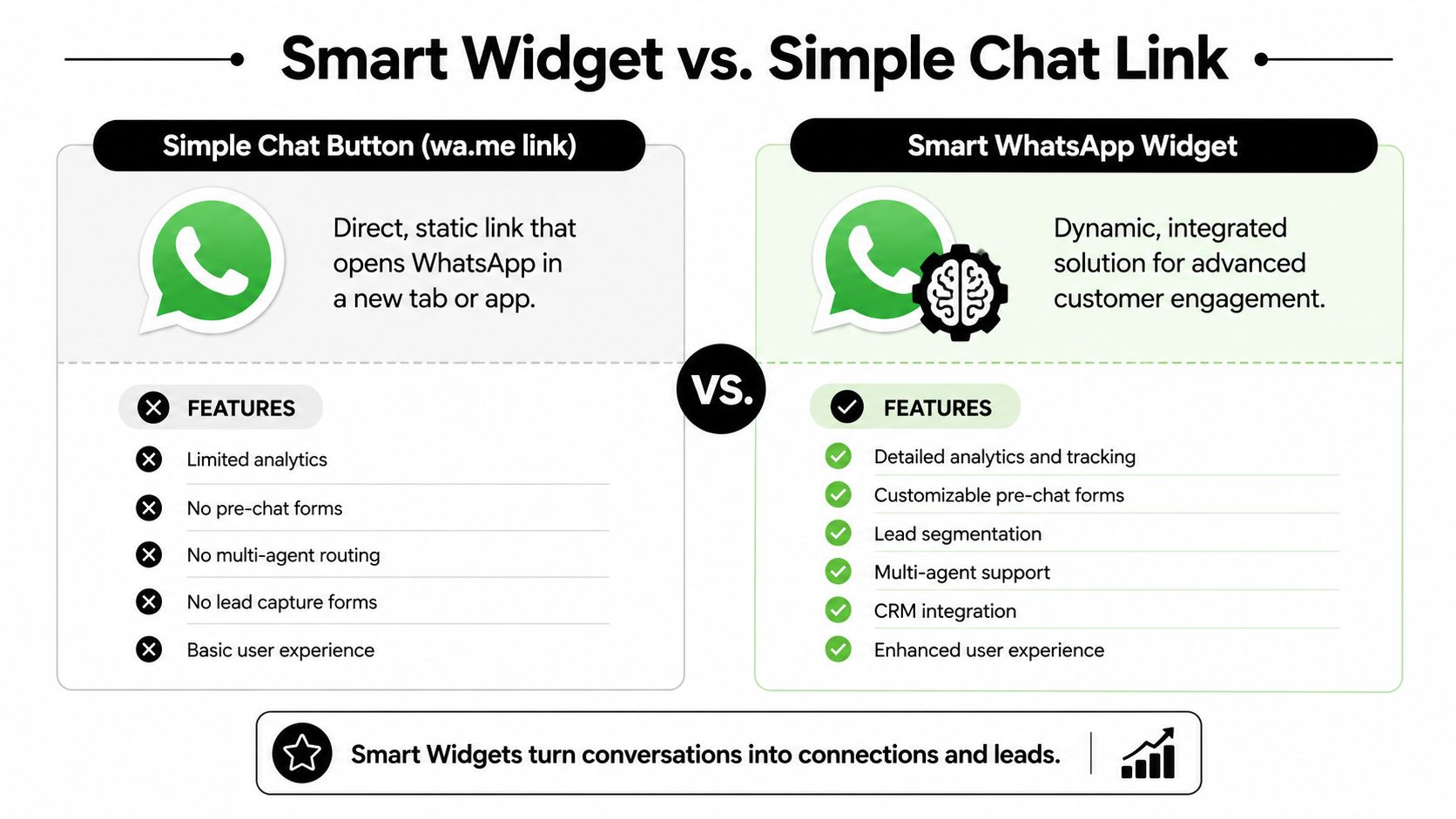
A plain wa.me link can work. For some businesses, that's enough to start. But it remains a static contact shortcut, not a managed engagement channel.
What a basic link can't do well
A simple button doesn't give you much structure. It won't help segment enquiries, capture lead context neatly, support multi-agent routing, or tell you much about which pages are driving the best conversations.
That creates hidden costs. Staff waste time asking the same opening questions. Sales and support messages mix together. Follow-up becomes inconsistent. Reporting usually lives in someone's memory, not a process.
What a smarter setup adds
A smart widget turns the first message into part of a system. It can qualify the lead, guide the user toward the right path, preserve conversation history, and support cleaner handoffs inside the business.
That matters most when WhatsApp becomes part of daily sales or service operations rather than a side channel.
A better setup typically adds:
- Lead capture structure: You know who's asking, about what, and from where.
- Routing logic: The right person sees the right conversation sooner.
- Consistency: Welcome prompts and qualification questions don't rely on staff memory.
- Operational visibility: Teams can review performance and improve the flow over time.
Businesses comparing messaging options often end up exploring adjacent tools too, which is why resources like Wistec's overview to Discover AI driven chatbots can be helpful when you're deciding how much automation belongs in the front end of customer conversations.
If you're also weighing website messaging formats more broadly, this piece on choosing an online chat widget is a useful complement.
A simple button starts chats. A smart widget helps turn chats into trackable business outcomes.
Frequently Asked Questions About WhatsApp Widgets
Do I need the WhatsApp Business API to use a widget
No. Many businesses start with a simpler click-to-chat approach that opens a conversation without a full API setup.
The API becomes relevant when you need more control, compliance features, automation, or deeper integration with your systems. If you only want a direct contact path, you can start much smaller.
Can I use a personal number
Technically, some businesses do. Operationally, it's rarely the best long-term choice.
A personal number creates problems around staff access, continuity, ownership, and professionalism. A business number is easier to manage when multiple people need visibility or when someone leaves the company.
What if the visitor doesn't have WhatsApp installed
Many guides are too casual about this fact. Device behavior isn't always fluid.
Support documentation from Duda notes a critical failure point: a significant percentage of iOS tablet users can be redirected to download pages instead of opening chats, which means businesses should test device-specific behavior and use platform-aware solutions rather than assuming every click will complete cleanly, as described in Duda's support article on WhatsApp widget behavior across devices.
That's one reason testing matters as much as setup. Don't just click the widget on your own phone and call it done. Test desktop, mobile, and tablet experiences.
How do I measure ROI
Start with business metrics, not vanity metrics.
Track how many enquiries begin through the widget, which pages produce them, how quickly your team replies, and how many of those conversations turn into bookings, quotes, or sales. If you can't connect the widget to an outcome, you only know it exists. You don't know if it works.
A useful ROI review usually asks:
- Which pages trigger the most valuable chats
- What questions appear repeatedly
- How many conversations reach a commercial outcome
- Where response delays cause drop-off
The businesses that get the most from a widget for WhatsApp are usually not the ones with the flashiest design. They're the ones that treat it like a real lead channel and manage it accordingly.
If you want a practical way to turn website traffic into verified WhatsApp conversations, Hyperleap AI gives small businesses a no-code path to launch chat flows, capture OTP-verified leads, automate responses, and manage conversations across channels without needing a developer.