See what customers ask and where they need help
See how many people chat, when they visit, and where they leave. Hyperleap AI shows the numbers with plain-language suggestions to help you improve.
Quick Answer
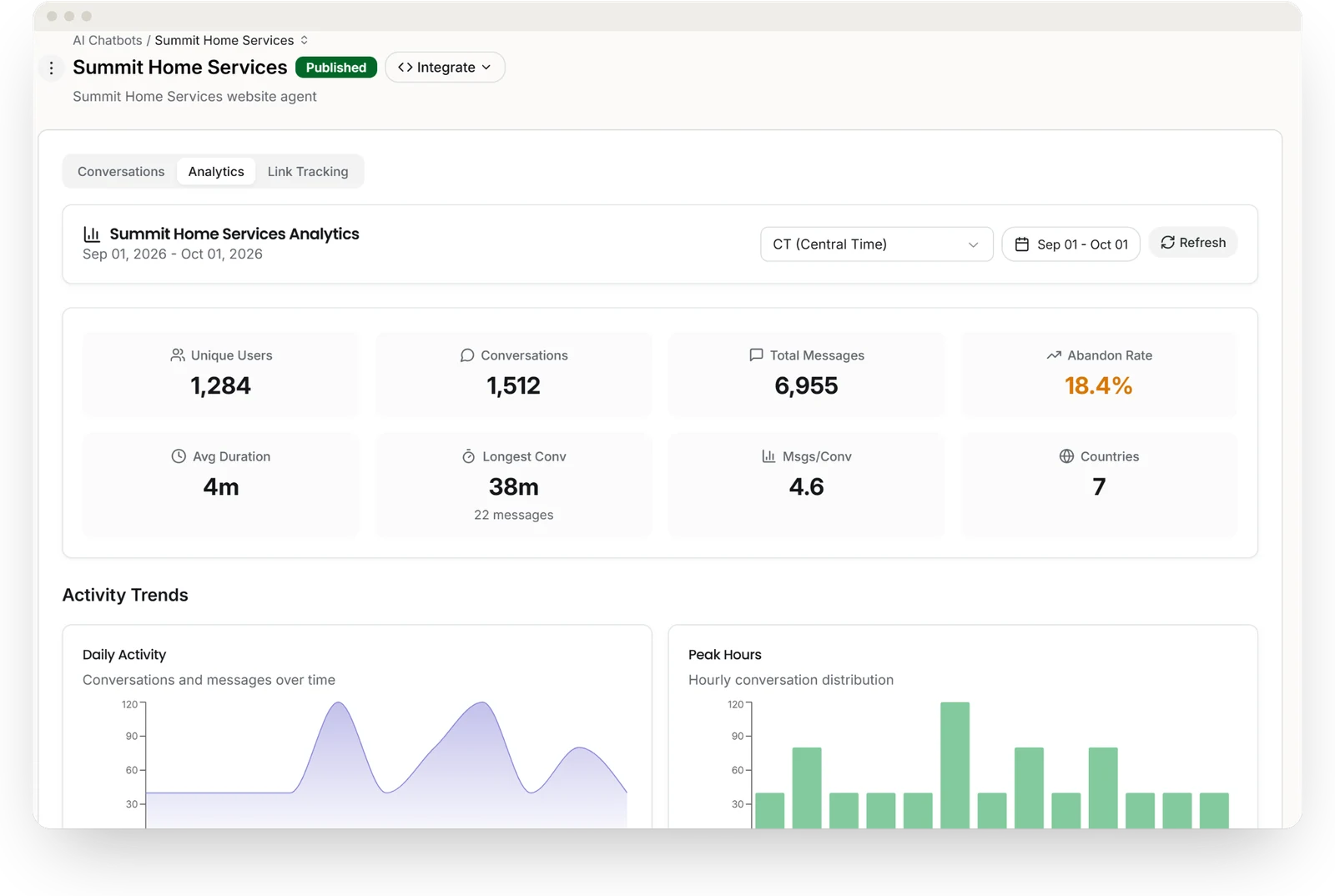
Chatbot analytics shows how people use your AI agent. Hyperleap AI brings conversation counts, chat length, busy hours, and visitor locations into one dashboard across all four channels.
Dashboard
Your key numbers in one view
The dashboard opens on the metrics that matter most — filterable by date range and timezone, across all channels at once.
Unique Users
Conversations
Total Messages
Abandon Rate
Avg & Longest Duration
Messages / Conversation
Countries
Peak Hours & Daily Activity
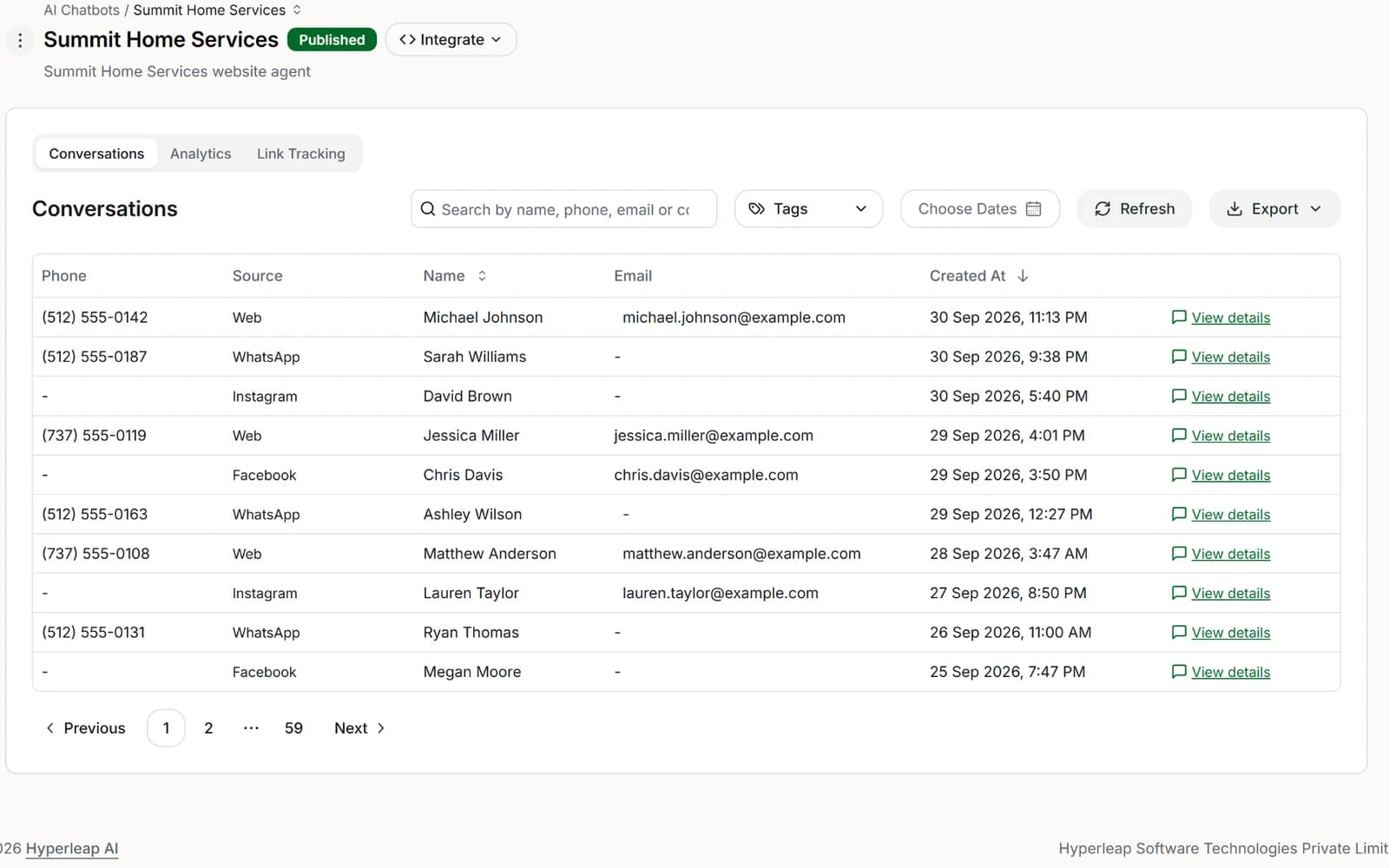
Conversations
Explore your conversation activity
Activity trends
Daily volume and hourly peak activity — so you know when demand spikes and can staff or trigger follow-ups accordingly.
Usage patterns
See activity by time of day and day of the week to help plan staffing.
Engagement quality
See whether chats are short, long, or abandoned, and how quickly visitors start chatting.
User insights
See your most active visitors and which countries they come from.
Top conversations
Your highest-volume and longest conversations, ranked — the transcripts most worth reading to understand what customers are actually asking.
Every channel, one view
Website, WhatsApp, Instagram DM, and Facebook Messenger in a single view, with full date-range and timezone controls.
Where conversations come from
On Pro and Max, link tracking shows which source or campaign started each conversation, and which links the agent shared got clicked.
Which source each answer used
Open a conversation in the log to see which of your pages or documents an answer drew on. These citations are for your team; customers don’t see them in the chat.
Suggestions
Get suggestions for improving your answers
If visitors leave quickly, review the opening message. If few visitors start a chat, check the greeting. The dashboard highlights patterns like these to help you decide what to improve.
The dashboard doesn't just report on what happened. It gives you a concrete list of what to do next.
Ask your data
Query your data in plain English
Ask Claude or ChatGPT about your leads: “Which leads came in from WhatsApp this week?” or “What did customers ask about most?” Connect your assistant once with a single sign-in, and it answers from your Hyperleap leads and conversations. Included on every paid plan.
It reads your data and can't edit or delete records, send messages, or change settings. The one exception: when you ask it to pull insights from a lead, it saves them to that lead's profile.
Technical details
FAQ
Frequently asked questions
What is chatbot analytics?
What metrics should I track for a chatbot?
Can I see which questions customers ask the chatbot most?
Can I access chatbot analytics data programmatically?
Does chatbot analytics work across all channels?
Know what your chatbot is actually doing
Conversations, leads, and pipeline insights across every channel in one place. Start your trial and see the data in real time.
7-day free trial on all plans. Cancel anytime.