AI Automation for Small Business: Your Complete 2026 Guide
Discover how AI automation for small business can save time and grow revenue. Our 2026 guide covers use cases, ROI, and a step-by-step implementation plan.
If your day keeps getting eaten by the same questions, the same follow-ups, and the same “I'll get to it later” tasks, you're already paying the hidden tax of manual work. A website visitor asks about pricing at 9 p.m., nobody answers, and the lead cools off by morning. A customer wants to reschedule, your inbox fills up, and someone on your team has to stop real work to sort it out.
That's where AI automation for small business starts to make sense. Imagine hiring a tireless digital assistant that can answer routine questions, capture leads, book appointments, and route requests without needing a coffee break. It's not about replacing judgment, it's about taking repetitive work off your plate so you can spend more time on customers, sales, and the decisions that move the business forward.
Table of Contents
- Beyond the Hype What AI Automation Really Means for You
- The Real Business Case Understanding the ROI
- Five High-Impact AI Automations You Can Start With
- Your Implementation Roadmap From Idea to Launch
- Integrating AI with Your Existing Business Tools
- Measuring Success How to Know Your AI Is Working
- Conclusion Your Next Step in AI Automation
Beyond the Hype What AI Automation Really Means for You
A bakery owner gets the same questions every afternoon. “Do you have gluten-free options?” “Can I pick up today?” “What time do you close?” The team answers all day, then misses a lead that arrives after hours because nobody sees the message until the next morning.
That's the key use case for AI automation. It's not a giant corporate system buried in jargon, it's a practical way to let software handle the repetitive parts of customer communication, scheduling, and routing while people handle the exceptions. For a small business, that can feel less like buying software and more like adding a dependable front-desk helper who never forgets the basics.
A U.S. Chamber of Commerce report found that almost 60% of small businesses already use artificial intelligence for business operations, more than double the level reported in 2023, which makes the shift hard to ignore U.S. Chamber of Commerce report. That's the clearest signal yet that this isn't an experimental side project anymore. It's becoming part of normal operations for SMBs that want faster response times and less manual friction.
Practical rule: if a task repeats, follows a pattern, and doesn't need a manager's judgment every time, it belongs on the shortlist for automation.
For owners looking for a simple marketing starting point, a useful reference is Quikly on marketing automation strategies, because it keeps the conversation grounded in customer follow-up rather than abstract technology. The main idea is simple. Start with work that happens often, then let the tool do the first pass so your team can focus on the conversations that matter.
The Real Business Case Understanding the ROI
A lot of small business owners like the idea of automation until the conversation turns to money. Then a critical question emerges. Does this pay off, or does it just create another monthly bill?
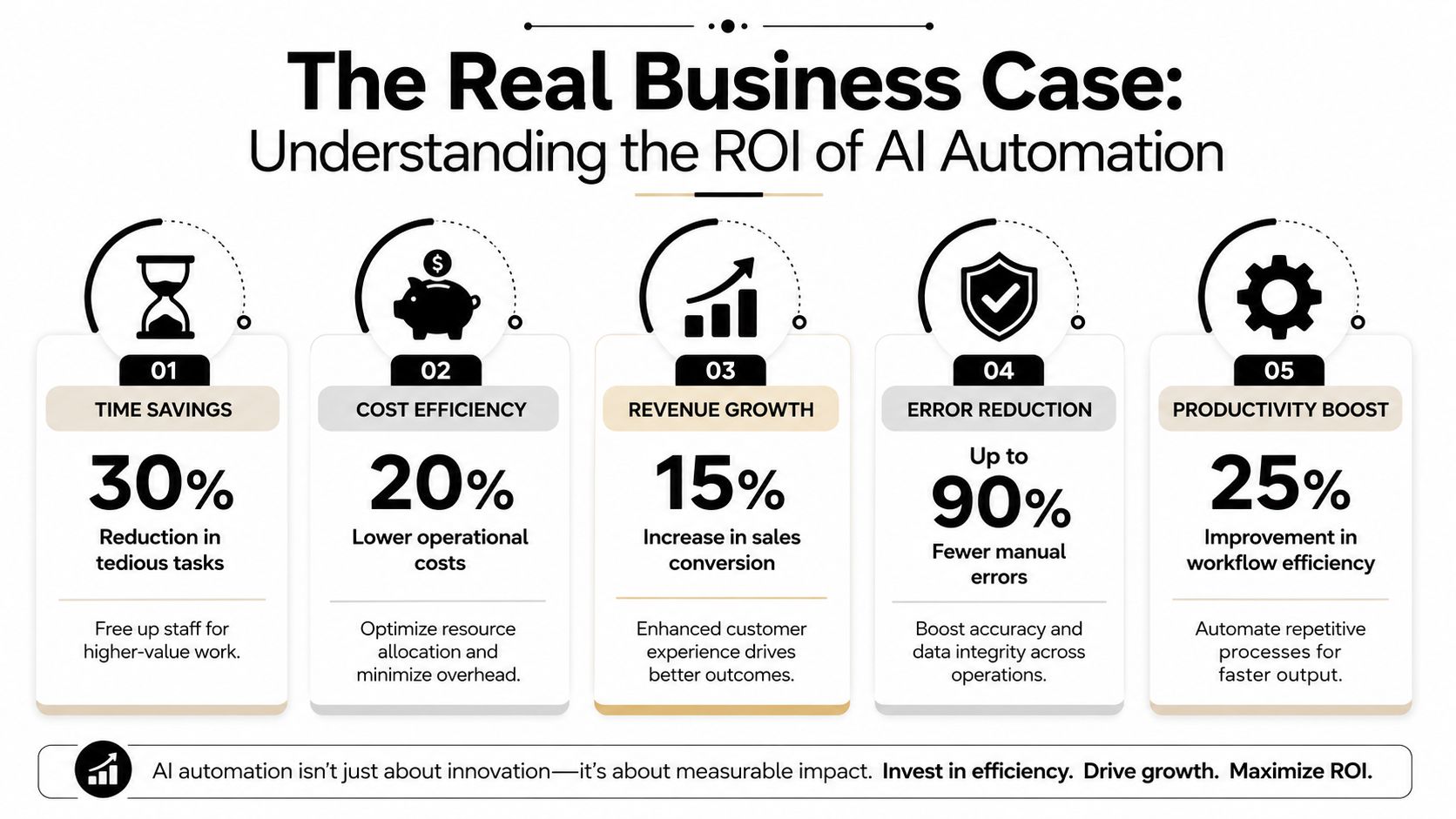
The strongest case for AI automation is that it turns time into output. An AI chatbot or automated support flow can answer routine questions around the clock, which means customers get help when they need it and your team doesn't have to be glued to the inbox. That's why the “24/7 assistant” analogy works so well, it's available after hours, handles the repetitive stuff, and doesn't ask for overtime.
Industry reporting cited in 2025 estimated that AI-powered customer service systems return about $3.50 for every $1 invested, while marketing automation averages $5.44 for every $1 spent deantek.ai automation statistics. The same source reported that 67% of AI-adopting SMBs saw 20%+ revenue growth attributed to AI-enabled processes deantek.ai automation statistics. Those numbers matter because they frame automation as a revenue and efficiency decision, not just a tech upgrade.
Why owners shouldn't fear the “replacement” story
The better way to think about AI is augmentation. The same reporting noted that 9 out of 10 small businesses using AI planned to keep or grow their human service teams deantek.ai automation statistics. That tells you where the value really is. AI handles the repetitive layer, people handle nuance, empathy, and decisions that carry risk.
Business reality: if your staff spend less time on routine replies, they can spend more time saving deals, calming upset customers, and closing sales.
For a broader look at how automation fits into small business operations, the internal guide on automation for small business is useful context. The core financial logic stays the same. When repetitive tasks shrink, response speed improves, mistakes drop, and the team has more capacity without needing a matching increase in headcount.
Five High-Impact AI Automations You Can Start With
The best starting points are rarely the fanciest ones. They're the jobs that happen all day, every day, and drain attention from your team. For small businesses, the highest-return automations are typically customer communication, appointment scheduling, invoice processing, and workflow routing because they target high-frequency, rules-based work that creates bottlenecks Autonomous guide.
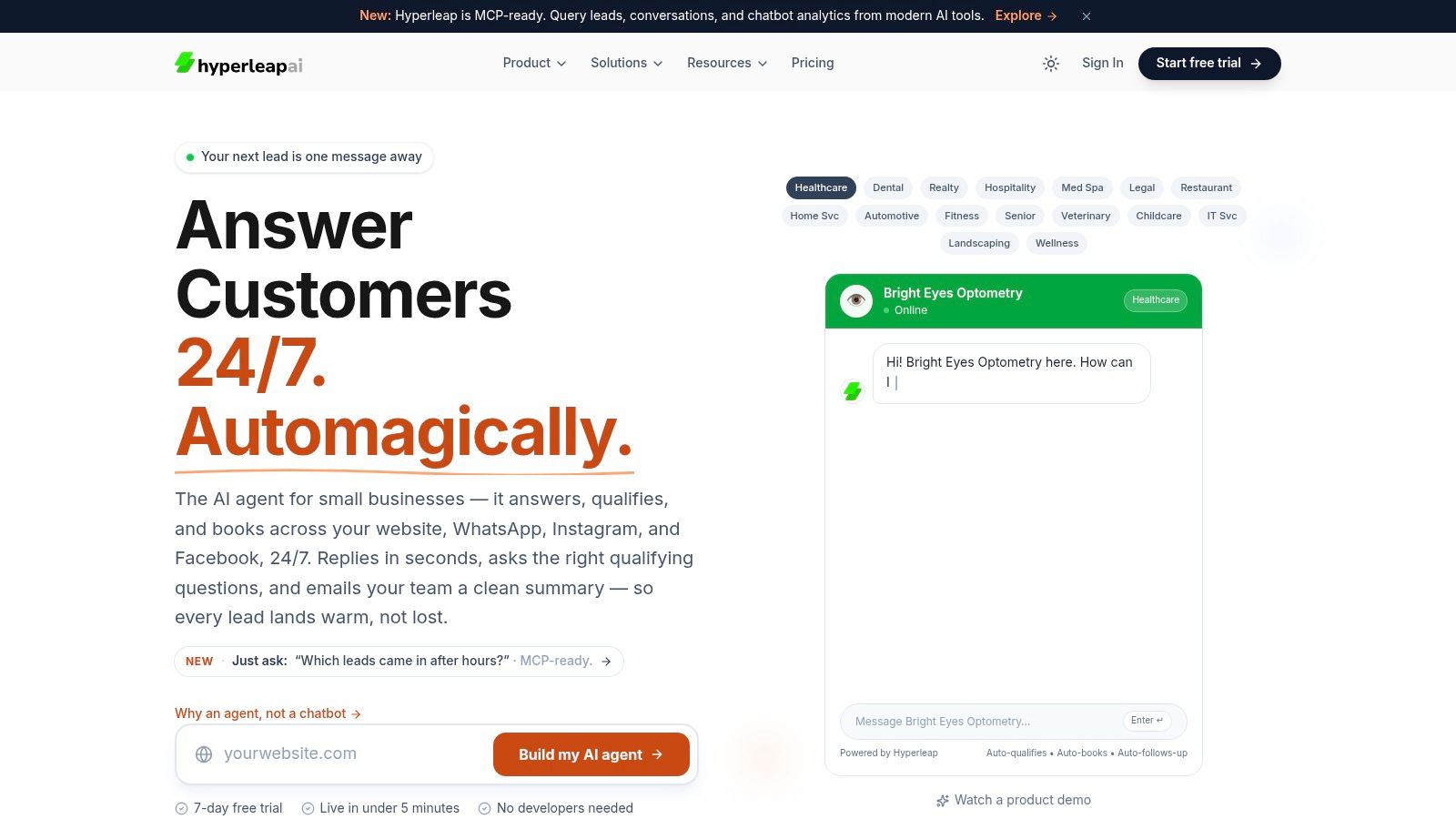
A practical way to choose is to ask one question, “What keeps interrupting the day?” The answer is usually where the first automation belongs. A no-code platform like Hyperleap AI can be used for customer questions, lead capture, booking flows, and routed handoffs, which makes these starting points concrete rather than theoretical.
| Use Case | Problem Solved | Key Benefit |
|---|---|---|
| Customer communication | Repeating the same questions across website chat, WhatsApp, or Instagram | Faster replies without pulling staff away from work |
| Appointment scheduling | Back-and-forth booking and missed callbacks | Fewer scheduling delays |
| Invoice processing | Manual follow-up and paperwork bottlenecks | Cleaner admin flow |
| Workflow routing | Requests landing in the wrong inbox or person | Better handoffs and less confusion |
| Knowledge management | Staff answering from memory instead of one shared source | More consistent answers across locations |
1. Customer communication
A visitor wants pricing, hours, service details, or next steps. Instead of waiting for a human response, an AI assistant can handle the routine reply instantly and pass along the hard stuff. That's the difference between a slow inbox and a responsive front door.
2. Appointment scheduling
If your business depends on bookings, time gets wasted on the same question loop. “What days do you have open?” “Can I move this to Friday?” A scheduling automation can answer, confirm, and reduce the friction that causes drop-off. The guide to choosing your marketing tech is useful here because it helps owners think about tools by workflow, not by buzzword.
3. Smarter client intake
Some businesses lose momentum before the first conversation even starts. Intake forms can gather the right details first, then route a qualified lead or customer to the right next step. That's especially helpful when your team needs context before they spend time on a call.
4. Workflow routing
When a request lands in the wrong place, the delay often has nothing to do with the work itself. AI routing can push a message to the right person or queue based on topic, urgency, or location. That saves time and prevents the “who owns this?” problem.
5. Unified knowledge for multi-location teams
If your business has multiple locations, inconsistent answers become a real problem. A centralized knowledge base keeps the core answers aligned while allowing location-specific details to stay accurate. That's where a system like Hyperleap AI can be useful as one option among others, and the related AI agent for business discussion helps frame what an agent can and can't do.
Start with one workflow, not five. The fastest wins come from a single repetitive task that already has a clear answer.
Your Implementation Roadmap From Idea to Launch
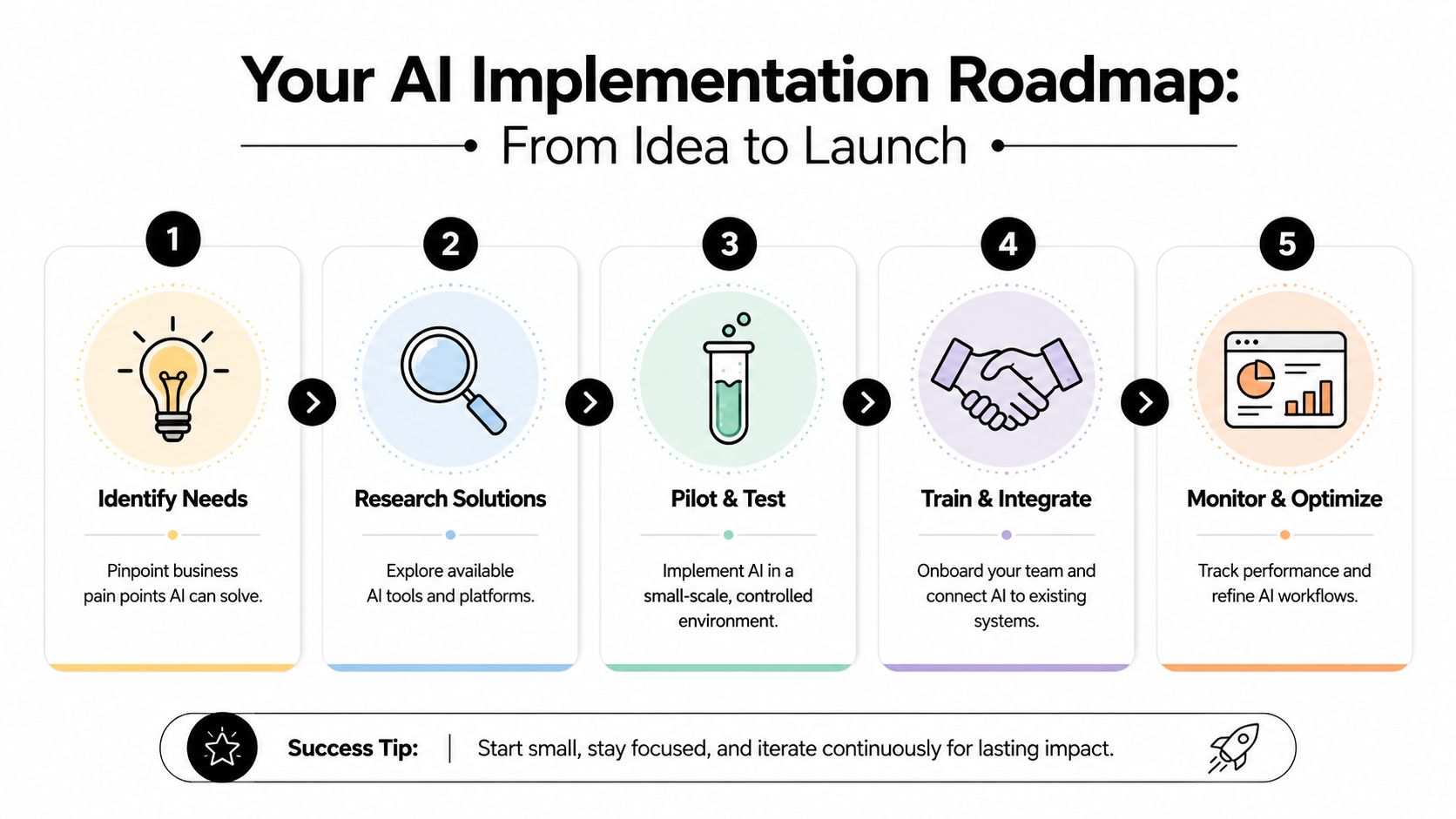
A good rollout feels less like a big tech project and more like a controlled experiment. You don't need to automate everything at once, and you definitely don't need to rebuild your business around the tool. You need one workflow, one owner, and one clear success metric.
1. Pick the bottleneck first
Look for the task that wastes the most time or causes the most friction. It might be missed after-hours leads, repetitive booking questions, or inbox triage. If it's a common problem, it's a good candidate.
2. Choose a no-code tool that fits the task
The tool should match the workflow, not the other way around. If you need chat, intake, or booking, pick something built for that use case. Avoid buying a broad platform just because it sounds powerful.
3. Feed it real business material
Use your FAQs, service descriptions, intake forms, and policy notes. The goal is to make the automation answer from your business, not from generic internet language. That keeps replies on-brand and reduces confusion.
4. Keep a human in the loop
For routine outputs, automate the response. For edge cases, route to a person. A practical deployment pattern for SMB AI is human-in-the-loop escalation, where routine outputs are automated and exceptions are flagged for review Refact guide. That's the safest way to keep quality high while you learn.
5. Measure and adjust
Simple automations can often be built in 2 to 4 hours, then tuned over a 30- to 90-day measurement window Refact guide. That makes the launch process manageable, not overwhelming.
The main mistake is trying to automate a broken process. If your current workflow is messy, fix the process first, then automate it. Otherwise, the automation just makes the mess faster.
Integrating AI with Your Existing Business Tools
Most owners don't ask whether AI is clever. They ask whether it can work with the tools they already use. That's the right question, because a chatbot that can't connect to your calendar, CRM, or messaging apps becomes one more silo to manage.
The practical stack usually starts with scheduling tools like Calendly or Cal.com, then connects to a CRM, then reaches into the channels where customers message you, such as WhatsApp, Instagram, or Facebook. The value isn't just convenience. It's continuity, because the same conversation can move from chat to booking to follow-up without someone copying data between systems.
Compliance matters more in some industries
For clinics, real estate groups, and similar businesses, the best use case is tier-one, high-volume work with humans handling exceptions MySherpa guide. That means the automation should handle the routine message, then hand off anything that touches money, legal terms, complaints, or unusual context. Full autonomy is not the default when trust and accuracy matter.
That's also why official messaging infrastructure matters. If a business is using WhatsApp at scale, a compliant setup through an official Meta Technology Provider is the difference between reliable delivery and a fragile workaround. For sensitive customer data, GDPR-grade security isn't a nice-to-have, it's the baseline for trust.
Rule of thumb: route high-confidence answers automatically, and escalate everything else.
The internal CRM synchronization guide is relevant here because good automation depends on clean handoffs between systems. If your chatbot captures a lead but the CRM never receives it, the automation didn't really finish the job. Integration is what turns a nice demo into an operational tool.
Measuring Success How to Know Your AI Is Working
Owners don't need a complicated dashboard to know if automation is paying off. They need a few numbers tied to real business goals. If the tool saves time but doesn't improve response quality, booking volume, or team capacity, it's not pulling its weight.
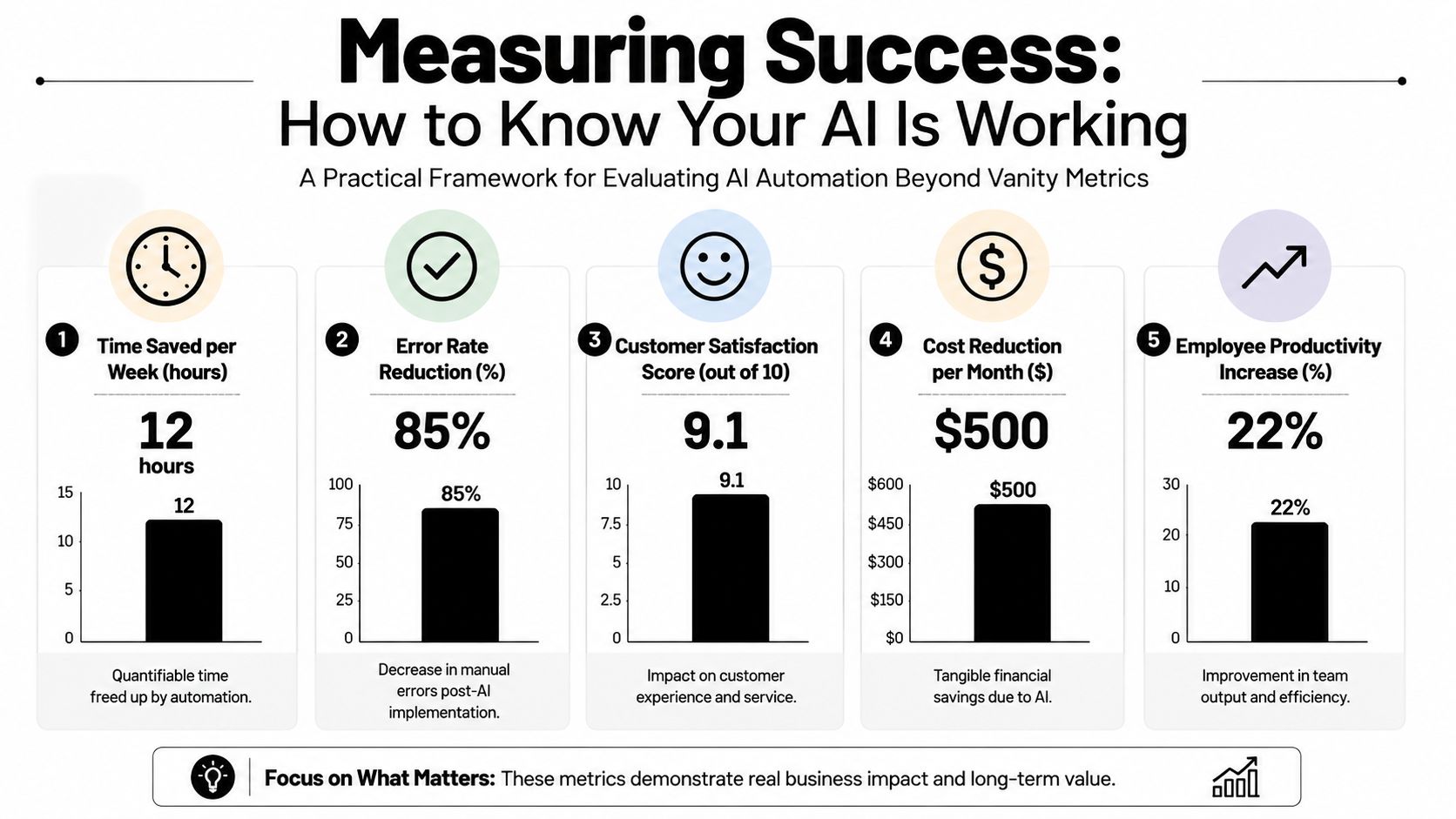
Track business outcomes, not vanity metrics
The first number to watch is hours saved per week. That tells you whether the automation is taking work off the team's plate. The next is lead quality, because more captured leads mean little if they're all junk or unqualified.
Then look at support deflection, which shows how many routine questions were answered without human help, and the conversion rate from chat to booked appointment. If those numbers improve, the automation is doing what it should. If they don't, the problem may be the workflow, the wording, or the handoff.
Keep the scorecard simple
A clear dashboard should answer three questions. Is the business saving time? Are customers getting faster answers? Is the tool helping create revenue instead of just moving messages around?
The best part of a good dashboard is that it removes guesswork. A team can stop arguing about whether the bot is “helpful enough” and look at concrete outcomes instead. That makes the conversation calmer and more useful.
If the automation creates fewer interruptions and more booked conversations, it's working.
Conclusion Your Next Step in AI Automation
AI automation is no longer a future bet for big companies. It's a practical tool for small businesses that want faster response times, better follow-up, and more room to grow without drowning in repetitive work. The smart move isn't to automate everything. It's to start with one low-risk workflow that already eats up too much time.
That's why the low-hanging wins matter so much. Customer communication, scheduling, intake, routing, and basic knowledge handling are often the first places where a small business feels real relief. Once those pieces work, the rest gets easier to see.
If you've been waiting for the “right time,” it's probably already here. Pick one bottleneck, test one automation, and measure the result instead of guessing. Start small, keep humans in the loop, and let the data tell you where to expand.
A CTA for Hyperleap AI.