Customer Service AI Agent: The SMB Guide for 2026
Discover how a customer service AI agent can transform your SMB. Our guide covers benefits, implementation, KPIs, and how to get started without a tech team.

Most small business owners don't have a support problem. They have an availability problem.
A prospect lands on your site at 10:47 PM, asks whether you serve their area, wants a price range, and is ready to book. Nobody answers. By morning, that person has already messaged a competitor. The same thing happens with existing customers who need order help, appointment details, or a quick policy answer. The questions are usually simple. The timing is what breaks the process.
That gap is why the customer service AI agent has become so practical for SMBs. It isn't just a shiny chatbot on a homepage. Used well, it becomes the first responder for routine questions, lead capture, scheduling, and handoff. Used poorly, it becomes a fast way to frustrate buyers.
This guide is for owners and lean teams who want the upside without the usual AI fog. If you've been exploring tools like an AI receptionist for small business, the primary question isn't whether AI matters. It's how to set it up so it answers accurately, captures real leads, and knows when to bring in a human.
Table of Contents
- Your Business Can't Be Open 24/7 But Your Customer Service Can
- What Is a Customer Service AI Agent Really
- Key AI Agent Benefits for Small Businesses
- A Practical Guide to AI Agent Implementation
- Comparing AI Agents to Traditional Support Options
- Measuring Success and Troubleshooting Your AI Agent
- AI Agents in Action SMB Success Stories
Your Business Can't Be Open 24/7 But Your Customer Service Can
A local service business usually hits the same wall. The phone gets answered during office hours, email gets checked in batches, and social messages pile up overnight. Customers don't care that your team is small. They care that they need an answer now.
That pressure is one reason adoption has moved so quickly. In a 2025 survey of senior executives, 79% said they're already using AI agents and 88% said they plan to increase AI budgets in the next year because of agentic AI, according to PwC's AI agent survey. The same source notes that for customer service, AI now handles about 80% of support queries in many sectors.
For an SMB owner, those numbers matter because they signal a shift in customer expectations. Buyers are getting used to instant replies. When your business can't provide them, the missed opportunity isn't abstract. It's a lost estimate request, an abandoned cart, or a frustrated existing customer.
Where small teams lose momentum
The trouble usually shows up in a few predictable places:
- After-hours lead loss: A visitor asks a buying question at night and leaves before anyone replies.
- Repetitive support drag: Your staff spends too much time answering the same five questions.
- Slow routing: People with urgent needs sit in the same queue as people asking basic FAQs.
- Inconsistent responses: One employee gives a clear answer, another gives a partial one.
A practical customer service AI agent closes those gaps by handling the front-line work continuously. Not everything. Just the work that doesn't need a person every time.
Practical rule: If a question is common, time-sensitive, and follows a repeatable process, it's a strong candidate for AI support.
If you're evaluating different ways of deploying intelligent automation for support, keep your focus on business coverage, not novelty. The right setup helps you respond when your team is asleep, busy, or already on another call. That's the value.
What Is a Customer Service AI Agent Really
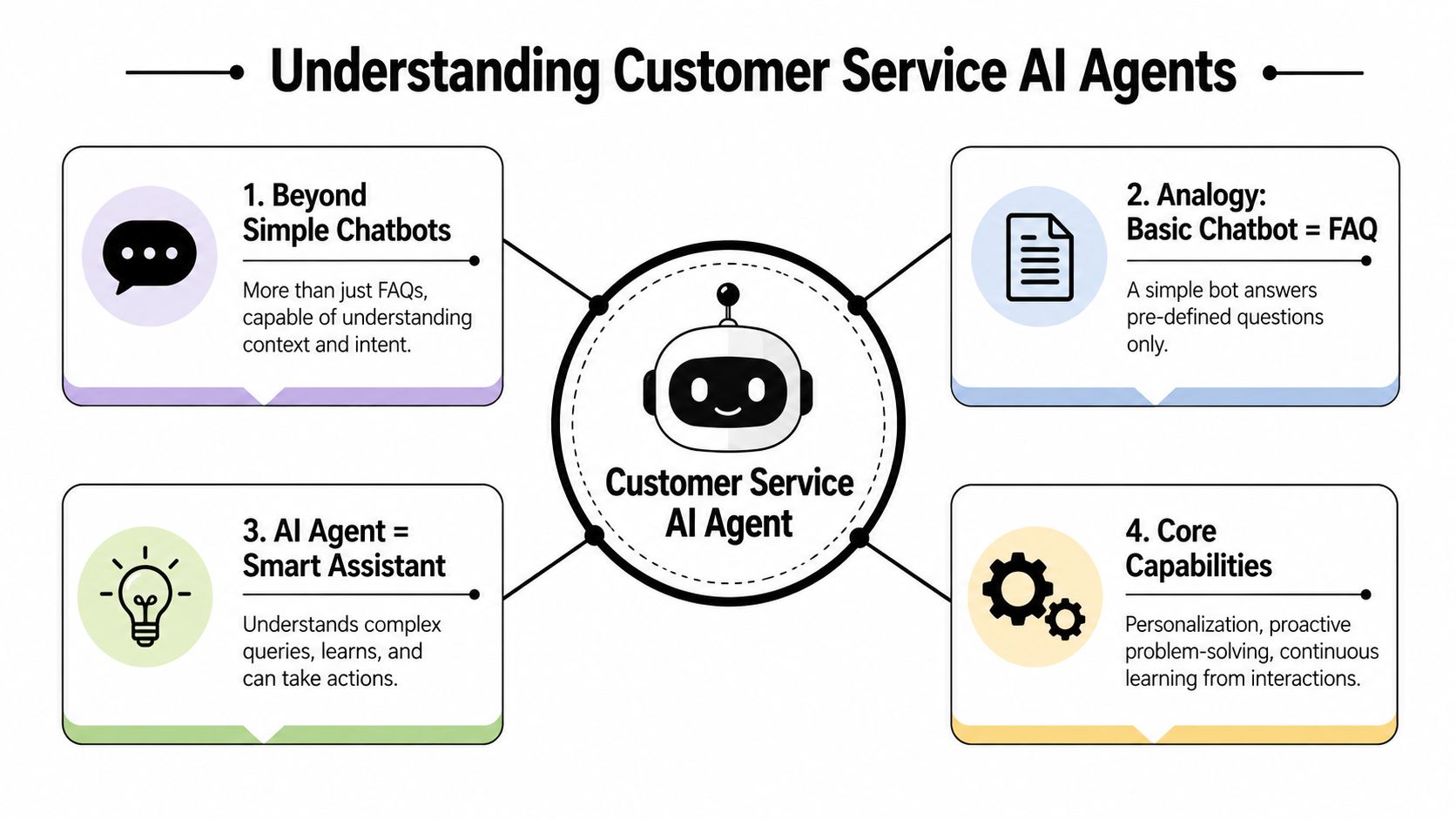
A basic chatbot is like a receptionist reading from a laminated FAQ sheet. It can answer narrow questions if the wording is familiar. The moment the conversation shifts, it gets lost.
A customer service AI agent is closer to a trained staff member with access to your business information and tools. It can understand intent, ask follow-up questions, keep context across the conversation, and move the interaction forward. That difference matters because customers rarely speak in clean, pre-labeled scripts.
The real difference is action
Modern agents don't just talk. A key capability is autonomous tool execution. That means they can connect to systems like CRMs, calendars, billing tools, or ticketing platforms and carry out multi-step tasks such as identity verification, subscription changes, or booking a meeting, as described in Decagon's overview of customer service agent capabilities.
That changes the stakes. With an old bot, the main risk was a weak answer. With an AI agent, the bigger risk can be a wrong action.
Why grounding matters more than clever wording
For non-technical owners, this is the point most vendors skip. The agent is only as reliable as the information and systems you connect to it.
Think of grounding like training a new employee with your own binder instead of letting them improvise. If you give the agent your service pages, pricing notes, location details, policy documents, and product information, it has a defined source of truth. If you skip that step, it starts guessing. Guessing is where bad support starts.
A sound setup usually includes:
- Business knowledge: Website pages, PDFs, service menus, policies, brochures, and FAQs.
- Connected tools: Calendar, CRM, help desk, forms, and messaging channels.
- Rules for sensitive tasks: Approval gates or limited permissions for refunds, account updates, or anything involving risk.
- Clear escalation paths: If confidence is low or the issue is emotional, hand it off.
The best AI support experiences don't feel robotic. They feel organized.
That's the practical definition. A customer service AI agent is not just software that chats. It's a system that understands, responds, and takes limited action inside rules you control.
Key AI Agent Benefits for Small Businesses
Small businesses don't need another dashboard. They need fewer missed leads, less repetitive admin, and faster replies without adding headcount every time demand spikes.
That's where the business case becomes clear. According to a 2025 statistics roundup, AI-enabled customer service agents increased issue resolution by 14% per hour and reduced handling time by 9%. The same roundup reports that AI agents can reduce response times by 37% and improve customer satisfaction by 32% on average, as summarized by ChatMaxima's AI customer support statistics.
Benefit one is captured demand
The first win is simple. You stop letting interested buyers hit a dead end.
If someone asks whether you cover a ZIP code, whether financing is available, or whether you have appointments this week, the agent can answer immediately and move them to the next step. For a small team, that means the website stops acting like a brochure and starts acting like a front desk.
Benefit two is operational breathing room
Routine support drains real time from lean teams. Order status questions, opening hours, service availability, parking details, basic insurance questions, and return policies don't usually require skilled human judgment.
When the AI handles those first-line interactions, your staff gets time back for work that needs them:
- Sales conversations: Quotes, objections, and custom packages
- Exception handling: Complaints, sensitive accounts, unusual requests
- Follow-up work: Nurturing real leads instead of sorting spam
- On-site operations: Serving customers already in front of you
Benefit three is a better customer experience
Customers judge service on speed, clarity, and continuity. They want answers without repeating themselves.
An effective agent gives them that by staying available, collecting the right details, and passing context to a human when needed. If the handoff is done well, the staff member sees the conversation history and can continue from the exact point where the customer got stuck.
What usually works best for SMBs:
| Business goal | What the AI agent handles well | What should stay human |
|---|---|---|
| Faster response | FAQs, first contact, routing | Complex judgment calls |
| Better lead flow | Intake questions, qualification, booking | High-value closing |
| Lower support load | Repetitive requests, status checks | Escalations and delicate issues |
The mistake is expecting the AI to replace the whole support function. Its true value comes from using it to absorb the repeatable work so your team can show up where judgment and trust matter most.
A Practical Guide to AI Agent Implementation
Most failed AI projects start too wide. The owner wants the tool to answer every question, support every channel, and automate every workflow on day one. That's how you create confusion fast.
A better approach is to launch a narrow, useful version first.
Start with one job, not every job
Pick one clear use case. Good starting points for SMBs include lead qualification, appointment booking, store or service FAQs, order-status guidance, or first-response support on WhatsApp and website chat.
The point is to choose a workflow with three traits:
- It's common: The question comes up often.
- It's structured: There are known answers or known next steps.
- It has business value: Solving it saves time or captures revenue.
If you run an online store, product recommendation and cart questions may be the first target. If that applies to you, some of the ideas used in e-commerce sales assistance technology are worth studying because they focus on moving shoppers from hesitation to action inside the conversation.
Ground the agent in your real business information
It is often non-technical teams that get the biggest quality jump.
Don't start by writing dozens of clever prompts. Start by giving the agent the right source material. That means your website pages, service lists, pricing guidance, operating hours, policy docs, brochures, and any documents customers often ask about.
A no-code platform should let you do this by pasting a URL or uploading files. If you're comparing options, a setup guide like getting started with AI agents helps frame the rollout in practical terms.
Grounding does three important things:
- It narrows the answer set to your actual business.
- It keeps wording more consistent with your brand.
- It reduces made-up answers.
If you have multiple locations, add location-specific overlays. Shared information can sit in one core knowledge base, while each branch gets its own hours, service area, or staff details.
Don't treat setup like copywriting. Treat it like operations. The agent needs source material, rules, and a clear job description.
Set up secure lead capture and booking
A customer service AI agent shouldn't just chat. It should convert interest into something your team can use.
That means collecting the right contact details at the right time. For SMBs, secure lead capture matters because low-quality forms create busywork. OTP-verified lead capture is especially useful when spam and fake inquiries are a recurring problem. It helps ensure the person on the other end is real before the record enters your pipeline.
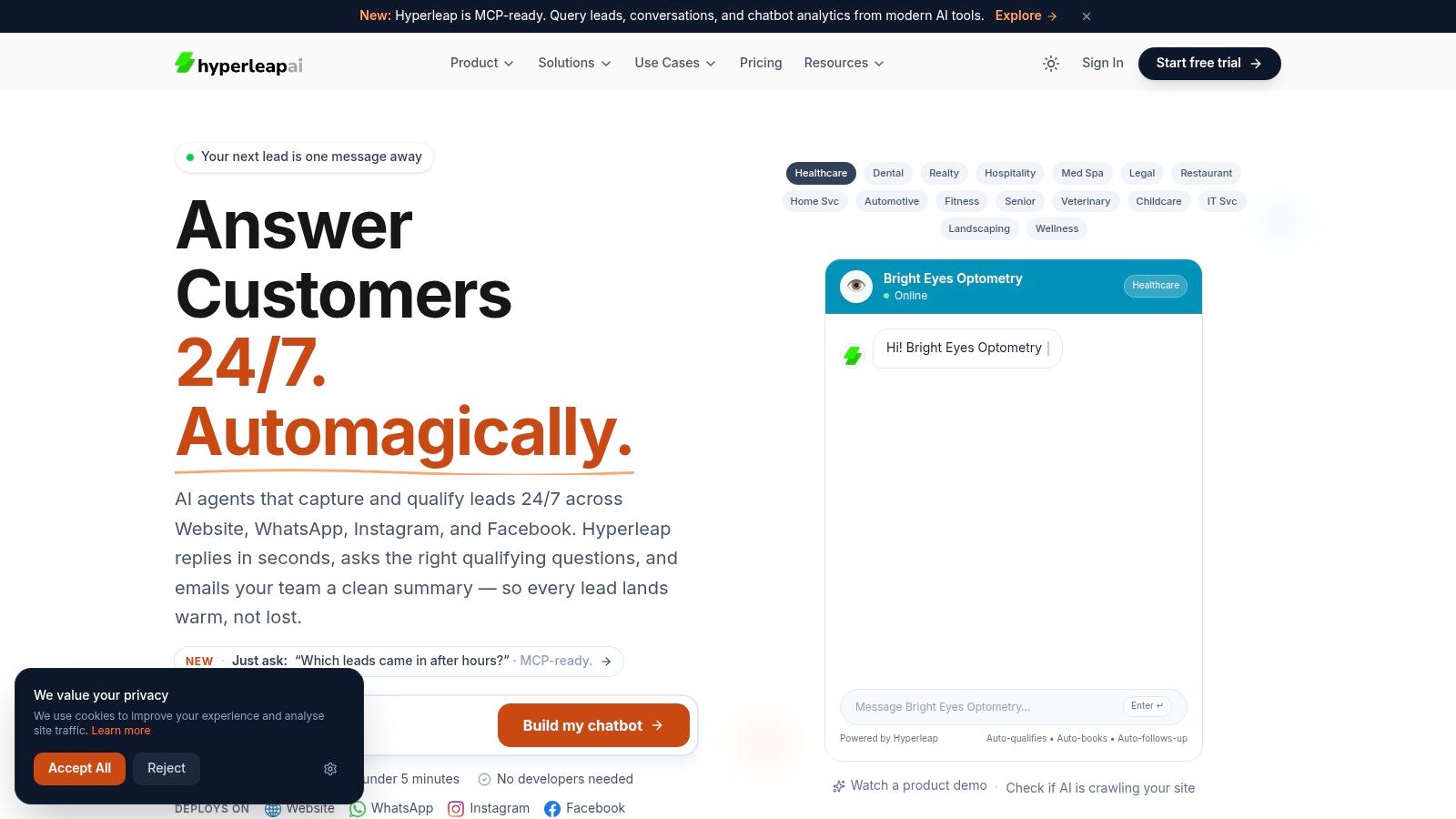
From there, connect booking tools such as Calendly or Cal.com so the agent can move a qualified prospect straight into an available time slot. This is one area where a platform like Hyperleap AI fits naturally. It lets small teams ground responses in uploaded knowledge, capture verified leads, and route people to scheduling tools without requiring a developer.
Later in the rollout, add richer assets such as brochures, product photos, procedure guides, or short videos if customers often need visual reassurance before booking.
A short product walkthrough can also help your team picture the flow before launch:
Add guardrails before you go live
The final setup step is where many owners get impatient. Don't skip it.
Create rules for what the agent can do on its own, what it can suggest but not execute, and what must always go to a human. Sensitive actions like refunds, account changes, complaint handling, or emotionally charged conversations need tighter control.
A simple guardrail model works well:
- Fully automated: Hours, availability, FAQs, lead capture, booking
- AI-assisted with review: Drafting replies, collecting details, suggesting next actions
- Human-only: Financial disputes, legal threats, medical concerns, upset customers, custom negotiations
That's how small teams keep the AI useful without letting it create avoidable risk.
Comparing AI Agents to Traditional Support Options
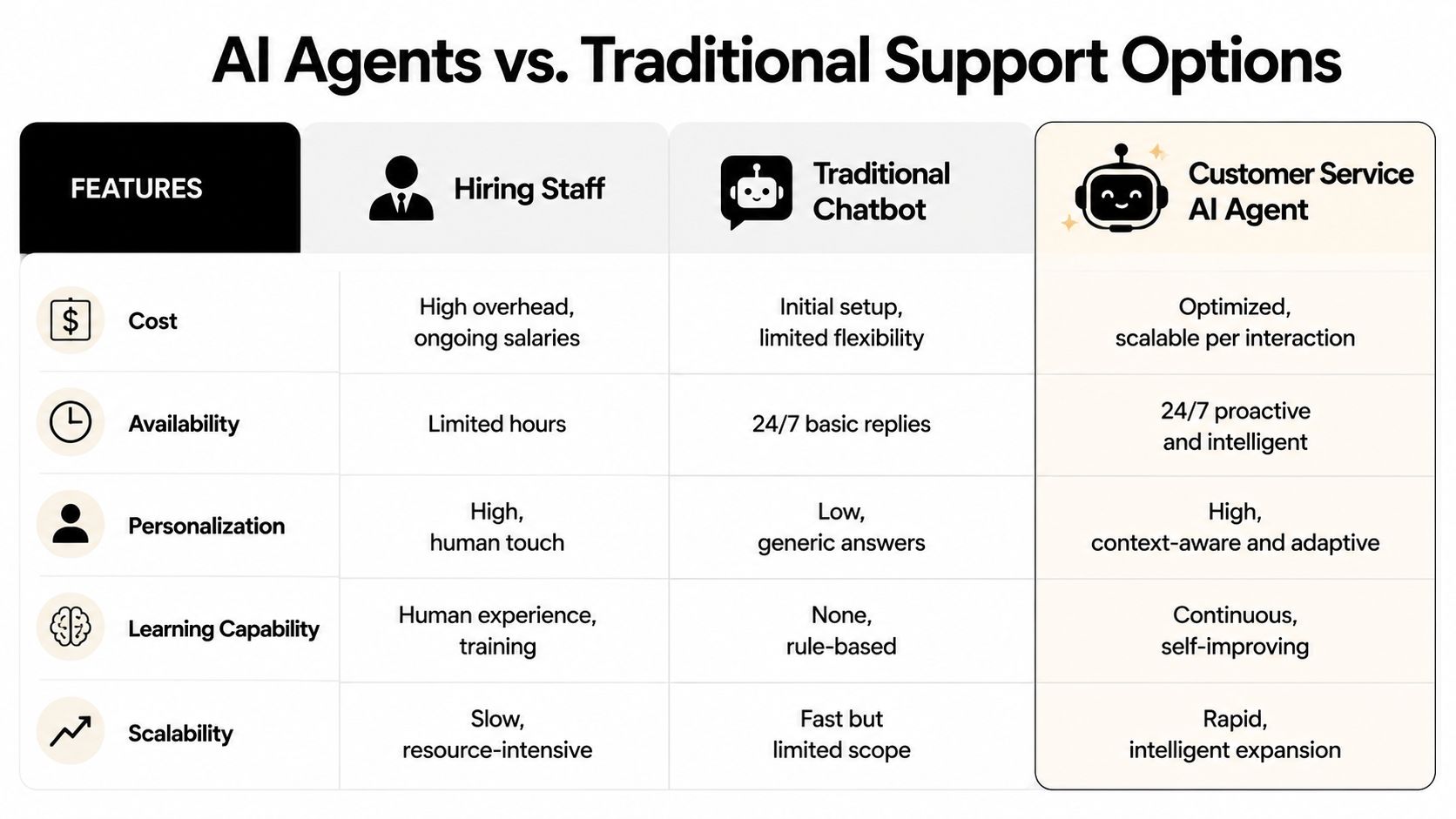
When owners evaluate support options, the main alternatives are usually straightforward. Hire another person. Install a simple FAQ bot. Or deploy a customer service AI agent.
Each option solves a different problem. The mistake is judging them by the same standard.
Side by side trade-offs
| Option | Where it helps most | Main limitation | Best fit |
|---|---|---|---|
| Hiring staff | Relationship-heavy support, complex exceptions, sales conversations | Limited hours and scaling takes time | Businesses with steady volume and enough margin for headcount |
| Basic chatbot | Simple FAQ deflection | Weak context, no real workflow execution | Very small sites with narrow question sets |
| Customer service AI agent | 24/7 front-line support, lead capture, booking, routine resolution | Needs setup discipline, knowledge grounding, and oversight | SMBs with recurring questions and limited staff capacity |
When hiring still wins
A human employee is still the right choice when empathy, negotiation, or complex judgment sits at the center of the interaction. High-ticket B2B sales, delicate account recovery, and emotionally loaded service issues still benefit from a person leading the conversation.
That doesn't weaken the AI case. It sharpens it. Use people where people create the most value.
When a basic bot is enough
A simple bot can still be fine if your only goal is to answer fixed questions like store hours, address, or return policy. It's cheap, quick to launch, and easy to maintain.
But the ceiling arrives fast. If you need the system to qualify a lead, remember previous messages, connect to a calendar, or route by location, a rules-only bot starts to feel brittle.
Choose the tool based on the work. Don't buy agent-level software for a brochure problem, and don't expect a FAQ bot to run an intake workflow.
For many SMBs, the customer service AI agent sits in the middle ground that matters most. It offers more scale and availability than a person alone, but more context and action than a script-based chatbot.
Measuring Success and Troubleshooting Your AI Agent
An AI agent isn't finished when it goes live. Launch is where management starts.
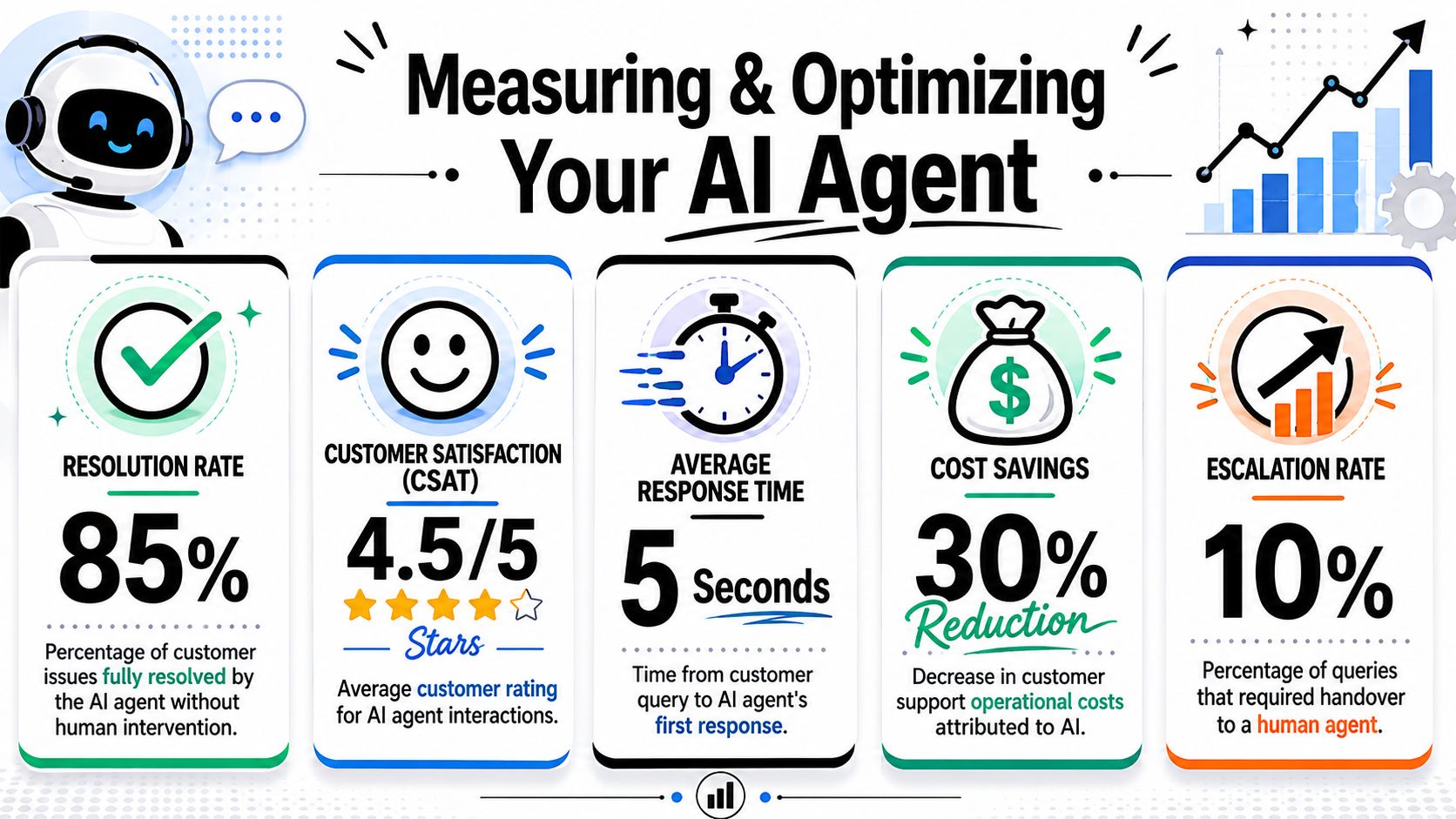
The most useful way to evaluate performance is not by asking whether the bot sounds smart. Vendor guidance recommends tracking resolution rate, deflection rate, response time, and escalation quality, with continuous monitoring after deployment so teams can catch failures in context or policy compliance, as outlined in Salesforce's guidance on customer service agents.
The numbers that matter after launch
For SMB owners, these KPIs are practical:
- Resolution rate: How often the agent solves the issue without human help.
- Deflection rate: How many conversations it handles so staff don't have to.
- Response time: How quickly the customer gets the first useful reply.
- Escalation quality: Whether the handoff includes enough context for a human to take over smoothly.
If you want a deeper framework for support performance, this guide to KPIs for customer service is a useful reference point.
Simple fixes for common problems
Most post-launch problems trace back to setup, not the model itself.
- Wrong answers about current services: Update the knowledge base. Old source material creates old answers.
- Too many weak leads: Tighten intake questions and use stronger verification before submission.
- Good answers, poor conversions: Add better booking prompts and clearer next steps.
- Awkward handoffs: Pass the full chat transcript and collected details into the inbox or CRM.
- Overconfident behavior: Lower autonomy for sensitive workflows and force human review where needed.
A simple weekly review usually catches most issues. Read real conversations. Look for repeated failures. Then change one thing at a time so you can tell what improved.
If the same mistake appears three times, it's a system problem. Fix the workflow, the knowledge source, or the handoff rule.
AI Agents in Action SMB Success Stories
The most helpful way to judge a customer service AI agent is to picture it inside a real business process.
A multi-location real estate group is a good example. Prospects ask whether a property is still available, what neighborhood it's in, whether pets are allowed, and when viewings are open. The agent can answer from a shared knowledge base, collect contact details, and route the prospect to the right office. But it shouldn't negotiate offers or handle emotionally loaded dispute conversations. Those still belong with a person.
Three practical patterns
A dental clinic has a different workflow. Patients ask about office hours, insurance acceptance, common procedures, and first-visit expectations. The agent can handle those recurring questions, collect intake information, and move people to consultation booking. But if the discussion turns sensitive, urgent, or medically nuanced, the handoff should happen quickly and cleanly.
An e-commerce store often sees a flood of repetitive requests. Order-status questions, return policy checks, shipping windows, and product comparison queries can be managed by the agent. It can also suggest relevant products based on what the shopper asks. But return disputes, damaged-order complaints, or angry repeat customers usually need human review.
Where autonomy should stop
Here, strategy matters more than features. Guidance on AI support is moving away from full replacement and toward agentic workflow orchestration, where low-complexity work is automated and higher-risk or emotionally sensitive issues remain under human oversight, as discussed in Zendesk's article on AI agents and workflow automation.
That model fits SMBs well because it reflects how small teams already operate. Owners don't need the AI to run the whole business. They need it to take the repetitive front-end load off the team and route the rest with context.
The common thread across these examples is simple. The AI does the repeatable work. The staff handles trust, nuance, and exceptions. That's the operating model that usually works.
If you want a practical way to put this into action, Hyperleap AI gives small businesses a no-code path to launch an AI agent across website and messaging channels, ground it in their own documents and pages, capture verified leads, and book appointments without needing a developer.