AI Assistant for Small Business: Your 2026 Growth Guide
Discover how an AI assistant for small business can capture leads & answer customers 24/7. Learn benefits, use cases & how to choose the best tool.
Your phone rings while you're with a customer. A website lead comes in after hours. Someone messages on Instagram asking about pricing, and by the time you reply the next morning, they've already booked with someone else.
That's the reality for a lot of small business owners. You don't need another dashboard. You need something that catches inquiries, answers common questions, qualifies leads, and moves people toward a booking without adding another full-time salary.
An AI assistant for small business does that when it's set up properly. Not as a gimmicky FAQ bot, but as a practical front-line operator that works inside the tools you already use, sticks to your approved information, and hands off the right conversations at the right time.
Table of Contents
- What Is an AI Assistant and Why You Need One Now
- Key Benefits an AI Assistant Unlocks for Your Business
- Beyond FAQs Critical Features Your AI Assistant Needs
- How Different Small Businesses Win with AI Assistants
- Your Evaluation Checklist for Choosing an AI Assistant
- Implementing Your AI Assistant in One Week
- Scaling Your Service Without Scaling Your Team
What Is an AI Assistant and Why You Need One Now
An AI assistant for a small business is a digital employee for repetitive customer-facing work. It answers questions, captures leads, books appointments, routes people to the right next step, and does it without needing a human to sit online all day.
The simplest way to think about it is this. A basic chatbot waits for a question and spits back an answer. A useful AI assistant knows your business rules, uses your approved content, and can do something with the conversation, like collect contact details, pass a lead into your CRM, or send someone to your booking link.
It solves a staffing problem most owners already have
Small teams lose momentum in predictable places. Calls get missed. Website chats go unanswered. The front desk gets overloaded. Sales follow-up slips because the same person is also handling operations.
That's why this category has moved from “nice to have” to operational necessity. AI-powered customer service chatbots are used by 38% of AI-adopting small businesses in 2026, making them one of the most common small business AI use cases, and 80% of small businesses planned to integrate AI chatbots into customer support strategies by the end of 2025 according to Lilach Bullock's small business AI adoption summary.
Practical rule: If customers contact you when your team is busy, closed, or understaffed, you already have a use case for an AI assistant.
What it should actually do
A real AI assistant for small business should cover work like this:
- Answer routine questions: Pricing ranges, opening hours, service availability, booking steps, policies.
- Capture sales intent: Name, phone, email, service needed, preferred time, location.
- Move the conversation forward: Send a brochure, route to Calendly or Cal.com, create a follow-up task, or escalate to a person.
- Stay on message: Use only your approved website pages, PDFs, policy docs, and business information.
If it only chats and never hands off, books, tags, or routes, it's not an assistant. It's a widget.
Key Benefits an AI Assistant Unlocks for Your Business
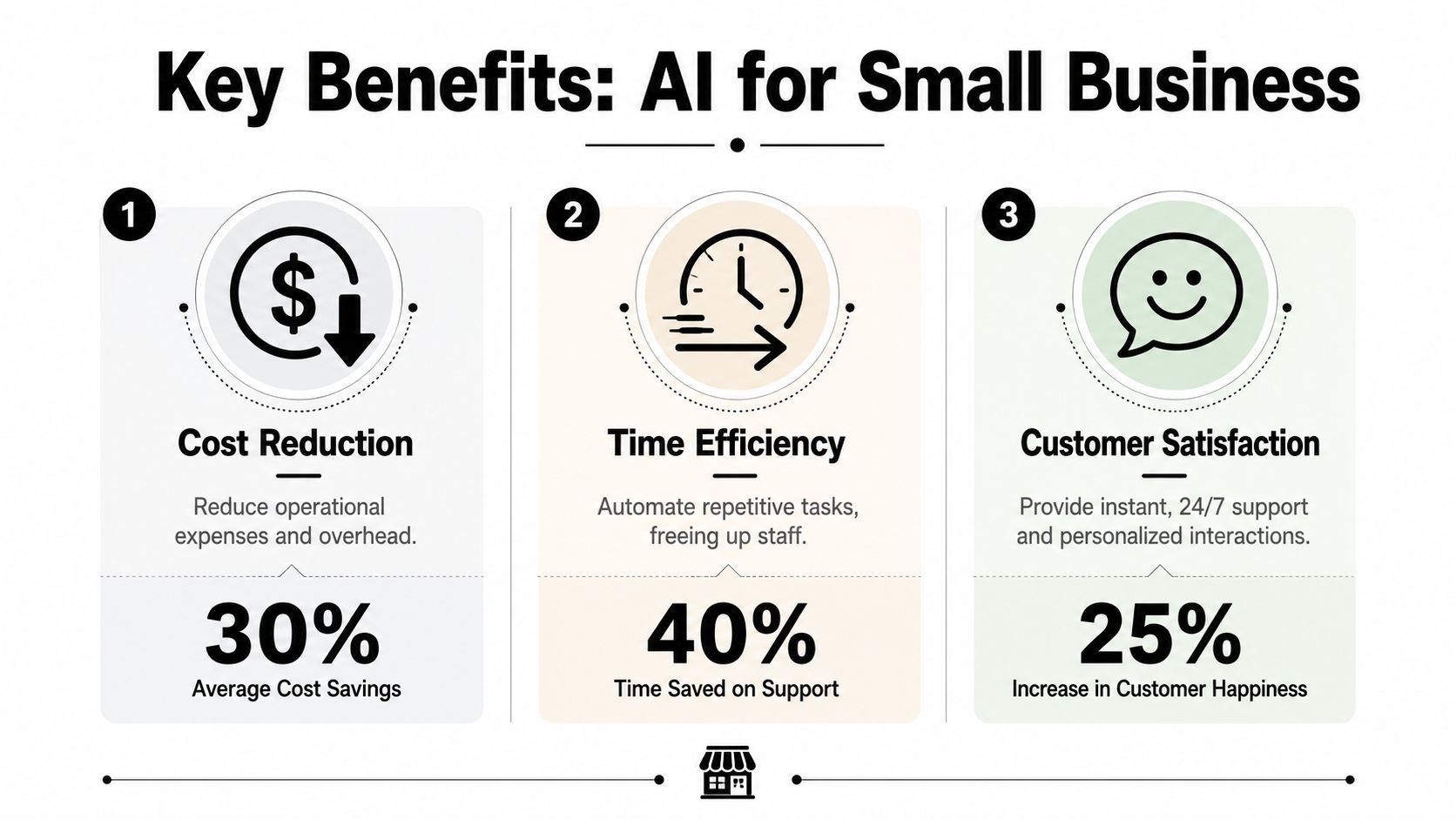
Most owners buy software for one of two reasons. It either helps them make more money or waste less time. A good AI assistant does both.
Better lead capture without adding headcount
The biggest win is simple. You stop letting warm inquiries sit there.
When someone lands on your site at night, sends a message during lunch rush, or asks a question while your staff is busy, the assistant can respond immediately, gather context, and steer that person toward a booking or callback. That matters because speed is often the difference between a lead that converts and one that disappears.
There's also a real financial case behind this. AI-powered customer service systems return $3.50 for every $1 invested, and 91% of small businesses using AI report revenue increases, while 67% of AI-adopting small and mid-sized businesses report 20% or more revenue growth attributed to AI-enabled processes, based on small business AI statistics compiled by ADAI News.
Faster service with less repetitive work
A lot of customer service volume is repetitive. Hours, availability, pricing basics, booking links, required documents, delivery windows, service areas. Teams answer the same questions over and over.
That's the work an assistant should absorb first. It frees staff to handle exceptions, in-person customers, and higher-value conversations instead of acting like a copy-paste machine all day.
For businesses that run on appointments, this gets even more useful when the assistant plugs into scheduling workflows. If you're in tutoring, coaching, or any lesson-based business, a strong scheduling flow matters as much as the conversation itself. This walkthrough on how to schedule tutoring sessions efficiently is a good example of the kind of operational process your assistant should support rather than complicate.
The best early automation target is the question your team is tired of answering for the hundredth time.
Lower service costs and cleaner operations
An assistant also helps on the cost side, especially when you're deciding between hiring for repetitive front-line work or automating the first layer of it.
AI virtual assistants can deliver a 40 to 60% cost reduction compared to human equivalents, with a 70% reduction in routine inquiry handling, according to ArticSledge's analysis of AI virtual assistants for small business. That doesn't mean replacing your team. It means protecting your team from low-value volume so they can focus on the work that needs judgment.
A practical way to think about the payoff:
| Business pressure | What the assistant handles | Human team keeps |
|---|---|---|
| After-hours inquiries | Instant first response | Complex follow-up |
| Repetitive support questions | Standard answers from approved content | Exceptions and escalations |
| Basic lead intake | Qualification and contact capture | Closing and consultative sales |
That division of labor is where small businesses usually feel the return fastest.
Beyond FAQs Critical Features Your AI Assistant Needs
A lot of tools look good in a demo because they answer simple questions well. The problems start when a customer asks something slightly specific, wants to book, or needs an answer that depends on your actual business rules.

It needs a brain, memory, and hands
This is the cleanest way to evaluate an AI assistant.
It needs a brain to interpret the request, a memory built from approved knowledge like policy documents and product pages, and hands in the form of workflow integrations that connect to CRM, calendars, email, or booking software. Without that, the assistant becomes a disconnected tool instead of part of the business workflow, as described in SupportGPT's guide to AI assistants for small business.
If one of those pieces is missing, you feel it quickly:
- No memory: It improvises and gives risky answers.
- No hands: It can chat, but can't create a lead, assign a task, or book anything.
- No control layer: Staff can't trust what it says.
Grounded answers matter more than flashy wording
Founders often get distracted by how “human” a bot sounds. That's not the main issue. Accuracy is.
You want the assistant to answer from your website, PDFs, pricing sheets, FAQs, and approved docs. You don't want it inventing refund terms, quoting the wrong service scope, or making promises your team can't honor. For healthcare, real estate, hospitality, legal-adjacent, and service businesses, this is a fundamental requirement.
If the assistant can't show where its answer came from inside your approved content, don't trust it with customer conversations.
The feature list that actually matters
Skip the bloated comparison grids. For most small businesses, the useful features are these:
- Multi-channel support: Website chat alone isn't enough if your customers also message on WhatsApp, Instagram, or Facebook.
- Booking integration: Calendly, Cal.com, or whatever scheduling stack you already use.
- Lead capture with verification: Especially if spam form fills waste your team's time.
- Unified inbox: Staff should see full conversation history across channels.
- Media sharing: Brochures, photos, menus, intake forms, and videos need to be easy to send.
- Export and handoff: Conversations should move cleanly into CRM, email summaries, or spreadsheet exports.
A founder doesn't need a deep technical stack. They need one assistant that answers correctly, captures demand, and connects to the next step.
How Different Small Businesses Win with AI Assistants
The same technology works differently depending on the business. That's why generic advice usually falls flat. A salon, a hotel group, and an agency don't need the same setup, even if they all need faster replies.
Multi-location hospitality groups
A hotel group has a central brand, but each property has different room types, amenities, policies, and local details. That creates a maintenance problem most vendors gloss over.
The hard part isn't launching the assistant. It's updating it without breaking consistency across locations. Existing guides often miss “governed iteration” for multi-location SMBs, where one unified knowledge base must update instantly across locations while allowing local overrides, and SMBs expect 4 to 6 weeks to refine an AI according to Salesforce's discussion of AI assistants for SMBs.
That means a hospitality team should look for a setup where corporate updates flow across all properties, but each location can still control local amenities, offers, and policies. If you're comparing use cases by vertical, this roundup of industry-specific AI solutions is useful because it frames the assistant around operational context, not just features.
Clinics and appointment-heavy practices
A dental clinic or med spa usually gets hit with the same cluster of requests. New patient questions, appointment availability, accepted insurance, pre-visit instructions, and rescheduling.
An assistant works well here when it handles the intake layer and moves people toward a confirmed next step. Staff shouldn't be buried in repetitive chat while patients stand at the desk in front of them. The assistant can answer the common questions, gather the new patient's intent, and route them into the scheduler or to a team member when the case needs human review.
What doesn't work is giving the system too much freedom. Clinics need tight source control over services, paperwork, and policy language.
Agencies managing many conversations at once
Marketing agencies often have a different problem. They aren't only answering for themselves. They're fielding messages for clients across web chat and social channels, while also trying to keep lead quality high.
Here an AI assistant can act like a first-response layer that tags intent, gathers details, and pushes the lead into the correct pipeline. It also helps agencies keep response quality consistent across accounts, especially when junior staff or account managers are stretched.
Agencies get the most value when the assistant qualifies first and humans step in second. Not the other way around.
Across all three examples, the pattern is the same. The assistant handles the first mile of the conversation. The business keeps control over the parts that require judgment, compliance, or relationship-building.
Your Evaluation Checklist for Choosing an AI Assistant
Most founders evaluate AI tools backwards. They start with the demo, the homepage copy, or the brand name. Start with the operational job instead.
First, define the one job it must do well
Before you compare vendors, write down the single most expensive task you can't keep handling manually. For one company that's lead follow-up. For another it's front-desk overload. For another it's after-hours inquiry capture.
That matters because there's an affordability gap in the market. Many vendors hide pricing behind sales forms, and that blocks owners who need a clear under-$100-per-month option for a focused use case like lead follow-up, as discussed in Appalach.ai's write-up on the small business AI affordability gap.
If pricing isn't visible, that's a signal. It usually means the tool was packaged for larger teams, custom scoping, or enterprise sales motion.
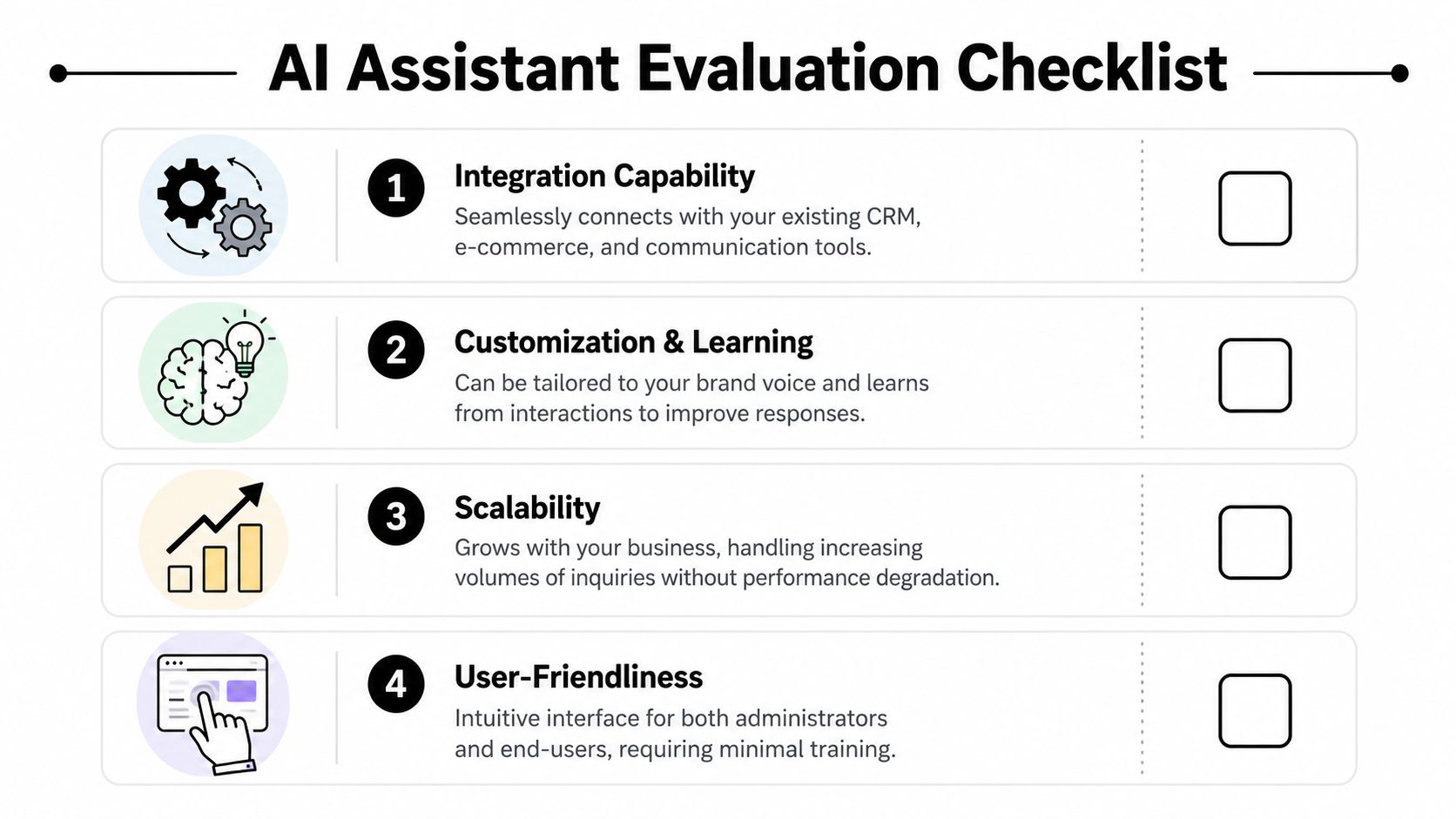
The practical checklist
Use this when you're on a demo or trial:
- Can I launch without a developer? If setup requires engineering help, the tool is already too heavy for many small teams.
- Does it stay grounded in my content? Ask how it handles policy docs, service pages, pricing files, and updates.
- Can it do something useful after answering? Look for CRM sync, booking links, lead routing, tags, and notifications.
- Will my staff use it? Admins need a simple way to review chats, update knowledge, and refine answers.
- Does it support distributed operations? This matters if you have multiple locations, territories, or franchise-style variations.
- Is the price transparent? Hidden pricing creates budget risk and slows decisions.
A simple scorecard
You don't need a giant procurement spreadsheet. A short scorecard is enough.
| Evaluation area | What good looks like | Red flag |
|---|---|---|
| Setup | No-code, fast to test | Needs custom build work |
| Knowledge control | Uses approved business content | Pulls broad unsupported answers |
| Workflow fit | Connects to CRM, calendar, or inbox | Stops at chat only |
| Pricing | Clear monthly plans | “Contact sales” with no baseline |
A trial should answer these questions quickly. If you leave a demo still unsure what the tool will cost, how it stays accurate, or how it connects to your workflow, keep looking.
Implementing Your AI Assistant in One Week
This doesn't need to become a six-month software project. For most small businesses, the first launch should be narrow, practical, and fast.
A good reference point is this guide on how to deploy an AI chatbot under a week. The core idea is right. Start with one channel, one objective, and one clean source of truth.
Day 1 to Day 2
Pick the first use case. Don't choose five.
Good starting points include after-hours lead capture, appointment booking, or repetitive service questions. The right first use case is the one your team complains about most often.
Then gather the content the assistant should trust:
- Website pages: Services, pricing guidance, FAQs, contact details, location pages
- Documents: Brochures, intake forms, policy PDFs, menus, product sheets
- Operational rules: When to escalate, when to hand off, when to stop answering
Day 3 to Day 5
Load the content and shape the responses. This is where a no-code platform matters. You should be able to paste URLs, upload files, define tone, and set clear boundaries without needing a technical team.
Test common scenarios with your staff:
- A new lead asking about services
- A customer asking something your website already answers
- A question that should trigger escalation
- A booking request
- A spammy or low-intent inquiry
Launch narrow. Teams that try to automate every workflow at once usually end up debugging basics for too long.
Day 6 to Day 7
Go live on one channel first. Your website is usually the easiest. For some businesses, Instagram or WhatsApp may be the main front door.
Watch the transcripts closely for the first few days. You're looking for three things: where the assistant gives a weak answer, where it should ask a better follow-up question, and where a human should step in earlier. That's how the system gets sharper without becoming hard to manage.
Scaling Your Service Without Scaling Your Team
At some point, every growing small business hits the same wall. Inquiry volume goes up, but the budget for extra staff doesn't keep pace. That's where an AI assistant stops being a convenience and becomes a capacity tool.
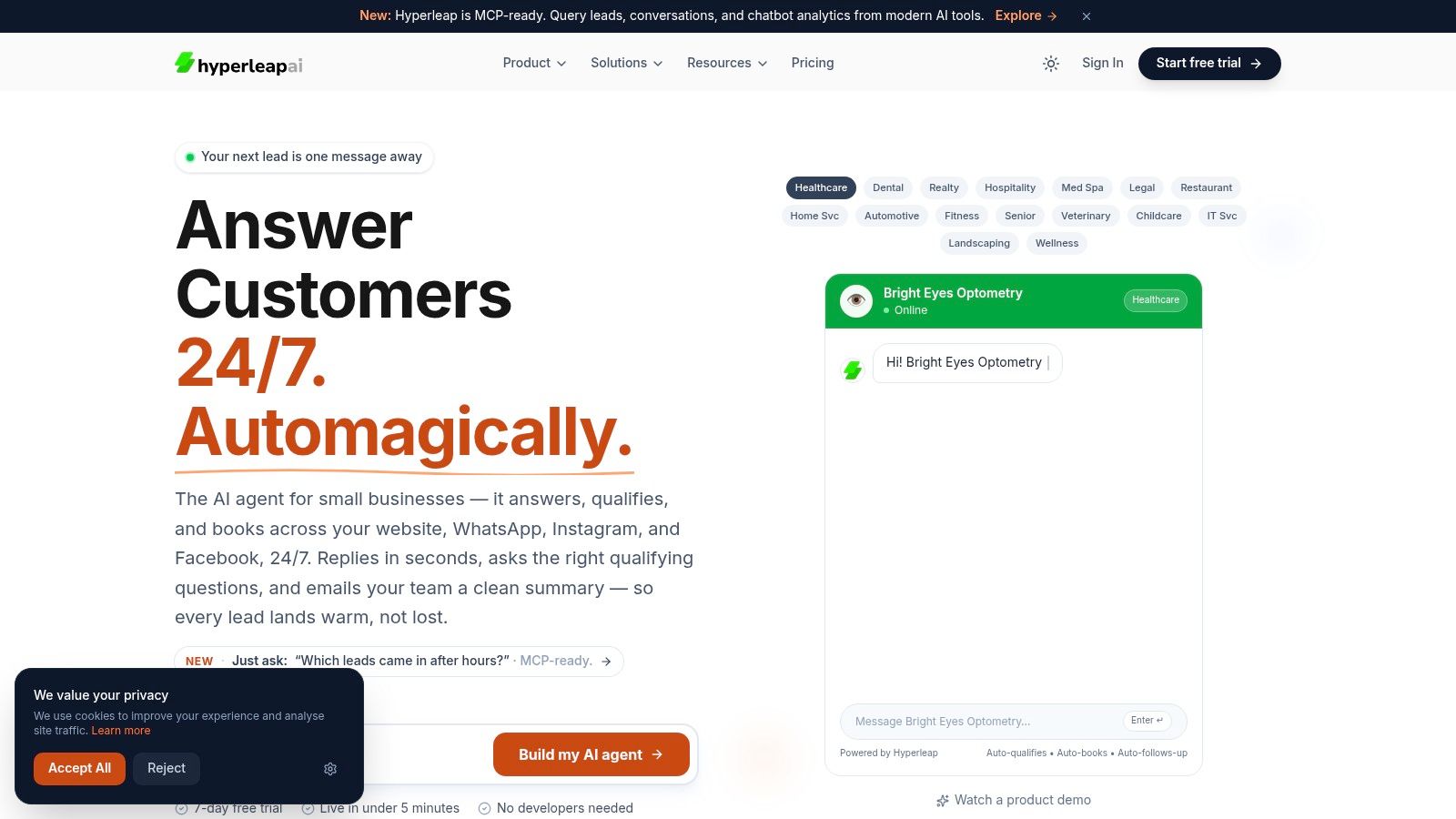
A useful setup gives you enterprise-style responsiveness without enterprise headcount. It answers quickly, stays grounded in approved content, routes conversations into booking or follow-up, and works across the channels customers already use. For multi-location teams, it also has to support central control with local flexibility. For owners watching cash flow, transparent pricing matters just as much as features.
That's why the right choice usually isn't the flashiest AI product. It's the one that solves a concrete business problem cleanly. If your bottleneck is front-line response and appointment flow, a no-code platform that supports website, WhatsApp, Instagram, Facebook, grounded knowledge, booking links, and multi-location knowledge management is usually a better fit than a general-purpose chatbot. Hyperleap AI is one example in that category, and a broader overview of automation for small business helps frame where this kind of assistant fits in the larger operating model.
Some businesses will still need people for outbound prospecting, especially when pipeline growth depends on direct sales motion. In those cases, resources on how to hire offshore SDRs fast can complement an AI assistant well. The assistant handles inbound capture and routine qualification. SDRs handle targeted outbound and human follow-up.
Here's a product walkthrough that shows what this kind of experience looks like in practice:
The key is to stop thinking of the assistant as a chatbot bolt-on. Treat it like operational infrastructure. When it's grounded, connected, and easy for non-technical staff to maintain, it helps you serve more customers without turning your team into a bottleneck.
If you want to test what an AI assistant for small business looks like in your own workflow, start with a focused trial and one clear use case. Hyperleap AI lets teams launch from existing website content or uploaded documents, connect customer conversations across major channels, and validate whether automated lead capture and booking can take pressure off the team without a heavy implementation.