AI Customer Service Agent: What It Is, When to Use It
An AI customer service agent reasons over your knowledge base instead of following a script — here's how it differs from a bot, and when to deploy one.
TL;DR: An AI customer service agent is software that reads a customer's message, reasons over your business documents using RAG (Retrieval-Augmented Generation), and generates a grounded response — instead of matching keywords to a pre-scripted decision tree. Not every business is ready for one. The right fit depends on inquiry volume, how repetitive your questions actually are, and whether you have a knowledge base worth grounding answers in. This guide gives you a readiness checklist, a deployment decision framework, and the specific situations where an AI agent is the wrong tool — plus where to go next once you've decided to deploy.
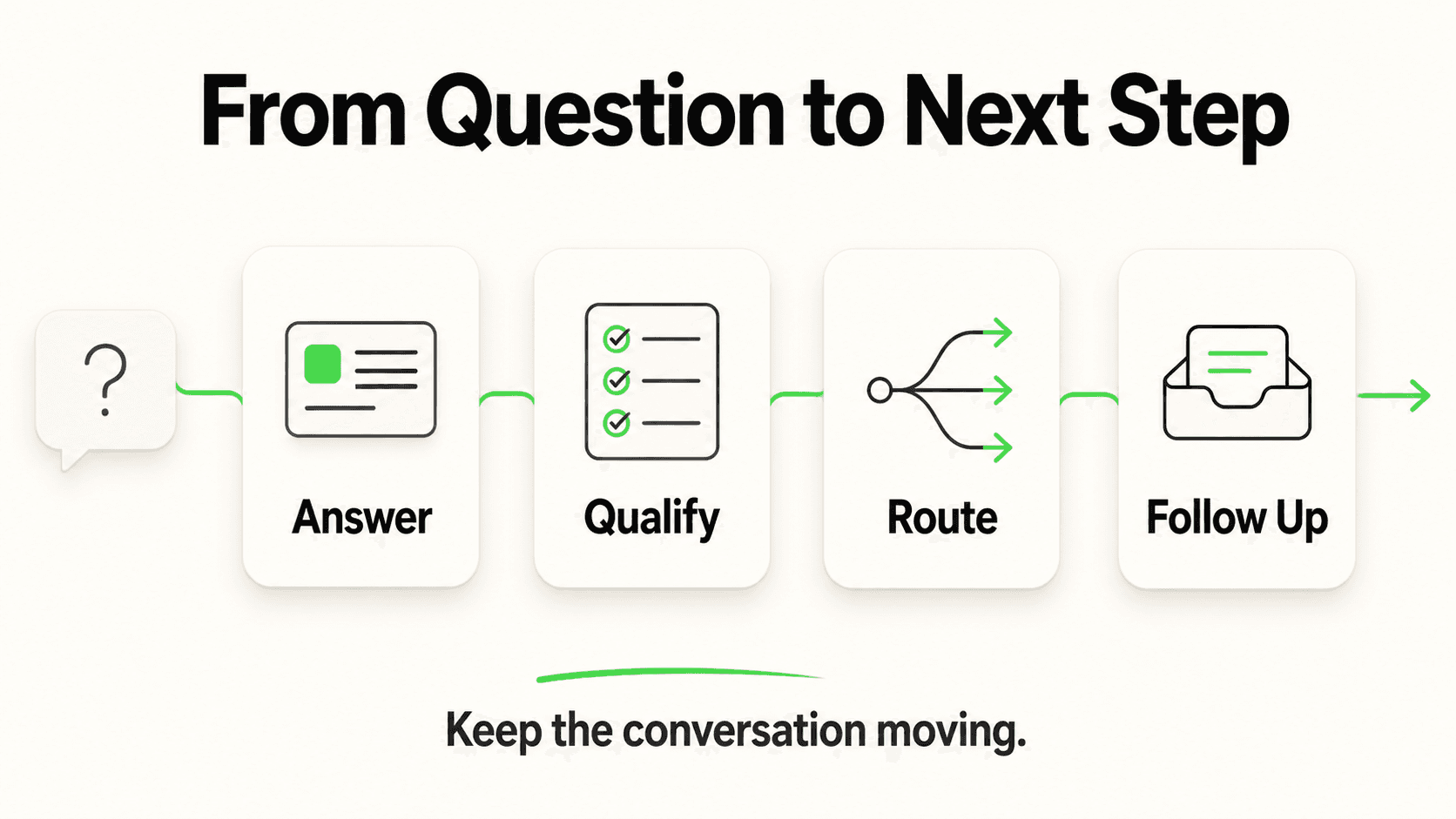
Somewhere this week, a customer typed a question into your website chat at 9pm, got either silence or a canned "we'll get back to you," and moved on. Multiply that by every after-hours visitor, every repeated question your team answers by hand for the hundredth time, and every lead who never got a reply before your competitor did. That's the gap an AI customer service agent is built to close.
But "AI agent" has become one of the most overused phrases in software marketing. Plenty of what's sold as an "AI customer service agent" is a rebadged rule-based chatbot with a language model bolted onto the greeting message. The distinction matters, because deploying the wrong kind of automation — or deploying the right kind for the wrong situation — wastes setup time and, worse, damages trust with customers who now expect instant, correct answers.
This guide answers the question a lot of "what is an AI agent" content skips: should you deploy one, and how do you know if you're ready? It covers the real definition, how an agent differs from a scripted bot and from a fully human team, a readiness checklist, a decision framework, and — just as important — when not to deploy one at all. For the broader picture of how conversational AI fits into customer service overall, see our conversational AI for customer service overview.
Who This Guide Is For
This is written for business owners and operations leads deciding whether an AI customer service agent belongs in their support stack right now — not for developers building one from scratch. If you've already decided and want the step-by-step setup, the complete guide to getting started with AI agents picks up where this leaves off.
What Is an AI Customer Service Agent?
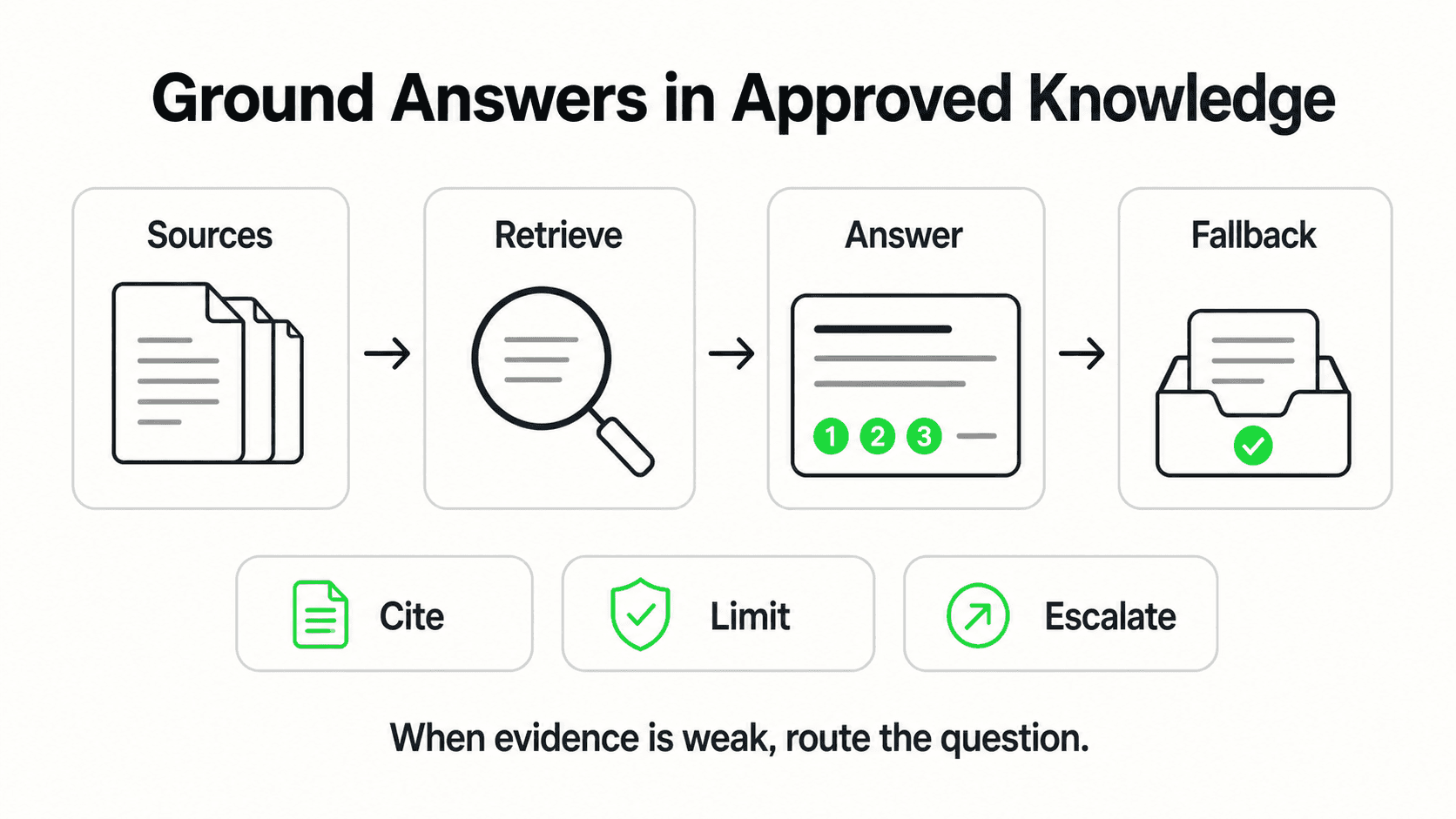
An AI customer service agent is a system that understands a customer's question in natural language, retrieves relevant facts from your business's own documents, and generates a response grounded in that information — handling the conversation end-to-end rather than routing it through a fixed script.
That's the core mechanical difference from what most people picture when they hear "chatbot." A traditional rule-based chatbot matches a customer's input against a list of patterns someone wrote in advance. If the phrasing matches, it follows the scripted branch. If it doesn't — a typo, an unusual way of asking, a question nobody anticipated — it stalls, loops back to a menu, or hands off with an apology. An AI agent doesn't need the exact phrasing to be anticipated. It reads intent, pulls the relevant passage from your uploaded documentation (pricing sheets, FAQs, policies, service menus), and writes an answer specific to what was actually asked.
Three components define a genuine AI customer service agent, as distinct from a scripted bot with a chat UI:
- Natural language understanding — it parses intent and context, not just keyword matches
- Document grounding (RAG) — it answers from your actual business content instead of only the model's general training, which is what keeps responses specific to your hours, pricing, and policies rather than generic
- Conversational memory within a session — it can handle a multi-turn exchange ("what about the weekend rate?" following a pricing question) without restarting the conversation tree
We cover the underlying technical differences in more depth in AI Agents vs Chatbots: What's Actually Different in 2026, and there's a shorter side-by-side breakdown at AI agent vs chatbot if you want the quick version. This guide assumes you already know an agent isn't a chatbot and want to know whether — and how — to actually put one to work.
Agent, Scripted Bot, or Human-in-the-Loop — the Three Options
Most businesses aren't actually choosing between "AI" and "no AI." They're choosing among three operating models, and the right answer is rarely all-or-nothing:
| Model | How it handles a question | Best fit | Weak point |
|---|---|---|---|
| Scripted chatbot | Matches input to pre-written decision-tree branches | Extremely narrow, high-volume, unchanging questions (store hours, order status lookup by number) | Breaks the moment a question deviates from the script; frustrates customers within one exchange |
| AI customer service agent | Reasons over intent, retrieves from your knowledge base, generates a specific answer | Businesses fielding varied, repeatable-but-not-identical questions across many customers, at volume | Needs a maintained knowledge base and clear escalation rules to stay reliable |
| Human-in-the-loop (agent + team) | AI resolves the routine share of volume; a person handles what's flagged, high-stakes, or emotionally charged | Almost every real deployment — this is the default, not an edge case | Requires a defined handoff point; without one, either humans get bypassed on things they shouldn't be, or the AI never actually reduces workload |
The third row is the one most vendors gloss over. A well-deployed AI customer service agent isn't a replacement for your team — it's a filter that resolves the repetitive share of volume so your team's time goes to the conversations that actually need a person: a complaint, an unusual request, a high-value deal. Customer Service Automation: The Complete Guide walks through exactly what to automate and what to deliberately keep human, if you want the fuller playbook once you've settled on the agent model.
Why Getting This Deployment Decision Wrong Is Expensive
Every unanswered or badly-handled inquiry has a cost, and it compounds in both directions — deploying too little automation, and deploying it in the wrong place.
The Cost of Under-Automating
Response speed correlates directly with conversion. According to InsideSales research, leads contacted within five minutes convert dramatically better than leads contacted hours later, and the gap widens the longer a business waits. HubSpot's service research finds 82% of customers expect an immediate response to a sales question — a bar that's nearly impossible to clear with a team that sleeps, takes weekends, and answers one conversation at a time. In Hyperleap's own Jungle Lodges deployment, 35% of inbound inquiries arrived after business hours — a slice of demand that a business-hours-only team structurally cannot capture, agent or not.
The Cost of Deploying an Agent in the Wrong Place
The opposite mistake is just as real: pointing an AI agent at conversations that need a human, or launching one on a knowledge base too thin to answer anything specific. A poorly grounded agent gives vague or generic answers, which erodes trust faster than no chat option at all — customers who get a non-answer from a bot are less patient with a follow-up call than customers who simply couldn't reach anyone. This is why the readiness checklist below matters more than the decision to "get an AI agent" in the abstract.
Common Mistake
Deploying a customer-facing AI agent before your knowledge base can actually support it is the single most common cause of a failed rollout. An agent is only as good as what it's grounded in — if your documentation is three years out of date or lives in someone's head, fix that first.
Is Your Business Ready for an AI Customer Service Agent? A Readiness Checklist
A business is ready for an AI customer service agent when it has enough conversation volume to justify automation, enough repetition in what's being asked to make grounded answers reliable, and a knowledge base solid enough to ground those answers in. Score yourself against the five factors below before you deploy.
1. Inquiry Volume
The threshold: If your team fields fewer than roughly 20–30 customer conversations a week across channels, the time saved by automation may not outweigh the setup and maintenance effort — a human can keep up, and the ROI math is thin. Above that volume, especially if it's growing, automation starts paying for itself quickly in hours returned.
What to check: Count actual inbound conversations — website chat, WhatsApp, DMs, phone, email — over a representative two-week period, not your busiest week.
2. Repetitive-Question Share
The threshold: If more than roughly 40–50% of what your team answers is a variation on the same handful of questions (hours, pricing, availability, policies, "do you offer X"), an AI agent has real leverage. If almost every conversation is genuinely unique — bespoke consulting, complex technical troubleshooting — the automation ceiling is lower.
What to check: Pull a week of chat/email logs and bucket the questions. Gartner's research on service automation puts the addressable share of routine inquiries that AI can resolve without human intervention at around 80% — but that figure assumes the underlying questions actually repeat. If yours don't, expect a lower resolution rate.
3. Knowledge Base Maturity
The threshold: You need documented answers to your most common questions somewhere — a website FAQ, a pricing page, a policy doc, a service menu, even a well-organized internal wiki. It doesn't need to be exhaustive on day one, but it needs to exist and be reasonably current.
What to check: Could a new hire answer your top 20 customer questions correctly using only what's written down? If the honest answer is "no, they'd have to ask someone," your knowledge base needs work before (or alongside) agent deployment — not after.
4. Clarity on What Should Escalate
The threshold: You should be able to name the categories of conversation that must reach a human — refund disputes, anything with legal or medical implications, angry customers, deals above a certain size — before the agent goes live, not after the first bad outcome.
What to check: Write the escalation list down. If you can't name five specific triggers, the deployment isn't ready for unattended conversations yet, even if the volume and knowledge base check out.
5. Multi-Channel Reality
The threshold: If your customers reach you across more than one channel — website chat and WhatsApp and Instagram DMs, for instance — a single-channel bot creates inconsistent experiences and doubles your maintenance burden. An agent that shares one knowledge base across every channel you operate on is a stronger fit than separate tools per channel.
What to check: List every channel a customer inquiry can currently arrive on. If it's more than one, factor channel coverage into whichever platform you evaluate.
Quick Self-Score
Count how many of the five factors above you clear: volume, repetition, knowledge base, escalation clarity, multi-channel reach. Four or five — you're ready to deploy now. Two or three — fix the gaps (usually the knowledge base or escalation rules) before going live. Zero or one — an AI agent isn't your next move; see the section below on what to do instead.
See What an AI Agent Handles on Day One
Hyperleap AI Agents ground every answer in your own documents and, on Pro and Max, hand off to your team the moment a conversation needs one — across website, WhatsApp, Instagram DM, and Facebook Messenger.
Start Your Free TrialThe Deployment Decision Framework
Once you know where you stand on the checklist, the deployment question isn't binary — it's a spectrum from "don't automate yet" to "deploy with full autonomy on routine questions." Use the framework below to place your business.
| Your situation | Recommended model | Why |
|---|---|---|
| Low volume (under ~20/week), low repetition | Stay human, revisit in 6–12 months | Automation overhead exceeds the time it saves at this scale |
| Moderate volume, high repetition, thin knowledge base | Build the knowledge base first, deploy agent in 30–60 days | An agent grounded in weak documentation will underperform a person; fix the input before automating the output |
| Moderate-to-high volume, high repetition, solid knowledge base | Deploy an AI agent now, with clear escalation rules | This is the sweet spot — highest leverage, lowest risk |
| High volume, mixed repetition and complexity, multiple channels | Deploy an AI agent for the routine share; keep a defined human-in-the-loop path for the rest | Full automation isn't the goal — resolving the repetitive 50–80% frees the team for the rest |
| Inquiries are consistently high-stakes (legal advice, medical assessment, large B2B deals) | Use AI for intake and routing only, not resolution | These conversations need judgment an agent should route to, not attempt to close |
Note the last row is deliberately narrow, not a blanket exclusion — most businesses, including ones in regulated or sensitive categories, still benefit from an agent that answers routine logistics questions (hours, scheduling, general policy) and routes anything sensitive to a person, rather than attempting to resolve it itself. In healthcare-adjacent deployments specifically, the agent's job is routing patients to the right team member, never clinical assessment or diagnosis.
If your business runs on appointments and recurring service requests — HVAC, salons, clinics, home services — the calculus usually lands in row three or four quickly, because those industries combine high inquiry volume with a small, well-defined set of repeat questions. Our home services AI agent page breaks down how that plays out for scheduling-heavy, appointment-driven businesses specifically.
When NOT to Deploy an AI Customer Service Agent
The honest answer here matters more than the sales pitch: an AI customer service agent is the wrong deployment when your volume, question mix, or stakes don't fit the model above.
Volume Doesn't Justify It Yet
If your team handles a handful of conversations a day and keeps up comfortably, the setup and knowledge-base maintenance an agent requires isn't worth it yet. Automation has a fixed cost in attention even when the software itself is inexpensive — someone has to build and keep the knowledge base current. Below the volume threshold, that cost isn't offset by time saved.
Your Inquiries Are Almost Entirely High-Stakes
If nearly every conversation genuinely requires professional judgment — complex legal counsel, clinical diagnosis, bespoke financial advice — an AI agent's best role is intake and scheduling, not resolution. Positioning it as anything more overstates what's appropriate, and the Content Claims reality here is blunt: routing to a human is the right frame, not "the AI handles it."
You Don't Have (and Won't Build) a Knowledge Base
An agent without grounded content to draw from will either hallucinate specifics or give unhelpfully generic answers — both erode trust. If your business genuinely can't produce a documented FAQ, pricing sheet, or policy doc — and won't be able to soon — hold off. This is usually a 1–2 week fix, not a permanent blocker, but it needs to happen before launch, not after.
The Questions Change Too Fast to Document
Businesses in genuinely novel, fast-evolving situations — a brand-new product line with no support history, for instance — may not have stable-enough questions yet for an agent to be reliably grounded. Give it a launch cycle to stabilize, then revisit.
Rollout Sequence: From Decision to Live Agent
Deploying an AI customer service agent, once you've decided it's the right fit, follows a predictable sequence rather than a single big-bang launch. Here's the summary — each phase has its own detailed guide if you want the full walkthrough.
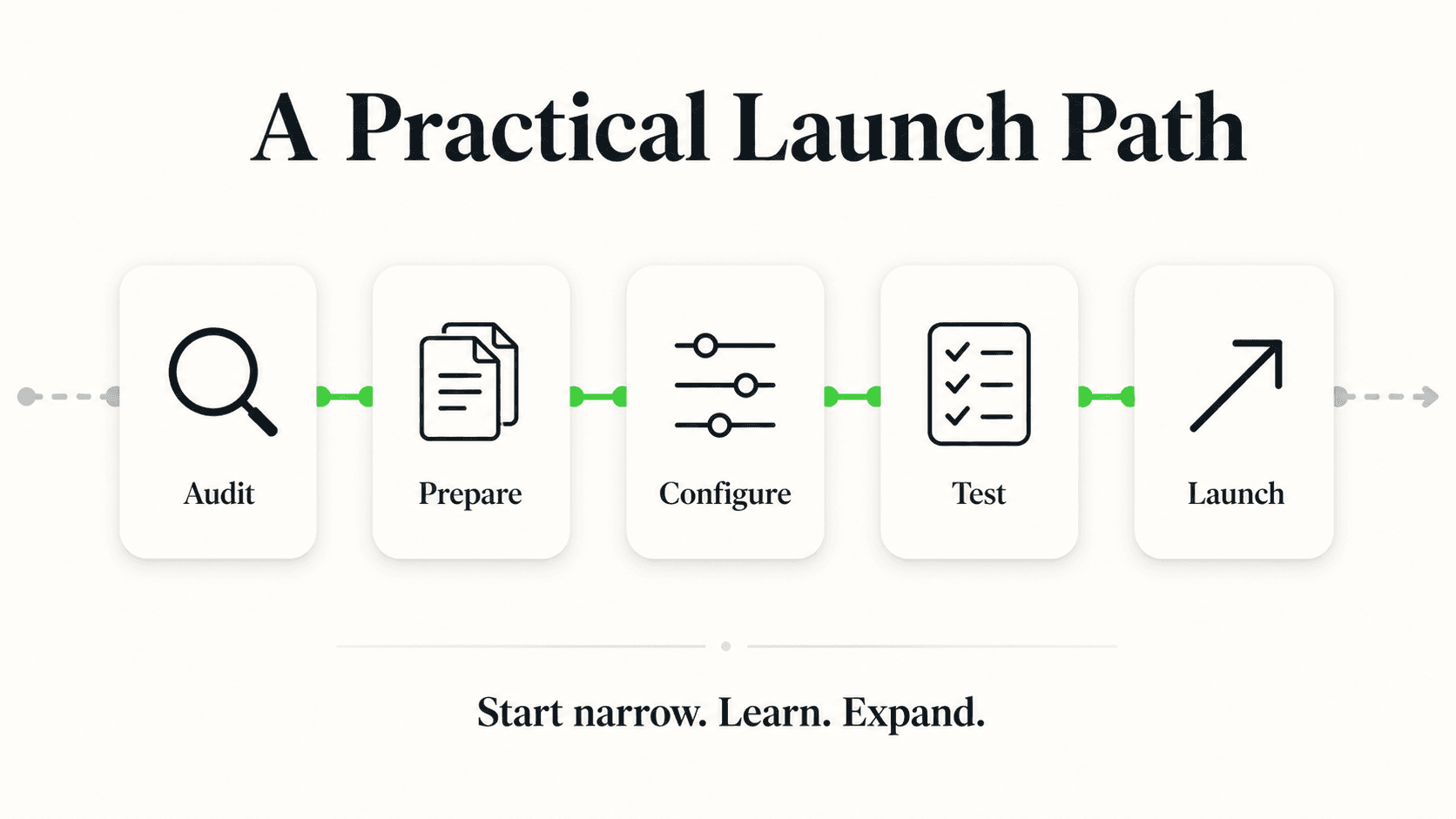
- Audit and organize your knowledge base. Pull together your FAQ, pricing, policies, and service details into a source the agent can be trained on. This is the step most rollouts underinvest in, and it's the one that determines answer quality more than any other setting.
- Choose your channels. Decide which of your customer-facing channels — website, WhatsApp, Instagram DM, Facebook Messenger — the agent covers first. Most businesses start with website chat and add messaging channels once the knowledge base is proven.
- Set the escalation rules. Define, explicitly, which conversation types hand off to your team immediately rather than attempting AI resolution — this is the list from the readiness checklist above, turned into configuration.
- Configure lead capture. Decide what information the agent collects before or during a conversation (name, contact details, the nature of the inquiry) so your team gets a usable lead, not just a chat transcript.
- Launch narrow, then expand. Start with one channel and your most common question categories live, watch real conversations for a week or two, then widen coverage as the knowledge base and escalation rules prove out.
- Review and refine. Weekly, for the first month: read a sample of conversations, patch knowledge-base gaps the agent surfaced, and adjust escalation triggers based on what actually came up.
For the step-by-step mechanics of each phase — including no-code setup, testing, and go-live — see Getting Started with AI Agents: A Complete Guide for 2026. For the fuller "what to automate vs. what to keep human" playbook referenced throughout this guide, see Customer Service Automation: The Complete Guide. And if you want the underlying adoption and ROI data before you commit budget, Customer Service Automation Statistics 2026 has the benchmarks.
Frequently Asked Questions
What's the difference between an AI customer service agent and a chatbot?
A chatbot follows a pre-scripted decision tree and only handles inputs someone anticipated in advance; it breaks down on unexpected phrasing. An AI customer service agent uses natural language understanding and retrieval (RAG) to interpret intent and generate answers grounded in your actual business documents, so it can handle questions that weren't explicitly scripted. The full technical breakdown is in our AI agents vs chatbots guide.
How do I know if my business is ready for an AI customer service agent?
Check five factors: whether you get at least 20–30 customer conversations a week, whether roughly 40% or more of those questions repeat in some form, whether you have a documented knowledge base (even a basic FAQ or pricing page), whether you can name what should escalate to a human, and how many channels customers reach you on. Clearing most of these signals readiness; falling short on the knowledge base specifically is the most common and most fixable gap.
Will an AI customer service agent replace my support team?
No — the reliable deployment model is human-in-the-loop, where the agent resolves the repetitive, well-documented share of inquiries and hands off anything complex, sensitive, or high-value to a person. The goal is freeing your team's time for the conversations that need judgment, not eliminating the team. We cover this in more depth in Will AI Replace Customer Service? The Honest Answer.
What happens if the AI agent doesn't know the answer?
A well-configured agent grounded in your documents will say it doesn't have that information and route the conversation to your team rather than guessing — this is what document-grounded, RAG-based design is built to minimize versus open-ended generation. Setting clear escalation rules during setup is what makes this handoff smooth instead of a dead end for the customer.
How long does it take to deploy an AI customer service agent?
Most no-code platforms let you configure a basic agent — upload documents, set channels, publish — in under an hour, and many businesses have a functional agent live within a day. The realistic timeline to a well-tuned deployment is closer to 2–4 weeks, because the knowledge base, escalation rules, and initial review cycle (steps 1, 3, and 6 in the rollout sequence above) take iteration to get right.
Does an AI customer service agent work across WhatsApp, Instagram, and my website at once?
Yes, when the platform is built for it — a single agent, trained on one knowledge base, can be deployed across your website chat widget, WhatsApp Business API, Instagram DM, and Facebook Messenger, so customers get consistent answers regardless of which channel they use. Voice and SMS are not yet part of most platforms' shipped channel set, including Hyperleap's — confirm channel coverage against your customers' actual habits before committing to a platform.
Can a small business realistically run an AI customer service agent without a technical team?
Yes — modern no-code platforms are designed around the assumption that the person setting it up is a business owner or operator, not a developer. If you can write and organize an FAQ document, you have what's needed to train an agent; the setup work is largely uploading documents and configuring rules, not writing code.
Deploy the Right Tool for Where You Actually Are
The businesses that get the most out of an AI customer service agent aren't the ones that automate everything on day one — they're the ones that ran the readiness check honestly, fixed the knowledge base gap first if they had one, and deployed with clear rules for what stays human. Get that sequence right, and the payoff is real: inquiries answered at 9pm that used to go unanswered, the fortieth "what are your hours" question of the week handled without pulling someone off a call, and your team's time going to the conversations that actually need a person.
If you cleared the readiness checklist above, the next step is straightforward: organize what you already know into a knowledge base, pick your channels, and launch narrow. Hyperleap AI Agents are built around exactly that sequence — document-grounded answers across website, WhatsApp, Instagram DM, and Facebook Messenger, with lead capture and clear handoff to your team built in from the start.
Ready to Deploy Your First AI Customer Service Agent?
Set up a document-grounded AI agent in minutes, with a 7-day free trial and no long-term commitment required.
Get Started FreeData Sources
- InsideSales, Lead Response Management study — response-time-to-conversion correlation
- HubSpot, State of Service research — customer expectations for immediate response
- Gartner, service automation research — addressable share of routine inquiries handled without human intervention
- Hyperleap AI, Jungle Lodges case study (2024) — 3,300+ leads captured in 90 days, 35% of inquiries after business hours
Industry Solutions
See how AI chatbots work for these industries:
Related Articles
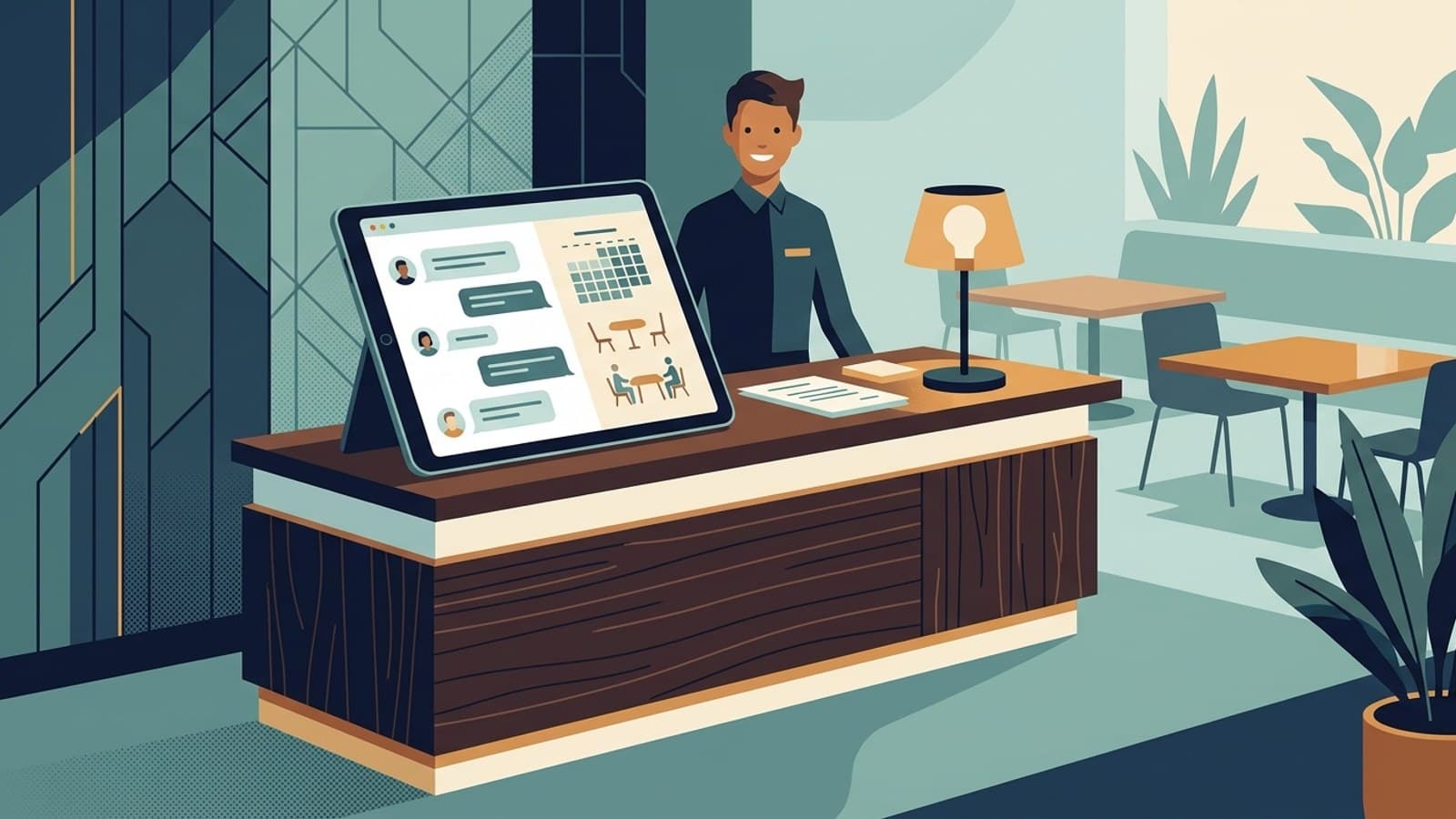
Restaurant Booking APIs for AI Agents: What Connects
How OpenTable, Resy, SevenRooms, and Tock expose booking data, the two ways an AI agent can connect, and what Hyperleap ships for restaurants today.

AI Customer Service Best Practices for 2026
12 AI customer service best practices covering disclosure, escalation design, knowledge base upkeep, weekly KPI review, and PII handling for SMB teams.

Conversational AI vs Chatbot: The Real Difference
Conversational AI vs chatbot explained: rule-based scripted bots versus LLM-powered conversational AI, plus a comparison table and decision framework.

Customer Service Automation: The Complete Guide (2026)
Customer service automation done right: what to automate, what to keep human, which tools to evaluate, and how to roll it out without breaking what already works.