How to Automate Customer Support: A Practical Playbook
Learn how to automate customer support the right way — audit repetitive tickets, ground an AI agent in your docs, and keep humans where they matter most.

TL;DR — How to automate customer support in five steps:
- Audit your tickets to find the 10–15 questions that eat the most support hours.
- Build your knowledge base — export your FAQs, policies, and product docs into a format your AI agent can use.
- Define escalation rules — decide exactly which questions and emotional signals always route to a human.
- Deploy your AI agent across your active channels (website chat, WhatsApp, Instagram DM, Facebook Messenger).
- Monitor weekly: track deflection rate, gaps in knowledge, and escalation volume — see chatbot KPIs for the full scorecard — then refine.
Most businesses automate customer support backwards. They pick a chatbot tool, plug it in, and hope it figures out what to say. Then they wonder why customers get frustrated and agents still drown in tickets.
The problem is not the technology. AI is genuinely good at answering repetitive questions now. The problem is sequence. You cannot hand an AI agent a vague brief and expect it to perform. You have to do the work upfront — defining what it should answer, what it should not answer, and what it must hand off.
This guide walks through that process step by step. It is not theoretical. It is a playbook you can execute in a few days, regardless of whether you have a technical team or not. By the end, you will know exactly how to automate customer support in a way that reduces ticket volume without degrading the experience for the customers who actually need a human.
Why Most Support Automation Projects Stall
Before the playbook, it is worth naming the failure modes. Teams that struggle with customer support automation typically fall into one of three traps.
The blank-canvas trap. They deploy a chatbot with no knowledge base. The bot defaults to "I am not sure, let me connect you with an agent" for almost everything — which is no better than not having a bot at all, and often worse because the customer waited.
The automation-everything trap. Excited by what AI can do, they try to automate every interaction including complaints, billing disputes, and emotionally charged situations. The bot handles them poorly. Customer trust erodes. They pull the automation back, blame the technology, and stop.
The set-and-forget trap. They build a knowledge base once, launch the bot, and never revisit it. Product policies change. New questions emerge. The bot keeps answering questions from six months ago with outdated information, and nobody notices until a customer complains loudly.
The playbook below is designed to sidestep all three.
Step-by-Step: How to Automate Customer Support
Step 1 — Audit Your Tickets Before You Touch Any Tool
Your starting point is not a chatbot interface. It is a spreadsheet or a tag report from your helpdesk.
Export the last 90 days of support tickets. Look for:
- The 10 to 15 question types that appear most frequently
- Questions that have the same answer every time regardless of who asks
- Questions where the answer already lives in a policy doc, FAQ page, or product guide
These are your automation candidates. Common ones across most businesses:
- "What are your business hours?"
- "How do I reset my password?"
- "What is your refund policy?"
- "How long does shipping take?"
- "Can I change my order after placing it?"
- "What payment methods do you accept?"
- "How do I book an appointment?" (usually answered with a booking link)
On the other side, flag the ticket types that require judgment, context, or emotional handling. These will inform your escalation rules in Step 3. Do not skip this step — it is what separates effective automation from the expensive kind.
Output: A list of 10–15 specific question patterns to automate, plus a list of 5–8 types that should always go to a human.
Step 2 — Build (or Clean Up) Your Knowledge Base
This step is where most projects fail quietly. The AI agent is only as accurate as the knowledge you give it. If your FAQs are outdated, partial, or scattered across three Google Docs and a PDF nobody has opened in two years, you will get inconsistent answers.
The goal is to consolidate your knowledge into a single, clean source. This does not have to be elaborate — a well-structured FAQ document will do the job. What matters is:
- Accuracy: every answer reflects current policy, not legacy info
- Completeness: covers the questions you identified in Step 1
- Structure: each question-answer pair is clear and self-contained
- Voice: written in the tone you want your AI agent to use with customers
Go through each question on your list and write a definitive answer. If you do not know the answer, that is a signal — either define the policy now, or flag that question for human handling.
Once your knowledge base is clean, you upload it to your AI agent platform. The agent uses this content to generate document-grounded responses rather than making things up from general training data. Think of it as teaching the agent specifically about your business, not AI in general.
Document-grounded responses vs. general AI
A raw language model knows a lot about the world but nothing about your business. A knowledge-grounded AI agent knows your refund policy, your hours, your product lineup, and your escalation playbook — and it answers only from those documents. This is the architectural difference between a chatbot that hallucinates and one that reliably represents your brand.
Output: A clean, structured knowledge document (or set of documents) ready to upload to your AI agent platform.
Step 3 — Define What Escalates to a Human

This is the design decision most teams skip, and it costs them. Without clear escalation rules, your AI agent will either over-escalate (making the automation pointless) or under-escalate (leaving upset customers in a loop).
A good escalation rule set covers three dimensions:
Topic-based escalation — question types that always go to a human regardless of how they are phrased:
- Billing disputes and payment failures
- Account cancellations and refund requests above a threshold
- Legal or compliance questions
- Product defects or safety concerns
- Any request that requires accessing or modifying account data
Sentiment-based escalation — language signals that indicate the customer is frustrated:
- Explicit anger phrases ("this is unacceptable", "I want to speak to someone")
- Repeated questions (asked the same thing twice without resolution)
- Words like "urgent", "emergency", "immediately"
Context-based escalation — situations where the AI agent cannot confidently answer:
- The customer's question does not match any topic in the knowledge base
- The customer is asking about a specific order, account, or case that requires a lookup
- The answer depends on information the AI cannot access
Write these rules down before you configure your bot. Most platforms let you define keywords and conditions that trigger a handoff to a live agent. If you are deploying with Hyperleap AI, escalation routing is part of the setup — you define which scenarios the agent defers on, and on Pro and Max the handoff includes the full conversation context so the agent taking over is not starting from scratch.
Output: A written escalation matrix covering topic triggers, sentiment triggers, and confidence-gap triggers.
Step 4 — Deploy Across Your Active Channels
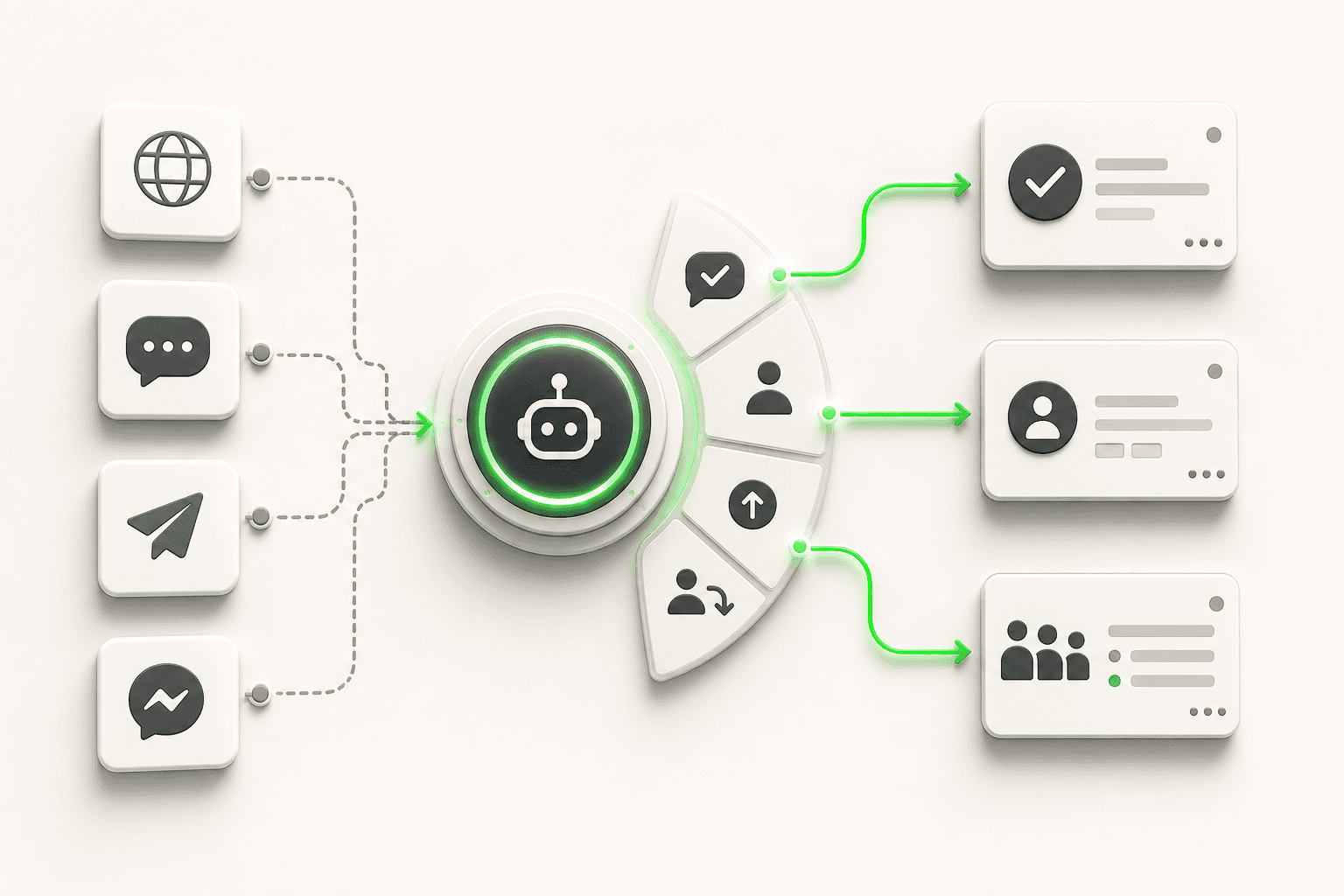
One of the structural advantages of modern conversational AI for customer service is that the same AI agent can operate across multiple channels simultaneously without you building separate bots for each.
The channels that matter for most businesses: website chat widget, WhatsApp Business, Instagram DM, and Facebook Messenger. Meet your customers where they already are, rather than asking them to find a new support portal.
Practical deployment guidance:
Website chat: Goes live first. It is the highest-intent channel — customers on your site have already found you. The chat widget handles FAQs, qualifies visitors, and captures contact details through a lead form before the conversation starts (so you always know who you are talking to).
WhatsApp: High-engagement channel, particularly for businesses with existing customer relationships. Works well for post-purchase support, appointment reminders (sharing your booking link in conversation), and transactional follow-ups.
Instagram DM and Facebook Messenger: Strong for businesses with active social presence. Customers who message through social media expect fast responses — 82% of customers expect instant responses to their inquiries, according to Salesforce State of Service, 2024 — so automation here has outsized impact on perceived responsiveness.
A few deployment principles to hold to:
- Do not launch all channels at once if you are doing this for the first time. Start with website chat, let the agent run for two weeks, refine the knowledge base, then expand to WhatsApp.
- Keep channel-specific tone in mind. WhatsApp conversations tend to be more casual than website chat. Your knowledge base content can stay the same; consider adjusting the agent's persona tone per channel if your platform supports it.
- Test as a real customer before going live. Ask the agent every question on your automation list. Check that escalation triggers fire correctly.
Output: AI agent live on at least one channel, with a rollout plan for the others.
Step 5 — Set Up Lead Capture Before the Conversation
This step is often treated as optional. It is not.
Every support interaction is an opportunity to understand who your customers are. A lead form that runs before the chat session — collecting name, email, and optionally phone number — gives your team a clean record of every interaction, regardless of whether it resolved automatically or escalated.
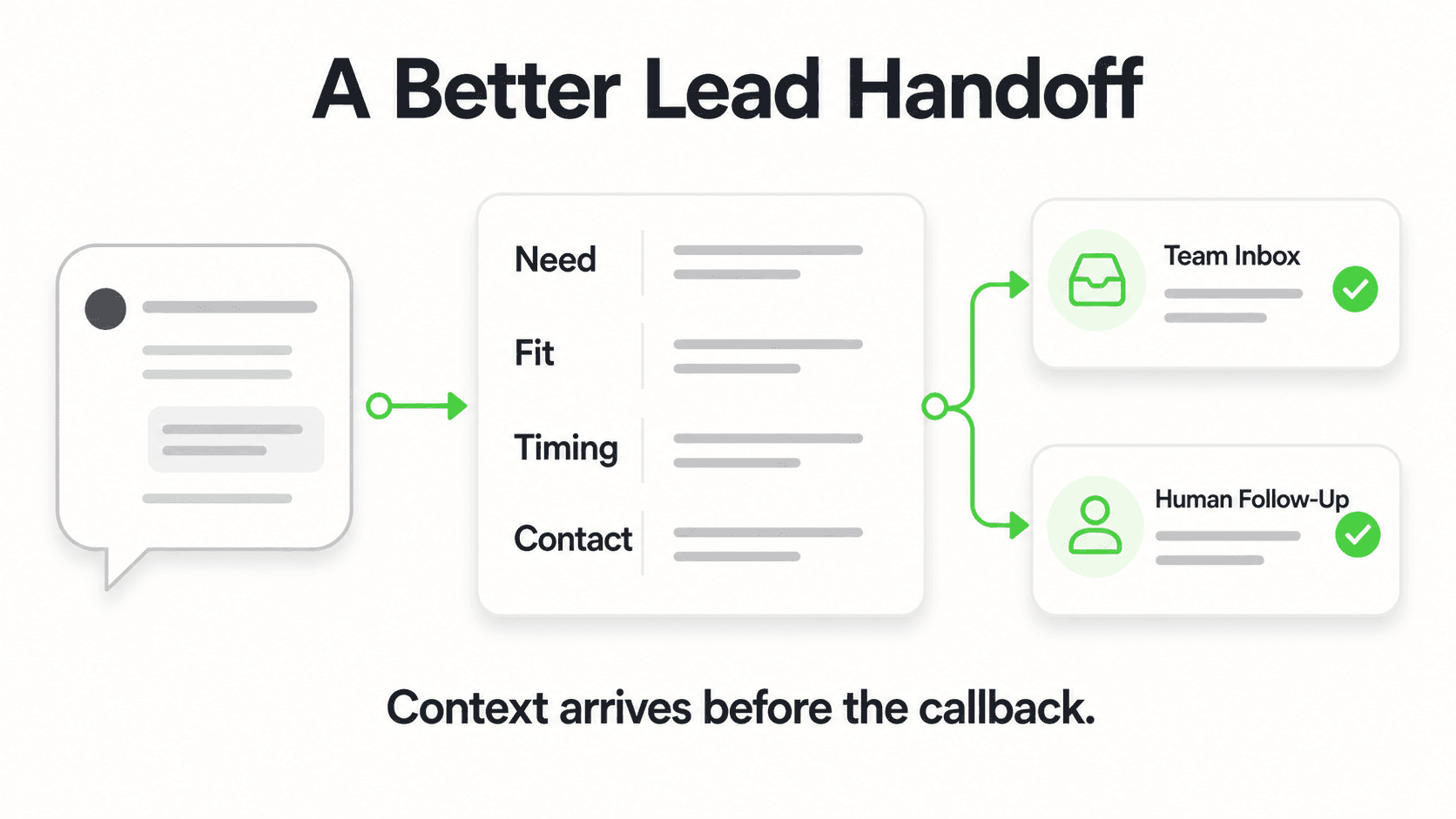
For sales-adjacent inquiries (pricing questions, feature comparisons, plan recommendations), the captured contact details flow into your follow-up process. The AI agent emails your team a summary of the conversation so whoever follows up has full context.
This is how you automate customer support without losing the customer relationship data. The AI handles the repetitive volume; your team focuses on the qualified, high-intent conversations that the summary surfaces.
Step 6 — Monitor Weekly and Improve Continuously
Automation is not a launch event. It is a system you run.
The metrics to track:
| Metric | What it tells you | Target direction |
|---|---|---|
| Deflection rate | % of tickets resolved by AI without human | Upward over time |
| Escalation rate | % handed off to human | Watch for spikes — signals new ticket types |
| Failed response rate | Questions the agent could not answer | Downward — gaps to close in knowledge base |
| Resolution time | How quickly customers get an answer | Downward |
| CSAT on automated sessions | Whether customers feel served | Upward |
Review these weekly for the first month, monthly after that. When you see the agent failing on a cluster of similar questions, that is your knowledge base gap — add the answer, update the doc, and the agent gets better immediately.
The customer service automation guide goes deeper on the measurement framework if you want to set up a proper reporting cadence from day one.
What to Automate vs. What to Keep Human
This table is the practical output of your Step 1 audit. Use it as a reference when building your escalation rules.
| Query / Scenario | Automate | Keep Human | Why |
|---|---|---|---|
| Business hours, location, contact info | ✅ | Static, factual, zero judgment needed | |
| Pricing and plan questions | ✅ | Answerable from docs; high volume | |
| Order status updates | ✅ (with API access) | Repetitive; customers want instant answers | |
| Refund / cancellation policy | ✅ | Policy-based; same answer every time | |
| How to use a product feature | ✅ | Knowledge-base answerable | |
| Booking appointment | ✅ | Books in chat via Calendly or Cal.com; shares your booking link for other tools | |
| FAQs and troubleshooting basics | ✅ | Core automation use case | |
| Billing dispute or payment failure | ✅ | Requires account access and empathy | |
| Product defect or safety complaint | ✅ | Legal / reputational sensitivity | |
| Refund request above a threshold | ✅ | Requires human judgment | |
| Angry or distressed customer | ✅ | Sentiment escalation — empathy required | |
| Complex technical troubleshooting | ✅ | Requires back-and-forth diagnosis | |
| VIP or enterprise account inquiry | ✅ | Relationship matters; do not risk with automation | |
| Legal, compliance, or medical questions | ✅ | Never automate — route immediately |
The more clearly you draw this line before you launch, the better your customer experience will be. The goal is not to maximize automation — it is to maximize the right automation. Support is also just one lane: the same principles apply to marketing, scheduling, and operations, which our customer service automation guide explores further.
How to Ground Your AI Agent in Your Knowledge Base

Retrieval-augmented generation (RAG) is the technique that grounds an AI agent's answers in your own uploaded documents, so it searches your knowledge base before responding and answers only based on what it finds there. If the answer is not in your docs, it says so and offers to escalate.
This is different from a general-purpose AI. A general AI will try to answer anything, often confidently and incorrectly. A knowledge-grounded agent is constrained to your source material — which means document-grounded responses instead of plausible-sounding fabrications.
To get good results from this architecture:
Write for the agent, not for humans. FAQs written for websites often use vague, marketing-friendly language. Your knowledge base for an AI agent needs to be explicit. "Our refund policy is 30 days from purchase, no questions asked, initiated via the account portal" is better than "We have a hassle-free returns process."
Keep documents modular. One topic per document or section. The agent retrieves chunks, not whole files — clear section boundaries help it find the right answer faster.
Update proactively. When a policy changes, update the knowledge base the same day. Stale docs produce stale answers. Build the update habit into your operations from the start.
Test edge cases. Ask the agent variations of the same question. "Do you do refunds?" "Can I return this?" "I want my money back" should all lead to the same answer. If one phrasing returns a different result, your doc needs clearer language.
This groundwork is what separates a support automation that compounds in value over time from one that creates new problems. A well-maintained knowledge base is a business asset — it makes the AI agent better, and it also makes onboarding new human agents faster.
For a focused breakdown of building this kind of knowledge base, the FAQ chatbot guide covers the structure in detail.
How Hyperleap AI Fits Into This Playbook
Hyperleap AI is built to execute exactly the playbook above — for businesses that want to get this running without assembling a technical team.
Here is how it maps to each step:
Knowledge base: Upload your existing FAQs, policy docs, product guides, or help content. The AI agent answers from those documents. You can update them at any time and the agent reflects changes immediately.
Lead capture form: The platform presents a customizable lead form before the chat begins. Name, email, and any qualifying questions you define — collected before the first AI response. Every conversation creates a lead record your team can act on.
Escalation routing (Pro and Max): You define which topics, phrases, and conditions trigger a live handoff. When the AI escalates, it hands off the full conversation history — the agent picking up the chat has context, not a blank screen.
Multi-channel deployment: Website chat, WhatsApp Business, Instagram DM, and Facebook Messenger — all from one platform. You build the knowledge base once; it powers the agent across every channel.
Lead summaries by email: When a conversation ends — whether the AI resolved it or a human took over — your team receives an email summary. Qualified leads surface automatically.
Appointment booking: If your business relies on appointments, the AI agent can connect to Calendly or Cal.com on Pro and Max, offer live open times, and book the slot in the conversation when it sees scheduling intent; on Plus, or with other scheduling tools, it shares your booking link.
Multilingual support: The agent handles conversations in 100+ languages without separate configurations. A customer who writes in Spanish gets a Spanish response from the same knowledge base.
Plans start at $40/month (Plus). If you want the platform set up for you — knowledge base structured, agent configured, channels connected — the Managed Setup add-on is $299 Free. The pricing page has the full breakdown.
For industry-specific deployment patterns, the AI agents by industry directory covers how these setups work across different verticals — retail, healthcare, real estate, hospitality, and more.
For businesses still evaluating whether an AI agent is the right next step, the chatbot for small business guide walks through the buy-vs-build decision and what to look for in a platform.
Monitoring, Improving, and Scaling Over Time
The businesses that get the most value from support automation are the ones that treat the knowledge base as a living system, not a one-time project.
A practical rhythm that works:
Weekly (first month): Review the failed-response log. Every question the agent could not answer is a knowledge base gap. Write the answer, add it to the docs, move on. This loop is fast once you are in it — 15 minutes per week is usually enough.
Monthly (ongoing): Look at escalation rate trends. If escalations are increasing, you have either a new ticket category emerging (add it to the knowledge base) or a product issue driving unusual volume (that is information your product team needs). Either way, the data is telling you something useful.
Quarterly: Run a full audit of your knowledge base against current policy. Prices change. Policies change. Features change. A quarterly review ensures your AI agent reflects the current state of your business, not its state nine months ago.
When you make product or policy changes: Update the knowledge base the same day. Do not wait for the weekly review. Stale answers during a policy transition are exactly when customers get frustrated.
As your business scales, the automation investment compounds. More products, more channels, more markets — the knowledge base grows, but the AI agent scales linearly with it. A support team of five people can maintain the quality of a team of fifteen if the automation is doing the right work.
The AI receptionist use case shows this at work in a service-business context — the same principles apply across business models.
Frequently Asked Questions
How long does it take to automate customer support?
For a straightforward implementation — one channel, one knowledge base, basic escalation rules — most businesses can go from zero to live in three to five business days. The longest part is usually cleaning up your existing FAQs and policies into a format that works well for the AI agent. If you use a managed setup service, that timeline shrinks further.
How much of my support volume can I realistically automate?
It depends on your ticket mix, but for most SMBs, 50–70% of incoming support volume is repetitive questions that are genuinely automatable. Businesses in high-repetition verticals (e-commerce, hospitality, appointment-based services) often see even higher deflection in the first 90 days. The key is starting with accurate identification of what is repetitive versus what genuinely requires judgment — the audit in Step 1 gives you a realistic number before you invest.
Will automating customer support hurt my customer relationships?
Only if you automate the wrong things. Customers do not mind getting an instant, accurate answer to "what are your hours?" from an AI at 11 p.m. They do mind being stonewalled by a bot when they are trying to resolve a billing error. The table in this guide — what to automate vs. keep human — is the most important design decision you make. Get that right, and automation improves the relationship by delivering faster answers for routine questions while freeing your team for the interactions that actually need them.
Do I need a developer to set up customer support automation?
Not necessarily. Most modern AI agent platforms — including Hyperleap AI — are designed for non-technical operators. You upload your knowledge base through a web interface, configure escalation rules through a form, and deploy to channels through guided setup flows. Where developer involvement helps is in advanced integrations (connecting to your CRM or order management system via REST API and webhooks), but those are optional — you can automate a significant portion of support volume without them.
What happens when the AI does not know the answer?
A properly configured AI agent should gracefully acknowledge when it cannot answer and offer to connect the customer with a human. It should not guess or fabricate a response. This is why the escalation rules in Step 3 matter — the agent's "I do not know" path should be a smooth handoff, not a dead end. In practice, if you have a well-structured knowledge base, the gap rate is low. But the gaps that do exist are your clearest signal about what to add next.
Is there a free plan for Hyperleap AI?
There is no free plan — all paid plans include a 7-day free trial with no commitment. Plans start at Plus ($40/month), with Pro ($100/month) and Max ($200/month) available as your usage and team size grow. Credit card is required to start the trial. See the pricing page for what is included in each tier.
Related Articles

Customer Service Automation: The Complete Guide (2026)
Customer service automation done right: what to automate, what to keep human, which tools to evaluate, and how to roll it out without breaking what already works.

AI Customer Service Best Practices for 2026
12 AI customer service best practices covering disclosure, escalation design, knowledge base upkeep, weekly KPI review, and PII handling for SMB teams.
AI for Small Business Customer Service: Where to Start
A step-by-step guide to AI for small business customer service — triage your support load, choose buy vs. DIY vs. hire, set a budget, and roll out in 30 days.

Conversational AI vs Chatbot: The Real Difference
Conversational AI vs chatbot explained: rule-based scripted bots versus LLM-powered conversational AI, plus a comparison table and decision framework.