AI for Small Business Customer Service: Where to Start
A step-by-step guide to AI for small business customer service — triage your support load, choose buy vs. DIY vs. hire, set a budget, and roll out in 30 days.
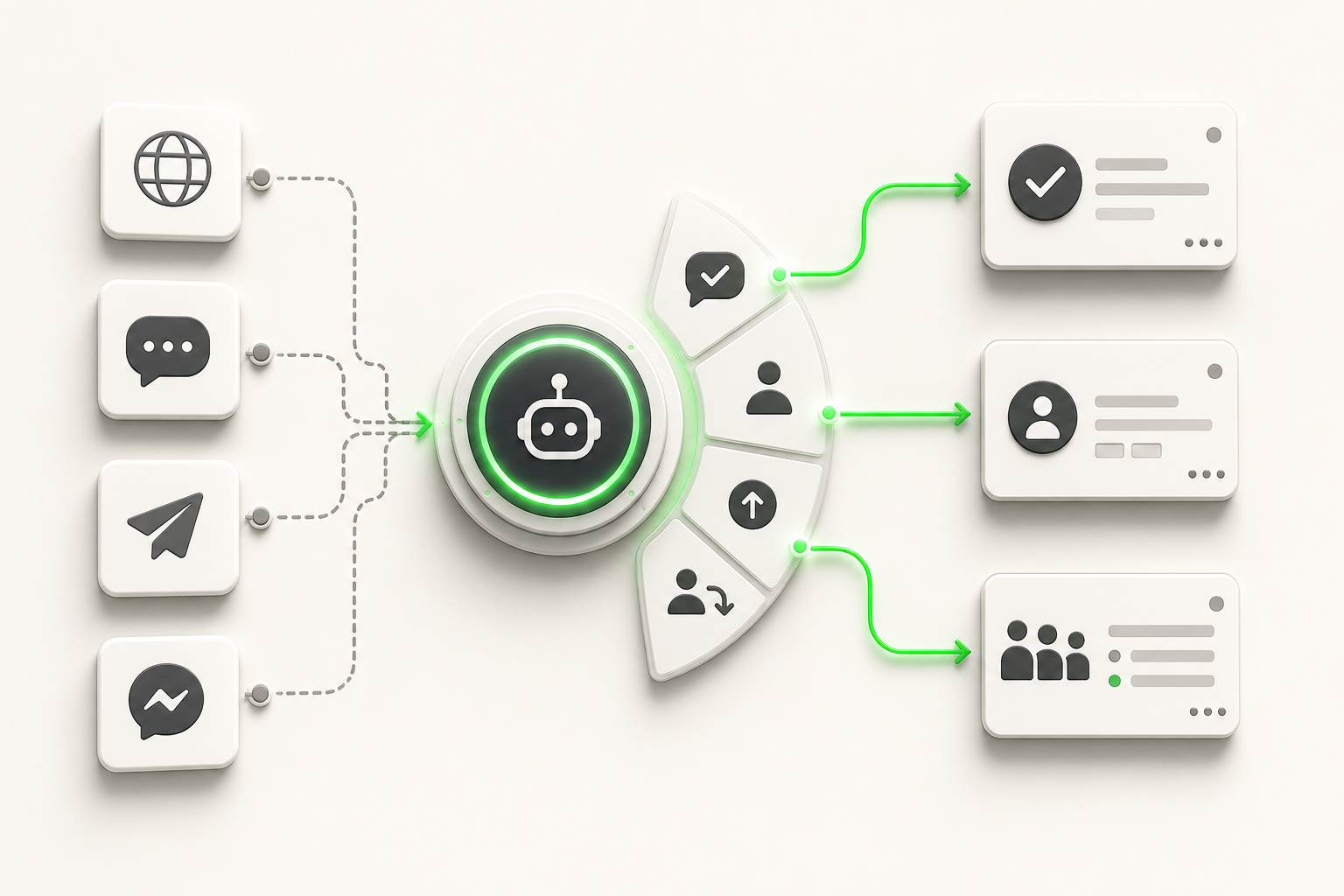
TL;DR — Where to start with AI for small business customer service:
- Triage first. Pull 30 days of tickets, chats, and calls and tag what percentage is repetitive (hours, pricing, order status) versus genuinely case-specific. If repetitive work is under 30%, AI customer service isn't your highest-leverage move yet.
- Pick your model. Buy a purpose-built AI agent, DIY-assemble one from a general chatbot builder, or hire — each has a real cost and timeline; there's no free option.
- Budget in bands, not guesses. Entry-level AI agent tools start around $40–50/month; mid-tier with more volume and channels runs $100–200/month; agencies and managed builds run into the thousands.
- Roll out in 30 days, not a quarter — audit (week 1), build and test (weeks 2–3), launch narrow and expand (week 4).
- Check the numbers at day 30, not day 3 — containment rate, escalation volume, and response time tell you whether to expand or fix what you built.
Somewhere in your inbox right now is a customer who asked "what are your hours?" for the fourth time this week, and a lead who messaged at 9pm about pricing and never heard back. You know AI is supposed to fix this. What nobody tells you is where to actually start — which decision to make first, how much it should cost, and what "working" looks like a month in.
This guide is that starting point. It assumes you know nothing about AI customer service tools and walks through the four decisions that matter before you touch a chatbot builder: how much of your support load is actually automatable, whether to buy, build, or hire, what budget band fits your business, and how to structure the first 30 days so you don't waste them. If you've already made those decisions and want the deep implementation playbook — knowledge base structure, escalation rules, channel setup — read how to automate customer support next. If you want the full strategic picture of automation across your whole support stack, customer service automation: the complete guide covers that. For the broader shift this fits into, see our guide to conversational AI for customer service. This post exists because most owners need the decision framework before they need either of those.
What "AI for Small Business Customer Service" Actually Means
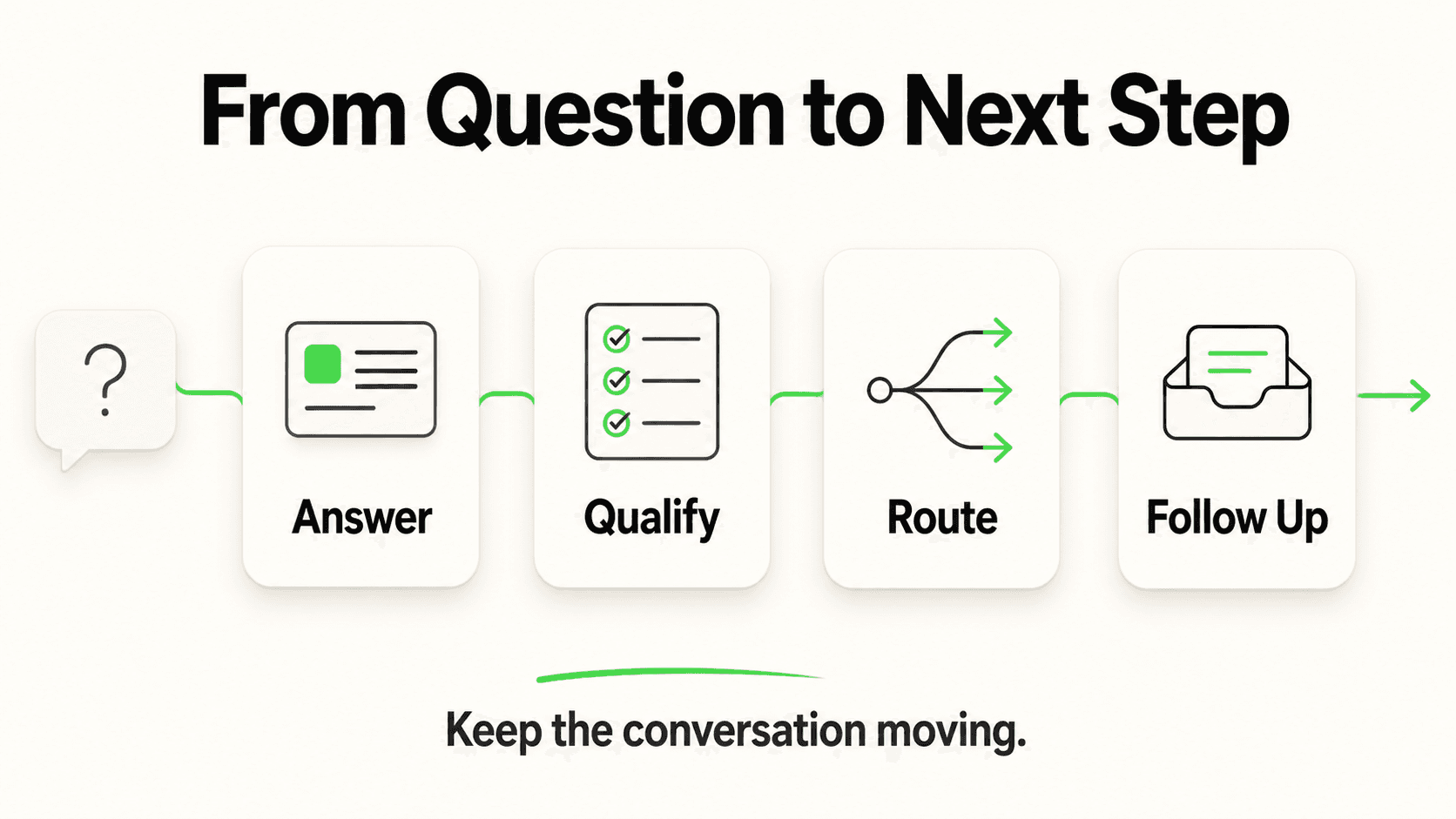
AI for small business customer service is software — typically a conversational AI agent — that answers routine customer questions, captures leads, and routes complex issues to your team, without requiring you to hire additional support staff. It runs on the channels your customers already use: your website, WhatsApp, Instagram DM, or Facebook Messenger.
It is not one thing. In practice, "AI customer service" spans a spectrum:
- Rule-based chatbots — decision-tree bots that follow "if customer says X, respond with Y" logic. Cheap, rigid, and easily confused by phrasing they weren't scripted for.
- AI agents grounded in your business knowledge — modern tools that read your FAQs, policies, and product docs, then answer in natural language using only that information. This is the category most small businesses mean when they say "AI chatbot" today.
- Human-assisted automation — the AI drafts responses or handles the first message, and a person reviews or takes over for anything sensitive.
For most SMBs, the right starting point is the second category: an AI agent grounded in your own documents, deployed on chat channels, with clear rules for when it hands off to a human. Everything below assumes that's the target — the question is whether, when, and how to get there.
Who this guide is for
You run a small or mid-sized business (roughly 5–200 employees), you're not a technical buyer, and you've never deployed an AI customer service tool before. This guide gets you to a decision, not a philosophy lecture.
Step 1: Triage Your Support Load Before You Buy Anything
The first mistake small businesses make with AI customer service is skipping straight to tool selection. Before you evaluate a single vendor, you need one number: what percentage of your support volume is repetitive?
Here's a simple way to get it without special software. Pull your last 30 days of support activity — website chat logs, WhatsApp messages, emails, even a rough tally of phone calls if that's what you track — and sort every inquiry into one of two buckets:
- Repetitive: The answer doesn't change based on who's asking. "What are your hours?" "Do you take insurance?" "Where's my order?" "How much does X cost?" "Can I book for Saturday?"
- Case-specific: The answer depends on the individual situation — a complaint, a custom quote, a complex technical issue, anything requiring judgment or relationship history.
Tag 100–150 recent inquiries this way (a Friday afternoon is usually enough) and calculate the split.
What the split tells you:
| Repetitive share | What it means | Recommended move |
|---|---|---|
| Under 30% | Your support load is mostly case-specific. AI will help less than you'd expect. | Fix process gaps first; revisit AI once volume grows or repetition increases |
| 30–60% | A meaningful chunk is automatable — this is the typical small business. | AI agent is a strong fit; expect real hours back within weeks |
| Over 60% | Most of what your team answers is the same handful of questions. | High-leverage automation opportunity; prioritize this now |
Most service businesses — clinics, salons, home services providers, hospitality, retail — land in the 40–65% range once they actually count. The questions repeat far more than owners assume, because the owner remembers the hard cases and forgets the twenty "what time do you open" messages between them.
Why this step matters
Skipping triage is how businesses end up with an AI agent that sits half-configured, answering three questions well and failing at everything else — because nobody defined the scope before building it. Fifteen minutes of counting saves weeks of rework.
The Buy vs. DIY vs. Hire Decision
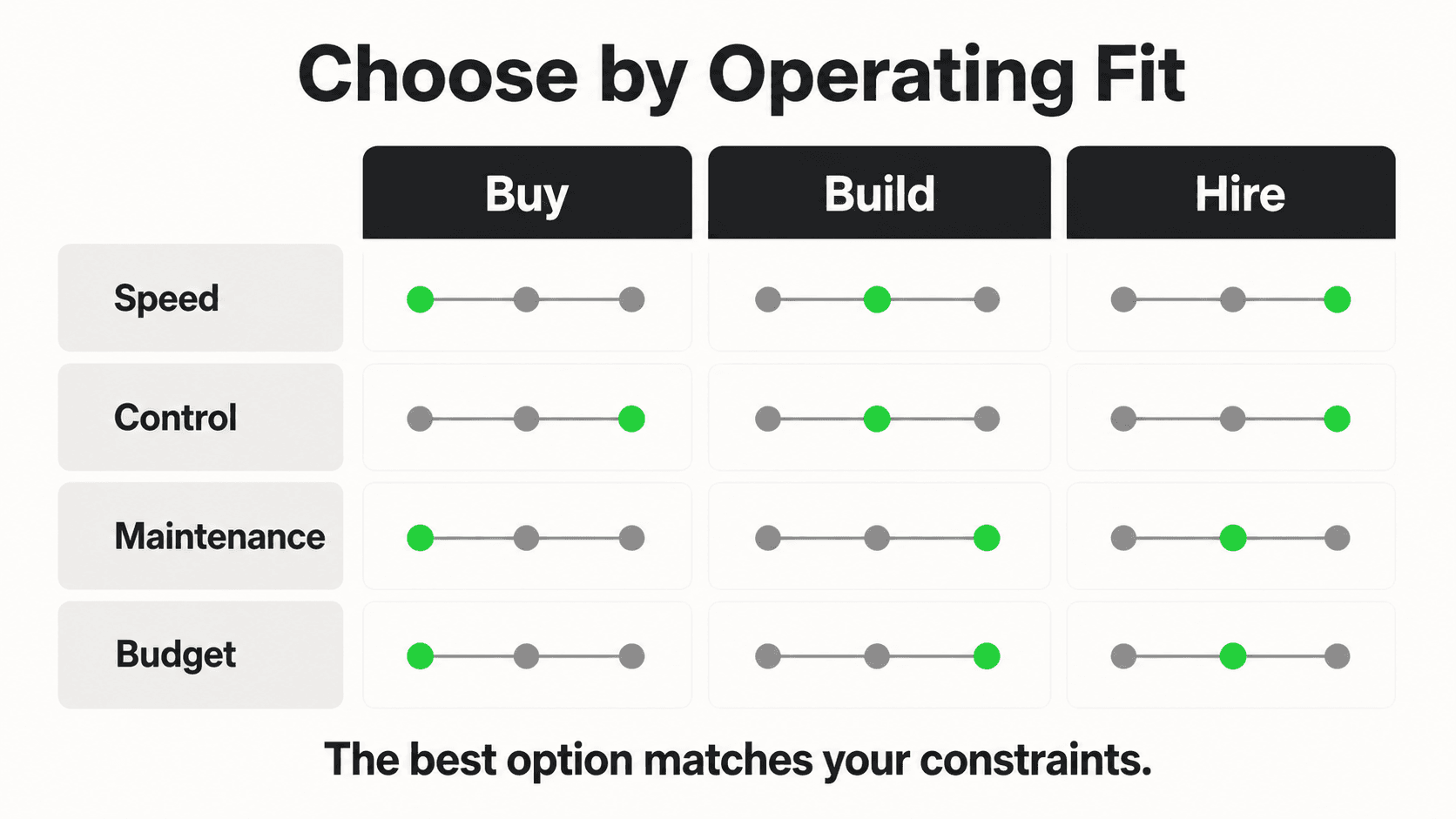
Once you know your repetitive share is worth automating, you face three real paths — not "AI or nothing." Each has a genuine cost and timeline; none of them is free.
Option 1: Buy a Purpose-Built AI Agent Platform
You subscribe to a tool built specifically for customer-facing AI agents — upload your documents, configure channels, set escalation rules, launch. This is the fastest path for a non-technical owner.
Best for: Businesses that want to be live within days, don't have in-house technical staff, and want ongoing support and updates handled by the vendor.
Trade-off: You're working within the platform's structure. Highly unusual workflows may need customization the tool doesn't offer out of the box.
Typical cost: $40–200/month depending on volume and channels (see budget bands below), plus optional paid add-ons for higher-volume knowledge retrieval or verified lead capture.
Option 2: DIY-Assemble From General-Purpose Tools
You stitch together a general chatbot builder, a document-upload plugin, and manual channel integrations yourself, often using a mix of free and low-cost tools.
Best for: Technically comfortable owners or businesses with someone on staff who has time to configure and maintain the stack.
Trade-off: Cheaper on the software line item, but expensive in hours — expect weeks, not days, to get something reliable, and ongoing maintenance falls on you every time a tool changes its API or pricing.
Typical cost: $0–100/month in software, but budget 15–30+ hours of setup time and a similar amount monthly to keep it working.
Option 3: Hire a Freelancer or Agency
You pay someone to build and configure an AI customer service setup for you, either as a one-time project or an ongoing retainer.
Best for: Businesses with a bigger budget, complex requirements, or zero internal time to manage even a "buy" option's setup wizard.
Trade-off: Highest cost, and quality varies enormously by who you hire. You're also often locked into that person or agency for changes.
Typical cost: $1,500–5,000+ for a one-time build, or $500–2,000+/month for an agency retainer.
The practical answer for most small businesses: Option 1. It's the only path where cost, speed, and maintenance burden are all reasonable at once. DIY looks cheap until you count your own hours; hiring is often overkill until your support complexity genuinely warrants it. Reserve DIY for owners who enjoy the tinkering, and hiring for businesses past 50+ employees or with support workflows too specific for an off-the-shelf platform.
See what an AI agent handles on day one
Upload your FAQs, connect your website or WhatsApp, and watch it answer real questions — before you commit to a plan.
Start Free TrialBudget Bands: What Each Price Point Actually Gets You
"How much does AI customer service cost?" doesn't have one answer — it depends on your inquiry volume, how many channels you need, and how many chatbots (e.g., separate ones per location or brand) you run. Here's what to expect at each band, using AI agent platform pricing since that's the recommended path above.
Entry band (~$40–50/month)
Fits a single-location business with one chatbot, moderate inquiry volume (roughly 3,000 AI responses per month is a common entry allotment), and up to four channels connected to that bot — enough for website chat plus WhatsApp, Instagram DM, and Facebook Messenger. This covers the majority of businesses doing their first AI customer service deployment. Hyperleap's Plus plan sits here at $40/month.
Mid band (~$100/month)
Fits a growing business running two chatbots (useful for multiple locations or separate consumer/business lines), higher monthly response volume, and white-label branding so the chat widget matches your brand rather than the vendor's. Hyperleap's Pro plan is $100/month and adds eligibility for paid add-ons like higher-volume document retrieval.
Higher band (~$200/month and up)
Fits multi-location or franchise operations running up to five chatbots, larger team access (up to 100 members), and the highest response volume tier before usage-based add-ons kick in. Hyperleap's Max plan is $200/month.
What's not included at any band, and costs extra
Every AI agent platform separates the core subscription from usage-based or specialty add-ons. At Hyperleap specifically: OTP-verified lead capture is a usage-based add-on (Pro/Max only, recharge from $100), a higher-tier document retrieval mode for large knowledge bases is $40/month plus additional usage on Pro/Max, extra response credits beyond your plan's allotment run $12 per 1,000 credits, and a done-for-you configuration service is offered $299 Free. None of this is hidden — it's just genuinely separate from the base plan, and any vendor that doesn't disclose add-on pricing up front is worth a second look.
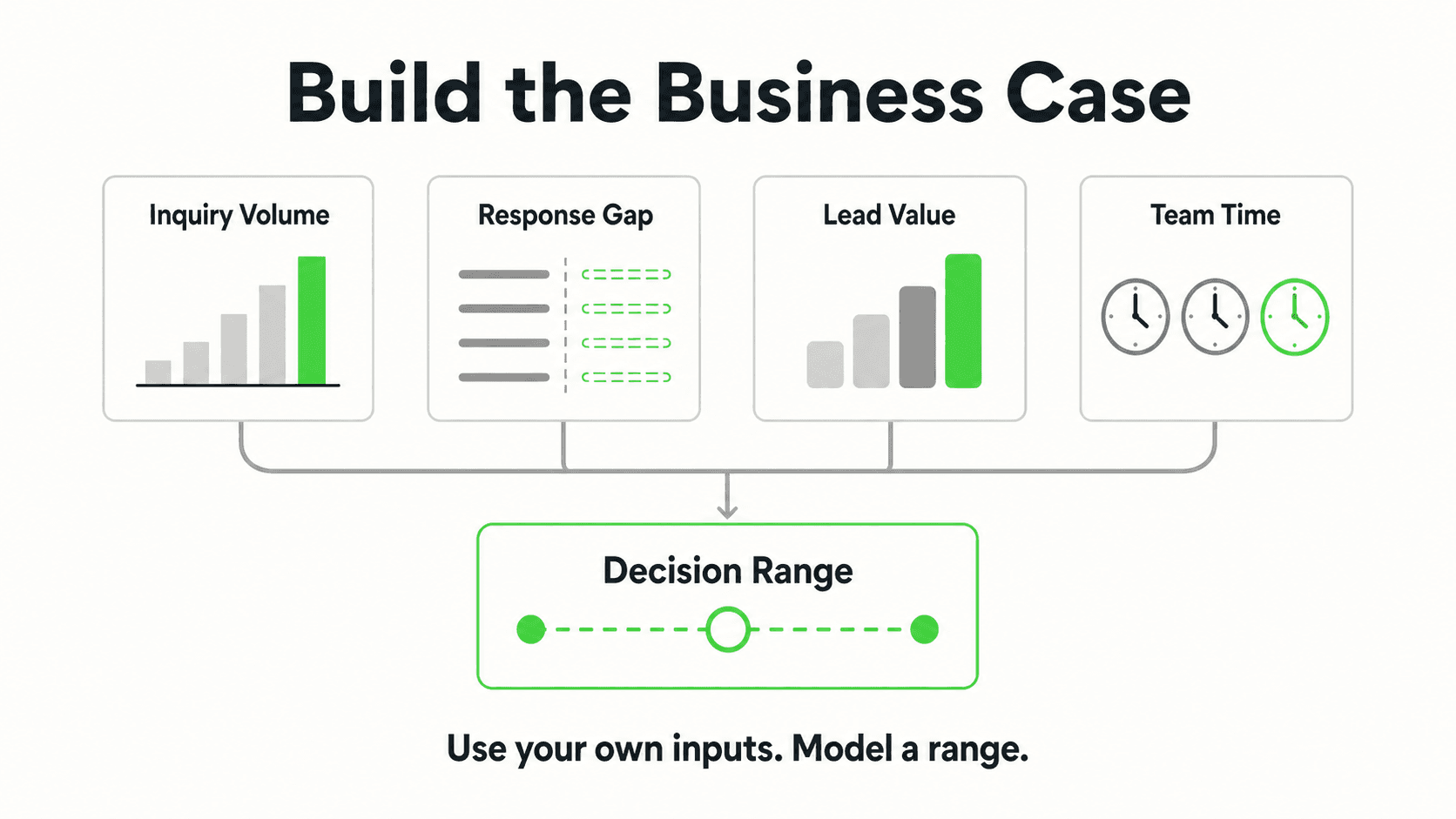
All plans run on a 7-day free trial with a credit card required to start — there's no permanently free tier, which is worth knowing before you assume "free chatbot" tools are the cheaper path. Free tiers typically cap you at low message volumes or strip out channels you'll need within the first month. See the full pricing breakdown for exact plan limits, or run your own numbers with the ROI calculator before committing to a band.
Common budgeting mistake
Don't size your plan to your current volume — size it to your volume six months from now if the rollout works. Businesses that undersize hit response caps mid-month, which either interrupts service or forces a mid-cycle upgrade. If you're between two bands, size up.
A 30-Day Rollout Plan
Most SMB owners either rush AI customer service live in a weekend (and it embarrasses them with a customer within days) or let the project drift for months without a deadline. Neither works. Here's a structure that fits inside 30 days without cutting corners.
Week 1: Audit and scope
- Finish the triage exercise from Step 1 if you haven't already — know your repetitive-question list.
- Pull your top 15–20 recurring questions and write out the correct answer for each, in your own words. The free customer service response templates tool drafts answers for common scenarios that you can edit. This becomes the seed of your knowledge base.
- Decide your escalation rules now, before you build anything: what topics, keywords, or emotional signals (a customer saying "cancel," "refund," "lawyer," "emergency") always route straight to a human, no exceptions.
- Choose your channels. Most SMBs start with website chat plus one messaging channel — WhatsApp is the strongest second channel globally for reach and response rates.
Weeks 2–3: Build and test
- Upload your knowledge base — FAQs, policies, pricing sheets, service descriptions — into your chosen AI agent platform. If FAQs are the bulk of your repetitive volume, our FAQ chatbot guide covers structuring this content specifically.
- Configure the lead capture form. Most AI agent platforms gate the conversation behind a short contact-details form before chat begins, so every conversation that starts is already a captured lead, not just an anonymous chat session.
- Set up your escalation rules and notification routing so your team is alerted the moment a conversation needs a human.
- Test it yourself with the actual phrasing customers use — not the clean, formal version of the question. Try typos, slang, and impatient one-word messages.
- Run it in a soft-launch state: live on your website, but only mention it to a handful of real customers or watch it silently for a few days.
Week 4: Launch narrow, then expand
- Go fully live on your primary channel. Don't launch every channel simultaneously — get one working well first.
- Monitor daily for the first week: read every conversation transcript if volume allows. This is where you catch knowledge gaps fast.
- Add your second and third channels once the first is stable and you've fixed the obvious gaps.
- Set a recurring weekly 15-minute review for the next two months — not longer than that, but not skipped either.
The single biggest rollout mistake
Launching on every channel at once, with an unreviewed knowledge base, and then not checking transcripts for the first two weeks. The businesses that get the most value are the ones who treat week one after launch as active monitoring, not "set it and forget it."
What to Check at Day 30
By day 30 you should have enough real conversation data to know whether the rollout is working — and specifically, working for your business, not a generic benchmark. The three numbers that matter most at this stage:
- Containment rate — the percentage of conversations the AI resolves without human escalation. Healthy ranges vary widely by business complexity, so track your own trend over time rather than chasing one universal number.
- Escalation volume and reason — not just how many conversations get handed to a human, but why. If the same knowledge gap shows up repeatedly, that's a 10-minute fix to your knowledge base, not a sign the tool failed.
- Response time — how fast the first reply lands, especially outside business hours. This is usually the most dramatic before/after number, since it goes from "whenever someone checks their phone" to seconds.
These are three of the seven KPIs worth tracking on an ongoing basis — the full scorecard, including CSAT and deflection benchmarks by industry, is in AI chatbot KPIs: what to measure and why. Bookmark it before day 30 arrives so you're not scrambling to figure out what "good" looks like after the fact.
If your day-30 numbers look weak, the fix is almost never "switch tools" — it's usually a thin knowledge base, escalation rules set too loose or too tight, or a channel launched before it was tested. Revisit weeks 2–3 of the rollout plan above and tighten the specific gap the data points to.
What good looks like at 30 days
You're not aiming for a perfect bot. You're aiming for a bot that reliably handles your top 10–15 repetitive questions, hands off cleanly and quickly on everything else, and has already saved your team measurable hours — even if it's not yet handling every edge case. Expansion comes after that foundation is solid, not before.
Getting the Human Balance Right
The businesses that get AI customer service wrong almost never fail on the technology — they fail on scope. They either automate too little (the bot answers three narrow questions and everything else still floods the inbox) or too much (the bot tries to handle complaints, refunds, and emotionally charged conversations it was never suited for).
The right framing: AI handles volume and routine, your team handles judgment and relationships. The AI should never perform clinical assessment, give legal advice, or make judgment calls in sensitive situations — it should route those straight to a person, clearly and immediately. Customers are more tolerant of "let me connect you with our team" than of a bot pretending to have answers it doesn't. Get the escalation rules right in week 1 of your rollout, and this balance mostly takes care of itself.
Frequently Asked Questions
Will AI customer service replace my support team?
No — for most small businesses, AI handles the repetitive share of inquiries (hours, pricing, order status, availability) while your team handles complaints, complex questions, and anything requiring judgment or relationship history. The goal is freeing your team's time for the conversations that actually need a person, not eliminating the team.
How much does AI for small business customer service cost?
Entry-level AI agent platforms typically start around $40–50/month for a single chatbot with moderate volume, mid-tier plans with higher volume and multiple chatbots run around $100/month, and higher-volume or multi-location setups run $200/month and up. DIY approaches can look cheaper on paper but usually cost significant setup and maintenance hours instead. There is no genuinely free option once you account for either your time or a paid platform's usage caps.
How long does it take to set up an AI customer service agent?
A focused rollout — from auditing your support load to a live, tested AI agent on your primary channel — typically fits inside 30 days for a small business, with the actual build-and-test phase taking 1–2 weeks once your knowledge base content is ready. Businesses that rush it in a weekend usually end up fixing gaps live in front of customers.
What percentage of my support tickets should I expect to automate?
It varies by business, but most service businesses find that 30–65% of their support volume is repetitive once they actually audit it — the same handful of questions asked over and over. Businesses under 30% repetitive volume typically get less value from AI customer service and should look at process fixes first.
Do I need technical skills to set up an AI customer service agent?
Not with a purpose-built AI agent platform. If you can write down the answers to your most common customer questions — essentially an FAQ document — you can configure a modern AI agent. Technical skills matter more if you choose the DIY-assemble path, which requires connecting multiple separate tools yourself.
Can AI customer service work with my existing CRM or booking system?
Most AI agent platforms connect to other systems via REST API and webhooks rather than deep native integrations. Hyperleap AI books appointments natively in the chat with Calendly or Cal.com (in-chat booking needs Calendly Standard or higher) and shares your booking link for any other scheduler. With Actions, it can also call your own API mid-conversation to look up or submit data. Confirm exactly what "integration" means for any platform you evaluate — some vendors overstate native CRM connectivity that's actually a manual API setup.
What channels should I launch AI customer service on first?
Start with one channel — usually your website chat widget, since it requires no customer-side setup — get it stable, then expand to WhatsApp, Instagram DM, or Facebook Messenger based on where your customers already message you. Launching every channel simultaneously before testing is one of the most common rollout mistakes.
Where to Go Next
If you've made the four decisions in this guide — you know your repetitive share, you're buying rather than DIY-building, you have a budget band picked, and you're ready to execute the 30-day plan — the deeper implementation details live in two companion guides: how to automate customer support walks through knowledge base structure and escalation rules step by step, and customer service automation: the complete guide covers the full strategic picture, including tool categories and common rollout mistakes. Once you're live, AI chatbot KPIs is your reference for what to measure and what "good" looks like by industry.
The businesses that get the most out of AI customer service aren't the ones with the fanciest tool — they're the ones who scoped it correctly on day one, budgeted realistically, and checked the numbers instead of guessing. Start with the triage exercise this week. Everything else in this guide follows from that one number.
Start your 30-day rollout today
A 7-day free trial gets your AI agent live on your first channel this week — no developer required.
Try Hyperleap AI FreeIndustry Solutions
See how AI chatbots work for these industries:
Related Articles

Best Customer Service Software for Small Business (2026 Guide)
Compare the best customer service software for small business: help desks, live chat, AI agents, and shared inboxes — with an honest evaluation framework.

Customer Service Automation: The Complete Guide (2026)
Customer service automation done right: what to automate, what to keep human, which tools to evaluate, and how to roll it out without breaking what already works.

How to Automate Customer Support: A Practical Playbook
Learn how to automate customer support the right way — audit repetitive tickets, ground an AI agent in your docs, and keep humans where they matter most.

FAQ Chatbot: What It Is and How to Build One
An FAQ chatbot answers customer questions instantly, 24/7, from your own documents — how it works, how it beats a static FAQ page, and how to build one.